AI Overview
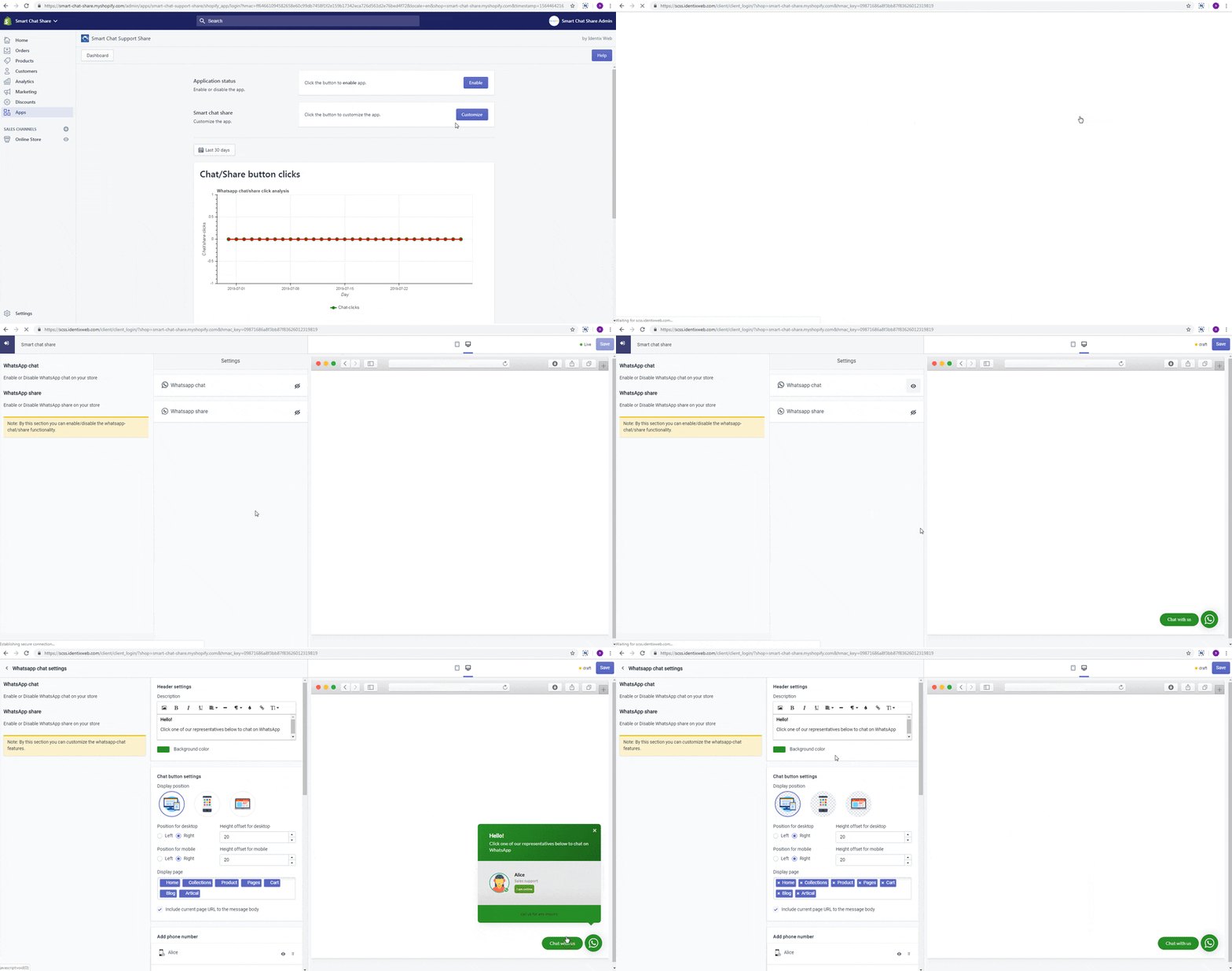
You can enable or disable WhatsApp chat for your store by following a few simple steps. This feature allows you to enhance customer communication through WhatsApp directly from your Shopify store. To start, log in as the account owner and navigate to Apps > WhatsApp Chat Support.
Click on the Customize button, then locate and click on the icon to enable or disable the chat feature as needed. Make sure to check that the changes reflect correctly in your store.
Check the below steps for enabling/disable WhatsApp chat.
Log in as the account owner.
From your Shopify admin, go to Apps > Whatsapp Chat Support Share
Find button and click on it.
Find icon and click on it.
From your Shopify admin, go to Apps > Whatsapp Chat Support Share
Find button and click on it.
Find icon and click on it.