

The Casa Subscriptions integration with Delivery Date & Pickup Stellar streamlines the management of delivery dates for your subscription orders. When a customer selects a delivery date for their first order, the app automatically applies that date to all future recurring orders, saving you the hassle of manually entering dates each time. To enable this integration, log into your Shopify Admin, navigate to the Apps page, select the Casa Subscriptions app, and activate the delivery data on the Integration page.
Ensure that both the Stellar Delivery Date & Pickup app and the Casa Subscriptions app are installed for this feature to function properly. Customers can view their upcoming delivery dates on their subscription account, and you can disable the integration anytime through the same settings if needed.
In this article, you will learn how the integration works, where you can see the delivery details, and how to turn the feature on.
How the integration works
Stellar Delivery Date & Pickup now works together with the Casa Subscriptions app. This connection saves you time on every recurring order.
Here is what happens. First, a customer places an order and selects a delivery date. Then, on the next recurring order, the app sets the next delivery date on its own. It follows the rules you already set in your delivery app settings.
As a result, you do not need to add delivery dates by hand for repeat orders. Each new order in the subscription gets the correct date and time automatically.
Where you can see the Delivery details
Once the integration is on, you can check the delivery date from two places inside the Casa Subscriptions app.
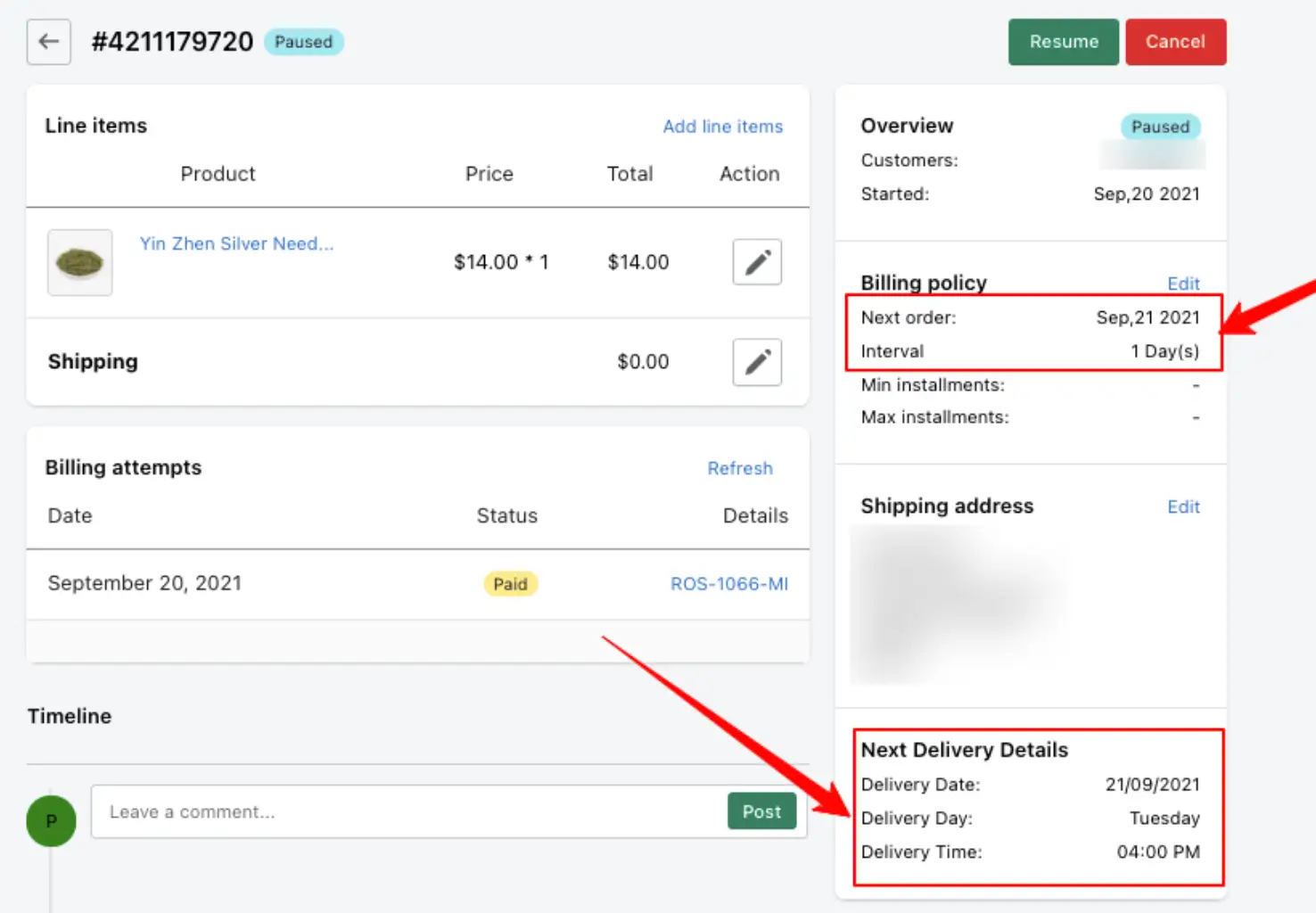
Contract details page
This page shows the full subscription contract for an order. You can see the delivery date and time right alongside the subscription details.
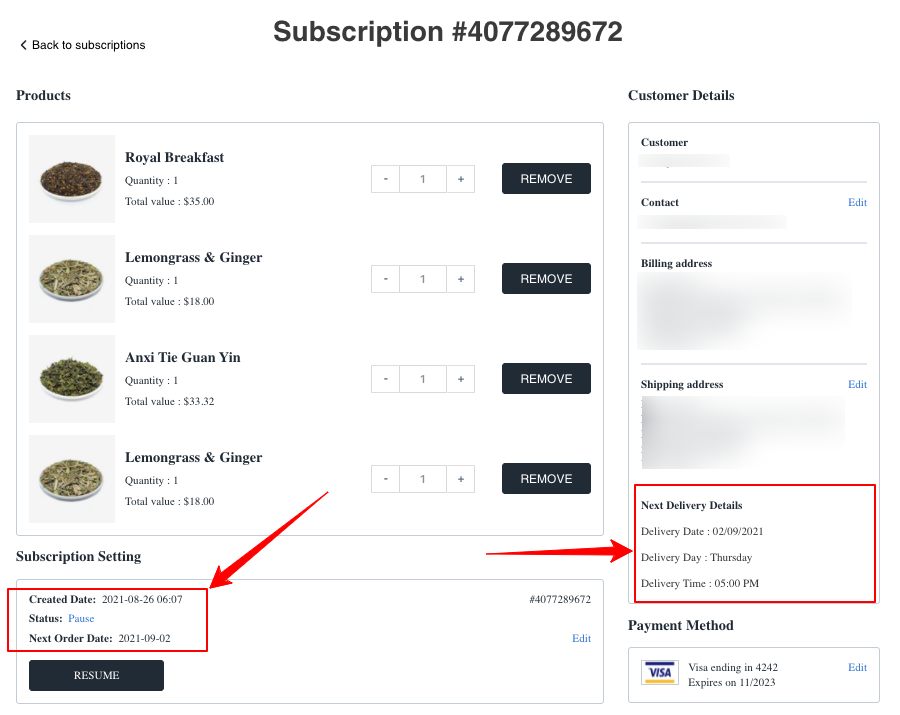
Customer details page
This page shows subscription information from the customer’s side. Your customers can also view their upcoming delivery date here.
How to enable this integration
Follow these steps to show delivery data on the contract page of the Casa Subscriptions app.
- Log into your Shopify Admin.
- Go to the Apps page from your admin sidebar.
- Select the Casa Subscriptions app.
- Go to the Integration page.
- Click the Enable app button to turn on the delivery data. Click Disable app if you want to turn it off.


