

To integrate the iCart Cart Drawer Cart Upsell Shopify App with the Weglot – Translate Your Store Shopify App, follow these steps to ensure that dynamic elements of your cart are properly translated. Here’s a detailed guide for the helpdesk:
Overview of Weglot – Translate Your Store Shopify App
Weglot is a translation app that allows you to translate your Shopify store into multiple languages. It automatically detects and translates content on your store, including dynamic elements. However, some dynamic parts of your website, like those in the iCart app, may require additional configuration to be translated correctly.
Integration Steps
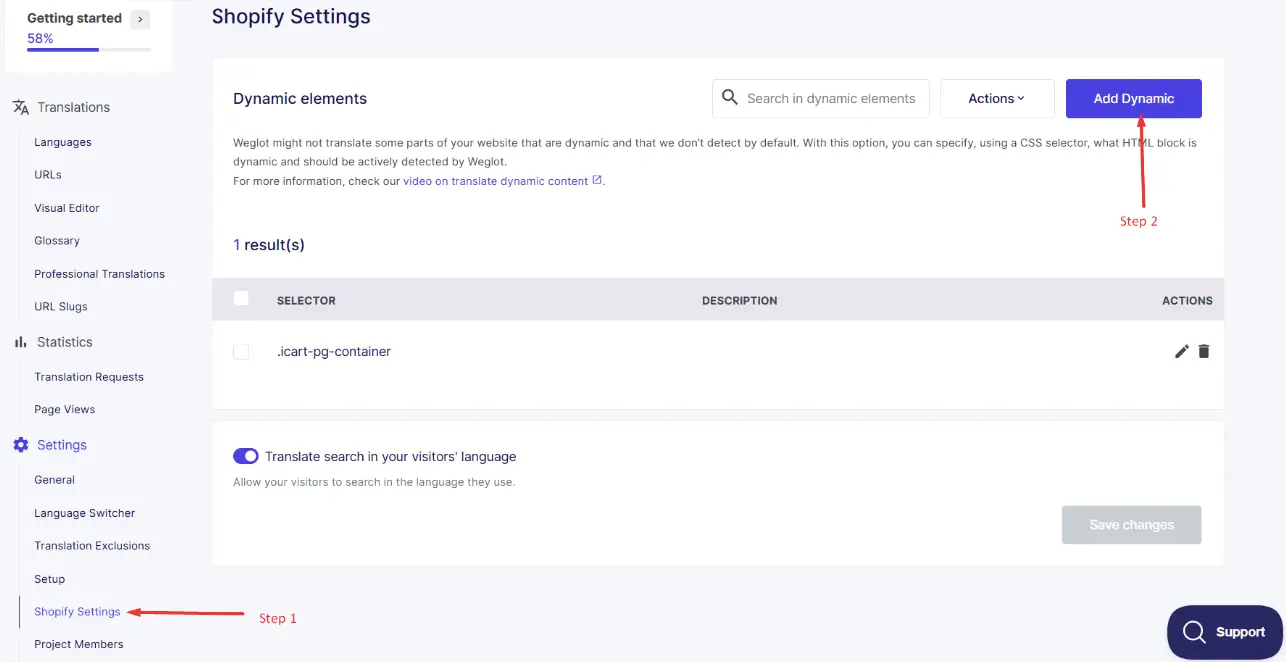
1. Access Weglot Settings:
- Go to your Shopify admin panel.
- Navigate to the Weglot app and click on Settings.
- Under Shopify Settings, find the option for Dynamic Elements.
2. Add Dynamic Elements:
- Click on the Add Dynamic button.
- You will be prompted to add a selector that corresponds to the dynamic elements in your iCart app.
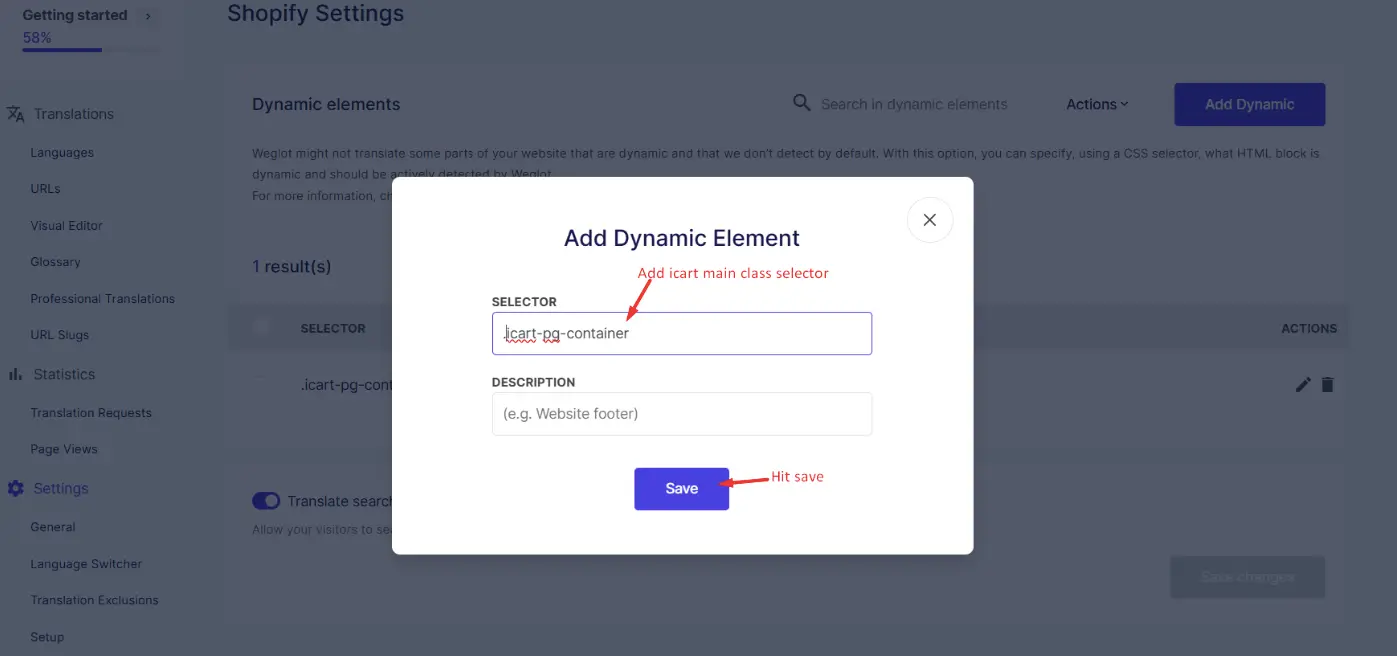
3. Enter the Selector:
Depending on the type of cart you are using, enter the appropriate CSS selector:
- Cart Popup Selector: icart-sp-cart icart-content
- Cart Drawer Selector: icart-cart-main
- Full Cart Page Selector: .icart-pg-container
- Save the changes after entering the selector.
Selector Details
- Cart Popup Selector (icart-sp-cart icart-content): Use this selector if your store uses a popup-style cart.
- Cart Drawer Selector (icart-cart-main): Use this selector if your store uses a sliding drawer-style cart.
- Full Cart Page Selector (.icart-pg-container): Use this selector if your store uses a full-page cart.
Additional Tips
- Ensure that the selectors are entered correctly to avoid any issues with translation.
- After adding the selectors, test your store in different languages to confirm that the cart elements are translating as expected.
By following these steps, you can ensure that the dynamic elements of your iCart app are properly detected and translated by Weglot, providing a seamless multilingual shopping experience for your customers.
Need Help?
If you face any issues or have any questions regarding the app, don’t hesitate to drop a message in live chat or email us. We’re here to assist you every possible solutions!