

The Product Recommendation widget in the iCart Cart Drawer Cart Upsell app helps you boost sales and improve conversion rates by showcasing relevant product suggestions based on customer behavior and preferences. Whether you’re recommending best-sellers, related products, or items from a specific collection, this widget is designed to maximize upsell opportunities and keep shoppers engaged.
Let’s walk through each setting in detail 👇
🧩 Widget Heading
You can customize the widget heading to reflect what the product recommendation is about — such as “You may also like” or “Recommended for you.”
➡️ Learn more about Widget Heading
🖊️ Title
This section allows you to set a title for your widget and style it visually. You’ll find options like:
- Show/hide title
- Heading background color
- Widget background color
➡️ Learn more about Title and related options
🛍️ Select Collection
Choose the source of recommended products from:
- Shopify recommended products
- Specific collection
- Special product tags
This allows merchants to tailor the recommendation logic according to their sales strategy.
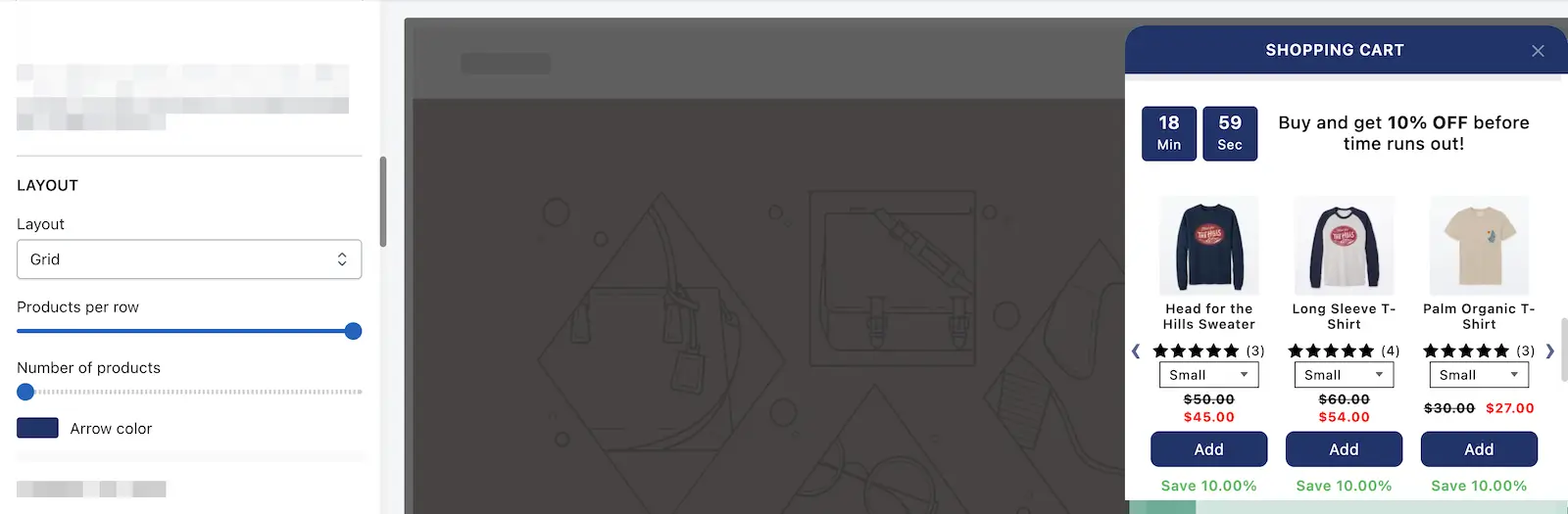
📐 Layout
Control the look and feel of how your recommended products are displayed.
| Option | Description |
|---|---|
| Layout (List/Grid) | Choose how products are arranged. Grid is ideal for more visual impact, while List provides a cleaner look. |
| Products per row | Show 1–3 products per row (only applies to grid layout). |
| Number of products | If using Shopify recommended, set 1–10 products. For collection/tag-based, you can show 12–60 products. |
| Arrow color | Customize navigation arrows to match your brand. |
🧾 Product options
Customize what appears in each product card:
- Show variant selection: Allow customers to choose variants directly.
- Show product vendor: Display the product vendor’s name.
- Vendor color: Set the text color for vendor name.
- Product title color: Customize the color of the product title.
To know more about the product options, please check our product options guide in common widget settings.
💰 Discount
Set discount types such as percentage off, fixed amount, free product, or just display offer info.
➡️ Learn more about discount types
⏳ Timer Limited Offer
Create urgency by showing a countdown timer for a limited-time deal.
➡️ Learn more about limited-time offers
💵 Price to Display
Decide whether to show original price, discounted price, or both for transparency and urgency.
➡️ Learn more about price display
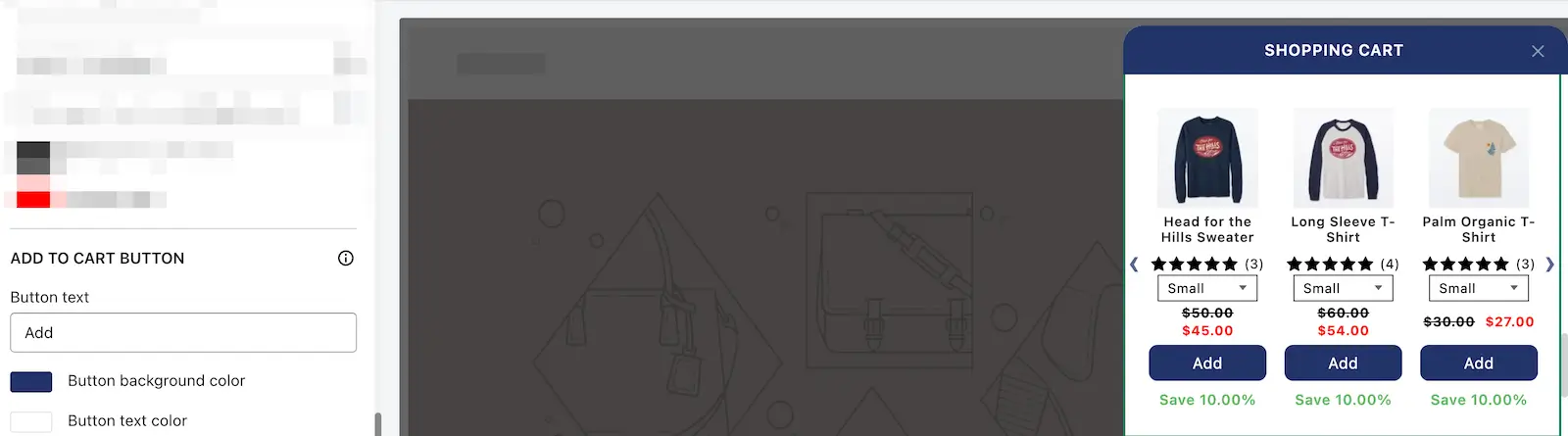
🛒 Add to Cart Button
You can fully customize the call-to-action to match your store’s tone:
- Button text (e.g. “Add Now” or “Grab Deal”)
- Button background color
- Button text color
💸 Display Save Amount Label
Let customers know how much they’re saving with a dynamic label like “You save 20%.”
➡️ Learn more about this feature
⭐ Star Reviews
Display star ratings from your integrated review apps to boost social proof.
➡️ Learn more about review settings
📋 Rules
You can define conditions to control when this widget should appear — based on cart total, product tags, date/time, and more.
➡️ Understand widget rules and their conditions
🗑️ Delete Widget
Remove the widget from your cart with one click when you no longer need it.
🙋 Need help?
If you have any questions or need assistance setting up your Product Recommendation widget, feel free to email us or live chat with our support team — we’re always here to assist you!
Read this guide to learn the discount widget in detail.