This integration allows you to display discounted wholesale prices directly in your product catalogue table using the iTable Compare & Pricing Table and Wholesale Hero B2B Pricing app. By configuring this feature, you ensure that your customers see the correct pricing, enhancing trust and consistency in your store. To enable this integration, log in to your Shopify Admin, access the iTable Compare & Pricing Table app, and connect the Wholesale Hero B2B Pricing app under the App Integrations section.
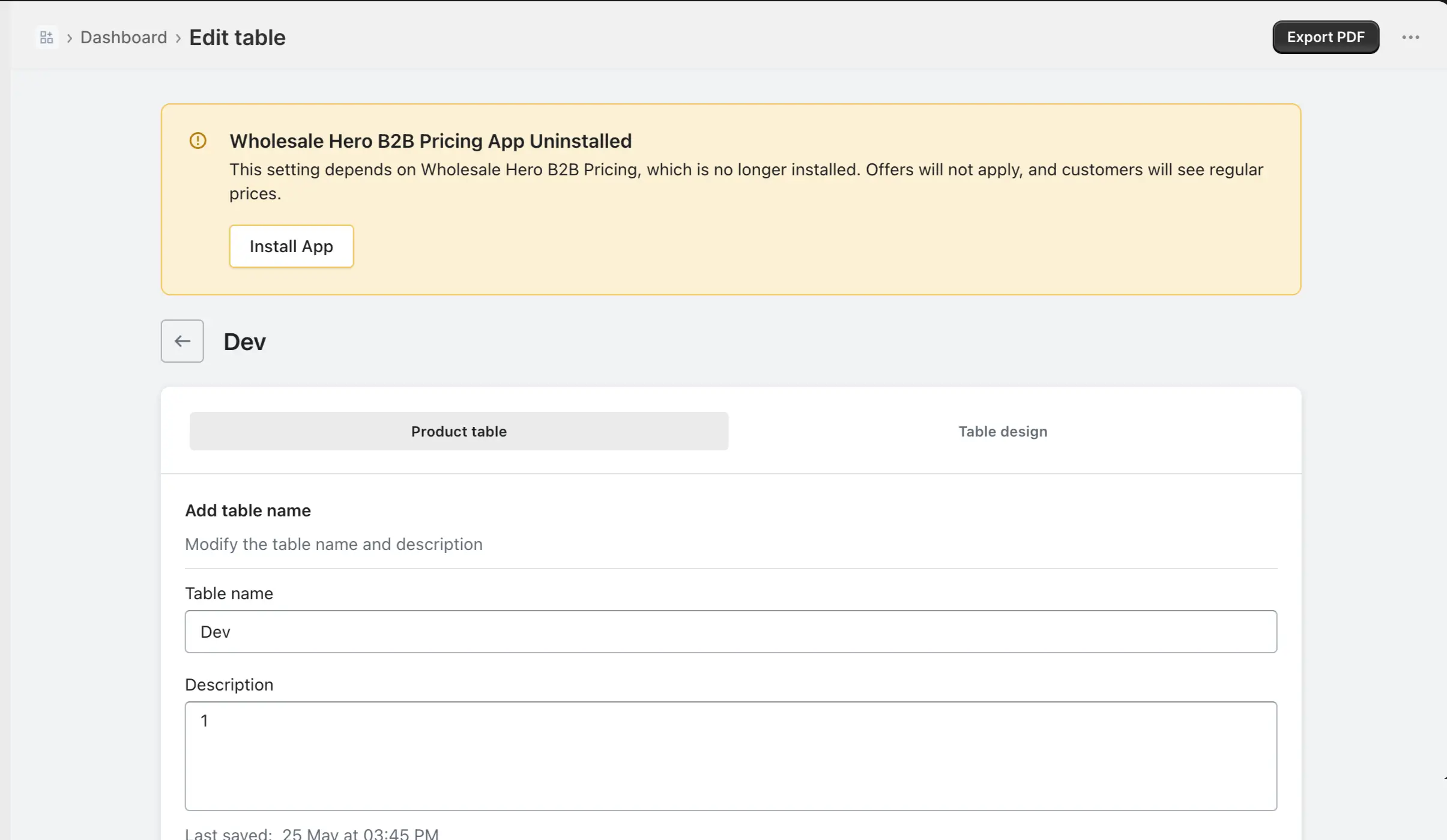
After connecting, enable the Wholesale slab price option in your product pricing settings to display the wholesale prices correctly. Remember, if the Wholesale app is disabled or uninstalled, the discounted prices will not appear, and you will receive a warning in the iTable app.
In this guide, you’ll learn how this integration works, how to configure it inside iTable Compare & Pricing Table, and how to set up the Request Price feature for non-logged-in customers.
How to Enable the Integration
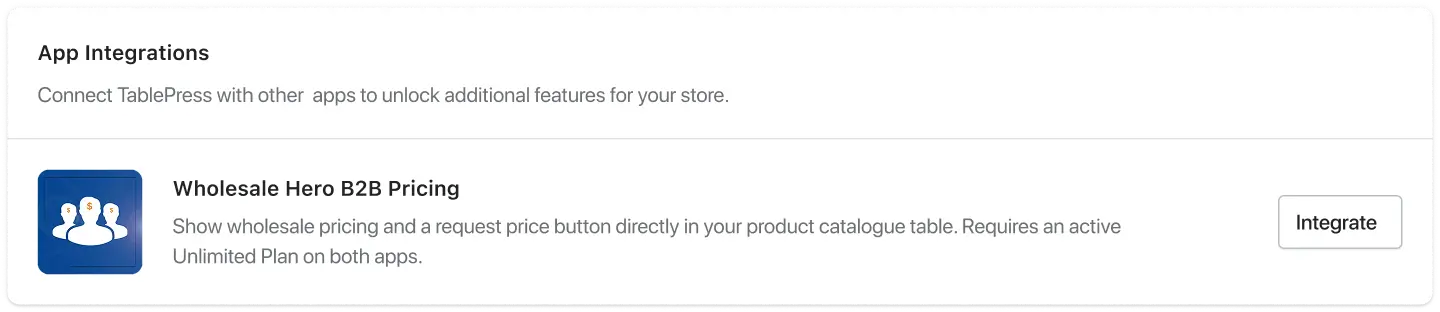
Connect Wholesale Hero B2B Pricing App Integrations
- Log in to your Shopify Admin.
- Open iTable Compare & Pricing Table from your Apps menu.
- Go to the Settings page.
- Find the App Integrations section.
- Connect Wholesale Hero B2B Pricing from the available integrations.
After successfully connecting the apps, you’ll also need to enable the Wholesale slab price option within your product pricing settings from Product Catalogue. This step is required for the wholesale pricing to work correctly on the storefront. Once enabled, the configured wholesale prices will be displayed to your customers in the catalogue table. For detailed instructions on where and how to configure this option, please refer to the Product catalogue guide.
What the Customer Sees
Once everything is configured, here’s what happens on the front end of your store:
- If a product has a wholesale price set up in your Wholesale app, the discounted price appears in the product catalogue table instead of the original price.
- If that product has multiple price slabs (e.g. different prices for different quantities), those tiers are accessible via a Price Slab text link shown below the price. Customers can click it to see all available price tiers for that product.
- If a product’s price is restricted to logged-in customers and a visitor is not logged in, the Request Price button appears in place of the price (when the toggle is enabled).
Requirement
Both apps must be installed
For this integration to work, both iTable Compare & Pricing Table and your Wholesale Hero B2B Pricing app must be installed and active in your Shopify store.
What happens if the Wholesale app is removed or disabled?
If you have already configured a product catalogue table with wholesale pricing and then uninstall or disable the Wholesale app, a warning banner will appear at the top of the iTable Compare & Pricing Table app notifying you that the Wholesale app is no longer active. Wholesale pricing discounts will not be displayed in your product catalogue, and the integration will not work until the Wholesale app is re-enabled and connected.
Important: You must also connect Wholesale Hero B2B Pricing from Settings → App Integrations inside iTable Compare & Pricing Table. Without this connection, wholesale pricing configuration will not work even if both apps are installed and enabled.
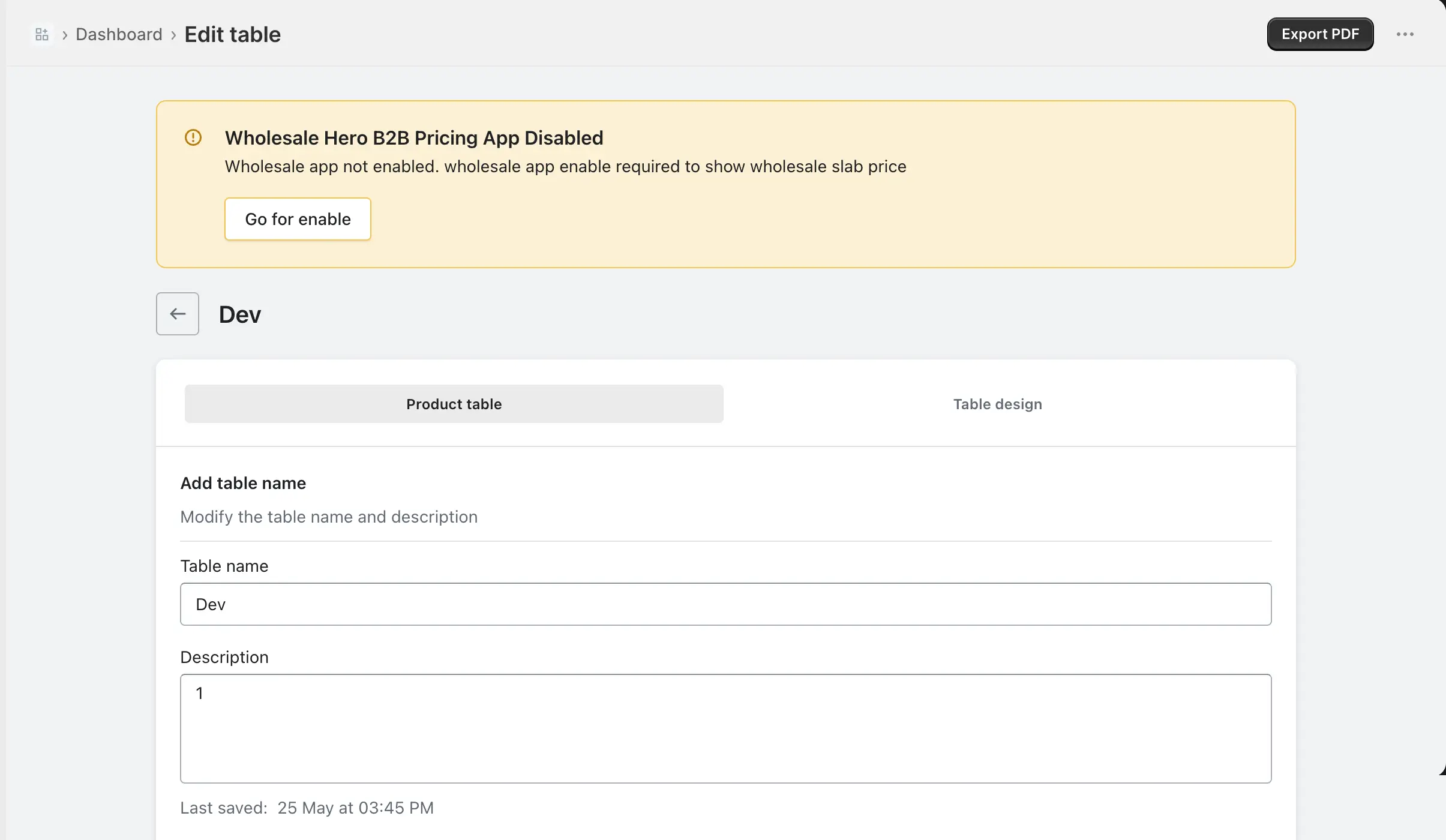
For app uninstalled