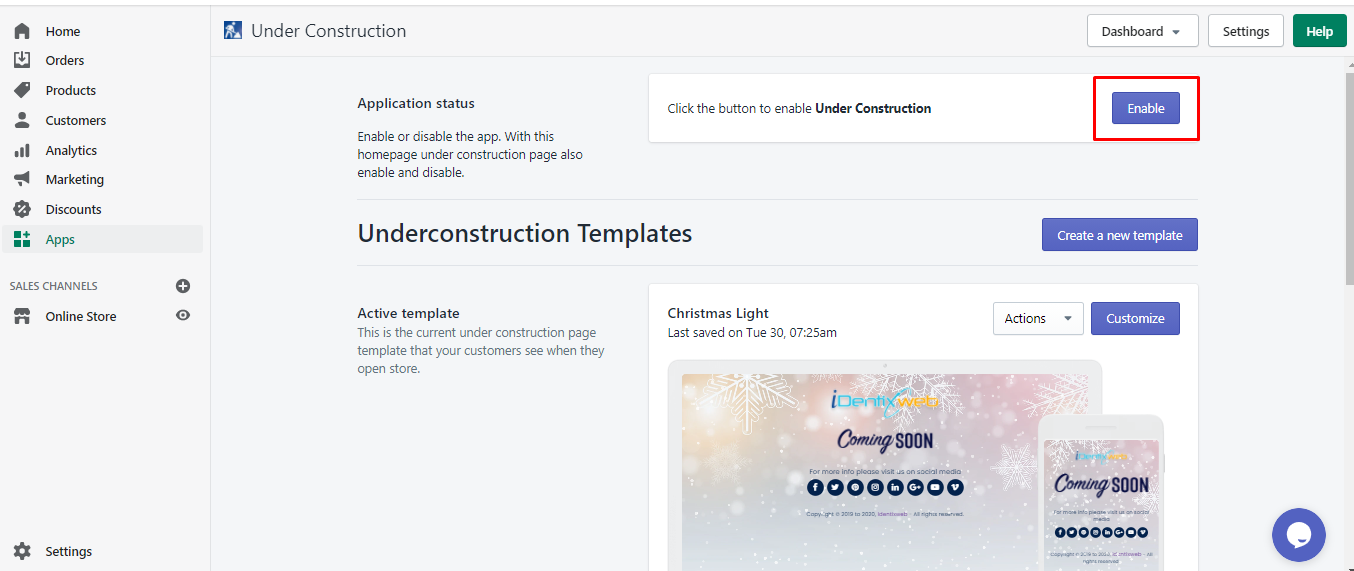
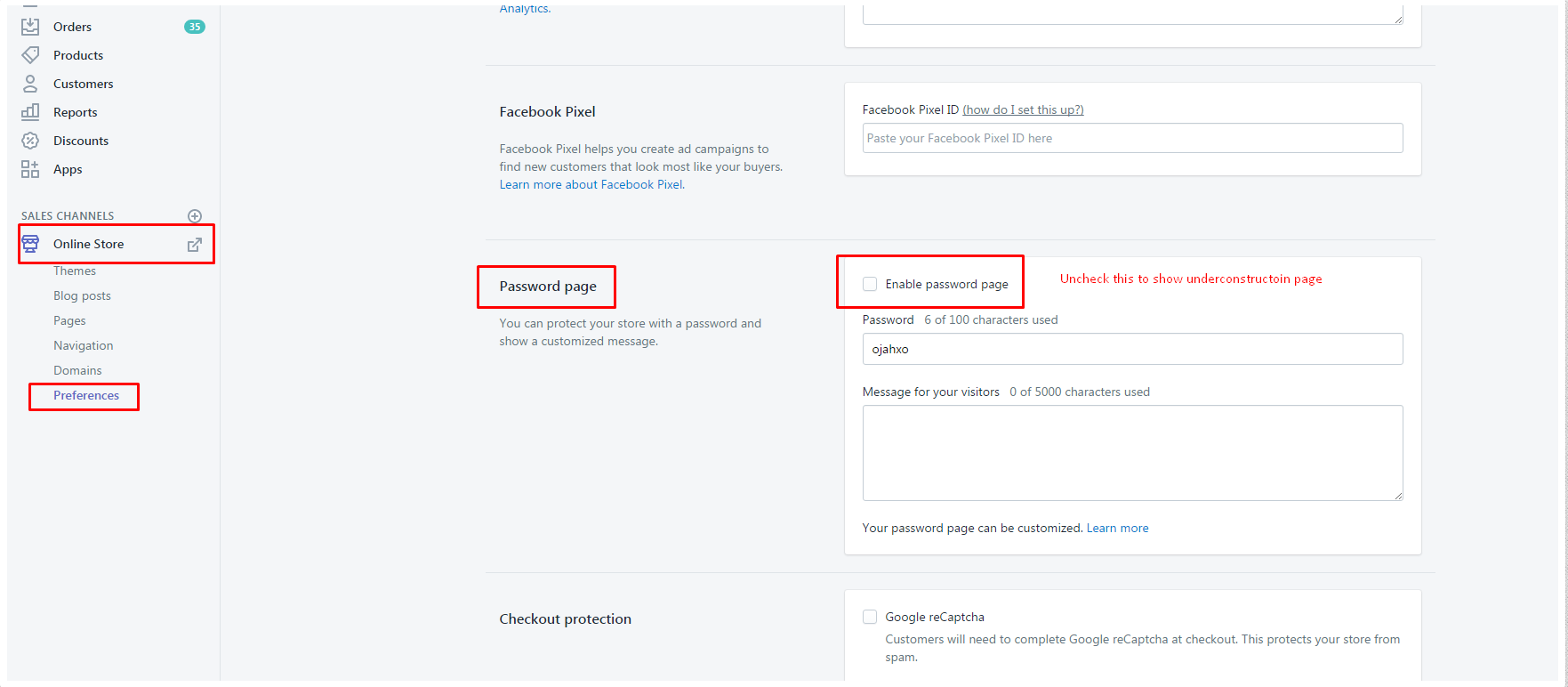
To view your Under Construction page, you need to ensure that both Shopify's Password Protected option is disabled and the Under Construction app is enabled in your store. This allows you to see how your Under Construction page appears to visitors. First, log in to your Shopify store and navigate to Online Store > Preferences to uncheck the "Enable password page" option, then save your changes.
Next, go to Apps > Under Construction in your Shopify admin, access the Dashboard, select the appropriate option, and click the Enable button to activate the app. Make sure you are logged in as the account owner to perform these actions.
1. Password Protected Option should be disabled
Make sure you have disabled Shopify’s Password Protected option to view the Under Construction page.
To disable Shopify’s Password Protected option:
- Log in to your Shopify store
- Go to Online Store > Preferences
- In the Password page section, uncheck Enable password page
- Hit the Save button
2. Under Construction App should be enabled
Make sure the Under Construction app is enabled in your Shopify store.
To Enable/Disable the App:
- Log in as the account owner.
- From your Shopify admin, go to Apps > Under Construction.
- Click on the Dashboard and select either the Under Construction or Age Verification option.
- Click on the Enable button beside Application status.