

The Template feature within the Order Printer PDF Invoice Shopify app allows you to customize and manage your invoice, packing slip, and refund templates effectively. This functionality helps you optimize your order documentation process, ensuring that your templates align with your branding and document requirements. You can access the Template Management page to view and select default templates for different document types.
Utilize navigation tabs to switch between invoices, packing slips, and refunds easily. You can also change the template language and currency to match your store's needs. Additionally, the prototype option enables you to create new templates or modify existing ones, allowing for a personalized touch that enhances your brand identity and customer experience.
Within the Order Printer PDF Invoice Shopify app, the Template feature empowers merchants to customize and manage their invoice, packing slip, and refund templates with precision and ease. Let’s explore the functionality of this feature in detail to optimize your order documentation process.
Accessing Template Management
Navigate to the Template page within the app interface to gain access to a comprehensive list of installed templates for invoices, packing slips, and refunds. Here, you’ll find a centralized hub for template customization and selection.
Setting Default Templates
From the template list, you have the ability to select default templates for invoices, packing slips, and refunds. Choose the templates that best align with your branding and document requirements to ensure consistency across your order documentation.
Navigation Tabs for Seamless Switching
Utilize the navigation tab to seamlessly switch between different document types, including invoices, packing slips, and refunds. This intuitive feature enhances usability and streamlines template selection and customization.
Additional Navigation Options
Explore additional navigation options to further tailor your templates to your specific needs:
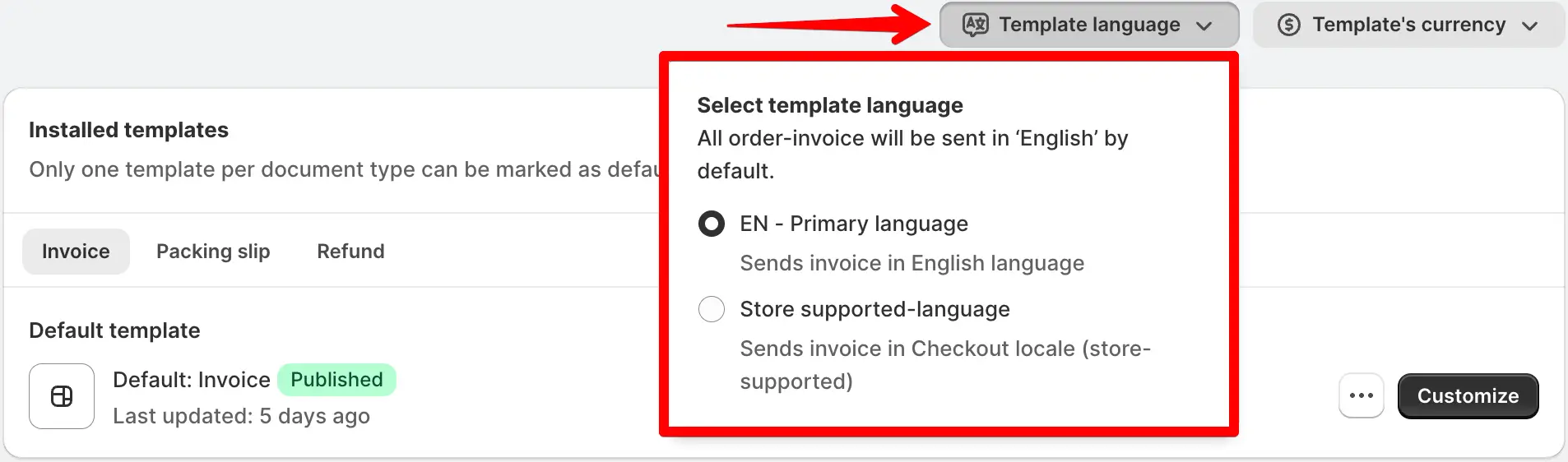
Template Language: Change or choose the language for your templates based on your store’s supported languages, ensuring clear and concise communication with your customers.
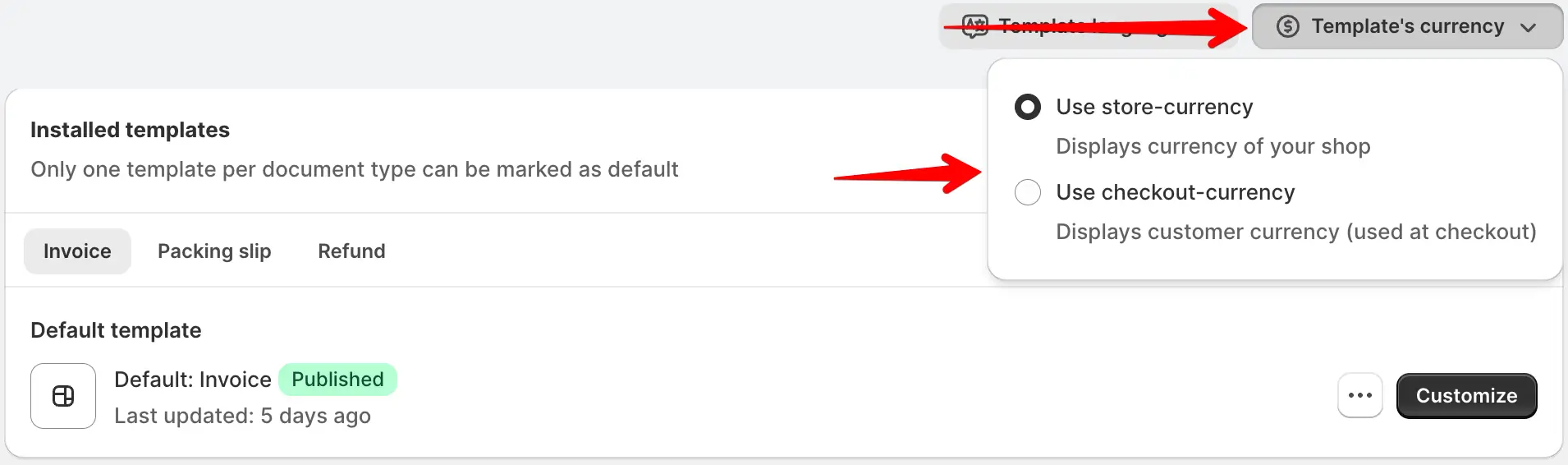
Template Currency: Customize the currency displayed on your templates to match your store currency or select the checkout currency for orders, enhancing clarity and transparency.
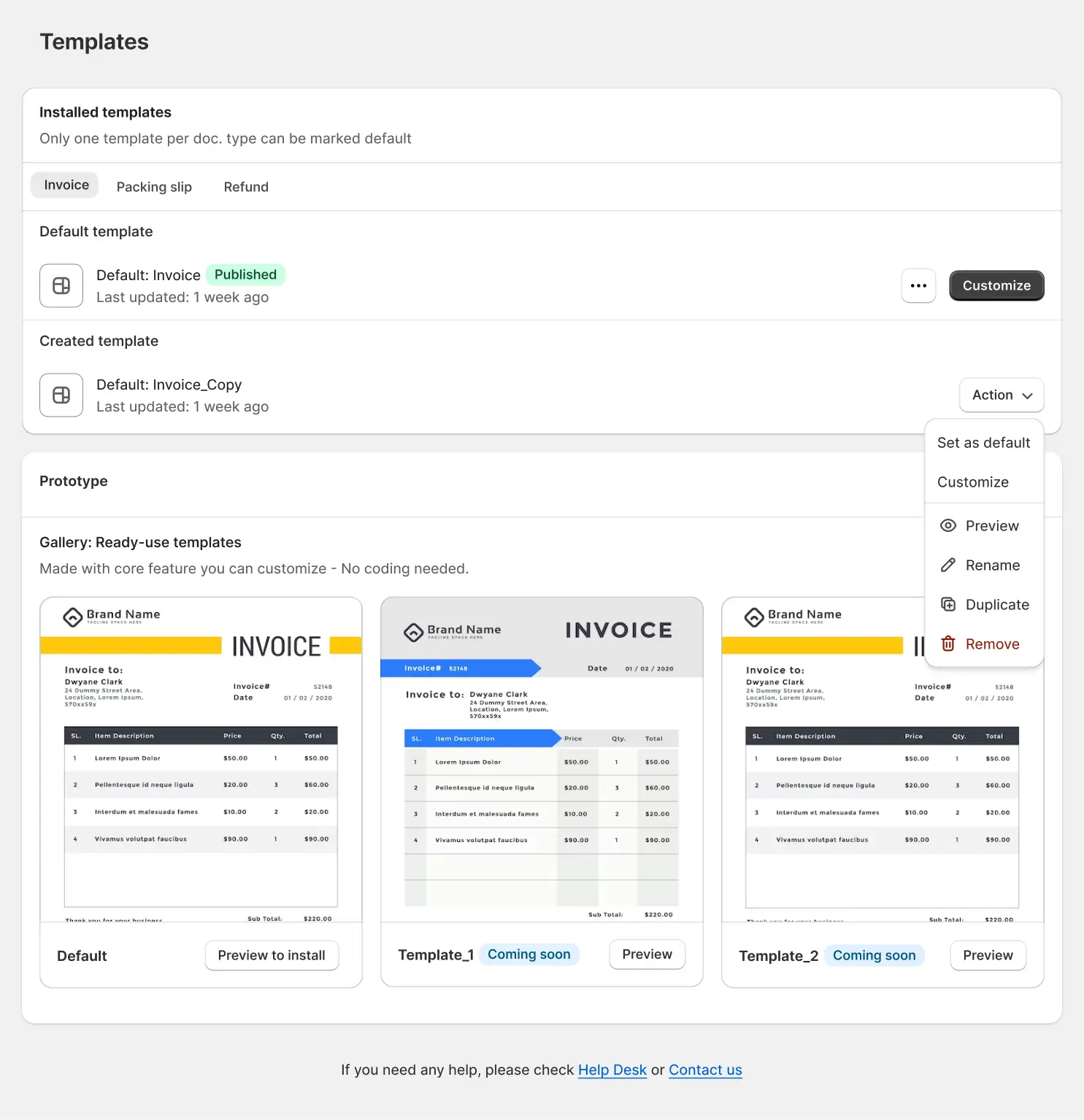
Create New Template: Easily create a new template by utilizing the prototype option. Selecting a new template prototype provides a starting point for customization, allowing you to tailor the template to your unique requirements.
Prototype Creation for Customization
Take advantage of the prototype option to create new templates from scratch or modify existing templates with ease. This feature empowers you to design templates that reflect your brand identity and meet your specific document needs efficiently.
Efficiently manage and customize your invoice, packing slip, and refund templates with the Template feature of the Order Printer PDF Invoice Shopify app. Elevate your order documentation process with professional and tailored templates that enhance brand perception and customer experience.