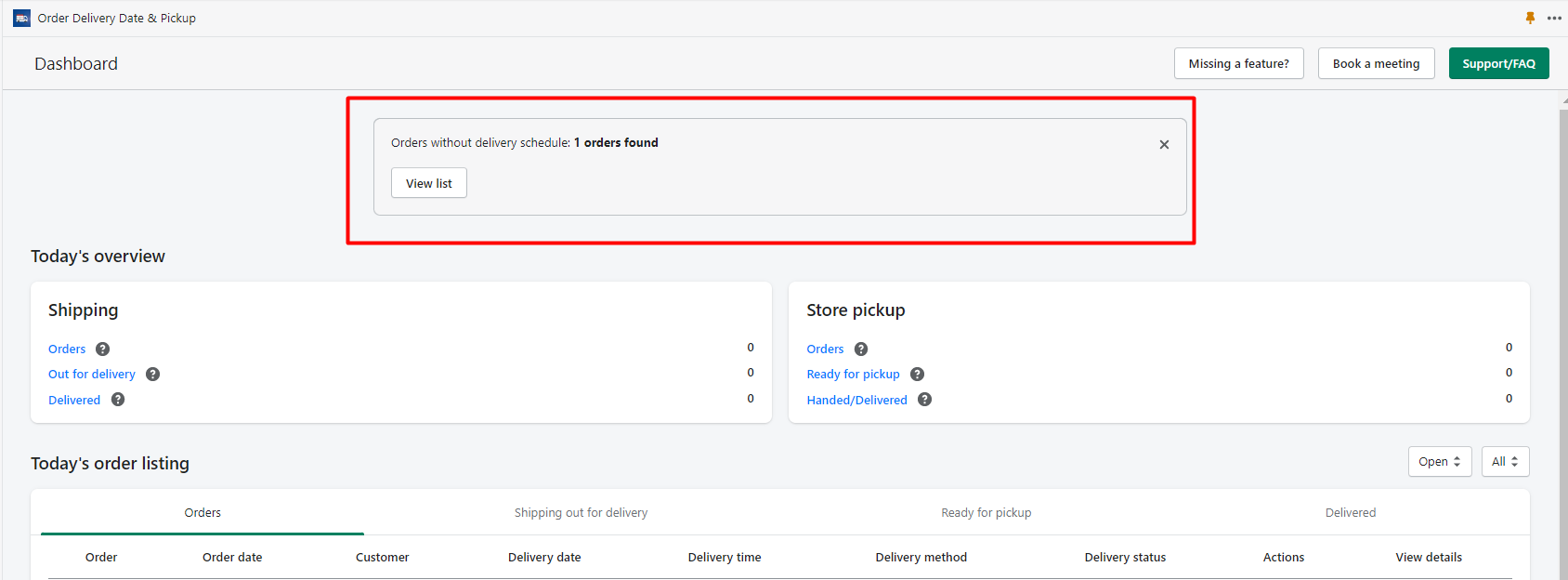
This article explains how to manage missing orders in your store when they are placed without a delivery date and time. You can enable notifications for such orders to ensure you are alerted when they occur, allowing you to address them promptly. To handle missing orders, navigate to the Missing Orders section in the Stellar Delivery Date & Pickup settings.
Here, you can choose from several actions: copy the schedule link for the order, manually add a delivery date and time, or ignore the order if scheduling is not necessary. Remember to enable the notification option to receive alerts on your dashboard when orders are missing delivery details.
Stellar Delivery Date & Pickup > Settings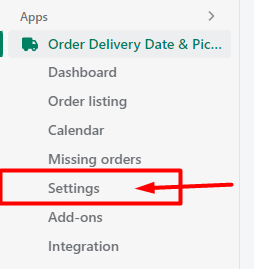
Missed reminder
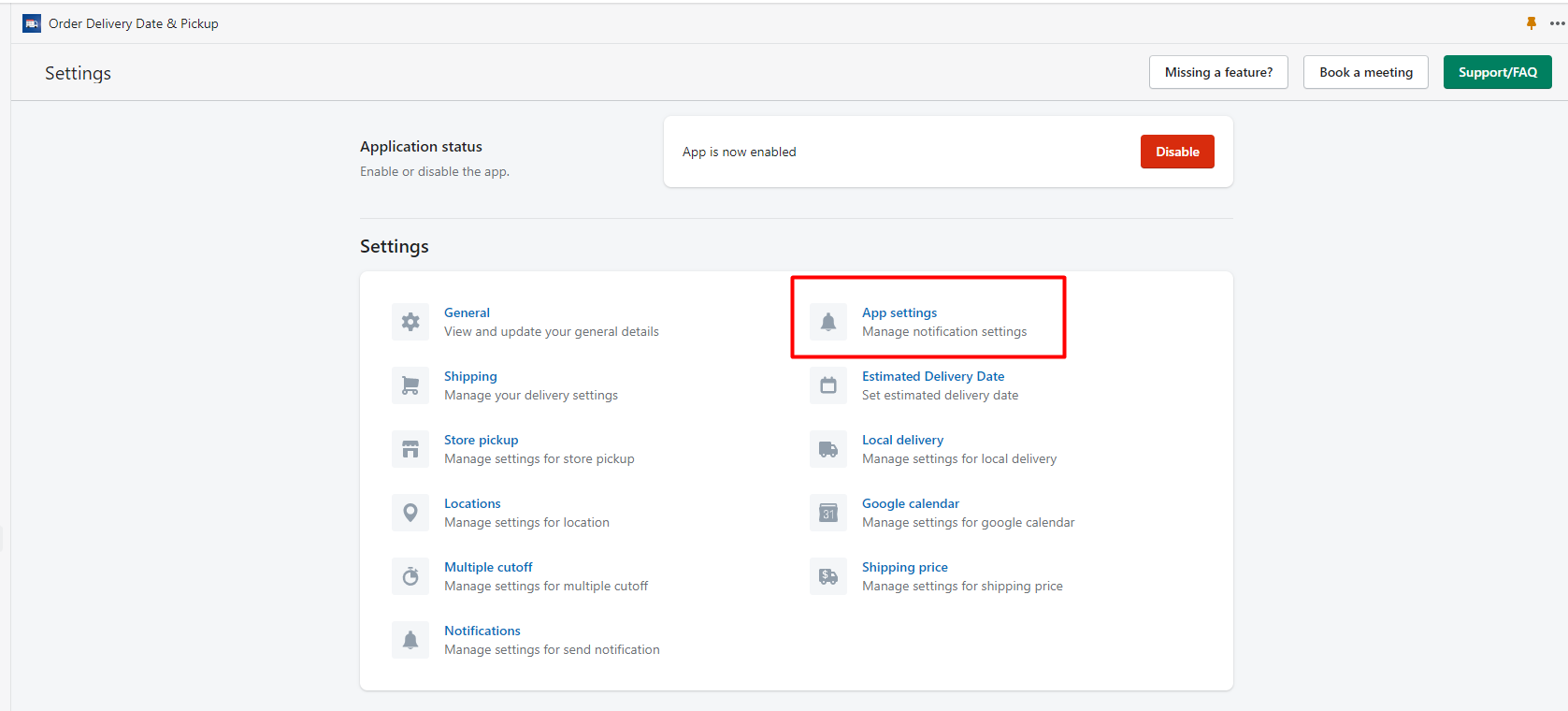
→ Enable the Notification option from the missed reminder to see the notification when the order is placed without delivery date and time.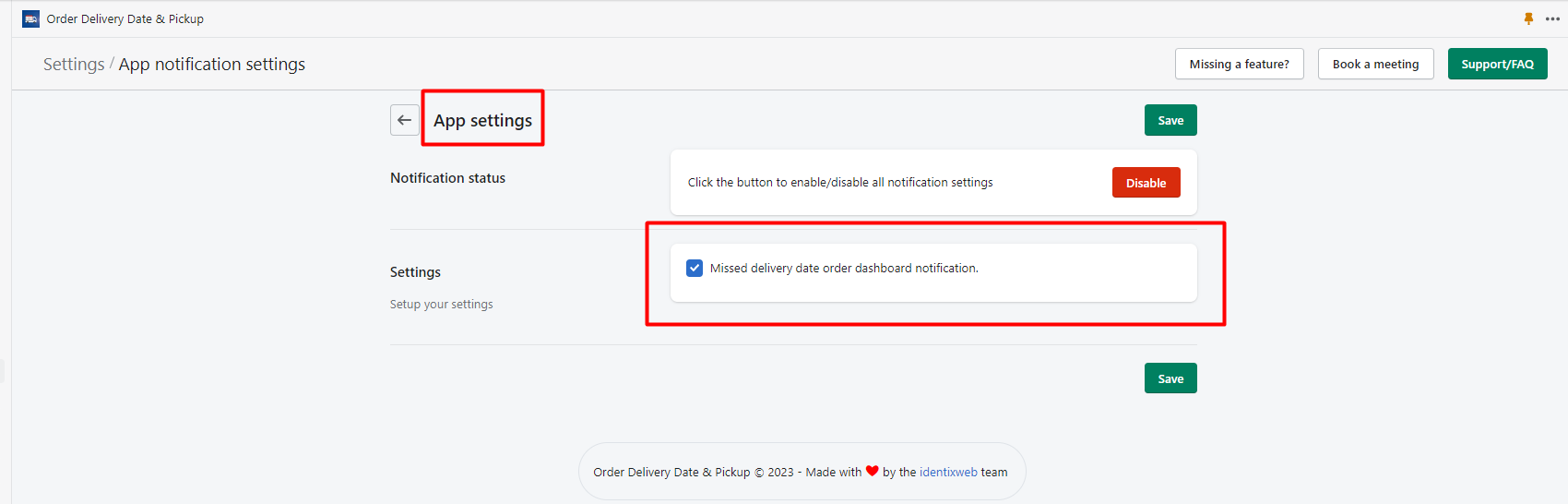
Orders without delivery schedule
Stellar Delivery Date & Pickup > Missing orders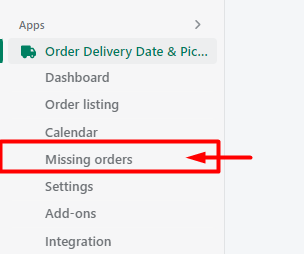
If orders are manually created from Shopify or some orders are placed without delivery date and time so those orders will show up in the Missing orders section.
You can find those orders from the Missing orders which don’t have delivery date and time.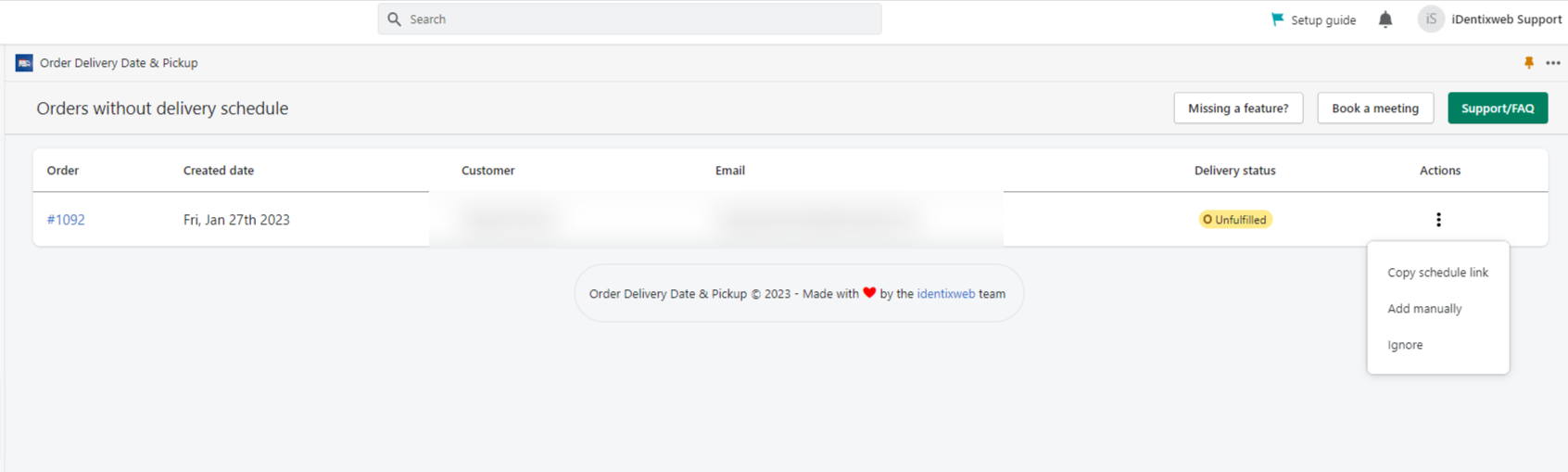
See the below list of options available in Action.
- Copy Schedule Link
- Add manually
- Ignore
What you can do with this options
Copy Schedule Link
You can copy the order link with this option.
Add manually
You can manually add the delivery date and time to the orders with this option.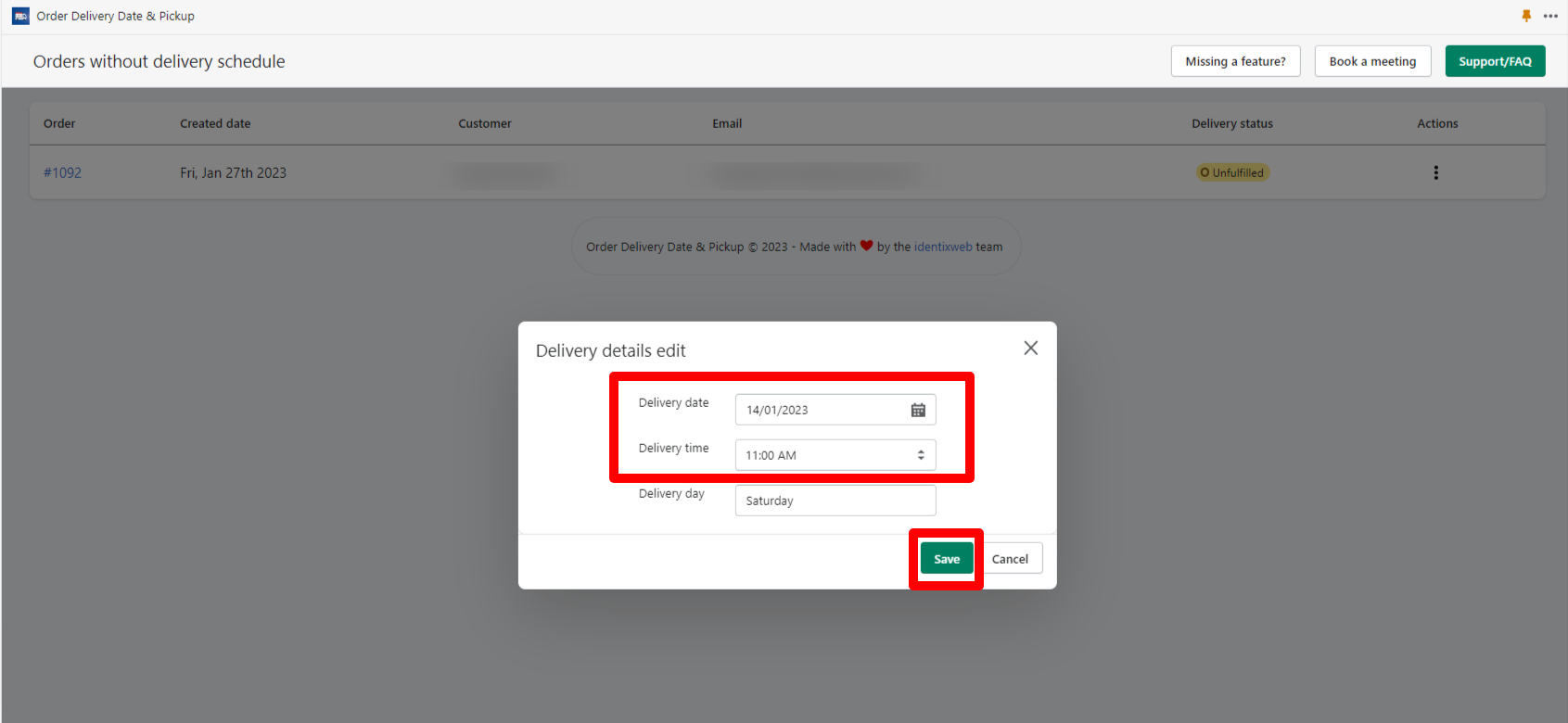
Ignore
If you do not want to schedule the delivery date and time for the orders then you can ignore it by selecting this option.
Notification
→ When the orders will be placed without delivery date and time you will receive a notification on the dashboard.
And you can see the missing delivery date orders from the View list. → You can enable the Notification option from the missed reminder.