

Generating AI overview
➝ If you have a Shopify store that supports multiple languages, you might want to customize the text that appears on the cart page for the delivery and on the checkout page for store pickup and local delivery options. This way, you can provide a consistent and clear experience for your customers, regardless of their language preference.
➝ Fortunately, our app has a Text settings feature that allows you to do just that. In this article, we will show you how to use our app’s Text Settings feature to change the text on the cart page for delivery calendar and other text also on the checkout page for Store pickup and Local delivery option.
How can we access the text settings option?
➝ To locate “Test Settings” option, navigate to our app Settings > Text settings.
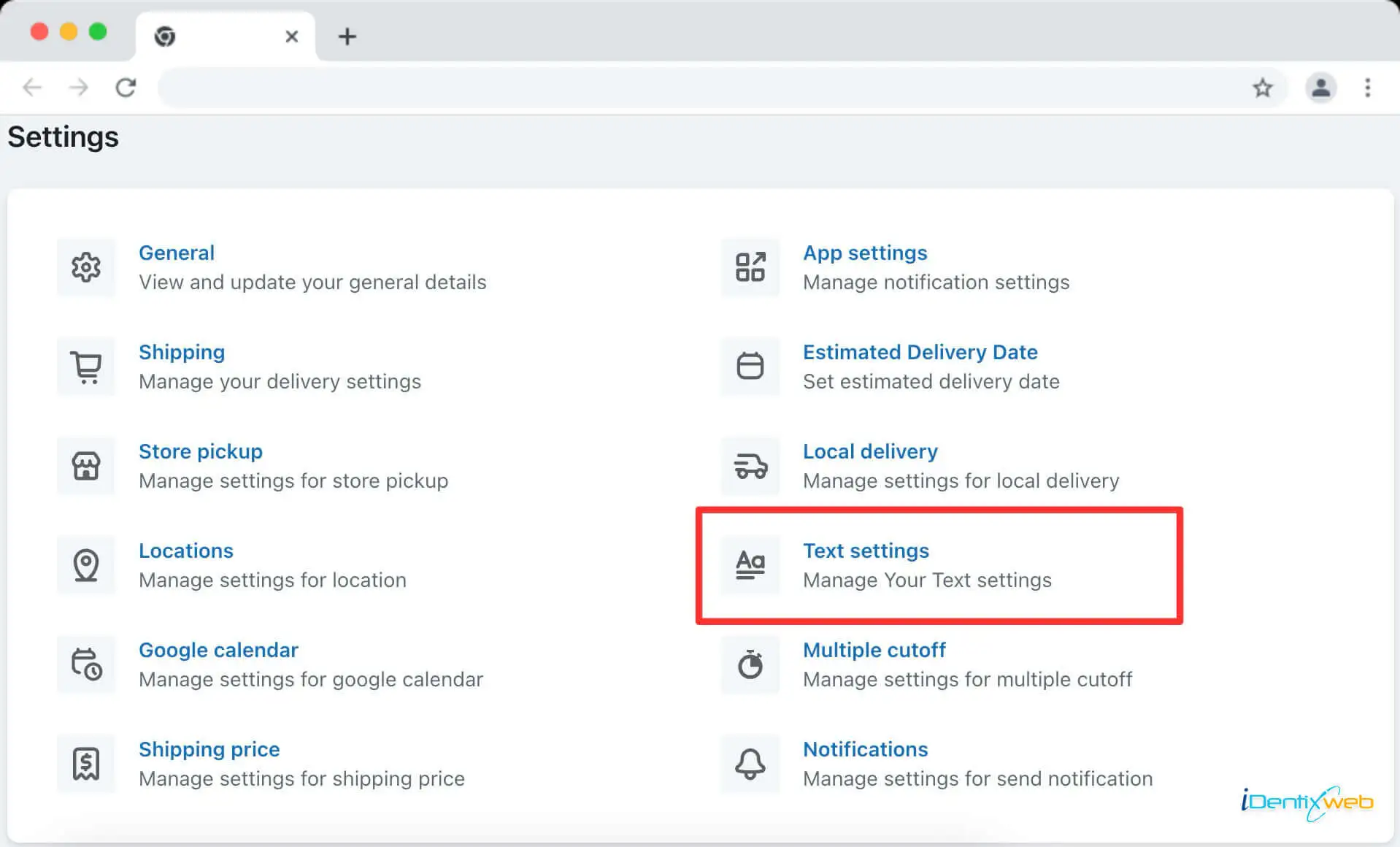
On the Text Settings page, you’ll see various options as a configuration related to text that contains
➝ Managing the text and language settings in your Shopify app is crucial for creating a seamless and personalized shopping experience for your customers. The Stellar Delivery Date & Pickup app understands the importance of clear and localized text, and we’ve designed our Text Settings feature to help you achieve just that.
Inside the Text Settings page, you’ll first find the default language configuration settings for your store. These settings are integral to the app’s operation.
Let’s see the various features you’ll have after landing in the Text Settings page of the app.
- Edit language
- Change language
Edit Language
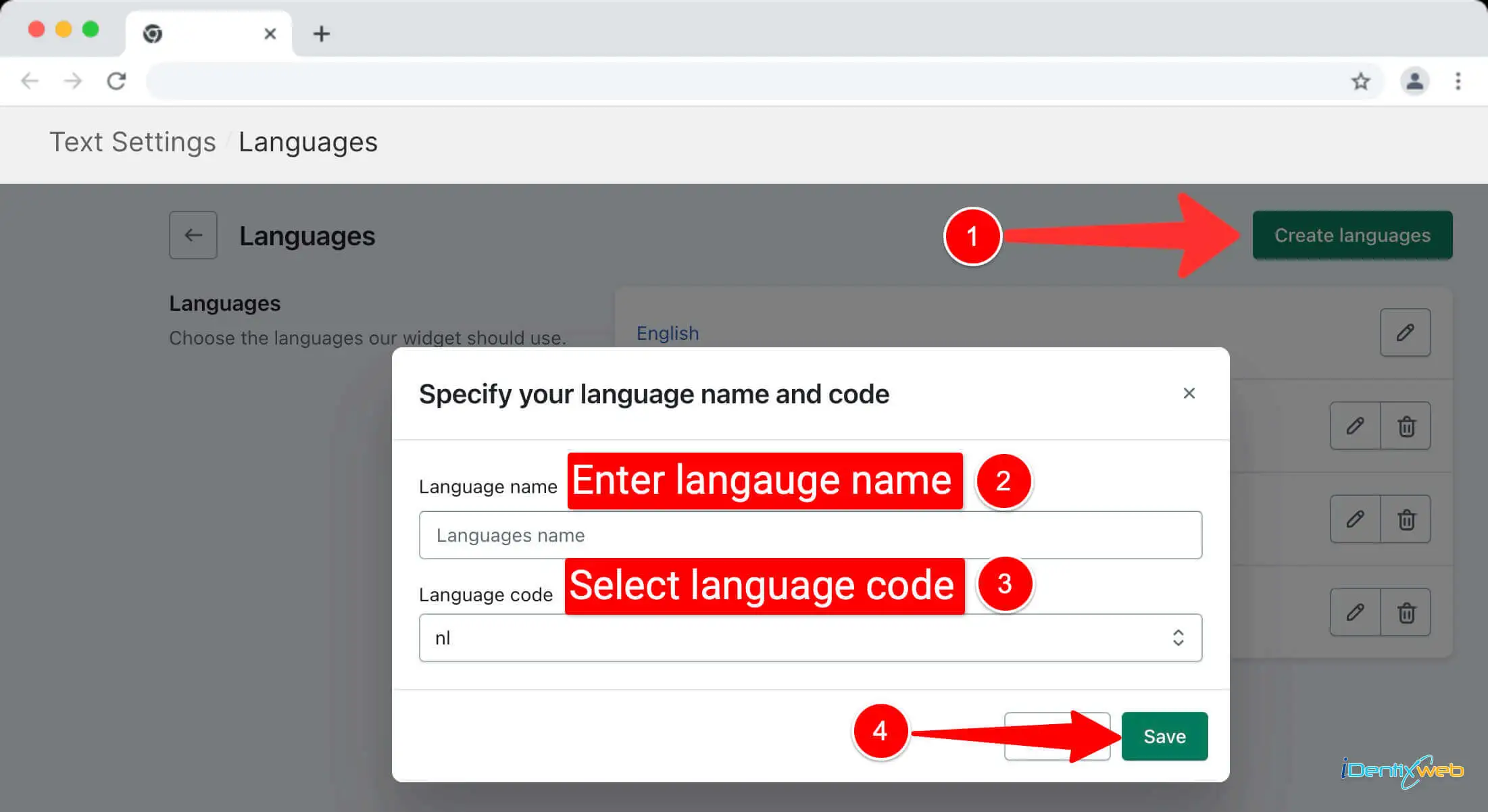
You can easily configure the app to work with multiple languages. If you’ve added additional languages to your Shopify store using Shopify’s native language feature, you can add these languages to the app. Click on “Edit Language” to get started.
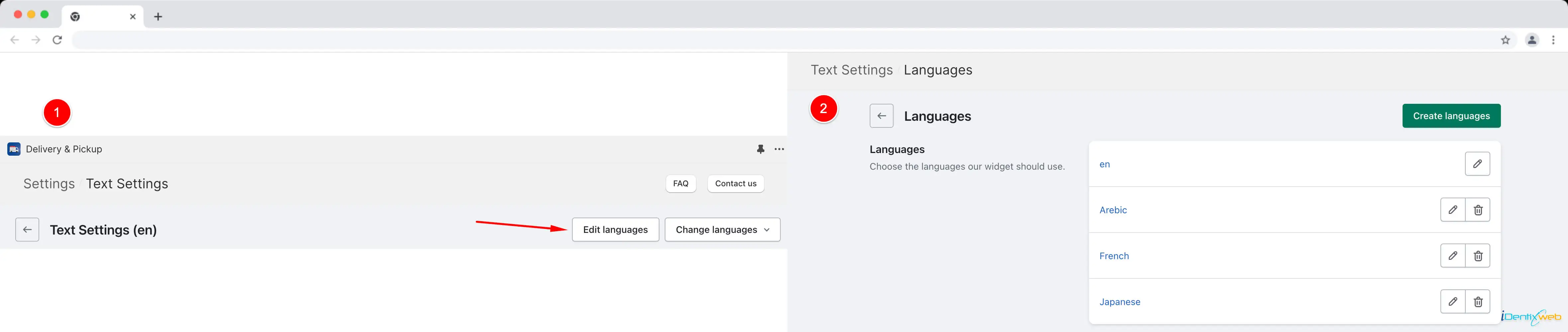
By clicking on the “Create Language” button, you can include all the languages you’ve added to your Shopify store.
Change Language
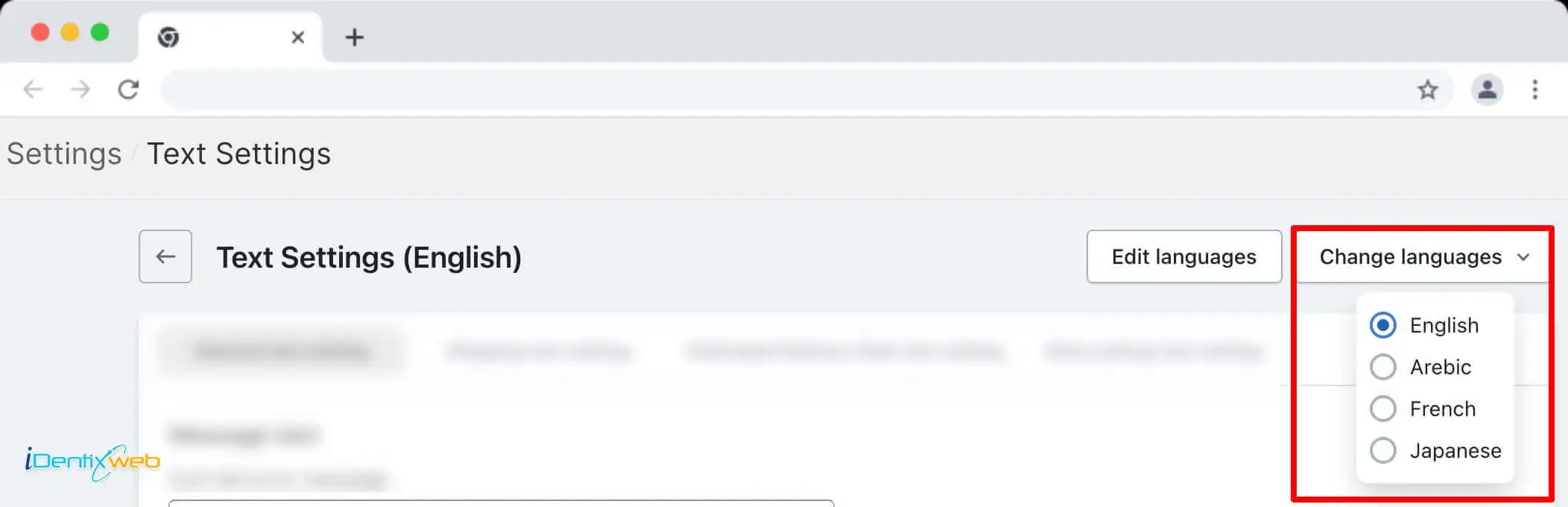
Once you’ve added languages, you can change the language for editing text within the app. Click on “Change Language” to configure the app in the desired language.
Text settings
Inside the Text Settings page, you’ll find different tabs, each dedicated to specific settings. Here’s what you can expect in each tab
- General Settings
- Shipping text setting
- Estimated delivery date text setting
- Store pickup text setting
- Store pickup checkout text setting
- Local delivery text setting
- Local delivery checkout text setting
General Settings
This tab includes all the common settings of the app related to text. These settings are fundamental to the app’s operation.
Shipping text setting
In this tab, you’ll find text settings related to the shipping feature, ensuring that your shipping information is conveyed clearly to your customers.
Estimated delivery date text setting
For the estimated delivery feature, this tab includes all text settings. You can customize the messages related to delivery times.
Store pickup text setting
All text-related settings for the store pickup feature can be found in this tab. Customize the messages and instructions for a smooth pickup experience.
Store pickup checkout text setting
In this tab, you’ll discover text settings specific to the store pickup checkout process. These messages will guide customers during the checkout.
Local delivery text setting
For the local delivery feature, this tab contains text settings that allow you to tailor messages for local deliveries.
Local delivery checkout text setting
Similar to the store pickup checkout tab, this section includes text settings for local delivery checkout. Customize the messages to enhance the local delivery experience.
➝ By using the Text Settings feature in the Stellar Delivery Date & Pickup Shopify app, you can provide a fully localized and clear shopping experience for your customers. Whether you’re managing shipping, estimated delivery dates, store pickup, or local delivery, our app ensures that your messages are communicated effectively and in the language of your choice.