

Ecommerce
Gather knowledge about the latest insights, updates, tips, and tricks in the Ecommerce industry.

5 Min • 29 April 2026
How Anua Unlocked 5X AOV Growth with iCart’s Smart Cart Features
delivery customization Challenges Solutions drive results Scale business delivery customization Challenges Solutions drive results Scale business delivery customization Challenges Solutions drive results Scale business delivery customization Challenges Solutions drive results Scale business Anua is a globally recognized Korean skincare brand known for its minimalist philosophy and focus on gentle yet effective formulations. Built on the idea of simplifying skincare routines, Anua develops products that deliver visible results while avoiding harsh or irritating components, making them suitable for sensitive skin types. Initially using a traditional full cart experience, Anua transitioned to iCart’s side cart solution in August 2025, to create a more seamless and engaging shopping journey. This shift allowed customers to easily explore complementary skincare products without disrupting their browsing flow, making it more intuitive to discover items that fit into a complete routine. By surfacing relevant recommendations directly within the cart, the brand enhanced product visibility across its range. Challenges Before implementing iCart’s side cart solution, Anua faced limitations with their existing full cart experience, which created friction in the customer journey. The traditional cart setup redirected users away from product pages, interrupting their browsing flow and reducing opportunities to explore additional products. As a skincare brand built around routines rather than single-item purchases, this made it difficult to effectively showcase complementary products and encourage customers to build complete regimens. Additionally, the lack of in-cart personalization and strategic upsell opportunities meant that customers were often unaware of related products that could enhance their skincare results. This limited the brand’s ability to increase average order value (AOV) and fully leverage its diverse product range. Anua needed a more dynamic and intuitive cart experience that could seamlessly introduce relevant recommendations while maintaining a smooth and engaging shopping journey. ❌ Cart Value Barriers Low average order value (AOV) due to single-item focus Most customers completed purchases with one primary product instead of building multi-step routines. Cart abandonment near shipping thresholds Customers were not clearly informed or motivated to reach free shipping or discount thresholds. Missed savings opportunities Customers were unaware of potential value in purchasing bundled routines or multiple complementary products. ❌ Absence of Progress-Based Incentives No free shipping or discount progress bar Customers were not motivated to increase their cart value due to lack of visible incentives. Missing tiered rewards system There were no structured milestones (e.g., “Spend more to unlock offers”), reducing upsell opportunities. ❌ Ineffective Cart UI/UX (Pre-Side Cart) Full-page cart disrupted shopping flowCustomers had to leave their browsing journey, increasing friction and drop-offs. No quick add/remove functionality Users couldn’t easily modify their cart or add suggested products without navigating away. Solution To overcome these challenges, Anua implemented iCart’s side cart solution to transform their traditional cart into a high-converting, interactive experience. By replacing the full-page cart with a seamless side cart, the brand ensured that customers could continue browsing while viewing their cart, significantly reducing friction in the shopping journey. Additionally, features like product recommendations & progress bars for free shipping and discounts motivated customers to increase their cart value. By combining personalization, incentive-driven messaging, and a user-friendly interface, Anua successfully turned their cart into a powerful revenue-driving touchpoint rather than just a checkout step. To maximize their cart effectiveness, they implemented two powerful features: ✅ Progress Bar with Multi-Reward Incentives Implemented a tiered progress bar to encourage higher cart value Customers are guided with a clear message like “Add $3.10 to unlock secret offer,” motivating them to continue adding products. Generated over $5M+ in revenue through incentive-driven cart progression Used product-based rewards to align with customer intent Instead of generic discounts, Anua incentivized purchases with relevant skincare items like Dark Spot Pads and mini serums. Built visual motivation for routine expansion As customers add products, they can clearly track progress toward unlocking multiple rewards, encouraging them to build a complete skincare routine. ✅ Product Recommendations Implemented “Frequently Bought Together” recommendations Customers adding a single product (e.g., toner) are shown complementary items like serums, moisturizers, or pads to complete their routine. Generated over 275K revenue through in-cart recommendations Encouraged full skincare regimen building Instead of isolated purchases, the cart suggests step-by-step product combinations aligned with common skincare routines. Increased product discovery at the final stage By surfacing relevant items directly in the cart, Anua ensured customers explore more of their catalog without leaving the checkout flow. Results Achieved in Last 180 Days 22932 Total Store Orders 45101 Total iCart Orders 5X iCart Generated AOV 65.70% Upsell Affected Conversion Rate These improvements reflect a clear shift in customer behavior on Anua’s store. Cart abandonment reduced as shoppers discovered complementary skincare products and felt encouraged to build complete routines. Engagement also increased, with customers interacting more with in-cart recommendations and exploring relevant product pairings. Results & Impact And...Results is Our Main Clarification By implementing iCart’s cart drawer, product recommendations, and progress bar, Anua transformed its cart into a high-performing conversion touchpoint. Shopping Experience Enhancement The improved cart experience encouraged customers to discover complementary products and understand the value of sustainable beauty routines. For instance, the clear presentation of subscription savings alongside one-time purchase options helped customers make more informed decisions about their long-term hair care needs. As Anua continues to optimize its cart experience, the brand is closely monitoring: Routine-based purchasing behavior - tracking how customers move from single items to multi-step regimens Engagement with in-cart recommendations - measuring interaction with suggested products Cart value progression - analyzing how incentives influence higher spending [related_cases_slider] Ready to Write Your Success Story? Try icart App Join successful businesses like Anua and Master your delivery scheduling Delight customers with precise timing Grow your special occasion orders Expand your delivery reach
Read Blog
10 Min • 25 August 2026
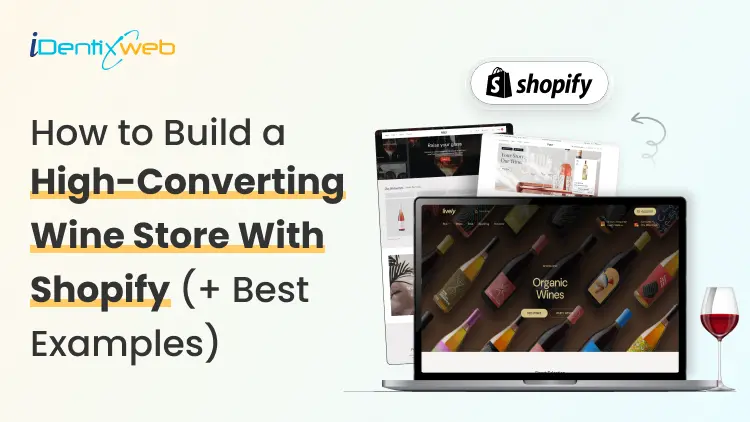
Shopify for Wineries: Features, Costs, Themes, and Examples for Selling Wine
Shopify gives wineries the core tools to sell wine online and in person, including a customizable storefront, secure checkout, Shopify POS, local pickup, subscriptions, and app integrations. Wine stores should also add age verification, product filtering, cross-selling, recommendations, memberships, wine clubs, and product allocations. Advanced wine-specific compliance, shipping rules, and club management typically require dedicated third-party apps alongside Shopify. If you're looking at Shopify for your winery in 2026, chances are you're trying to work out whether Shopify can handle the way a wine business operates. That means more than selling bottles online. You have age verification, state-by-state shipping restrictions, carrier requirements, wine clubs, subscriptions, POS, and compliance tools. I've spent the last few years working with Shopify wine stores, wine-specific apps, shipping requirements, carrier rules, and the limitations wineries are most likely to run into. In this guide, I'm breaking down what Shopify for wineries actually costs, what you'll need to make it work, and where it still falls short before you commit to a migration. Can I sell wine on Shopify? Yes, and Shopify publishes the rules You can sell wine on Shopify. Shopify maintains a dedicated alcohol compliance page in its Help Center covering the US, Canada, the EU, the UK, Australia, and New Zealand. For US merchants, Shopify lists four common requirements: Acquire and maintain every license needed to produce, market, sell, and deliver your products. Stay in full compliance with license requirements, including record-keeping. Run effective age verification so alcohol can't be bought or received by anyone under 21. Ship in full compliance with the laws of both your state and your customer's state. California sellers can also display a Prop 65 alcohol warning through Shopify's product disclosures feature. If you're new to the platform generally, my beginner's guide to how Shopify works covers the basics before you start your wine store. Selling wine on Shopify: The real monthly cost A Shopify wine store with one tasting room can realistically run $140 to $370+ a month in software before card fees. The Shopify plan itself is one of the smaller line items. Compliance can become the highest cost. Here's how the stack builds up on current 2026 US pricing: Shopify Basic is $19/month, or $14 billed annually. Grow is $52/month, or $39 annually. Advanced is $399/month, or $299 annually. Shopify's standard POS features are included with its plans. POS Pro is $89/month per location, or $79/month with annual billing. DRINKS ASSURE, the established alcohol tax and compliance app, is $250/month plus 1% of sales above $25,000. This comes with custom pricing above $200,000 in monthly sales and extra fees for third-party age verification. Wineport, a newer DTC wine compliance app. This runs $49/month for a single winery or $99/month for multi-brand, with a 15-day trial and agency-verified excise rates for 44+ states. Shopify's native Subscriptions app is free, which can cover straightforward recurring wine orders but isn't a replacement for a full winery-specific club and hospitality platform. Shopify for wineries: Online sales features you should have Wine subscriptions and recurring orders Shopify’s free Subscriptions app can handle straightforward recurring wine purchases, making it useful for repeat orders or simple subscription programs. Age verification Age-verification features can help stop underage visitors from entering the storefront. Wineries may need dedicated verification tools or checkout validation rules. Local pickup and tasting room sales If you sell both online and from a physical winery or tasting room, Shopify supports local pickup and Shopify POS. Product filtering and wine discovery Wine shoppers often browse by type, vintage, collection, price, or other bottle attributes. Strong product filtering and search make it easier for customers to find the right wine. Wine clubs, memberships, and allocations More established wineries may need features beyond basic subscriptions, including member pricing, loyalty tiers, club benefits, product allocations, and referrals. Shopify can support these through third-party apps like Winehub Commerce. Does the age-verification pop-up work? That pop-up asking visitors whether they're 21 is useful as a storefront warning. But it isn't the same thing as verifying someone's age. Most age-verification apps simply remember that a visitor clicked "Yes" using a cookie. That becomes even less reliable when customers reach checkout through custom storefronts. For rules that actually need to stop an order, Shopify's stronger option is Cart and Checkout Validation Functions. These validations run on Shopify's servers and can block checkout when a requirement isn't met. Shopify even lists age or ID verification as a use case. If you're building custom checkout rules yourself, my guide to how Shopify Functions work covers the architecture for customizing checkout. Best Shopify wine store examples for inspiration Splash Wines What I liked about Splash Wines is how quickly the store gets the important details out of the way. Its welcome pop-up asks visitors to select where they are shipping and confirm that they are 21 or older before they start shopping. The main navigation is also very purchase-focused, with options such as Curated Cases, Build Your Own Case, and Subscriptions. Robert Mondavi Winery The Robert Mondavi Winery store feels more like a premium winery experience than a typical ecommerce site. I liked how the navigation keeps things simple with Story, Shop, Visit, and Club, making it easy for someone to move between buying wine and exploring the physical winery experience. The homepage also gives equal importance to the brand story, estate visits, wine collection, and wine club. The Prisoner Wine Company What stands out about The Prisoner Wine Company is its bold, product-first approach. The homepage moves visitors quickly from its seasonal message into Best Sellers, with clear labels such as Best Seller, Exclusive, and New Release. I also liked how ecommerce and the winery experience are connected. Alongside wine shopping, visitors can explore tastings, events, and pairing experiences. SommPicks SommPicks does a great job with navigation for a store carrying a very large wine catalogue. Shoppers can browse by wine type, country, region, producer, and vintage, while the search bar specifically encourages searches by wine, region, or producer. I particularly liked the separate Producer Index and Vintage Index, which make exploring thousands of wines much easier. Choosing a Shopify wine theme Shopify's own Theme Store now has a theme built specifically with wineries in mind. Vincent Vincent, particularly its Oakland preset, is designed for wineries, vineyards, liquor, and wine stores and currently costs $340 USD. It includes a built-in age verifier without requiring a separate app and supports taste charts to make wine discovery easier. Area Area’s Winery preset comes with a built-in age verifier and advanced product filtering and search, both useful for wine stores. It also supports in-store pickup, which is useful for wineries selling both online and from a tasting room. Price: $100 USD Local Local’s Lively preset is designed specifically with food, beverage, and local retail businesses in mind. Its age verifier adds a 21+ entry check, while cross-selling and recommended products can help wineries suggest another bottle, complementary product, or gift alongside the shopper’s original choice Price: $380 USD Loka Pour is a wine-focused preset designed for wine, champagne, and premium bottle brands. Its age verifier gives wineries a built-in age-gate option, while product filtering and wine-focused collection layouts make it easier for shoppers to browse bottles by attributes such as vintage or collection. Price: $140 USD What Shopify can't do for a wine store? Shopify can run the storefront, checkout, and POS side of a wine business. But some of its biggest discovery channels still have limits around alcohol. Start with Shop. Age-restricted products, including alcohol, are prohibited on the Shop app. Your winery can still sell wine through its own Shopify storefront, but those products aren't eligible to be sold through Shop. Shopify's Agentic Storefronts can send eligible catalog data to ChatGPT, Microsoft Copilot, Google AI Mode, and Gemini. But each destination applies its own product rules. For example, OpenAI currently prohibits age-restricted products such as alcohol from ChatGPT commerce, and Google also excludes products requiring ID verification, including alcohol and tobacco, from direct purchases in AI Mode and Gemini. My breakdown of the Shopify Spring '26 Edition covers how Agentic Storefronts and the wider Catalog infrastructure work. The Right Setup Goes Beyond the Theme For wineries, the final Shopify setup often involves combining the storefront with apps and custom configurations for subscriptions, pickup, shipping, age verification and other wine-specific requirements. Identixweb provides Shopify store design and development around these operational needs instead of relying only on a standard theme setup. Before you launch: Wine compliance basics Shopify lets you sell wine online, but your winery is responsible for meeting the alcohol laws that apply where you operate and ship. Before launching, make sure you have the required licenses, age-verification process, and shipping setup for the states or regions you serve. Wine shipping rules can vary by location, and carriers such as UPS and FedEx also have specific requirements for licensed alcohol shippers. Once you're choosing carriers, my roundup of Shopify shipping apps covers label printing, shipping workflows, and carrier-calculated rates inside Shopify. Shopify for wineries: Deciding before December Shopify makes the most sense when you want more design freedom, a flexible app stack, and costs that don't rise as sharply with DTC revenue. I would ask three things before starting my Shopify wine shop What's your DTC revenue? How complex is your wine club? And who will own compliance when state rules change? Get your permits and compliance setup sorted before worrying about the perfect theme. A beautiful Shopify store is no help if your shipping rules aren't ready on launch day. FAQs 1. Can I sell wine on Shopify? Yes. Shopify allows alcohol sales, but you are responsible for meeting the licensing, age-verification, shipping, record-keeping, and other legal requirements in every jurisdiction where you sell. Alcohol products are prohibited from the Shop sales channel, so wine should be sold through your Shopify storefront. 2. What are some online sales features if I open a Shopify winery? A Shopify winery can use subscriptions for recurring wine orders, in-store pickup, Shopify POS, product filtering, cross-selling, recommended products, and age-verification features through compatible themes and apps. 3. Is Shopify good to start a wine store? Yes, especially if you want control over your storefront design, ecommerce experience, POS, and app integrations. The con is that Shopify is not winery-compliance software by itself, so you still need the right licenses, age-verification setup, shipping rules, and a dedicated compliance solution. 4. Which are the best Shopify wine themes to start my store? Three strong options in the Shopify Theme Store are Area – Winery ($100), Local – Lively ($380), and Loka – Pour ($140). All three include built-in age verifiers. Area focuses on conversion and product discovery. Local is strong for wineries combining ecommerce with physical locations, and Pour is designed specifically around wine and champagne merchandising. 5. What is Shopify Winehub Commerce? Winehub Commerce is a third-party Shopify app, built specifically for wine and beverage DTC businesses. It adds wine clubs, subscriptions, loyalty and membership tiers, product allocations, referrals, Shopify POS integration, and integrations with services such as ShipCompliant.
![The Best Shopify Grocery Theme for Your Store in 2026 [Tried & Tested]](https://www.identixweb.com/wp-content/uploads/2026/07/10-Grocery-Store-Shopify-Themes-for-Faster-Orders.webp)
9 Min • 24 July 2026
The Best Shopify Grocery Theme for Your Store in 2026 [Tried & Tested]
A grocery store lives or dies on how fast a shopper finds what's on their list and gets to checkout. Pick the wrong grocery store Shopify theme and your sales will definitely drop. The theme decision shapes almost everything that comes after it, from how customers browse to how fast you can add new product categories. Here's a walkthrough of the best Shopify themes for grocery stores that I have come across as a Shopify expert. This is a mix of both free and paid themes. Grocery store Shopify theme comparison in 2026 ThemeTypePriceRatingBest forCraveFree Free33%New food and drink stores testing the marketTasteFree Free54%Smaller SKU count, story-driven brandsSavorFree Free21%Visual, magazine-style food brandingLocalPaid $38098%Stores with a physical location tooCanopyPaid $40095%Full-line supermarkets, large SKUsExpansePaid $40093%Multipurpose growth beyond groceriesEmpirePaid $34079%Large catalogs across multiple categoriesTaigaPaid $490100%Premium build, smaller review baseGroca / Vegist / OrganiciMarketplaceVariesVariesBudget-friendly, style-specific templates Free grocery store Shopify themes worth starting with 1. Crave When I evaluate free Shopify themes for grocery stores, Crave is usually one of the first options I consider. Its bold colors, prominent product cards, and mobile-optimized layout work well for stores selling snacks, beverages, fresh produce, packaged foods, or other visually appealing products. Key features: Mobile-optimized layouts Quick-buy functionality In-store pickup support Mega menu Product filtering and sorting Recommended products and cross-selling Shipping and delivery information Product videos, image zoom, and galleries Color swatches and swatch filters Rating: 33% Price: Free 2. Taste I recommend Taste when the grocery store needs to communicate product quality, sourcing, ingredients, or craftsmanship. Its spacious layout, large product cards, bold headings, and built-in FAQ capabilities make it especially suitable for specialty coffee, organic foods, gourmet products, bakeries, premium beverages, and artisan grocery brands. Key features: Large product cards and product highlights Custom FAQ pages Quick buy In-store pickup support Product recommendations and cross-selling Mega menu Product filtering and sorting Sticky header High-resolution images, galleries, and image zoom Product videos and slideshows Shipping and delivery information Rating: 54% Price: Free 3. Savor I would consider Savor for a grocery or food brand that wants a newer, more immersive storefront. As part of Shopify’s Horizon collection, it supports nested theme blocks, edge-to-edge imagery, large flexible product cards, and more advanced merchandising layouts. I find it particularly suitable for recipe-driven brands, speciality foods, premium ingredients, meal kits, beverages, and stores that rely heavily on visual storytelling. Key features: Flexible nested theme blocks Large, immersive product imagery Quick view and quick buy Slide-out cart In-store pickup support Product badges and stock counter Recently viewed products Infinite scroll Mega menu and in-menu promotions Product filtering, sorting, and swatch filters Recommended products and cross-selling Product videos, animations, and image galleries Rating: 21% Price: Free 4. Dawn Dawn is not designed specifically for grocery stores, but I still see it as one of the safest starting points for merchants who prioritize simplicity and flexibility. It keeps attention on product photography and can be adapted for produce, pantry products, beverages, household essentials, or smaller grocery catalogs. Key features: Minimalist, product-focused design Quick buy In-store pickup support Cart notes Mega menu Product filtering and sorting Recommended products and cross-selling Sticky header Product videos and high-resolution images Image zoom, rollover, and galleries Shipping and delivery information Color swatches and swatch filters Rating: 35% Price: Free To see successful stores using Dawn, here's my list of the best Shopify Dawn theme examples in 2026. If you're brand new to Shopify and want the fundamentals on themes, my guide on how to choose a Shopify theme for your online store covers the basics for merchants. Let Customers Choose When Their Groceries Arrive Stellar Delivery Date & Pickup helps grocery merchants who want customers to choose a convenient date and time for local delivery, store pickup, or shipping directly from the product or cart page. Losing orders because buyers want flexible delivery? A simple calendar at checkout fixes that. Start Your Free Plan You can also manage cut-off times, unavailable dates, delivery schedules, and pickup slots without rebuilding your theme. Best paid grocery store Shopify themes for bigger catalogs 1. Local When I evaluate premium Shopify themes for grocery businesses with physical locations, Local is usually the first one I recommend testing. It is designed specifically for food, beverage, and local retail businesses that sell online and in person. Its combination of in-store pickup, quick-buy tools, nutritional information, cross-selling, age verification, and flexible store sections makes it especially useful for grocery stores, cafés, bakeries, specialty food shops, and beverage brands. Key features: In-store pickup Quick buy Slide-out and sticky carts Pre-orders Cross-selling and recommended products Age-verification popup Back-in-stock alerts Product badges and stock counter Enhanced search Mega menu Product filtering and sorting More than 30 customizable sections Five ready-made presets Rating: 98% Price: $380 USD 2. Canopy I recommend Canopy when a grocery store has a large inventory, and shoppers need to find products quickly. Its Amazon-inspired layout places search and product discovery at the center of the experience, while the optional always-visible cart sidebar works well for customers building larger grocery orders. Key features: Prominent enhanced search Quick-order list Quick buy and quick view Slide-out and sticky carts In-store pickup Pre-orders Product filtering and sorting Infinite scroll Mega menu Collection-page navigation Recently viewed products Recommended products and cross-selling Back-in-stock alerts Product badges and stock counter Rating: 95% Price: $420 USD 3. Expanse Expanse stands out for its balance of merchandising, promotions, and large-inventory navigation. I would consider it for grocery businesses planning to expand into household essentials, personal care, kitchen products, or other adjacent categories because its design is not restricted to food alone. Key features: Cart upsells and cross-selling Recommended products Quick buy and quick view Slide-out cart In-store pickup Advanced promotional banners and tiles Product badges and stock counter Enhanced search Multi-category product filtering Mega menu Recently viewed products Product tabs and product videos Five ready-made presets Rating: 93% Price: $420 USD 4. Empire I usually shortlist Empire when a grocery store has hundreds or thousands of products and needs more structured catalog navigation. It is optimized for large collections and includes advanced filters, product comparison, a prominent mega menu, quick ordering, and shoppable imagery. In my assessment, its biggest strength is versatility: the same catalog-first structure can support groceries, household supplies, wholesale products, electronics, or fashion without forcing the merchant into a highly niche visual style. Key features: Advanced product filtering and sorting Product comparison Bold mega menu Slide-out cart In-store pickup Pre-orders Recently viewed products Product badges and stock counter Shoppable image hotspots Shipping and delivery information Multi-language and multi-currency support Rating: 79% Price: $360 USD 5. Taiga I would consider Taiga for a premium grocery or food brand that relies heavily on photography, video, and visual storytelling. It combines a modern, conversion-focused layout with more than 10 video sections and separate presentation controls for desktop and mobile. This makes it a strong option for premium beverages, organic foods, meal kits, supplements, specialty ingredients, and visually led direct-to-consumer food brands. Key features: More than 10 video-focused sections Separate visual controls for desktop and mobile Ingredients and nutritional information Quick buy and quick view Slide-out and sticky carts Pre-orders Cross-selling and recommended products Enhanced search Infinite scroll Mega menu Product filtering and sorting Recently viewed products Four ready-made presets Rating: 100% Price: $500 USD If $340 to $490 is more than your starting budget allows, my roundup of the cheapest Shopify themes worth buying in 2026 has lower-cost picks that still hold up for a smaller grocery catalog. Shopify grocery store templates from theme marketplaces Marketplaces like Envato are great for buying premium Shopify themes. The four below are the best ones for grocery stores. Groca, built specifically for grocery and supermarket stores, with multiple mega menu styles and built-in newsletter popups. Vegist, aimed at organic and vegetable-focused stores, with more than a dozen homepage layout variations. Organici, a newer Shopify 2.0 compatible option built for organic food and general grocery, with SEO-focused setup out of the box. Appetiza, designed around supermarket and delivery use cases, with a bright, multipurpose layout that can flex beyond food if needed. What to look for in a Shopify theme for grocery stores Advanced filtering and search. Shoppers need to narrow by category, brand, or price without loading a new page each time. Quick buy from the collection page. Grocery is list-shopping. Forcing every add-to-cart through a full product page slows people down and costs you sales. Clear variant display. A theme should show pack sizes, weights, or flavors without extra clicks. Mobile-first layout. Most grocery orders start on a phone, often while someone is standing in their kitchen checking what's missing. Room for delivery and pickup messaging. Shoppers want to know how they'll get their order before they finish checkout. Reorder-friendly structure. Best-selling grocery products get bought weekly. A layout that supports ‘buy again’ or subscription blocks pays off fast. Wrapping up The right grocery store Shopify theme is the one that matches your catalog size and your delivery model. Start free with Crave or Taste if you're testing the market. Move to Local, Canopy, or Empire once your SKU count increases, or look at a marketplace template if budget matters more than official support. FAQs 1. Where to find Shopify themes for grocery stores? Go to the official Shopify theme store and in the ‘Industry’ section on the left, select Food and drink. There will be 100+ themes you can choose from for your grocery store. 2. What is the best Shopify theme for a grocery store? For a smaller grocery store, Crave or Taste (both free) cover most needs. For a large, multi-category supermarket, Local, Canopy, or Empire handle bigger catalogs with stronger filtering and search. 3. Are there free Shopify themes built for grocery stores? Yes. Shopify offers Crave and Taste as free themes designed specifically for food and drink stores, along with a newer option called Savor. All three support features like nutritional information display and quick buy. 4. How much do paid grocery Shopify themes cost? Most paid themes for grocery stores range from around $150 for simpler options up to $490 for premium picks like Taiga. Local, Canopy, and Expanse typically fall between $380 and $420.
9 Min • 21 August 2026
Shopify Payments vs PayPal: Which One Will Cost You Less in 2026?
The difference between Shopify Payments and PayPal can look tiny on a pricing page. Across hundreds or thousands of orders, it can become a serious operating cost. I have seen merchants focus only on the processing rate while overlooking Shopify’s additional transaction fees, PayPal’s pricing structure, currency conversion, and dispute costs. This comparison breaks down the numbers that matter in 2026 so you can see which option protects more of your margin. Shopify Payments vs PayPal: The short answer Shopify Payments is cheaper per order in almost every scenario. It is also the only way to avoid Shopify's extra transaction fee. PayPal costs more but brings buyers who will not enter a card number in a store they have never heard of. This is how I always use both these options. Shopify Payments as your processor with PayPal switched on as a wallet option. Shopify Payments vs PayPal Comparison ComparisonShopify Payments: Card paymentsPayPal Wallet through Shopify PaymentsOnline processing rateStandard cards: 2.9% + 30¢ on Basic, 2.7% + 30¢ on Grow, and 2.5% + 30¢ on Advanced. Premium cards cost 3.5%, 3.3%, and 3.1% + 30¢, respectively. International cards add 1%.Starting at 3.49% + 49¢ on Basic, Grow, and Advanced.Additional transaction feeNone None when PayPal is offered through Shopify Payments. PayPal transactions are excluded from Shopify’s third-party transaction fee when Shopify Payments is active. Dispute or chargeback fee$15 USD, returned if the merchant wins the chargeback.$15 for a standard dispute and $30 for a high-volume dispute.Currency conversion1.5% for US Shopify Payments stores when the payment currency differs from the payout currency.3% for PayPal Wallet through Shopify Payments in the United States. “Around 3% to 4%” is unnecessarily vague for this specific integration.AvailabilityShopify’s current supported-country page lists 40 countries and regions, not 39.PayPal Wallet through Shopify Payments is available only in the United States and France. What Shopify Payments actually costs in 2026 Shopify Payments has no monthly fee and no setup cost. You pay a card processing rate that drops as you move up plans. Shopify Payments Fees Basic: From 2.9% + 30¢ Grow: From 2.7% + 30¢ Advanced: From 2.5% + 30¢ Plus: From 2.25% + 30¢ Chargebacks: Shopify Payments charges US merchants $15 when a customer files a chargeback. The disputed amount and fee are deducted from your account, but both are returned if the card issuer rules in your favour. Shopify lets you submit evidence through the admin, although the final decision is made by the customer’s bank, not Shopify. If you have not activated it yet, my walkthrough on setting up Shopify Payments covers the eligibility checks and bank verification steps. What PayPal actually charges? PayPal’s Fees PayPal and Venmo payments: 3.49% + $0.49 Cards through PayPal Checkout: 2.99% + $0.49 Expanded Checkout card processing: 2.89% + $0.29 PayPal Pay Later: 4.99% + $0.49 International commercial payments: Additional 1.5% Chargebacks and disputes: PayPal account and guest-checkout transactions generally carry a $15 standard dispute fee, which rises to $30 for merchants classified as high-volume dispute sellers. Unbranded credit and debit card transactions can instead carry a $20 chargeback fee, so the cost is not the same across every PayPal payment type. Shopify Payments vs PayPal credit card fees on a real order Let me explain this with a simple example. Take a $75 order, US buyer, US store, Basic plan. Through Shopify Payments: $75 × 2.9% = $2.18, plus 30¢, for a total of $2.48. You keep $72.52. Through PayPal Checkout: $75 × 3.49% = $2.62, plus 49¢, for a total of $3.11. You keep $71.89. The difference is only 63 cents, but if you run 1,000 orders a month, it is $630, or $7,560 a year. There is a scenario where PayPal is better on price, and it is narrow: high-value orders where the percentage matters more than the fixed fee, processed as cards through Expanded Checkout at 2.89% + 29¢. For most Shopify stores selling physical goods at normal price points, that is not the setup you are running. PayPal checkout vs Shopify Payments: Which is better for conversions? PayPal earns its fee with a specific type of buyer. Someone who has never heard of your brand, is shopping on a phone, and does not want to type a 16-digit card number into a store they found through an ad. For that shopper, the PayPal button is the reason the order happens at all. Shopify Payments has Shop Pay. This stores card and shipping details across the Shopify network and lets returning buyers check out in one tap. My guide to Shop Pay as a checkout solution goes deeper on how it fits alongside other wallets. What I would not do is treat the payment method as the only checkout variable. Most stores lose orders to unexpected shipping costs, forced account creation, and slow pages. If your abandonment rate is high, work through the common Shopify checkout mistakes before you start adding gateways. Payouts and cash flow Shopify Payments is faster and more predictable for most established stores. PayPal is faster if you have a PayPal balance and slower to your bank. Payouts will arrive in a Shopify Balance account within one business day of the transaction processing date. New merchants can wait up to five business days. Standard bank payouts run 2 to 5 business days in the US, longer in the UK and EU. PayPal money hits your PayPal balance immediately. Getting it to your bank takes another 1 to 3 days, or you pay a fee for instant transfer. New accounts are where both methods lag. A brand new PayPal account can hold funds for up to 21 days. A high-risk limitation can take 180 days. Shopify has a similar onboarding window. It takes up to 21 calendar days between your first sale and your first payout. My advice is to keep both active. Disputes and chargebacks Shopify wins this one clearly. It charges $15 per chargeback, and PayPal charges $20, and high-dispute accounts get bumped to $30 with no refund. Shopify Protect offers free chargeback protection against fraudulent and unrecognized chargebacks on eligible orders. When an order is marked "Protected," Shopify covers the disputed amount and the chargeback fee automatically, without you filing a response. The conditions are strict and worth reading before you count on it: US-based merchants using Shopify Payments only Shop Pay orders exclusively, not standard Shopify Payments checkout Physical products, fulfilled within the required window, with valid tracking from a supported carrier. It will not cover every dispute. It covers the expensive category well, and it costs nothing to turn on. PayPal counters with Seller Protection, and orders paid through PayPal Wallet on Shopify Payments are eligible for it. The dispute process runs differently, though. You get 20 days to resolve an inquiry with the customer directly before PayPal steps in funds are held during that window, and once a decision is made, you cannot appeal it. Payment Setup Is Part of the Bigger Picture Payment setup also needs to be considered as part of the wider Shopify store configuration. Identixweb helps merchants with Shopify store settings configuration, including payments, checkout, shipping and taxes, so these elements work together properly before the store starts processing orders. Where each one genuinely wins Shopify Payments wins on cost, chargeback, reporting, and operational simplicity. It is the right default for any store in a supported country. PayPal wins on reach. Shopify Payments covers 39 countries and regions. PayPal operates in over 200 countries. If your store is registered in India, Brazil, the UAE, Nigeria, Pakistan, or Indonesia, Shopify Payments wins easily. If you need a third-party gateway, PayPal is one of the stronger ones available. PayPal also wins on buyer familiarity in specific markets and categories. High-consideration purchases, first-time buyers from paid social, and cross-border orders all convert better when a recognised wallet is on the page. If neither fits your situation cleanly, our roundup of the best payment methods for Shopify merchants covers more options. FAQs 1. Does Shopify Payments accept PayPal? Yes, but the setup depends on your country. In the United States and France, PayPal Wallet is integrated directly into Shopify Payments. In other supported countries, PayPal is connected separately through PayPal Express Checkout. 2. Is PayPal better than Shopify? Shopify is an ecommerce platform with its own payment processor, while PayPal is primarily a payment provider. For most Shopify merchants, Payments works better as the primary processor because payments, payouts, disputes, and reporting stay inside Shopify. PayPal remains valuable as an additional checkout option for customers who prefer it. 3. How to add PayPal to Shopify Payments? For US and French stores using Shopify Payments, PayPal is available through the integrated PayPal Wallet rather than the Additional payment methods section. In other countries, go to Settings > Payments > Additional payment methods > PayPal > Complete setup, then sign in to PayPal and approve the connection. 4. How to collect PayPal payments on Shopify? Activate PayPal Wallet or PayPal Express Checkout, after which eligible customers can select PayPal during checkout and pay using their PayPal balance, bank account, or card. US and French PayPal Wallet transactions are managed and paid out through Shopify Payments, while PayPal Express transactions are managed through the connected PayPal account. 5. Is Shopify cheaper than PayPal? For US online payments, Shopify Payments is generally cheaper per transaction. Standard card rates currently start at 2.9% + 30¢ on Basic and decrease on higher plans, while PayPal Wallet rates start at 3.49% + 49¢. Shopify also charges a monthly platform subscription, so the lower-cost option depends on the store’s plan, payment mix, and sales volume. 6. How much does Shopify charge for Payments? For US stores, Shopify Payments’ standard online card rates are currently 2.9% + 30¢ on Basic, 2.7% + 30¢ on Grow, and 2.5% + 30¢ on Advanced. Shopify Plus receives negotiated or more competitive rates. There is no separate setup or monthly Shopify Payments fee beyond the Shopify subscription. 7. How do I avoid Shopify transaction fees? Use Shopify Payments instead of a direct third-party card processor to avoid Shopify’s additional third-party transaction fee. PayPal Express and manual methods are also excluded when Shopify Payments is active.

Sagarika Das
7 Min • 26 November 2025
9628 Views
Sagarika Das
5 Min • 14 July 2026
10562 Views
Sagarika Das
5 Min • 10 February 2026
7171 Views
Sajini Annie John
7 Min • 9 January 2026
8782 Views
Nici Pillemer
5 Min • 19 August 2025
7191 Views
Sajini Annie John
3 Min • 12 February 2026
9821 Views
Sajini Annie John
4 Min • 12 February 2026
10085 Views
Sajini Annie John
5 Min • 3 November 2025
10805 Views
Sajini Annie John
4 Min • 30 October 2025
7862 Views
Sajini Annie John
3 Min • 12 February 2026
9777 Views
Sajini Annie John
4 Min • 10 February 2026
7631 Views

Sajini Annie John
3 Min • 12 February 2026
9108 Views