

Ecommerce
Gather knowledge about the latest insights, updates, tips, and tricks in the Ecommerce industry.

5 Min • 29 April 2026
How Anua Unlocked 5X AOV Growth with iCart’s Smart Cart Features
delivery customization Challenges Solutions drive results Scale business delivery customization Challenges Solutions drive results Scale business delivery customization Challenges Solutions drive results Scale business delivery customization Challenges Solutions drive results Scale business Anua is a globally recognized Korean skincare brand known for its minimalist philosophy and focus on gentle yet effective formulations. Built on the idea of simplifying skincare routines, Anua develops products that deliver visible results while avoiding harsh or irritating components, making them suitable for sensitive skin types. Initially using a traditional full cart experience, Anua transitioned to iCart’s side cart solution in August 2025, to create a more seamless and engaging shopping journey. This shift allowed customers to easily explore complementary skincare products without disrupting their browsing flow, making it more intuitive to discover items that fit into a complete routine. By surfacing relevant recommendations directly within the cart, the brand enhanced product visibility across its range. Challenges Before implementing iCart’s side cart solution, Anua faced limitations with their existing full cart experience, which created friction in the customer journey. The traditional cart setup redirected users away from product pages, interrupting their browsing flow and reducing opportunities to explore additional products. As a skincare brand built around routines rather than single-item purchases, this made it difficult to effectively showcase complementary products and encourage customers to build complete regimens. Additionally, the lack of in-cart personalization and strategic upsell opportunities meant that customers were often unaware of related products that could enhance their skincare results. This limited the brand’s ability to increase average order value (AOV) and fully leverage its diverse product range. Anua needed a more dynamic and intuitive cart experience that could seamlessly introduce relevant recommendations while maintaining a smooth and engaging shopping journey. ❌ Cart Value Barriers Low average order value (AOV) due to single-item focus Most customers completed purchases with one primary product instead of building multi-step routines. Cart abandonment near shipping thresholds Customers were not clearly informed or motivated to reach free shipping or discount thresholds. Missed savings opportunities Customers were unaware of potential value in purchasing bundled routines or multiple complementary products. ❌ Absence of Progress-Based Incentives No free shipping or discount progress bar Customers were not motivated to increase their cart value due to lack of visible incentives. Missing tiered rewards system There were no structured milestones (e.g., “Spend more to unlock offers”), reducing upsell opportunities. ❌ Ineffective Cart UI/UX (Pre-Side Cart) Full-page cart disrupted shopping flowCustomers had to leave their browsing journey, increasing friction and drop-offs. No quick add/remove functionality Users couldn’t easily modify their cart or add suggested products without navigating away. Solution To overcome these challenges, Anua implemented iCart’s side cart solution to transform their traditional cart into a high-converting, interactive experience. By replacing the full-page cart with a seamless side cart, the brand ensured that customers could continue browsing while viewing their cart, significantly reducing friction in the shopping journey. Additionally, features like product recommendations & progress bars for free shipping and discounts motivated customers to increase their cart value. By combining personalization, incentive-driven messaging, and a user-friendly interface, Anua successfully turned their cart into a powerful revenue-driving touchpoint rather than just a checkout step. To maximize their cart effectiveness, they implemented two powerful features: ✅ Progress Bar with Multi-Reward Incentives Implemented a tiered progress bar to encourage higher cart value Customers are guided with a clear message like “Add $3.10 to unlock secret offer,” motivating them to continue adding products. Generated over $5M+ in revenue through incentive-driven cart progression Used product-based rewards to align with customer intent Instead of generic discounts, Anua incentivized purchases with relevant skincare items like Dark Spot Pads and mini serums. Built visual motivation for routine expansion As customers add products, they can clearly track progress toward unlocking multiple rewards, encouraging them to build a complete skincare routine. ✅ Product Recommendations Implemented “Frequently Bought Together” recommendations Customers adding a single product (e.g., toner) are shown complementary items like serums, moisturizers, or pads to complete their routine. Generated over 275K revenue through in-cart recommendations Encouraged full skincare regimen building Instead of isolated purchases, the cart suggests step-by-step product combinations aligned with common skincare routines. Increased product discovery at the final stage By surfacing relevant items directly in the cart, Anua ensured customers explore more of their catalog without leaving the checkout flow. Results Achieved in Last 180 Days 22932 Total Store Orders 45101 Total iCart Orders 5X iCart Generated AOV 65.70% Upsell Affected Conversion Rate These improvements reflect a clear shift in customer behavior on Anua’s store. Cart abandonment reduced as shoppers discovered complementary skincare products and felt encouraged to build complete routines. Engagement also increased, with customers interacting more with in-cart recommendations and exploring relevant product pairings. Results & Impact And...Results is Our Main Clarification By implementing iCart’s cart drawer, product recommendations, and progress bar, Anua transformed its cart into a high-performing conversion touchpoint. Shopping Experience Enhancement The improved cart experience encouraged customers to discover complementary products and understand the value of sustainable beauty routines. For instance, the clear presentation of subscription savings alongside one-time purchase options helped customers make more informed decisions about their long-term hair care needs. As Anua continues to optimize its cart experience, the brand is closely monitoring: Routine-based purchasing behavior - tracking how customers move from single items to multi-step regimens Engagement with in-cart recommendations - measuring interaction with suggested products Cart value progression - analyzing how incentives influence higher spending [related_cases_slider] Ready to Write Your Success Story? Try icart App Join successful businesses like Anua and Master your delivery scheduling Delight customers with precise timing Grow your special occasion orders Expand your delivery reach
Read Blog

7 Min • 27 July 2026
Are Pre-Built Shopify Stores Worth It in 2026? A Straight Answer
Yes. Pre-built Shopify stores are absolutely worth it. A pre-built Shopify store promises the one thing every new entrepreneur wants: a shortcut. Skip the setup and guesswork, and buy something that already looks finished. I have reviewed dozens of these listings over the years, and the honest answer is a bit complicated. This guide covers what these stores actually are and the most important question of all: Are pre built Shopify stores worth it? What are pre-built Shopify stores? A pre-built Shopify store is a store someone else designed, configured, then sells to you as a finished product. These listings fall into three real categories. Turnkey dropshipping stores. A provider builds a store around a niche, loads it with products, and hands you the login. No sales history, no customers, just a ready-to-market store. Custom-built stores. A freelancer or agency builds a store to your spec. You get more input on design and product selection, but you're still starting from zero revenue. Established stores. These come with real sales history, existing customers, and traffic. You're buying an operating business Do pre-built Shopify stores work? Yes, it does. A pre-built store gives you a working storefront on day one. But the traffic and customer base have to be earned after purchase. I have seen turnkey stores generate real revenue within weeks, and I have seen identical templates from the same provider sit at zero sales for months. The difference almost never comes down to the store itself. It comes down to what the buyer does with it afterwards: product testing, ad spend, and consistent marketing. If you buy a one-product turnkey store expecting it to sell itself, read my guide on building a one-product Shopify store first. It explains why focus and offer clarity matter more than the store's design. How to vet a seller before you pay? Ask for read-only access to Google Analytics and Search Console if the listing claims traffic. Screenshots can be faked; live dashboard access is much harder to fake convincingly. Check the domain's history using a WHOIS lookup tool. A domain registered last month can't have "three years of organic traffic." Request an export of order history if you're buying an established store with sales claims. Ask why they're selling. A vague or evasive answer about a declining niche is worth more than any pitch deck. Use a marketplace with built-in escrow whenever the deal size justifies it, rather than paying a stranger directly. Confirm what you're actually inheriting. Products, theme, apps, domain, social accounts, email list. Get it in writing. Once the store is yours, you'll want visibility into what you actually bought. Go through my guide to pulling a Shopify inventory report to do just that. Do not buy a pre-built Shopify store if you see these red flags The seller refuses to give you a live demo link or read-only admin access before purchase. Revenue or proof of traffic comes only as screenshots, with no way to verify them independently. Payment is only accepted via wire transfer or crypto, with no escrow option. The seller pressures you to decide within hours. You can't find any independent reviews of the provider outside their own website. Only the current store owner can transfer ownership, and a store can only have one owner at a time. Here’s my guide on how you can transfer Shopify store ownership in 2026. Best websites to buy pre-built Shopify stores in 2026 1. BeBiggy BeBiggy sells ready-made Shopify dropshipping stores across niches such as fashion, pets, beauty, home products and coffee. Its stores include a completed design, imported products and connections to dropshipping suppliers. This makes it suitable for beginners who do not want to build everything from the beginning. Best for: Beginners looking for an affordable, ready-to-launch dropshipping store. 2. Dropbuild Dropbuild provides custom Shopify dropshipping stores rather than selling the same basic template. Its packages include product research, suppliers, advertising materials and a strategy for launching the store. This may be a better choice when you want more assistance with product selection and store setup. However, carefully check exactly what is included in your package because advertising, content creation and ongoing store management may still require additional work. Best for: Merchants who want a more customized store with launch support. 3. Zendrop Zendrop offers AI-built Shopify dropshipping stores that come with a theme and products selected by its product discovery team. Its pre-built store service is connected to the wider Zendrop platform, which helps merchants source and fulfil dropshipping products. This option is useful when you want your store and supplier system in one place. However, being connected to one supplier platform can reduce your flexibility. So review product costs, shipping locations and delivery times before choosing your products. Best for: New dropshippers who want store creation and product fulfilment under one platform. 4. Flippa Flippa is different from basic pre-built store providers. It is a marketplace where you can find stores and other online businesses for sale. Some listings are new starter stores, while others have existing traffic, customers and revenue. The benefit is that you may be able to purchase more than a website design. You could acquire a domain, customer list, supplier relationships, social media accounts and sales history. However, Flippa is an open marketplace, so buyers must independently verify revenue, profit, traffic and ownership before making an offer. Best for: Buyers who want a wider range of starter and established Shopify stores. 5. Empire Flippers Empire Flippers focuses on established and profitable online businesses, including Shopify-based ecommerce stores. Its listings can include information about revenue, net profit, business age and operating model, and the platform follows a more selective vetting process than a general marketplace. Stores listed here usually cost significantly more than newly created turnkey stores because you are purchasing an operating business rather than just a Shopify theme with imported products. It is more suitable for experienced merchants or investors with enough capital to acquire a proven business. Best for: Buyers looking for a vetted Shopify business with real operating history. Are pre-built Shopify stores worth it? My verdict It depends on what you're optimizing for. If you want to skip the setup and you understand you're still doing the marketing work, a budget turnkey store can be a reasonable starting point. If you have a budget and want lower risk with proven numbers, buy an established store bought through a real business marketplace. What doesn't hold up anymore is buying a pre-built Shopify store to avoid technical setup. That specific problem is largely solved by Shopify itself now. Whatever you choose, treat the purchase like buying any small business. Verify everything, use Shopify's official transfer process, and budget for the marketing work that starts the day you take ownership. FAQs 1. Do pre-built Shopify stores work? They can, but they don't run themselves. A pre-built store gives you a working storefront, not traffic or customers. Success still depends on product validation, ad spend, and ongoing marketing after you take ownership. 2. Are pre-built Shopify stores worth it? It depends on your goal. They're worth it if you want to skip technical setup, but understand the marketing still falls on you. They're less worth it if avoiding setup work was your only reason to buy, since Shopify's own AI tools can now build a functional store in a fraction of the time. 3. What are the best websites to buy Shopify pre built stores? Some popular websites for buying pre-built Shopify stores include BeBiggy, Dropbuild, Zendrop, Flippa and Empire Flippers. BeBiggy, Dropbuild and Zendrop are better for new, ready-to-launch stores, while Flippa and Empire Flippers are more suitable for buying established ecommerce businesses. 4. Can I buy a pre-built Shopify store? Yes, you can buy a pre-built Shopify store that already includes a theme, products, supplier connections and basic store setup. However, always verify store ownership, app costs, supplier reliability, sales data and included assets before making the purchase.
12 Min • 13 July 2026
An Expert’s Guide to Migrating From Volusion to Shopify in 10 Steps
If you're planning to migrate Volusion to Shopify, you're joining a long line of store owners making the same call in 2026. My guide walks through exactly how to migrate from Volusion to Shopify, backup through launch, in 10 steps. Every step reflects Shopify's current platform: its higher variant limits, its built-in AI tools, and the apps that actually still support Volusion as a source cart. Why store owners are leaving Volusion for Shopify in 2026 Volusion still runs real stores, but its growth has stalled while Shopify's has not. A few concrete events explain why so many merchants are migrating from Volusion to Shopify right now, and none of this is marketing spin. In September 2019, attackers planted malicious code across roughly 6,589 Volusion-hosted stores that skimmed customer card data during checkout. Volusion confirmed the incident, notified affected merchants, and the stolen records later turned up for sale on the dark web. You can read about this incident here [Source] Volusion still runs a smaller app ecosystem and a shrinking base of active stores, while Shopify's app store has grown past 16,000 apps and now ships a major platform update, called an Edition, twice a year. None of this makes Volusion unusable today. It means the gap between the two platforms is wider in 2026 than it was a few years ago. Step 1: Audit and back up your Volusion store Back up every piece of store data before you touch anything else. Volusion keeps its export tools under Inventory, then Import/Export, in the admin dashboard. Export products, categories, customers, orders, and any content pages as CSV files. Check the row counts against what you see in the admin before moving on. Standard exports often skip embedded images, so pull your full media library separately over FTP. Grab your theme files too. You won't reuse them on Shopify, but they're a useful visual reference while you rebuild your design later. Before you move to step two, confirm you have: CSV exports of products, categories, customers, orders, and pages A full FTP download of your media and image library Exported files of your current theme and layout A list of every third-party app, script, or integration connected to your Volusion store Your domain registrar login. Store these backups in a local drive and a cloud folder. Step 2: Create your Shopify account and pick a plan Set up your Shopify account before you install any migration tool. Most tools need a live Shopify store to connect to. Match your plan to your order volume and catalog size for this year. Shopify's current lineup runs from Starter. This is built for social-only selling with no full storefront. Basic, Grow, and Advanced, and up to Plus are for larger, multi-brand, or B2B operations. My guide to Shopify pricing tracks the current rates and tells you which tier fits which stage of business. Once you pick a plan, set your store name, currency, time zone, and units of measurement to match your existing Volusion configuration. Install a free, lightweight theme for now. You'll pick your real theme in step seven, once you fill in your data, and you can see how it actually looks with real products. Step 3: Choose how you'll migrate Volusion to Shopify There are three realistic ways to migrate Volusion to Shopify: Do it yourself with CSV files Use a migration app Hire an agency. The right choice depends on your catalog size, budget, and how much risk you're willing to carry yourself. Shopify's own free Store Importer app doesn't include Volusion. So a Volusion migration always needs either a hand-built CSV import, a dedicated migration app, or outside help. Manual CSV migration This works if your catalog is small and simple, under a couple hundred products. You reformat your Volusion exports to match Shopify's product, customer, and order CSV templates, then upload them through Shopify's importer. It costs nothing but your time, and it gives you full control over every field along the way. A migration app I have tried both LitExtension and Cart2Cart. They are both available directly on the Shopify App Store. You connect your Volusion store, choose what you want to move, run a free demo, then launch the full migration while your Volusion store stays live. I would also advice to have a look at Matrixify if you're comfortable with spreadsheets.. A migration agency This is the only option if your store has a thousand products, custom integrations, or your SEO traffic is too valuable. If you want expert help instead of managing every technical step yourself, you can work with Shopify migration experts like Identixweb. Their team helps ecommerce brands migrate with a structured approach, so your store data, design, functionality, and SEO value are handled carefully during the transition. This option costs more than doing it yourself or using a migration app. But it also reduces the risk of broken data, missed redirects, checkout issues, and post-migration errors. MethodBest forTypical costHands-on timeManual CSVUnder 200 products, a simple catalogFree, your time onlyHighMigration app200 to a few thousand productsRoughly $100 to $500, more with add-onsLow to mediumAgencyLarge or complex catalogs, custom appsProject-based, varies by scopeVery low Step 4: Migrate your product catalog and collections Move products before anything else in your data set, since customers, orders, and reviews all reference product records behind the scenes. Whichever method you choose in step three, map every Volusion field to its Shopify equivalent. This includes title, description, SKU, price, weight, inventory quantity, images, and variants. Volusion categories become Shopify collections, and subcategories need to become tags or a nested collection structure Shopify raised its per-product variant limit to 2,048 in late 2025. This comes with a cap of three option types per product. Run a small test batch first. Ten to twenty products across different categories, checked field by field before you commit to the full catalog. Confirm that variant combinations, prices, and image order all landed correctly, and that product descriptions didn't pick up stray HTML from Volusion's editor. Step 5: Migrate customers, orders, and reviews Customer and order data carry more risk than product data. This is why I always plan for a few manual workarounds here. Volusion stores customer passwords in an encrypted format that Shopify can't read, so passwords never migrate directly. Your customers will need to reset their passwords the first time they log in to the new store. Order history moves more cleanly: order IDs, line items, totals, and status can all transfer. You should decide upfront whether to preserve your original order numbers or let Shopify assign new ones going forward. Product reviews need special handling too. Shopify doesn't ship with a native reviews feature, so migrated review content needs a reviews app installed and configured before the reviews themselves land anywhere a customer can actually see them. Confirm your review app of choice supports bulk import before you migrate, or you'll end up pasting reviews back in one at a time. Step 6: Configure payments, shipping, tax, & checkout Set up your store's operational settings before going live, since orders placed against unfinished settings create refunds. Turn on Shopify Payments if you're eligible in your country, since it removes the extra transaction fee Shopify charges when you use a third-party processor instead. My guide to setting up Shopify Payments will help you understand this tool better. Rebuild your shipping zones and rates to match what customers saw on Volusion. If Volusion was handling tax calculation for you automatically, confirm Shopify's tax settings are actually configured before your first sale. Checkout customization is limited on Basic, Grow, and Advanced, and opens up considerably on Plus. Don't upgrade your Shopify plan until you've confirmed you'll actually use it. Step 7: Rebuild your theme, design, and content pages Your Volusion theme won't transfer to Shopify in any form, so plan on rebuilding your design. Start from a free theme like Dawn if you want something fast, clean, and well-supported. My Dawn theme customization guide walks through the setup if you go that route. Rebuild your key content pages next: About, Contact, FAQ, shipping policy, return policy, and any blog content you migrated over earlier. These pages carry trust signals for both customers and Google, so don't leave them half-finished. This is also where Shopify's built-in AI tools genuinely save time. Sidekick can rewrite old product descriptions into something more current, generate SEO metadata, and suggest product tags from your images. It can also help you set up collections, draft policy pages, or answer platform questions. Both are free on every plan, so there's no real reason to skip them during a rebuild like this. Step 8: Protect your SEO with redirects and metadata Redirects are what stand between your migration and a traffic crash. Every URL on your Volusion store is about to change, whether you want it to or not. Shopify forces specific URL prefixes onto your content: products live under /products/, collections under /collections/, standalone pages under /pages/, and blog posts under /blogs/. So even a page with an identical name and identical content gets a new URL once it's on Shopify. Before launch, build a complete map from every old Volusion URL to its closest matching new Shopify URL. Set up 301 redirects for each one inside the admin. Shopify only supports 301 redirects through this feature, not 302s. Carry over your title tags, meta descriptions, header structure, and image alt text wherever you can. My full Shopify SEO migration guide covers the complete redirect and metadata workflow in more depth. Step 9: Test everything before you go live Test your new Shopify store with the same seriousness you'd give a brick-and-mortar store launch. Place real test orders using every payment method you plan to accept, on both mobile and desktop. Check that order confirmation emails arrive, inventory counts drop correctly after a purchase, and any subscription or upsell flow behaves the way it should. My guide to creating a Shopify inventory report is useful here too, since comparing inventory reports is the fastest way to catch a quantity mismatch. Step 10: Handle the first 30 days after launch Your work isn't done at launch. I have experienced that most of the problems that actually cost money show up in the first month. Watch Google Search Console daily for the first two weeks. Check for 404 errors, redirect issues, and any sudden drop in indexed pages. Submit your new Shopify sitemap the moment you go live. Keep an eye on checkout completion rates and shipping cost complaints. My 30-day post-launch migration checklist covers this exact window in more detail. Common Volusion to Shopify migration mistakes to avoid Skipping the backup: Merchants who skip a full backup are the ones who lose data when a migration happens. Forgetting encrypted passwords. Customers who can't log in on day one, with no warning email, will generate angry support tickets. Sending a two-line email would have prevented it. Incomplete redirects. A redirect map that covers products but forgets blog posts and old category pages leaves dozens of dead pages in your store. Launching without a test order. Pushing live without placing a real order first means you find checkout bugs after a customer already has. Ignoring third-party integrations. ERPs, email platforms, and custom scripts rarely move over automatically. Discovering that after launch is far more disruptive than checking beforehand. Rebuilding the theme last. Leaving design for the final weekend before launch almost always means shipping half-finished policy pages and a homepage nobody has proofread. Over to you… Volusion did its job for a long time, but 2026 store owners need a platform that keeps shipping new features. A well-planned Volusion to Shopify migration protects the data, customers, and SEO you've already built. Work through these 10 steps in order, and test everything in step nine before you touch your DNS settings. If you take these steps seriously, you can migrate Volusion to Shopify without losing momentum. Store owners who skip steps are usually the ones writing panicked posts in a Shopify forum a month later. FAQs 1. How long does it take to migrate from Volusion to Shopify? A small catalog with a few hundred products often takes a few days to a week using a migration app. Larger catalogs, custom integrations, or agency-led migrations can run several weeks once you include testing and SEO validation. 2. Will migrating from Volusion to Shopify hurt my SEO? It can cause a short-term dip if redirects or metadata are handled poorly. But it won't cause lasting damage if you map every URL, set up 301 redirects, and preserve your existing titles and descriptions. Most stores stabilize within a few weeks of a clean migration. 3. Can I keep my Volusion store running during the migration? Yes. Migration apps like LitExtension and Cart2Cart pull data from your live Volusion store without taking it offline. This way, you can keep selling right up until you switch your domain over to Shopify. 4. What happens to my customers' passwords when I migrate? They don't transfer. Volusion encrypts passwords in a way Shopify can't decode. So every customer needs to reset their password the first time they log in to your store. Send a heads-up email before launch to cut down on support tickets. 5. Do I need a developer to migrate Volusion to Shopify? Not necessarily. A small, simple catalog can move with a migration app and no code at all. A developer or agency becomes worth the cost once you're dealing with thousands of products, custom Volusion features, or an SEO footprint you can't afford to risk. 6. How much does a Volusion to Shopify migration cost? A DIY CSV migration costs nothing but your time. Migration apps typically run somewhere between $100 and $500 for a mid-sized catalog, more with add-ons like redirects or extended fields. Agency-led migrations are quoted per project based on scope.
10 Min • 25 August 2026
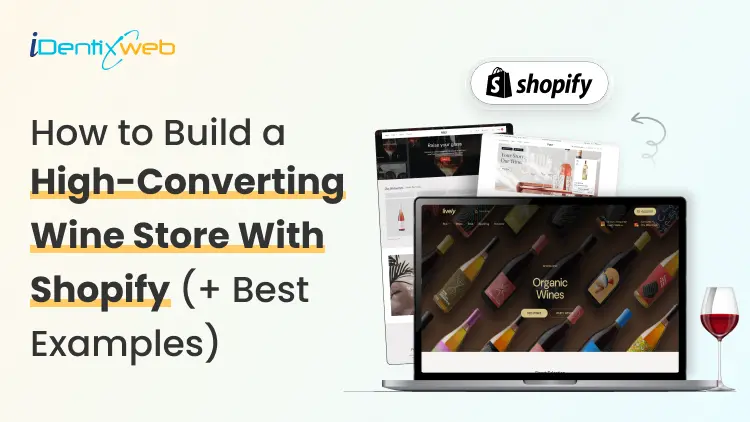
Shopify for Wineries: Features, Costs, Themes, and Examples for Selling Wine
Shopify gives wineries the core tools to sell wine online and in person, including a customizable storefront, secure checkout, Shopify POS, local pickup, subscriptions, and app integrations. Wine stores should also add age verification, product filtering, cross-selling, recommendations, memberships, wine clubs, and product allocations. Advanced wine-specific compliance, shipping rules, and club management typically require dedicated third-party apps alongside Shopify. If you're looking at Shopify for your winery in 2026, chances are you're trying to work out whether Shopify can handle the way a wine business operates. That means more than selling bottles online. You have age verification, state-by-state shipping restrictions, carrier requirements, wine clubs, subscriptions, POS, and compliance tools. I've spent the last few years working with Shopify wine stores, wine-specific apps, shipping requirements, carrier rules, and the limitations wineries are most likely to run into. In this guide, I'm breaking down what Shopify for wineries actually costs, what you'll need to make it work, and where it still falls short before you commit to a migration. Can I sell wine on Shopify? Yes, and Shopify publishes the rules You can sell wine on Shopify. Shopify maintains a dedicated alcohol compliance page in its Help Center covering the US, Canada, the EU, the UK, Australia, and New Zealand. For US merchants, Shopify lists four common requirements: Acquire and maintain every license needed to produce, market, sell, and deliver your products. Stay in full compliance with license requirements, including record-keeping. Run effective age verification so alcohol can't be bought or received by anyone under 21. Ship in full compliance with the laws of both your state and your customer's state. California sellers can also display a Prop 65 alcohol warning through Shopify's product disclosures feature. If you're new to the platform generally, my beginner's guide to how Shopify works covers the basics before you start your wine store. Selling wine on Shopify: The real monthly cost A Shopify wine store with one tasting room can realistically run $140 to $370+ a month in software before card fees. The Shopify plan itself is one of the smaller line items. Compliance can become the highest cost. Here's how the stack builds up on current 2026 US pricing: Shopify Basic is $19/month, or $14 billed annually. Grow is $52/month, or $39 annually. Advanced is $399/month, or $299 annually. Shopify's standard POS features are included with its plans. POS Pro is $89/month per location, or $79/month with annual billing. DRINKS ASSURE, the established alcohol tax and compliance app, is $250/month plus 1% of sales above $25,000. This comes with custom pricing above $200,000 in monthly sales and extra fees for third-party age verification. Wineport, a newer DTC wine compliance app. This runs $49/month for a single winery or $99/month for multi-brand, with a 15-day trial and agency-verified excise rates for 44+ states. Shopify's native Subscriptions app is free, which can cover straightforward recurring wine orders but isn't a replacement for a full winery-specific club and hospitality platform. Shopify for wineries: Online sales features you should have Wine subscriptions and recurring orders Shopify’s free Subscriptions app can handle straightforward recurring wine purchases, making it useful for repeat orders or simple subscription programs. Age verification Age-verification features can help stop underage visitors from entering the storefront. Wineries may need dedicated verification tools or checkout validation rules. Local pickup and tasting room sales If you sell both online and from a physical winery or tasting room, Shopify supports local pickup and Shopify POS. Product filtering and wine discovery Wine shoppers often browse by type, vintage, collection, price, or other bottle attributes. Strong product filtering and search make it easier for customers to find the right wine. Wine clubs, memberships, and allocations More established wineries may need features beyond basic subscriptions, including member pricing, loyalty tiers, club benefits, product allocations, and referrals. Shopify can support these through third-party apps like Winehub Commerce. Does the age-verification pop-up work? That pop-up asking visitors whether they're 21 is useful as a storefront warning. But it isn't the same thing as verifying someone's age. Most age-verification apps simply remember that a visitor clicked "Yes" using a cookie. That becomes even less reliable when customers reach checkout through custom storefronts. For rules that actually need to stop an order, Shopify's stronger option is Cart and Checkout Validation Functions. These validations run on Shopify's servers and can block checkout when a requirement isn't met. Shopify even lists age or ID verification as a use case. If you're building custom checkout rules yourself, my guide to how Shopify Functions work covers the architecture for customizing checkout. Best Shopify wine store examples for inspiration Splash Wines What I liked about Splash Wines is how quickly the store gets the important details out of the way. Its welcome pop-up asks visitors to select where they are shipping and confirm that they are 21 or older before they start shopping. The main navigation is also very purchase-focused, with options such as Curated Cases, Build Your Own Case, and Subscriptions. Robert Mondavi Winery The Robert Mondavi Winery store feels more like a premium winery experience than a typical ecommerce site. I liked how the navigation keeps things simple with Story, Shop, Visit, and Club, making it easy for someone to move between buying wine and exploring the physical winery experience. The homepage also gives equal importance to the brand story, estate visits, wine collection, and wine club. The Prisoner Wine Company What stands out about The Prisoner Wine Company is its bold, product-first approach. The homepage moves visitors quickly from its seasonal message into Best Sellers, with clear labels such as Best Seller, Exclusive, and New Release. I also liked how ecommerce and the winery experience are connected. Alongside wine shopping, visitors can explore tastings, events, and pairing experiences. SommPicks SommPicks does a great job with navigation for a store carrying a very large wine catalogue. Shoppers can browse by wine type, country, region, producer, and vintage, while the search bar specifically encourages searches by wine, region, or producer. I particularly liked the separate Producer Index and Vintage Index, which make exploring thousands of wines much easier. Choosing a Shopify wine theme Shopify's own Theme Store now has a theme built specifically with wineries in mind. Vincent Vincent, particularly its Oakland preset, is designed for wineries, vineyards, liquor, and wine stores and currently costs $340 USD. It includes a built-in age verifier without requiring a separate app and supports taste charts to make wine discovery easier. Area Area’s Winery preset comes with a built-in age verifier and advanced product filtering and search, both useful for wine stores. It also supports in-store pickup, which is useful for wineries selling both online and from a tasting room. Price: $100 USD Local Local’s Lively preset is designed specifically with food, beverage, and local retail businesses in mind. Its age verifier adds a 21+ entry check, while cross-selling and recommended products can help wineries suggest another bottle, complementary product, or gift alongside the shopper’s original choice Price: $380 USD Loka Pour is a wine-focused preset designed for wine, champagne, and premium bottle brands. Its age verifier gives wineries a built-in age-gate option, while product filtering and wine-focused collection layouts make it easier for shoppers to browse bottles by attributes such as vintage or collection. Price: $140 USD What Shopify can't do for a wine store? Shopify can run the storefront, checkout, and POS side of a wine business. But some of its biggest discovery channels still have limits around alcohol. Start with Shop. Age-restricted products, including alcohol, are prohibited on the Shop app. Your winery can still sell wine through its own Shopify storefront, but those products aren't eligible to be sold through Shop. Shopify's Agentic Storefronts can send eligible catalog data to ChatGPT, Microsoft Copilot, Google AI Mode, and Gemini. But each destination applies its own product rules. For example, OpenAI currently prohibits age-restricted products such as alcohol from ChatGPT commerce, and Google also excludes products requiring ID verification, including alcohol and tobacco, from direct purchases in AI Mode and Gemini. My breakdown of the Shopify Spring '26 Edition covers how Agentic Storefronts and the wider Catalog infrastructure work. The Right Setup Goes Beyond the Theme For wineries, the final Shopify setup often involves combining the storefront with apps and custom configurations for subscriptions, pickup, shipping, age verification and other wine-specific requirements. Identixweb provides Shopify store design and development around these operational needs instead of relying only on a standard theme setup. Before you launch: Wine compliance basics Shopify lets you sell wine online, but your winery is responsible for meeting the alcohol laws that apply where you operate and ship. Before launching, make sure you have the required licenses, age-verification process, and shipping setup for the states or regions you serve. Wine shipping rules can vary by location, and carriers such as UPS and FedEx also have specific requirements for licensed alcohol shippers. Once you're choosing carriers, my roundup of Shopify shipping apps covers label printing, shipping workflows, and carrier-calculated rates inside Shopify. Shopify for wineries: Deciding before December Shopify makes the most sense when you want more design freedom, a flexible app stack, and costs that don't rise as sharply with DTC revenue. I would ask three things before starting my Shopify wine shop What's your DTC revenue? How complex is your wine club? And who will own compliance when state rules change? Get your permits and compliance setup sorted before worrying about the perfect theme. A beautiful Shopify store is no help if your shipping rules aren't ready on launch day. FAQs 1. Can I sell wine on Shopify? Yes. Shopify allows alcohol sales, but you are responsible for meeting the licensing, age-verification, shipping, record-keeping, and other legal requirements in every jurisdiction where you sell. Alcohol products are prohibited from the Shop sales channel, so wine should be sold through your Shopify storefront. 2. What are some online sales features if I open a Shopify winery? A Shopify winery can use subscriptions for recurring wine orders, in-store pickup, Shopify POS, product filtering, cross-selling, recommended products, and age-verification features through compatible themes and apps. 3. Is Shopify good to start a wine store? Yes, especially if you want control over your storefront design, ecommerce experience, POS, and app integrations. The con is that Shopify is not winery-compliance software by itself, so you still need the right licenses, age-verification setup, shipping rules, and a dedicated compliance solution. 4. Which are the best Shopify wine themes to start my store? Three strong options in the Shopify Theme Store are Area – Winery ($100), Local – Lively ($380), and Loka – Pour ($140). All three include built-in age verifiers. Area focuses on conversion and product discovery. Local is strong for wineries combining ecommerce with physical locations, and Pour is designed specifically around wine and champagne merchandising. 5. What is Shopify Winehub Commerce? Winehub Commerce is a third-party Shopify app, built specifically for wine and beverage DTC businesses. It adds wine clubs, subscriptions, loyalty and membership tiers, product allocations, referrals, Shopify POS integration, and integrations with services such as ShipCompliant.

Stevie Carpenter
9 Min • 10 February 2026
5766 Views
Priyanka Chaudhari
10 Min • 1 September 2026
6168 Views
Sajini Annie John
5 Min • 10 February 2026
7119 Views
Nash Ogden
9 Min • 9 March 2026
6753 Views
Sajini Annie John
6 Min • 27 January 2026
6175 Views
Motif Creatives
7 Min • 8 July 2026
5892 Views

burkhard berger
13 Min • 12 February 2026
6593 Views
Sajini Annie John
4 Min • 10 February 2026
5736 Views
Mehul Jagwani
5 Min • 10 February 2026
8081 Views

Mehul Jagwani
9 Min • 22 July 2025
6092 Views
Sajini Annie John
3 Min • 2 September 2026
7004 Views

Mehul Jagwani
6 Min • 2 June 2026
5725 Views