

Ecommerce
Gather knowledge about the latest insights, updates, tips, and tricks in the Ecommerce industry.

5 Min • 29 April 2026
How Anua Unlocked 5X AOV Growth with iCart’s Smart Cart Features
delivery customization Challenges Solutions drive results Scale business delivery customization Challenges Solutions drive results Scale business delivery customization Challenges Solutions drive results Scale business delivery customization Challenges Solutions drive results Scale business Anua is a globally recognized Korean skincare brand known for its minimalist philosophy and focus on gentle yet effective formulations. Built on the idea of simplifying skincare routines, Anua develops products that deliver visible results while avoiding harsh or irritating components, making them suitable for sensitive skin types. Initially using a traditional full cart experience, Anua transitioned to iCart’s side cart solution in August 2025, to create a more seamless and engaging shopping journey. This shift allowed customers to easily explore complementary skincare products without disrupting their browsing flow, making it more intuitive to discover items that fit into a complete routine. By surfacing relevant recommendations directly within the cart, the brand enhanced product visibility across its range. Challenges Before implementing iCart’s side cart solution, Anua faced limitations with their existing full cart experience, which created friction in the customer journey. The traditional cart setup redirected users away from product pages, interrupting their browsing flow and reducing opportunities to explore additional products. As a skincare brand built around routines rather than single-item purchases, this made it difficult to effectively showcase complementary products and encourage customers to build complete regimens. Additionally, the lack of in-cart personalization and strategic upsell opportunities meant that customers were often unaware of related products that could enhance their skincare results. This limited the brand’s ability to increase average order value (AOV) and fully leverage its diverse product range. Anua needed a more dynamic and intuitive cart experience that could seamlessly introduce relevant recommendations while maintaining a smooth and engaging shopping journey. ❌ Cart Value Barriers Low average order value (AOV) due to single-item focus Most customers completed purchases with one primary product instead of building multi-step routines. Cart abandonment near shipping thresholds Customers were not clearly informed or motivated to reach free shipping or discount thresholds. Missed savings opportunities Customers were unaware of potential value in purchasing bundled routines or multiple complementary products. ❌ Absence of Progress-Based Incentives No free shipping or discount progress bar Customers were not motivated to increase their cart value due to lack of visible incentives. Missing tiered rewards system There were no structured milestones (e.g., “Spend more to unlock offers”), reducing upsell opportunities. ❌ Ineffective Cart UI/UX (Pre-Side Cart) Full-page cart disrupted shopping flowCustomers had to leave their browsing journey, increasing friction and drop-offs. No quick add/remove functionality Users couldn’t easily modify their cart or add suggested products without navigating away. Solution To overcome these challenges, Anua implemented iCart’s side cart solution to transform their traditional cart into a high-converting, interactive experience. By replacing the full-page cart with a seamless side cart, the brand ensured that customers could continue browsing while viewing their cart, significantly reducing friction in the shopping journey. Additionally, features like product recommendations & progress bars for free shipping and discounts motivated customers to increase their cart value. By combining personalization, incentive-driven messaging, and a user-friendly interface, Anua successfully turned their cart into a powerful revenue-driving touchpoint rather than just a checkout step. To maximize their cart effectiveness, they implemented two powerful features: ✅ Progress Bar with Multi-Reward Incentives Implemented a tiered progress bar to encourage higher cart value Customers are guided with a clear message like “Add $3.10 to unlock secret offer,” motivating them to continue adding products. Generated over $5M+ in revenue through incentive-driven cart progression Used product-based rewards to align with customer intent Instead of generic discounts, Anua incentivized purchases with relevant skincare items like Dark Spot Pads and mini serums. Built visual motivation for routine expansion As customers add products, they can clearly track progress toward unlocking multiple rewards, encouraging them to build a complete skincare routine. ✅ Product Recommendations Implemented “Frequently Bought Together” recommendations Customers adding a single product (e.g., toner) are shown complementary items like serums, moisturizers, or pads to complete their routine. Generated over 275K revenue through in-cart recommendations Encouraged full skincare regimen building Instead of isolated purchases, the cart suggests step-by-step product combinations aligned with common skincare routines. Increased product discovery at the final stage By surfacing relevant items directly in the cart, Anua ensured customers explore more of their catalog without leaving the checkout flow. Results Achieved in Last 180 Days 22932 Total Store Orders 45101 Total iCart Orders 5X iCart Generated AOV 65.70% Upsell Affected Conversion Rate These improvements reflect a clear shift in customer behavior on Anua’s store. Cart abandonment reduced as shoppers discovered complementary skincare products and felt encouraged to build complete routines. Engagement also increased, with customers interacting more with in-cart recommendations and exploring relevant product pairings. Results & Impact And...Results is Our Main Clarification By implementing iCart’s cart drawer, product recommendations, and progress bar, Anua transformed its cart into a high-performing conversion touchpoint. Shopping Experience Enhancement The improved cart experience encouraged customers to discover complementary products and understand the value of sustainable beauty routines. For instance, the clear presentation of subscription savings alongside one-time purchase options helped customers make more informed decisions about their long-term hair care needs. As Anua continues to optimize its cart experience, the brand is closely monitoring: Routine-based purchasing behavior - tracking how customers move from single items to multi-step regimens Engagement with in-cart recommendations - measuring interaction with suggested products Cart value progression - analyzing how incentives influence higher spending [related_cases_slider] Ready to Write Your Success Story? Try icart App Join successful businesses like Anua and Master your delivery scheduling Delight customers with precise timing Grow your special occasion orders Expand your delivery reach
Read Blog
9 Min • 21 August 2026
Shopify Payments vs PayPal: Which One Will Cost You Less in 2026?
The difference between Shopify Payments and PayPal can look tiny on a pricing page. Across hundreds or thousands of orders, it can become a serious operating cost. I have seen merchants focus only on the processing rate while overlooking Shopify’s additional transaction fees, PayPal’s pricing structure, currency conversion, and dispute costs. This comparison breaks down the numbers that matter in 2026 so you can see which option protects more of your margin. Shopify Payments vs PayPal: The short answer Shopify Payments is cheaper per order in almost every scenario. It is also the only way to avoid Shopify's extra transaction fee. PayPal costs more but brings buyers who will not enter a card number in a store they have never heard of. This is how I always use both these options. Shopify Payments as your processor with PayPal switched on as a wallet option. Shopify Payments vs PayPal Comparison ComparisonShopify Payments: Card paymentsPayPal Wallet through Shopify PaymentsOnline processing rateStandard cards: 2.9% + 30¢ on Basic, 2.7% + 30¢ on Grow, and 2.5% + 30¢ on Advanced. Premium cards cost 3.5%, 3.3%, and 3.1% + 30¢, respectively. International cards add 1%.Starting at 3.49% + 49¢ on Basic, Grow, and Advanced.Additional transaction feeNone None when PayPal is offered through Shopify Payments. PayPal transactions are excluded from Shopify’s third-party transaction fee when Shopify Payments is active. Dispute or chargeback fee$15 USD, returned if the merchant wins the chargeback.$15 for a standard dispute and $30 for a high-volume dispute.Currency conversion1.5% for US Shopify Payments stores when the payment currency differs from the payout currency.3% for PayPal Wallet through Shopify Payments in the United States. “Around 3% to 4%” is unnecessarily vague for this specific integration.AvailabilityShopify’s current supported-country page lists 40 countries and regions, not 39.PayPal Wallet through Shopify Payments is available only in the United States and France. What Shopify Payments actually costs in 2026 Shopify Payments has no monthly fee and no setup cost. You pay a card processing rate that drops as you move up plans. Shopify Payments Fees Basic: From 2.9% + 30¢ Grow: From 2.7% + 30¢ Advanced: From 2.5% + 30¢ Plus: From 2.25% + 30¢ Chargebacks: Shopify Payments charges US merchants $15 when a customer files a chargeback. The disputed amount and fee are deducted from your account, but both are returned if the card issuer rules in your favour. Shopify lets you submit evidence through the admin, although the final decision is made by the customer’s bank, not Shopify. If you have not activated it yet, my walkthrough on setting up Shopify Payments covers the eligibility checks and bank verification steps. What PayPal actually charges? PayPal’s Fees PayPal and Venmo payments: 3.49% + $0.49 Cards through PayPal Checkout: 2.99% + $0.49 Expanded Checkout card processing: 2.89% + $0.29 PayPal Pay Later: 4.99% + $0.49 International commercial payments: Additional 1.5% Chargebacks and disputes: PayPal account and guest-checkout transactions generally carry a $15 standard dispute fee, which rises to $30 for merchants classified as high-volume dispute sellers. Unbranded credit and debit card transactions can instead carry a $20 chargeback fee, so the cost is not the same across every PayPal payment type. Shopify Payments vs PayPal credit card fees on a real order Let me explain this with a simple example. Take a $75 order, US buyer, US store, Basic plan. Through Shopify Payments: $75 × 2.9% = $2.18, plus 30¢, for a total of $2.48. You keep $72.52. Through PayPal Checkout: $75 × 3.49% = $2.62, plus 49¢, for a total of $3.11. You keep $71.89. The difference is only 63 cents, but if you run 1,000 orders a month, it is $630, or $7,560 a year. There is a scenario where PayPal is better on price, and it is narrow: high-value orders where the percentage matters more than the fixed fee, processed as cards through Expanded Checkout at 2.89% + 29¢. For most Shopify stores selling physical goods at normal price points, that is not the setup you are running. PayPal checkout vs Shopify Payments: Which is better for conversions? PayPal earns its fee with a specific type of buyer. Someone who has never heard of your brand, is shopping on a phone, and does not want to type a 16-digit card number into a store they found through an ad. For that shopper, the PayPal button is the reason the order happens at all. Shopify Payments has Shop Pay. This stores card and shipping details across the Shopify network and lets returning buyers check out in one tap. My guide to Shop Pay as a checkout solution goes deeper on how it fits alongside other wallets. What I would not do is treat the payment method as the only checkout variable. Most stores lose orders to unexpected shipping costs, forced account creation, and slow pages. If your abandonment rate is high, work through the common Shopify checkout mistakes before you start adding gateways. Payouts and cash flow Shopify Payments is faster and more predictable for most established stores. PayPal is faster if you have a PayPal balance and slower to your bank. Payouts will arrive in a Shopify Balance account within one business day of the transaction processing date. New merchants can wait up to five business days. Standard bank payouts run 2 to 5 business days in the US, longer in the UK and EU. PayPal money hits your PayPal balance immediately. Getting it to your bank takes another 1 to 3 days, or you pay a fee for instant transfer. New accounts are where both methods lag. A brand new PayPal account can hold funds for up to 21 days. A high-risk limitation can take 180 days. Shopify has a similar onboarding window. It takes up to 21 calendar days between your first sale and your first payout. My advice is to keep both active. Disputes and chargebacks Shopify wins this one clearly. It charges $15 per chargeback, and PayPal charges $20, and high-dispute accounts get bumped to $30 with no refund. Shopify Protect offers free chargeback protection against fraudulent and unrecognized chargebacks on eligible orders. When an order is marked "Protected," Shopify covers the disputed amount and the chargeback fee automatically, without you filing a response. The conditions are strict and worth reading before you count on it: US-based merchants using Shopify Payments only Shop Pay orders exclusively, not standard Shopify Payments checkout Physical products, fulfilled within the required window, with valid tracking from a supported carrier. It will not cover every dispute. It covers the expensive category well, and it costs nothing to turn on. PayPal counters with Seller Protection, and orders paid through PayPal Wallet on Shopify Payments are eligible for it. The dispute process runs differently, though. You get 20 days to resolve an inquiry with the customer directly before PayPal steps in funds are held during that window, and once a decision is made, you cannot appeal it. Payment Setup Is Part of the Bigger Picture Payment setup also needs to be considered as part of the wider Shopify store configuration. Identixweb helps merchants with Shopify store settings configuration, including payments, checkout, shipping and taxes, so these elements work together properly before the store starts processing orders. Where each one genuinely wins Shopify Payments wins on cost, chargeback, reporting, and operational simplicity. It is the right default for any store in a supported country. PayPal wins on reach. Shopify Payments covers 39 countries and regions. PayPal operates in over 200 countries. If your store is registered in India, Brazil, the UAE, Nigeria, Pakistan, or Indonesia, Shopify Payments wins easily. If you need a third-party gateway, PayPal is one of the stronger ones available. PayPal also wins on buyer familiarity in specific markets and categories. High-consideration purchases, first-time buyers from paid social, and cross-border orders all convert better when a recognised wallet is on the page. If neither fits your situation cleanly, our roundup of the best payment methods for Shopify merchants covers more options. FAQs 1. Does Shopify Payments accept PayPal? Yes, but the setup depends on your country. In the United States and France, PayPal Wallet is integrated directly into Shopify Payments. In other supported countries, PayPal is connected separately through PayPal Express Checkout. 2. Is PayPal better than Shopify? Shopify is an ecommerce platform with its own payment processor, while PayPal is primarily a payment provider. For most Shopify merchants, Payments works better as the primary processor because payments, payouts, disputes, and reporting stay inside Shopify. PayPal remains valuable as an additional checkout option for customers who prefer it. 3. How to add PayPal to Shopify Payments? For US and French stores using Shopify Payments, PayPal is available through the integrated PayPal Wallet rather than the Additional payment methods section. In other countries, go to Settings > Payments > Additional payment methods > PayPal > Complete setup, then sign in to PayPal and approve the connection. 4. How to collect PayPal payments on Shopify? Activate PayPal Wallet or PayPal Express Checkout, after which eligible customers can select PayPal during checkout and pay using their PayPal balance, bank account, or card. US and French PayPal Wallet transactions are managed and paid out through Shopify Payments, while PayPal Express transactions are managed through the connected PayPal account. 5. Is Shopify cheaper than PayPal? For US online payments, Shopify Payments is generally cheaper per transaction. Standard card rates currently start at 2.9% + 30¢ on Basic and decrease on higher plans, while PayPal Wallet rates start at 3.49% + 49¢. Shopify also charges a monthly platform subscription, so the lower-cost option depends on the store’s plan, payment mix, and sales volume. 6. How much does Shopify charge for Payments? For US stores, Shopify Payments’ standard online card rates are currently 2.9% + 30¢ on Basic, 2.7% + 30¢ on Grow, and 2.5% + 30¢ on Advanced. Shopify Plus receives negotiated or more competitive rates. There is no separate setup or monthly Shopify Payments fee beyond the Shopify subscription. 7. How do I avoid Shopify transaction fees? Use Shopify Payments instead of a direct third-party card processor to avoid Shopify’s additional third-party transaction fee. PayPal Express and manual methods are also excluded when Shopify Payments is active.
10 Min • 27 August 2026
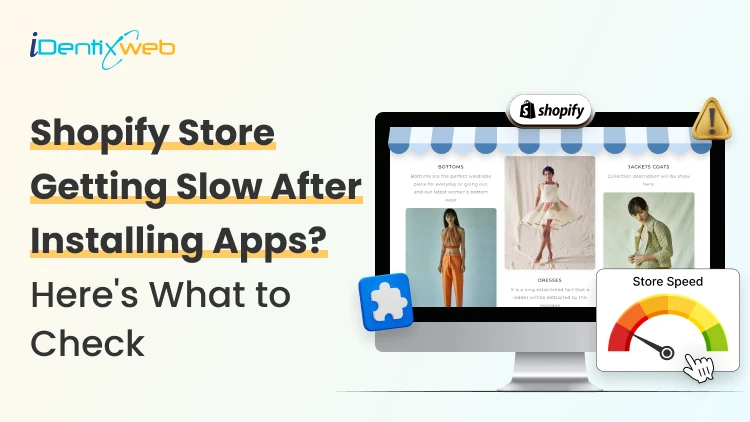
Is Your Shopify Store Slow After Installing Apps? Here’s What to Check
You may have experienced your Shopify store loading slowly just after you have installed a few apps. But owners need apps to run their store. Maybe the store needs product reviews, or they need upselling, a chatbot, a loyalty program, or an analytics app. Individually, each one solves a problem. But after a few installations, the store suddenly feels heavier. Product pages take longer to appear, buttons respond slowly, or content jumps around while loading. This is common when I audit Shopify stores, but I just don't immediately start deleting apps. If you're wondering why Shopify is so slow after adding apps, the first step is to identify what changed on the storefront. Shopify itself lists installed apps, theme code, and manually added third-party code among the major factors that can affect online-store performance. The right approach is to identify what is actually slowing the store, decide whether the app provides enough business value, and then optimize, or remove it. TL;DR: What should you check first? If a Shopify store became slow after installing apps, check: Whether the slowdown started at the same time as an app installation Which apps load JavaScript or CSS on the storefront Whether apps are loading on pages where they aren't needed Whether multiple apps perform the same function Whether app widgets are causing layout shifts Whether previously removed apps left legacy code in the theme There is no number on how many apps a merchant can use. I have seen stores with revenue > $1M use more than 20 apps. What matters is what those apps load and how efficiently they do it. First, I would confirm that the apps are the problem It's always easy to blame the newest app for a slow store. But a Shopify store can load slowly for several reasons at the same time. A theme update, new tracking pixel, oversized media, extra theme sections, or manually added JavaScript. Start with Shopify's own performance data. Go to: Shopify Admin → Online Store → Themes The Themes page includes a performance metric summary for the store's Core Web Vitals. More detailed performance reports are available under: You may not be able to see it if: Your online store is password-protected. The store does not yet have enough real visitor traffic to generate the metrics. You are trying to access the detailed reports without the required Reports staff permission. The detailed reports are available through: Shopify Admin → Analytics → Reports From there, you can search for: Largest Contentful Paint Interaction to Next Paint Cumulative Layout Shift Shopify's Web Performance reports can show performance over time, by page URL, and by page type. They also provide info on changes such as app installations, theme updates, and new code. This makes the report particularly useful when investigating a recent slowdown. One limitation is that this isn't instant monitoring. Shopify says Web Performance data can be delayed by up to 36 hours, so don't expect a change made five minutes ago to immediately appear in the real-user report. For a broader speed audit, my guide on how to speed up a Shopify store covers other common performance problems beyond apps. Know the three performance metrics that matter Shopify currently uses the same three Core Web Vitals Google focuses on: LCP, INP, and CLS. MetricWhat It MeasuresGood TargetWhat Apps Can AffectLCPHow quickly the main visible content loads≤ 2.5 secondsRender-blocking scripts, stylesheets, slow widgets, third-party resourcesINPHow quickly the page responds after interaction≤ 200 msHeavy JavaScript, long-running tasks, multiple interactive widgetsCLSHow much content unexpectedly shifts≤ 0.1Late-loading banners, reviews, popups, badges or other widgets You can check the target number by clicking each report I have mentioned earlier. Here’s my checklist on whether you feel Shopify app bloat in your current store. The complete checklist if you have Shopify App bloat 1. Separate the apps that load on the storefront or backend Not every Shopify app slows down the storefront. Some apps operate almost entirely inside Shopify Admin or in backend workflows. Others directly add content, JavaScript, CSS, tracking, popups, recommendations, reviews, or widgets to customer-facing pages. Start by separating installed apps into two groups: Storefront-impacting apps Examples of these apps include reviews, upsells, chat, personalization, recommendations, subscriptions, popup tools, search widgets, badges, analytics, and visual merchandising features. For example, Anua, a Korean Skincare brand, uses iCart, an upsell app, to show upselling products in their cart. Backend/admin apps Examples might include certain reporting, inventory, workflow, fulfillment, or administrative tools that don't need to render customer-facing code. This immediately narrows down where to investigate. 2. Look for too much JavaScript JavaScript is one of the first places I check if I feel too many apps are slowing down your store. Apps can use JavaScript for: Recommendations Sliders Popups Cart drawers Reviews Personalization Chat Analytics Event tracking Dynamic discounts Interactive widgets None of these features are bad, but Shopify states that poor INP is often caused by too much JavaScript coming from theme code, app code, third-party code, or tag managers. How to check it Open Chrome DevTools and inspect the Performance and Network panels. Look for: Long-running JavaScript tasks Unusually large script files The same third-party library loaded more than once If you notice these issues but the fixes involve editing theme code, it may be time to involve a developer. Small changes made without knowing how an app or theme works can sometimes affect store functionality or customer experience. A Shopify developer can help identify which scripts are necessary, remove unnecessary code safely, and optimize store performance. At Identixweb, we provide Shopify Speed Optimization Services to help merchants improve store performance without compromising the features their customers rely on. 3. Check whether apps load on pages where they aren't needed This is one of the most important checks I do. Imagine a product-review app. The full reviews widget may matter on product pages. But does all its JavaScript need to load on the homepage, blog articles, contact page, cart page, and every collection? The same question applies to: Product recommendations Size charts Wishlist tools Product badges Delivery widgets Cart tools Popup tools Ask your developer: Does this app load storefront assets globally or only where its functionality is used? That question can reveal a lot about how efficiently the app was built. 4. Review your app embeds Go into the Shopify Admin > Online Store > Edit Theme > App Embeds App embed blocks are commonly used for functionality such as: Chat bubbles Product badges Analytics Tracking SEO integrations Floating storefront elements You can activate or deactivate individual app embeds from the Theme Editor. Before disabling any app embed, check its features and how it affects customer experience, tracking, or store operations. Review the app name, understand its purpose, and confirm whether it is connected to tools like analytics. If you are unsure, test the change on a duplicate theme first instead of turning it off directly on your live store. An embed may power tracking, accessibility features, consent management, or another business-critical function. Instead, identify what each embed does and test changes individually. 5. Look for multiple apps doing the same job App overlap is the most common problem I encounter that slows down the store. For example, a store might have: An email app with a popup A separate popup app Each tool may have been added at a different point in the store's growth. For each installed app, document: Business purpose → feature actually used → storefront resources → monthly cost → overlapping apps Then decide whether one well-built tool could replace two or three separate apps. 6. Check whether an app is causing layout shifts Have you ever opened a product page and watched this happen? The title appears first, then the reviews widget loads, and after that a promotional bar appears. That is called a layout shift. Shopify considers a CLS of 0.1 or lower good. Late-loading app elements such as banners, reviews, badges, recommendations, and widgets can contribute to CLS when the page hasn't reserved enough space for them. Ask your developer to check apps that contribute to CLS. 7. Don't assume the app is the only problem Sometimes an app gets blamed because it was the most visible recent change. But Shopify identifies three major areas merchants should examine: Theme code Installed apps Manually added third-party code such as tag managers and tags. For example, you may install an app and simultaneously add a Meta pixel or add another analytics script through GTM. If speed drops, the app could be only one part of the problem. A safe way to audit Shopify apps Don't uninstall five apps and then check CoreWebVitals. Even if the score improves, you won't know which change caused it. Use this process instead. Step 1: Record a baseline Measure the CWV performance for: Homepage Collection page Popular product page Step 2: Back up your theme Duplicate the current theme before touching theme files or legacy app integrations. Step 3: Test one app at a time Where possible, disable an app embed or storefront feature individually. Keep everything else unchanged. Step 4: Run several tests This is what you want from your developer. Do not make a decision based on a single score. Shopify warns that a single Lighthouse run can vary by 5–10 points because of CPU and network conditions and recommends comparing median results from multiple runs. Step 5: Compare the right metric If the page loads slowly, investigate LCP. If clicks feel delayed, investigate INP. If widgets move content around, investigate CLS. Step 6: Remove or combine only after confirming the cause If an app provides little value, duplicates functionality, and creates measurable storefront overhead, then removal becomes a much easier business decision. Can't find which app is slowing your Shopify store? When multiple apps, theme changes, and third-party scripts are affecting your storefront, finding the exact cause of slow performance can be difficult. Identixweb’s Shopify Store Performance and Speed Optimization service helps identify performance bottlenecks, reduce unnecessary code and scripts, and improve storefront speed without removing functionality your store still needs. FAQs 1. Can installing too many Shopify apps make a store slower? Yes, particularly when an app adds customer-facing JavaScript, CSS, third-party requests, widgets, or tracking code. However, not every app affects the storefront, so the app's integration and resources matter more than simply whether it is installed. 2. What is a good Shopify speed score? Rather than relying on one speed score, merchants should monitor Shopify's Core Web Vitals. Shopify considers LCP of 2.5 seconds or less, INP of 200 ms or less, and CLS of 0.1 or less good performance thresholds. 3. How many Shopify apps are there? There isn't a useful universal number. A smaller number of poorly chosen apps will still create problems. Audit what each app loads, where it loads, and the value it provides instead of relying on app count alone. 4. How can I tell which Shopify app is slowing my store? Start with Shopify's Web Performance reports, then test the same homepage, product, and collection pages while disabling one storefront app feature or embed at a time. 5. Does uninstalling a Shopify app remove all its code? Not always. Older or manually integrated apps can leave theme changes behind. For apps built with Theme App Extensions, Shopify says that the app code is removed when the app is uninstalled.
10 Min • 9 July 2026
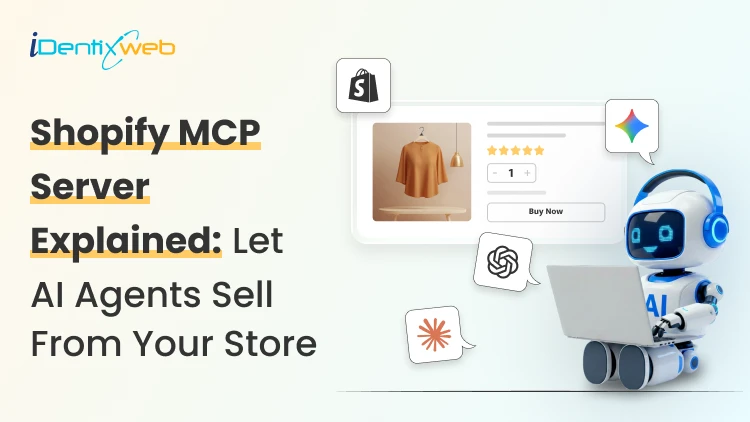
How AI Agents Can Sell From Your Shopify Store (Shopify MCP Server Explained)
Your next shopper may not start on your homepage. They may start in ChatGPT, Microsoft Copilot, Google AI Mode, Gemini, or the Shop app. Shopify Agentic Storefronts and MCP make it possible for these AI experiences to discover products, understand store data, and guide shoppers toward checkout. This is a connective layer that lets AI agents search your catalog, build a cart, and hand a shopper straight to checkout. I have spent the past few months testing this setup on live stores, and this guide covers exactly where things stand today. What is a Shopify MCP server? A simple explanation Model Context Protocol, or MCP, is an open standard from Anthropic that lets AI models talk to outside tools and data using one shared format. In simple terms, UCP defines the shopping flow, and MCP gives AI agents a standard way to call those shopping tools. Shopify uses UCP as the commerce rulebook and exposes those UCP-powered shopping capabilities through Shopify MCP servers. In simple terms, UCP defines the shopping flow, and MCP gives AI agents a standard way to call those shopping tools. UCP is an open framework Shopify co-developed with Google, and it defines how an agent proves who it is, searches a catalog, builds a cart, checks out, and tracks an order, all through a consistent set of rules. Shopify's MCP servers are the implementation of that framework. Here is where a lot of confusion starts. There is no single "Shopify MCP." There are two different things people usually mean when they say “Shopify MCP.” Storefront MCP is for shopping agents. It helps AI agents search products, manage carts, answer policy questions, and move shoppers toward checkout. Shopify AI Toolkit / Dev MCP is for developers. It helps Claude Code, Cursor, Codex, VS Code, and similar tools work with Shopify docs, GraphQL schemas, Liquid validation, CLI workflows, apps, and themes. How does the Shopify MCP server power AI agents? Every eligible Shopify store gets a live Storefront MCP endpoint by default, reachable at https://{yourstore}.myshopify.com/api/mcp, with a second UCP-specific endpoint at /api/ucp/mcp for catalog search. No developer, code, or apps are required here. This single server handles the entire buyer journey in four stages. Stage 1: Negotiate and authenticate Every agent presents a profile that tells Shopify who it is. Based on that profile, Shopify assigns a trust tier, and the tier decides how much an agent can do on its own. Stage 2: Discover products Agents search your catalog through search_catalog, lookup_catalog, and get_product. Shopify also runs a cross-store Global Catalog, so an agent can search millions of products from every Shopify merchant at once, then narrow down to yours. Stage 3: Build a cart and check out The get_cart and update_cart tools let an agent add items and fetch pricing. When the shopper is ready, create_checkout converts that cart into a real checkout session, calculating tax, shipping, and totals against your live store settings. Stage 4: Monitor the order After purchase, get_order and order webhooks let an agent or the shopper check fulfillment status, refunds, and shipping updates without emailing your support team. For the vast majority of agents today, checkout does not complete inside the chat window. The agent receives a continue_url and hands the shopper to your actual Shopify checkout to finish paying. If the shopper is redirected to your Shopify checkout, your normal checkout experience is mostly preserved. But if the shopper uses an AI channel’s Shopify-powered direct checkout, some checkout customizations may not appear, especially upsells, custom fields, loyalty blocks, custom pixels, subscriptions, bundles, digital products, pickup, and local delivery. Shopify storefront MCP vs the Shopify AI toolkit Storefront MCP is consumer-facing. It is what powers a shopper's conversation with an AI agent that wants to buy something from your store. You do not build this. Shopify runs it for you. The Shopify AI Toolkit is a developer-facing project. Shopify open-sourced it in April 2026, and it connects coding assistants like Claude Code, Cursor, and VS Code to Shopify's documentation, GraphQL schema, and CLI so a developer can build themes, apps, and integrations faster. The Toolkit's Dev MCP server gives an AI coding agent live access to Shopify's platform knowledge. This does not include your storefront's live sales data. If someone asks you about MCP for Shopify and mentions building an app or theme, they mean the AI Toolkit. If they mean letting ChatGPT or Claude sell your products to a shopper, they mean Storefront MCP. Shopify's own AI assistant lives inside your admin and helps you run the store rather than helping outside agents sell from it. I go deeper on what Sidekick can actually do in my Shopify Sidekick use case guide if you want the full picture of Shopify's native AI tools. How to get started with Shopify MCP: For store owners Go to Sales channels > Agentic in your Shopify admin. From there you can: See which AI channels have access to your products through Shopify Catalog. This can be ChatGPT, Microsoft Copilot, Google AI Mode, Gemini, and Shopify's own Shop app. Turn off Allow Shopify to manage for me if you want manual control instead of automatic enrollment in new AI channels. Deactivate direct checkout on channels that support it, so shoppers are always redirected to your own checkout instead. Preview how your products actually appear in AI catalog search results. A few requirements gate eligibility: You need your Terms of Service, Privacy Policy, and Return and Refund Policy filled out under Settings > Policies, Your products need to sell to US buyers, You need to accept Shopify's Agentic Storefronts Supplemental Terms of Service. B2B-only products and anything on OpenAI's prohibited list will not surface in ChatGPT results. An agent can only sell what it can understand, so titles, descriptions, variant details, and policy answers need to be complete and specific. This overlaps heavily with answer engine optimization work, and I have a full breakdown of that in my Shopify AEO and GEO guide if you want to tighten up how your store reads to any AI system. Claude Code Shopify MCP: Setup for developers and agencies If you are building something custom, testing the protocol directly, or wiring Claude into your day-to-day store management, this is the section for you. For coding work, the recommended path is the Shopify AI Toolkit plugin. Inside a Claude Code session. claude plugin install shopify-ai-toolkit@claude-plugins-official claude mcp add --transport stdio shopify-dev-mcp -- npx -y @shopify/dev-mcp@latest Restart Claude Code, and the plugin gives your session access to Shopify's live GraphQL schema, Liquid validation, and CLI commands. You need Node.js 18 or higher. The Dev MCP server does not require authentication because it connects to Shopify developer resources such as docs and schemas. However, if you use Shopify CLI or store-execution capabilities to work with a real store, you should expect authentication and permissions to matter. I walked through that exact process end to end, screenshots included, in my Claude and Shopify connection guide. This includes how to scope the token to read-only access so Claude can answer questions without being able to change anything until you are ready to grant write access. What happens at checkout when an AI agent buys from you Merchants ask me this more than anything else. In almost every real case today, the buyer finishes payment on your Shopify checkout, either inside an in-app browser (ChatGPT) or a new browser tab. You remain the merchant of record. The order lands in your admin with channel attribution showing it came from an AI referral, same as any other sales channel. But some checkout blocks, particularly custom fields, upsell prompts, or specific validation rules, may not render inside an agentic storefront's direct checkout the same way they do on your normal storefront checkout. The purchase still completes correctly, but any app-based messaging tied to those blocks might not show up. If you rely heavily on checkout customization for revenue, it is worth auditing this now. My Shopify Checkout Blocks guide covers what each block type does if you need to check what is at risk. To wrap it up, here’s a checklist to get started with Shopify MCP AreaWhat to checkAgentic settingsGo to Sales channels > Agentic and review which channels have Shopify Catalog access.Product dataMake titles, descriptions, variants, images, price, and availability complete. Shopify says these fields are structured for AI channels through Shopify Catalog. PoliciesAdd Terms of Service, Privacy Policy, and Return/Refund Policy. These are required for ChatGPT and direct checkout eligibility.US sellingCheck whether the store sells to US customers. ChatGPT and Copilot require selling to US buyers; Google/Gemini direct checkout is more limitedCheckout customizationsAudit checkout apps, upsells, custom fields, validation rules, local delivery, pickup, subscriptions, bundles, and custom pixels.B2B productsMake sure B2B-only products are not accidentally exposed if using custom B2B logic. Shopify says agentic storefronts support D2C sales only.AI discoverabilityUse Shopify’s Agentic preview/search tool as a directional signal, not a guaranteed ranking result. FAQs 1. What is Shopify MCP? Shopify MCP refers to Shopify's Model Context Protocol servers. It is a layer that lets AI agents like Claude, ChatGPT, and Copilot search a store's product catalog, manage a cart, and complete a checkout using natural language. 2. How to get started with Shopify MCP? Most merchants do not need to build anything. Check Sales channels > Agentic in your Shopify admin to see which AI platforms already have access to your catalog, confirm your store policies are complete, and review your product descriptions so agents have accurate information to work with. 3. What is the difference between Shopify Storefront MCP and the Shopify AI Toolkit? Storefront MCP is the consumer-facing server that lets AI shopping agents browse and buy from your live store. The Shopify AI Toolkit is a separate, developer-facing tool that connects coding assistants to Shopify's documentation and schema so developers can build apps and themes faster. 4. How does Claude Code connect to Shopify MCP? For development work, install the Shopify AI Toolkit plugin inside Claude Code with /plugin marketplace add Shopify/shopify-ai-toolkit followed by /plugin install shopify-plugin@shopify-ai-toolkit. Connecting Claude to your live store data for admin tasks uses a separate Admin API token setup instead. 5. Do AI agents complete checkout without a shopper ever visiting my store? In most current cases, no. Shoppers are handed a link back to your own Shopify checkout to finish payment, so your branding and payment methods stay intact. Only a small number of vetted, high-trust agent partners can complete a purchase directly inside their own interface. 6. Can I stop AI platforms from selling my products? You can turn off Shopify Catalog access per channel from Sales channels > Agentic and disable direct checkout where it is offered. Fully hiding a product from all AI discovery requires Unlisted status or the seo.hidden metafield, both of which also remove it from regular search engines, so it is rarely the right tool for a partial opt-out.

Bhavesha Ghatode
11 Min • 12 February 2026
1913 Views
Vineet Nair
8 Min • 11 November 2025
1598 Views
Vineet Nair
8 Min • 12 February 2026
1620 Views
![How to Change Currency in Shopify [Updated Steps in 2026]](https://www.identixweb.com/wp-content/uploads/2025/05/Change-Shopify-Currency-A-Complete-Guide-for-Global-Sellers.webp "How to Change Currency in Shopify [Updated Steps in 2026]")
Bhavesha Ghatode
16 Min • 9 June 2026
1826 Views
Vineet Nair
8 Min • 7 December 2025
1973 Views
Vineet Nair
8 Min • 12 February 2026
1663 Views
Vineet Nair
7 Min • 25 August 2025
1626 Views

Bhavesha Ghatode
12 Min • 12 February 2026
1777 Views
Vineet Nair
6 Min • 12 February 2026
1775 Views
Vineet Nair
7 Min • 11 November 2025
1704 Views

Vineet Nair
9 Min • 23 January 2026
1783 Views
Bhavesha Ghatode
9 Min • 3 March 2026
1915 Views