Blog
Gather knowledge about the latest insights, updates, tips, and tricks in the Ecommerce industry.

5 Min • 20 March 2026
How Anua Unlocked 5X AOV Growth with iCart’s Smart Cart Features
delivery customization Challenges Solutions drive results Scale business delivery customization Challenges Solutions drive results Scale business delivery customization Challenges Solutions drive results Scale business delivery customization Challenges Solutions drive results Scale business Anua is a globally recognized Korean skincare brand known for its minimalist philosophy and focus on gentle yet effective formulations. Built on the idea of simplifying skincare routines, Anua develops products that deliver visible results while avoiding harsh or irritating components, making them suitable for sensitive skin types. Initially using a traditional full cart experience, Anua transitioned to iCart’s side cart solution in August 2025, to create a more seamless and engaging shopping journey. This shift allowed customers to easily explore complementary skincare products without disrupting their browsing flow, making it more intuitive to discover items that fit into a complete routine. By surfacing relevant recommendations directly within the cart, the brand enhanced product visibility across its range. Challenges Before implementing iCart’s side cart solution, Anua faced limitations with their existing full cart experience, which created friction in the customer journey. The traditional cart setup redirected users away from product pages, interrupting their browsing flow and reducing opportunities to explore additional products. As a skincare brand built around routines rather than single-item purchases, this made it difficult to effectively showcase complementary products and encourage customers to build complete regimens. Additionally, the lack of in-cart personalization and strategic upsell opportunities meant that customers were often unaware of related products that could enhance their skincare results. This limited the brand’s ability to increase average order value (AOV) and fully leverage its diverse product range. Anua needed a more dynamic and intuitive cart experience that could seamlessly introduce relevant recommendations while maintaining a smooth and engaging shopping journey. ❌ Cart Value Barriers Low average order value (AOV) due to single-item focus Most customers completed purchases with one primary product instead of building multi-step routines. Cart abandonment near shipping thresholds Customers were not clearly informed or motivated to reach free shipping or discount thresholds. Missed savings opportunities Customers were unaware of potential value in purchasing bundled routines or multiple complementary products. ❌ Absence of Progress-Based Incentives No free shipping or discount progress bar Customers were not motivated to increase their cart value due to lack of visible incentives. Missing tiered rewards system There were no structured milestones (e.g., “Spend more to unlock offers”), reducing upsell opportunities. ❌ Ineffective Cart UI/UX (Pre-Side Cart) Full-page cart disrupted shopping flowCustomers had to leave their browsing journey, increasing friction and drop-offs. No quick add/remove functionality Users couldn’t easily modify their cart or add suggested products without navigating away. Solution To overcome these challenges, Anua implemented iCart’s side cart solution to transform their traditional cart into a high-converting, interactive experience. By replacing the full-page cart with a seamless side cart, the brand ensured that customers could continue browsing while viewing their cart, significantly reducing friction in the shopping journey. Additionally, features like product recommendations & progress bars for free shipping and discounts motivated customers to increase their cart value. By combining personalization, incentive-driven messaging, and a user-friendly interface, Anua successfully turned their cart into a powerful revenue-driving touchpoint rather than just a checkout step. To maximize their cart effectiveness, they implemented two powerful features: ✅ Progress Bar with Multi-Reward Incentives Implemented a tiered progress bar to encourage higher cart value Customers are guided with a clear message like “Add $3.10 to unlock secret offer,” motivating them to continue adding products. Generated over $5M+ in revenue through incentive-driven cart progression Used product-based rewards to align with customer intent Instead of generic discounts, Anua incentivized purchases with relevant skincare items like Dark Spot Pads and mini serums. Built visual motivation for routine expansion As customers add products, they can clearly track progress toward unlocking multiple rewards, encouraging them to build a complete skincare routine. ✅ Product Recommendations Implemented “Frequently Bought Together” recommendations Customers adding a single product (e.g., toner) are shown complementary items like serums, moisturizers, or pads to complete their routine. Generated over 275K revenue through in-cart recommendations Encouraged full skincare regimen building Instead of isolated purchases, the cart suggests step-by-step product combinations aligned with common skincare routines. Increased product discovery at the final stage By surfacing relevant items directly in the cart, Anua ensured customers explore more of their catalog without leaving the checkout flow. Results Achieved in Last 180 Days 22932 Total Store Orders 45101 Total iCart Orders 5X iCart Generated AOV 65.70% Upsell Affected Conversion Rate These improvements reflect a clear shift in customer behavior on Anua’s store. Cart abandonment reduced as shoppers discovered complementary skincare products and felt encouraged to build complete routines. Engagement also increased, with customers interacting more with in-cart recommendations and exploring relevant product pairings. Results & Impact And...Results is Our Main Clarification By implementing iCart’s cart drawer, product recommendations, and progress bar, Anua transformed its cart into a high-performing conversion touchpoint. Shopping Experience Enhancement The improved cart experience encouraged customers to discover complementary products and understand the value of sustainable beauty routines. For instance, the clear presentation of subscription savings alongside one-time purchase options helped customers make more informed decisions about their long-term hair care needs. As Anua continues to optimize its cart experience, the brand is closely monitoring: Routine-based purchasing behavior - tracking how customers move from single items to multi-step regimens Engagement with in-cart recommendations - measuring interaction with suggested products Cart value progression - analyzing how incentives influence higher spending [related_cases_slider] Ready to Write Your Success Story? Try icart App Join successful businesses like Anua and Master your delivery scheduling Delight customers with precise timing Grow your special occasion orders Expand your delivery reach
Read Blog
6 Min • 7 May 2026
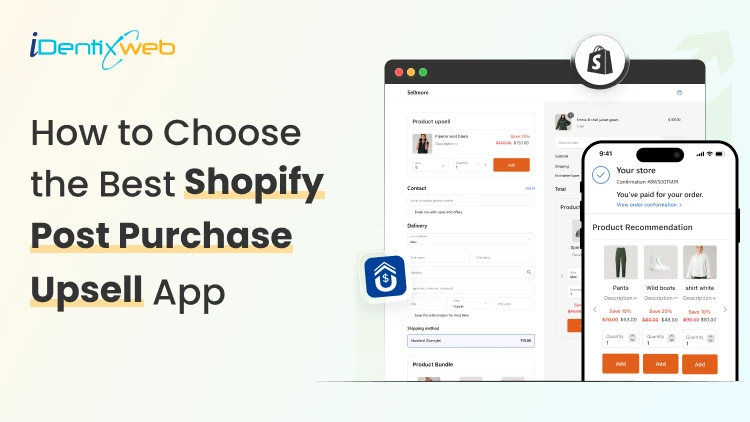
9 Features You Must Evaluate Before Choosing the Best Shopify Post Purchase Upsell App
Have you ever wondered why some Shopify stores seem to make extra revenue from every single order, while others struggle to push their average order value? The secret often lies in one smart strategy - shopify post purchase upsell. If you're a Shopify merchant looking to boost sales without spending more on ads, then picking the right shopify post purchase upsell app can change the game for your store. In this blog, we'll walk you through the 9 must-have features you should evaluate before choosing the best shopify post purchase upsell app for your store. What is a Shopify Post Purchase Upsell? Before we jump into the features, let's quickly understand what a shopify post purchase upsell really means. A post purchase upsell is an offer shown to customers right after they complete their first purchase but before they land on the thank-you page. At this stage, the buyer has already shared their payment details, so adding another product to the order feels easy and risk-free for them. Why Shopify Merchants Need a Post Purchase Upsell App Running a Shopify store is exciting, but growing your average order value (AOV) is where the real profit lies. If you only depend on first-time purchases, your store's growth will always feel limited. Here's why a shopify post purchase upsell app is a smart move for every merchant: Boosts AOV without increasing ad spend Improves customer lifetime value by offering relevant add-ons Increases revenue per visitor with one-click upsell flows Creates a smoother shopping journey without disturbing checkout Helps move slow-selling inventory through bundle offers If you're searching for a reliable solution to start with, our Sellmore Post Purchase Upsell app is built to create one-click upsell offers without slowing down your store or affecting the buyer's flow. 9 Features You Must Evaluate Before Choosing the Best Shopify Post Purchase Upsell App Now let's get to the core of this blog. Here are the 9 features you should always check before picking the best shopify post purchase upsell app for your Shopify store. 1. One-Click Upsell Functionality The whole point of a post purchase upsell is to make buying easy. Customers should be able to add the upsell product to their order with just one click, no need to re-enter payment or shipping details. If the app you're checking forces customers to go through checkout again, skip it. A smooth one-click upsell experience is what drives higher conversions. What to look for: Single-click acceptance No re-entry of payment info Instant order update on the same page 2. Smart Product Recommendations A good shopify post purchase upsell app should know which products to show to which customer. Generic offers don't work anymore. Buyers expect personalization. Look for apps that use AI-based or rule-based recommendations, where you can set conditions like: If a customer buys Product A, show Product B If the cart value is above $50, offer a premium add-on If the customer is a returning buyer, show a loyalty deal According to Salesforce, personalized recommendations drive 24% more orders and 26% higher AOV. 3. Easy Customization Options Your post purchase offer should match your store's branding - fonts, colors, buttons, and tone. If the upsell page looks like a third-party popup, buyers will hesitate to click. Choose an app that gives you full design control without needing to code. The more flexibility you have, the better the offer fits your store's vibe. Customization checklist: Editable headings and product descriptions Brand color and font controls Mobile-friendly design templates Custom CTA buttons 4. Mobile Optimization More than 70% of Shopify traffic comes from mobile devices, according to Statista. If your post purchase upsell isn't mobile-optimized, you're losing more than half of your potential extra revenue. Always test how the upsell page looks and works on mobile. The buttons should be tap-friendly, the text readable, and the loading speed quick. 5. A/B Testing Feature You can't grow what you can't measure. The best shopify post purchase upsell apps come with built-in A/B testing to help you compare different offers, headlines, and product placements. This feature lets you find out: Which product gets more clicks Which headline drives more conversions What discount percentage works best A/B testing helps you keep improving your upsell flow over time. 6. Analytics and Reporting Dashboard Numbers tell the truth. A solid app should give you a clear dashboard that shows: Upsell conversion rate Total extra revenue earned Most accepted offers Average order value impact This data helps you make better decisions and double down on what's working. 7. Multi-Currency and Multi-Language Support If you're selling globally, your upsell offers should also feel local. The app should support multiple currencies and languages so that international buyers see prices and product names in their preferred format. This small detail can boost trust and conversions for global stores. 8. Seamless Integration with Shopify Checkout Your shopify post purchase upsell app should work hand-in-hand with Shopify's native checkout. It shouldn't slow down the checkout process or cause errors. Apps that are built using Shopify's official APIs are always a safer choice. They stay updated with Shopify's latest features and offer better stability. 9. Reliable Customer Support Even the best app can run into issues. What matters is how quickly the support team responds. Before installing, check: Live chat or email response time Help documentation quality User reviews about support experience A responsive support team can save you hours of stress when something needs a quick fix. Final Thoughts Choosing the right shopify post purchase upsell app isn't just about adding another tool to your store - it's about creating a smarter sales journey. When you pick an app that offers personalization, smooth integration, easy customization, and reliable support, you set your store up for long-term success. Remember, every extra dollar from a post purchase upsell is pure profit because you've already paid for that customer's first sale. So, take your time, evaluate these 9 features, and pick the app that fits your store best. Frequently Asked Questions 1. What is a Shopify post purchase upsell? A shopify post purchase upsell is an offer shown to customers right after they complete a purchase but before they reach the thank-you page. It helps merchants increase order value without affecting the checkout experience. 2. Are post purchase upsells effective for Shopify stores? Yes, they are very effective. Post purchase upsells convert better because the customer has already made a buying decision and trusts your store. 3. Will a post purchase upsell affect my checkout speed? No, a well-built shopify post purchase upsell app like Sellmore is designed to load after checkout, so it doesn't slow down your store's performance. 4. Is a post purchase upsell app suitable for small Shopify stores? Absolutely. Even small stores can benefit because every extra sale adds to your monthly revenue without extra ad spend.
6 Min • 5 May 2026
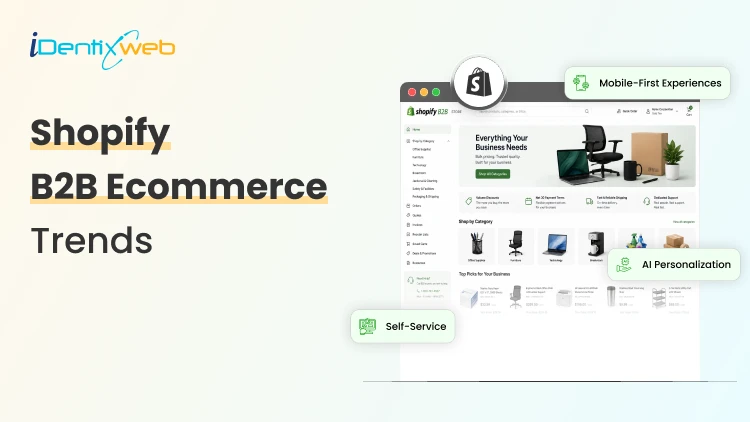
9 Shopify B2B Ecommerce Trends Transforming Wholesale Selling
The landscape of wholesale commerce is undergoing a profound shift, and at the center of this transformation is Shopify B2B Ecommerce. Once considered a platform primarily for direct-to-consumer brands, Shopify has evolved into a powerful ecosystem capable of supporting complex B2B operations. From customized pricing models to seamless integrations and automation, businesses are leveraging Shopify to modernize their wholesale strategies. In this blog, we’ll explore nine major trends shaping the future of wholesale selling and how Shopify B2B Ecommerce is enabling businesses to stay competitive, scalable, and customer-centric. Major Shopify B2B Ecommerce Trends 1. Rise of Hybrid Commerce Models One of the most significant trends in Shopify B2B Ecommerce is the emergence of hybrid models, where businesses serve both B2C and B2B customers from a single platform. Instead of managing separate systems, merchants now operate unified storefronts that cater to different buyer personas. Shopify allows businesses to segment customers and offer tailored experiences such as custom pricing, product catalogs, and payment terms based on whether the buyer is retail or wholesale. This reduces operational complexity while improving efficiency and customer satisfaction. Hybrid commerce is especially valuable for growing brands that want to expand into wholesale without building a separate infrastructure from scratch. 2. Personalized Pricing and Catalogs Traditional wholesale relied heavily on static pricing and manual negotiation. In contrast, Shopify B2B Ecommerce introduces dynamic pricing capabilities that allow businesses to customize offers at scale. Merchants can: Set tiered pricing based on order volume Offer customer-specific discounts Create exclusive product catalogs for different buyers This level of personalization enhances buyer relationships and encourages repeat purchases. It also aligns with modern B2B buyer expectations, which increasingly mirror B2C experiences. 3. Self-Service Portals for Buyers Today’s B2B buyers expect autonomy. They don’t want to rely on sales reps for every transaction. This is where Shopify B2B Ecommerce excels by enabling self-service portals. Buyers can: Place and track orders View past purchases Manage accounts Reorder products This reduces the workload on sales teams and accelerates the purchasing process. It also improves accuracy, as customers directly input their requirements without intermediary errors. Self-service functionality is quickly becoming a baseline expectation in modern wholesale environments. 4. Integration with ERP and CRM Systems Efficiency in B2B operations depends heavily on system integration. A major trend in Shopify B2B Ecommerce is seamless connectivity with enterprise tools like ERP and CRM platforms. By integrating Shopify with backend systems, businesses can: Sync inventory in real time Automate order processing Maintain accurate financial records Improve customer data management This eliminates data silos and reduces manual intervention. The result is faster operations, fewer errors, and better decision-making capabilities. 5. Flexible Payment Terms and Options Unlike B2C transactions, B2B purchases often involve complex payment structures. Shopify B2B Ecommerce supports flexible payment options tailored to wholesale needs. These include: Net payment terms (Net 15, Net 30, etc.) Partial payments Credit limits for customers Multiple payment methods Offering flexible payment options builds trust and strengthens long-term relationships with buyers. It also makes it easier for customers to manage cash flow, which is a critical factor in wholesale purchasing decisions. 6. Mobile-First B2B Experiences Mobile commerce is no longer limited to retail consumers. B2B buyers are increasingly using mobile devices to browse catalogs, place orders, and communicate with suppliers. Shopify B2B Ecommerce is optimized for mobile responsiveness, ensuring that wholesale platforms function seamlessly across devices. This trend is particularly important for: Field sales representatives Small business buyers On-the-go decision-makers A mobile-first approach ensures accessibility and convenience, which directly impacts conversion rates and customer satisfaction. 7. Automation and Workflow Optimization Automation is redefining efficiency in wholesale operations. With Shopify B2B Ecommerce, businesses can automate repetitive tasks and streamline workflows. Examples include: Automatic order approvals Inventory updates Customer segmentation Email notifications Automation reduces operational overhead and allows teams to focus on strategic activities like relationship building and market expansion. It also ensures consistency and minimizes human error. 8. Data-Driven Decision Making Data is becoming a cornerstone of successful B2B strategies. Shopify B2B Ecommerce provides powerful analytics and reporting tools that help businesses gain actionable insights. Merchants can track: Customer purchasing behavior Product performance Sales trends Inventory turnover With these insights, businesses can: Optimize pricing strategies Forecast demand Identify high-value customers Data-driven decision-making allows companies to stay agile and responsive in a competitive market. 9. Enhanced Customer Experience (CX) Perhaps the most transformative trend in Shopify B2B Ecommerce is the focus on customer experience. B2B buyers now expect the same level of convenience and personalization they receive in B2C environments. Shopify enables: Intuitive user interfaces Fast checkout processes Personalized recommendations Transparent order tracking A superior customer experience not only increases satisfaction but also drives loyalty and long-term partnerships. In wholesale, where relationships are critical, CX can be a major differentiator. Why Shopify is Leading the B2B Transformation The reason Shopify B2B Ecommerce is gaining traction lies in its flexibility and scalability. Unlike traditional B2B platforms that are often rigid and expensive to maintain, Shopify offers a modern, cloud-based solution that adapts to evolving business needs. Key advantages include: Easy customization Extensive app ecosystem Scalable infrastructure User-friendly interface These features make Shopify an attractive option for both small businesses entering wholesale and large enterprises seeking digital transformation. Conclusion Wholesale selling is no longer confined to traditional methods. The rise of Shopify B2B Ecommerce has introduced a new era of efficiency, personalization, and scalability. From hybrid commerce models to data-driven insights and enhanced customer experiences, the trends discussed in this blog highlight how Shopify is transforming the B2B landscape. For businesses looking to modernize their wholesale operations, adopting Shopify B2B Ecommerce is not just an option, it’s a strategic move toward future-ready commerce. By staying aligned with these trends, companies can unlock new growth opportunities, strengthen customer relationships, and build a more resilient and adaptable business model. Frequently Asked Questions 1. What is Shopify B2B Ecommerce? Shopify B2B Ecommerce refers to using Shopify’s platform to manage and scale wholesale operations. It enables businesses to sell products in bulk, offer custom pricing, set payment terms, and create tailored experiences for business buyers. 2. Can Shopify handle both B2B and B2C selling? Yes, Shopify B2B Ecommerce supports hybrid selling models. Businesses can manage both wholesale (B2B) and retail (B2C) customers from a single store using customer segmentation, custom catalogs, and pricing rules. 3. Does Shopify B2B Ecommerce support automation? Yes, automation is a key advantage of Shopify B2B Ecommerce. Businesses can automate workflows like order processing, inventory updates, customer segmentation, and email notifications to save time and reduce errors. 4. How does Shopify integrate with other business systems? Shopify B2B Ecommerce integrates with various ERP, CRM, and third-party tools. These integrations help synchronize inventory, manage customer data, and streamline backend operations efficiently.
7 Min • 9 May 2026
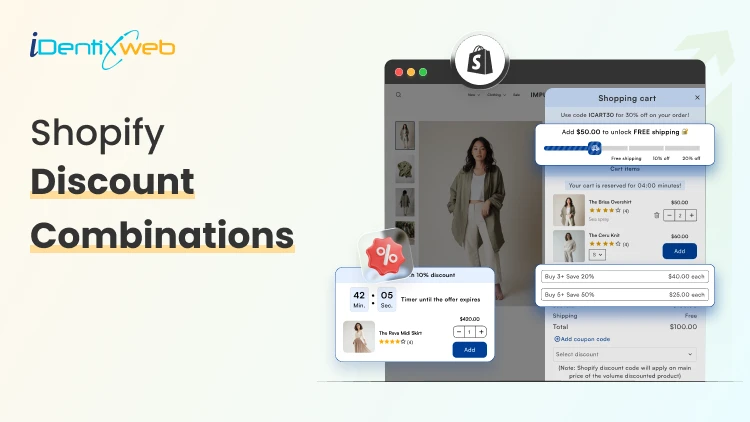
Shopify Discount Combinations: 8 Ways to Combine Offers Without Losing Margins
Running promotions feels great until you check your margins and realize you gave away the store. The real challenge with Shopify discount combinations isn't attracting buyers; it's structuring offers that move product and protect profitability. This guide breaks down 8 proven strategies for combining discounts on Shopify, when to use each one, and the guardrails that keep your numbers healthy. Why Discount Combinations Are a Double-Edged Sword Shopify's native discount engine has grown significantly. You can now stack automatic discounts, apply Shopify discount codes at checkout, and layer product-level deals with order-level offers. That flexibility is powerful but it creates risk. A customer who stacks a 20% automatic discount, a 15% Shopify discount code, and a free shipping threshold can trigger a combined discount that wipes out your gross margin entirely. Without intentional structure, promotions become a liability. The goal: combine discounts in ways that increase average order value (AOV) and customer lifetime value (LTV), not just transaction volume. 8 Strategies for Shopify Discount Combinations That Protect Margins 1. Tiered Volume Discounts + Free Shipping Threshold What it is: Offer percentage discounts that increase with order quantity (buy 2, save 10%; buy 4, save 20%), layered with a free shipping unlock above a minimum order value. Why it works: Each tier rewards larger purchases. Free shipping acts as the final nudge without compounding the percentage discount it costs you a fixed fulfillment amount rather than a percentage of revenue. Margin protection tip: Set your free shipping threshold above the break-even point for your average shipping cost. If standard shipping runs $8, set the threshold where that $8 represents less than 3-4% of the order total. How to set it up: Use Shopify's native tiered pricing through variants or a dedicated Shopify discount app like iCart to create quantity break rules. Pair with a free shipping automatic discount triggered by cart total. 2. Bundle Discount + Loyalty Code What it is: Offer a fixed discount on a curated product bundle, then allow loyal customers to apply a one-time Shopify discount code on top but only if the code is amount-based rather than percentage-based. Why it works: Bundles already improve margins by moving multiple SKUs in one transaction. An amount-based loyalty code ($5 off, $10 off) has a known, capped cost. A percentage code layered on a bundle, however, compounds. Margin protection tip: Never allow percentage-based codes to stack with percentage-based bundles. Swap one leg to a fixed-dollar format. Your margin floor becomes predictable. How to set it up: Create the bundle as a dedicated product or use a bundling app. In Shopify's discount settings, set the loyalty code to "fixed amount" and apply it at the order level, not the product level. 3. BOGO (Buy One Get One) + Email Sign-Up Code What it is: Run a BOGO automatic discount sitewide or on a category, then allow new subscribers to apply an email capture code for a small additional incentive (e.g., a free gift or bonus product). Why it works: BOGO effectively discounts at 50% on two units but drives a two-unit transaction. The email code adds perceived value without touching the core pricing structure — especially if the "bonus" is a low-cost, high-perceived-value add-on. Margin protection tip: Limit the email code to specific SKUs (ideally high-margin accessories or sample sizes). Never let it apply to the already-discounted BOGO items. How to set it up: Configure the BOGO as an automatic discount. Set the email code with product-specific eligibility restrictions in the Shopify discount code settings under "Applies to" → specific collections. 4. Seasonal Sale + Minimum Purchase Threshold Code What it is: Run a sitewide percentage sale, but restrict Shopify discount codes to orders above a minimum threshold ensuring the combined discount only fires when order size justifies it. Why it works: A 20% sale alone might be margin-neutral on high-AOV orders but destructive on small ones. Requiring a $75 or $100 minimum for code stacking ensures you're discounting orders where absolute margin dollars remain acceptable even after the combined reduction. Margin protection tip: Calculate your contribution margin per order at the combined discount rate, then set the minimum threshold to the point where that contribution margin stays positive. Run the math before launching. How to set it up: Set the automatic discount for the seasonal sale. Create the stacking code with a minimum purchase requirement under "Minimum purchase amount" in the Shopify discount code configuration. 5. Referral Code + Cart-Level Automatic Discount What it is: Allow referred customers to use a referral Shopify discount code, which stacks with a cart-level automatic discount (like free shipping or a percentage off first orders). Why it works: Referral programs have a known customer acquisition cost (CAC). If your referral code represents a $15 discount and your CAC through paid ads is $40, you're acquiring profitably even with a stacked automatic discount. Margin protection tip: Cap the referral code value so that referral CAC never exceeds your paid CAC benchmark. Track referral-sourced LTV separately referred customers often have higher LTV, which makes slightly deeper initial discounts acceptable. How to set it up: Generate unique referral codes via a referral app (ReferralCandy, Yotpo Referrals) or Shopify's discount code generator. Enable stacking with automatic discounts in Shopify's discount settings under "Combinations." 6. Flash Sale Automatic Discount + Abandoned Cart Recovery Code What it is: During a flash sale, apply an automatic discount across targeted products. For customers who abandon cart, trigger an abandoned cart email with a unique recovery Shopify discount code that stacks but only for a limited window. Why it works: The flash sale creates urgency. The recovery code re-engages hesitant buyers without requiring you to deepen discounts proactively. You only pay the extra discount on would-have-been-lost revenue. Margin protection tip: Set the recovery code to expire in 24-48 hours and make it single-use. This prevents coupon harvesting and ensures the combined discount only applies to genuinely at-risk carts. How to set it up: Use Shopify's abandoned checkout automation in Email marketing, or a tool like Klaviyo, to trigger the recovery code. Configure the code with a usage limit of 1 per customer and a short expiry. 7. Subscription Discount + One-Time Purchase Upsell What it is: Offer a subscription discount (e.g., 15% off subscribe-and-save) and allow subscribers to add one-time purchase items at a smaller additional discount (5-10%) at checkout. Why it works: Subscription customers have high LTV, so a slightly deeper combined discount is justified by reduced re-acquisition costs. The upsell add-on grows AOV in a transaction where logistics are already being handled. Margin protection tip: Keep the upsell discount tier strictly lower than the subscription discount. Never let customers achieve a deeper combined rate on the upsell item than on their subscription item, it creates a perverse incentive to game the system. How to set it up: Use a Shopify subscription app (Recharge, Skio, or Seal Subscriptions) to configure subscriber pricing. Use a post-purchase or checkout upsell app to offer the add-on at a defined subscriber-only rate. 8. Influencer Code + Product-Specific Automatic Discount What it is: Create unique influencer Shopify discount codes for partner creators, configured to stack with automatic discounts that apply to featured products giving influencer audiences a compelling combined offer. Why it works: Influencer partnerships have defined costs (flat fee or commission). Structuring the combined discount to apply only to the featured product(s) prevents margin bleed across your full catalog. Margin protection tip: Use product-specific restrictions on both the automatic discount and the influencer code. A 10% automatic + 10% influencer code on a single hero SKU is controllable. The same structure applied sitewide is not. How to set it up: Create the influencer codes via Shopify's discount code generator (bulk generate if working with multiple creators). Set "Applies to" on both discounts to specific products or collections. Enable code + automatic discount stacking in Shopify discount combinations settings. Final Thoughts Mastering Shopify discount combinations is about building systems, not just running sales. The merchants who grow profitably through promotions aren't the ones offering the deepest discounts. They're the ones who understand exactly what each combination costs, and design the rules accordingly. Start with one or two of these strategies, model the margin math before launch, and use your Shopify discount app or native settings to enforce the limits. Your promotions calendar and your P&L can coexist they just need the right structure.
Sajini Annie John
5 Min • 17 March 2026
130 Views
Vineet Nair
5 Min • 17 March 2026
180 Views
Sajini Annie John
7 Min • 13 March 2026
182 Views
![Best ChatGPT Prompts for Shopify You Can Copy-paste [+Tips to Write Prompts]](https://www.identixweb.com/wp-content/uploads/2026/03/13-03-Fri-Blog-AI-Prompts-for-Shopify-That-Grow-Your-Store-1.webp "Best ChatGPT Prompts for Shopify You Can Copy-paste [+Tips to Write Prompts]")
Vineet Nair
7 Min • 13 March 2026
126 Views
Sajini Annie John
5 Min • 12 March 2026
115 Views
Vineet Nair
7 Min • 12 March 2026
119 Views

Vineet Nair
7 Min • 11 March 2026
181 Views
Vineet Nair
7 Min • 10 March 2026
152 Views
Sajini Annie John
5 Min • 9 March 2026
157 Views
Sajini Annie John
6 Min • 6 March 2026
157 Views
Vineet Nair
7 Min • 6 March 2026
128 Views
![Small Businesses Need These Cheap Shopify Themes [Low Cost Themes for 2026]](https://www.identixweb.com/wp-content/uploads/2026/03/03-03-Tue-Blog-Best-Budget-friendly-Shopify-Themes-for-Startups.webp "Small Businesses Need These Cheap Shopify Themes [Low Cost Themes for 2026]")
Vineet Nair
6 Min • 5 March 2026
184 Views