



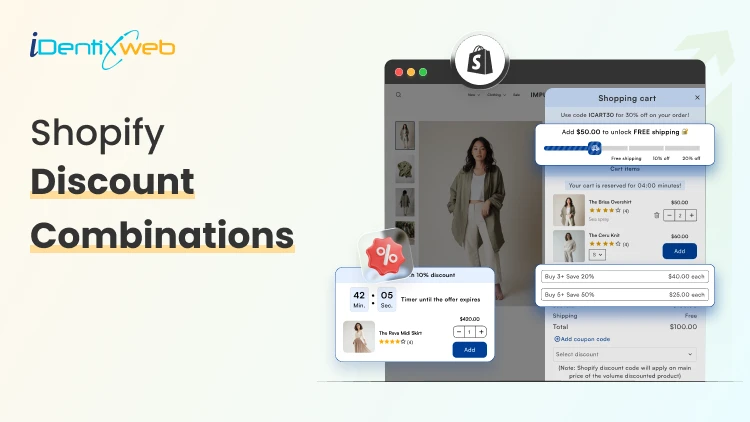
Running promotions feels great until you check your margins and realize you gave away the store. The real challenge with Shopify discount combinations isn't attracting buyers; it's structuring offers that move product and protect profitability.
This guide breaks down 8 proven strategies for combining discounts on Shopify, when to use each one, and the guardrails that keep your numbers healthy.
Why Discount Combinations Are a Double-Edged Sword
Shopify's native discount engine has grown significantly. You can now stack automatic discounts, apply Shopify discount codes at checkout, and layer product-level deals with order-level offers. That flexibility is powerful but it creates risk.
A customer who stacks a 20% automatic discount, a 15% Shopify discount code, and a free shipping threshold can trigger a combined discount that wipes out your gross margin entirely. Without intentional structure, promotions become a liability.
The goal: combine discounts in ways that increase average order value (AOV) and customer lifetime value (LTV), not just transaction volume.
8 Strategies for Shopify Discount Combinations That Protect Margins
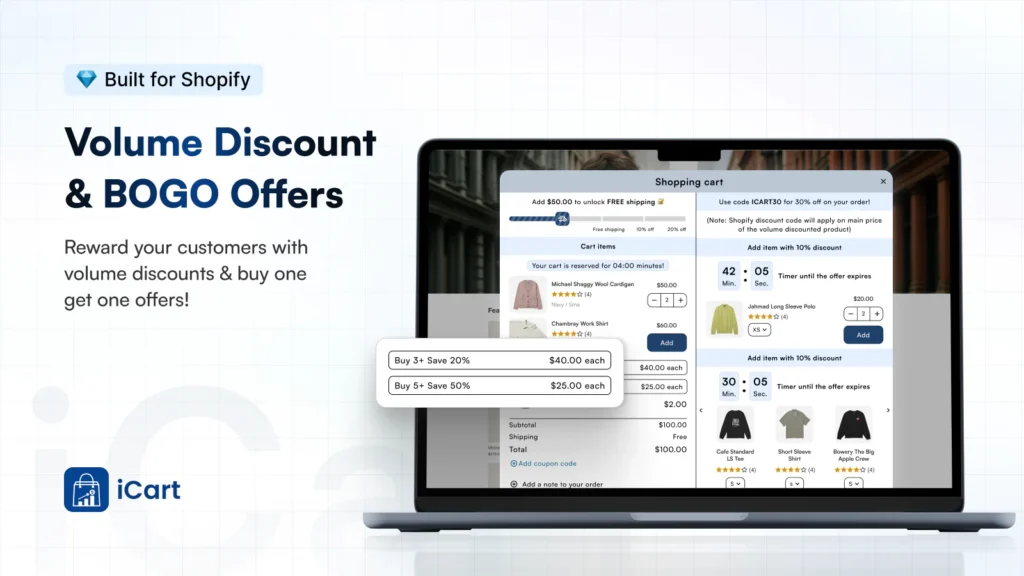
1. Tiered Volume Discounts + Free Shipping Threshold
What it is: Offer percentage discounts that increase with order quantity (buy 2, save 10%; buy 4, save 20%), layered with a free shipping unlock above a minimum order value.
Why it works: Each tier rewards larger purchases. Free shipping acts as the final nudge without compounding the percentage discount it costs you a fixed fulfillment amount rather than a percentage of revenue.
Margin protection tip: Set your free shipping threshold above the break-even point for your average shipping cost. If standard shipping runs $8, set the threshold where that $8 represents less than 3-4% of the order total.
How to set it up: Use Shopify's native tiered pricing through variants or a dedicated Shopify discount app like iCart to create quantity break rules. Pair with a free shipping automatic discount triggered by cart total.
2. Bundle Discount + Loyalty Code
What it is: Offer a fixed discount on a curated product bundle, then allow loyal customers to apply a one-time Shopify discount code on top but only if the code is amount-based rather than percentage-based.
Why it works: Bundles already improve margins by moving multiple SKUs in one transaction. An amount-based loyalty code ($5 off, $10 off) has a known, capped cost. A percentage code layered on a bundle, however, compounds.
Margin protection tip: Never allow percentage-based codes to stack with percentage-based bundles. Swap one leg to a fixed-dollar format. Your margin floor becomes predictable.
How to set it up: Create the bundle as a dedicated product or use a bundling app. In Shopify's discount settings, set the loyalty code to "fixed amount" and apply it at the order level, not the product level.
3. BOGO (Buy One Get One) + Email Sign-Up Code
What it is: Run a BOGO automatic discount sitewide or on a category, then allow new subscribers to apply an email capture code for a small additional incentive (e.g., a free gift or bonus product).
Why it works: BOGO effectively discounts at 50% on two units but drives a two-unit transaction. The email code adds perceived value without touching the core pricing structure — especially if the "bonus" is a low-cost, high-perceived-value add-on.
Margin protection tip: Limit the email code to specific SKUs (ideally high-margin accessories or sample sizes). Never let it apply to the already-discounted BOGO items.
How to set it up: Configure the BOGO as an automatic discount. Set the email code with product-specific eligibility restrictions in the Shopify discount code settings under "Applies to" → specific collections.
4. Seasonal Sale + Minimum Purchase Threshold Code
What it is: Run a sitewide percentage sale, but restrict Shopify discount codes to orders above a minimum threshold ensuring the combined discount only fires when order size justifies it.
Why it works: A 20% sale alone might be margin-neutral on high-AOV orders but destructive on small ones. Requiring a $75 or $100 minimum for code stacking ensures you're discounting orders where absolute margin dollars remain acceptable even after the combined reduction.
Margin protection tip: Calculate your contribution margin per order at the combined discount rate, then set the minimum threshold to the point where that contribution margin stays positive. Run the math before launching.
How to set it up: Set the automatic discount for the seasonal sale. Create the stacking code with a minimum purchase requirement under "Minimum purchase amount" in the Shopify discount code configuration.
5. Referral Code + Cart-Level Automatic Discount
What it is: Allow referred customers to use a referral Shopify discount code, which stacks with a cart-level automatic discount (like free shipping or a percentage off first orders).
Why it works: Referral programs have a known customer acquisition cost (CAC). If your referral code represents a $15 discount and your CAC through paid ads is $40, you're acquiring profitably even with a stacked automatic discount.
Margin protection tip: Cap the referral code value so that referral CAC never exceeds your paid CAC benchmark. Track referral-sourced LTV separately referred customers often have higher LTV, which makes slightly deeper initial discounts acceptable.
How to set it up: Generate unique referral codes via a referral app (ReferralCandy, Yotpo Referrals) or Shopify's discount code generator. Enable stacking with automatic discounts in Shopify's discount settings under "Combinations."
6. Flash Sale Automatic Discount + Abandoned Cart Recovery Code
What it is: During a flash sale, apply an automatic discount across targeted products. For customers who abandon cart, trigger an abandoned cart email with a unique recovery Shopify discount code that stacks but only for a limited window.
Why it works: The flash sale creates urgency. The recovery code re-engages hesitant buyers without requiring you to deepen discounts proactively. You only pay the extra discount on would-have-been-lost revenue.
Margin protection tip: Set the recovery code to expire in 24-48 hours and make it single-use. This prevents coupon harvesting and ensures the combined discount only applies to genuinely at-risk carts.
How to set it up: Use Shopify's abandoned checkout automation in Email marketing, or a tool like Klaviyo, to trigger the recovery code. Configure the code with a usage limit of 1 per customer and a short expiry.
7. Subscription Discount + One-Time Purchase Upsell
What it is: Offer a subscription discount (e.g., 15% off subscribe-and-save) and allow subscribers to add one-time purchase items at a smaller additional discount (5-10%) at checkout.
Why it works: Subscription customers have high LTV, so a slightly deeper combined discount is justified by reduced re-acquisition costs. The upsell add-on grows AOV in a transaction where logistics are already being handled.
Margin protection tip: Keep the upsell discount tier strictly lower than the subscription discount. Never let customers achieve a deeper combined rate on the upsell item than on their subscription item, it creates a perverse incentive to game the system.
How to set it up: Use a Shopify subscription app (Recharge, Skio, or Seal Subscriptions) to configure subscriber pricing. Use a post-purchase or checkout upsell app to offer the add-on at a defined subscriber-only rate.
8. Influencer Code + Product-Specific Automatic Discount
What it is: Create unique influencer Shopify discount codes for partner creators, configured to stack with automatic discounts that apply to featured products giving influencer audiences a compelling combined offer.
Why it works: Influencer partnerships have defined costs (flat fee or commission). Structuring the combined discount to apply only to the featured product(s) prevents margin bleed across your full catalog.
Margin protection tip: Use product-specific restrictions on both the automatic discount and the influencer code. A 10% automatic + 10% influencer code on a single hero SKU is controllable. The same structure applied sitewide is not.
How to set it up: Create the influencer codes via Shopify's discount code generator (bulk generate if working with multiple creators). Set "Applies to" on both discounts to specific products or collections. Enable code + automatic discount stacking in Shopify discount combinations settings.
Final Thoughts
Mastering Shopify discount combinations is about building systems, not just running sales.
The merchants who grow profitably through promotions aren't the ones offering the deepest discounts. They're the ones who understand exactly what each combination costs, and design the rules accordingly.
Start with one or two of these strategies, model the margin math before launch, and use your Shopify discount app or native settings to enforce the limits. Your promotions calendar and your P&L can coexist they just need the right structure.



About the author
Sajini Annie John
Meet Sajini, a seasoned technical content writer with a passion for e-commerce and expertise in Shopify. She is committed to helping online businesses to thrive through the power of well-crafted content.