Shopify Apps
Gather knowledge about the latest insights, updates, tips, and tricks in the Ecommerce industry.

5 Min • 29 April 2026
How Anua Unlocked 5X AOV Growth with iCart’s Smart Cart Features
delivery customization Challenges Solutions drive results Scale business delivery customization Challenges Solutions drive results Scale business delivery customization Challenges Solutions drive results Scale business delivery customization Challenges Solutions drive results Scale business Anua is a globally recognized Korean skincare brand known for its minimalist philosophy and focus on gentle yet effective formulations. Built on the idea of simplifying skincare routines, Anua develops products that deliver visible results while avoiding harsh or irritating components, making them suitable for sensitive skin types. Initially using a traditional full cart experience, Anua transitioned to iCart’s side cart solution in August 2025, to create a more seamless and engaging shopping journey. This shift allowed customers to easily explore complementary skincare products without disrupting their browsing flow, making it more intuitive to discover items that fit into a complete routine. By surfacing relevant recommendations directly within the cart, the brand enhanced product visibility across its range. Challenges Before implementing iCart’s side cart solution, Anua faced limitations with their existing full cart experience, which created friction in the customer journey. The traditional cart setup redirected users away from product pages, interrupting their browsing flow and reducing opportunities to explore additional products. As a skincare brand built around routines rather than single-item purchases, this made it difficult to effectively showcase complementary products and encourage customers to build complete regimens. Additionally, the lack of in-cart personalization and strategic upsell opportunities meant that customers were often unaware of related products that could enhance their skincare results. This limited the brand’s ability to increase average order value (AOV) and fully leverage its diverse product range. Anua needed a more dynamic and intuitive cart experience that could seamlessly introduce relevant recommendations while maintaining a smooth and engaging shopping journey. ❌ Cart Value Barriers Low average order value (AOV) due to single-item focus Most customers completed purchases with one primary product instead of building multi-step routines. Cart abandonment near shipping thresholds Customers were not clearly informed or motivated to reach free shipping or discount thresholds. Missed savings opportunities Customers were unaware of potential value in purchasing bundled routines or multiple complementary products. ❌ Absence of Progress-Based Incentives No free shipping or discount progress bar Customers were not motivated to increase their cart value due to lack of visible incentives. Missing tiered rewards system There were no structured milestones (e.g., “Spend more to unlock offers”), reducing upsell opportunities. ❌ Ineffective Cart UI/UX (Pre-Side Cart) Full-page cart disrupted shopping flowCustomers had to leave their browsing journey, increasing friction and drop-offs. No quick add/remove functionality Users couldn’t easily modify their cart or add suggested products without navigating away. Solution To overcome these challenges, Anua implemented iCart’s side cart solution to transform their traditional cart into a high-converting, interactive experience. By replacing the full-page cart with a seamless side cart, the brand ensured that customers could continue browsing while viewing their cart, significantly reducing friction in the shopping journey. Additionally, features like product recommendations & progress bars for free shipping and discounts motivated customers to increase their cart value. By combining personalization, incentive-driven messaging, and a user-friendly interface, Anua successfully turned their cart into a powerful revenue-driving touchpoint rather than just a checkout step. To maximize their cart effectiveness, they implemented two powerful features: ✅ Progress Bar with Multi-Reward Incentives Implemented a tiered progress bar to encourage higher cart value Customers are guided with a clear message like “Add $3.10 to unlock secret offer,” motivating them to continue adding products. Generated over $5M+ in revenue through incentive-driven cart progression Used product-based rewards to align with customer intent Instead of generic discounts, Anua incentivized purchases with relevant skincare items like Dark Spot Pads and mini serums. Built visual motivation for routine expansion As customers add products, they can clearly track progress toward unlocking multiple rewards, encouraging them to build a complete skincare routine. ✅ Product Recommendations Implemented “Frequently Bought Together” recommendations Customers adding a single product (e.g., toner) are shown complementary items like serums, moisturizers, or pads to complete their routine. Generated over 275K revenue through in-cart recommendations Encouraged full skincare regimen building Instead of isolated purchases, the cart suggests step-by-step product combinations aligned with common skincare routines. Increased product discovery at the final stage By surfacing relevant items directly in the cart, Anua ensured customers explore more of their catalog without leaving the checkout flow. Results Achieved in Last 180 Days 22932 Total Store Orders 45101 Total iCart Orders 5X iCart Generated AOV 65.70% Upsell Affected Conversion Rate These improvements reflect a clear shift in customer behavior on Anua’s store. Cart abandonment reduced as shoppers discovered complementary skincare products and felt encouraged to build complete routines. Engagement also increased, with customers interacting more with in-cart recommendations and exploring relevant product pairings. Results & Impact And...Results is Our Main Clarification By implementing iCart’s cart drawer, product recommendations, and progress bar, Anua transformed its cart into a high-performing conversion touchpoint. Shopping Experience Enhancement The improved cart experience encouraged customers to discover complementary products and understand the value of sustainable beauty routines. For instance, the clear presentation of subscription savings alongside one-time purchase options helped customers make more informed decisions about their long-term hair care needs. As Anua continues to optimize its cart experience, the brand is closely monitoring: Routine-based purchasing behavior - tracking how customers move from single items to multi-step regimens Engagement with in-cart recommendations - measuring interaction with suggested products Cart value progression - analyzing how incentives influence higher spending [related_cases_slider] Ready to Write Your Success Story? Try icart App Join successful businesses like Anua and Master your delivery scheduling Delight customers with precise timing Grow your special occasion orders Expand your delivery reach
Read Blog
16 Min • 27 August 2025
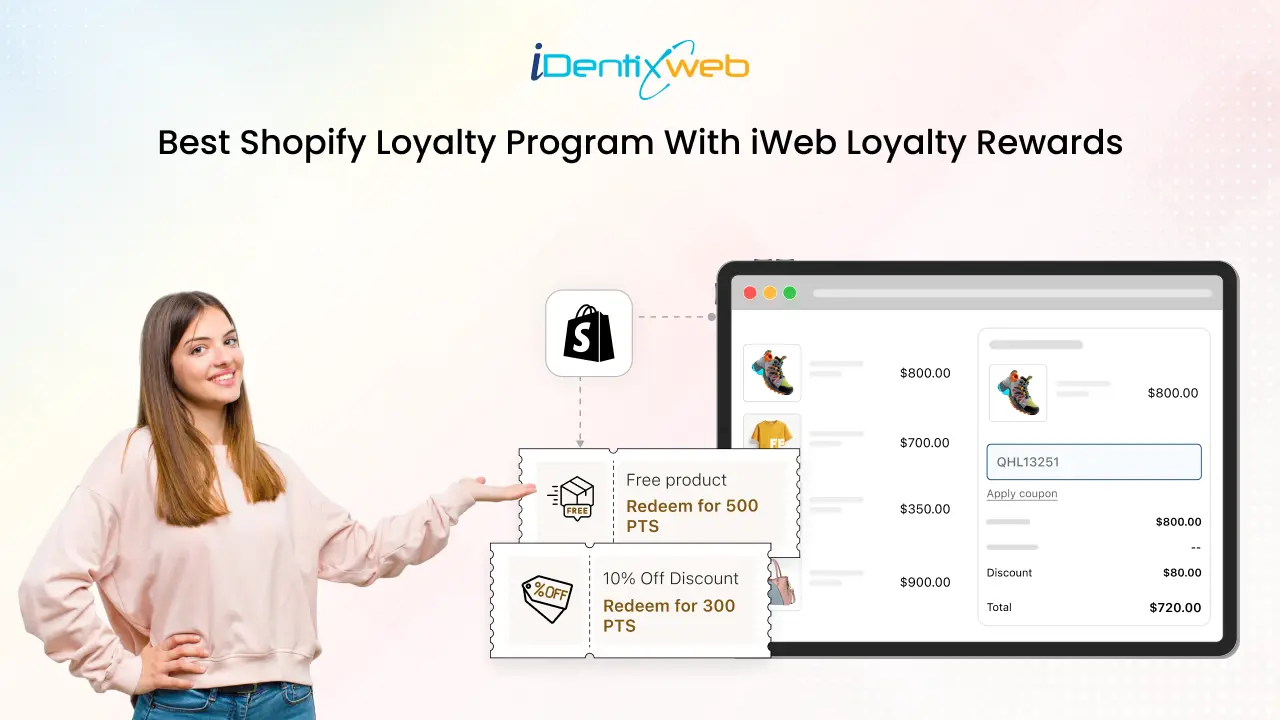
Setup to Success: How to Create the Best Shopify Loyalty Program
Loyal customers are key to long-term growth. To build a thriving Shopify store, setting up the best Shopify loyalty program is crucial. The iWeb Loyalty Rewards app is a favorite among Shopify merchants for its flexibility and ease of use. In this guide, we’ll cover everything from installing to customizing and launching your first best loyalty program for Shopify. What is a Shopify Loyalty Program? A Shopify loyalty program rewards customers for shopping with you. It offers points, discounts, free gifts, or other perks to encourage them to return and make purchases. Before we delve into the features, it's essential to understand how Shopify loyalty programs work effectively. Simply put, they are designed to reward customers for their continued support, creating incentives that support repeat purchases and stronger relationships. How to Set Up Your Best Shopify Loyalty Program With iWeb iWeb Loyalty Rewards is a user-friendly app that enables you to create and manage a customized best Shopify loyalty program for your store. Here is a step-by-step process to guide you: Step 1: Install iWeb Loyalty Rewards App Before building your customer loyalty program, you must install the iWeb Loyalty Rewards app from the Shopify App Store. Follow these steps: 1. Go to the Shopify App Store and search for iWeb Loyalty Rewards. 2. Click on the app, then click install. 3. You will be redirected to your Shopify store’s admin panel to complete the installation process. Note: The basic Onboarding Setup is already in place. Step 2: Complete Onboarding Setup To start the onboarding setup, follow the steps: 1. After installing the app, you’ll be automatically guided to the onboarding setup.2. You will be guided through a quick 3-step setup. 3. Choose the percentage of points your customers earn per order, typically 3%, 5%, or 10%. For example, with a 5% setting, customers earn 5 points for every $100 spent. This percentage defines your program's value and engagement, and can be updated anytime.4. Choose who can join your loyalty program. You can allow guests to earn points even without creating an account, just toggle the option on or off based on what works best for your store.5. After setup, enable the iWeb Loyalty Rewards app in your store theme to display the loyalty widget, allowing customers to view and redeem points easily Note: If you are using the app for the first time, completing this setup is mandatory to activate the main features of the loyalty program. Once set up, your best Shopify loyalty program is live. Monitor activity, adjust rewards, and build stronger relationships with your customers. Need help getting started? Check the onboarding settings helpdesk and find more guides. Step 3: Configure Loyalty Points System Let’s take a look at the ways your customers can earn points and how you can easily set them up. 1. Earn Points Setup To access the Earn Point settings in the app, open the app, go to Point Program, and then navigate to Earn Points. Place an Order Rule One of the simplest and most effective ways to reward your customers is by letting them earn points for every order they place. You can set the number of points customers will earn per order. Choose whether the points are based on the order total or a fixed value. With iWeb Loyalty Rewards, you can easily configure how many points are awarded per purchase: Title – Set a clear name, such as “Shop & Earn,” to display in the rewards list. Earning Type – Increments of Points (e.g., 1 point per $1 spent – encourages higher spending). Fixed Points (e.g., 100 points per order – consistent reward). Earning Value – Define the number of points based on the chosen earning type. Frequency Restriction – Limit how often customers earn points (e.g., once per day) to prevent misuse. Celebrate a Birthday Celebrating birthdays with bonus points makes customers feel valued, fostering a personal connection and boosting engagement, loyalty, and sales. Title: Personalize the reward name (e.g., “Birthday Points” or “Celebrate Your Day with Rewards”) to make it feel special. Earning Value: Set the exact number of points customers will earn on their birthday (e.g., 100 points). Cut-Off Time: Define how far in advance customers must submit their birthdate to qualify for the reward (e.g., at least 1 month prior). Sign Up Offer points when new customers create an account. This encourages engagement from the start, boosts sign-ups, and builds long-term loyalty by opening the door to future offers and promotions. Title: Customize the name (e.g., “Welcome Points”) to show the reward clearly. Earning Value: Set how many points new users earn for signing up (e.g., 50 points). Historical Sync: Award points to past signups by enabling this option. Note: Shopify’s new passwordless signup (via email) doesn't trigger standard signup events. As a result, customers won’t automatically receive signup rewards if you're using this method. Set Earning Points through Social Media Engagement Enhance your brand visibility by rewarding customers for engaging with your social media channels. With this app, you can offer points for simple actions that encourage followers to become promoters. Ways to Earn Points Through Social Media: Share your content on Facebook Follow on Instagram Join you on X (formerly Twitter) Tweet or share content on X Follow your TikTok account 2. Redeem Point Setup Set who can redeem points, how, and when they earn them based on order status. With the app, you can offer discounts, free products, and more. Here’s how to set it up: To access the redeem point settings in the loyalty app, select Program, and then navigate to Redeem Points. You can easily search for specific redemption rules using filters such as Rule Name and Status (Active or Inactive). Redeeming Category: The available categories include Incremental Discount, Amount Discount, Percentage Discount, Free Shipping, Free Product, and Points to Store Credit, helping you easily manage rules for your loyalty program. Incremental Discount This option allows customers to receive a discount based on the number of points they use, for example, $1 off for every 100 points. The more points they redeem, the bigger the discount, encouraging them to spend more. You can customize how it works and appears: Title: Set a clear name for the reward, like “Points for Savings,” to match your brand tone. Set the reward value to determine the number of points customers must redeem for discounts. For example, you can configure it so that for every 100 points spent, the customer receives a $1 discount. Additionally, you can establish limits for redemption eligibility: Minimum Amount for Redemption: Specify the minimum number of points required to redeem them. This ensures users can only utilize the redemption option once they have accumulated enough points. Maximum Redemption Cap: Specify the maximum number of points that can be redeemed at once. This ensures there is a limit to the points a user can redeem in a single transaction. Discount Terms: Minimum Spend: Set a minimum order amount to redeem points.(For example, customers must spend at least $50 before they can apply their points toward a discount.) Limit by Collection: Apply the discount only to specific product collections. Prefix Coupon: Add a custom prefix to discount codes for easy tracking (e.g., TEST91DY84Q) Combine Discounts: Choose if this discount can be stacked with: Order Discounts Shipping Discounts Product Discounts Amount Discount Amount Discount gives a fixed discount for a set number of points, e.g., 500 points = $10 off. It offers clear value and is great for encouraging bigger purchases. You can customize how it works and appears: Title: Name the discount clearly (e.g., “Flat Discount” or “Fixed Savings”). Reward Value: Set a fixed discount for a specific point value (e.g., 500 points = $5 off). Discount Terms: Minimum Spend: Set a required order amount to redeem (e.g., spend $ 50 or more). Product Scope: Limit to specific collections, such as “Seasonal Items.” Prefix Coupon: Add a custom code prefix (e.g., "SAVE") for tracking purposes. Combine Discounts: Select whether it applies to other discounts (order, shipping, or product-based). Percentage Discount Customers can redeem points for a percentage off their order (e.g., 500 points = 10% off). Ideal for larger purchases, as the savings increase with order value. Title: Name the reward (e.g., “Save with Points”) to match your brand. Reward Value: Set points required for a % discount (e.g., 500 points = 10% off). Discount Terms: Minimum spend required (e.g., $ 50 or more). Limit to specific collections (e.g., “New Arrivals”). Prefix Coupon: Add a custom prefix to codes (e.g., PERCENT123XYZ). Combine Discounts: Allow stacking with order, shipping, or product discounts. Free Shipping Customers can redeem points to get free shipping, helping them save on delivery costs. It’s a popular reward that boosts satisfaction, reduces cart abandonment, and encourages more completed purchases. Title: Name the reward, such as “Free Shipping with Points,” to match your brand style. Reward Value: Set the number of points required (e.g., 300 points for free shipping) and optionally cap the maximum shipping cost covered. Prefix Coupon: Add a custom prefix (e.g., SHIPFREE) to generated codes for easy tracking and brand alignment. Combine Discounts: Choose if it can be used with: Order Discounts Product Discount Free Product Allow customers to redeem points for specific products like samples or promotions. This boosts loyalty, promotes popular items, and encourages cross-selling and engagement. Title: Name the reward (e.g., “Free Gift with Points”) to align with your branding. Reward Value: Select a product from your store to offer as a reward and set the required points for redemption. For example, you can configure it so that 1,000 points unlock a complimentary branded mug. This flexibility allows you to offer rewards that are both attractive and aligned with your loyalty strategy. Prefix Coupon: Add a custom prefix (e.g., FREEITEM) for easier tracking and brand consistency. Combine Discounts: Select whether the discount can be applied to orders, products, or shipping. Step 4: Settings for Best Shopify Loyalty Program Manage key loyalty program settings here: control the app’s status, set participation rules, and configure how customers earn and redeem points. Please note that only registered members are eligible to earn points. To start enjoying the benefits, customers must create an account. You can also handle the conversion of points to and from store credit for a smooth experience. 1. Program participants Since the basic setup is already provided in the onboarding step, which allows you to manage front-end settings, such as participation rules. Even after setting up the basic program, it’s essential to control who can join your loyalty program. Managing participation ensures your rewards are given only to the right customer groups. You can allow or restrict guest access by simply enabling or disabling the guest participation option. Additionally, use the limit program access feature to exclude specific customers by applying tags. 2. Rewarding Criteria Reward by Status lets you assign loyalty points based on order status, giving you control over reward distribution and influencing customer behavior. After the order is paid: Choose this option if you want to reward customers immediately. After the order is fulfilled (delivered): Select this option if you want to issue points only after delivery confirmation has been received. 3. Rewardable Order Elements Decide what to include when calculating points: Include Discount Include Taxes Include Shipping Fees You can include or exclude these to control how points are given. Example: Let’s say a customer places an order with the following: Subtotal: Rs. 100.00 Discount: Rs. 10.00 (include) Then: Rewardable Total = Rs. 100 - Rs. 10 = Rs. 90 Customers will earn points based on Rs. 90. Tax: Rs. 5.00 (include) Shipping: Rs. 12.00 (include) Then: Rewardable Total = Rs. 100 + Rs. 5 + Rs. 12 = Rs. 117 Customers will earn points based on Rs. 117. When an order is placed, loyalty points are calculated based on the subtotal amount, excluding discounts, including taxes, and shipping charges. It will be helpful to earn more points. 4. To Set Store-Credit Configuration This feature lets you convert loyalty points into store credit, with control over redemption rules, point thresholds, conversion rates, and currency settings to suit your rewards strategy. How to Set Store Credit Configuration Go to the “Conversion to/from store credit” section. This option lets you enable or disable store credit conversion. When enabled, loyalty points convert to store credit based on your settings. (Only admins with full rights or users with the required permissions can approve the scope request.) Use the toggle to control whether store credit is available in your loyalty program. Allow Loyalty Points Exchange for Store Credit: Choose who can convert points into store credit, only you (the admin), both you and your customers, or neither. Decide based on how much control or flexibility you want to offer. Set the minimum points balance required for store credit conversion: Specify the minimum number of points needed to convert into store credit. If the minimum is set to 100 and your current balance is exactly 100, you can redeem. But if your balance is below 100, you won’t be able to redeem until you reach the required threshold. 5. To Set Store Credit Currencies Your store’s default currency will appear automatically, and you can set the reward points needed for 1 unit of store credit, giving you full control over the conversion rate. Store credit in your loyalty program uses your Shopify store’s default currency. To offer credit in multiple currencies for international customers, enable them through Shopify Markets. How to Enable Currencies via Shopify Markets: 1. Log in to your Shopify Admin.2. Go to Settings > Markets. 3. Select the market (e.g., United States, Europe, etc.) where you want to offer additional currencies. 4. In the market settings, find the Currency section.5. Enable the desired currency for that market.6. Click Save to apply changes. Once enabled, these currencies will be available for use in your store credit system, ensuring a smooth experience for international customers. Note: To keep data safe, you can’t delete a currency once it has been added. However, you can still edit or turn it off at any time. To use store credit smoothly, ensure your Shopify store has the new customer accounts or OTP login feature enabled. Legacy (old) login methods won’t support this feature. Step 5: Customize Your Loyalty Points Branding Add a personal touch by renaming your loyalty points to match your brand. Instead of “Points,” use names like “Stars,” “Coins,” or “Perks.” You can also set a short version for compact displays. Track Your Loyalty Activity with iWeb Loyalty Here are two ways that you will track the activities: 1. Customer-Based Profile: Activity Section The Customers page shows an overview of each customer's activity, including their accumulated points, helping merchants manage and engage with their customer base efficiently. Merchants can manage points redemption on behalf of their customers for smoother operations, using options such as Import Sync, Bulk Edit, or directly at the Profile Level. Import Sync Points: Revise Customers' Points: Merchants can upload a CSV file to adjust customers' loyalty points by reconciling and revising their balances. Import Options: Add Points to Existing Balance: This option updates points balance for existing customers, adding the imported values to their current balance. Reset Existing Customer Balance: This option replaces the current points balance with the new amount in the file, effectively resetting the customer points. Bulk Option: The Bulk Edit option enables merchants to update loyalty points for multiple customers simultaneously, streamlining the process of managing points in bulk. The activity section logs specific customer interactions within the loyalty program, including: Earned points Redeemed rewards Store credit transactions 2. Activity Dashboard This dashboard gives you easy access to track points and rewards in one place. The Activity section records all their interactions, including: Points earned from purchases and other activities Rewards they have redeemed Any store credit transactions By providing a clear and transparent history of their loyalty activity, this feature helps keep merchants informed and engaged. Results You Can Expect from Your Loyalty Program Once your best Shopify loyalty program is live, both you and your customers can track progress and rewards in real-time. Here’s what you can expect: How Customers Earn Points Customers automatically accumulate points by engaging in key actions such as making purchases, creating an account, sharing their store on social media, or celebrating special occasions like birthdays. Easy Access to the Loyalty Dashboard Customers can log in to their accounts on your store at any time to view a personalized loyalty dashboard. This dashboard provides a clear snapshot of their points balance, available rewards, and recent activity. Detailed Reward History Within the dashboard, customers can access details of their points history. They can see precisely when and how points were earned or redeemed. Below are the screenshot from our store showing a real example of a customer’s points dashboard in action: Need Help? If you have any questions or need assistance setting up your best Shopify loyalty program, our Shopify experts are here to help. From configuring earning rules to customizing rewards, we’re happy to assist you anytime! Each Purchase Brings Your Customers Closer To Staying Loyal The best Shopify loyalty program requires regular updates based on customer interactions and feedback. By tracking key metrics like engagement and repeat purchases, you can optimize your program to benefit both your business and customers. A strong loyalty program not only brings customers back but also turns them into long-term brand advocates. FAQs 1. How do customers earn loyalty points?Customers can earn points by making purchases, signing up, and following your brand on social media. 2. How do I measure the success of my Shopify loyalty program?Track key metrics like repeat purchase rate, average order value (AOV), customer lifetime value (CLV), and points redemption rates. 3. Do Shopify loyalty programs work for all types of products or stores?Yes. Whether you sell fashion, electronics, beauty products, or digital goods, a loyalty program can boost repeat business. 4. How customers can track their points and redeem rewards?Customers can track points and redeem rewards through a dashboard on your store, where they can view their balance, history, and offers. 5. Can customers transfer their points to others?Typically, loyalty points are non-transferable. However, you can customize your program to allow points sharing or gifting if desired.
![Which Shopify Cart Type Works Best In 2026? [Backed by Real Merchant Data]](https://www.identixweb.com/wp-content/uploads/2026/02/13-02-Fri-Blog-Which-Shopify-Cart-Type-Sells-More_-Based-on-Merchant-Data-Compressify.io_.webp)
7 Min • 19 February 2026
Which Shopify Cart Type Works Best In 2026? [Backed by Real Merchant Data]
According to our Shopify Cart Type Benchmark Report, Cart Drawer outperformed Full Cart and Pop-up Cart in terms of revenue generation. If you just launched your Shopify store, you’re probably thinking about themes, product pages, and ads. But it is your Shopify cart type that quietly decides your revenue. In our 2026 Shopify Cart Type Benchmark Report, we analyzed 10,000+ Shopify merchants using iCart from January to December 2025. We tracked what happened inside different cart experiences and how those choices translated into revenue. Merchants generated a 2.57X increase in revenue before checkout & 73.8% AOV boost with iCart's smart cart upsells. Not from new traffic. Not from new products. From the cart experience itself. But the wrong cart type can hurt you: This article is about one thing: Which Shopify cart type generates more revenue? [Backed by Real Merchant Data] By the end of this article, you’ll know exactly which cart type fits your stage, your niche, and your revenue goals. Why Cart Optimization Delivers Faster ROI Than Ads? Most Shopify merchants focus on traffic acquisition, but cart optimization delivers compounding returns with no incremental ad spend. According to our Shopify 2026 commerce trends report, on cart type, a 10% improvement in cart conversion outperformed a 20–30% increase in paid traffic. This is because: The shopper already has intent Cart-level decisions happen in seconds Upsells don’t increase CAC In our report, merchants who optimized cart experience first saw revenue lifts within 14 days, compared to weeks or months for ad optimization. Across cart-level interactions analyzed in our dataset, stores using optimized cart experiences recorded an average cart-to-checkout conversion rate of 5.66% compared to the global ecommerce average of 3%. Upsell Placements (Where Do Merchants Sell Products?) The Average Order Value (AOV) of Shopify comes between the range of $85 - $92, depending on the niche and age of the store. Because AOV is calculated as total revenue divided by the number of orders, increasing what each customer spends becomes a powerful growth lever. That makes upsell placements critical in the buying journey. What you show, and where you show it, can significantly shift cart value. Key Placements for Upsell & Why They Work? PlacementWhy It’s ValuableProduct PageRight when the shopper is deciding, showing relevant upgrades or complementary items influences what goes into the cart.Cart DrawerOnce items are added, the customer is already engaged. This is a strong moment to suggest related gifts, add-ons or higher-value alternatives. Full Cart PageThis gives a full view of the cart. Complementary items make upsells more attractive, especially if the total crosses a threshold. CheckoutAn ideal moment for “one-click upsell” because the user is already in a buy mindset.Thank You PageBuyers are done with payment. This is a good time to offer add-on deals or subscription/upsell offers for the next purchase. For the Shopify cart type, there are different Shopify cart examples that merchants use. A Shopify store, Dice Dungeons, using iCart's cart drawer. In our Shopify commerce trends 2026 report on cart type, we saw some staggering revenue generated from the placements of products using iCart. PlacementGrowth MultipleFull Cart2.2XCart Drawer3.2XPopup Cart1.95XFull + Side2.75XFull + Popup2.75X It is pretty evident that for the discussion on Shopify cart page vs drawer, cart drawer wins. The cart drawer feature of iCart has been the number one choice for the Shopify cart type for merchants. This is because: It avoids page reloads, reducing friction Keep shoppers anchored in the buying flow Create a “micro-decision moment” without commitment pressure Our report also found that our AOV through iCart is staggering at $1578.88. Cart Experience. How to Optimize Your Shopping Cart? Swad, a Shopify food and beverage store, is using cart items and the product recommendations feature of iCart. Shopping cart optimization is the process of improving every element inside the cart to reduce cart abandonment, increase AOV, and guide shoppers smoothly toward checkout. By enhancing key components, you turn the cart from a drop-off point into a revenue engine. ElementWhy is it valuable?Cart ItemsDisplays the products added to the cart and is the best place to highlight quantity options, variants, and suggestions.DiscountLet shoppers apply or unlock discounts and increase the likelihood of completing the purchase.Checkout ButtonGuides the customer toward completing the order, making it a crucial point for reducing drop-offs.Product RecommendationSuggests related or high-value items the customer is likely to buy based on what’s already in the cart.Product UpsellOffers an upgraded, premium, or higher-value version of the item already in the cart.Progress BarMotivates customers to complete purchases by showing rewards or milestones like free shipping or discounts. According to our survey, the progress bar generated the highest revenue, followed by the product upsell feature. WidgetRevenue IncreaseCart Items85%Discount140%Checkout Button110%Product Button95%Product Recommendation165%Product Upsell190%Progress Bar260% How Should Shopify Merchants Prioritize Their Cart Optimization? Number #1 Progress Bar Drives urgency without discounting and sets clear rewards. A Shopify clothing store, Garb Classics, is using the progress bar feature of iCart Number #2 Product Upsells (In-Cart) Works best for apparel, beauty, and accessories where bundles feel natural. Number #3 Product Recommendations Anua is a Shopify beauty store that is using iCart for the product recommendation feature. Expands discovery without increasing decision fatigue. Shopify Commerce Trends 2026 Report on Cart Type: Key Findings 1️⃣ Your Shopify Cart Type Directly Impacts Revenue 10,000+ Shopify merchants increased their revenue by 2.57X before checkout & boosted their AOV by 73.8% with iCart's smart cart upsells That revenue didn’t come from more traffic. It came from better cart experiences. 2️⃣ Cart Optimization Beats Traffic Growth A 10% improvement in cart conversion outperformed a 20–30% increase in paid traffic. 3️⃣ Cart Drawer (Slide Cart) Outperformed Everything Revenue generated by Cart Drawer is significantly higher than that of the Full Cart and Pop-up Cart. 4️⃣Progress Bar Generated the Most Revenue The Progress Bar feature outperformed every other feature. Close second and third are Product Upsell and Product Recommendations FAQs for Shopify Cart Type 1. Shopify cart type drawer or page, which one should merchants go for? If you’re a new store, start with a cart drawer because it keeps shoppers in the buying flow and reduces “back-and-forth” friction. Still keep a cart page accessible for shoppers who want a full review before checkout. 2. What is the difference between cart type drawer and page? A cart drawer (mini cart) slides in without leaving the product/collection page, so shoppers can adjust quantities and checkout faster. A cart page takes shoppers to a page where they get a fuller, more detailed summary of items just before checkout. 3. How to change the cart style in Shopify? Go to Online Store > Themes > Edit Theme, then open Theme settings > Cart, and choose Drawer, Page, or Popup notification (if your theme supports it). 4. What is the cart feature on Shopify? Shopify’s cart is the place where shoppers review items, update quantities, see totals, and move toward checkout. Many stores also use accelerated checkout buttons (like Shop Pay, Apple Pay, Google Pay) to reduce steps for buyers who want a faster path. 5. What is the best Shopify app for cart customization? If you want fast setup with strong revenue features, look for an app that supports drawer + page layouts, in-cart upsells, and a progress bar. Options merchants commonly use include iCart (drawer/popup/page, upsells, bundles, progress bar), UpCart, and Rebuy Smart Cart for cart personalization.
12 Min • 30 March 2026
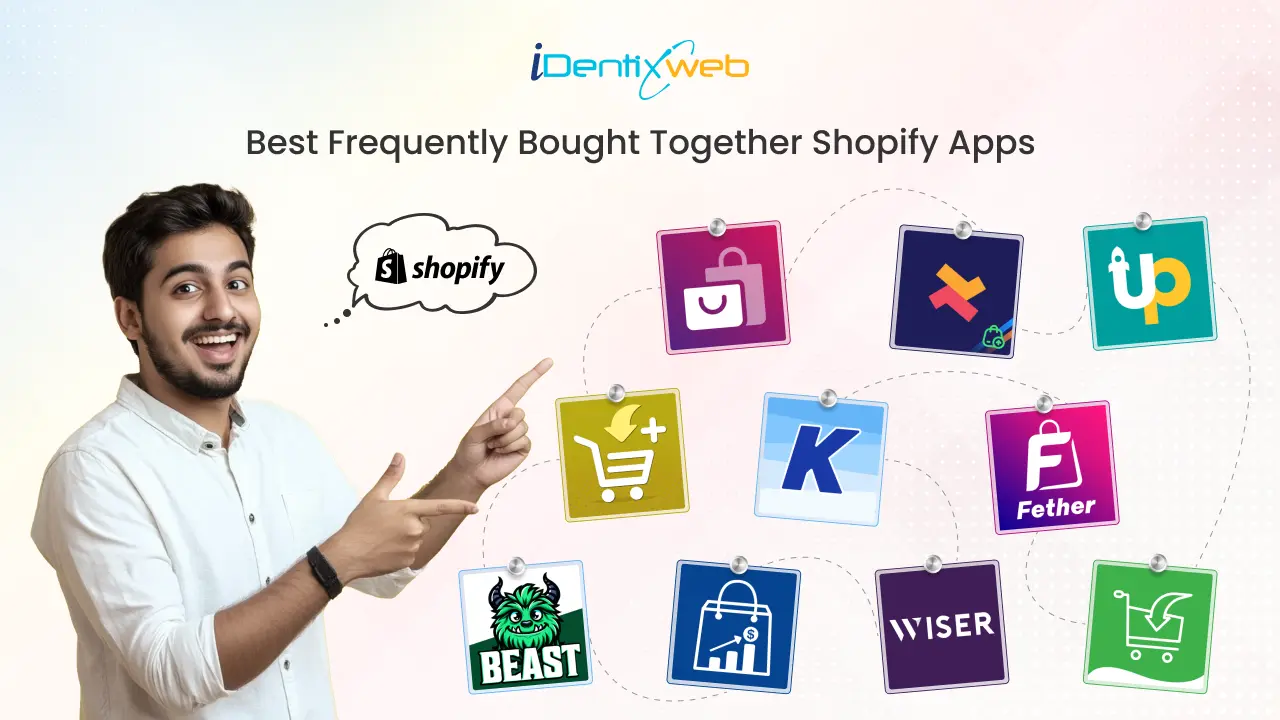
Top Frequently Bought Together Shopify Apps Can Drive More Sales
As a busy ecommerce entrepreneur, finding the best Frequently Bought Together apps for your Shopify store can be time-consuming. To save you the hassle, we’ve curated a list of the top apps that can help increase your Average Order Value (AOV). These apps recommend complementary products, enhance the shopping experience, and drive more sales. By bundling related items and offering smart discounts, they boost revenue while improving customer satisfaction. In this article, we’ll cover the best free and paid Shopify apps for Frequently Bought Together, with details on their features, pricing, and reviews to help you choose the right one for your store. Best frequently bought together apps: A quick view App NameKey FeaturesPricing PlanRatingFrequently Bought Together CBBAI-powered recommendations, customizable design, automatic + manual suggestions$19.99/month4.9 (1000+ reviews)iCart Cart Drawer Cart UpsellIn-cart upsell and cross-sell, sticky cart drawer, no-code drag-and-drop customizationFirst 100 orders free for lifetime, then $9/month, $19/month, $29/month4.7 (400+ reviews)Upsell & Cross Sell — SelleasyAmazon-style FBT bundles, customizable recommendation display, automated upselling and cross-selling rulesFree to install, then $9/month, $19/month, $29/month4.9 (2000+ reviews)Also Bought CBBAI-driven recommendations, customizable widget design, recommendations on product and cart pages$19.99/month4.8 (300+ reviews)Essential Upsell & Cross SellOne-click upsell and cross-sell offers, product + cart page integration, post-purchase upsell optionsFree plan available, then $9.99/month, $19.99/month, $39.99/month5 (2000+ reviews)Frequently Bought Together FTAutomated product recommendations, product bundle builder, auto discounts like quantity breaks and free giftsFree plan available, then $15/month, $45/month4.5 (300+ reviews)GLO Related Products, UpsellSmart recommendations, FBT widget with 3 styles, automatic discountsFree plan available, Pro at $9.904.9 (200+ reviews)Wiser - AI Upsell & Cross SellAI-powered suggestions, post-purchase and checkout upsells, in-cart upsell with progress barFree plan available, then $9/month, $19/month, $49/month4.9 (500+ reviews)BST-Frequently Bought TogetherAI-driven recommendations, manual bundles, in-depth analyticsFree plan available, then $24.99/month, $39/month5 (50+ reviews)Frequently Bought Together ICAutomatic + manual recommendations, related products, four types of automatic discounts$4.99/month, $5.99/month, $6.99/month5 (10+ reviews) What is Frequently Bought Together? Frequently Bought Together is a sales strategy and feature used by ecommerce platforms, including Shopify, to recommend additional products that customers are likely to purchase alongside the item they are currently viewing or adding to their cart. This technique boosts the Average Order Value (AOV) by encouraging customers to purchase complementary products, thereby increasing sales for the store. Typically, these recommendations are based on data-driven insights or AI that analyze previous customer behavior and shopping trends. The feature is often implemented through apps or built-in Shopify tools, showing suggestions such as "Customers also bought" or "Frequently bought with" directly on product pages or at checkout. By offering these product bundles, stores enhance the shopping experience, help customers discover relevant products, and drive more revenue. Top 10 Shopify Apps For Frequently Bought Together Now that we've covered the key features, pricing, and reviews of these apps, let's take a closer look at each one. 1. Frequently Bought Together CBB Frequently Bought Together CBB uses advanced AI to recommend products commonly purchased together, helping increase your store’s Average Order Value (AOV). Displaying these relevant product suggestions at checkout makes it easy for customers to discover and add more items to their cart, driving more sales. Pricing Plans: $19.99/month Key Features AI-powered recommendations that automatically suggest products based on customer purchasing behavior. Seamless integration with Shopify for quick and easy setup. Customizable design to match your store’s theme. Option for both automatic AI-driven suggestions and manually curated recommendations. Real-time product suggestions displayed at checkout to encourage impulse purchases. Rating: 4.9 (1000+ reviews) 2. iCart Cart Drawer Cart Upsell iCart is the best Shopify upsell app designed to enhance your store's sales by increasing conversions and Average Order Value (AOV). It comes with features like a slide cart, a pop-up cart, upsells, product bundles, smart recommendations, and a progress bar, all working together to drive more purchases and improve the overall shopping experience. Pricing Plans: Free trial0-100 orders101-200201-500First 100 orders are free for lifetime$9/month$19/month$29/month Key Features Show a free shipping bar to encourage more items in the cart. Drive additional sales with in-cart upsell and cross-sell options. Enhance cart visibility with a sticky cart drawer that stays in view. Offer enticing discounts, like free gifts with purchase, to boost conversions. Easily customize your store with a no-code, drag-and-drop interface. Rating: 4.7 (400+ reviews) Boost sales with the best Shopify apps for upsells and cross-sells , and increase AOV by recommending relevant products at checkout. 3. Upsell & Cross Sell — Selleasy Selleasy's app helps you easily add upsell and cross-sell offers across your Shopify store, including product pages, the cart, and checkout. By suggesting complementary items based on the customer’s selections, encourages them to purchase more, increasing your store’s revenue. Pricing Plans Freemium Tier IFreemium Tier IIFreemium Tier IIIFreemium Tier IVFree to install$9/ month$19/ month$29/ month Key Features Amazon-style “Frequently Bought Together” product upsell bundles Compatible with both individual and bundled products. Optimized offers that drive higher conversion rates. Customizable display for product recommendations to fit your store’s design. Automated upselling and cross-selling rules for hassle-free promotion. Rating: 4.9 (2000+ reviews) 4. Also Bought CBB The Also Bought app provides a smart recommendation engine that suggests products frequently purchased with the current item. It helps increase sales by showing customers relevant, complementary products, driving higher conversion rates. This app mimics Amazon's successful "Customers Who Bought This Item Also Bought" widget, leveraging advanced AI trained on extensive datasets to provide accurate recommendations for your Shopify store. Pricing Plans: $19.99/month Key Features AI-driven product recommendations based on your store’s sales history, new orders, and product updates in real-time. Easy integration with Shopify for quick setup. Fully customizable widget design to match your store’s branding. Supports upselling and cross-selling with various recommendation types, including automatic, manual, by type, or by collection. One-click install with out-of-the-box style integration for most popular themes. High availability, ensuring seamless operation even during traffic peaks like BFCM. Customizable UI for easy adjustments to text, colors, sizes, and styles. Display recommendations on both product pages and the cart page. Rating: 4.8 (300+ reviews) 5. Essential Upsell & Cross Sell The Essential Upsell & Cross Sell app offers a simple yet powerful way to boost your store's conversions by displaying relevant product recommendations at the right time. This app helps you increase your Average Order Value (AOV) by showcasing upsell and cross-sell offers on product pages and the cart page. It also supports customizable pop-up windows, post-purchase upsell discounts, and automatic promotions to drive more sales. Pricing Plans FreeStarter Essential Professional Plan available $9.99/month$19.99/month $39.99/month Key Features One-click upsell and cross-sell offers for easy customer engagement. Integration with both product pages and cart pages for maximum visibility. Customizable pop-up windows to highlight recommended products. Display frequently bought together (FBT) items, related products, and product add-ons. Post-purchase upsell and cross-sell opportunities with "buy X, get Y" bundles and product add-ons. Automatic discounts on upsell and "also bought" products to encourage purchases. Product page upsell and cross-sell widgets, including one-click add-to-cart and BOGO (Buy One Get One) bundles. Rating: 5 (2000+ reviews) 6. Frequently Bought Together FT Frequently Bought Together FT seamlessly integrates with your Shopify store to suggest products that are often purchased together, automating the recommendation process for a smoother shopping experience. By leveraging AI-driven product suggestions, it boosts Average Order Value (AOV) and enhances customer satisfaction by offering relevant and timely product recommendations. Pricing Plans FreePremium Premium for Plus Plan available $15/month $45/month Key Features Automated product recommendations based on customer behavior and order data. Supports Shopify’s product variants for more accurate recommendations. Customizable widget appearance to match your store’s theme and branding. AI-driven upsell and cross-sell recommendations to increase conversion rates. Frequently bought together (FBT) features like "Buy Together", "Buy With", and product add-ons. Product page and section builders for creating high-converting, sales-driven pages quickly. Product bundle builder to showcase "You May Also Like", recommended, and related products. Auto discounts like quantity breaks, volume discounts, free gifts, and discount combinations to encourage more purchases. Rating: 4.5 (300+ reviews) Explore effective cross-selling examples , to boost your sales and enhance your customer experience. Learn proven strategies to recommend the right products at the right time! 7. GLO Related Products, Upsell GLO Related Products is an intelligent cross-sell and upsell app that provides personalized product recommendations based on customer browsing behavior and past purchases. It helps you increase sales by showing highly relevant product suggestions throughout your store, including the product page, cart, checkout, and thank you page. Pricing Plans FreeProPlan available $9.90 Key Features Smart product recommendations based on customer behavior and previous purchases. Customizable layout to match your store's design. Automated upsell pop-ups that display at key moments. Product recommendations on product pages, cart page, checkout, thank you page, and more. Frequently bought together widget with 3 styles Amazon-style, line, and grid. Manual recommendations based on handpicked products. Upsell options like "You May Also Like," "Also Bought," and trending products. Personalized product recommendations like recently viewed items and a product slider. Automatic discounts for customers who add recommended products to their cart. Rating: 4.9 (200+ reviews) 8. Wiser ‑ AI Upsell & Cross Sell Wiser is an AI-powered upsell and cross-sell app that predicts the best product recommendations for each customer. Designed to increase sales, it showcases personalized suggestions across your Shopify store, from product pages to checkout and post-purchase. Wiser’s intelligent product suggestions help boost Average Order Value (AOV) by presenting items that customers are most likely to buy. Pricing Plans Free 51-100 orders 101-300 orders301-500 ordersPlan Available $9/month$19/month$49/month Key Features AI-powered product suggestions to increase conversions with personalized recommendations.. Advanced targeting options for specific customer groups. Customizable pop-ups and widgets to fit your store’s design. Show frequently bought together product bundles with discounts and best sellers. Boost AOV with post-purchase upsells, checkout upsells, product addons, and collection recommendations. Advanced drawer cart with in-cart upsell options and a progress bar to encourage more purchases. Dynamic email recommendations, search and filters to enhance customer engagement. Create custom quizzes and easily integrate via APIs for personalized experiences. Rating: 4.9 (500+ reviews) Establish lasting customer relationships with effective engagement strategies , Enhance loyalty, improve satisfaction, and boost conversions. 9. BST‑Frequently Bought Together BST’s app provides automatic recommendations for frequently bought together products, designed to increase your store's Average Order Value (AOV). It works seamlessly across product pages and checkout, helping you drive sales by suggesting complementary items to customers. The app is powered by AI, offering both automatic and manual bundle options, along with customizable widgets that seamlessly integrate with your store's branding. Pricing Plans FreeCore plan Pro Plan Plan available $24.99/month $39/month Key Features AI-driven product recommendations based on customer behavior to boost conversions. Customizable widgets that seamlessly integrate with your store's theme. Works with both individual and variant products to provide accurate recommendations. Mobile-first design that ensures an optimized experience for all devices. Manual bundle options for creating curated product recommendations. Bundle discounts to incentivise customers to purchase more items. Seamless Shopify integration for easy setup with your store. In-depth analytics to track performance and monitor customer purchasing trends. Rating: 5 (50+ reviews) 10. Frequently Bought Together IC Frequently Bought Together IC recommends products that are commonly bought with a customer’s current selection, helping increase your store's Average Order Value (AOV). With easy integration and a simple setup, this app shows relevant product suggestions, boosting sales by encouraging customers to add more items to their cart. It also includes features like related products and automatic discounts to enhance the shopping experience. Pricing Plans StaterProfessionalEnterprise$4.99/month$5.99/month$6.99/month Key Features Automatic and manual product recommendations to show relevant products. Customizable widget design to match your store’s theme. Easy Shopify integration for a quick and smooth setup. Increase AOV with upselling and cross-selling recommendations. Related Products feature to display similar items across your store. User-friendly with manual product selector and automatic algorithm. Four types of automatic discounts (percentage, fixed amount, cheapest item for FBT). Advanced customization options, including hiding FBT on product pages and excluding products. Show ratings from popular review apps to build trust. Rating: 5 (10+ reviews) Looking for more free apps? Discover top Shopify apps to enhance your store’s functionality, boost sales, and improve customer experience, all at no cost! Final Thoughts: Best Frequently Bought Together Apps for Shopify Incorporating a "Frequently Bought Together" app into your Shopify store is a powerful way to increase your Average Order Value (AOV) and enhance the overall shopping experience. By offering relevant product recommendations at the right time, you can boost conversions, drive more sales, and keep your customers engaged. Choose the right Frequently Bought Together Shopify app for your store to unlock more sales and grow your business efficiently. Need a Custom Shopify App? We’re experts in Shopify Custom App Development and can create a tailored solution to meet your store’s unique needs. Let us know how we can help you enhance your store’s performance today. FAQs for Best Frequently Bought Together Shopify Apps 1. How does the Frequently Bought Together algorithm work?The algorithm uses data from past customer transactions to identify products commonly bought together. It then suggests these complementary products to customers, either on product pages or at checkout, to encourage additional purchases. 2. What factors influence the product recommendations in the Frequently Bought Together algorithm?The algorithm considers factors like past customer purchase behavior, item popularity, seasonality, customer browsing patterns, and similar product characteristics to make accurate recommendations. 3. Can I manually adjust the product recommendations?Yes, many Frequently Bought Together apps allow you to manually curate product recommendations, giving you control over which items are suggested to customers alongside their purchases. 4. Does the algorithm work for all product types?Yes, the algorithm can be applied to both individual products and product variants. It works effectively across a wide range of categories, from fashion to electronics, as long as there is sufficient transaction data. 5. Can the Frequently Bought Together algorithm increase sales?Absolutely! By suggesting relevant products at key moments, such as checkout, the algorithm encourages customers to add more items to their cart, directly boosting Average Order Value (AOV) and overall sales.
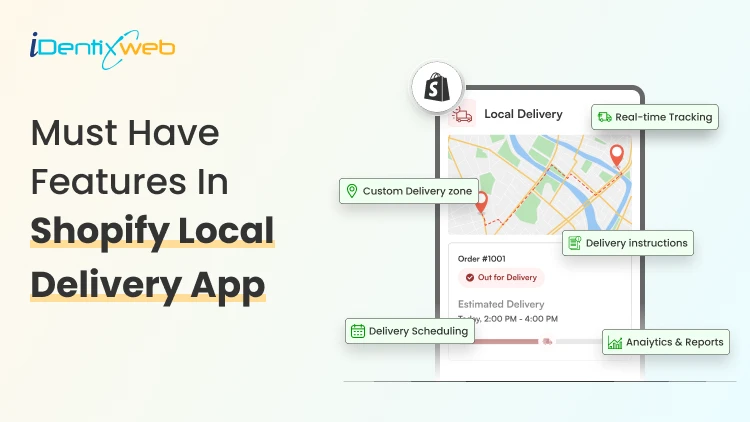
Sajini Annie John
2 Min • 29 April 2026
58 Views
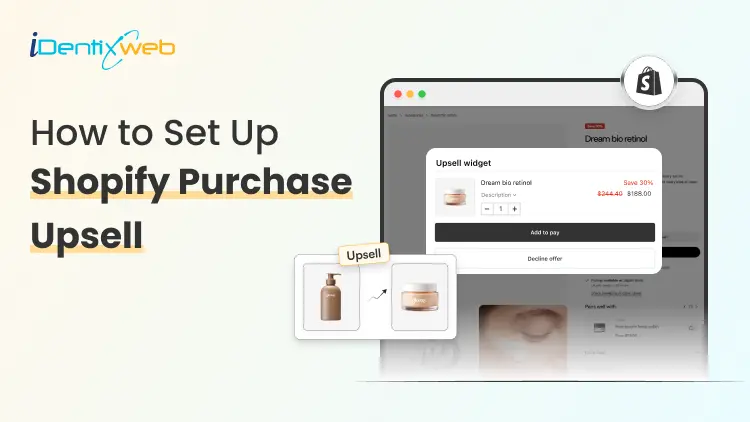
Sajini Annie John
1 Min • 15 April 2026
109 Views
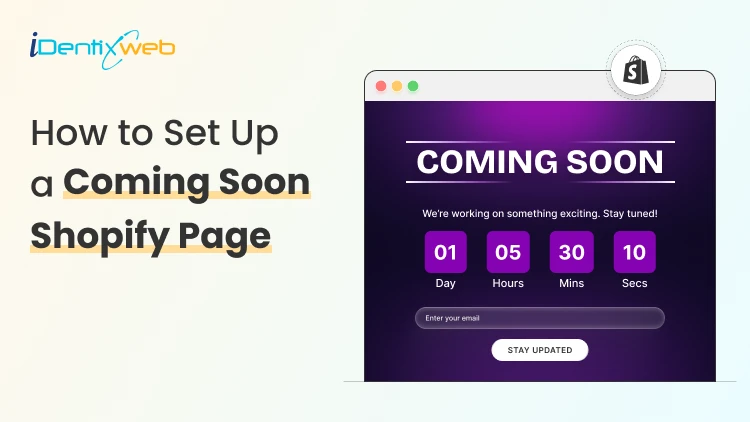
Sajini Annie John
6 Min • 31 March 2026
121 Views
![How to Create Upsell in Shopify Without an App [2026 Tested]](https://www.identixweb.com/wp-content/uploads/2026/02/27-02-Fri-Blog-How-to-Create-Upsells-in-Shopify-Without-an-App_.webp "How to Create Upsell in Shopify Without an App [2026 Tested]")
Vineet Nair
5 Min • 28 February 2026
172 Views
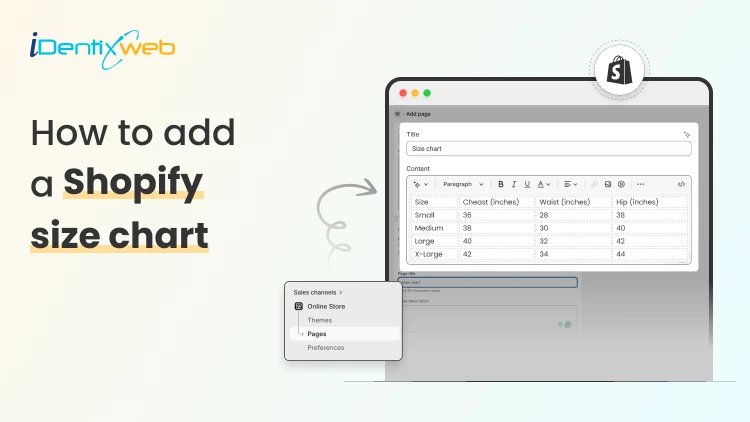
Sajini Annie John
6 Min • 27 March 2026
157 Views
Sajini Annie John
4 Min • 27 March 2026
147 Views
Vineet Nair
7 Min • 19 February 2026
165 Views
Vineet Nair
6 Min • 18 April 2026
214 Views
Vineet Nair
7 Min • 8 January 2026
207 Views
Sajini Annie John
4 Min • 8 January 2026
218 Views
Bhavesha Ghatode
12 Min • 30 March 2026
812 Views
Bhavesha Ghatode
16 Min • 27 August 2025
771 Views