Blog
Gather knowledge about the latest insights, updates, tips, and tricks in the Ecommerce industry.

5 Min • 20 March 2026
How Anua Unlocked 5X AOV Growth with iCart’s Smart Cart Features
delivery customization Challenges Solutions drive results Scale business delivery customization Challenges Solutions drive results Scale business delivery customization Challenges Solutions drive results Scale business delivery customization Challenges Solutions drive results Scale business Anua is a globally recognized Korean skincare brand known for its minimalist philosophy and focus on gentle yet effective formulations. Built on the idea of simplifying skincare routines, Anua develops products that deliver visible results while avoiding harsh or irritating components, making them suitable for sensitive skin types. Initially using a traditional full cart experience, Anua transitioned to iCart’s side cart solution in August 2025, to create a more seamless and engaging shopping journey. This shift allowed customers to easily explore complementary skincare products without disrupting their browsing flow, making it more intuitive to discover items that fit into a complete routine. By surfacing relevant recommendations directly within the cart, the brand enhanced product visibility across its range. Challenges Before implementing iCart’s side cart solution, Anua faced limitations with their existing full cart experience, which created friction in the customer journey. The traditional cart setup redirected users away from product pages, interrupting their browsing flow and reducing opportunities to explore additional products. As a skincare brand built around routines rather than single-item purchases, this made it difficult to effectively showcase complementary products and encourage customers to build complete regimens. Additionally, the lack of in-cart personalization and strategic upsell opportunities meant that customers were often unaware of related products that could enhance their skincare results. This limited the brand’s ability to increase average order value (AOV) and fully leverage its diverse product range. Anua needed a more dynamic and intuitive cart experience that could seamlessly introduce relevant recommendations while maintaining a smooth and engaging shopping journey. ❌ Cart Value Barriers Low average order value (AOV) due to single-item focus Most customers completed purchases with one primary product instead of building multi-step routines. Cart abandonment near shipping thresholds Customers were not clearly informed or motivated to reach free shipping or discount thresholds. Missed savings opportunities Customers were unaware of potential value in purchasing bundled routines or multiple complementary products. ❌ Absence of Progress-Based Incentives No free shipping or discount progress bar Customers were not motivated to increase their cart value due to lack of visible incentives. Missing tiered rewards system There were no structured milestones (e.g., “Spend more to unlock offers”), reducing upsell opportunities. ❌ Ineffective Cart UI/UX (Pre-Side Cart) Full-page cart disrupted shopping flowCustomers had to leave their browsing journey, increasing friction and drop-offs. No quick add/remove functionality Users couldn’t easily modify their cart or add suggested products without navigating away. Solution To overcome these challenges, Anua implemented iCart’s side cart solution to transform their traditional cart into a high-converting, interactive experience. By replacing the full-page cart with a seamless side cart, the brand ensured that customers could continue browsing while viewing their cart, significantly reducing friction in the shopping journey. Additionally, features like product recommendations & progress bars for free shipping and discounts motivated customers to increase their cart value. By combining personalization, incentive-driven messaging, and a user-friendly interface, Anua successfully turned their cart into a powerful revenue-driving touchpoint rather than just a checkout step. To maximize their cart effectiveness, they implemented two powerful features: ✅ Progress Bar with Multi-Reward Incentives Implemented a tiered progress bar to encourage higher cart value Customers are guided with a clear message like “Add $3.10 to unlock secret offer,” motivating them to continue adding products. Generated over $5M+ in revenue through incentive-driven cart progression Used product-based rewards to align with customer intent Instead of generic discounts, Anua incentivized purchases with relevant skincare items like Dark Spot Pads and mini serums. Built visual motivation for routine expansion As customers add products, they can clearly track progress toward unlocking multiple rewards, encouraging them to build a complete skincare routine. ✅ Product Recommendations Implemented “Frequently Bought Together” recommendations Customers adding a single product (e.g., toner) are shown complementary items like serums, moisturizers, or pads to complete their routine. Generated over 275K revenue through in-cart recommendations Encouraged full skincare regimen building Instead of isolated purchases, the cart suggests step-by-step product combinations aligned with common skincare routines. Increased product discovery at the final stage By surfacing relevant items directly in the cart, Anua ensured customers explore more of their catalog without leaving the checkout flow. Results Achieved in Last 180 Days 22932 Total Store Orders 45101 Total iCart Orders 5X iCart Generated AOV 65.70% Upsell Affected Conversion Rate These improvements reflect a clear shift in customer behavior on Anua’s store. Cart abandonment reduced as shoppers discovered complementary skincare products and felt encouraged to build complete routines. Engagement also increased, with customers interacting more with in-cart recommendations and exploring relevant product pairings. Results & Impact And...Results is Our Main Clarification By implementing iCart’s cart drawer, product recommendations, and progress bar, Anua transformed its cart into a high-performing conversion touchpoint. Shopping Experience Enhancement The improved cart experience encouraged customers to discover complementary products and understand the value of sustainable beauty routines. For instance, the clear presentation of subscription savings alongside one-time purchase options helped customers make more informed decisions about their long-term hair care needs. As Anua continues to optimize its cart experience, the brand is closely monitoring: Routine-based purchasing behavior - tracking how customers move from single items to multi-step regimens Engagement with in-cart recommendations - measuring interaction with suggested products Cart value progression - analyzing how incentives influence higher spending [related_cases_slider] Ready to Write Your Success Story? Try icart App Join successful businesses like Anua and Master your delivery scheduling Delight customers with precise timing Grow your special occasion orders Expand your delivery reach
Read Blog
11 Min • 9 June 2026
Shopify Store Management: An Updated Guide to Run Your Store in 2026
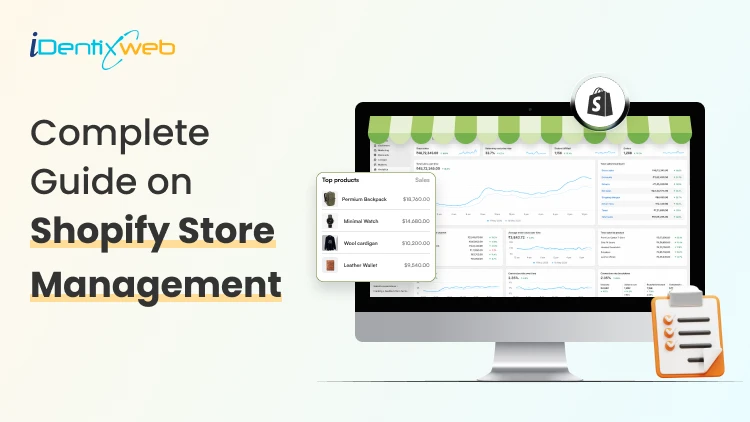
Running a Shopify store is one thing. Managing it well every single day is another. Shopify store management is the daily, weekly, and monthly discipline that separates stores that grow from stores that stagnate. This guide walks you through every layer of it, from handling orders to managing your accounting to scaling across multiple stores. This is my store management guide from years of experience in the Shopify ecosystem. What is Shopify store management? Shopify store management is the ongoing work of keeping your store operational, profitable, and customer-ready. Here’s what I always cover when managing Shopify stores. Product updates Order processing Inventory tracking Customer support Marketing follow-ups Financial oversight When Shopify store management is tight, customers get their orders on time, stock never runs out unexpectedly, and your finances stay clean. When it is loose, small problems pile into big ones fast. Shopify store daily management tasks you should not skip Order review Check for new orders, flag any payment issues, and confirm that fulfilment has been triggered. If you use third-party fulfilment or dropshipping, verify dispatch confirmations. A solid Shopify order management system centralizes all of this, so you are not hunting across tabs. Inventory spot check Scan your low-stock alerts. If a best-seller is close to zero, raise a purchase order immediately rather than waiting until it is out. Stockouts cost you sales and hurt your search rankings. Here’s my complete breakdown on Shopify inventory management on setting smart reorder thresholds and picking the right tools. Customer support queue Respond to open tickets, refund requests, and delivery queries. Customers who wait more than 24 hours for a reply rarely come back. If you are handling volume alone, set up canned replies in Shopify Inbox for the most common questions. Abandoned cart check Review your abandoned checkout list in Shopify admin (Orders > Abandoned checkouts). If you do not have an automated recovery flow running, you are leaving money on the table every single day. Don’t Wait to Recover Carts. Improve Them First. With iCart, you can add cart page upsells, progress bars, product recommendations, and offers that encourage shoppers to complete their order instead of leaving midway. Most carts only show products... iCart can show revenue-boosting offers. Try Free Till 100 Orders App and theme check Look at your storefront from a mobile device. Look for any layout breaks, slow loading, or app conflicts. These happen more often than you would expect after updates. Accounting is the area most Shopify owners either avoid or handle too late. Let’s dig into this. How to manage your accounting for your Shopify store? Why are Shopify's built-In reports not enough? Shopify gives you a solid sales overview: Gross sales, refunds, net sales, taxes, and shipping. But it does not handle profit margins, expense tracking, VAT returns, or bank reconciliation. For that, you need a proper accounting integration. The best options for Shopify accounting: QuickBooks Online: Most widely used. Syncs Shopify orders, payouts, refunds, and fees directly. Strong for US-based stores managing sales tax across states. Xero: Popular in the UK, Australia, and India. Clean interface, solid Shopify integration, and excellent bank reconciliation. Wave: Free option for very small stores. Limited automation, but functional for basic bookkeeping. A2X: Not an accounting tool itself, but a reconciliation layer between Shopify payouts and QuickBooks or Xero. It maps every payout to the correct revenue, fee, and refund line, which is something most stores get wrong manually. What to track every month? Once your accounting is connected, review these figures monthly: Net revenue (after refunds and discounts) Cost of goods sold (COGS) Gross margin per product category Shopify fees and app subscriptions Advertising spend vs revenue attributed Outstanding refunds or chargebacks Keeping this clean monthly means tax time is a review, not a panic. For a deeper look at interpreting your store's numbers, check out my guide on Shopify analytics and how to use data to grow your store in 2026. Shopify store management guide: weekly and monthly Priorities Weekly tasks I do for store management Performance review: Check your conversion rate, AOV, and top traffic sources. Shopify's analytics dashboard gives you enough for a weekly pulse check. If you have Google Analytics 4 connected, layer that on top for session-level data. The Analytics can be seen on the left side of the admin panel, as shown in the above image. Email and SMS marketing: Review open rates and click rates from the past week's campaigns. If you are not running automated flows (welcome, post-purchase, win-back), set them up before sending more broadcast campaigns. My breakdown of Shopify marketing automation tools covers which apps work best at each store stage. Product page updates: Check that your top-selling products have current images, accurate descriptions, and active reviews. A stale product page quietly kills conversions. Returns processing: Process all pending returns and make sure refund communications have gone out. Delayed refunds generate chargebacks. Monthly tasks I do for store management SEO and content audit: Check your store's organic positions for your primary keywords. Update blog posts and collection pages with fresh data. Search engines reward recency. App audit: Remove any unused apps. Every active app adds to your page load time and your monthly bill. Goal tracking: Compare actual revenue, orders, and margin against your targets. Adjust your marketing budget accordingly. Once your first store is running smoothly, the question of a second store usually comes up. Here’s how I manage this. Managing multiple Shopify stores: What you need to know One account, up to 10 stores Shopify allows up to 10 stores under one email account. You can switch between them from the top-left of the admin. Each store is billed separately, runs independently, and has its own products, orders, and theme. The real challenges of multi-store management Inventory sync: Without a third-party app, inventory does not sync between stores. Selling the same SKU across two stores manually is a reliable path to overselling. Order routing: Customers do not know your store structure. If someone orders from the wrong store, your fulfilment team has to handle it manually. Customer data: Each store has a separate customer database. Unified loyalty programmes and email lists require middleware. Operational overhead: Two stores mean double the customer support, double the reporting, and double the app subscriptions. Tools for managing multiple Shopify stores Matrixify (Bulk Import/Export): Useful for syncing product data across stores via CSV or scheduled exports. Syncio multi-store sync: Syncs products and inventory in near real-time between Shopify stores. Strong for merchants running separate regional stores with shared inventory. Multi‑store sync power: Similar sync capability with better support for store-specific pricing. When does managing multiple stores make sense? Multi-store is worth the complexity when you are serving distinct markets with different currencies, languages, or product ranges. A UK store and a US store with different catalogues, pricing, and VAT rules benefit from separation. Two stores selling identical products in the same region rarely do. If you are managing enterprise stores, you need to know the Plus features for the same. Shopify Plus multi-store management features include: Up to 9 expansion stores included at no extra per-store cost (10 total) Shopify organization admin: A single dashboard to oversee all stores, users, and settings from one place. This is the feature that standard Shopify completely lacks. Shared user permissions: Add staff with role-based access across your entire store portfolio without logging into each one separately. Shopify Flow: Advanced automation across stores. Trigger actions like tagging customers, moving inventory, or sending alerts based on custom conditions. Here are the best Shopify Flow examples I use to automate workflows. Launchpad: Schedule flash sales, product drops, and theme changes across stores in advance. Custom checkout: Modify checkout logic, fields, and scripts in ways standard merchants cannot. Automating your Shopify store management in 2026 Here are the highest-impact automation areas I use every day for stores. Email and SMS flows Set up welcome, abandoned cart, post-purchase, and win-back automations. Tools like Klaviyo and Omnisend make this straightforward. Once live, these flows run without your involvement and recover revenue you would otherwise lose. Check out my Shopify email marketing guide for how to build the sequences that convert. Inventory alerts Configure low-stock notifications inside Shopify or through apps like Assisty. Automated purchase order triggers take this further. Order tagging and routing Use Shopify Flow to automatically tag orders by product type, value, or shipping destination. This speeds up fulfilment decisions without manual review. Review requests Trigger review request emails 7 days after delivery. Judge.me and Loox both handle this automatically. Accounting sync Set your accounting integration to auto-sync daily. Manual export and upload are a time drain and introduce errors. Customer service as a core management function Here is how to run customer service as a system to manage your store. Set response time targets: Aim for under 4 hours on weekdays for email and chat. Communicate this SLA in your confirmation emails so customers know when to expect a reply. Use Shopify Inbox: Free, native, and integrates with your order data. Agents can see what a customer ordered without switching tabs. Document your policies clearly: Refund, return, exchange, and shipping policies should be easy to find. Half of all support queries are policy questions that a visible FAQ would answer. Tag and track support topics: Whether you use Gorgias, Reamaze, or native Inbox, tag every ticket by category. Monthly, review the top five categories. They tell you exactly where your product or process has friction. For more on building CX that drives repeat purchases, my Shopify customer service tips guide is a solid starting point. The hidden layer of store management that you miss Conversion rate monitoring: Your conversion rate is the single most important signal in your admin. A 0.5% drop is not good. It usually means a page broke, a price changed, or a competitor undercut you. Check it weekly without fail. Page speed and core web vitals: Slow stores lose customers silently. A store that loaded in 2.1 seconds six months ago might load in 3.8 seconds today after a dozen app installs. Run a speed audit quarterly and remove unused scripts aggressively. SEO health: Check for broken links, missing meta titles, and duplicate content at least monthly. Your organic channel is your lowest-cost traffic source, so keep an eye on it regularly. For Shopify-specific SEO, my Answer Engine Optimization guide for Shopify covers how to optimize for AI-powered results. Build a store management routine that sticks Here is a simple structure that worked for me for 10 years. FrequencyFocus AreasDailyOrders, support queue, low-stock alerts, abandoned cartsWeeklyAnalytics review, email performance, returns, product page spot-checkMonthlyP&L review, app audit, SEO check, supplier reviewQuarterlySpeed audit, pricing review, strategy reset Document your routine. Share it with your team. Review it whenever something breaks or slips through. Over time, this becomes the operating standard your store runs on. FAQs 1. What does Shopify store management actually include? Shopify store management covers all ongoing operations after launch: inventory tracking, order processing, customer support, marketing follow-ups, financial reporting, and store performance monitoring. 2. How can I manage my accounting for my Shopify store? Connect a dedicated accounting tool to Shopify. QuickBooks Online, Xero, or Wave are the most common. For accurate payout reconciliation, use A2X as a bridge layer. Track net revenue, COGS, gross margin, and Shopify fees monthly, so your books are always current. 3. What are the most important Shopify store daily management tasks? The non-negotiables are: reviewing new orders, checking low-stock alerts, responding to customer support tickets, reviewing abandoned carts, and doing a quick storefront check on mobile. 4. What is the difference between managing one Shopify store and managing multiple Shopify stores? One store is primarily an operational challenge. Multiple stores add a coordination layer: you need inventory sync tools, separate accounting per store, unified customer data solutions, and significantly more support capacity. 5. What Shopify Plus multi-store management features are worth the upgrade? The Organization Admin is the standout feature. It gives you a single dashboard across all stores with shared user roles and centralized reporting. Shopify Flow for automation, Launchpad for scheduled campaigns, and custom checkout logic are also strong reasons to upgrade. 6. Do I need a team to manage a Shopify store? You can run a lean store solo with the right automations in place, like email flows, inventory alerts, accounting sync, and review requests. Once you pass roughly 50 orders per day, customer support alone typically requires at least one dedicated person. 7. How often should I audit my Shopify store's performance? Run a full audit quarterly. Check conversion rate trends, page speed, organic rankings, and top apps for ROI. Do lighter weekly reviews on analytics and email performance. Quarterly audits catch problems that weekly checks miss.
14 Min • 16 June 2026
Shopify PPC: A Practical Guide to Paid Advertising That Actually Converts in 2026
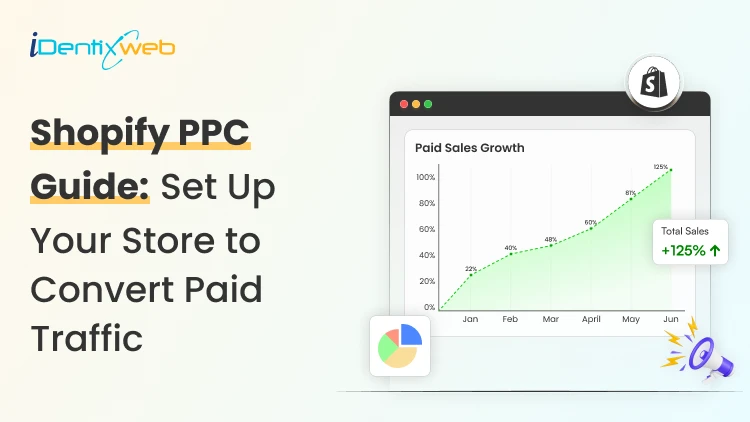
Shopify PPC refers to pay-per-click advertising campaigns run by Shopify store owners across platforms like Google, Meta, Microsoft Ads, Pinterest, and TikTok. Advertisers pay only when a user clicks their ad. Shopify's native integrations with these platforms automate catalog syncing, conversion tracking, and dynamic ad creation, giving Shopify merchants a technical foundation that many other ecommerce platforms do not offer out of the box. Paid ads can be the fastest way to grow a Shopify store. They can also be the fastest way to burn through a budget with nothing to show for it. The difference between the two almost always comes down to how the campaign is built, managed, and connected to the rest of the store's conversion stack. PPC for Shopify works. But it rewards merchants who treat it as a system, not a shortcut. Here is how to build that system properly. What is Shopify PPC & why it works differently Shopify PPC (pay-per-click advertising) means running paid ads across platforms like Google, Meta, Microsoft, and TikTok, paying only when someone clicks. If a thousand people see your ad but none click, you pay nothing. What makes PPC for Shopify websites distinct is Shopify's native integration with the major ad platforms. Your product catalog syncs automatically to Google Merchant Center and Meta. The Meta Pixel and Google conversion tag install without manual coding. Any product change you make in your Shopify admin (price, stock, title) propagates to your ad feeds in real time. The result is that Shopify merchants have access to richer, real-time product data in their ad accounts than most competitors running on other platforms. Is your Shopify store ready for PPC? Check this first Before spending anything on ads, run through this readiness check: Conversion rate: The typical ecommerce store converts between 2% and 3% of sessions. If yours is significantly below 1%, paid traffic will not fix that. It will expose it, at scale. Product page quality: Every product your ads link to needs clear, high-resolution images, benefit-focused copy, visible social proof, and an obvious path to purchase. If someone clicking from an ad has to work to understand what they are buying, they will leave. Mobile experience: A large share of paid ad traffic lands on mobile. Test your product pages and checkout on actual mobile devices. Average order value relative to CPC: Work backwards from your margin. If your AOV is £60 with a 35% gross margin, your maximum allowable CPA is £21. At a 2% store conversion rate, that means your maximum CPC cannot exceed £0.42. If CPCs in your category run £1.50 and above, paid search will not be profitable without first raising your AOV or conversion rate. Here’s my complete breakdown on improving your store's conversion rate before scaling ad spend is not a delay. Also, for building traffic while you get your store ready, check out my guide on how to increase traffic to your Shopify store using organic methods. How does PPC advertising work on Shopify? Every time an ad slot becomes available on a search results page, a social media feed, or a product listing, the platform runs an auction in real time. Your ad wins or loses that auction based on three inputs. Your bid The maximum amount you are willing to pay per click or action. On Google, you set this via bidding strategies. On Meta, it is a daily or lifetime budget with optional bid caps. Ad quality Google assigns a Quality Score to every ad based on expected click-through rate, relevance to the user's search, and the landing page experience. A higher Quality Score means a lower effective cost per click for the same position. Meta uses ad relevance diagnostics that function similarly: higher-relevance ads cost less to reach the same audience. Competition The more advertisers bidding on the same keyword or audience, the higher the price. High commercial intent queries like "buy [product] online" carry significantly higher CPCs than broader or informational searches. Here are the core metrics to track across any PPC campaign for Shopify websites: MetricWhat It MeasuresCPC (Cost Per Click)What you pay each time someone clicks your adCTR (Click-Through Rate)Percentage of ad impressions that result in a clickCVR (Conversion Rate)Percentage of clicks that turn into ordersCPA (Cost Per Acquisition)What you pay per completed purchaseROAS (Return On Ad Spend)Revenue generated for every £1 spent on adsImpression SharePercentage of eligible auctions where your ad appeared Where to run ads? Top platforms for Shopify PPC management Choosing where to start should be based on where your ideal customer already spends time and what they are ready to do when they get there. Google Ads Google is the highest-intent PPC platform for most Shopify stores. When someone searches "waterproof hiking boots UK," they are actively looking to buy. Your ad appearing at that moment positions you in the purchase path with minimal persuasion required. Google Ads for Shopify encompasses four distinct formats: Search Ads target specific keywords. You write the headlines and descriptions; Google shows your ad when someone searches a matching query. Google Shopping Ads pull directly from your Shopify product catalog via Google Merchant Center. They display product images, prices, and your store name inside search results. Performance Max campaigns are Google's AI-driven format that distributes ads across Search, Shopping, Display, Gmail, Maps, and YouTube from one campaign. They require quality first-party data to optimize effectively: your product feed, customer lists, and Shopify conversion data. YouTube Ads work best for retargeting existing site visitors and building brand awareness for visually compelling products. They become valuable once you have enough conversion data to build lookalike audiences. Meta Ads (Facebook and Instagram) Meta's ad platform reaches users based on who they are and how they behave, rather than what they are searching for. Users who have shown interest in sustainable home goods, recently browsed competing products, and fall in a specific demographic can all be layered into a single audience definition. Facebook advertising mistakes, such as broad targeting with no segmentation or static creative that does not stop the scroll, account for the majority of wasted spend on Meta. Getting the basics right is more impactful than finding clever hacks. One significant advantage exclusive to Shopify merchants is Shopify Audiences. The tool generates custom high-intent audience lists using aggregated purchase data from across the Shopify network, identifying users who have demonstrated real buying behavior for products similar to yours. My Shopify Audiences guide walks through exactly how to activate and use it inside Meta Ads. Microsoft Advertising (Bing Ads) Bing reaches a smaller audience than Google, but often at 20 to 30% lower CPCs with meaningfully less auction competition. The demographic skews slightly older and higher-income, which suits specific product categories well, particularly home goods, professional services, and premium items. A key practical advantage: you can import your Google campaigns directly into Microsoft Ads, making launch fast and low-effort once your Google campaigns are structured properly. TikTok Ads TikTok has matured into a legitimate ecommerce channel, particularly for products targeting younger demographics. It syncs with Shopify, enabling in-app product discovery and purchase. Creative requirements differ from other platforms: native-feeling, unpolished content performs better than polished advertising. Production costs can be lower, creatives can feel more authentic, and audiences are genuinely open to discovering new brands mid-scroll. If you are building a multi-channel presence, my guide to promoting your Shopify store on social media covers organic and paid tactics. How to set up your first Shopify PPC campaign Step 1: Define a measurable goal Every campaign needs one primary objective: drive purchases, capture leads, or build awareness. Your goal determines which bidding strategy you use, which ad format serves it, and what metric you measure success against. Step 2: Sync your Shopify catalog Install the Google & YouTube and Facebook & Instagram channel apps in your Shopify admin. These pull your product data into the respective ad platforms, enable dynamic creative, and configure conversion tracking without manual pixel implementation. Clean data here means clean attribution data from day one. Step 3: Research keywords High-intent buying terms: Searches like "[product] buy," "[product] price UK," "[product] free delivery." Users searching these phrases are close to purchasing. Long-tail keywords: Specific phrases like "men's waterproof trail running shoes size 10." Lower search volume, far less competition, and users who know exactly what they want typically convert at higher rates. Negative keywords: Just as important as your target keywords. A store selling premium dog food should exclude "homemade dog food" and "free dog food samples" from the start. Step 4: Write ads that pre-qualify the click Effective ad copy does two jobs simultaneously: It attracts buyers who are genuinely interested It signals to everyone else that this ad is not for them. Use headlines to communicate your key differentiator, whether that is next-day delivery, a current promotion, or a specific product feature. Ad extensions (sitelinks, price extensions, promotion extensions) add contextual detail without adding to your click cost. Step 5: Match every ad to the right landing page If someone clicks an ad for "navy linen chinos" and lands on a homepage, they do not have to search for the product. Every ad should land on the most relevant destination: a specific product page, a tightly curated collection page, or a dedicated Shopify landing page built around the campaign's offer. Match the headline, images, and offer between your ad and landing page exactly. Step 6: Set a budget you can measure from Use your AOV, gross margin, and target CPA to reverse-engineer a viable CPC: AOV: £80 | Gross margin: 40% | Maximum allowable spend per order: £32 At a 2% store conversion rate: 50 clicks per sale Maximum viable CPC: £32 ÷ 50 = £0.64 If competitive CPCs in your keyword set run at £1.50, the math does not work without fixing either the conversion rate or the AOV first. Planning your Shopify marketing budget around these numbers before launch prevents learning-phase losses from depleting your test budget before you have meaningful data. Turn Paid Clicks Into Bigger Orders With iCart, you can add cart upsells, product recommendations, free gifts, and progress bars to increase AOV without increasing ad spend. Most carts only show products... iCart can show revenue-boosting offers. Try Free Till 100 Orders Before you spend more on Shopify PPC, make sure every visitor has a reason to buy more. Shopify PPC campaign optimization strategies These Shopify PPC campaign optimization strategies apply across platforms, and when applied consistently, the compounding effect on ROAS is significant. Audit your search terms weekly Your keyword list tells the platform what to bid on. Your search terms report shows what it is actually matching to. Review search terms weekly and add irrelevant, low-converting, or off-brand queries to your negative keyword list. On Google Shopping, where you do not set keywords directly, the search terms report is the primary lever for improving targeting precision. Run A/B tests Run two to three variants at all times per ad group and test one element at a time: headline A versus headline B, static image versus short video, benefit-led description versus feature-led description. Let each test reach statistical significance before deciding. Make retargeting your highest-priority campaign type Retargeting reaches people who already visited your store, viewed specific products, or added to cart without completing purchase. Warm audiences convert at significantly higher rates than cold traffic because the intent is already established. The ad's job is to bring them back, not to create interest from scratch. Shopify's catalog sync enables dynamic retargeting where ads automatically show each user the exact products they viewed, at the price they saw. Here’s my complete guide to setting up Shopify retargeting ads as distinct campaigns with their own budget allocation. Segment campaigns by product margin Not all products justify the same ad spend. High-margin products can sustain higher CPCs and more aggressive bidding. Lower-margin products need lower CPAs or should not be in paid campaigns at all. Running separate campaigns for high-margin product lines gives you the budget control to spend where it pays. How to measure PPC performance for Shopify stores ROAS (Return on Ad Spend): Revenue generated per £1 spent. A 3x ROAS is a common benchmark, but the right target depends on your gross margin. Calculate your breakeven ROAS before launch CPA (Cost Per Acquisition): What you pay per completed order. Track CPA at the campaign and ad group level. A high-ROAS product campaign, averaged with a low-performer, makes the account look mediocre. CVR (Conversion Rate): If your CVR drops below historical norms without a change in targeting, the problem is usually on-site: a checkout bug, a product page issue, or a new landing page that is not converting as well as the previous one. Impression Share: If impression share on your highest-performing campaigns is low (under 60%), you are leaving qualified clicks on the table. Here’s my guide to using Shopify analytics for ecommerce growth which covers how to set up and interpret the data that informs PPC decisions. Managing Shopify PPC campaigns over time Weekly: Review the search terms report and add negatives. Check spend pacing relative to daily budget limits. Flag any campaign where ROAS or CVR has dropped more than 15% week-over-week. Monthly: Evaluate creative performance and pause underperforming variants. Review audience overlap between campaigns. Adjust bids for seasonal demand patterns. Compare current month metrics against the prior 90-day average, not just the previous month. Quarterly: Audit the full campaign structure. Remove products that have dropped below viable CPA thresholds. Reassess platform allocation: should the budget shift from Meta to Google, or is there a case for testing Pinterest or TikTok for a specific product line? For a complete view of how paid fits alongside organic, email, and social, see my guide to Shopify marketing strategies in 2026. FAQs 1. What is Shopify PPC? PPC for Shopify refers to pay-per-click advertising campaigns run by Shopify store owners across platforms like Google, Meta, Microsoft Ads, Pinterest, and TikTok. Shopify's native integrations with these platforms automate catalog syncing, conversion tracking, and dynamic ad creation, giving Shopify merchants a foundation that many other ecommerce platforms do not offer. 2. How much does PPC cost for Shopify stores? You set your own budget, and the platform charges per click. CPCs vary widely by platform and keyword competitiveness. Most new Shopify stores start with a monthly test budget of $400 to $1300 to generate enough conversion data for meaningful optimization. 3. Which PPC platform is best for Shopify? Google Shopping is the highest-converting platform for product-based Shopify stores because it intercepts buyers with active purchase intent. Meta (Facebook and Instagram) is stronger for lifestyle and visually driven products. 4. What is a good ROAS for paid campaigns for Shopify stores? A 3x ROAS is a common starting benchmark. A store with 40% margins breaks even at 2.5x ROAS; anything above is profit. A store with 20% margins needs 5x just to break even. Set your target ROAS above breakeven. 5. How long does PPC take to start working? Most PPC platforms need two to four weeks to exit the learning phase and begin optimizing effectively. Google's smart bidding strategies require approximately 30 to 50 conversions per campaign before the algorithm has enough data to optimize bids. 6. Should I run paid campaigns or focus on SEO? PPC delivers immediate traffic while SEO builds organic visibility over months. Growing Shopify stores benefit from both running in parallel: PPC for product launches, seasonal pushes, and high-intent acquisition; SEO for long-term category visibility and lower cost-per-visit over time. 7. What is Shopify Audiences, and how does it improve PPC? Shopify Audiences is a tool exclusive to Shopify merchants that generates custom audience lists using aggregated purchase intent data from across the Shopify commerce network. It identifies users who have demonstrated real buying behavior for products similar to yours, rather than relying on demographic proxies. 8. What metrics should I track for Shopify PPC management? Track ROAS, CPA, CVR, CTR, and impression share at the campaign and ad group level. Set up UTM parameters on all ad URLs to ensure Shopify Analytics attributes revenue to the correct source. Review the search terms report weekly. Also track AOV alongside your ad metrics: Increasing AOV often improves PPC economics faster than reducing CPC alone.

10 Min • 10 June 2026
Shopify SEO Migration: How to Move Platforms Without Losing Rankings (2026)
A Shopify SEO migration scares most store owners for one reason: ▶ They have seen sites lose months of organic traffic after a replatform. I have run enough of these to tell you the platform is rarely the problem. Traffic drops because URLs change, redirects get missed, and on-page signals quietly disappear during the move. Get those three right and your rankings hold, they even climb as well if you continue with best SEO practices. In this guide I will walk you through exactly how to migrate to Shopify without losing SEO, the mistakes that lose rankings, and the steps I follow on every project. What a Shopify SEO migration actually is? A Shopify SEO migration is the process of moving your store to Shopify while keeping your search rankings, indexed pages, and organic traffic intact. It covers your: URL structure Redirects Content, metadata & structured data In my experience, protecting search equity is where most Shopify SEO migrations succeed or fail. When you change platforms, almost every URL changes too. Search engines have those old URLs indexed and ranked. If they hit a dead page instead of the right new one, rankings for that page slide. SEO work for Migrating to Shopify work is really about controlling that handoff so Google updates its index to your new URLs without losing the trust your old pages built. Common SEO mistakes during a Shopify SEO migration Most ranking loss comes from a short list of avoidable errors. The platform gets blamed, but the damage is almost always self-inflicted during planning. Here are the common SEO mistakes I see on Shopify migrations and how to dodge them. No URL inventory before launch. You cannot redirect pages you never recorded. Skip the crawl and you will miss orphan pages that still earn traffic. Incomplete or wrong redirects. A redirect map that covers products but forgets blog posts, collections, or old filtered URLs leaves dozens of dead pages behind. Redirect chains. Old URL points to URL B, which points to URL C. Chains slow crawling and loses link equity. Point old straight to final. Lost metadata. Titles, meta descriptions, H1s, and alt text often get regenerated by the new theme. Rankings depend on those signals matching. Launching without testing. Pushing live with no staging review means you discover broken redirects after Google already crawled them. Forgetting the sitemap and Search Console. A new site that never resubmits its sitemap takes far longer to get recrawled. Avoid these six and you have removed most of the risk. The rest is execution. Shopify migration SEO best practices: a step-by-step plan The safest way to protect SEO ranking from migrating to Shopify is to treat it as a controlled site move. Below is the exact sequence I use, and it holds up whether you are coming from WooCommerce, Magento, or BigCommerce. ▶ Here’s a complete breakdown of BigCommerce to Shopify migration for beginners. ▶ I have also created complete guide on Magento to Shopify migration for beginners. 1. Crawl and inventory every URL Start by capturing every page that currently exists and ranks. Crawl the full site with Screaming Frog or Sitebulb and pull title tags, H1s, meta descriptions, word count, and status codes into one spreadsheet. Cross-reference that crawl against your XML sitemap, Google Analytics top pages, and Google Search Console so you catch orphan pages the crawler would miss. This master sheet becomes the backbone of the whole Shopify SEO migration. 2. Map old URLs to new Shopify URLs Build a one-to-one map of every old URL to its new Shopify destination. Shopify forces certain prefixes into URLs, so even pages with the same name change paths. Knowing how to migrate to Shopify SEO URLs means accepting those structural changes and matching each old path to the closest, most relevant new page rather than a generic homepage. A rough sense of Shopify's structure: Products live under /products/ Collections live under /collections/ Blog posts live under /blogs/blog-name/post-name Static pages live under /pages/ Keep your handles short and descriptive while you map. A slug like /products/leather-wallet beats a bloated auto-generated one. 3. Set up 301 redirects Use 301 redirects for every changed URL, because a 301 tells Google the move is permanent and passes nearly all of the page's ranking power to the new URL. A 302 is temporary and does not carry that equity, so avoid it for a Shopify SEO migration. Import your redirect list in the Shopify admin under Online Store, then Navigation, then URL Redirects, and prioritize your highest-value pages first: Top collections, best-selling products, and blog posts that pull organic traffic. For a deeper walkthrough, my Shopify migration checklist breaks down the 30-day QA I run after every go-live. 4. Preserve metadata, headings, and content Carry over your title tags, meta descriptions, H1s, body content, and image alt text exactly. These are direct ranking signals, and a theme that regenerates them with generic text will erase years of optimisation. Spot-check your top 20 pages by hand after import to confirm the on-page elements survived the move. 5. Rebuild structured data and replace SEO apps Your old platform's SEO plugins do not come with you. If you relied on Yoast, RankMath, or a Magento SEO module, plan replacements like Yoast SEO for Shopify or Smart SEO, and make sure product, review, and article schema is reapplied. Shopify themes handle canonicals and basic schema natively, so do not pile on apps for jobs the theme already does. Here’s my step-by-step Shopify SEO guide that covers which on-page elements matter most once you are live. 6. Test everything on a staging build first Validate the new store before Google checks it. Run a fresh crawl of the staging site, check that redirects resolve in one hop, confirm canonicals point to the right URLs, and verify no important pages carry an accidental noindex tag. Catching it after Google recrawls will cost you rankings. 7. Launch, submit your sitemap, and monitor Search Console Go live, then immediately submit your new XML sitemap in Google Search Console and request indexing for key pages. Watch the Coverage and Pages reports daily for the first two weeks for 404s, redirect errors, and crawl anomalies. Fast detection is the difference between a small dip and a real decline. Migration can go wrong without experts Schedule a Free Strategy Call The Shopify URL reality nobody warns you about Shopify will not let you match your old URLs perfectly, and that is fine. The forced /collections/, /products/, /pages/, and /blogs/ prefixes mean your paths will change even when page names stay identical. Accept it, redirect cleanly, and Google adapts. A few Shopify-specific limits worth knowing before launch: Shopify only creates 301 redirects through the admin, not 302s, which is what you want for a migration. You cannot redirect a URL that is still live. The destination has to exist and the old path has to be free. Shopify carries query parameters through redirects, so a redirect on /products/old also catches /products/old?variant=123. When you later edit a product, collection, or page handle, Shopify offers a "Create a URL redirect" checkbox. Always tick it. How long until traffic recovers? Expect some movement, then recovery. Any time URLs change there is a short-term wobble while Google recrawls and reassigns equity. Smaller sites usually settle within a few weeks; large catalogues can take a couple of months to fully stabilise. The size of the dip tracks how clean your redirects and on-page preservation were. A tidy one-to-one redirect map with intact metadata recovers fast. A patchy map with missing pages recovers slowly, if at all. Recovery is a measure of migration quality. Don't ignore AI for Shopify SEO migration in 2026 To protect SEO ranking from migrating to Shopify in 2026, treat AI search engines as part of the equation. AI crawlers from tools like Google's AI Overviews, ChatGPT, and Perplexity follow the same redirects and read the same structured data your pages serve. Broken redirects and missing schema cost you visibility in AI answers exactly the way they cost you in classic search. Keep your schema markup intact through the move, make sure your most authoritative pages still resolve cleanly, and confirm your FAQ and product structured data survives import. A migration done well for traditional SEO is already most of the way to staying visible in AI-driven results. Want to rank in AI search engines? Here’s my AEO guide for Shopify owners to rank their storefronts in AI search engines. Migrate to Shopify without losing SEO A Shopify SEO migration is easy when you control the variables. Inventory every URL, map old to new, redirect with 301s, preserve your on-page signals, test on staging, then watch Search Console closely after launch. Do those things and you migrate to Shopify without losing SEO, often coming out faster and cleaner than the store you left. If your catalogue is large or your old store has heavy custom logic, the redirect mapping alone can run into thousands of rows, and that is where a careful hand matters most. If you would rather hand it off, Identixweb's Shopify migration services team handles the URL mapping, redirects, and SEO preservation end to end. FAQs 1. Will migrating to Shopify hurt my SEO? It can cause a short-term dip because URLs change, but it will not cause lasting loss if you redirect properly. With clean 301 redirects and preserved metadata, most sites recover within a few weeks to a couple of months and some improve. 2. What are the most common SEO mistakes during a Shopify migration? Skipping a full URL inventory, building incomplete redirects, creating redirect chains, losing title tags and meta descriptions, launching without testing, and forgetting to resubmit the sitemap. 3. How do I migrate to Shopify without losing SEO? Crawl and record every existing URL, map each one to its new Shopify URL, set up 301 redirects, preserve all on-page elements, rebuild structured data, test on staging, then submit your sitemap and monitor Search Console after launch. 4. Do I have to change my URLs when moving to Shopify? Yes. Shopify forces prefixes like /products/ and /collections/ into paths, so even pages with the same name change URLs. The fix is a complete 301 redirect map from every old path to the right new one. 5. How long does it take to recover rankings after a Shopify migration? Small stores usually stabilize within a few weeks. Large catalogues can take up to a couple of months. The cleaner your redirects and metadata preservation, the faster the recovery. 6. Should I keep my old site live during the migration? Keep it accessible until you have confirmed the domain points to Shopify and your redirects resolve correctly. A short overlap gives you a safety net to verify everything before fully cutting over.
Sajini Annie John
1 Min • 28 April 2026
107 Views
Vineet Nair
7 Min • 28 April 2026
95 Views
Vineet Nair
6 Min • 28 April 2026
98 Views
Sajini Annie John
3 Min • 26 April 2026
103 Views
Sajini Annie John
2 Min • 26 April 2026
93 Views
Sajini Annie John
2 Min • 23 April 2026
124 Views
Sajini Annie John
6 Min • 22 April 2026
98 Views
Sajini Annie John
7 Min • 22 April 2026
99 Views
Vineet Nair
6 Min • 22 April 2026
101 Views

Vineet Nair
7 Min • 22 April 2026
106 Views
Vineet Nair
7 Min • 21 April 2026
116 Views
Vineet Nair
7 Min • 20 April 2026
122 Views