Blog
Gather knowledge about the latest insights, updates, tips, and tricks in the Ecommerce industry.

5 Min • 20 March 2026
How Anua Unlocked 5X AOV Growth with iCart’s Smart Cart Features
delivery customization Challenges Solutions drive results Scale business delivery customization Challenges Solutions drive results Scale business delivery customization Challenges Solutions drive results Scale business delivery customization Challenges Solutions drive results Scale business Anua is a globally recognized Korean skincare brand known for its minimalist philosophy and focus on gentle yet effective formulations. Built on the idea of simplifying skincare routines, Anua develops products that deliver visible results while avoiding harsh or irritating components, making them suitable for sensitive skin types. Initially using a traditional full cart experience, Anua transitioned to iCart’s side cart solution in August 2025, to create a more seamless and engaging shopping journey. This shift allowed customers to easily explore complementary skincare products without disrupting their browsing flow, making it more intuitive to discover items that fit into a complete routine. By surfacing relevant recommendations directly within the cart, the brand enhanced product visibility across its range. Challenges Before implementing iCart’s side cart solution, Anua faced limitations with their existing full cart experience, which created friction in the customer journey. The traditional cart setup redirected users away from product pages, interrupting their browsing flow and reducing opportunities to explore additional products. As a skincare brand built around routines rather than single-item purchases, this made it difficult to effectively showcase complementary products and encourage customers to build complete regimens. Additionally, the lack of in-cart personalization and strategic upsell opportunities meant that customers were often unaware of related products that could enhance their skincare results. This limited the brand’s ability to increase average order value (AOV) and fully leverage its diverse product range. Anua needed a more dynamic and intuitive cart experience that could seamlessly introduce relevant recommendations while maintaining a smooth and engaging shopping journey. ❌ Cart Value Barriers Low average order value (AOV) due to single-item focus Most customers completed purchases with one primary product instead of building multi-step routines. Cart abandonment near shipping thresholds Customers were not clearly informed or motivated to reach free shipping or discount thresholds. Missed savings opportunities Customers were unaware of potential value in purchasing bundled routines or multiple complementary products. ❌ Absence of Progress-Based Incentives No free shipping or discount progress bar Customers were not motivated to increase their cart value due to lack of visible incentives. Missing tiered rewards system There were no structured milestones (e.g., “Spend more to unlock offers”), reducing upsell opportunities. ❌ Ineffective Cart UI/UX (Pre-Side Cart) Full-page cart disrupted shopping flowCustomers had to leave their browsing journey, increasing friction and drop-offs. No quick add/remove functionality Users couldn’t easily modify their cart or add suggested products without navigating away. Solution To overcome these challenges, Anua implemented iCart’s side cart solution to transform their traditional cart into a high-converting, interactive experience. By replacing the full-page cart with a seamless side cart, the brand ensured that customers could continue browsing while viewing their cart, significantly reducing friction in the shopping journey. Additionally, features like product recommendations & progress bars for free shipping and discounts motivated customers to increase their cart value. By combining personalization, incentive-driven messaging, and a user-friendly interface, Anua successfully turned their cart into a powerful revenue-driving touchpoint rather than just a checkout step. To maximize their cart effectiveness, they implemented two powerful features: ✅ Progress Bar with Multi-Reward Incentives Implemented a tiered progress bar to encourage higher cart value Customers are guided with a clear message like “Add $3.10 to unlock secret offer,” motivating them to continue adding products. Generated over $5M+ in revenue through incentive-driven cart progression Used product-based rewards to align with customer intent Instead of generic discounts, Anua incentivized purchases with relevant skincare items like Dark Spot Pads and mini serums. Built visual motivation for routine expansion As customers add products, they can clearly track progress toward unlocking multiple rewards, encouraging them to build a complete skincare routine. ✅ Product Recommendations Implemented “Frequently Bought Together” recommendations Customers adding a single product (e.g., toner) are shown complementary items like serums, moisturizers, or pads to complete their routine. Generated over 275K revenue through in-cart recommendations Encouraged full skincare regimen building Instead of isolated purchases, the cart suggests step-by-step product combinations aligned with common skincare routines. Increased product discovery at the final stage By surfacing relevant items directly in the cart, Anua ensured customers explore more of their catalog without leaving the checkout flow. Results Achieved in Last 180 Days 22932 Total Store Orders 45101 Total iCart Orders 5X iCart Generated AOV 65.70% Upsell Affected Conversion Rate These improvements reflect a clear shift in customer behavior on Anua’s store. Cart abandonment reduced as shoppers discovered complementary skincare products and felt encouraged to build complete routines. Engagement also increased, with customers interacting more with in-cart recommendations and exploring relevant product pairings. Results & Impact And...Results is Our Main Clarification By implementing iCart’s cart drawer, product recommendations, and progress bar, Anua transformed its cart into a high-performing conversion touchpoint. Shopping Experience Enhancement The improved cart experience encouraged customers to discover complementary products and understand the value of sustainable beauty routines. For instance, the clear presentation of subscription savings alongside one-time purchase options helped customers make more informed decisions about their long-term hair care needs. As Anua continues to optimize its cart experience, the brand is closely monitoring: Routine-based purchasing behavior - tracking how customers move from single items to multi-step regimens Engagement with in-cart recommendations - measuring interaction with suggested products Cart value progression - analyzing how incentives influence higher spending [related_cases_slider] Ready to Write Your Success Story? Try icart App Join successful businesses like Anua and Master your delivery scheduling Delight customers with precise timing Grow your special occasion orders Expand your delivery reach
Read Blog
8 Min • 8 May 2026
How Much Does Shopify App Development Cost in 2026?
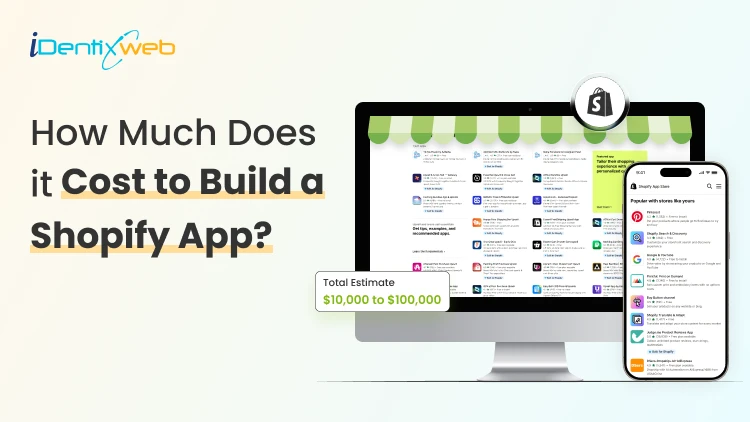
Most Shopify store owners who install apps from the app store hit one common problem. The existing apps work, but they do not match the exact workflow. One app solves half the problem. Another app adds an extra monthly cost. A third app slows down the store. That is when custom Shopify app development becomes a serious option. As a Shopify expert, I usually see store owners consider a custom app when they want to automate operations, connect Shopify with another system, build a unique customer experience, or reduce the number of apps running on the store. The big question is simple: How much does Shopify app development cost in 2026? The short answer is: Shopify app development cost in 2026 usually starts from $5,000 to $10,000 for a basic custom app, $10,000 to $25,000 for a mid-level app, and $40,000 to $80,000+ for an advanced app. Note: These numbers may vary depending on the scope of work of the client. The final cost of building a Shopify app depends on the app’s features, design, backend logic, third-party integrations, testing, hosting, and long-term support. Custom Shopify app development cost: basic, mid-level, and advanced We have built 100+ combined custom Shopify apps & stores for merchants, so based on this, I divide custom Shopify app development into 3 categories: Basic, mid-level, and advanced. Basic Shopify app development cost The cost of building a Shopify app for basic purposes is around $5,000 to $10,000. A basic app usually solves one focused problem. It does not need complex workflows, advanced dashboards, or multiple third-party integrations. A basic Shopify app may include: Simple order automation Product tag automation Basic discount logic Simple admin settings Small reporting dashboard Basic product or customer data sync Simple theme app extension For example, a store owner may need an app that automatically tags customers based on order value. Another store may need a simple app that exports orders in a specific format for its warehouse team. Mid-level Shopify app development cost A mid-level Shopify app can cost around $10,000 to $25,000. Most serious custom Shopify app projects fall into this range. These apps usually need better planning, stronger backend logic, Shopify API work, custom UI, testing, and post-launch support. A mid-level Shopify app may include: Inventory sync ERP or CRM integration Custom shipping rules B2B pricing logic Custom product bundle workflow Advanced discount rules Customer segmentation Custom reporting dashboard Multi-step merchant settings For example, a growing Shopify store may want to sync inventory between Shopify and an ERP system. Another store may need custom pricing for wholesale buyers based on customer tags, company accounts, or purchase volume. Advanced Shopify app development cost An advanced Shopify app can cost around $40,000 to $80,000+ Advanced apps are usually built for Shopify Plus stores, enterprise brands, public Shopify apps, or stores with complex operations. An advanced Shopify app may include: Shopify Plus checkout extensions AI product recommendations Complex post-purchase workflows Multi-store management Advanced analytics Large ERP integration Warehouse and fulfillment workflows Public Shopify app with billing and onboarding Custom app dashboard for multiple merchants For example, building a public Shopify app is very different from building a private app for one store. A public app needs merchant onboarding, billing setup, permissions, error handling, app review preparation, support flows, and scalable hosting. Build Your Custom Shopify App With Experts Schedule a Free Strategy Call Cost breakdown: What goes into Shopify app development cost? Step 1. Planning and requirement gathering Good Shopify app development starts with proper planning. Before development starts, the team understands: What problem will the app solve? Which Shopify data does the app need? Which features are must-haves? As a Shopify expert, I always suggest starting with the simplest version of the app. Build the core workflow first, then add extra features after the app proves useful. Step 2. UI and UX design Design is not only for the storefront. Custom apps also need a great admin experience. The app may need: Settings page Dashboard Onboarding screen Reports Filters Storefront widget Mobile-friendly layout A good UI/UX Shopify design of the app reduces support questions from you and your staff. Step 3. Backend development This usually takes the largest part of the building cost for Shopify apps. That’s because it handles: App logic Database setup Shopify API calls Webhooks Authentication User permissions Error handling Performance setup For example, an inventory sync app needs to check product data, update stock, handle failed syncs, and avoid duplicate updates. That kind of logic takes proper development time. Step 4. Shopify API and third-party integrations Shopify apps often need to connect with other tools. Common integrations include: Shopify Admin API Storefront API Checkout extensions ERP systems CRM tools Email marketing tools Warehouse systems Payment tools For example, connecting Shopify with an ERP is usually more expensive than building a simple product tag app. The app has to manage real business data, and errors can affect orders, inventory, or accounting. Step 5. Testing and quality assurance Testing plays a big role in Shopify app cost factors. A proper testing process may include: Feature testing Browser testing Device testing Theme compatibility testing App conflict testing API response testing Webhook testing Skipping testing may reduce the first quote, but it can increase the real cost later. Bugs after launch can affect sales, orders, customer experience, and staff productivity. Step 6. Deployment, hosting, and maintenance A custom Shopify app also needs setup and long-term care. Merchants will need to pay for: Hosting Database Domain and SSL Monitoring Bug fixes Shopify API version updates Security updates Feature improvements Support hours Always remember that custom apps are rarely a one-time cost. Shopify keeps improving its platform, APIs, checkout, and app standards. Your app should stay updated. Freelancers vs agencies: Which one should you choose? The developer you hire will also affect the Shopify app development cost. Both freelancers and agencies are good choices. Here’s my experience with both of them. Hiring a freelancer Freelancers are usually a good fit for small and simple apps. They usually cost less than agencies, and communication can be direct and fast. I would choose a freelancer for a simple automation or a small internal app. I would be more careful if the app affects checkout, order processing, inventory, or revenue. For those, I would hire an agency. Hiring a Shopify app development agency Building cost for Shopify apps increases with agencies, but they bring a stronger process. They give you a team that includes project managers, developers, designers, QA testers, and support people. From my experience, an agency makes more sense when the app touches revenue, operations, customer experience, or multiple systems. A cheaper build can become expensive if it breaks during real store activity. Another alternative is app builders. Are app builders effective for building Shopify apps? App builder tools like Appbrew can help in some cases, but they are not the right answer for every store. When app builders work well App builders can work for simple and standard needs, like: Simple mobile apps Basic loyalty features Simple customer-facing tools Template-based app experiences Quick MVP testing No-code experiments Main Shopify app cost factors in 2026 App complexity More features, rules, and user roles increase cost. A simple product sync app will cost less than a full warehouse automation app. Type of app The type of app matters a lot. For example, public apps and Shopify Plus apps usually cost more because they need stronger systems, better testing, and long-term scalability. Integration needs Every integration adds development and testing time. A Shopify app connected with one system may stay affordable. An app connected with ERP, CRM, shipping, accounting, and email tools will cost much more. Data volume and performance A store with 100 orders per month has different needs from a store with 50,000 orders per month. High data volume needs better architecture, faster processing, and stronger error handling. Security and permissions Apps may access products, customers, orders, discounts, or checkout data. Sensitive data needs proper security. Developers must handle permissions carefully because poor security can create business and customer trust issues. Ongoing support Support should be part of the cost discussion from the start. A custom Shopify app without support can become hard to manage later. Final thoughts: Is custom shopify app development worth it? Custom Shopify app development is worth it when the app solves a specific problem you have. New Shopify stores should avoid building custom apps too early. Use existing apps first when they solve the problem properly. Growing stores should compare the monthly cost of multiple apps with the cost of building one custom app. Sometimes a custom app can save time, reduce manual work, and create a smoother workflow for the team. FAQs 1. How much does Shopify app development cost in 2026? Shopify app development cost in 2026 usually starts from $5,000 to $10,000 for a basic app, $10,000 to $25,000 for a mid-level app, and $40,000 to $80,000+ for an advanced app. The final cost depends on the app’s features, Shopify API work, integrations, design, testing, and long-term support. 2. What are the factors affecting the cost of custom Shopify app development? The main Shopify app cost factors include app complexity, number of features, UI design, backend logic, Shopify API usage, third-party integrations, data volume, security needs, and ongoing maintenance. 3. Why should I go for custom Shopify app development? You should go for custom Shopify app development when ready-made apps cannot match your store’s workflow or business needs. A custom app can help you automate tasks, reduce manual work, connect Shopify with other tools, improve customer experience, and build features that support your store’s growth.
7 Min • 9 May 2026
Shopify Discount Combinations: 8 Ways to Combine Offers Without Losing Margins
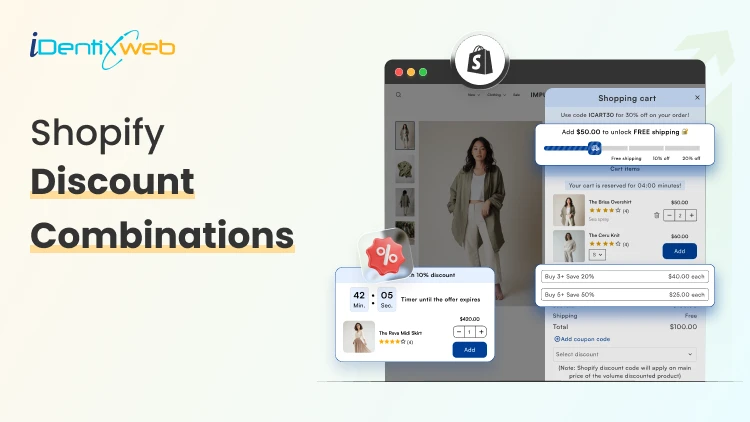
Running promotions feels great until you check your margins and realize you gave away the store. The real challenge with Shopify discount combinations isn't attracting buyers; it's structuring offers that move product and protect profitability. This guide breaks down 8 proven strategies for combining discounts on Shopify, when to use each one, and the guardrails that keep your numbers healthy. Why Discount Combinations Are a Double-Edged Sword Shopify's native discount engine has grown significantly. You can now stack automatic discounts, apply Shopify discount codes at checkout, and layer product-level deals with order-level offers. That flexibility is powerful but it creates risk. A customer who stacks a 20% automatic discount, a 15% Shopify discount code, and a free shipping threshold can trigger a combined discount that wipes out your gross margin entirely. Without intentional structure, promotions become a liability. The goal: combine discounts in ways that increase average order value (AOV) and customer lifetime value (LTV), not just transaction volume. 8 Strategies for Shopify Discount Combinations That Protect Margins 1. Tiered Volume Discounts + Free Shipping Threshold What it is: Offer percentage discounts that increase with order quantity (buy 2, save 10%; buy 4, save 20%), layered with a free shipping unlock above a minimum order value. Why it works: Each tier rewards larger purchases. Free shipping acts as the final nudge without compounding the percentage discount it costs you a fixed fulfillment amount rather than a percentage of revenue. Margin protection tip: Set your free shipping threshold above the break-even point for your average shipping cost. If standard shipping runs $8, set the threshold where that $8 represents less than 3-4% of the order total. How to set it up: Use Shopify's native tiered pricing through variants or a dedicated Shopify discount app like iCart to create quantity break rules. Pair with a free shipping automatic discount triggered by cart total. 2. Bundle Discount + Loyalty Code What it is: Offer a fixed discount on a curated product bundle, then allow loyal customers to apply a one-time Shopify discount code on top but only if the code is amount-based rather than percentage-based. Why it works: Bundles already improve margins by moving multiple SKUs in one transaction. An amount-based loyalty code ($5 off, $10 off) has a known, capped cost. A percentage code layered on a bundle, however, compounds. Margin protection tip: Never allow percentage-based codes to stack with percentage-based bundles. Swap one leg to a fixed-dollar format. Your margin floor becomes predictable. How to set it up: Create the bundle as a dedicated product or use a bundling app. In Shopify's discount settings, set the loyalty code to "fixed amount" and apply it at the order level, not the product level. 3. BOGO (Buy One Get One) + Email Sign-Up Code What it is: Run a BOGO automatic discount sitewide or on a category, then allow new subscribers to apply an email capture code for a small additional incentive (e.g., a free gift or bonus product). Why it works: BOGO effectively discounts at 50% on two units but drives a two-unit transaction. The email code adds perceived value without touching the core pricing structure — especially if the "bonus" is a low-cost, high-perceived-value add-on. Margin protection tip: Limit the email code to specific SKUs (ideally high-margin accessories or sample sizes). Never let it apply to the already-discounted BOGO items. How to set it up: Configure the BOGO as an automatic discount. Set the email code with product-specific eligibility restrictions in the Shopify discount code settings under "Applies to" → specific collections. 4. Seasonal Sale + Minimum Purchase Threshold Code What it is: Run a sitewide percentage sale, but restrict Shopify discount codes to orders above a minimum threshold ensuring the combined discount only fires when order size justifies it. Why it works: A 20% sale alone might be margin-neutral on high-AOV orders but destructive on small ones. Requiring a $75 or $100 minimum for code stacking ensures you're discounting orders where absolute margin dollars remain acceptable even after the combined reduction. Margin protection tip: Calculate your contribution margin per order at the combined discount rate, then set the minimum threshold to the point where that contribution margin stays positive. Run the math before launching. How to set it up: Set the automatic discount for the seasonal sale. Create the stacking code with a minimum purchase requirement under "Minimum purchase amount" in the Shopify discount code configuration. 5. Referral Code + Cart-Level Automatic Discount What it is: Allow referred customers to use a referral Shopify discount code, which stacks with a cart-level automatic discount (like free shipping or a percentage off first orders). Why it works: Referral programs have a known customer acquisition cost (CAC). If your referral code represents a $15 discount and your CAC through paid ads is $40, you're acquiring profitably even with a stacked automatic discount. Margin protection tip: Cap the referral code value so that referral CAC never exceeds your paid CAC benchmark. Track referral-sourced LTV separately referred customers often have higher LTV, which makes slightly deeper initial discounts acceptable. How to set it up: Generate unique referral codes via a referral app (ReferralCandy, Yotpo Referrals) or Shopify's discount code generator. Enable stacking with automatic discounts in Shopify's discount settings under "Combinations." 6. Flash Sale Automatic Discount + Abandoned Cart Recovery Code What it is: During a flash sale, apply an automatic discount across targeted products. For customers who abandon cart, trigger an abandoned cart email with a unique recovery Shopify discount code that stacks but only for a limited window. Why it works: The flash sale creates urgency. The recovery code re-engages hesitant buyers without requiring you to deepen discounts proactively. You only pay the extra discount on would-have-been-lost revenue. Margin protection tip: Set the recovery code to expire in 24-48 hours and make it single-use. This prevents coupon harvesting and ensures the combined discount only applies to genuinely at-risk carts. How to set it up: Use Shopify's abandoned checkout automation in Email marketing, or a tool like Klaviyo, to trigger the recovery code. Configure the code with a usage limit of 1 per customer and a short expiry. 7. Subscription Discount + One-Time Purchase Upsell What it is: Offer a subscription discount (e.g., 15% off subscribe-and-save) and allow subscribers to add one-time purchase items at a smaller additional discount (5-10%) at checkout. Why it works: Subscription customers have high LTV, so a slightly deeper combined discount is justified by reduced re-acquisition costs. The upsell add-on grows AOV in a transaction where logistics are already being handled. Margin protection tip: Keep the upsell discount tier strictly lower than the subscription discount. Never let customers achieve a deeper combined rate on the upsell item than on their subscription item, it creates a perverse incentive to game the system. How to set it up: Use a Shopify subscription app (Recharge, Skio, or Seal Subscriptions) to configure subscriber pricing. Use a post-purchase or checkout upsell app to offer the add-on at a defined subscriber-only rate. 8. Influencer Code + Product-Specific Automatic Discount What it is: Create unique influencer Shopify discount codes for partner creators, configured to stack with automatic discounts that apply to featured products giving influencer audiences a compelling combined offer. Why it works: Influencer partnerships have defined costs (flat fee or commission). Structuring the combined discount to apply only to the featured product(s) prevents margin bleed across your full catalog. Margin protection tip: Use product-specific restrictions on both the automatic discount and the influencer code. A 10% automatic + 10% influencer code on a single hero SKU is controllable. The same structure applied sitewide is not. How to set it up: Create the influencer codes via Shopify's discount code generator (bulk generate if working with multiple creators). Set "Applies to" on both discounts to specific products or collections. Enable code + automatic discount stacking in Shopify discount combinations settings. Final Thoughts Mastering Shopify discount combinations is about building systems, not just running sales. The merchants who grow profitably through promotions aren't the ones offering the deepest discounts. They're the ones who understand exactly what each combination costs, and design the rules accordingly. Start with one or two of these strategies, model the margin math before launch, and use your Shopify discount app or native settings to enforce the limits. Your promotions calendar and your P&L can coexist they just need the right structure.
5 Min • 6 May 2026
Shopify Order Management System: 8 Systems to Organize Orders & Reduce Fulfillment Errors
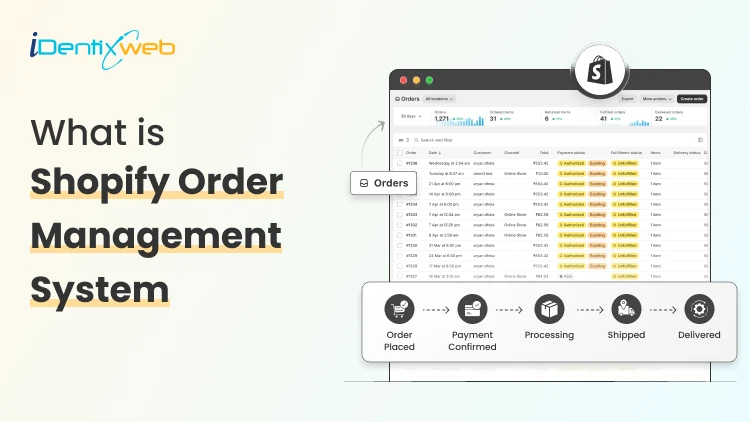
Running an eCommerce business is exciting until order chaos starts coming in. As your store scales, manually handling orders becomes inefficient, error-prone, and costly. That’s where a shopify order management system becomes essential. It doesn’t just track orders, it structures your operations, reduces fulfillment mistakes, and helps you deliver a consistently reliable customer experience. In this blog, we’ll break down eight powerful systems you can implement within your shopify order management system to organize orders and significantly reduce fulfillment errors. Why You Need a Shopify Order Management System Before diving into the systems, let’s establish the problem. Order errors typically come from: Manual data entry Poor inventory visibility Lack of workflow standardization Inefficient communication between teams A robust shopify order management system eliminates these issues by centralizing order data, automating workflows, and improving accuracy across the board. 8 Must Need Shopify Order Management Systems 1. Centralized Order Dashboard System The foundation of any effective shopify order management system is a centralized dashboard. What it does: Displays all incoming orders in one place Segments orders by status (pending, fulfilled, canceled) Provides real-time updates Why it matters: Without a unified view, orders can slip through the cracks. A centralized dashboard ensures every order is accounted for and processed systematically. Best practice: Customize your dashboard views to highlight priority orders, such as express shipping or high-value purchases. 2. Automated Order Routing System As order volume increases, manual routing becomes unsustainable. What it does: Automatically assigns orders to warehouses or fulfillment centers Routes based on location, inventory availability, or shipping method Why it matters: Automation reduces human decision-making errors and speeds up fulfillment. A well-configured shopify order management system can ensure that orders are always routed to the most efficient location, minimizing delays and shipping costs. 3. Inventory Synchronization System Inventory discrepancies are one of the biggest causes of fulfillment errors. What it does: Syncs inventory levels across all sales channels Updates stock in real-time after each purchase Prevents overselling Why it matters: Customers ordering out-of-stock items leads to cancellations and poor reviews. A reliable shopify order management system integrates inventory tracking directly with order processing, ensuring accuracy at every step. 4. Order Tagging and Categorization System Not all orders are created equal. Some need special handling. What it does: Tags orders based on criteria (priority, region, product type) Enables filtering and segmentation Why it matters: Order tagging helps teams quickly identify and process orders according to specific rules. For example: “High Priority” orders get expedited “Fragile Items” receive special packaging A structured tagging approach within your shopify order management system drastically reduces handling errors. 5. Standardized Fulfillment Workflow System Inconsistent processes lead to inconsistent results. What it does: Defines step-by-step fulfillment procedures Ensures every team member follows the same workflow Why it matters: Standardization minimizes variability and human error. A mature shopify order management system allows you to document and enforce workflows such as: Order verification Payment confirmation Picking Packing Shipping This ensures nothing gets skipped. 6. Barcode Scanning and Verification System Manual picking and packing is error-prone. What it does: Uses barcode scanners to verify products during picking and packing Confirms correct items before shipment Why it matters: This system acts as a fail-safe against incorrect shipments. Integrating barcode validation into your shopify order management system ensures that what’s packed matches exactly what was ordered. 7. Real-Time Order Tracking and Notifications System Transparency reduces customer complaints and internal confusion. What it does: Provides real-time tracking updates Sends automated notifications to customers Why it matters: Customers don’t need to contact support for updates, and your team spends less time answering inquiries. A strong shopify order management system connects order fulfillment with shipping carriers, ensuring seamless tracking visibility. 8. Analytics and Error Monitoring System You can’t fix what you don’t measure. What it does: Tracks fulfillment accuracy rates Identifies common error patterns Generates performance reports Why it matters: Data-driven insights help you continuously improve your operations. For example, your shopify order management system might reveal: Frequent errors in a specific warehouse Delays tied to certain products Seasonal spikes in fulfillment issues With this information, you can proactively address problems. Common Mistakes to Avoid Even with a solid shopify order management system, businesses often make avoidable mistakes: 1. Over-relying on manual processes Automation exists for a reason, use it. 2. Ignoring data insights Analytics are only useful if you act on them. 3. Poor staff training A system is only as good as the people using it. 4. Not updating workflows As your business evolves, your processes should too. Choosing the Right Shopify Order Management System Setup Not every store needs the same level of complexity. Small stores: Focus on dashboard visibility and tagging Basic automation is sufficient Mid-sized stores: Add routing and inventory synchronization Implement standardized workflows Large-scale operations: Full automation across all systems Advanced analytics and barcode verification Your shopify order management system should scale with your business, not hold it back. Final Thoughts Order fulfillment is where your brand promise meets reality. Mistakes at this stage directly impact customer satisfaction, retention, and profitability. Implementing these eight systems within your shopify order management system will: Reduce human errors Improve operational efficiency Enhance customer experience Support scalable growth If your current process feels chaotic or inconsistent, that’s a signal, not a failure. With the right systems in place, you can turn fulfillment into a competitive advantage rather than a bottleneck.
Bhavesha Ghatode
4 Min • 28 March 2025
1632 Views

Ritika Tyagi
8 Min • 27 March 2025
1228 Views

Bhavesha Ghatode
5 Min • 26 March 2025
1680 Views
Ritika Tyagi
8 Min • 25 March 2025
1680 Views
Bhavesha Ghatode
12 Min • 20 March 2025
1893 Views

Bhavesha Ghatode
6 Min • 19 March 2025
1828 Views
Bhavesha Ghatode
10 Min • 13 March 2025
1866 Views
Bhavesha Ghatode
5 Min • 11 March 2025
1765 Views
Bhavesha Ghatode
7 Min • 7 March 2025
1784 Views

Bhavesha Ghatode
6 Min • 6 March 2025
1611 Views
Bhavesha Ghatode
7 Min • 28 February 2025
1958 Views

Bhavesha Ghatode
7 Min • 26 February 2025
2346 Views