Blog
Gather knowledge about the latest insights, updates, tips, and tricks in the Ecommerce industry.

5 Min • 20 March 2026
How Anua Unlocked 5X AOV Growth with iCart’s Smart Cart Features
delivery customization Challenges Solutions drive results Scale business delivery customization Challenges Solutions drive results Scale business delivery customization Challenges Solutions drive results Scale business delivery customization Challenges Solutions drive results Scale business Anua is a globally recognized Korean skincare brand known for its minimalist philosophy and focus on gentle yet effective formulations. Built on the idea of simplifying skincare routines, Anua develops products that deliver visible results while avoiding harsh or irritating components, making them suitable for sensitive skin types. Initially using a traditional full cart experience, Anua transitioned to iCart’s side cart solution in August 2025, to create a more seamless and engaging shopping journey. This shift allowed customers to easily explore complementary skincare products without disrupting their browsing flow, making it more intuitive to discover items that fit into a complete routine. By surfacing relevant recommendations directly within the cart, the brand enhanced product visibility across its range. Challenges Before implementing iCart’s side cart solution, Anua faced limitations with their existing full cart experience, which created friction in the customer journey. The traditional cart setup redirected users away from product pages, interrupting their browsing flow and reducing opportunities to explore additional products. As a skincare brand built around routines rather than single-item purchases, this made it difficult to effectively showcase complementary products and encourage customers to build complete regimens. Additionally, the lack of in-cart personalization and strategic upsell opportunities meant that customers were often unaware of related products that could enhance their skincare results. This limited the brand’s ability to increase average order value (AOV) and fully leverage its diverse product range. Anua needed a more dynamic and intuitive cart experience that could seamlessly introduce relevant recommendations while maintaining a smooth and engaging shopping journey. ❌ Cart Value Barriers Low average order value (AOV) due to single-item focus Most customers completed purchases with one primary product instead of building multi-step routines. Cart abandonment near shipping thresholds Customers were not clearly informed or motivated to reach free shipping or discount thresholds. Missed savings opportunities Customers were unaware of potential value in purchasing bundled routines or multiple complementary products. ❌ Absence of Progress-Based Incentives No free shipping or discount progress bar Customers were not motivated to increase their cart value due to lack of visible incentives. Missing tiered rewards system There were no structured milestones (e.g., “Spend more to unlock offers”), reducing upsell opportunities. ❌ Ineffective Cart UI/UX (Pre-Side Cart) Full-page cart disrupted shopping flowCustomers had to leave their browsing journey, increasing friction and drop-offs. No quick add/remove functionality Users couldn’t easily modify their cart or add suggested products without navigating away. Solution To overcome these challenges, Anua implemented iCart’s side cart solution to transform their traditional cart into a high-converting, interactive experience. By replacing the full-page cart with a seamless side cart, the brand ensured that customers could continue browsing while viewing their cart, significantly reducing friction in the shopping journey. Additionally, features like product recommendations & progress bars for free shipping and discounts motivated customers to increase their cart value. By combining personalization, incentive-driven messaging, and a user-friendly interface, Anua successfully turned their cart into a powerful revenue-driving touchpoint rather than just a checkout step. To maximize their cart effectiveness, they implemented two powerful features: ✅ Progress Bar with Multi-Reward Incentives Implemented a tiered progress bar to encourage higher cart value Customers are guided with a clear message like “Add $3.10 to unlock secret offer,” motivating them to continue adding products. Generated over $5M+ in revenue through incentive-driven cart progression Used product-based rewards to align with customer intent Instead of generic discounts, Anua incentivized purchases with relevant skincare items like Dark Spot Pads and mini serums. Built visual motivation for routine expansion As customers add products, they can clearly track progress toward unlocking multiple rewards, encouraging them to build a complete skincare routine. ✅ Product Recommendations Implemented “Frequently Bought Together” recommendations Customers adding a single product (e.g., toner) are shown complementary items like serums, moisturizers, or pads to complete their routine. Generated over 275K revenue through in-cart recommendations Encouraged full skincare regimen building Instead of isolated purchases, the cart suggests step-by-step product combinations aligned with common skincare routines. Increased product discovery at the final stage By surfacing relevant items directly in the cart, Anua ensured customers explore more of their catalog without leaving the checkout flow. Results Achieved in Last 180 Days 22932 Total Store Orders 45101 Total iCart Orders 5X iCart Generated AOV 65.70% Upsell Affected Conversion Rate These improvements reflect a clear shift in customer behavior on Anua’s store. Cart abandonment reduced as shoppers discovered complementary skincare products and felt encouraged to build complete routines. Engagement also increased, with customers interacting more with in-cart recommendations and exploring relevant product pairings. Results & Impact And...Results is Our Main Clarification By implementing iCart’s cart drawer, product recommendations, and progress bar, Anua transformed its cart into a high-performing conversion touchpoint. Shopping Experience Enhancement The improved cart experience encouraged customers to discover complementary products and understand the value of sustainable beauty routines. For instance, the clear presentation of subscription savings alongside one-time purchase options helped customers make more informed decisions about their long-term hair care needs. As Anua continues to optimize its cart experience, the brand is closely monitoring: Routine-based purchasing behavior - tracking how customers move from single items to multi-step regimens Engagement with in-cart recommendations - measuring interaction with suggested products Cart value progression - analyzing how incentives influence higher spending [related_cases_slider] Ready to Write Your Success Story? Try icart App Join successful businesses like Anua and Master your delivery scheduling Delight customers with precise timing Grow your special occasion orders Expand your delivery reach
Read Blog
10 Min • 14 May 2026
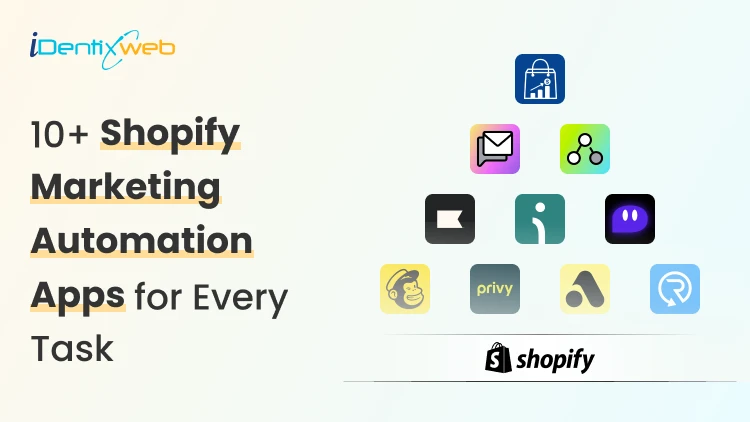
10+ Shopify Marketing Automation Apps 2026: Email, SMS, Segmentation & Cart Upsells
Running a Shopify store in 2026 gets busy fast, especially with Shopify marketing automation in every part of the workflow. Most new store owners still have the same problem. They get traffic, but they do not follow up at the right time. A shopper signs up for a discount and never hears from the brand again. Someone adds a product to the cart and leaves. That is where I recommend Shopify marketing automation tools. As a Shopify expert, I have worked with 100+ stores, and I always suggest that new stores start with a simple automation stack instead of installing too many apps. What is Shopify marketing automation in 2026? Shopify marketing automation means using customer behavior to trigger emails, SMS, offers, customer tags, cart messages, or workflows automatically. A simple example is once a customer signs up. Your store sends a welcome email. Shopify Messaging can send emails when customers take actions like abandoning a cart or signing up for a newsletter. These automations help merchants spend less time on repetitive sends while reaching customers at key moments. In 2026, Marketing automation for Shopify is not only about email. It connects many parts of the customer journey. You can automate: Email campaigns SMS messages Cart recovery Browse recovery Customer segmentation Product recommendations Post-purchase follow-ups Win-back campaigns Cart drawer upsells Progress bar offers Free gift offers Product bundles Why do new Shopify stores need automation in 2026? New stores often wait too long before setting up automation. They focus on ads first and customer follow-up later. I do not recommend that. Traffic without follow-up gets expensive. Every click costs money. Automation helps new stores: Save time Recover more carts Build email and SMS lists Improve repeat purchases Increase average order value Send personalized offers Reduce manual work The best part is that a small Shopify store can start with basic automations and improve them over time. What Shopify leaders are saying about automation? Shopify is moving heavily toward AI, smarter workflows, and faster merchant tools. Shopify President Harley Finkelstein said, “Shopify has entered the AI era with a clear edge,” while discussing Shopify’s commerce intelligence and growth direction in 2026. Tobi Lütke also shared that “Using AI effectively is now a fundamental expectation” at Shopify. For Shopify merchants, this matters because Shopify is clearly building toward automation. Shopify’s March 24, 2026, update on Marketing automations On March 24, 2026, marketing automations that use Shopify Messaging emails moved to the Shopify Messaging app. Automations that use marketing activities from other apps became available in Shopify Flow. Shopify also said merchants did not need to take action, and existing automations would keep working. From a merchant’s point of view, this update makes the automation setup cleaner. Simple email workflows now sit inside Shopify Messaging. Advanced workflows using apps, conditions, and custom actions sit inside Shopify Flow. 10+ Best Shopify marketing automation tools in 2026 The Best Shopify marketing automation tools depend on your store stage. A new store may need email capture, abandoned cart recovery, and a welcome email. A growing store may need SMS, segmentation, customer journeys, and product recommendations. Here is a simple comparison. AppBest forMain use caseiCartAI-powered Product RecommendationsCart drawer upsells, progress bar, bundlesShopify MessagingNew Shopify storesEmail, SMS, templates, segmentsShopify FlowCustom workflowsTrigger, condition, and action KlaviyoGrowing storesEmail, SMS, segmentationOmnisendEmail and SMS in one placeWelcome flows, cart recovery, product recommendationsPostscriptSMS-first brandsSMS campaigns MailchimpBeginner-friendly emailEmail campaignsPrivyList growthPopups, email capture, SMS captureAttentiveLarger brandsAI-led SMS and emailDripBehavior-based marketingSegmentation, emails, popupsRecartSMS list growthSMS capture and abandoned cart recovery 1. iCart Cart Drawer Cart Upsell Most marketing automation apps focus on what happens after a customer signs up, leaves, or buys. iCart focuses on the cart moment. That matters because the shopper is still active. A relevant offer at that point can increase AOV without waiting for an email or SMS later. iCart is built for pre-checkout cart upsell automation. It offers cart drawer upsells, cross-sells, product bundles, progress bar, shipping bar, AI-powered product upsells, cart discounts, free gifts, and no-code cart customization. Here is a simple example. A customer adds a T-shirt worth $1,500 to the cart. Your store can show a progress bar saying they can unlock a free T-shirt from a selected collection with 30% off when the cart reaches $2,000. The offer depends on the cart total, so it feels relevant. Best fit: Stores that want cart upsells, bundles, progress bars, and pre-checkout AOV growth. 2. Shopify Messaging Messaging helps merchants send personalized emails and SMS to customer segments. It also includes templates, Sidekick-assisted email editing, product-focused messages, and performance tracking for clicks and conversions. Shopify Messaging is useful for: Welcome emails Product updates Simple promotions Abandoned checkout emails Newsletter campaigns Customer segment-based campaigns Best fit: New & small catalogs stores with simple email and SMS needs. 3. Shopify Flow Flow is Shopify’s workflow automation tool. It works well when you want custom rules behind your marketing operations. For example, you can create workflows like: Tag a customer as VIP after spending over $500 Add customers to a segment after buying from a specific collection Send an internal alert for high-value orders Trigger an app action after a customer places a second order Start a flow when a product goes out of stock Create rules for loyalty, retention, or post-purchase campaigns Here’s a complete breakdown of Shopify Flow Examples that you can use in your store. Best fit: Growing stores & Shopify Plus stores that need more advanced workflow. 4. Klaviyo Klaviyo is one of the strongest apps for Shopify email and SMS automation. It works well when your store has enough customer data, and you want deeper segmentation. It helps you easily run personalized campaigns through templates and automation. Klaviyo can support: Welcome series Abandoned cart flows Browse abandonment Product recommendations Win-back campaigns Post-purchase flows Customer segments Email and SMS campaigns New merchants should avoid building too many flows at once. Start with welcome, abandoned cart, and post-purchase flows. Improve them after you have enough data. Best fit: Growing stores, retention-focused brands, data-heavy marketing teams. 5. Omnisend Omnisend is another strong choice for Shopify stores that want email and SMS in one dashboard. It helps merchants grow email lists with popups, create emails with templates, and send personalized emails using AI-powered product recommendations and segmentation. Omnisend is useful for: Welcome automation Abandoned cart emails Browse abandonment SMS campaigns Product recommendations Popups and forms Segmentation Email templates I see Omnisend as a good middle option. Shopify Messaging may feel too basic for some stores. Klaviyo may feel too advanced. Omnisend sits nicely between the two for many new and mid-sized brands. Best fit: New to mid-sized stores that want email and SMS without a complex setup. 6. Postscript Postscript is built for SMS marketing. It works best when a Shopify store wants SMS to become a serious revenue channel. If you want to execute SMS programs that engage customers through text messages, this is the tool to go for. Postscript can help with: SMS campaigns Cart recovery texts Customer segmentation Promotional messages Product launch texts Two-way SMS communication SMS automation I would not pick Postscript if email is your main priority. It works better as a focused SMS layer beside an email platform. Best fit: SMS-first brands, stores with strong mobile traffic, and repeat purchase products. 7. Mailchimp Mailchimp works well for merchants who already understand the platform and want a familiar tool. It's good for email campaigns, SMS campaigns, popups, forms, landing pages, abandoned cart emails, browse abandonment, welcome emails, follow-up emails, price drop emails, and back-in-stock emails. I would suggest Mailchimp for merchants who want simple email marketing and do not need advanced Shopify-first automation right away. For deeper ecommerce segmentation, Klaviyo or Omnisend may feel stronger. For basic campaigns, Mailchimp can still work well. Best fit: Beginners, simple email needs, merchants already using Mailchimp. 8. Privy Privy is a good option for list growth. Many new Shopify stores struggle because they have traffic but no owned audience. Privy helps with popups, email capture, SMS capture, and cart saver messages. Privy can support: Exit-intent popups Discount popups Email capture SMS capture Cart saver texts Email and SMS automations Drag-and-drop email editing I like Privy for stores that need to build an email or SMS list before running advanced campaigns. A good pop-up strategy can fix that early. Best fit: New stores, list building, pop-up campaigns, discount capture flows. 9. Attentive Attentive is better suited for larger brands that want advanced SMS and email. It is an AI-powered mobile email and SMS marketing platform for personalization at scale. It also helps with list growth, segmentation, personalized messaging, and compliance support. I would not place Attentive as the first option for a small new store. It makes more sense when the brand has traffic, subscribers, and a serious owned marketing strategy. Best fit: Larger Shopify brands, SMS-heavy brands, and retention teams. 10. Drip Drip works well for behavior-based email marketing. It helps stores grow revenue with automated emails, newsletters, abandoned cart flows, popups, and customer data in one app. It also helps with real-time dynamic segmentation and customer behavior-based automations. I would choose Drip when a merchant wants email automation based on actual customer activity. It is especially useful when customer behavior matters more than basic newsletter sends. Best fit: Stores that want smarter segmentation and behavior-based email flows. 11. Recart Recart focuses on SMS list growth and cart recovery. It helps with custom popups for desktop and mobile, direct-to-text and email capture, automations for welcome flows, abandoned cart rescue, reorders, AI tools, analytics, and compliance support. Recart can help with: SMS list growth Email capture Abandoned cart recovery Welcome flows Reorder reminders SMS automations AI-assisted content and send times I would consider Recart when SMS cart recovery is a key goal. It is a stronger fit for stores that already get enough traffic to build a meaningful SMS list. Best fit: SMS list growth, cart recovery, reorder-focused stores. Which Shopify marketing automation tool should you choose? The best Shopify marketing automation apps depends on your current store stage. A new store should not install too many apps at once. Start with the flows that can create the fastest impact. For most new Shopify stores, I would begin with: Welcome email Abandoned cart recovery Browse abandonment First purchase follow-up Win-back email Basic SMS capture Cart upsell offer That is how marketing automation for Shopify becomes useful. It saves time, improves follow-up, and helps your store grow without adding more manual work. FAQs 1. Can I automate my Shopify store? Yes. You can automate many parts of your Shopify store, including emails, SMS, cart recovery, customer tagging, order workflows, inventory alerts, and cart upsell offers. 2. Does Shopify have marketing automation tools? Yes, Shopify has built-in tools like Shopify Messaging and Shopify Flow for marketing automation. Shopify Messaging supports email and SMS campaigns for customer segments, while Shopify Flow helps merchants build custom trigger-based workflows without code. 3. Which is the best Shopify marketing automation app for email marketing? For advanced email marketing, I would choose Klaviyo because it works well for segmentation, personalized email campaigns, SMS, and customer data-driven automation. For new stores, Omnisend is a strong option because it supports email campaigns, popups, abandoned cart workflows, welcome automation, segmentation, and AI-powered product recommendations. 4. Which are the best Shopify marketing automation apps for SMS? For SMS automation, Postscript and Omnisend are strong options depending on your store size and goals. Postscript is better for SMS-first brands, and Omnisend works well when you want email and SMS together.
8 Min • 11 May 2026
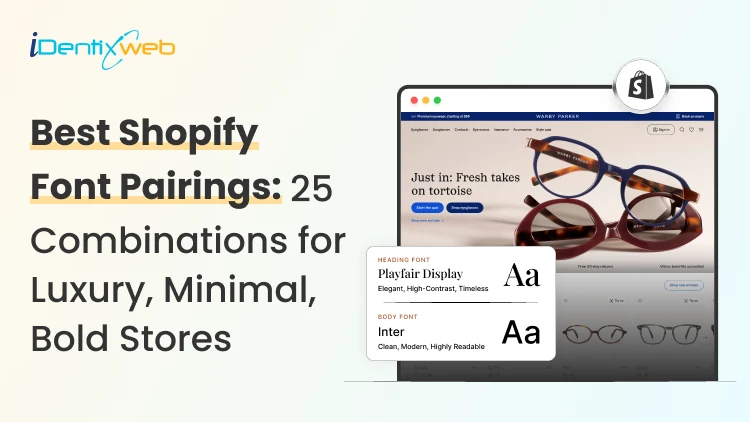
Best Shopify Font Pairings: 25+ Combinations for Luxury, Minimal, Bold Stores
Visitors decide if they trust your store in 0.05 seconds (Source: Google Research). The font you pick has more to do with that snap judgment than your product photos, color palette, or headline copy. I've helped dozens of Shopify store owners pick the best Shopify fonts over the years. Here's a list of: 25+ tested font pairings, inspired by the aesthetic vibe buyers want: Luxury, minimal, bold, modern, or playful. Shopify font pairings on this list are in Shopify's typography settings, so no coding is needed. I've also packed in a quick install guide and the font mistakes I see on new stores all the time. Why do font pairings decide whether your store sells? Shoppers don't notice fonts when they are in your store, but they feel them if they are bad. For example, a skincare brand using bold display fonts feels cheap. This mismatch creates friction, even if the shopper can't explain why. Three things shift the moment you pick the right pairing: Trust climbs (especially for luxury and DTC brands) Mobile readability improves, and bounce rate drops Brand recall sticks after a single visit How to pick the best Shopify font for your store (My 5-step filter) 1. Match the mood to your brand vibe Type your tagline in the font. Does it feel like your brand or someone else's? If it doesn't click in three seconds, move on. 2. Check mobile readability Pull up a product description in the font on your phone. If you're squinting, it's failing. Look for tall lowercase letters and open shapes. 3. Cap it at 2 font families More than two fonts hurts page speed and confuses the eye. Choose one for headings and one for body. 4. Build contrast For example, pair a serif heading with a sans serif body. Or use one family with heavy-weight contrast (Black for headings, Regular for body). 5. Test live Push the pairing to your homepage and one product page. Watch it for a week and see how the bounce rate metric of your store is. The 6 font styles every Shopify owner should recognize Serif has small strokes at the ends of letters. Feels classic, editorial, trustworthy. Examples: Playfair Display, EB Garamond, Bodoni. Sans serif has clean lines, no strokes. Feels modern, neutral, friendly. Examples: Inter, Helvetica, Poppins. Slab serif has thick, blocky strokes. Feels confident and grounded. Example: Roboto Slab. Script mimics handwriting. Good for logos, terrible for body text. Example: Pacifico. Display is built for huge headlines only. Example: Bebas Neue. Monospace gives every letter equal spacing. Feels technical or editorial. Example: IBM Plex Mono. For new Shopify stores, stick with serif + sans serif combos. They are the best Shopify font combinations that give an aesthetic and modern vibe to your store. 25+ Best Shopify font combinations sorted by aesthetic vibe Luxury Shopify font pairings for high-end & premium stores Playfair Display + Lato. The classic luxury combo. Dramatic serif headings, soft body text. Cormorant Garamond + Montserrat. My personal favorite for jewelry brands. Bodoni Moda + Inter. Editorial Vogue vibe. Works for fashion and beauty. EB Garamond + Karla. Heritage feels without looking dated. Prata + Lato. Refined and easy to read. Strong choice for skincare. Cinzel + Lora. Cinzel adds a great aesthetic for capital-lettering. I mostly use this combo for hero sections. Italiana + Raleway. Italiana is thin and elegant. Pair with light Raleway for collection pages. Minimal Shopify font pairings for clean, lifestyle stores Inter Bold + Inter Regular. This is the cleanest setup possible. Work Sans + Source Serif Pro. Modern aesthetic vibe for your store DM Sans + DM Serif Display. Pre-built pairing from the same designer. Questrial + Nunito Sans. Soft, rounded, and gentle. Great for wellness brands. Manrope + IBM Plex Serif. A good combo if your store is into tech. Good for premium digital products. Helvetica Neue (heading) + Helvetica Neue (body). This is one of the best Shopify font combinations that merchants have been using for a long time. Best Shopify font combinations for high-Impact stores like fitness or streetwear Oswald + Open Sans. This combination is built for fitness and supplement brands. Bebas Neue + Roboto. A staple in the streetwear space. This combo pairs well with sharp photography. Anton + Lato. This pairing is a little heavier than Bebas. Good for sports and outdoor gear. Archivo Black + Archivo. Same font family, but has a massive weight contrast. Great for designer brands. Big Shoulders Display + Karla. Gives an industrial feel to the store. Works for tools, equipment, and gear. Bungee + Quicksand. Quirky, playful font pairing. Best for kid brands or merch shops. Shopify fonts aesthetic vibe pairing: Modern Sans Serif trend Poppins + Roboto. The default modern combo for brands. Plus Jakarta Sans Bold + Plus Jakarta Sans Regular. Trending hard right now in 2026. Space Grotesk + Space Mono. Slightly nerdy & cool. Loved by tech brands. Outfit Bold + Outfit Regular. Best used for headlines and editorial content. Satoshi + Inter. Another great Shopify San Serif combo for that modern aesthetic vibe. Playful and editorial Shopify pairings Fraunces + Inter. Fraunces is a great font that has a personality in every letter. Plays well with neutral body text. Recoleta + Work Sans. Soft serif with a friendly sans. I have suggested this for countless DTC startups. Pacifico + Poppins. A fantastic casual and fun combo. Real Shopify stores nailing their font game Allbirds Rounded sans serif with hand-drawn touches. Makes their "eco-friendly" pitch feel approachable, never preachy. Kith Restrained, oversized serif. Whitespace does most of the talking. Pure luxury minimalism. Teenage Engineering Monospace fonts throughout. Reads like a technical blueprint and matches the product perfectly. Warmly A dropshipping brand using serif fonts to look like a heritage decor label. Proof that typography alone can elevate any niche. Gymshark Tall, condensed sans serif with heavy weights. Matches their athletic, no-excuses voice. How to add custom fonts to your Shopify store (2 Methods) Method 1: Theme settings (zero code, 2 minutes) Open your Shopify admin, go to Online Store, Themes, Customize, Theme Settings, Typography. Pick a heading font and body font from the Shopify font library. Save. Method 2: Custom font upload Upload your WOFF2 file to the Assets folder in your theme code. Add a @font-face rule in your theme.scss.liquid file. Reference the font in your CSS variables. I have written a complete breakdown on adding custom Shopify fonts to stores. Mistakes I see when selecting the best Shopify font combinations Three or more font families on one page: Reduces page speed & confuses the eye. Body text under 16px on mobile. Anything smaller and shoppers bounce. 16-18px is the sweet spot. Light grey body text on white. This is a big mistake I see store owners make. Use #333 or darker. Loading every weight from Google Fonts. Reduce your font load from 800 KB to 400 to 700 (Regular and Bold) Script fonts in product descriptions. This is beautiful for a logo, but unreadable for a 200-word product description. Quick font picks by Shopify niche NicheBest Shopify font combinations Fashion and apparelBodoni Moda + Inter, or Oswald + Open Sans for streetwearBeauty and skincareCormorant Garamond + Montserrat, or Prata + LatoTech and electronicsSpace Grotesk + Space Mono, or Manrope + IBM Plex SerifHome and furnitureFraunces + Inter, or EB Garamond + KarlaFood, beverage, and CPGRecoleta + Work Sans, or Poppins + RobotoJewelry and accessoriesItaliana + Raleway, or Cinzel + LoraFitness and supplementsAnton + Lato, or Bebas Neue + Roboto Which free tools to use to test Shopify font pairings? Google Fonts pairing previewer, Fontjoy, Typewolf, and Shopify theme preview mode are some of the tools I use regularly to test the best Shopify font combinations So, which is the best font for Shopify stores in 2026? The best font for a Shopify store is the one that converts for your audience. Here’s what I would do in 2026 if I wanted to pick the best font for my Shopify store. Pick two pairings from this list. Run them on your homepage and one product page for seven days. Track three metrics: bounce rate, time on page, and add-to-cart rate. Keep the pairing that wins. FAQs 1. Which is the best font for Shopify stores in 2026? The best font for a Shopify store's success in 2026 is Inter, hands down. It's clean, free, loads fast, and works across every niche from luxury to streetwear. 2. Where can I find the best Shopify fonts and aesthetic vibe inspiration for my store? Pinterest boards, Typewolf, and the Shopify Theme Store demo pages are my three go-to spots for Shopify fonts aesthetic vibe inspiration. 3: What's the best Shopify fonts aesthetic vibe modern sans serif combination? For a Shopify fonts aesthetic vibe, modern sans serif look, my top pick is Plus Jakarta Sans Bold paired with Plus Jakarta Sans Regular. It feels premium, loads fast, and works across every niche from skincare to SaaS. 4. Which fonts are available in Shopify? Shopify gives you access to two font libraries inside the theme customizer: its own system fonts (like Helvetica, Georgia, and Times New Roman) and the full Google Fonts catalog with 1,500+ free options. 5. How to add custom fonts to a Shopify store? Three ways to add custom fonts. The easiest is picking a Google Font directly from Online Store > Themes > Customize > Theme Settings > Typography. For paid foundry fonts, upload the WOFF2 file to your theme's Assets folder, and add a @font-face rule in your theme.scss.liquid file, and reference it in your CSS. Apps like Fontify also work if you'd rather skip the code.
8 Min • 20 May 2026
Shopify Churn Rate 2026: How to Bring Back Lost Customers (Expert Guide)
I've spent the last few years helping Shopify store owners plug their sales leak, and the same pattern shows up every single time. Owners invest in ads while their best buyers leave their stores, never to return. According to the latest data, the average churn rate across all industries is 20-30% (Source). The Shopify churn rate in 2026 confirms what I see with merchants every week. Here's the good news. Churn is fixable. Lost customers are easier and cheaper to win back than chasing strangers on Meta ads. I’m going to walk you through what churn really means, where you stand against industry benchmarks, why your customers are leaving your business, and the exact 6-step win-back playbook I run on real Shopify stores. What is Shopify's Churn Rate? Churn rate in Shopify is the percentage of customers who stop buying from your store within a set time period. For example, if 100 people bought from you last quarter and 30 never came back, your churn rate is 30%. Why does this matter more now than ever? Ad costs keep climbing. AI-driven competitors are spinning up overnight. Buyers have more options than they can handle. According to the latest Shopify update, AI-referred shoppers convert at almost 50% higher rate. Shopify's Current Churn Rate 2026: The Real Numbers Shopify's churn rate in 2026 baseline sits between 70% and 75% for the average e-commerce store. Painful, but true. Here's what the data actually says: Annual e-commerce churn: 70–75% (Source) Shopify merchant churn: ~28% per year New store survival past 90 days: only 10% Traditional retail retention: 63% annually 95% of stores fail before they even hit their first quarter, mostly because the owner never built a system to bring buyers back. Survival depends on what you do on days 0–90 with the customers you already have. Shopify churn rate benchmarks by industry Here are the 2026 repeat purchase rates by industry (Source) CBD: 36.2% Grocery and food delivery: 65.2% Pet supplies: 30%+ Health and supplements: 29% Beauty and cosmetics: 25.9% Fashion: 24.4% (luxury drops to just 9.9%) Electronics: 18% Home and furniture: 14.7% If you're below your industry average, it’s fixable. If you're above? You still have room to push higher. Top performers in every category beat the benchmark by 2x. Want to Lower Churn? Start With Your Cart A stronger first-purchase experience builds the kind of loyalty that keeps buyers coming back. The cart is where most stores quietly leak revenue. iCart Cart Drawer Cart Upsell turns your default Shopify cart into a conversion engine with a sticky slide-out drawer, AI-powered upsells, free shipping progress bars, volume discounts, and urgency timers. Stores I've seen install it usually push their AOV up by 15–30% within the first month, which directly reduces the churn problem before it even starts. How to calculate your Shopify churn rate (with examples) Pull up your Shopify dashboard. Here's the formula: Churn rate = (lost customers ÷ total customers at start of period) × 100 Quick example. You started the quarter with 1,000 customers. By the end, 200 hadn't been bought again. Your quarterly churn rate is 20%. Another simple version if you already track retention: Churn rate = 100 − retention rate So if 75 out of 100 customers stay, your retention rate is 75%, and your churn rate is 25%. Here’s how you can do a simple self-audit: Open Shopify Analytics Compare the returning vs. the first-time customer rate Calculate churn for the last 3 months, 6 months, and 12 months Look at the trend How eCommerce failure happens: Why do Shopify customers leave? After auditing more than 100 Shopify stores, here's what kills retention. Most of the time, store owners are doing one or more of these without realizing it. No campaigns after checkout You take their money, ship the product, send a tracking link, and they receive the product and disappear. No thank-you note, no product tips through email or SMS. Customers forget you exist within 30 days. Bad customer service Research shows 67% (Source) of churn could be prevented if the issue were resolved during the first interaction. Slow replies kill loyalty faster than a bad product. Slow site speed and clunky mobile UX If your store takes more than 3 seconds to load on mobile, you've already lost a chunk of buyers. They won't even tell you they're leaving. Generic email blasts Sending the same message to a first-time buyer and a VIP customer won't do you any good. Buyers can smell a mass email instantly. Too many discounts I have experienced this a lot. Promos every week will train customers to wait for the next sale. This way, you stop being a brand and start being a coupon source for customers. Failed payments on subscriptions Involuntary churn from expired cards leads to 20–40% of subscription losses. Most stores never set up a proper flow for retention for subscription losses. I have written a detailed breakdown of customer retention strategies you can implement in 2026. How to reduce Shopify’s churn rate? My 5-step playbook Here's the system I run on real Shopify stores. Works for DTC, subscription, fashion, supplements, and home decor. Step 1: Segment your lapsed customers Define what "lapsed" means for your store. For most non-subscription brands, 90+ days without a purchase is the sweet spot. Subscription brands can go shorter, around 30–45 days post-cancellation. Then split them by: Past total spend (VIP vs. casual) Product category bought Last channel they engaged with (email, SMS, social) Step 2: Run a churn survey Before you launch any campaign, send a single-question email: "What stopped you from buying again?" Common answers reveal real problems. Slow shipping, ran out of money, found a competitor, didn't like the product, forgot about the brand. Each one tells you what to fix and what offer to make. Create a simple Google form with a dropdown to start this survey. Step 3: Build a retention email + SMS sequence Here's the timing that works: Day 7: Soft "we miss you" nudge with new arrivals or a content piece Day 14: Value reminder, highlight what makes your brand worth coming back to Day 30: Real incentive, 15–25% off, free shipping, or a free add-on Day 60: Last-chance message with genuine urgency Step 4: Fix the reason they left If shipping is slow, fix logistics first or if support is unresponsive, hire help or install a chatbot Bringing customers back to the same problems just speeds up the second churn. Step 5: Track your retention campaign Recovering a customer isn't enough. You need them to stick. Watch this number: do 50%+ of recovered customers make a third purchase within 90 days? If yes, your win-back creates real reactivation. If they redeem the offer and vanish, you bought a transaction, not a relationship. Compare win-back cohort LTV against new customer LTV. In most stores I audit, recovered customers actually have higher LTV than fresh ones because they already know the brand. Tools I use to reduce churn rate in Shopify (2026) A few I trust and use regularly: Klaviyo or Omnisend for email and SMS automation Recharge or Loop Subscriptions for subscription dunning and flexibility Gorgias for fast customer support Smile.io or Yotpo for simple loyalty programs 2026 trends shaping Shopify retention I see 4 trends in retention in the Shopify ecosystem for merchants. AI-driven churn prediction inside Shopify is becoming useful Predictive risk scoring flags customers about to drop off before they do Conversational commerce through AI chat handles 60–80% of routine queries 24/7 Real-time AI-translated shipping updates reduce first-order churn by around 15% KPIs to track for Shopify churn rate in 2026 Churn rate alone won't give you the full picture. I track these along Repeat Purchase Rate (the most underrated number) Customer Lifetime Value (CLV) trend month over month 30/60/90 day cohort retention to spot the cliff Average Order Value (AOV) for win-back cohorts vs. new buyers Win-back recovery rate (what % of lapsed customers come back) Do not ignore your churn rate in 2026 You can decrease your churn rate easily. I have always experienced that lost customers are the cheapest growth channel. Every store I've helped grow revenue started with looking at who already bought from them. Pick one section of this guide. Just one. Run it this week. Whether it's a churn survey, a 4-touch win-back sequence, or fixing your post-purchase emails, momentum starts with one move. FAQs 1. What is Shopify’s current churn rate? Shopify's current churn rate for 2026 sits at roughly 28% annual merchant churn, with only 10% of new stores surviving past 90 days. Your number will swing higher or lower depending on your industry and how seriously you treat retention. 2. How to calculate ecommerce churn rate? Use this formula: Churn Rate = (Lost Customers ÷ Total Customers at Start of Period) × 100. If you started the month with 500 customers and 75 didn't come back, your churn rate is 15%. 3. What is the retention rate in Shopify? The average customer retention rate for Shopify stores in 2026 hovers around 25–30%, basically the flip side of that 70–75% churn number. Top performers in categories like grocery and CBD pull retention rates of 36–65%, while fashion and electronics often sit below 20%. A good Shopify retention rate is whatever beats your industry benchmark by at least 5–10 percentage points.
Vineet Nair
9 Min • 12 June 2025
1467 Views

Bhavesha Ghatode
13 Min • 11 June 2025
1651 Views
Vineet Nair
9 Min • 10 June 2025
1269 Views
Vineet Nair
9 Min • 9 June 2025
1394 Views
Sajini Annie John
6 Min • 7 June 2025
1304 Views
Vineet Nair
8 Min • 6 June 2025
1394 Views
Vineet Nair
8 Min • 5 June 2025
1336 Views
Vineet Nair
8 Min • 4 June 2025
1380 Views
Vineet Nair
9 Min • 3 June 2025
1387 Views
Vineet Nair
9 Min • 2 June 2025
2939 Views
Bhavesha Ghatode
12 Min • 31 May 2025
2107 Views
Sajini Annie John
7 Min • 30 May 2025
1544 Views