Blog
Gather knowledge about the latest insights, updates, tips, and tricks in the Ecommerce industry.

5 Min • 20 March 2026
How Anua Unlocked 5X AOV Growth with iCart’s Smart Cart Features
delivery customization Challenges Solutions drive results Scale business delivery customization Challenges Solutions drive results Scale business delivery customization Challenges Solutions drive results Scale business delivery customization Challenges Solutions drive results Scale business Anua is a globally recognized Korean skincare brand known for its minimalist philosophy and focus on gentle yet effective formulations. Built on the idea of simplifying skincare routines, Anua develops products that deliver visible results while avoiding harsh or irritating components, making them suitable for sensitive skin types. Initially using a traditional full cart experience, Anua transitioned to iCart’s side cart solution in August 2025, to create a more seamless and engaging shopping journey. This shift allowed customers to easily explore complementary skincare products without disrupting their browsing flow, making it more intuitive to discover items that fit into a complete routine. By surfacing relevant recommendations directly within the cart, the brand enhanced product visibility across its range. Challenges Before implementing iCart’s side cart solution, Anua faced limitations with their existing full cart experience, which created friction in the customer journey. The traditional cart setup redirected users away from product pages, interrupting their browsing flow and reducing opportunities to explore additional products. As a skincare brand built around routines rather than single-item purchases, this made it difficult to effectively showcase complementary products and encourage customers to build complete regimens. Additionally, the lack of in-cart personalization and strategic upsell opportunities meant that customers were often unaware of related products that could enhance their skincare results. This limited the brand’s ability to increase average order value (AOV) and fully leverage its diverse product range. Anua needed a more dynamic and intuitive cart experience that could seamlessly introduce relevant recommendations while maintaining a smooth and engaging shopping journey. ❌ Cart Value Barriers Low average order value (AOV) due to single-item focus Most customers completed purchases with one primary product instead of building multi-step routines. Cart abandonment near shipping thresholds Customers were not clearly informed or motivated to reach free shipping or discount thresholds. Missed savings opportunities Customers were unaware of potential value in purchasing bundled routines or multiple complementary products. ❌ Absence of Progress-Based Incentives No free shipping or discount progress bar Customers were not motivated to increase their cart value due to lack of visible incentives. Missing tiered rewards system There were no structured milestones (e.g., “Spend more to unlock offers”), reducing upsell opportunities. ❌ Ineffective Cart UI/UX (Pre-Side Cart) Full-page cart disrupted shopping flowCustomers had to leave their browsing journey, increasing friction and drop-offs. No quick add/remove functionality Users couldn’t easily modify their cart or add suggested products without navigating away. Solution To overcome these challenges, Anua implemented iCart’s side cart solution to transform their traditional cart into a high-converting, interactive experience. By replacing the full-page cart with a seamless side cart, the brand ensured that customers could continue browsing while viewing their cart, significantly reducing friction in the shopping journey. Additionally, features like product recommendations & progress bars for free shipping and discounts motivated customers to increase their cart value. By combining personalization, incentive-driven messaging, and a user-friendly interface, Anua successfully turned their cart into a powerful revenue-driving touchpoint rather than just a checkout step. To maximize their cart effectiveness, they implemented two powerful features: ✅ Progress Bar with Multi-Reward Incentives Implemented a tiered progress bar to encourage higher cart value Customers are guided with a clear message like “Add $3.10 to unlock secret offer,” motivating them to continue adding products. Generated over $5M+ in revenue through incentive-driven cart progression Used product-based rewards to align with customer intent Instead of generic discounts, Anua incentivized purchases with relevant skincare items like Dark Spot Pads and mini serums. Built visual motivation for routine expansion As customers add products, they can clearly track progress toward unlocking multiple rewards, encouraging them to build a complete skincare routine. ✅ Product Recommendations Implemented “Frequently Bought Together” recommendations Customers adding a single product (e.g., toner) are shown complementary items like serums, moisturizers, or pads to complete their routine. Generated over 275K revenue through in-cart recommendations Encouraged full skincare regimen building Instead of isolated purchases, the cart suggests step-by-step product combinations aligned with common skincare routines. Increased product discovery at the final stage By surfacing relevant items directly in the cart, Anua ensured customers explore more of their catalog without leaving the checkout flow. Results Achieved in Last 180 Days 22932 Total Store Orders 45101 Total iCart Orders 5X iCart Generated AOV 65.70% Upsell Affected Conversion Rate These improvements reflect a clear shift in customer behavior on Anua’s store. Cart abandonment reduced as shoppers discovered complementary skincare products and felt encouraged to build complete routines. Engagement also increased, with customers interacting more with in-cart recommendations and exploring relevant product pairings. Results & Impact And...Results is Our Main Clarification By implementing iCart’s cart drawer, product recommendations, and progress bar, Anua transformed its cart into a high-performing conversion touchpoint. Shopping Experience Enhancement The improved cart experience encouraged customers to discover complementary products and understand the value of sustainable beauty routines. For instance, the clear presentation of subscription savings alongside one-time purchase options helped customers make more informed decisions about their long-term hair care needs. As Anua continues to optimize its cart experience, the brand is closely monitoring: Routine-based purchasing behavior - tracking how customers move from single items to multi-step regimens Engagement with in-cart recommendations - measuring interaction with suggested products Cart value progression - analyzing how incentives influence higher spending [related_cases_slider] Ready to Write Your Success Story? Try icart App Join successful businesses like Anua and Master your delivery scheduling Delight customers with precise timing Grow your special occasion orders Expand your delivery reach
Read Blog
8 Min • 4 June 2026
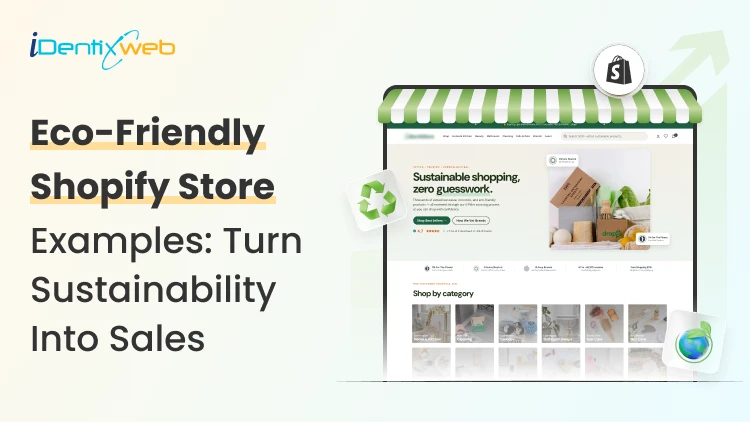
Shopify Eco-Friendly Store Examples: Turn Sustainability Into Sales in 2026
A shopper lands on your store, reads "sustainable" in your headline. They then see materials or shipping processes that are clearly not sustainable. They bounce. I've watched these kill conversions on otherwise beautiful stores. A Shopify eco-friendly store works when the values show up everywhere a customer looks: This has to be the products, the packaging, the checkout, and the shipping email. Not just the About page. The brands below get this right, and I'll break down exactly which Shopify features they lean on so you can copy the parts that fit your store. Here's a TL;DR if you are scanning: The best Shopify eco-friendly stores pair a clear sustainability story with operational proof. They use recycled or low-waste packaging, offer eco-friendly delivery options like carbon-neutral shipping, sell genuinely sustainable products, and back claims with visible certifications. Values plus receipts. The real question: What makes Shopify eco-friendly stores convert? Plenty of stores slap "eco" on the logo and call it done. Buyers in this niche are sceptical, and for good reason. Greenwashing trained them to look harder. Three things separate a store that sells from a store that just looks green. First, specificity: "made from 100% recycled ocean plastic" beats "environmentally conscious materials" every time. Second, proof you can see: certifications, carbon labels, and material breakdowns on the product page. Third, consistency across the funnel, so the sustainability promise survives all the way to the unboxing. Shopify gives you the tools for all three. The trick is knowing which ones to turn on. If you're still figuring out how to build a Shopify store from scratch, get the foundation right before layering in sustainability features. 9 Shopify eco-driendly store examples worth studying I picked these for variety across product categories, and because each one does something specific, you can borrow. Allbirds: Carbon Labels as a Selling Point Allbirds prints a carbon footprint number on every product, the way food packaging shows calories. It reframes the whole purchase. The shoe isn't just comfortable, it's accountable. The lesson for your Shopify eco-friendly store: turn an invisible value into a visible number. You can do this with Shopify product metafields to store a carbon figure, then surface it on the product template. Tentree: Built-In Purchase Incentive Tentree plants ten trees per order. Customers register their items to track the trees they funded. It's a loyalty loop disguised as a mission. The structure matters here. A repeatable post-purchase reason to come back is worth more than a one-time discount. Pela: Compostable Products, Honest Limits Pela sells compostable phone cases and openly explains what "compostable" does and doesn't mean. That honesty builds trust faster than overclaiming. Package Free Shop: Zero-Waste as the Whole Identity Package Free built the entire brand around eliminating waste. Their packaging features and sustainability eco-friendly options aren't a section of the site; they're the product. Worth studying if your differentiation is operational rather than product-based. United By Blue: One Concrete Promise For every product sold, United By Blue removes a pound of trash from oceans and waterways. One clear, countable promise. Customers know exactly what their money does. Cariuma: Material Transparency Cariuma breaks down every material in its sneakers and the sourcing behind it. The product pages read like a spec sheet for conscience. It works because it respects the buyer's intelligence. Grove Collaborative: Subscription Meets Sustainability Grove runs a refill and subscription model for household goods. Recurring revenue plus reduced packaging waste. For consumable eco products, this model is hard to beat. A Shopify subscription app makes it straightforward to set up your business. Bombas: Give-Back Built Into Every Sale Bombas donates an item for each one purchased. The give-back is the brand, not a campaign. Customers repeat the story for you, which lowers your acquisition cost. Finisterre: Repair Over Replace Finisterre offers repairs and resale to keep gear out of landfills. Selling longevity instead of churn is a bold position, and it deepens loyalty in a way discounts can't. Eco-Friendly Products Shopify Stores Can Sell Profitably You don't need to manufacture your own line to run a credible store. The categories that move well right now span clean beauty, compostable home goods, ethical apparel, reusable kitchen items, and sustainable pet products. Here's a full list of the 10 best eco-friendly products to sell if you're sourcing rather than making. If you're sourcing rather than making, vet suppliers hard. Ask for material certifications in writing. Ask where raw materials come from. A supplier who can't answer is a red flag you'll pay for later in refund requests and bad reviews. Shopify Packaging and Sustainability Eco-Friendly Options Packaging is where most "green" stores quietly break their promise. Shopify itself runs sustainability programs you can plug into. Shopify's Sustainability Fund and its carbon-offset commitments give you a platform-level story to reference, and the Shop app surfaces eco-friendly merchants to shoppers who filter for them. On your end, the packaging features and sustainability eco-friendly options come from how you fulfill, not from a single setting. A few moves that hold up: Switch to recycled, recyclable, or compostable mailers and inserts, then photograph them for your product and FAQ pages. Add a packaging note at checkout using checkout UI extensions or order-confirmation content so customers know what's coming. Skip the filler. Right-sized boxes cut both waste and shipping costs, which protects your margin while serving the mission. Show the packaging in your product photography. An unboxing that matches the promise turns first-time buyers into reviewers. Eco-friendly delivery options Shopify merchants can offer Shipping is the carbon-heavy part of ecommerce, and it's also where you can offer a visible green choice at checkout. Shopify Shipping with carbon offsets built in. Shopify purchases offsets for every order fulfilled through Shopify Shipping at no extra cost to you. You can advertise carbon-neutral delivery honestly. That's a real claim backed by the platform. Understanding how to manage shipping and delivery across your Shopify store is the first step to configuring this correctly. Third-party apps for expanded options. Apps like EcoCart Green Protection let customers add carbon-neutral shipping at checkout. Sustainable returns apps cut the waste from reverse logistics, which becomes a real problem once your volume grows. Slower delivery tiers as a nudge. Offer a "low-carbon" delivery option at checkout. Many eco-conscious shoppers will pick it gladly if the price reflects the savings. Visibility at the point of decision. A carbon-neutral badge on the cart page converts better than a paragraph buried in your shipping policy. Turn Shopify sustainability into repeat sales Values get the first sale. Systems get the second. The brands above all built a reason to return: tree tracking, give-back counts, refill subscriptions, and repair services. Use Shopify's native tools to reinforce the loop. Shopify Email can send a post-purchase note showing the impact of the order. A loyalty app can reward customers for choosing the low-carbon shipping tier or returning packaging. Shopify Flow can automate a thank-you with the customer's running impact total after each order. The point is to make sustainability feel like an ongoing relationship. That's what converts a values-driven shopper into a repeat buyer. A Shopify eco friendly store earns trust by proving its claims at every step, from the product page through the packaging to the delivery confirmation. Pick the two or three tactics above that fit your products and ship them this month. FAQs 1. What makes a Shopify eco friendly store different from a regular store? A Shopify eco friendly store pairs sustainability messaging with operational proof across every touchpoint. They show customers certified products, recycled packaging, carbon-neutral shipping options, and transparent material sourcing. 2. Can I add eco-friendly delivery options to Shopify without using Shopify Shipping? Yes. Apps like EcoCart let customers opt into carbon-neutral shipping at checkout, even if you use third-party carriers. 3. How do I display eco-friendly product information on my Shopify store? Use Shopify product metafields to store material type, certifications, carbon footprint, and end-of-life details. Then display these fields on your product template so buyers see proof before adding to cart. 4. What are the best eco-friendly products Shopify stores are selling right now? Clean beauty, compostable home goods, ethical apparel, reusable kitchen items, and sustainable pet products consistently move well. Niche down within these categories and ensure your suppliers can provide material certifications in writing. 5. How does Shopify packaging relate to sustainability for my eco friendly store? Packaging is where most "green" stores lose credibility. If your product is sustainable but arrives in virgin plastic, customers notice and review it. Switch to recycled or compostable materials, photograph them for your FAQ and product pages, and add a packaging note to order confirmations. 6. Do customers actually choose eco-friendly delivery options when offered? Yes. If you make the choice visible at the point of decision. A carbon-neutral badge on the cart page, paired with a slower delivery tier at a lower price, converts well with eco-conscious shoppers.
7 Min • 2 June 2026
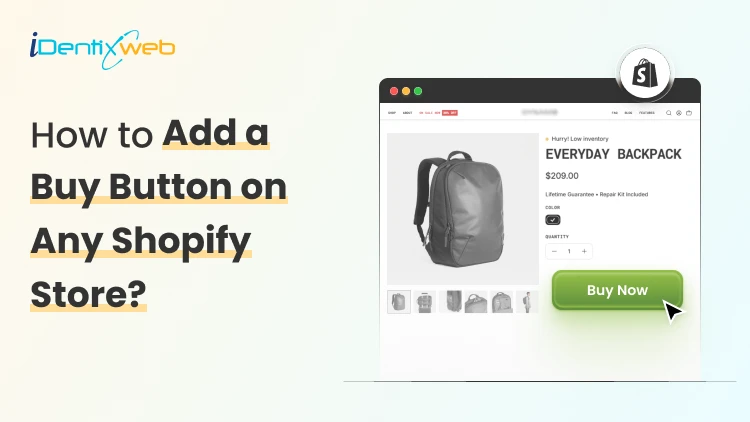
How to Add Buy Button on Shopify On Any Page In Just 3 Steps
Add the Buy Button sales channel in your Shopify admin, create a button for a single product or a collection, then customize the layout and colors. Shopify generates an embed code that you copy and paste into your page's HTML. Save the page, refresh, and the button goes live. You've got products ready to sell. But most of your traffic isn't on your storefront. It's in your blogs section, scrolling through your portfolio, or sitting in your newsletter. That's the problem adding a buy button on Shopify solves. You sell where people already are, instead of waiting for them to come back to your product page. I've added buy buttons to client blogs, one-page landing sites, and even email footers. They take minutes to set up, they're free on every plan, and they are fantastic for increasing conversions. By the end of this guide, you'll have a working button you can drop onto any web page. What is a Buy Button on Shopify? A buy button on Shopify is a small piece of embeddable code that puts a checkout anywhere you want it. You paste it into a page, and a "Buy" or "Add to cart" button shows up. Here's the flow: The visitor clicks the button > a cart or checkout window opens > Shopify handles the payment. Your store does all the heavy lifting in the background. It's a free sales channel on every Shopify plan, including the Starter plan at $1 per month for three months. You only pay your normal subscription and standard transaction costs. A simple Shopify buy button example: a single product card with one image, a price, and an "Add to cart" button embedded in a blog post. You can also embed a full collection if you want to sell several items from one page. Where to use a Shopify Buy Button? The button works almost anywhere you can paste code. The spots that earn the most for store owners: Blog posts and content pages. Write about a product, then let readers buy it on the spot. Dedicated landing pages. Run an ad to a focused page with one product and one button. Portfolio and personal sites. Sell prints, gear, or merch without building a full store. Promotional emails and newsletters. Link a button straight to checkout for a launch or sale. Partner and affiliate websites. Let partners feature your products on their pages. Social bios and link-in-bio pages. Turn your most-clicked link into a sale. Why should new stores use the Buy Button? If you're just starting out, the buy button is one of the fastest ways to make your first sale. You can sell before your full store is even finished. Got one product and a homepage? Embed a button, and you're live. Drop-off goes down because buyers check out where they already are. Every extra click loses people, and the button removes a big one. You get an omnichannel setup with zero extra tools. Same products, same inventory, more places to sell. And the checkout is secure and Shopify-hosted. You don't touch payment data or worry about PCI compliance on your own site. How to Add a Buy Button on Shopify: Step-by-Step Three steps. Here's exactly how I do it every time. Step 1: Add the Buy Button Sales Channel First, turn on the channel inside your admin. Go to Settings, click Sales channels, then add Buy Button from the list of available channels. If you do not have it, you can go to the App Store and install ‘Buy Button’ You only do this once. After that, the channel lives in your admin. Step 2: Create Your Buy Button Head to the Buy Button channel, click on Open app, and click Create a Buy Button. You'll pick what to sell: Product buy button > For a focused, one-item button. Collection buy button > to feature a group of products on one page. Now customize it. You control the layout style, the button action (open a cart or send buyers straight to checkout), and the appearance. I match the colors and fonts to the page it's going on, not my store, so it looks native. For high-intent single products, I set the action to direct checkout. Fewer clicks, more sales. Step 3: Copy the embed code onto your site Once your button looks right, Shopify generates the embed code. Copy it. Paste it into the HTML of your page wherever you want the button to appear. If you plan to use multiple buttons on the same site, the script tag only needs to load once per page, so keep that in mind to avoid slowing things down. Save, refresh your page, and your Shopify buy now button is live. Add a Shopify Buy Now Button to popular platforms The embed code is just HTML, so it works on most website builders. Where to paste it on the big ones: WordPress: Use a Custom HTML block in the editor, or paste into a text widget. Wix: Add an Embed HTML element and drop the code in. Squarespace: Use a Code block on the page. Weebly or custom HTML sites: Paste directly into your page's HTML. I have written breakdowns of Shopify vs alternatives. You can check them out below. Shopify vs Wix Shopify vs Squarespace Shopify vs Weebly If your builder has any "embed code" or "custom HTML" element, the button will work there. Shopify Buy Button App vs. Built-In Channel Most store owners never need more than the native channel. But it's worth knowing when an app earns its place. The built-in Buy Button channel is enough when you're selling standard products, want a clean checkout, and need it free. A dedicated Shopify buy button app makes sense when you need things the native channel doesn't handle well: subscriptions and recurring billing, deeper styling control, or advanced cart behavior. My take: start with the built-in channel. It's free and covers 90% of cases. Reach for an app only when you hit a real limit, not before. Tips for Adding Buy Buttons to Real Stores A few things I've learned the hard way: Style the button to match the host page, not your store. A button that clashes with the page gets ignored. Test the checkout on mobile before you publish. Most clicks come from phones, and that's where layout issues hide. Use direct checkout for single high-intent products, and a cart for multi-item collections. Keep one product per landing page. One product, one button, one decision. Buy Button is the best way to boost conversions A buy button on Shopify lets you sell on any page, no full store required. Turn on the channel, build the button, paste the code, and you're selling. If you're a new store owner, start with one product and one page. Get the first sale, then add buttons everywhere your audience hangs out. Scroll back up to the step-by-step section and set yours up now. FAQs 1. How does the Shopify buy button work? The Buy Button is a snippet of embeddable code you paste onto any web page. When a visitor clicks it, a cart or checkout window opens, and Shopify processes the payment in the background. Your products, inventory, and orders stay synced to your store, so you manage everything from one admin. 2. How to add a Buy Button on Shopify to any webpage? Add the Buy Button sales channel in your Shopify admin, create a button for a single product or a collection, then customize the layout and colors. Shopify generates an embed code that you copy and paste into your page's HTML. Save the page, refresh, and the button goes live. 3. What is an example of a Buy Button on Shopify? A common example is a single product card embedded in a blog post, showing one image, the price, and an "Add to cart" button. You can also embed a full collection on a landing page to feature several products at once. Both pull directly from your store and open a Shopify-hosted checkout. 4. How much is the Shopify Buy Button app? The Buy Button is free on every Shopify plan, including the Starter plan at $1 per month for 3 months. There's no separate fee for the channel itself. You only pay your regular Shopify subscription and standard transaction fees on each sale.
2 Min • 3 June 2026
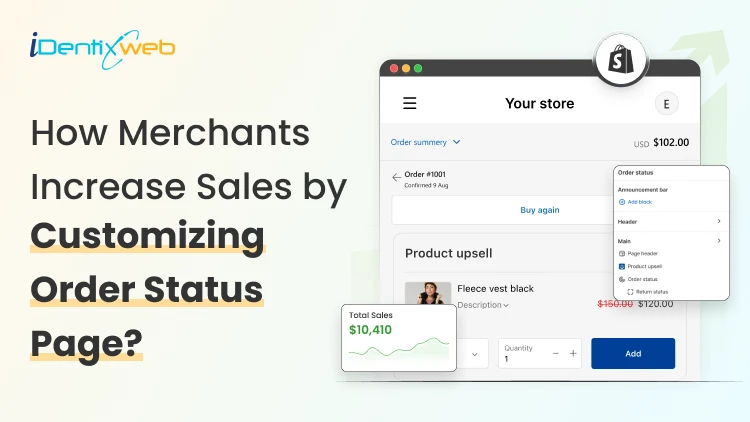
How to Improve the Shopify Order Status Page Experience
Imagine this scenario: A customer just placed an order from your store, but the journey is not over. They want to know the updates or track their order status, like “when will their product arrive?” Here comes your “Shopify Order Status Page”. But most of the Shopify merchants consider the order status page Shopify just an order confirmation page. And that’s the mistake. Because a well-optimized order status page can do more than product updates, it can give you extra revenue. With many years of experience in working closely with Shopify merchants, I have seen many case studies that have made use of this page and doubled their revenue. So in this blog, I will show you how to earn extra revenue from the order status page by giving a smooth shopping experience for your customers. What is the Shopify order status page? The Shopify order status page is the final screen a customer sees after completing checkout. This page shows a confirmation that their purchase has been successful. Customers can track their order, view shipping updates, and revisit details whenever they want. Importance of the order status page in Shopify 1. It is the most revisited page after checkout Customers come back to this page again and again to check where their order is. No other page in your store gets this kind of repeat attention from a single buyer. 2. It reduces support tickets Most "Where is my order?" questions come from buyers who feel left in the dark. A clear order tracking page with live tracking and a delivery date cuts down on these messages and frees up your support team. 3. It drives repeat purchases When the post-purchase experience feels smooth and on-brand, customers are far more likely to come back. A generic carrier page does the opposite; it breaks the connection with your store. 4. It builds trust during the waiting phase Between "order placed" and "package delivered," buyers feel uncertain. Real-time updates and a clear delivery window calm that worry and protect your reviews. Sell More After Every Sale Show irresistible one-click post purchase upsells at the right moment that converts.
Sajini Annie John
4 Min • 19 February 2026
168 Views
![Which Shopify Cart Type Works Best In 2026? [Backed by Real Merchant Data]](https://www.identixweb.com/wp-content/uploads/2026/02/13-02-Fri-Blog-Which-Shopify-Cart-Type-Sells-More_-Based-on-Merchant-Data-Compressify.io_.webp "Which Shopify Cart Type Works Best In 2026? [Backed by Real Merchant Data]")
Vineet Nair
7 Min • 19 February 2026
188 Views
Sajini Annie John
5 Min • 18 February 2026
181 Views
Vineet Nair
6 Min • 18 February 2026
240 Views
Sajini Annie John
5 Min • 17 February 2026
199 Views
![How to Build a Top Shopify Grocery Store [Examples & Themes + Best Apps]](https://www.identixweb.com/wp-content/uploads/2026/02/11-02-Wed-Blog-How-to-Build-a-Shopify-Grocery-Store-Examples-Must-Have-Apps.webp "How to Build a Top Shopify Grocery Store [Examples & Themes + Best Apps]")
Vineet Nair
7 Min • 17 February 2026
186 Views
Sajini Annie John
6 Min • 13 February 2026
198 Views
Vineet Nair
8 Min • 13 February 2026
223 Views
Sajini Annie John
5 Min • 12 February 2026
188 Views
Vineet Nair
8 Min • 12 February 2026
244 Views
Sajini Annie John
2 Min • 10 February 2026
197 Views
Vineet Nair
8 Min • 10 February 2026
244 Views