





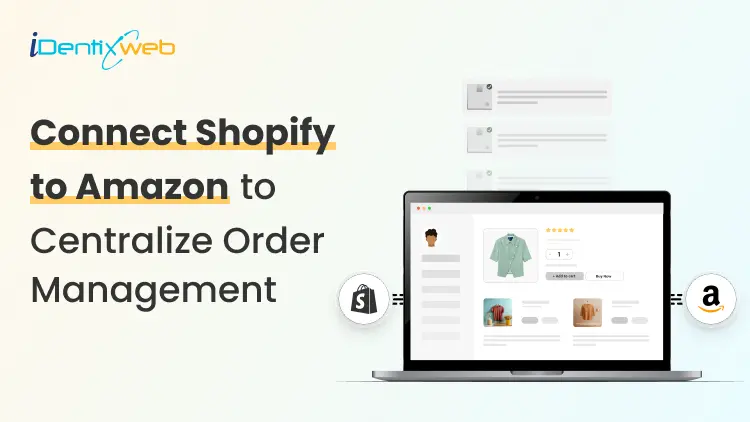

To connect Shopify to Amazon, Shopify Marketplace Connect is the best option. It helps manage Amazon listings, inventory, orders, and pricing from inside Shopify. Amazon MCF and Buy With Prime' is better if you mainly want Amazon to fulfill your Shopify orders, while third-party apps work well for complex catalogs, multiple warehouses, and advanced automation needs.
Yes, you can connect Shopify to Amazon and doing it right turns two separate platforms into a single, synchronized sales engine.
The setup is faster than most merchants expect, but the details matter: wrong product identifiers, mismatched currencies, and picking the wrong integration method are the three most common reasons I have seen where it breaks down.
This guide walks you through every method, every prerequisite, and every mistake to avoid so your connection stays clean from day one.
❓ Can you connect Shopify to Amazon
You can. Shopify and Amazon have official support for integration through Shopify's native Shopify Marketplace Connect app, as well as several third-party tools and Amazon's own MCF app.
The integration works in both directions. Shopify merchants can push their catalog to Amazon and sell there. Amazon-native sellers can pull Shopify in as an additional storefront. Either way, you manage everything from one admin instead of juggling two dashboards.
The reason merchants do this goes beyond convenience. Amazon has over 300 million active customer accounts [Source: Forbes]. Selling on Amazon means you get discovered by buyers who will never find your Shopify store on their own.
Your Shopify store still remains your brand home, where you control the experience, capture customer data, and earn higher margins.
What do you need before you connect Shopify to Amazon?
Get these in place before you touch the integration app.
1️⃣ An Amazon Professional Seller Account
The free Individual plan does not support integration. You need an Amazon Professional Seller Account, which costs $39.99/month in the US. It gives you the API access that the integration apps require.
2️⃣ Valid Product Identifiers (GTINs)
Amazon requires a GTIN, usually a UPC (12-digit) or EAN (13-digit), for most product categories. These must come from GS1, the global standards organization. Do not buy codes from cheap third-party resellers. Amazon cross-checks them against the GS1 database and will suppress listings that fail the check.
On your Shopify product page, enter these in the "Barcode (ISBN, UPC, GTIN, etc.)" field before syncing.
3️⃣ Currency Alignment
If you're selling on Amazon, your Shopify store's primary currency must be USD. Selling on Amazon.co.uk requires GBP. A mismatch kills the checkout.
4️⃣ Eligible Product Categories
Not all products can be listed on Amazon. Certain categories require approval before selling. Review Amazon's restricted categories list in Seller Central and confirm your products qualify.
How to connect Shopify to Amazon: 4 methods
Each method serves a different business size and use case. Here's what actually separates them.
Method 1️⃣: Shopify Marketplace Connect (Best for Most Merchants)
Shopify Marketplace Connect is Shopify's official multichannel integration app. It connects your Shopify store to any global Amazon site, plus Walmart, eBay, and Etsy. It lives inside your Shopify admin, so you never need to leave the dashboard you already know.
What it does:
- Real-time sync of prices, products, inventory, and orders
- Create new Amazon ASINs directly from Shopify, or match existing ones with built-in ASIN matching
- Flexible fulfillment: fulfill via Shopify, Amazon FBA, or Amazon MCF
- Set separate Amazon-specific titles, pricing rules, bullet points, and search terms
Pricing: Free to install. First 50 orders/month on synced listings are free, then 1% per additional order, capped at $99/month.
How to set it up:
- Open your Shopify admin and go to the Shopify App Store.
- Search for "Shopify Marketplace Connect" and install it.
- Connect your Amazon Professional Seller Account inside the app.
- Map your Shopify products to Amazon listings or create new ASINs.
- Configure your inventory sync rules and pricing rules.
- Choose your fulfillment method for each product (Shopify, FBA, or MCF).
- Activate the sync and monitor the first few orders manually.
This is the method I recommend for most Shopify merchants. The setup is easy, the pricing is reasonable, and the real-time sync is genuinely reliable for catalogs up to a few thousand SKUs.
Method 2️⃣: Amazon MCF app for Shopify
Amazon's "Built by Amazon" Multichannel Fulfillment (MCF) app is a free, direct connection built specifically to route your Shopify orders through Amazon's fulfillment network.
You will use Amazon's warehouses, staff, and carriers to fulfill orders placed on your Shopify store.
What it does:
- Routes Shopify orders to MCF automatically
- Syncs inventory between MCF and your Shopify store
- Supports Buy with Prime integration on your Shopify storefront
- Currently handles US orders only
- Reduces fulfillment costs up to 36% on multi-unit orders when combined with Buy with Prime
Best for: Merchants who already store inventory in Amazon's warehouses via FBA and want to use that same inventory for Shopify orders without paying separate 3PL costs.
How to set it up:
- Install the Amazon MCF and Buy with Prime app from the Shopify App Store.
- Connect your Amazon Seller Central account.
- Map your Shopify SKUs to your Amazon inventory items.
- Set fulfillment rules: when to use MCF versus in-house fulfillment.
- Optionally, enable Buy with Prime to display Prime badges on your Shopify store.
Method 3️⃣: Third-party multichannel apps (Best for complex catalogs)
For merchants with large catalogs, multiple warehouses, or advanced automation needs, third-party apps like WebBee and ByteStand provide capabilities the native apps don't have.
What they add:
- Virtual bundle support
- International MCF availability (not just US)
- Ability to block Amazon Logistics as a carrier
- Finer-grained automation rules
- ERP integration support
Trade-off: Most carry monthly subscription fees based on order volume.
WebBee and ByteStand are the two most widely used. WebBee syncs Amazon inventory with Shopify orders for real-time visibility across all channels. ByteStand adds real-time shipping rate display at checkout and automatic customer tracking updates.
Method 4️⃣: Manual export/import (Not recommended)
Manual data export means downloading inventory from Shopify, downloading it from Amazon, and reconciling them by hand.
The only scenario where this makes sense: a brand new store with fewer than 10 products that isn't planning to grow. For anyone else, the error rate and time cost make it untenable. A single oversell on Amazon can trigger a seller performance warning.
Tired of managing Shopify and Amazon separately?
Running your Shopify store, Amazon listings, inventory, orders, and fulfillment from different places can quickly become stressful.
Identixweb helps Shopify merchants build smooth integrations that connect your store with marketplaces, fulfillment tools, ERPs, CRMs, and custom systems, so your operations stay organized as your business grows.
Get Revenue From Both Platforms
Shopify Marketplace Connect vs. Amazon MCF App:
| Feature | Shopify Marketplace Connect | Amazon MCF App |
| Best for | Merchants who want to sell across Amazon and other marketplaces from Shopify | Merchants who want Amazon to fulfill Shopify store orders using Amazon inventory |
| Sell on Amazon marketplace | ✅ Yes | ❌ No |
| Fulfill Shopify orders via Amazon | ✅ Yes (via Amazon MCF setup) | ✅ Yes |
| Create Amazon product listings | ✅ Yes | ❌ No |
| Create new Amazon ASINs | ✅ Yes | ❌ No |
| Buy with Prime integration | ❌ No | ✅ Yes, US only |
| Match Shopify products to existing Amazon listings | ✅ Yes | ❌ No, it maps Shopify SKUs to Amazon fulfillment inventory |
| Other marketplaces (eBay, Walmart) | ✅ Yes | ❌ No |
| International support | ✅ Yes (global Amazon sites) | ⚠️ MCF supports selected countries; Buy with Prime is US only |
| Price | Free + 1%/order after 50 | Free to install, but Amazon fulfillment fees apply per shipped order |
❓ How to set up inventory sync the right way
- SKU consistency is non-negotiable. Your SKU in Shopify must exactly match your SKU in Amazon. It is case-sensitive and keeps an eye out for trailing spaces. If they don't match, the sync breaks silently.
- Set buffer stock. A sync delay of even a few seconds can cause oversells during peak traffic. Set a 2–5 unit safety buffer in your integration app settings. The app will treat stock as zero before it actually hits zero, preventing the last few units from being sold twice.
- Test with one product first. Before syncing your full catalog, connect one product and run a test order on each platform. Watch whether inventory decrements correctly on both sides. Only then scale the sync to your full catalog.
- Monitor sync failures actively. Most integration apps log sync errors. Set up email alerts for any failures. A broken sync that runs undetected for 12 hours during a sale can create dozens of unfulfillable orders.
Amazon listing requirements you must meet in Shopify
- Title formatting: Amazon has category-specific title character limits and banned characters. Keep titles clean. No promotional language like "Best" or "Sale." The integration apps usually flag these automatically.
- Images: Amazon requires a white background for the primary product image. Your Shopify lifestyle shots won't work as the main Amazon image. Prepare a separate set of white-background images before syncing.
- Required attributes by category: Electronics, clothing, and food each have mandatory attributes that Shopify products don't always have. Clothing needs size and color in specific formats. Food needs ingredient lists and allergen flags.
- Brand registry: If you sell branded products, enrolling in Amazon Brand Registry gives you better control over your listings and access to A+ content. It's worth doing before you connect Shopify to Amazon.
Common problems when you connect Shopify to Amazon
1️⃣ "My products aren't appearing on Amazon"
This is almost always a GTIN issue. Verify your UPC/EAN codes against the GS1 database. Also, check that your products are in eligible categories and that your Seller Central account is in good standing.
2️⃣ "Inventory isn't syncing in real time"
Check your integration app's sync settings. Some apps default to hourly sync intervals unless you enable real-time mode. Also, verify that your Shopify product's "Track quantity" option is turned on for every variant that's connected.
3️⃣ "Orders aren't flowing from Amazon into Shopify"
This usually means the integration app has lost authentication with your Amazon account. Reconnect the Amazon Seller Account inside the app settings and re-authorize. Amazon tokens expire periodically.
4️⃣ "I'm seeing duplicate orders"
Duplicate orders usually happen when the same Amazon orders are being pulled into Shopify through more than one app or workflow.
For example, if Marketplace Connect and a separate fulfillment or order management app are both connected directly to Amazon, the same order may be imported twice.
To avoid this, use one clear order path: Amazon → Marketplace Connect → Shopify → fulfillment app. If you use a third-party fulfillment app, connect it to Shopify instead of connecting both Shopify and the fulfillment app directly to Amazon.
❓How does the integration affect your store’s performance
Connecting Shopify to Amazon doesn't change your storefront experience for customers. The integration runs in the background.
However, a few things shift operationally.
Your Shopify store's average order value often behaves differently from your Amazon orders. Amazon customers tend to be more price-driven and less responsive to upsells.
Shopify customers, who come to your brand directly, typically have higher intent and respond better to cross-sell offers and bundles. Keep your upsell funnels on Shopify, where they convert, and keep your Amazon listings clean and price-competitive.
Watch your store's conversion rate separately from your Amazon sales. Mixing the two makes it hard to see what's actually working on your own storefront. Use Shopify Analytics segments or a separate UTM structure to keep the channels cleanly attributed.
To wrap it up: Protect your brand across channels
Here are the three rules I always use to protect brand identities and margins across both channels.
- Don't price lower on Amazon. It trains customers to go there instead of your store, where your margins are better. Match prices or price your Shopify store competitively with exclusive bundles that Amazon can't replicate.
- Use bundle exclusives on Shopify. A two-product bundle sold only on your Shopify store can't be directly compared to an Amazon listing. It protects the margin and gives customers a reason to buy directly.
- Own your customer emails from Shopify. Amazon does not share buyer emails with sellers. Every Shopify sale is a customer you can remarket to. Every Amazon sale isn't. Over time, this difference compounds significantly.
FAQs
1. Can you connect Shopify to Amazon for free?
Yes. Shopify Marketplace Connect is free to install, with no subscription fee. You pay 1% per order on Shopify-synced listings beyond the first 50 per month, capped at $99. The ‘Amazon MCF and Buy With Prime’ app is also free.
2. How long does it take to connect Shopify to Amazon?
With all prerequisites in place, like a Professional Seller account, GTINs, and currency alignment, most merchants complete the connection in 2 to 4 hours. Large catalogs with complex attribute mapping can take longer.
3. Does connecting Shopify to Amazon sync inventory automatically?
Yes, with real-time sync enabled in Shopify Marketplace Connect or the MCF app. Inventory decrements across both platforms when an order is placed on either. Always enable real-time sync and set a safety buffer to prevent oversells.
4. Do I need an Amazon Professional Seller Account to connect?
Yes. The Individual plan does not support the API access needed for any integration app. Upgrade to a Professional account before attempting to connect.
5. Can I use FBA inventory to fulfill my Shopify orders?
Yes. Through Amazon MCF, your FBA inventory fulfills orders placed on your Shopify store. The MCF app handles the routing automatically once set up.
6. What products can't be listed on Amazon through Shopify?
Products in restricted categories (certain food items, weapons, adult content, etc.) cannot be listed without Amazon's explicit approval. Handmade items, heavily regulated items, and products requiring brand authorization also need separate review.
7. Will connecting to Amazon hurt my Shopify store's SEO?
No. The integration runs server-side and has no effect on your Shopify storefront's front-end code, page speed, or search visibility. Shopify and Amazon function as completely separate entities in terms of organic search.
8. What happens if my inventory goes out of stock on one channel?
With real-time sync enabled, the integration app automatically marks the product as out of stock on both platforms when inventory hits zero (or your safety buffer threshold). Amazon listings go into "unavailable" status automatically.




About the author
Vineet Nair
Vineet is an experienced content strategist with expertise in the ecommerce domain and a keen interest in Shopify. He aims to help Shopify merchants thrive in this competitive environment with technical solutions and thoughtfully structured content.