




To set up a product recommendation quiz on Shopify, define the possible outcomes, connect each outcome to relevant products, and install a quiz-builder app. Create a set of 6 questions or less, map answers to recommendations, design a personalized results page, and embed the quiz through your theme editor.
Your best-selling product isn't always the right product for every shopper.
A generic collection page makes them do the work: scroll, compare, and choose.
Product recommendation quiz setup for Shopify stores flips that around, turning a handful of questions into a personal shopping assistant that points each visitor straight to what fits them.
Store owners who get real lift from a quiz treat it as a small system with a plan behind it, not just a widget bolted onto the homepage.
What does a product recommendation quiz do for a Shopify store?
A product recommendation quiz is a set of questions on your Shopify store that maps a shopper's answers to specific products.
Below is a great example I came across of the skincare brand Ogee.
Instead of browsing a full catalog, the shopper answers a few questions and lands on a personalized page.
For stores with fewer products, or products where fit really matters (skin type, size, taste, budget, who the gift is for), a Shopify product quiz works great.
Skincare, supplements, pet food, apparel sizing, fragrance, and gifting are the categories where this shows up most.
Plan before you build a product recommendation quiz
The biggest setup mistake I see is starting with questions instead of outcomes.
Before you write a single question, decide what result each shopper can land on and which products belong to each result.
Here's the order that I follow:
- List your possible outcomes. A skincare store might use "Dry skin," "Oily skin," and "Combination skin." A gift shop might use "Gift for a partner," "Gift for a parent," and "Gift for a coworker."
- For each outcome, decide which products or collections should appear on the results page.
- Only after that's locked in, write the questions that sort shoppers into the right outcome.
- Four to eight outcomes is usually plenty. More than that and your product mapping gets hard to maintain as your catalog changes.
Choosing a Shopify quiz app or quiz builder
You don't need to hand-code a quiz. The Shopify App Store has a dedicated quiz app category. The right apps should let you connect answers to specific products without a developer.
Here are four of the best Shopify product recommendation builder apps to consider.
1. Product Recommendation Quiz by RevenueHunt
Best for: Growing brands that need advanced product matching and customer segmentation
Key features:
- AI-powered quiz builder
- Conditional product recommendation logic
- Email capture and customer tagging
- Customizable product results pages
- GA4 and Meta Pixel integration
- Multi-language and multi-currency support
- Klaviyo, Omnisend, Zapier and webhook integrations
Pricing: A free plan is available. Paid plans start at $39 per month.
Shopify rating: 4.9/5 from 400+ reviews, as of July 2026.
2. Quiz Kit: Product Quiz Maker
Best for: Established brands that want to test and optimize quiz performance
Key features:
- AI-assisted quiz generation
- AI Shopping Assistant
- Drag-and-drop quiz editor
- A/B testing and funnel analytics
- Custom CSS and JavaScript control
- Email marketing and analytics integrations
Pricing: Single paid plan available at $59/month.
Shopify rating: 4.8/5 from 150+ reviews, as of July 2026.
3. Lantern AI Quiz Builder
Best for: Merchants who want to launch an AI-generated quiz quickly
Key features:
- Fast AI-generated quizzes
- Product matching and routine recommendations
- Logic jumps and advanced quiz flows
- Personalized discount incentives
- Dynamic quiz and results-page content
- A/B testing and conversion tracking
- Multi-language support
- More than 30 integrations
Pricing: Single paid plan available at $39/month.
Shopify rating: 4.9/5 from 100+ reviews, as of July 2026.
4. VQB: AI Product Quiz Builder
Best for: Stores selling personalized, made-to-order or highly configurable products
Key features:
- Product, variant and regimen recommendations
- Made-to-order product configuration
- AI generation and manual product tagging
- Dynamic and custom results pages
- Page, embedded and pop-up quiz formats
- A/B testing and drop-off analysis
- Klaviyo and Omnisend segmentation
- Support for 23 languages
Pricing: The free plan is available. Paid plan starts at $30/month.
Shopify rating: 5.0/5 from 50+ reviews, as of July 2026.
Don’t Let Personalization End With the Quiz
A product quiz helps customers find the right starting product.
iCart’s AI-powered recommendations continue that journey by automatically suggesting relevant add-ons and complementary products directly inside the cart.
Product recommendation quiz setup for Shopify stores: Step-by-step
Step 1: Define the goal
Pick one primary goal. I work with one of the three below
- Recommend products
- Capture leads,
- Segment shoppers into personas.
Trying to do all three at once usually weakens all three, because your questions, design, and results page all pull in different directions depending on the goal.
Step 2: Build your question flow
Write one idea per question. Use text-based questions for facts like budget, image-based questions for style or taste. Keep the total under ten questions for a product recommendation quiz.
Step 3: Link answers to products
In your quiz app, open the product mapping or logic settings and connect each answer to products/collections.
Set a hero recommendation plus one or two alternates per outcome, so the results page never forces a single option on every shopper who lands in that bucket.
Step 4: Design the welcome and results pages
Design your welcome page. This is where you state how long the quiz takes and what the shopper gets in return. For example, something like "2 minutes, 8 questions, your personalized routine."
The results page is where the sale happens. Give the outcome a name instead of showing a plain product list. Add a line explaining why each product was picked, and put a direct add-to-cart button right on the recommendation.
Step 5: Decide how and when you ask for email
Most quiz apps let you place an email or SMS field before or after the results appear.
Showing the results first and asking for email, in exchange for a discount, converts better. By the time you ask, the shopper has already seen the value.
Step 6: Embed the quiz in your theme
On Online Store 2.0 themes, most quiz apps install as an app embed or app block. This way you can drop the quiz into a dedicated page, or a banner on a collection page directly from the theme editor.
Step 7: Test, then publish
Take the quiz yourself, start to finish, on both desktop and mobile before it goes live.
Check that every answer path leads to a connected product and confirm the email or SMS integration is working.
Where to place your quiz in your Shopify quiz funnel
In my experience, these places consistently pull the most quiz-takers:
- Homepage hero or banner, especially for a limited window around launch.
- Main navigation link, so returning visitors can find it any time they want a fresh recommendation.
- Exit-intent popup on collection pages, aimed at browsers who look stuck.
- Product page banner, something like "Not sure which one fits? Take the 2-minute quiz."
- Dedicated landing page for paid social traffic. Quizzes tend to perform well as interactive and creative because they invite a click instead of asking for one.
- Email to your existing list, both to re-engage subscribers and to refresh their preference data.
Real Shopify product quiz examples worth studying
Function of Beauty
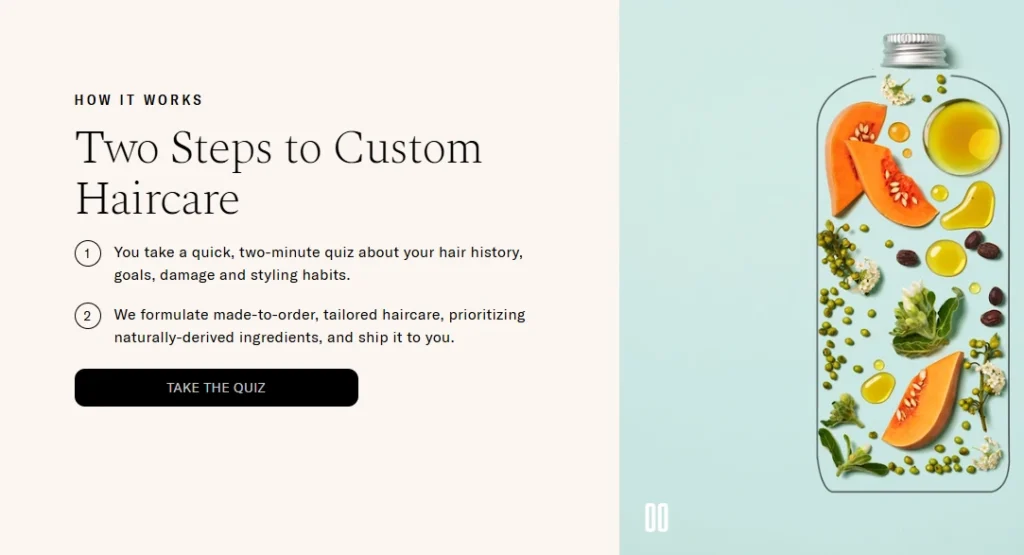
I love this product recommendation quiz because it directly tells me how many steps I need to finish the quiz.
The cosmetics industry is one of the best places to add a quiz, and The Function of Beauty takes full advantage of it.
Josh Cellers
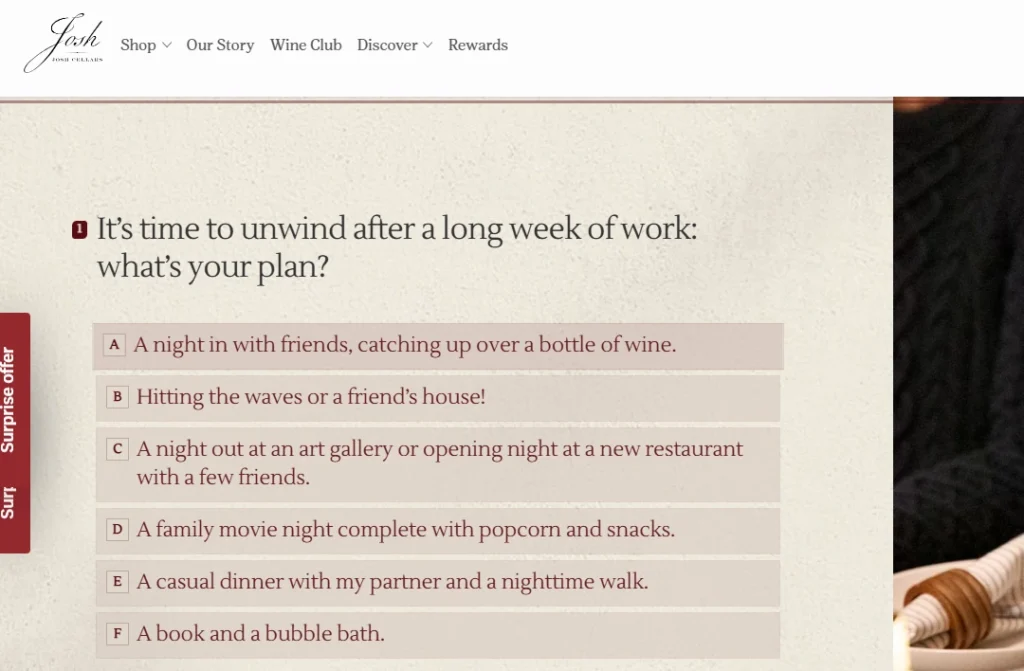
What I love about this is that Josh Cellers gives the customers a tasting experience in the form of a quiz. I also like its honest questions regarding everyday routines. This is perfect to build customer relationships.
Beardman
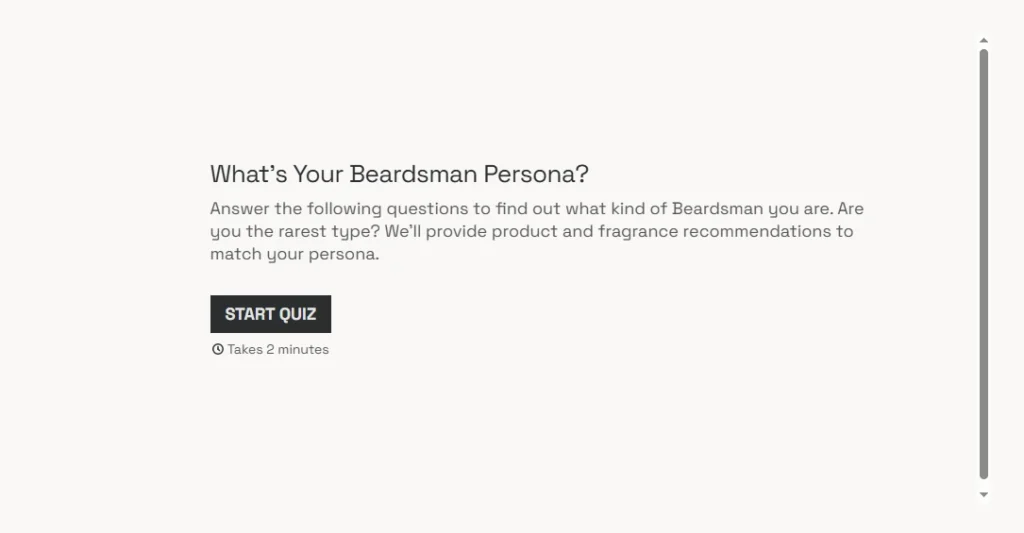
The first thing I noticed before taking this quiz was that it takes 2 minutes. People are more likely to take the quiz if they know its time limit.
Their results page with recommended products is also fantastic. This is a great store for merchants to study.
The Sill
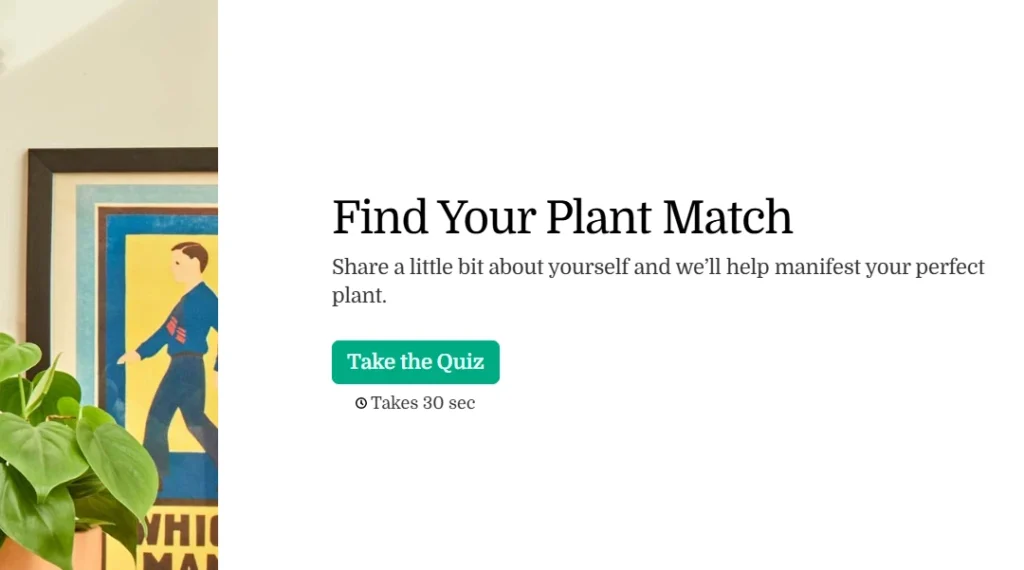
Much of The Sill’s success depends on its short quiz completion time.
The Sill’s quiz asked me just 3 questions before recommending products to me. According to Typeform’s survey, quizzes with fewer than 6 questions had the best completion rate.
Jones Road Beauty
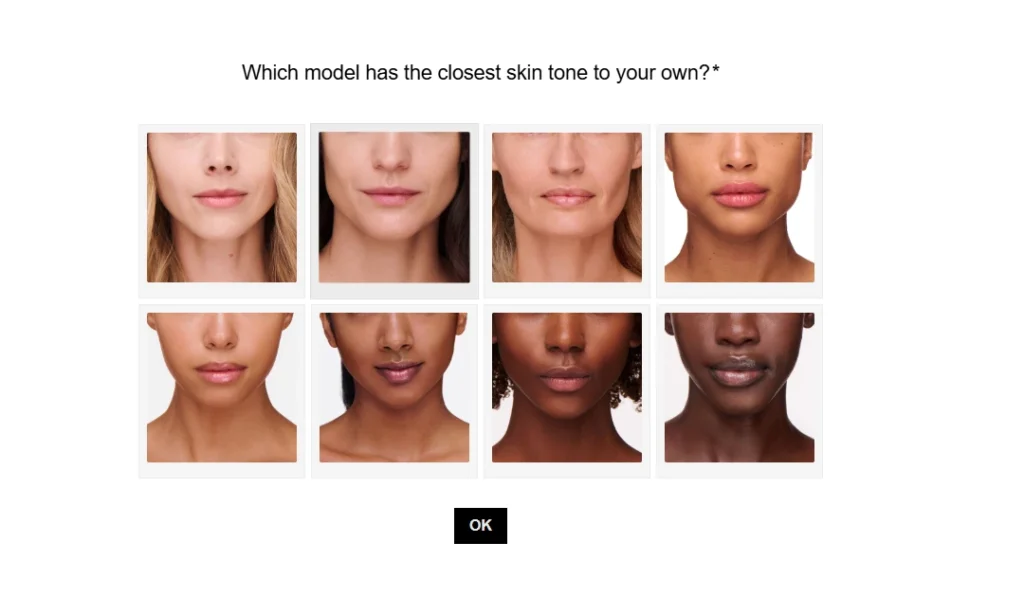
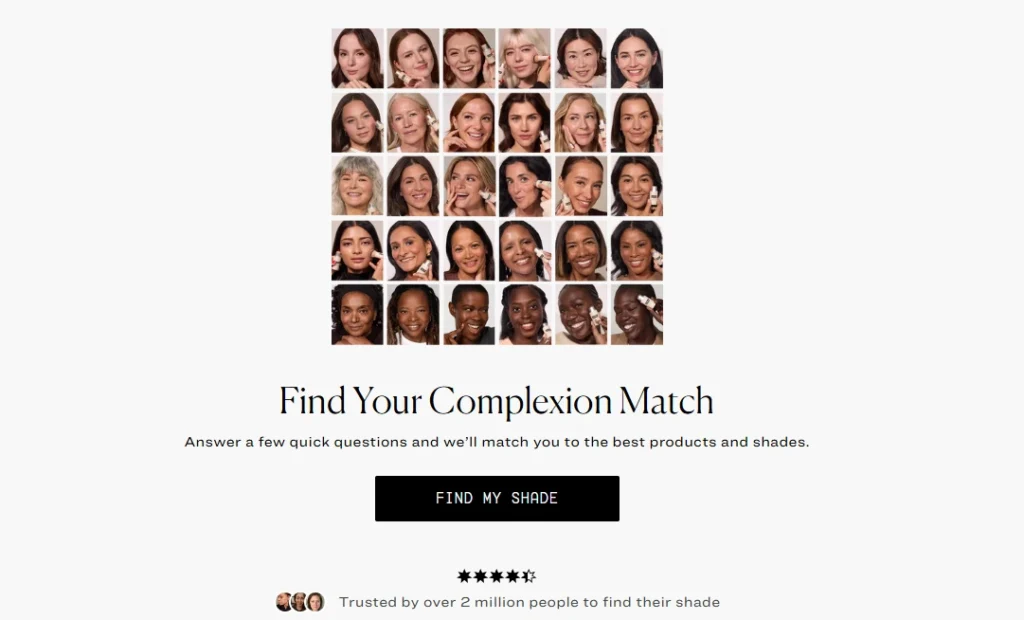
Complexion quizzes are popular among beauty brands. Jones Road Beauty’s product recommendation quiz is one of the best examples in this industry.
One piece of advice. I would recommend using picture choices here because asking customers about their skin complexion is difficult.
Turn product discovery into a personalized shopping experience
A product recommendation quiz can turn a common shopping flow into a clear, personalized buying journey.
Start with defined outcomes, keep the questions focused, and map every answer to relevant products. Create a results page that explains why each recommendation fits the shopper.
A well-planned Shopify product quiz gives you valuable preference data and creates more opportunities to convert visitors into customers.
FAQs
1. Can you make a quiz on Shopify?
Yes, you can create a quiz on Shopify using a quiz-builder app or a custom-developed solution. A dedicated quiz app is best for using conditional logic, matching answers with products, displaying personalized recommendations and adding suggested items to the cart.
2. How to set up a product recommendation quiz for Shopify stores?
To set up a product recommendations quiz, install a quiz app from the Shopify App Store. Build your quiz inside the app, then embed it as an app block or app embed through your theme editor. Most Online Store 2.0 themes support this without custom code.
3. Which quiz platform works best for Shopify stores?
RevenueHunt Product Recommendation Quiz is a strong choice for most Shopify stores. It offers a no-code and AI-assisted builder, supports personalized product recommendations and includes a free plan. Octane AI is more suitable for larger DTC brands that need advanced AI features, image-based analysis, personalized result content and sophisticated customer-data workflows.


About the author
Vineet Nair
Vineet is an experienced content strategist with expertise in the ecommerce domain and a keen interest in Shopify. He aims to help Shopify merchants thrive in this competitive environment with technical solutions and thoughtfully structured content.