

Blog
Gather knowledge about the latest insights, updates, tips, and tricks in the Ecommerce industry.

5 Min • 20 March 2026
How Anua Unlocked 5X AOV Growth with iCart’s Smart Cart Features
delivery customization Challenges Solutions drive results Scale business delivery customization Challenges Solutions drive results Scale business delivery customization Challenges Solutions drive results Scale business delivery customization Challenges Solutions drive results Scale business Anua is a globally recognized Korean skincare brand known for its minimalist philosophy and focus on gentle yet effective formulations. Built on the idea of simplifying skincare routines, Anua develops products that deliver visible results while avoiding harsh or irritating components, making them suitable for sensitive skin types. Initially using a traditional full cart experience, Anua transitioned to iCart’s side cart solution in August 2025, to create a more seamless and engaging shopping journey. This shift allowed customers to easily explore complementary skincare products without disrupting their browsing flow, making it more intuitive to discover items that fit into a complete routine. By surfacing relevant recommendations directly within the cart, the brand enhanced product visibility across its range. Challenges Before implementing iCart’s side cart solution, Anua faced limitations with their existing full cart experience, which created friction in the customer journey. The traditional cart setup redirected users away from product pages, interrupting their browsing flow and reducing opportunities to explore additional products. As a skincare brand built around routines rather than single-item purchases, this made it difficult to effectively showcase complementary products and encourage customers to build complete regimens. Additionally, the lack of in-cart personalization and strategic upsell opportunities meant that customers were often unaware of related products that could enhance their skincare results. This limited the brand’s ability to increase average order value (AOV) and fully leverage its diverse product range. Anua needed a more dynamic and intuitive cart experience that could seamlessly introduce relevant recommendations while maintaining a smooth and engaging shopping journey. ❌ Cart Value Barriers Low average order value (AOV) due to single-item focus Most customers completed purchases with one primary product instead of building multi-step routines. Cart abandonment near shipping thresholds Customers were not clearly informed or motivated to reach free shipping or discount thresholds. Missed savings opportunities Customers were unaware of potential value in purchasing bundled routines or multiple complementary products. ❌ Absence of Progress-Based Incentives No free shipping or discount progress bar Customers were not motivated to increase their cart value due to lack of visible incentives. Missing tiered rewards system There were no structured milestones (e.g., “Spend more to unlock offers”), reducing upsell opportunities. ❌ Ineffective Cart UI/UX (Pre-Side Cart) Full-page cart disrupted shopping flowCustomers had to leave their browsing journey, increasing friction and drop-offs. No quick add/remove functionality Users couldn’t easily modify their cart or add suggested products without navigating away. Solution To overcome these challenges, Anua implemented iCart’s side cart solution to transform their traditional cart into a high-converting, interactive experience. By replacing the full-page cart with a seamless side cart, the brand ensured that customers could continue browsing while viewing their cart, significantly reducing friction in the shopping journey. Additionally, features like product recommendations & progress bars for free shipping and discounts motivated customers to increase their cart value. By combining personalization, incentive-driven messaging, and a user-friendly interface, Anua successfully turned their cart into a powerful revenue-driving touchpoint rather than just a checkout step. To maximize their cart effectiveness, they implemented two powerful features: ✅ Progress Bar with Multi-Reward Incentives Implemented a tiered progress bar to encourage higher cart value Customers are guided with a clear message like “Add $3.10 to unlock secret offer,” motivating them to continue adding products. Generated over $5M+ in revenue through incentive-driven cart progression Used product-based rewards to align with customer intent Instead of generic discounts, Anua incentivized purchases with relevant skincare items like Dark Spot Pads and mini serums. Built visual motivation for routine expansion As customers add products, they can clearly track progress toward unlocking multiple rewards, encouraging them to build a complete skincare routine. ✅ Product Recommendations Implemented “Frequently Bought Together” recommendations Customers adding a single product (e.g., toner) are shown complementary items like serums, moisturizers, or pads to complete their routine. Generated over 275K revenue through in-cart recommendations Encouraged full skincare regimen building Instead of isolated purchases, the cart suggests step-by-step product combinations aligned with common skincare routines. Increased product discovery at the final stage By surfacing relevant items directly in the cart, Anua ensured customers explore more of their catalog without leaving the checkout flow. Results Achieved in Last 180 Days 22932 Total Store Orders 45101 Total iCart Orders 5X iCart Generated AOV 65.70% Upsell Affected Conversion Rate These improvements reflect a clear shift in customer behavior on Anua’s store. Cart abandonment reduced as shoppers discovered complementary skincare products and felt encouraged to build complete routines. Engagement also increased, with customers interacting more with in-cart recommendations and exploring relevant product pairings. Results & Impact And...Results is Our Main Clarification By implementing iCart’s cart drawer, product recommendations, and progress bar, Anua transformed its cart into a high-performing conversion touchpoint. Shopping Experience Enhancement The improved cart experience encouraged customers to discover complementary products and understand the value of sustainable beauty routines. For instance, the clear presentation of subscription savings alongside one-time purchase options helped customers make more informed decisions about their long-term hair care needs. As Anua continues to optimize its cart experience, the brand is closely monitoring: Routine-based purchasing behavior - tracking how customers move from single items to multi-step regimens Engagement with in-cart recommendations - measuring interaction with suggested products Cart value progression - analyzing how incentives influence higher spending [related_cases_slider] Ready to Write Your Success Story? Try icart App Join successful businesses like Anua and Master your delivery scheduling Delight customers with precise timing Grow your special occasion orders Expand your delivery reach
Read Blog

12 Min • 18 September 2026
Squarespace to Shopify Migration: A Step-by-Step Guide From Someone Who Has Done This Before
Migrating from Squarespace to Shopify requires auditing your existing store, exporting and formatting data, importing products and customers, rebuilding the storefront, replacing apps. You also need to set up payments and shipping, map old URLs, create SEO redirects, test checkout and customer flows, and monitoring traffic, sales, and technical issues after launch. A Squarespace store can take you far, but many businesses eventually reach a point where they need more ecommerce flexibility, advanced features, and room to scale. That is when Shopify becomes a natural next step. But migrating from Squarespace to Shopify is not just about copying products from one store to another. A successful migration involves data mapping, storefront rebuilding, URL redirects, customer and order data, app replacements, SEO checks, and thorough testing before launch. The important part is getting the order right. Some decisions need to be made before you export your data, while others can create problems if they are left until after the new Shopify store goes live. This guide walks through the Squarespace to Shopify migration process step by step, including what to prepare, what needs to be transferred or rebuilt, what to check before launch, and what to monitor after your Shopify store is live. Common methods to migrate from Squarespace to Shopify There is no single migration method that works for every Squarespace store. The right approach depends on your catalog size, the type of data you need to move, your existing integrations, and how much of the new Shopify store needs to be rebuilt. CSV export and import CSV export and import is the method I recommend for most small and mid-size stores. You can export your products, customers, and orders from Squarespace, reformat the files to match Shopify's templates, then import them through your Shopify admin. Third-party migration apps Third-party migration apps like Migration Pro can automate this process. I always tell people to double-check compatibility first. Shopify's own free Store Migration app currently also supports platforms like WooCommerce, Wix, Etsy, Square, and Squarespace. Hiring an agency For larger catalogs, complex stores, or businesses that cannot risk downtime, hiring a Shopify migration agency can make the transition smoother. An experienced team handles data migration, SEO redirects, app setup, testing, and launch support while ensuring your store moves without losing important customer and business data. If you want experts to handle the entire process, Identixweb’s Shopify migration services help businesses move from platforms like Squarespace, WooCommerce, Wix, and other custom platforms with minimal disruption. A Squarespace migration is more than a data transfer A migration isn't always about fixing a poorly performing store. A business may already be generating sales and still reach a point where its existing platform makes growth or day-to-day management harder. For example, just recently I had a conversation with a store with a growing catalog. They needed more control over its ecommerce functionality, checkout experience, integrations, or customer journey. In that situation, simply reproducing the existing website on Shopify misses part of the purpose of the migration. The migration should begin by identifying the parts of the existing store that need to be preserved, the functionality that needs to be recreated, and the areas that can be improved during the rebuild. That means reviewing the store structure, mapping important URLs, identifying integrations and customer workflows, and deciding what should be migrated as-is versus redesigned for Shopify. This is why it is useful to approach a Squarespace to Shopify migration as a controlled store rebuild, not just a platform switch. How to migrate from Squarespace to Shopify step by step Step 1: Audit your Squarespace store before migrating Before exporting anything, create a complete inventory of your existing Squarespace store. Make a list of your products, collections, pages, blog posts, images, customer data, and important URLs. This helps you separate three things: What needs to be migrated What needs to be rebuilt What can be removed or improved It is also the right time to remove outdated products or content that you no longer want to carry forward. Step 2: Create your Shopify store and prepare the setup Create your Shopify account and configure the basic settings before importing any data. Set up your store preferences, payment methods, shipping settings, taxes, and customer account options. This is also a good time to select a Shopify theme and plan how your new storefront will be structured. Your Squarespace design will not transfer automatically, so having a clear layout plan makes the rebuilding process much easier. Step 3: Export your Squarespace store data Squarespace allows you to export important store data that can be moved to Shopify. Depending on your store setup, this may include: Product information Customer details Order records Website content Blog posts Export these files carefully and keep a backup of your original Squarespace data before making any changes. Step 4: Format your data for Shopify Shopify uses a different structure than Squarespace, so exported data needs some cleanup before importing. Product fields need to be mapped correctly, including converting Squarespace product URLs into Shopify Handles, restructuring categories into Shopify product types or collections, and converting product weights into Shopify’s required gram format. Take time to review product titles, descriptions, variants, images, and inventory details before importing. Step 5: Import your products into Shopify Once your product data is ready, upload the CSV file through Shopify Admin under Products > Import. Avoid publishing products immediately. Import them as drafts first so you can review everything before customers see them. Check product images, pricing, variants, inventory, and descriptions carefully. Check: Product images Pricing Variants Inventory Product descriptions Product types and collections URLs and handles If you are migrating a large catalog, it is also useful to review a sample of imported products across different product types rather than checking only a few similar products. This can help uncover mapping problems that may affect only certain products or variants. Step 6: Migrate customers, orders, and reviews Product migration is the easiest part. Customer accounts, order history, and reviews require additional attention. Customer information can be imported into Shopify from Customers > Import. Note: Passwords cannot be transferred because platforms store them differently. Customers may need to activate their accounts again after migration. Squarespace reviews cannot be directly exported, so you will need a Shopify review app to rebuild your social proof. Historical orders also require third-party migration tools because Shopify does not support direct order imports through a standard CSV file. Step 7: Rebuild your Shopify storefront and pages Your Squarespace theme will not move to Shopify, which means your storefront design needs to be recreated. Rebuild important pages such as your homepage, product pages, collection pages, about page, and contact pages. Choose a Shopify theme that matches your brand style and customize it based on your customer journey. This is a good opportunity to improve your navigation, page speed, and conversion elements instead of creating an exact copy of your old store. Step 8: Install essential Shopify apps and configure features One of Shopify’s biggest advantages is its app ecosystem. After rebuilding your store, install the tools your business needs to improve customer experience and sales. Depending on your requirements, this may include: Product reviews Email marketing Search and filtering Upsells and cross-sells Loyalty programs Analytics tools The right apps can help replace missing Squarespace functionality and add features that support your store’s growth. Step 9: Set up SEO redirects and check search visibility SEO is one of the most important parts of any migration. Squarespace and Shopify use different URL structures, so old links need to be redirected properly. Create a redirect map that connects your existing Squarespace URLs with their new Shopify URLs. Transfer important metadata, review indexed pages, and check that your high-traffic pages have a matching destination on Shopify. Step 10: Test everything before launching Before switching your domain, test your entire Shopify store as a customer would. Check: Product pages Search functionality Cart and checkout flow Payment methods Shipping rates Mobile experience Customer account access Redirects Place test orders and fix any issues before making your Shopify store live. A careful launch checklist can prevent problems that affect customers after migration. Coming from a different platform instead of Squarespace? The migration process changes depending on the platform you're moving from. If you're migrating to Shopify from another ecommerce platform, explore these related guides: Wix to Shopify migration WooCommerce to Shopify migration BigCommerce to Shopify migration Post-migration tips: Issues to solve after moving from Squarespace to Shopify Launching the Shopify store is not the end of the migration. The first few weeks are important for identifying issues that only become visible once real customers and search engines interact with the new site. Fix broken links and missing redirects One of the most common issues after migration is broken URLs. Since Squarespace and Shopify use different URL structures, some old pages may return 404 errors if redirects are not set up properly. Check your most visited pages, product URLs, and blog links. Create redirects for missing pages and regularly monitor Google Search Console for crawl errors. Don't only check whether a redirect exists. Make sure it points to the most relevant equivalent page rather than sending every old URL to the homepage. Check product data and images Even after a successful product import, some details may not transfer perfectly. Review your product catalog for missing images, incorrect variants, pricing errors, inventory mismatches, or formatting issues. For larger catalogs, use a sample-based review across different product types and then investigate any patterns you find. This is often more efficient than manually checking every field on every product. Review checkout and payment settings A change in platform can affect your checkout configuration. Test the complete buying journey, including adding products to cart, applying discount codes, selecting shipping options, making payments, and receiving order confirmation emails. Check your payment gateways, tax settings, and shipping rates to avoid issues for real customers. Rebuild missing features from Squarespace Some features available on your Squarespace store will not exist by default in Shopify. Identify any missing functionality and replace it with Shopify apps or custom solutions. This could include product reviews, advanced search, subscriptions, loyalty programs, bundles, or upselling features. The goal isn't to recreate every feature automatically. It is to make sure the new Shopify store supports the customer and business workflows that actually matter. Optimize your Shopify store after migration A migration is also an opportunity to improve your store instead of simply recreating your old website. Review your product pages, navigation, mobile experience, and conversion elements. Use Shopify’s ecosystem to add features that improve customer experience, such as cart upsells, personalized recommendations, and better product discovery. Monitor traffic and sales performance Keep tracking your store performance after launch. Compare your Shopify data with your previous Squarespace metrics to identify changes in traffic, conversion rate, and customer behavior. A temporary fluctuation is normal after migration, but consistent drops usually indicate issues with SEO, tracking, user experience, or technical setup. If performance drops, check SEO redirects, indexing, tracking, site speed, product availability, checkout functionality, and the customer experience before assuming the platform itself is responsible. Planning your Squarespace to Shopify migration? A successful Squarespace to Shopify migration is less about moving everything as quickly as possible and more about controlling what changes along the way. Start with a store audit. Map your data before importing it, rebuild the storefront around your current requirements, plan your redirects before launch, and test the customer journey before switching your domain. For straightforward stores, much of the process can be handled in-house. Larger catalogs, custom functionality, complex integrations, or stores with significant organic traffic may benefit from specialist migration support. Identixweb helps businesses plan and execute Shopify migrations, including data migration, storefront rebuilding, SEO redirects, integrations, testing, and post-launch support. FAQs 1. Why do store owners migrate from Squarespace to Shopify? Store owners move from Squarespace to Shopify when their ecommerce requirements become more complex. Common reasons include access to a broader app ecosystem, more flexibility for ecommerce functionality, greater control over the customer journey, international selling capabilities, and more options for extending the store as the business grows. 2. How do I migrate from Squarespace to Shopify? Start by auditing your Squarespace store and backing up your data. Export the information that needs to be transferred, prepare it for Shopify's data structure, import your products and customer information, rebuild your storefront, configure required functionality, and create redirects for important URLs. Before switching your domain, test the store, checkout, payment methods, redirects, and customer-facing functionality. 3. Will I lose my SEO rankings when I migrate Squarespace to Shopify? A platform migration does not automatically mean you will lose your rankings, but changes to URLs, content, internal links, indexing, and site structure can affect organic visibility. Create redirects for important old URLs, preserve valuable content and metadata, check your new site's indexing, and monitor Google Search Console and organic traffic after launch. 4. Can I migrate my Squarespace reviews to Shopify? No. Squarespace does not support exporting reviews. You will need to rebuild that section using an app like Judge.me, Loox, or Yotpo. 5. How much does it cost to migrate from Squarespace to Shopify? The cost depends on how much data needs to be transferred, the size of the catalog, the complexity of the storefront, custom functionality, integrations, SEO requirements, and whether the migration is handled in-house or by a professional team. A straightforward DIY migration may involve little more than your time and Shopify's own costs, while a complex migration can require development, design, data migration, SEO, and testing work. 6. What are the different methods to migrate from Squarespace to Shopify? You can migrate from Squarespace to Shopify manually using CSV exports and imports, use a third-party migration app, or hire a Shopify migration agency to handle the process end-to-end. The right method depends on your catalog size, store complexity, custom functionality, and how much of the migration you want to manage yourself.
10 Min • 12 August 2026
PIM for Shopify: Benefits, Costs & Best Tools for Merchants
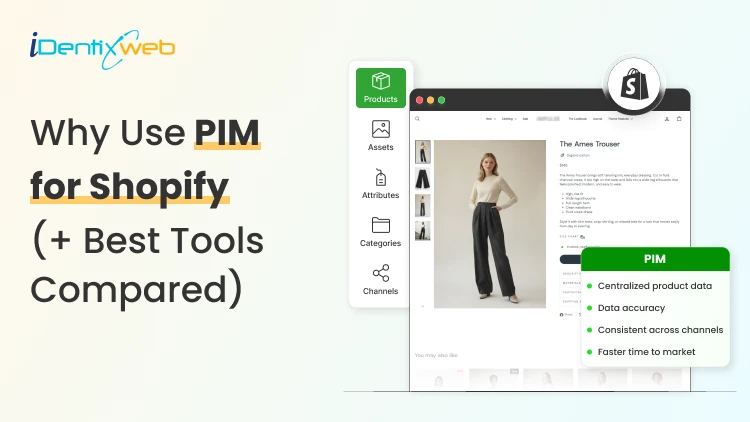
PIM (Product Information Management) for Shopify is a centralized system that helps merchants manage, enrich, and distribute accurate product data across Shopify, marketplaces, and other sales channels. It improves data consistency, reduces missing product information, supports faster catalog updates, lowers return risks, and strengthens multi-channel selling. Popular PIM options for Shopify include Plytix, Sales Layer, Apimio, Jasper PIM, Akeneo, Salsify, inRiver, and Pimcore. Most Shopify stores lose sales because the information around their products is inconsistent or confusing to customers. A PIM for Shopify fixes that by giving you one clean source of info for every title, spec, image, and attribute, then pushing it out everywhere you sell. Better product data helps you get more revenue, fewer returns, and products that actually show up when a shopper asks an AI what to buy. I'll walk you through what a PIM really does for a Shopify store, whether you need one yet, and what the good options cost in 2026. What is a PIM for Shopify? A PIM (product information management) system is a central hub where you create, enrich, and manage all your product data. For a Shopify store, a PIM sits alongside your admin and gives clean, complete, consistent product content into Shopify and out to marketplaces, feeds, and AI channels. Shopify already stores product data. A PIM is different because it's built for scale and structure. You get flexible attribute models, validation rules that catch missing or wrong fields, and digital asset management for images and videos. The reason store owners search for a PIM is that their catalog has grown, the channels multiplied, and keeping product data accurate has become difficult. How does better product information turn into more sales? 1. Fewer returns and refunds Returns are one of the first places where inconsistent product data starts eating into margins. The National Retail Federation estimates the average retail return rate at nearly 17%, with returns costing retailers close to $850 billion annually. Accurate sizing, specifications, images, and product descriptions reduce the gap between what customers expect and what they actually receive. 2. Higher conversion and less abandonment Incomplete product information can send shoppers directly to a competitor. Akeneo found that: 70% of consumers would choose a different product when information is missing. 65% would abandon the purchase completely. This is where a Product Information Management (PIM) system becomes useful. A PIM can enforce mandatory product attributes before a SKU is published. For example, every product can be required to include: Dimensions Materials Care instructions Product specifications Multiple product images Instead of relying on someone to notice missing information manually, the system helps prevent incomplete product listings from reaching the storefront. 3. Better Visibility in AI Shopping Channels In 2026, consistent product data matters beyond your Shopify storefront. It also affects how products appear in AI-powered shopping experiences. Shopify has expanded product discovery through channels such as: ChatGPT Perplexity Microsoft Copilot Google AI Mode These systems rely heavily on structured and complete product information to understand what a product is, who it is suitable for, and when it should be recommended. A product with: A vague description, missing GTIN, limited specifications, and a few structured attributes gives an AI shopping assistant far less information to work with. For a deeper understanding of how to rank in AI engines, read my breakdown on best practices for AEO in Shopify stores in 2026. Do you actually need a PIM for Shopify yet? A lot of Shopify stores don't need a standalone PIM. If you sell a few hundred products on one or two channels and your data is manageable, Shopify's native tools should be your choice. Shopify's metafields and metaobjects are the reason. Metafields let you add structured custom fields to products, variants, collections, and more, so you can store specs, size guides, and warranty details that Shopify's default fields don't cover. Metaobjects let you build reusable content objects, like a brand or a care guide, and connect them across many products. If you're not using them yet, here are a few of my guides and articles you can go through. Shopify metafields guide How to add product metafields Shopify metaobjects guide What to look for in a PIM for Shopify? Focus on five things: How does it connect to Shopify? How flexible is its data model? How well does it handle assets? How does it syndicate to channels? How does it keep data clean? Connection comes first, and it splits into two camps. Some PIMs offer a native Shopify integration or a listed Shopify app, so product data flows straight into your store with minimal setup. Others connect through a middleware layer or a third-party connector, which works but adds a moving part to maintain. If you search "PIM for Shopify app," you're looking for that first camp, and it's the smoother path for most stores that don't have a developer on call. Check the current Shopify App Store listing and recent reviews before you commit, since integrations and pricing change often. Beyond the connection, here's what actually matters: A flexible data model and taxonomy, so you can define the exact attributes your products need and enforce them. Data validation and governance, so incomplete or malformed data can't reach your storefront. Digital asset management for images and video, ideally with variant-level control. If you want icons and trust badges on product pages, our guide on displaying images with metafields shows the native version of the same idea. Channel syndication and localization, so one enriched record can publish to Shopify, marketplaces, feeds, and AI channels in the right format each time. Automation and AI enrichment to fill gaps, generate copy, and score data quality, which saves the most tedious hours. If a tool nails those five and connects cleanly to Shopify, it'll serve you far longer than one that just has a long feature list. A PIM Is Only as Good as Its Integration The value of a PIM also depends heavily on how well it connects with Shopify and the rest of a merchant's technology stack. When a native connection does not cover the required workflow, Identixweb develops custom Shopify integrations that help businesses connect product data and other systems around their specific operational requirements. Best PIM for Shopify in 2026 Plytix Plytix is a common starting point for growing brands because it offers a free tier for smaller catalogs and supports unlimited users. Its paid plans scale based on SKU requirements, making it suitable for businesses that expect their catalogs to grow over time. Akeneo Akeneo is designed for businesses that need advanced product information management across large catalogs, teams, markets, and languages. Salsify Salsify combines product information management with broader product experience and syndication capabilities, making it more suitable for brands distributing product data across multiple channels. Pimcore Pimcore supports sophisticated product data models and is often considered when businesses need greater flexibility around product information, digital assets, and other connected data. Sales Layer, Apimio, and Jasper PIM Sales Layer, Apimio, and Jasper PIM target a similar segment. They are generally suited to brands that need: Centralized product information Better product data consistency Multi-channel syndication Easier catalog management Shopify integration without a complex enterprise implementation What does a PIM for Shopify actually cost in 2026? PIM pricing in 2026 runs from free to well over $50,000 a year, and the plan name matters less than your catalog complexity. Most SaaS PIMs price by the number of SKUs, users, channels, and outputs, while enterprise platforms quote custom deals you won't see without a demo. Here's the rough shape of the market, based on current published pricing and PIM cost breakdowns from vendors like Plytix and Akeneo: Free and entry SaaS tiers cover small catalogs, often up to around 1,000 SKUs, with limited features. Good for testing the idea. Mid-market SaaS plans commonly start in the few-hundred-dollars-a-month range and scale with SKU count. Plytix, for example, publishes a Pro tier starting around $499 a month for larger catalogs, and other SaaS PIMs sit in a similar band. Enterprise platforms like Akeneo, Salsify, and inRiver don't publish full pricing. Budgeting guidance from these vendors points to five figures a year and up once services are added, and first-year totals can climb much higher with implementation. PIM for Shopify Plus and high-volume catalogs For Shopify Plus and high-volume stores, a PIM shifts from optional to close to essential, because the whole reason you're on Plus is scale, and scale is where manual product data breaks. The specific wins for a PIM on Shopify Plus: One source of truth across multiple Plus storefronts and regions, so a single edit propagates everywhere instead of being redone per store. Localization at scale, with translated attributes and region-specific data flowing to the right storefront automatically. B2B and wholesale support, where different buyers need different data, pricing, and catalogs from the same underlying products. Governance and workflows, so a team of merchandisers, marketers, and suppliers can all contribute without corrupting the catalog. How to roll out a PIM the right way? To close out this blog, here's the sequence I'd follow: Audit your current data first. Pull your catalog, find the gaps, the duplicates, and the inconsistencies. You'll fix these no matter which tool you pick, so do it before you buy. Design your attribute model before importing anything. Decide the fields every product must have, the allowed values, and the rules. A governed model is what keeps a PIM clean six months later. Start with a pilot, not the whole catalog. Migrate one category or your best-sellers, get the Shopify sync working end-to-end, and confirm the data lands correctly on your storefront and channels. Assign ownership. Someone has to own product data quality, or the system slowly drifts back to the mess you were escaping. Then scale. Roll out category by category, syndicate to your channels, and layer in automation and AI enrichment once the foundation is solid. FAQs 1. What is PIM for Shopify? A PIM system for Shopify is software that centralizes, organizes, and manages product data such as titles, descriptions, specifications, images, variants, and attributes before syncing it to your Shopify store and other sales channels. It is useful for merchants with large catalogs because it helps maintain accurate, consistent product information across channels. 2. Is Shopify a PIM system? No. Shopify stores and manages product data, and its metafields and metaobjects add structured custom fields, but it lacks the multi-channel syndication of a dedicated PIM. For a single store with a small catalog, native Shopify is often enough. For large catalogs across many channels, a PIM will help. 3. What is the best PIM for Shopify? For most small and mid-sized stores, Plytix, Sales Layer, or Apimio fit well and connect to Shopify easily. For large, complex catalogs, enterprise platforms like Akeneo, Salsify, or inRiver are a better choice. 4. Do I need a PIM system for Shopify multi-channel selling? If you have thousands of SKUs, multiple variants of products, and content that is localized and sold across global markets, you need a PIM system for Shopify multi-channel selling.

10 Min • 31 July 2026
Grow Your Store With Shopify Referral Codes? (Generate, Distribute & Track)
Shopify merchants can run creator affiliate programs through Shopify Collabs, which generates affiliate links and discount codes, tracks attributed sales, and manages commissions. For customer referrals, merchants can manually create a unique discount code for each referrer, add minimum-spend and usage limits, and track resulting orders through discount reports. Automated customer rewards, referral sharing, fraud controls, and advanced attribution generally require a dedicated referral app. A Shopify referral code is one of the cheapest acquisition channels most stores never use. I have set these up for stores doing 40 orders a month and stores doing 4,00, and the setup is far less technical than merchants expect. Here is how referral works in your admin right now, what processes need an app, and how to track whether any of it is making you money. What Is a Shopify referral code? A Shopify referral code is a discount code tied to one specific person, so you know exactly who sent each new customer. A generic code like SUMMER20 tells you nothing about who shared it. A referral code like SAM-15 tells you Sam brought that order in. A referral code can be implemented as a Shopify discount code, but referral platforms may use unique links, customer accounts, or tracking methods. The key difference is that a referral identifier connects the sale to a specific referrer. I will explain the three formats that get mixed up. Referral code. An alphanumeric string the shopper types at checkout. Works for podcasts, in-person events, WhatsApp, and anywhere a link cannot travel. Referral link. A unique URL that attributes visits or purchases to a referrer. A Shopify shareable discount link can automatically apply the discount, while referral apps may use cookies, URL parameters, account matching, or other attribution methods. Discount code. The broad category both of the above sit inside. Run both formats. Links convert better because there is no typing. If you are new to this, my walkthrough on how to create a discount code on Shopify covers the base settings you will need before any of this works. Does Shopify have a referral program? Shopify has no built-in customer-to-customer referral program where your buyers refer their friends. It does have two programs that reward people for referring new merchants to Shopify. One native app that handles affiliate-style referral codes for your store. Three separate things carry the word "referral" in this ecosystem, and merchants confuse them weekly: 1. The Shopify affiliate program This program is for creators, who refer new merchants to Shopify. Eligible affiliates can earn up to $150 USD for a qualified merchant who moves to a full-price Basic, Grow, or Advanced plan. The merchant must start a free trial within 30 days of the qualifying affiliate click, and Shopify currently allows up to 125 days from the start of the trial for the referral to become eligible. The minimum withdrawal balance is $10, reporting and payments are handled through Impact, and Shopify says applications are generally reviewed within five business days. 2. The Shopify partner program This program is for developers, designers, agencies, app companies, and other commerce professionals. Earnings vary by activity and may include merchant-referral revenue share, app or theme revenue, and service income. 3. Your own referral program This is where existing customers refer friends to your store. Shopify’s native discounts and store credit can support a small manual pilot. But an automated customer-to-customer referral program requires an app or custom development. The native tools for merchants Shopify Collabs Shopify Collabs is Shopify's own affiliate marketing app, and it generates unique discount codes and tracking links per creator, tracks the sales attributed to each one, and pays them out. It is available on every Shopify plan except Starter and Retail. Shopify does not charge a monthly Collabs subscription fee, but it currently charges a 2.9% processing fee on automatic commission payments. You can invite creators directly, run an open access program with an instant commission offer, or publish an application page on your online store. If you are eligible for Shopify Flow, you can wire Collabs into automated workflows. For the broader creator strategy, see my guide on finding influencers with Shopify Collabs for merchants. . Native store credit Store credit is a first-party feature in your admin, switched on by default. You issue credit from any customer profile. It applies automatically at checkout for signed-in customers. I see these four limits for this: It only works with new customer accounts. Only the full balance can be applied. Customers cannot spend part of it. The cap is under $15,000 USD per customer account. For stores created on or after May 12, 2025, third-party transaction fees apply to the portion of an order paid with store credit. Plus, stores using Shopify Payments are exempt. Bulk unique code generation Shopify supports bulk unique redeem codes through its Admin API and through third-party bulk-discount apps. In the standard Shopify Admin, merchants can create individual discount codes and export discount data. If you need hundreds or thousands of advocate-specific codes, I would advise using a bulk-discount app or a custom API workflow. How to generate Shopify referral codes (Manual method) Step 1: Choose a discount type Go to Shopify Admin > Discounts > Create discount, then select Amount off products or Amount off orders. Step 2: Create the referral code Under Method, select Discount code and enter a memorable code such as SAM20. Set the discount value, minimum purchase amount, and limit it to one use per customer. Step 3: Save and share Save the discount and send the code to the referrer. You can later track orders and sales generated through that code. Method 2: Shopify Collabs for creator and affiliate referrals Install Collabs. Build your brand profile, set your commission structure as a percentage or a flat amount, decide which products qualify, and publish. Codes and links generate per creator automatically. Attribution is handled by Shopify, so your revenue reporting stays simple. This is best for stores where creators, not customers, drive word of mouth. Method 3: A referral app Referral-app pricing varies more than the monthly subscription alone suggests. Compare order limits, advocate limits, referral revenue fees, fraud controls, integrations, and reward automation before choosing an app. I have compared the main options in detail in my roundup of the best Shopify referral apps in 2026. How to distribute Shopify referral codes Here’s how I distribute Shopify referral codes. Order confirmation page. Peak excitement and zero friction. One line and a copy button works here. Post-delivery email. Post-delivery email. Send it after customers have had enough time to experience the product. This may be seven to ten days for some products, but longer purchase and evaluation cycles may require different timing. Customer account page. Permanent place for the code so people can find it again without digging through email. Packaging insert with a QR code. Physical inserts convert well because the product is in their hands. My guide on creating Shopify QR codes covers the free native options. For email and SMS sequencing, my breakdown of Shopify marketing automation tools covers what to use at each store size.. How to track Shopify referral code performance Discount reports Go to Analytics > Reports, then look for sales by discount report. Shows orders, revenue, and average order value per discount. Compare referral-driven AOV against your store average. Four numbers I always watch: Participation rate. Percentage of customers who claim a code. Share rate. How many of those actually share it? Referral conversion rate. Percentage of referred visitors who buy. Referral CAC. Total rewards paid divided by referred orders. Compare it to your paid ad CAC directly. How to set rewards that do not make losses? Rewards that benefit the referred friend, or both participants, can outperform referrer-only incentives in some situations. Shared rewards will make the recommendation feel more helpful, but the best structure depends on your audience, margins, and product. A one-sided reward makes the referrer feel like they are profiting off a friend. For example, on a $60 order with a 55% gross margin, a 20% friend discount leaves approximately $21 in gross profit before the referrer reward and other costs. After assigning a $20 store-credit reward, the first order is close to break-even before payment fees, shipping, returns, app charges, and support costs. I set these three margin rules: Add a minimum order value so referrals cannot be redeemed on your cheapest SKU. Pay the referrer in store credit, not cash. The reward returns to you. Check your discount combination settings. Shopify lets codes stack with automatic discounts, and a stacked referral code plus a seasonal promo can wipe out a full order's margin. My guide on Shopify discount combinations covers how to set these rules safely. Start small and scale what works A Shopify referral program does not need $200 monthly software. The first thing I would do is to create ten manual codes for your ten best customers and watch the discount report for 30 days. If referred customers convert at a decent rate and your referral CAC beats your ad CAC, the case for a proper app makes itself. A simple referral setup with clear promotion and regular measurement can outperform a more expensive platform that customers rarely see or use. FAQs 1. How can Shopify users set up a referral program? Install a referral app from the Shopify App Store, then configure the user reward, incentive, eligibility rules, sharing methods and fraud controls. Shopify’s native discount tools can create promotional codes, but a referral app is required for unique referral links, automatic rewards, attribution and performance reporting. 2. Is there a referral code for Shopify? Shopify does not offer a referral code that gives every new merchant a discount on a Shopify plan. Approved Shopify Affiliates receive a unique referral link through the Shopify Affiliate Program, while merchants can create their own customer referral codes using Shopify Discounts or a referral app. 3. How to generate referral codes for Shopify? From the Shopify admin, go to Discounts, select Create discount, choose the discount type and enter or generate a code. Set the reward value, eligible products or customers, minimum purchase requirement, usage limit and expiry date. Use a referral app when every user needs a unique code and automated reward tracking. 4. Which is the best referral app for Shopify? ReferralCandy is a strong, dedicated option for referral and affiliate campaigns with attribution, tiered rewards, fraud protection and multiple reward types. Smile is another app that is better suited to merchants who want referrals combined with loyalty points and VIP tiers. 5. Does Shopify have a referral program? Yes. Shopify operates an Affiliate Program through which approved affiliates share unique links and earn commissions for qualified merchants. However, Shopify does not provide a built-in customer refer-a-friend program for individual stores, so merchants must use a referral app or manage codes manually through Shopify Discounts.
Vineet Nair
12 Min • 18 September 2026
107 Views

Vineet Nair
11 Min • 15 September 2026
113 Views

Vineet Nair
12 Min • 14 September 2026
125 Views
Vineet Nair
10 Min • 27 August 2026
149 Views
Vineet Nair
10 Min • 27 August 2026
144 Views
Vineet Nair
10 Min • 21 August 2026
165 Views
Vineet Nair
7 Min • 19 August 2026
151 Views

Vineet Nair
10 Min • 14 August 2026
172 Views
Vineet Nair
10 Min • 12 August 2026
162 Views
Vineet Nair
9 Min • 7 August 2026
174 Views
Vineet Nair
9 Min • 4 August 2026
166 Views
Vineet Nair
8 Min • 31 July 2026
153 Views