





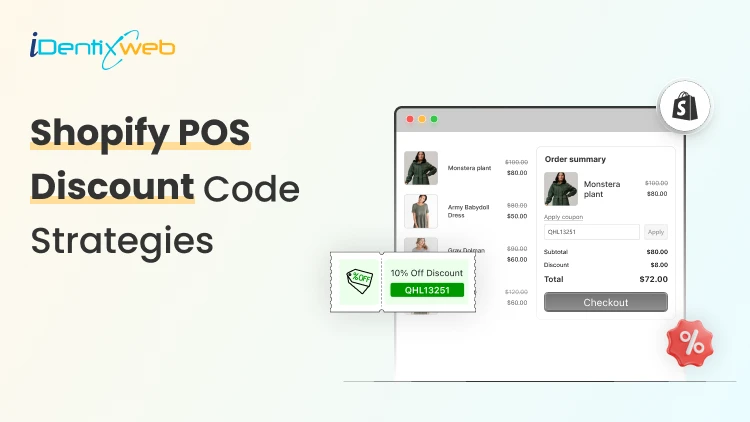
In today’s retail landscape, customers don’t think in terms of “online” or “offline”, they simply expect a seamless shopping experience wherever they interact with your brand. Whether they’re browsing your website, scrolling through social media, or walking into your physical store, consistency matters.
That’s where Shopify POS steps in as a powerful bridge between your digital and in-store operations. But simply having the system isn’t enough. To truly maximize conversions and build customer trust, your discount strategy needs to be aligned across every touchpoint.
In this blog, we’ll explore six practical ways to sync your online and offline promotions using Shopify POS
6 Shopify POS Discount Strategies to Align Your Online & Offline Promotions
Strategy 1: Build Discount Codes in Shopify Admin
The single biggest mistake merchants make is creating online promo codes in one place and entering POS-specific discounts somewhere else.
The fix: Every discount whether it's meant for online, in-store, or both, should be created inside your Shopify Admin > Discounts section.
When you create a discount code here, you can explicitly control:
- Usage channel: Online Store, POS, or both
- Discount type: Percentage, fixed amount, free shipping, or buy X get Y
- Validity dates: Aligned start/end times so your flash sale doesn't accidentally run a day longer in-store
- Usage limits: Per customer, per code, or overall redemption caps
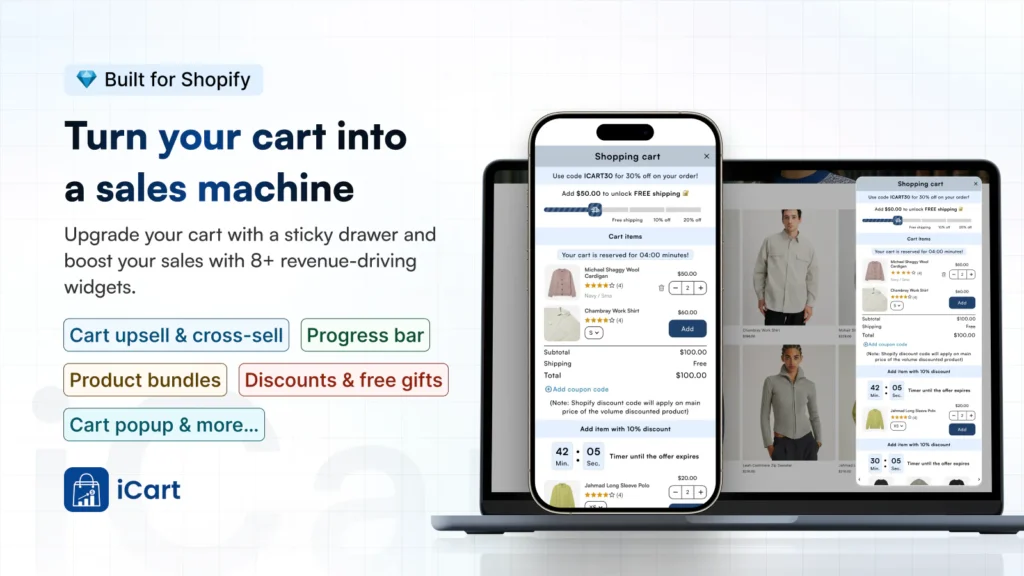
While Shopify POS helps you keep your online and offline discounts consistent, your online cart experience also plays a big role in turning those promotions into higher-value orders. This is where iCart Cart Drawer Cart Upsell can fit naturally into your strategy. So, when shoppers use a discount on your online store, you also get a better chance to increase AOV without making the buying experience feel pushy.
Strategy 2: Use Automatic Discounts for Zero-Staff-Error Execution
Customers forget to mention a code. Staff forget to ask. The coupon gets applied inconsistently. By the end of a campaign, you have no idea which channel actually drove conversions.
Automatic discounts solve this. Set up an automatic discount in Shopify Admin and it applies at checkout both online and at your POS terminal without anyone typing a single character.
Here's how to set one up for cross-channel use:
- Go to Shopify Admin > Discounts > Create Discount
- Select "Automatic Discount"
- Set your discount value and conditions
- Under "Sales Channels", select both Online Store and Point of Sale
- Set your active dates
This is one of the most underused features in Shopify POS discount management. When you run a storewide "Buy 2 Get 1 Free" during a holiday weekend, automatic discounts mean every eligible transaction gets the deal no exceptions, no oversights.
Strategy 3: Segment Customers and Target Discounts by Loyalty Tier
Not every customer should get the same discount. Your loyal, high-LTV customers deserve better than a first-time visitor who found you through a generic Instagram ad.
Shopify's customer segmentation combined with POS lets you create targeted Shopify POS discount codes tied to specific customer profiles.
Here's a practical example:
- Create a customer tag called vip-member for customers who've spent over ₹10,000 (or $500) with you
- Build a discount code VIPONLY20 with a usage restriction that only applies to customers with that tag
- Train your staff to pull up the customer profile at POS and apply the code
This is where Shopify POS discount strategy stops being about tech and starts being about relationships.
Strategy 4: Sync Your Promotional Calendar
Here's a mindset shift that changes everything: stop thinking of your online store and your physical store as two separate entities.
They share the same inventory (ideally). They serve the same customers. They represent the same brand. So your promotional calendar should reflect that.
Create a unified promotions calendar that maps every discount event like seasonal sales, product launches, clearance events, loyalty rewards to both channels simultaneously.
Operationally, this means:
- Scheduling Shopify discounts with identical start and end times for both POS and Online Store
- Briefing your retail staff before any online campaign goes live (they should never hear about a promotion from a customer first)
- Aligning your email/SMS marketing with in-store signage so the message is consistent
A practical tool here: Shopify's discount scheduling feature lets you set a future activation date. Build your holiday discounts two weeks in advance, schedule them to go live at midnight, and both your website and your POS register will be updated automatically.
Strategy 5: Use Location-Specific Discount Codes Strategically
Sometimes, you want your in-store and online discounts to be different and that's perfectly valid.
Maybe you're trying to drive foot traffic to a new location. Maybe you're clearing inventory faster in one store than your website. Maybe your in-store customers have a different average order value and need a different incentive.
Location-specific Shopify POS discount codes let you do this intentionally, not accidentally.
How to execute this cleanly:
- Create distinct codes like DELHI-STORE15 or INSTORE-JUNE that are exclusively set to "Point of Sale" under Sales Channels
- Create a corresponding online code with the same campaign theme but different mechanics (e.g., free shipping vs. 15% off)
- Track them separately in your Shopify discount analytics
The key word here is intentionally. The difference between a confusing discount strategy and a sophisticated one is whether your channels are misaligned by accident or optimized by design.
When a customer asks "can I use this in your store?", your staff should have a clear, confident answer not a shrug.
Strategy 6: Analyze Discount Performance by Channel
Creating and running discounts is only half the job. The merchants who consistently grow are the ones who know what's working and why.
Shopify gives you per-discount analytics. Use them.
After every major promotion, ask:
- Which channel redeemed more codes - POS or Online Store?
- What was the average order value for transactions using the discount vs. those without?
- Did the discount cannibalize full-price sales or genuinely drive new transactions?
Final Thoughts
With the right Shopify POS discount setup you build trust & drive sales. And you turn a one-time buyer into someone who shops with you.
Start with one strategy from this list. Build it right. Then layer in the next. Consistency beats perfection every time.
Frequently Asked Questions
1. Can I use the same discount code online and in-store on Shopify?
Yes. When creating a discount code in Shopify Admin, you can select both "Online Store" and "Point of Sale" under Sales Channels, making the same Shopify POS discount code valid across both touchpoints.
2. Do automatic discounts work at Shopify POS?
Yes, automatic discounts apply at Shopify POS checkout just like they do online, as long as you've selected "Point of Sale" as an active sales channel when setting up the discount.
3. Can I restrict a Shopify POS discount code to specific locations?
With Shopify POS Pro, you can manage discounts at the location level and use staff roles to control which discounts are accessible at which terminals.
4. What's the difference between a discount code and an automatic discount on Shopify POS?
A discount code requires manual entry at checkout (by staff or customer). An automatic discount applies without any code input when the cart meets the set conditions. For busy in-store environments, automatic discounts reduce errors significantly.
Post Tags




About the author
Sajini Annie John
Meet Sajini, a seasoned technical content writer with a passion for e-commerce and expertise in Shopify. She is committed to helping online businesses to thrive through the power of well-crafted content.