Blog
Gather knowledge about the latest insights, updates, tips, and tricks in the Ecommerce industry.

5 Min • 20 March 2026
How Anua Unlocked 5X AOV Growth with iCart’s Smart Cart Features
delivery customization Challenges Solutions drive results Scale business delivery customization Challenges Solutions drive results Scale business delivery customization Challenges Solutions drive results Scale business delivery customization Challenges Solutions drive results Scale business Anua is a globally recognized Korean skincare brand known for its minimalist philosophy and focus on gentle yet effective formulations. Built on the idea of simplifying skincare routines, Anua develops products that deliver visible results while avoiding harsh or irritating components, making them suitable for sensitive skin types. Initially using a traditional full cart experience, Anua transitioned to iCart’s side cart solution in August 2025, to create a more seamless and engaging shopping journey. This shift allowed customers to easily explore complementary skincare products without disrupting their browsing flow, making it more intuitive to discover items that fit into a complete routine. By surfacing relevant recommendations directly within the cart, the brand enhanced product visibility across its range. Challenges Before implementing iCart’s side cart solution, Anua faced limitations with their existing full cart experience, which created friction in the customer journey. The traditional cart setup redirected users away from product pages, interrupting their browsing flow and reducing opportunities to explore additional products. As a skincare brand built around routines rather than single-item purchases, this made it difficult to effectively showcase complementary products and encourage customers to build complete regimens. Additionally, the lack of in-cart personalization and strategic upsell opportunities meant that customers were often unaware of related products that could enhance their skincare results. This limited the brand’s ability to increase average order value (AOV) and fully leverage its diverse product range. Anua needed a more dynamic and intuitive cart experience that could seamlessly introduce relevant recommendations while maintaining a smooth and engaging shopping journey. ❌ Cart Value Barriers Low average order value (AOV) due to single-item focus Most customers completed purchases with one primary product instead of building multi-step routines. Cart abandonment near shipping thresholds Customers were not clearly informed or motivated to reach free shipping or discount thresholds. Missed savings opportunities Customers were unaware of potential value in purchasing bundled routines or multiple complementary products. ❌ Absence of Progress-Based Incentives No free shipping or discount progress bar Customers were not motivated to increase their cart value due to lack of visible incentives. Missing tiered rewards system There were no structured milestones (e.g., “Spend more to unlock offers”), reducing upsell opportunities. ❌ Ineffective Cart UI/UX (Pre-Side Cart) Full-page cart disrupted shopping flowCustomers had to leave their browsing journey, increasing friction and drop-offs. No quick add/remove functionality Users couldn’t easily modify their cart or add suggested products without navigating away. Solution To overcome these challenges, Anua implemented iCart’s side cart solution to transform their traditional cart into a high-converting, interactive experience. By replacing the full-page cart with a seamless side cart, the brand ensured that customers could continue browsing while viewing their cart, significantly reducing friction in the shopping journey. Additionally, features like product recommendations & progress bars for free shipping and discounts motivated customers to increase their cart value. By combining personalization, incentive-driven messaging, and a user-friendly interface, Anua successfully turned their cart into a powerful revenue-driving touchpoint rather than just a checkout step. To maximize their cart effectiveness, they implemented two powerful features: ✅ Progress Bar with Multi-Reward Incentives Implemented a tiered progress bar to encourage higher cart value Customers are guided with a clear message like “Add $3.10 to unlock secret offer,” motivating them to continue adding products. Generated over $5M+ in revenue through incentive-driven cart progression Used product-based rewards to align with customer intent Instead of generic discounts, Anua incentivized purchases with relevant skincare items like Dark Spot Pads and mini serums. Built visual motivation for routine expansion As customers add products, they can clearly track progress toward unlocking multiple rewards, encouraging them to build a complete skincare routine. ✅ Product Recommendations Implemented “Frequently Bought Together” recommendations Customers adding a single product (e.g., toner) are shown complementary items like serums, moisturizers, or pads to complete their routine. Generated over 275K revenue through in-cart recommendations Encouraged full skincare regimen building Instead of isolated purchases, the cart suggests step-by-step product combinations aligned with common skincare routines. Increased product discovery at the final stage By surfacing relevant items directly in the cart, Anua ensured customers explore more of their catalog without leaving the checkout flow. Results Achieved in Last 180 Days 22932 Total Store Orders 45101 Total iCart Orders 5X iCart Generated AOV 65.70% Upsell Affected Conversion Rate These improvements reflect a clear shift in customer behavior on Anua’s store. Cart abandonment reduced as shoppers discovered complementary skincare products and felt encouraged to build complete routines. Engagement also increased, with customers interacting more with in-cart recommendations and exploring relevant product pairings. Results & Impact And...Results is Our Main Clarification By implementing iCart’s cart drawer, product recommendations, and progress bar, Anua transformed its cart into a high-performing conversion touchpoint. Shopping Experience Enhancement The improved cart experience encouraged customers to discover complementary products and understand the value of sustainable beauty routines. For instance, the clear presentation of subscription savings alongside one-time purchase options helped customers make more informed decisions about their long-term hair care needs. As Anua continues to optimize its cart experience, the brand is closely monitoring: Routine-based purchasing behavior - tracking how customers move from single items to multi-step regimens Engagement with in-cart recommendations - measuring interaction with suggested products Cart value progression - analyzing how incentives influence higher spending [related_cases_slider] Ready to Write Your Success Story? Try icart App Join successful businesses like Anua and Master your delivery scheduling Delight customers with precise timing Grow your special occasion orders Expand your delivery reach
Read Blog
2 Min • 26 April 2026
Shopify Local Delivery App: 7 Must-Have Features for Scalable Scheduling & Operational Efficiency
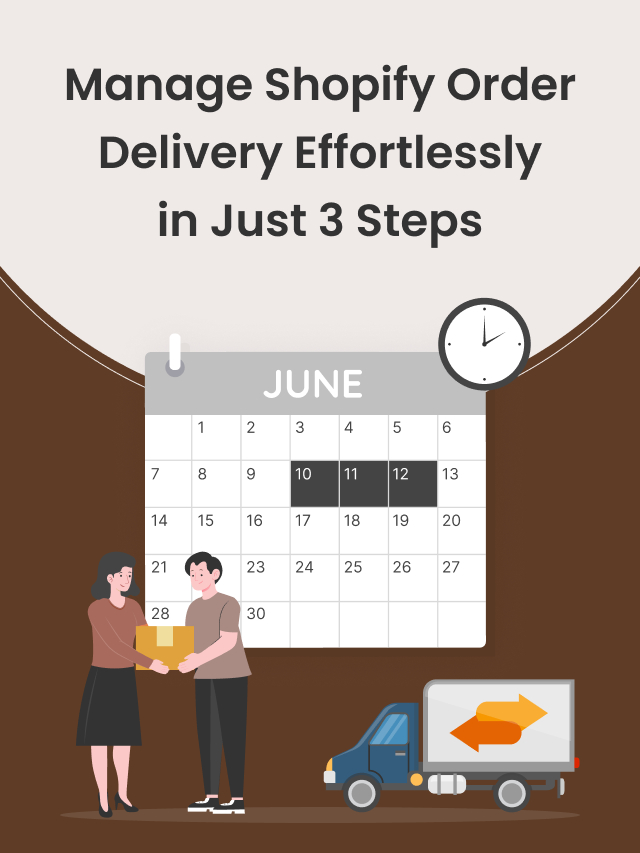
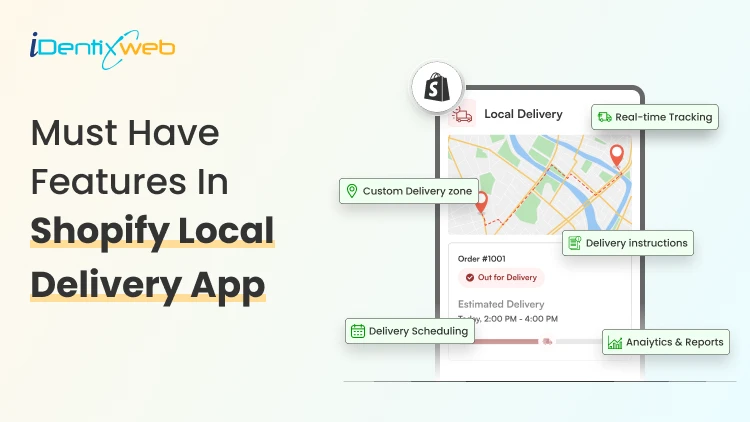
Running a delivery-based business on Shopify can be exciting, but as your order volume grows, so do the operational challenges. Managing deliveries manually quickly becomes overwhelming, leading to delays, confusion, and unhappy customers. This is where a powerful Shopify Local Delivery App becomes essential. It helps automate your workflows, improve delivery efficiency, and provide a better customer experience. In this blog, we’ll explore the most important features you should look for in a Shopify local delivery app. Why You Need a Shopify Local Delivery App At the beginning, many store owners handle deliveries manually using spreadsheets, phone calls, or basic tools. But as your business grows, this approach starts to fail. You may face: Missed or delayed deliveries Poor communication with customers Inefficient routes and higher fuel costs Difficulty managing drivers Lack of visibility into operations A Shopify local delivery solution helps you automate these tasks, reduce human errors, and handle more orders without increasing stress. Must Have Features In Shopify Local Delivery Apps 1. Smart Delivery Scheduling Delivery scheduling is one of the most important parts of your operations. Without proper scheduling, even a small increase in orders can create chaos. A good Shopify local delivery app should allow you to: Set daily delivery limits Manage same-day or next-day delivery options Add cut-off times for orders With smart scheduling, you can distribute orders evenly across time slots, ensuring that your delivery team is not overloaded.
7 Min • 30 April 2026
5+ Common Shopify Checkout Mistakes (& How to Fix Them to Drives Sales)
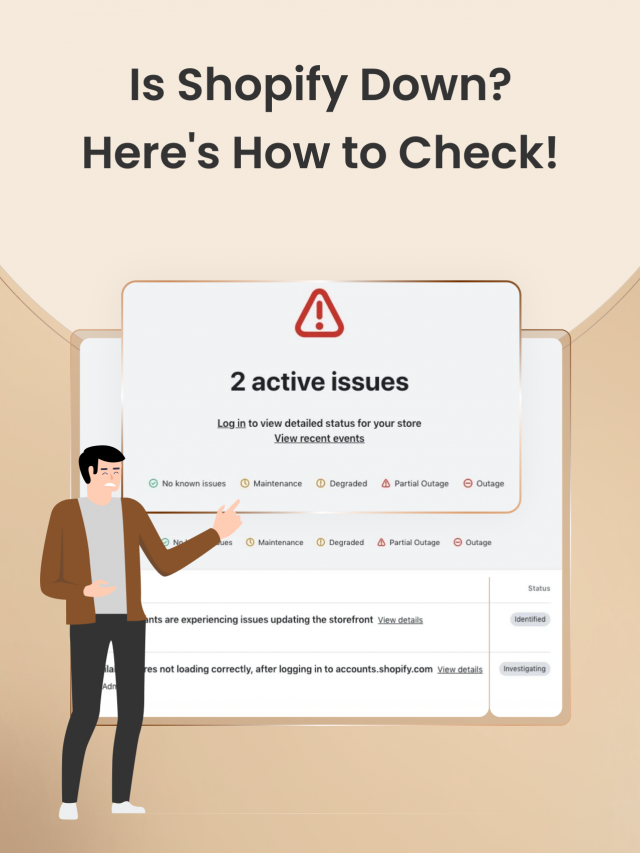
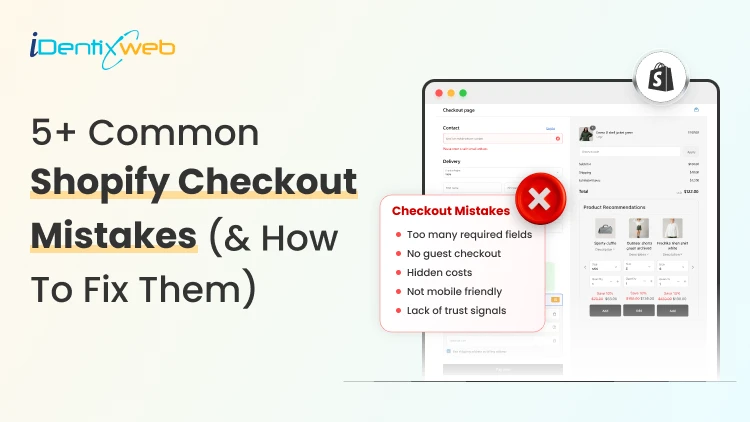
Since the start of 2026, I have worked with many new Shopify stores, spending hours improving their storefront. But when I check their Shopify checkout page, I often find the real problem there. The buyer likes the product > Adds it to the cart > reaches the Shopify checkout page > Abandons the cart. Merchants do not realize it, but they make common Shopify mistakes in the checkout page. They need to customize the Shopify checkout page to decrease the cart abandonment rate. In this blog, I will explain the top Shopify problems that come up at the checkout page and how to permanently fix them. What are the benefits of customizing your Shopify checkout page? 1. Builds trust before payment Checkout is where shoppers become more careful. They are about to share their address, payment details, and personal information. A branded checkout helps reduce doubt through trusted payment methods, their icons, and shipping & return policy links. 2. Reduces checkout friction Every extra field in your checkout form adds friction. A high-converting Shopify checkout page helps shoppers complete the order without overthinking. 3. Makes the payment clearer Stores often lose sales because buyers discover extra costs too late. Checkout customization helps you clearly show: Shipping cost Taxes Delivery estimate Return policy Payment options Showing these details upfront helps the shoppers to complete the checkout. 4. Improves mobile checkout experience 79% of shoppers use their smartphones to shop. If your mobile checkout feels hard to use, you will lose orders even if your product page looks good. A customized Shopify checkout page helps your mobile shoppers to add items to their cart and complete checkout on their phones. Before we get into the mistakes, here’s one thing I suggest to Shopify merchants. If you want to fix checkout-related issues and increase AOV, you can use an app like SellMore. It helps you add post-purchase upsells, thank-you page offers, checkout upsells for Shopify Plus stores, bundles, and AI product recommendations, so your checkout flow stays clean while still creating more revenue opportunities. 5+ Common Shopify Checkout Mistakes (& How to Fix Them)? Mistake 1: Asking for too much information Many new Shopify store owners ask for details they do not really need. For example, a second address line in the checkout page is unnecessary. Buyers want speed. They do not want to fill out a long form just to place one order. Why does it hurt your checkout? Long forms make the checkout feel complicated. Buyers will feel the store is asking too much too soon. For example, if you sell fashion, beauty, accessories, or home products, you may not need a phone number unless your shipping partner requires it. My expert take on how to fix it I follow this rule whenever I optimize a checkout page. I keep only the fields needed for: Payment Delivery Order confirmation Customer support Make optional fields truly optional. Also, avoid asking for a phone number unless it helps with delivery or support. Mistake 2: Showing shipping costs too late Hidden shipping cost is one of the most common Shopify mistakes I see. A shopper may like the product price on the product page. They may add it to the cart. But if the price that appears at the checkout page feels different, they will leave. This happens way too often. My expert take on how to fix it Show shipping information earlier in the buying journey. Good places to show shipping details: Product page Cart page Announcement bar Shipping policy Checkout page Mention free shipping rules, flat-rate shipping, delivery timelines, or location-based charges if applicable. Mistake 3: Offering limited payment options Payment trust can make or break your checkout process. Some prefer PayPal, Shop Pay, Apple Pay, or Google Pay. In some countries, local payment methods matter more than global ones. Why does it hurt your checkout? A buyer may like your product, but if they do not see a payment option they trust, they may not complete the order. I once worked for a client in India, and their checkout rate increased once I added Google Pay. My expert take to fix it? Enable payment methods based on your target market. For example, if you are a US-focused Shopify store, consider: Shop Pay, Apple Pay, or Shopify Payments. For other regions, check which local payment methods your audience already uses. Mistake 4: Weak trust signals near checkout Buyers need small signs that your store is safe. A simple checkout is good, but it should also answer basic trust questions like: Can I return the product? When will it arrive? Who do I contact if something goes wrong? Is my payment safe? Is this a real store? My take on increasing trust at checkout Add clear policy links, trust badges, and support details where possible. These are the things I always focus on: Return policy Shipping policy Privacy policy Contact page Support email Order confirmation details Mistake 5: Ignoring mobile checkout I have talked about this in the benefits section as well. Mobile checkout is where many stores lose buyers. Merchants build their checkout on the desktop, but mobile is where the majority of your customers will come. Issues like small buttons, cluttered spacing, and hard-to-see text fields are common Shopify mistakes on the checkout page How to fix issues with mobile checkout? Place a full test order from your phone. Test the full flow: Add a product > Open the cart > Apply a discount > Enter shipping details > Select payment > Reach the final step > Check the thank-you page If you see issues with any of the steps, cuztomize the Shopify checkout page UI/UX on your phone immediately. Mistake 6: No progress indicator at checkout page I have seen this increase the checkout completion rate a lot. A shopper should always know where they are in the checkout flow. Not adding a progress bar at the top of the page will create doubt in their mind about how many steps are remaining. My expert take to fix it? Add a simple checkout progress bar at the top of the page to help shoppers understand how many steps are left. I usually break down this progress bar into multiple tiers, like contact information, shipping details, payment, and review. The customer fills each field and sees their progress on the page. Do not let customers bounce at checkout It’s already difficult to get traffic in 2026 because of tough competition, thanks to AI. You need to make the most of your traffic. Most Shopify mistakes at checkout are small. They usually come from: extra fields, hidden shipping, weak payment options, and poor mobile flow. But these small problems are the ones that impact sales. By the end of 2026, if I had to fix one area before sending traffic to a new Shopify store, I would start with checkout. Customize your checkout page immediately and convert your traffic into sales. FAQs 1. How to customize the checkout page in Shopify? You can customize your checkout page from Shopify admin > Settings > Checkout > Configurations > Customize or you can use apps like SellMore to modify your checkout page. 2. Do merchants need a Plus plan to modify their checkout page? No. Merchants on Basic plan or higher can access the checkout and accounts editor for branding changes like logo, colors, fonts, and layout. But Shopify Plus is required for advanced checkout customization, such as adding eligible apps to the information, shipping, and payment pages or using the Checkout Branding API. 3. What are the common mistakes Shopify merchants make at checkout? The most common Shopify checkout mistakes are asking for too many details, hiding shipping costs, offering limited payment options, missing trust signals, ignoring mobile checkout, and not testing the checkout flow before launch. 4. What are the best Shopify apps to customize your checkout? SellMore and Shopify Checkout Blocks are two great apps merchants can use to customize their checkout page.
1 Min • 28 April 2026
Shopify Local Pickup Multi-Location: How to Manage Inventory, Slots & Customer Flow Efficiently
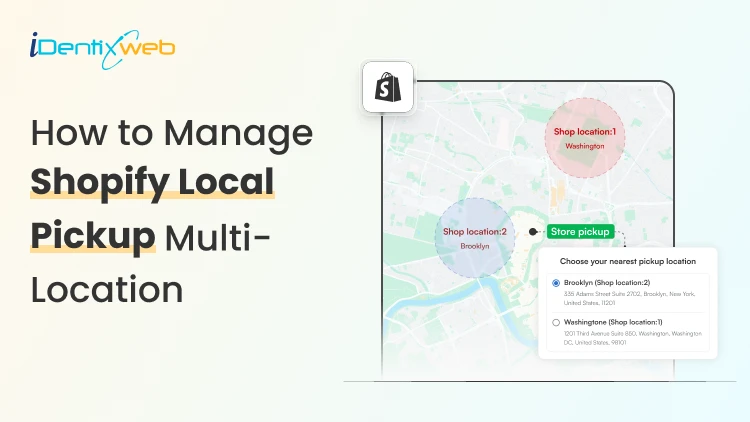
For Shopify merchants operating across multiple locations, however, managing local pickup efficiently can become complex, especially when it comes to inventory synchronization, time slot allocation, and customer flow management. If you're running or planning to scale a Shopify store with multiple pickup locations, understanding how to streamline operations is critical. This guide dives deep into Shopify local pickup multi-location management, offering practical strategies to handle inventory, pickup slots, and customer flow effectively. Why Shopify Local Pickup Multi-Location Matters Offering local pickup isn’t just a convenience; it’s a competitive advantage. When implemented across multiple locations, it allows businesses to: Serve customers faster Reduce shipping costs Optimize inventory distribution Increase foot traffic to physical stores

Bhavesha Ghatode
9 Min • 20 September 2024
2869 Views

Bhavesha Ghatode
7 Min • 18 September 2024
2903 Views

Bhavesha Ghatode
10 Min • 13 September 2024
3206 Views

Bhavesha Ghatode
10 Min • 11 September 2024
3082 Views

Bidisha Saha
14 Min • 6 September 2024
3081 Views
Bhavesha Ghatode
9 Min • 3 September 2024
3400 Views

Bhavesha Ghatode
7 Min • 29 August 2024
3515 Views

Bhavesha Ghatode
7 Min • 23 August 2024
3242 Views

Bidisha Saha
6 Min • 16 August 2024
3185 Views

Bhavesha Ghatode
5 Min • 13 August 2024
3077 Views

Bidisha Saha
7 Min • 7 August 2024
3241 Views
Bhavesha Ghatode
5 Min • 2 August 2024
3356 Views