



Since the start of 2026, I have worked with many new Shopify stores, spending hours improving their storefront.
But when I check their Shopify checkout page, I often find the real problem there.
The buyer likes the product > Adds it to the cart > reaches the Shopify checkout page > Abandons the cart.
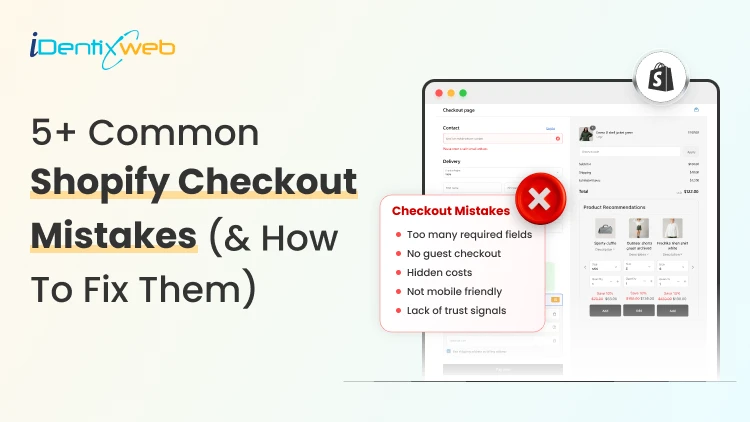
Merchants do not realize it, but they make common Shopify mistakes in the checkout page. They need to customize the Shopify checkout page to decrease the cart abandonment rate.
In this blog, I will explain the top Shopify problems that come up at the checkout page and how to permanently fix them.

What are the benefits of customizing your Shopify checkout page?
1. Builds trust before payment
Checkout is where shoppers become more careful. They are about to share their address, payment details, and personal information.
A branded checkout helps reduce doubt through trusted payment methods, their icons, and shipping & return policy links.
2. Reduces checkout friction
Every extra field in your checkout form adds friction. A high-converting Shopify checkout page helps shoppers complete the order without overthinking.
3. Makes the payment clearer
Stores often lose sales because buyers discover extra costs too late. Checkout customization helps you clearly show:
- Shipping cost
- Taxes
- Delivery estimate
- Return policy
- Payment options
Showing these details upfront helps the shoppers to complete the checkout.
4. Improves mobile checkout experience
79% of shoppers use their smartphones to shop. If your mobile checkout feels hard to use, you will lose orders even if your product page looks good.
A customized Shopify checkout page helps your mobile shoppers to add items to their cart and complete checkout on their phones.
Before we get into the mistakes, here’s one thing I suggest to Shopify merchants. If you want to fix checkout-related issues and increase AOV, you can use an app like SellMore.

It helps you add post-purchase upsells, thank-you page offers, checkout upsells for Shopify Plus stores, bundles, and AI product recommendations, so your checkout flow stays clean while still creating more revenue opportunities.
5+ Common Shopify Checkout Mistakes (& How to Fix Them)?
Mistake 1: Asking for too much information
Many new Shopify store owners ask for details they do not really need. For example, a second address line in the checkout page is unnecessary.
Buyers want speed. They do not want to fill out a long form just to place one order.
Why does it hurt your checkout?
Long forms make the checkout feel complicated. Buyers will feel the store is asking too much too soon.
For example, if you sell fashion, beauty, accessories, or home products, you may not need a phone number unless your shipping partner requires it.
My expert take on how to fix it
I follow this rule whenever I optimize a checkout page. I keep only the fields needed for:
- Payment
- Delivery
- Order confirmation
- Customer support
Make optional fields truly optional. Also, avoid asking for a phone number unless it helps with delivery or support.
Mistake 2: Showing shipping costs too late
Hidden shipping cost is one of the most common Shopify mistakes I see.
A shopper may like the product price on the product page. They may add it to the cart. But if the price that appears at the checkout page feels different, they will leave. This happens way too often.
My expert take on how to fix it
Show shipping information earlier in the buying journey.
Good places to show shipping details:
- Product page
- Cart page
- Announcement bar
- Shipping policy
- Checkout page
Mention free shipping rules, flat-rate shipping, delivery timelines, or location-based charges if applicable.
Mistake 3: Offering limited payment options
Payment trust can make or break your checkout process. Some prefer PayPal, Shop Pay, Apple Pay, or Google Pay. In some countries, local payment methods matter more than global ones.
Why does it hurt your checkout?
A buyer may like your product, but if they do not see a payment option they trust, they may not complete the order. I once worked for a client in India, and their checkout rate increased once I added Google Pay.
My expert take to fix it?
Enable payment methods based on your target market. For example, if you are a US-focused Shopify store, consider: Shop Pay, Apple Pay, or Shopify Payments.
For other regions, check which local payment methods your audience already uses.
Mistake 4: Weak trust signals near checkout
Buyers need small signs that your store is safe. A simple checkout is good, but it should also answer basic trust questions like:
- Can I return the product?
- When will it arrive?
- Who do I contact if something goes wrong?
- Is my payment safe?
- Is this a real store?
My take on increasing trust at checkout
Add clear policy links, trust badges, and support details where possible. These are the things I always focus on:
- Return policy
- Shipping policy
- Privacy policy
- Contact page
- Support email
- Order confirmation details
Mistake 5: Ignoring mobile checkout
I have talked about this in the benefits section as well. Mobile checkout is where many stores lose buyers. Merchants build their checkout on the desktop, but mobile is where the majority of your customers will come.
Issues like small buttons, cluttered spacing, and hard-to-see text fields are common Shopify mistakes on the checkout page
How to fix issues with mobile checkout?
Place a full test order from your phone. Test the full flow:
Add a product > Open the cart > Apply a discount > Enter shipping details > Select payment > Reach the final step > Check the thank-you page
If you see issues with any of the steps, cuztomize the Shopify checkout page UI/UX on your phone immediately.
Mistake 6: No progress indicator at checkout page
I have seen this increase the checkout completion rate a lot. A shopper should always know where they are in the checkout flow. Not adding a progress bar at the top of the page will create doubt in their mind about how many steps are remaining.
My expert take to fix it?
Add a simple checkout progress bar at the top of the page to help shoppers understand how many steps are left.
I usually break down this progress bar into multiple tiers, like contact information, shipping details, payment, and review. The customer fills each field and sees their progress on the page.
Do not let customers bounce at checkout
It’s already difficult to get traffic in 2026 because of tough competition, thanks to AI. You need to make the most of your traffic.
Most Shopify mistakes at checkout are small. They usually come from: extra fields, hidden shipping, weak payment options, and poor mobile flow.
But these small problems are the ones that impact sales.
By the end of 2026, if I had to fix one area before sending traffic to a new Shopify store, I would start with checkout. Customize your checkout page immediately and convert your traffic into sales.
FAQs
1. How to customize the checkout page in Shopify?
You can customize your checkout page from Shopify admin > Settings > Checkout > Configurations > Customize or you can use apps like SellMore to modify your checkout page.
2. Do merchants need a Plus plan to modify their checkout page?
No. Merchants on Basic plan or higher can access the checkout and accounts editor for branding changes like logo, colors, fonts, and layout. But Shopify Plus is required for advanced checkout customization, such as adding eligible apps to the information, shipping, and payment pages or using the Checkout Branding API.
3. What are the common mistakes Shopify merchants make at checkout?
The most common Shopify checkout mistakes are asking for too many details, hiding shipping costs, offering limited payment options, missing trust signals, ignoring mobile checkout, and not testing the checkout flow before launch.
4. What are the best Shopify apps to customize your checkout?
SellMore and Shopify Checkout Blocks are two great apps merchants can use to customize their checkout page.




About the author
Vineet Nair
Vineet is an experienced content strategist with expertise in the ecommerce domain and a keen interest in Shopify. He aims to help Shopify merchants thrive in this competitive environment with technical solutions and thoughtfully structured content.