

Blog
Gather knowledge about the latest insights, updates, tips, and tricks in the Ecommerce industry.

5 Min • 20 March 2026
How Anua Unlocked 5X AOV Growth with iCart’s Smart Cart Features
delivery customization Challenges Solutions drive results Scale business delivery customization Challenges Solutions drive results Scale business delivery customization Challenges Solutions drive results Scale business delivery customization Challenges Solutions drive results Scale business Anua is a globally recognized Korean skincare brand known for its minimalist philosophy and focus on gentle yet effective formulations. Built on the idea of simplifying skincare routines, Anua develops products that deliver visible results while avoiding harsh or irritating components, making them suitable for sensitive skin types. Initially using a traditional full cart experience, Anua transitioned to iCart’s side cart solution in August 2025, to create a more seamless and engaging shopping journey. This shift allowed customers to easily explore complementary skincare products without disrupting their browsing flow, making it more intuitive to discover items that fit into a complete routine. By surfacing relevant recommendations directly within the cart, the brand enhanced product visibility across its range. Challenges Before implementing iCart’s side cart solution, Anua faced limitations with their existing full cart experience, which created friction in the customer journey. The traditional cart setup redirected users away from product pages, interrupting their browsing flow and reducing opportunities to explore additional products. As a skincare brand built around routines rather than single-item purchases, this made it difficult to effectively showcase complementary products and encourage customers to build complete regimens. Additionally, the lack of in-cart personalization and strategic upsell opportunities meant that customers were often unaware of related products that could enhance their skincare results. This limited the brand’s ability to increase average order value (AOV) and fully leverage its diverse product range. Anua needed a more dynamic and intuitive cart experience that could seamlessly introduce relevant recommendations while maintaining a smooth and engaging shopping journey. ❌ Cart Value Barriers Low average order value (AOV) due to single-item focus Most customers completed purchases with one primary product instead of building multi-step routines. Cart abandonment near shipping thresholds Customers were not clearly informed or motivated to reach free shipping or discount thresholds. Missed savings opportunities Customers were unaware of potential value in purchasing bundled routines or multiple complementary products. ❌ Absence of Progress-Based Incentives No free shipping or discount progress bar Customers were not motivated to increase their cart value due to lack of visible incentives. Missing tiered rewards system There were no structured milestones (e.g., “Spend more to unlock offers”), reducing upsell opportunities. ❌ Ineffective Cart UI/UX (Pre-Side Cart) Full-page cart disrupted shopping flowCustomers had to leave their browsing journey, increasing friction and drop-offs. No quick add/remove functionality Users couldn’t easily modify their cart or add suggested products without navigating away. Solution To overcome these challenges, Anua implemented iCart’s side cart solution to transform their traditional cart into a high-converting, interactive experience. By replacing the full-page cart with a seamless side cart, the brand ensured that customers could continue browsing while viewing their cart, significantly reducing friction in the shopping journey. Additionally, features like product recommendations & progress bars for free shipping and discounts motivated customers to increase their cart value. By combining personalization, incentive-driven messaging, and a user-friendly interface, Anua successfully turned their cart into a powerful revenue-driving touchpoint rather than just a checkout step. To maximize their cart effectiveness, they implemented two powerful features: ✅ Progress Bar with Multi-Reward Incentives Implemented a tiered progress bar to encourage higher cart value Customers are guided with a clear message like “Add $3.10 to unlock secret offer,” motivating them to continue adding products. Generated over $5M+ in revenue through incentive-driven cart progression Used product-based rewards to align with customer intent Instead of generic discounts, Anua incentivized purchases with relevant skincare items like Dark Spot Pads and mini serums. Built visual motivation for routine expansion As customers add products, they can clearly track progress toward unlocking multiple rewards, encouraging them to build a complete skincare routine. ✅ Product Recommendations Implemented “Frequently Bought Together” recommendations Customers adding a single product (e.g., toner) are shown complementary items like serums, moisturizers, or pads to complete their routine. Generated over 275K revenue through in-cart recommendations Encouraged full skincare regimen building Instead of isolated purchases, the cart suggests step-by-step product combinations aligned with common skincare routines. Increased product discovery at the final stage By surfacing relevant items directly in the cart, Anua ensured customers explore more of their catalog without leaving the checkout flow. Results Achieved in Last 180 Days 22932 Total Store Orders 45101 Total iCart Orders 5X iCart Generated AOV 65.70% Upsell Affected Conversion Rate These improvements reflect a clear shift in customer behavior on Anua’s store. Cart abandonment reduced as shoppers discovered complementary skincare products and felt encouraged to build complete routines. Engagement also increased, with customers interacting more with in-cart recommendations and exploring relevant product pairings. Results & Impact And...Results is Our Main Clarification By implementing iCart’s cart drawer, product recommendations, and progress bar, Anua transformed its cart into a high-performing conversion touchpoint. Shopping Experience Enhancement The improved cart experience encouraged customers to discover complementary products and understand the value of sustainable beauty routines. For instance, the clear presentation of subscription savings alongside one-time purchase options helped customers make more informed decisions about their long-term hair care needs. As Anua continues to optimize its cart experience, the brand is closely monitoring: Routine-based purchasing behavior - tracking how customers move from single items to multi-step regimens Engagement with in-cart recommendations - measuring interaction with suggested products Cart value progression - analyzing how incentives influence higher spending [related_cases_slider] Ready to Write Your Success Story? Try icart App Join successful businesses like Anua and Master your delivery scheduling Delight customers with precise timing Grow your special occasion orders Expand your delivery reach
Read Blog

10 Min • 23 October 2026
How to Use Shopify to Make Money in 2026: An Honest Guide From a Shopify Expert
Shopify merchants sold $115.6 billion worth of goods in the second quarter of 2026 [Source: Yahoo Finance]. Sales on the platform grew more than 30% for the fifth quarter in a row. The money is there for the taking, but the question is how much of it reaches you. I've spent years on calls with people starting Shopify stores. Most of them ask me how to use Shopify to make money without wasting months or savings. Here’s a complete breakdown of how to use Shopify to make money. We update this every year with new trends and technologies, so save this if you are thinking of growing your brand. Can You Really Make Money on Shopify in 2026? Yes. Shopify is a proven e-commerce platform with many big brands on it, like Gymshark and Steve Madden, to name a few. But it won't bring you customers on its own. This is not like Amazon, where you get a ready-made set of customers who pop in. Here’s the simple difference. Selling on Amazon is like renting a stall in a busy mall. Shoppers are already walking past and searching for products. You pay for that crowd with a fee on every sale, and your listing sits right next to your competitors. Amazon also owns the customer, so you can’t easily sell to those buyers again. Shopify is like opening your own shop on a quiet street. The brand, the prices, and the customer list are all yours. But nobody walks in until you bring them in with ads, social media, search, or email. Our Shopify vs Amazon comparison covers the fees and trade-offs in detail. How to Use Shopify to Make Money Online: 6 Proven Models We see six main ways people earn with Shopify right now. Pick one based on your budget, skills, and how soon you need income. ModelStartup costMarginBest forYour own productsMedium to highHighMakersPrint on demandLowLow to mediumDesignersDropshippingLow to medium20% to 50% before adsMarketersDigital productsVery lowVery highExperts and creatorsServices and Partner workVery lowHighFreelancersApps and themesMediumHigh once builtDevelopers 1. Sell your own products Your own brand gives you the most control over price and quality. It also needs the most cash, because you buy stock upfront. Start with a small batch and reorder only what sells. 2. Print on demand A partner prints and ships each order after the customer pays. You never hold stock. Margins are thinner, so your designs and your niche have to do the selling. 3. Dropshipping Suppliers ship straight to your customer. It's cheap to start but hard to stand out. We will explain more later in the article. 4. Digital products Templates, guides, presets, and courses cost almost nothing to deliver. Shopify even has a free Digital Downloads app that handles delivery for you. 5. Services and Shopify Partner work You don't have to sell products at all. Partners who build and launch a store earn 20% of its monthly plan fee plus 0.1% of eligible sales. Payouts run for four years. Read more details regarding this on the Shopify Help Center. 6. Apps and themes Smaller app developers keep 100% of their first $1 million in App Store revenue and 85% after that. Theme sellers keep 85%. You can go through more details in the Shopify Help Center regarding this. Is It Hard to Make Money on Shopify? Starting is easy. Shopify offers a 3-day free trial plus 1$ per month for the next 3 months if you opt for monthly billing. Making a profit is hard, as with any business. Most new owners badly underestimate what one customer costs. Shopify's own merchant survey says the same. Customer acquisition was the top challenge in year one for 36% of merchants, as Shopify's dropshipping report notes. Shoppers who add to cart often leave anyway. Baymard Institute puts average cart abandonment at 70.22%, and 40% of people who quit at checkout blame extra costs like shipping and tax. So, yes, making money on Shopify takes work, especially when you're spending money to bring customers to your store. That's where Identixweb's Shopify Store Setup Services can help. Our team helps you build a store that's easy to navigate, works smoothly on mobile, and makes shopping and checkout easier for your customers. Why "make money fast" rarely works: A call we still think about Last year we got on a call with a founder who had just quit his sales job. He wanted his Shopify store making $5,000 a month within 60 days. His total budget was $1,500. His plan was a trending kitchen gadget he'd found on TikTok. He was also thinking about buying a store someone else had built. We told him what we tell everyone about prebuilt Shopify stores. They rarely come with the part that matters, which is traffic. So we asked him three questions. Who buys this? What does one customer cost you? What do you keep per order? He couldn't answer any of them. We did the math on the call. The gadget cost him $12. He planned to sell it for $34.99. Shipping was $5, and card fees on the Basic plan came to about $1.31. He'd keep $16.68 per order before ads. At around $23 per order from ads, he'd lose about $6.50 on every sale. We did the math on the call. Cost BreakdownAmount (USD)Selling Price$34.99Product Cost−$12.00Shipping Cost−$5.00Shopify Payment Processing Fees−$1.31Profit Before Ads$16.68Advertising Cost Per Order−$23.00Net Loss Per Order−$6.32 We changed three things. He cut the store down to one product line. He sold a two-pack bundle at $59, which left about $27 per order after product, shipping, and fees. And he spent his first month posting short videos instead of buying ads. His first sale came in week three. His first month with real profit after ad spend came in month five. It was slower than he wanted. But he knew exactly why each order made or lost money, and that's what kept him going. Can You Make Money With Shopify Dropshipping? Yes, but in 2026, dropshipping looks very different from what it was a few years ago. Margins are thinner, shipping rules have changed, and generic products rarely win. Shopify puts typical dropshipping margins at 20% to 50%, and your ad spend comes out of that. Are you thinking about selling to US shoppers from overseas suppliers? Every cheap parcel now clears regular customs and can owe duties. Your costs go up, and delivery can slow down. Here's what still works in my experience: Suppliers based in or close to your customers' country Private label or branded products, so you aren't selling the same listing as 500 other stores A narrow niche where you truly understand the buyer Honest shipping times shown right on the product page My guide to dropshipping for beginners explains how to start a dropshipping business in 2026 New in 2026: Your Products Can Sell Inside AI Chats Since March 2026, Shopify's Agentic Storefronts make merchants' products discoverable in ChatGPT by default. Thousands of merchants already sell in Microsoft Copilot, and select brands have started selling in Google AI Mode and Gemini, per Shopify's announcement. For a new store, that's an extra sales channel you manage right from your Shopify admin. The catch is that AI assistants read your product data. Clear titles, detailed descriptions, real FAQs, and accurate policies all help. Our guides on answer engine optimization for Shopify and the ChatGPT Shopify integration walk you through the setup. A Simple Plan for Your First 90 Days Here's the plan we give most new founders. The goal is to get real sales data before you spend real money. Days 1 to 14: Set up simple Shopify currently offers 3 days free, then $1 a month for your first 3 months. After that, the Basic plan costs $39 a month, or $29 a month billed yearly. Go through our guide on Shopify pricing plans to see what every plan includes. Pick a free theme. Dawn and Horizon are both made by Shopify, cost nothing, and get regular updates. Sidekick, the AI assistant inside your Shopify admin, can draft product descriptions and images so you launch faster. Before you go live, place a test order. Check that checkout, shipping, taxes, and order emails all work. Days 15 to 45: Get your first 10 orders Don't pay for traffic yet. Sell through free channels first, like short videos, niche communities, and people you know who fit your buyer profile. Talk to every early buyer. Ask why they bought and what nearly stopped them. Their answers will shape your product pages and, later, your ads. If you'd rather not tie up cash in a big inventory, start with a single product store. Run through our conversion checklist for single product stores before you set up your single product store. Days 46 to 90: Test ads with a clear limit Before you run a single ad, work out your break-even cost per order. It's simply what you keep from one sale before ad spend. If you keep $27 per order, any ad that costs more than $27 per sale loses money. Set a rule for yourself. When an ad spends double that amount without a sale, switch it off. Start with a small daily budget. Change one thing at a time, like the image, the hook, or the offer. Grow your order value without extra ad spend. Offer bundles, or set a free shipping threshold a little above your average order. Collect emails from day one. Across 150,000 brands, automated emails made up just 2% of sends but drove 30% of email revenue, per Omnisend's 2026 Ecommerce Marketing Report. Welcome and abandoned cart emails alone produced 76% of those automated orders, so set up those two first. By day 90, you'll know your real cost per customer, your best product, and whether the store is worth scaling. The Honest Way to Use Shopify to Make Money If you want to know how to use Shopify to make money, start smaller than you think. Pick one model and do the math for your margins before you launch. Spend money only where your data says it works. Shopify gives you the checkout, the hosting, and new channels like AI chat. Finding customers is still your job. Treat your first 90 days as a test, and let real orders tell you what to do next. FAQs 1. How long does it take to make money on Shopify? Most new stores take a few months to turn a steady profit. First sales can come within weeks if you already have an audience. Without one, plan for three to six months of testing. 2. Can you make money on Shopify with no money? You can start with very little money. Shopify offers $1/month for the first three months in the US. After that, regular pricing applies, starting at starting at $39/month for Basic (29/month billed yearly). Use a free theme and sell print-on-demand or digital products without holding stock. You'll still need a budget for marketing and testing. 3. How much does the average Shopify store make? There's no reliable public average. Stores range from weekend side projects to global brands, so any average would mislead you. Track your own net margin per order instead. 4. Is Shopify worth it for beginners in 2026? Yes. If you're ready to market your store. Shopify handles checkout, payments, and hosting, and it now connects you to AI shopping channels. Your product and your traffic decide the rest. 5. Can you make money on Shopify without selling products? Yes. You can offer services to merchants, join the Shopify Partner Program, or build apps and themes. Partners earn a recurring revenue share on stores they launch. 6. How much does it cost to start a Shopify store? You can start a Shopify store for as little as $1/month during its three-month promotional period, after a 3-day free trial. A free theme keeps setup costs low, but you should budget for a domain, apps, transaction fees, and marketing. Your actual startup cost depends on what you sell and how you attract customers.
8 Min • 31 July 2026
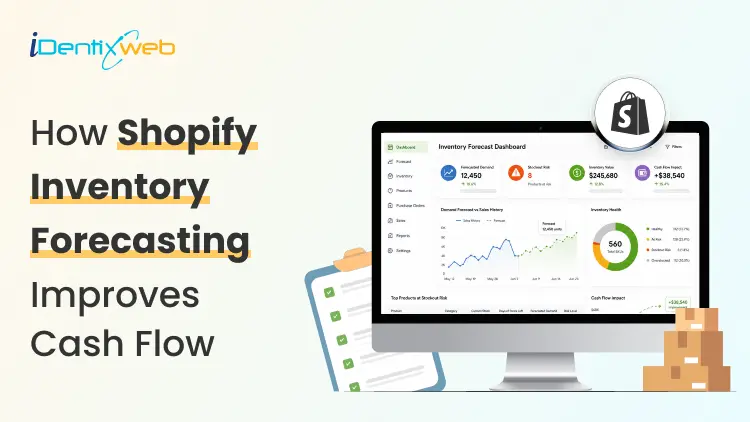
Complete Guide to Shopify Inventory Forecasting to Manage Cash Flow (+ Tools)
Shopify inventory forecasting is the process of estimating how much stock each product will need and when it should be reordered using sales history, supplier lead times, promotions, and current inventory levels. Accurate forecasting helps merchants avoid stockouts, reduce excess inventory, and keep more cash available for business expenses. Tools such as Sidekick, Prediko, Inventory Planner, and Assisty can automate inventory forecasting. If your ROI feels lower even when sales are good, your stock is usually the reason. Cash you've spent on inventory is cash you can't spend on ads, payroll, or the next order. Shopify inventory forecasting is working out how much stock you need and when to order it, so less of your money sits on a shelf. One thing worth knowing before anything else: Stocky, the free forecasting and purchase order app that came with Shopify POS Pro, stops working on August 31, 2026. If you order stock through Stocky, you've got a few weeks to sort out a replacement. What is Shopify inventory forecasting? Shopify inventory forecasting means predicting how many units of each product you'll sell over a future period. You use your sales history, supplier lead times, and whatever promotions you have planned. What you're after isn't the forecast itself. It's a list of purchase orders with dates and amounts against them. A forecast that never turns into an order hasn't done anything for you. Forecasting is really a cash question This is my philosophy: Stock is the biggest cheque you write and the slowest one to come back. You pay a deposit today, pay the balance six weeks later, pay duty when it lands, and only then do the units start selling. Every forecasting choice you make is a choice about how long your money is stuck. Two numbers tell you whether that's under control. Your cash conversion cycle The cash conversion cycle counts the days between paying your supplier and getting paid by your customer. CCC = Days Inventory Outstanding + Days Sales Outstanding − Days Payables Outstanding Days Inventory Outstanding is (Average inventory ÷ COGS) × 365. If you hold $120,000 of stock on average against $480,000 of annual COGS, that's 91 days. Days Sales Outstanding is quick for a normal Shopify store, since Shopify Payments in the US settles in about 2 to 5 business days. It climbs once you add wholesale on Net 30 or marketplaces with their own payout cycles. Days Payables Outstanding is how long your supplier lets you wait. On Net 30, that's 30. So: 91 + 3 − 30 = 64 days. Your money is tied up for a bit over two months on every dollar you put into stock. Most DTC brands land somewhere between 60 and 120 days, and under 60 is doing well. Pull these reports before you do anything else Go to Analytics > Reports and filter by Inventory. I look at four main reports here for forecasting. ABC product analysis grades every variant by how much revenue it brings in. A-grade products are the ones making up 80% of your revenue, B-grade the next 15%, C-grade the last 5%. It's worth knowing that the window is fixed for the last 28 days and you can't change it. If you sell seasonal products, run it at a few different points in the year instead of trusting one snapshot. Products by days of inventory remaining gives you days of stock left per variant, worked out from your average daily sales over the last 28 days. This is the best way to spot what's going to run out before your next delivery lands. Products by sell-through rate shows what share of available stock you sold in a period. There's about a two-day processing delay on it, so the newest data you can see is never today's. Month-end inventory value multiplies cost per item by ending quantity, which gives you your inventory cash position over time, and it's the number you need for the DIO calculation above. For a full walk-through of every report and what the columns mean, see my guide on how to pull a Shopify inventory report in 2026. How to do a Shopify inventory forecast? Clean up your sales history first Sales history and demand history aren't the same thing. Take out days when a product was out of stock, because zero sales that day tells you about your supply, not your demand. Check your product codes while you're in there. If one product exists under three different SKUs because of an old migration, you're splitting one demand pattern into three weak ones, and every forecast after that will be wrong. My guide on setting up SKUs in Shopify covers a naming system that survives growth. Split the catalogue with ABC Don't treat every product the same. Pull the ABC report and give each grade a different level of attention. A-grade products get looked at weekly and get tight reorder points. B-grade products get a monthly check. C-grade products get simple rules and a look every quarter. Create cash calendar Here’s something I do. Take each purchase order you're planning and put its payments on a calendar with real dates against them. An overseas order has four separate payments going out: the supplier deposit, often 30% up front, the balance when it ships, the freight, and then duty and customs when it lands. Lay twelve weeks out in a spreadsheet, one row per payment, and put your expected Shopify payouts in as money coming in. If any week goes red, you move an order, split it, or go back to your supplier about terms. Doing that once a month heads off nearly every cash crunch I see. Pre-orders flip the timing in your favour, since you're collecting money before you place the supplier order. You also get a real demand signal instead of a guess, which is worth almost as much. My walkthrough on setting up pre-orders on Shopify covers the setup and the apps. AI inventory forecasting on Shopify AI inventory forecasting on Shopify uses machine learning to find patterns across your sales history and outside signals that a spreadsheet formula would miss. It handles hundreds of products at once, retrains itself as new sales come in, and picks a different model per product without you telling it to. A model can spot that a product spikes three weeks after a particular campaign, or that two of your products eat into each other, without you knowing to look for it. Where I see it failing is bad data. Feed it sales history full of stockout periods, untracked variants and missing cost figures, and you'll get numbers that are wrong. Clean the inputs first. Sidekick sits in your admin. It can answer stock questions, flags what needs reordering and drafts the PO. It won't replace a proper demand planning tool if your forecasting is genuinely complicated. Inventory forecasting tools worth looking at in 2026 Prediko is a Shopify-native tool with SKU-level twelve-month forecasts, a buying table that tells you what to restock, a purchase order calendar and raw materials tracking. Pricing scales with your GMV from around $49 a month. Good fit for growing DTC brands. Inventory Planner This is a free-to-install app by Sage with usage-based pricing after that. It is strong on multi-location planning and automated replenishment. Cogsy This app is built around scenario modelling rather than one forecast. You can see where your stock lands under different growth assumptions. Assisty Assisty has AI forecasting and automated PO generation. Often the pick for people who want something that works without a long setup project. My guide to building a Shopify tech stack covers how the inventory category fits in your app stack. Where to start with forecasting in 2026 Shopify inventory forecasting gets much less complicated once you stop treating it as a math problem. Pull your ABC report and your days-of-stock report. Work out your cash conversion cycle. Redo safety stock on your ten biggest products. Most stores free up a decent chunk of money from that alone. FAQs 1. How to fix inventory not tracked in Shopify? Open Shopify Admin > Products, select the product or variant, and enable Track quantity in the Inventory section. Assign the correct stocking location, enter the available quantity, and save. For multiple products, use Products > Inventory or the bulk editor to enable tracking. 2. How do I add inventory to my Shopify store? Go to Products > Inventory, choose the relevant location, and enter the stock amount using Set to or Adjust by. You can also update quantities from an individual product or variant page, or import inventory in bulk using a CSV file. 3. Which is the best Shopify forecasting app? Prediko is currently a strong all-round option for growing Shopify brands, offering AI sales forecasting, purchase orders, inventory transfers, bundle planning, reports, and integrations with warehouses and 3PLs. Assisty is another great option with forecast demand with AI to predict future sales. 4. How much does Shopify forecasting cost? Shopify’s native demand-forecasting assistance through Sidekick costs nothing because Sidekick is included with Shopify plans. However, features and usage limits can vary. Dedicated forecasting apps cost extra; for example, Prediko currently starts at $49 per month, while simpler tools such as Assisty start at $19 per month. 5. Is Shopify good for inventory management? Yes. Shopify is suitable for most small and growing retailers. This is because it supports inventory tracking, location-based stock levels, adjustments, transfers, purchase orders, suppliers, sell-through reporting, and inventory-remaining insights.
9 Min • 7 August 2026
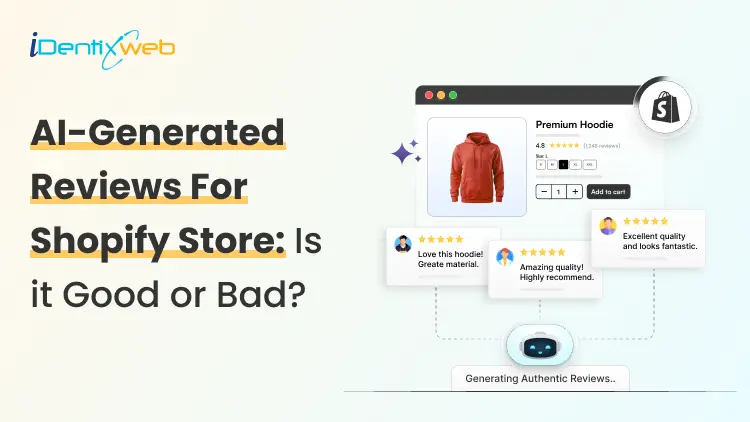
Risks of Using AI-Generated Product Reviews on Shopify
AI-generated product reviews may look like an easy way to build social proof, but the risks go far beyond customer skepticism. Fake or misleading reviews can damage brand trust, trigger refunds and chargebacks, put payment and advertising accounts at risk, violate review-app policies, and attract regulatory attention. In the US, FTC enforcement and state consumer-protection laws can also turn fabricated reviews into a costly legal and compliance problem. If you have just opened your store in 2026, you definitely need proof that real people actually buy from you. This gap is exactly where AI-generated reviews start to look like an easy fix. Here's the problem: The risks of using AI-generated product reviews on Shopify changed shape in the last year, and it goes beyond reviews just reading a little generic. Late previous year, the rules got sharper, real enforcement started, and both Shopify and Google made their positions harder to miss. Here's what's true right now if you are using or thinking about adding AI-generated product reviews on Shopify. What counts as an AI-Generated product review? An AI-generated product review is any review text a tool writes in place of a real customer. There are different types of reviews that I have come across. Fully invented reviews. The entire experience is made up. It's the version everyone pictures, and it's also the clearest violation of every policy I will cover below. AI-rewritten real feedback. You take genuine supplier reviews, marketplace comments, or old customer notes and ask AI to restyle them. If done carefully, this won’t be a problem. Issue arises when AI adds emotions, timelines, or outcomes that weren't in the original. AI-assisted, human-approved content. AI drafts a summary of reviews you've already collected, and the person checks it before anything goes live. It's the version that causes the least trouble. The difference between these three isn't how polished the writing sounds. It's whether the experience described actually happened to a real person. The Legal Risk Just Got Real Here's what I think most Shopify advice on this topic misses, and it's the part that matters most right now. The Federal Trade Commission has a specific rule about fake and AI-generated reviews, and as of the end of 2025, the agency started enforcing it for real. In the FTC's Rule on the Use of Consumer Reviews and Testimonials (16 C.F.R. Part 465) it bans. Reviews from people who don't exist, or who never actually used the product Buying reviews, or paying anyone to write only positive ones Suppressing or hiding negative reviews Reviews from employees or family members that don't disclose the connection Company-run "independent" review sites that aren't actually independent The rule specifically names AI-generated fake reviews as one of the practices it targets. Violations can carry civil penalties of up to $53,088 each, adjusted yearly for inflation. That figure is per violation, not per company. On December 22, 2025, the FTC sent its first wave of warning letters to 10 companies over likely violations. It wasn't the first time the FTC had gone after review manipulation, either. The message for merchants is clear: The FTC is chasing whoever publishes the fake content and presents it as a real customer's experience. The responsibility sits with the store owner. What Shopify and Google actually say Shopify has a plain standard for reviews shown through Shop: no fake ones, no conflicts of interest, no asking only happy customers to speak up. Shopify's Shop product review guidelines are direct about it. Merchants, employees, family members, and friends shouldn't review their own products, and store owners shouldn't solicit reviews in a way that pushes for a specific sentiment. Most stores today collect and display reviews through an app like Judge.me, Loox, or Yotpo. This means the risk usually sits with how you use that app. Google is more explicit about this. If you send product ratings into Google Shopping or run Shopping ads, Google Merchant Center's Product Ratings policy states plainly that it doesn't allow reviews generated by AI. It expects merchants to flag any they identify using the is_spam attribute in their feed. Humans and AI shopping agents both catch on AI-generated reviews are getting worse at their one job, which is making shoppers trust you. Reviews that all sound the same length, use the same phrases, or praise everything without mentioning a single specific detail read as suspicious faster than they used to. Shoppers have had years of practice spotting this pattern. A 2026 research report found that 43% of U.S. online shoppers had used an AI assistant like ChatGPT for product research. These tools focus on consistency across reviews over the internet. A group of generic five-star reviews with nothing to back it up reads as a weak signal to an AI agent, not a strong one. I have written a complete breakdown on how to rank in AI search engines with AEO for merchants. The real risks of AI-Generated product reviews on Shopify Loss of brand trust Fake reviews do not stay hidden for long. A review that doesn't match a real customer's actual experience gets noticed and gets screenshotted and shared on Reddit or TikTok. Once shoppers decide a brand faked its social proof, they stop trusting everything else offered by your brand. Refunds and chargeback disputes When a real customer's experience doesn't match what the reviews promised, they have grounds to dispute the charge. The review itself can end up as evidence in that dispute. Payment and ad account risk Payment processors and ad platforms both watch for mismatches between product claims and real customer experience. Either can freeze payouts or reject ads over it. Review app suspension Apps like Judge.me, Loox, and Yotpo remove fabricated reviews, and repeated violations can get your account suspended. Direct FTC exposure Given the warning letters sent by FTC, this can definitely happen. A new or small store isn't automatically off the FTC's radar just because of its size. Legal penalties A batch of fake reviews spread across even a small catalog becomes a real problem. Most states have their own consumer protection laws that mirror the FTC Act, so a state attorney general can pursue separate action on top of anything the FTC does. The right way to use AI for your reviews AI isn't off-limits here, and I wouldn't tell you to avoid it. The line I'd draw is simple: use it on reviews that already happened. If you've already collected real feedback, AI is genuinely useful for turning long reviews into short highlights. It can also draft a reply for you to check before it posts. Several Shopify review apps now build this in directly. If you are looking for tools to add reviews in your store, here’s my list of the best Shopify product reviews app in 2026. If you're dropshipping, label reviews clearly as sourced feedback rather than rewriting them into first-person claims about your own store's shipping or service. AI can also speed up the boring parts of getting real reviews, like personalizing post-purchase request emails or timing them around delivery data. If you're starting from zero, my article on how to add reviews to Shopify will give you insights on creating and adding reviews in your store. Use AI Where It Adds Real Value AI can still be useful in a Shopify business when it is applied to areas where automation does not misrepresent customer experiences. Identixweb works with Shopify businesses on AI automation and integrations for workflows, operations, and customer experiences where AI can reduce manual work without creating the trust risks associated with fabricated reviews. How to build trust other than reviews? Reviews aren't the only trust signal in your store. Using other signals takes pressure off needing reviews to do all the work. Here’s a few I use to build trust. Trust badges Clear shipping and return policies Teal product photos Detailed FAQs all add trust. Adding trust badges near your checkout button is a fast, low-effort update, and social proof placed at checkout works even before your review count builds up. A Fast pre-publish check Before you publish any batch of reviews, run through this: Did a real person actually buy or use this product? Is the reviewer's identity accurate, no invented names, no stock photos standing in for a customer? If there's an incentive attached, is it tied to leaving a review, not to what the review says? If this is a supplier or marketplace review, is the source labeled clearly? If it's heading into your Google Shopping feed, is any AI-generated content flagged or excluded? Would this hold up if you had to explain it next to your actual order data? If any answer is no, that review isn't ready to publish, no matter how good it reads. What’s next now? There are risks of using AI-generated product reviews on Shopify. There's a federal rule with real penalties behind it, policies from both Shopify's Shop channel and Google Merchant Center, and shoppers, who are getting better at spotting the difference. Real reviews take longer to build. They're also the only kind that hold up for a long term if you want to build trust and increase sales. FAQs 1. What are the risks of using AI-generated product reviews on Shopify? Publishing AI-generated reviews that pretend to come from real customers can violate Shopify’s Shop review requirements. This requires reviews to be authentic and not artificially created by bots or automation. It can also create legal risk under the FTC’s Consumer Review Rule in the US. Google Merchant Center explicitly prohibits reviews primarily generated by AI or automated programs. 2. Can AI detect fake reviews better than human moderators? AI can analyze large numbers of reviews and spot patterns, suspicious reviewer networks, and other signals much faster than human moderators. But it is not consistently better in every case. Recent research found that both humans and general-purpose LLMs can struggle to distinguish sophisticated AI-generated reviews from genuine ones. 3. How to add more product reviews on Shopify in 2026? The best approach is to request reviews from verified customers after their orders are delivered; Shopify lets merchants set Shop review requests from 1 to 180 days after delivery. For reviews on the online store, merchants can also use apps such as Judgeme or Loox, while keeping requests neutral and avoiding fake or improperly incentivized reviews.
Vineet Nair
5 Min • 10 December 2025
516 Views
![How to Check Shopify Gift Card Balance Online in Just 2 Steps? [+Best Gift Card Apps]](https://www.identixweb.com/wp-content/uploads/2025/12/09-12-Tue-Blog-How-to-Easily-Check-Shopify-Gift-Card-Balance_-1.webp "How to Check Shopify Gift Card Balance Online in Just 2 Steps? [+Best Gift Card Apps]")
Vineet Nair
5 Min • 9 December 2025
877 Views
Vineet Nair
4 Min • 5 December 2025
510 Views
Vineet Nair
7 Min • 3 December 2025
502 Views

Sajini Annie John
8 Min • 2 December 2025
506 Views

Vineet Nair
8 Min • 1 December 2025
557 Views
![BigCommerce to Shopify Migration in 7 Easy Steps [2026]](https://www.identixweb.com/wp-content/uploads/2025/11/26-11-Wed-Blog-Step-by-step-Guide-to-Migrate-from-BigCommerce-to-Shopify_.webp "BigCommerce to Shopify Migration in 7 Easy Steps [2026]")
Vineet Nair
12 Min • 27 November 2025
541 Views
![Best Shopify Bundle Apps to Create Bundles That Convert [2026]](https://www.identixweb.com/wp-content/uploads/2025/11/26-11-Wed-Blog-Best-Shopify-Bundle-Apps-to-Create-Bundles-That-Convert.webp "Best Shopify Bundle Apps to Create Bundles That Convert [2026]")
Vineet Nair
17 Min • 26 November 2025
768 Views
![Shopify vs Magento: Which Is Better? Pricing & Features [2026]](https://www.identixweb.com/wp-content/uploads/2025/11/24-11-Mon-Blog-Shopify-vs-Magento_-Which-one-is-Better_-Complete-Guide-1.webp "Shopify vs Magento: Which Is Better? Pricing & Features [2026]")
Vineet Nair
7 Min • 25 November 2025
535 Views
![How to Upsell Your Jewelry in Shopify: Proven Tips [2026]](https://www.identixweb.com/wp-content/uploads/2025/11/21-11-Fri-Blog-The-Only-Tips-You-Need-to-Upsell-Jewelry-in-Shopify.webp "How to Upsell Your Jewelry in Shopify: Proven Tips [2026]")
Vineet Nair
7 Min • 24 November 2025
500 Views
Vineet Nair
8 Min • 20 November 2025
637 Views
![How Bike Stores Using Shopify Are Winning [Complete 2026 Guide]](https://www.identixweb.com/wp-content/uploads/2025/11/17-11-Mon-Blog-Complete-Guide-to-Selling-Bikes-on-Shopify.webp "How Bike Stores Using Shopify Are Winning [Complete 2026 Guide]")
Vineet Nair
8 Min • 18 November 2025
687 Views