Blog
Gather knowledge about the latest insights, updates, tips, and tricks in the Ecommerce industry.

5 Min • 20 March 2026
How Anua Unlocked 5X AOV Growth with iCart’s Smart Cart Features
delivery customization Challenges Solutions drive results Scale business delivery customization Challenges Solutions drive results Scale business delivery customization Challenges Solutions drive results Scale business delivery customization Challenges Solutions drive results Scale business Anua is a globally recognized Korean skincare brand known for its minimalist philosophy and focus on gentle yet effective formulations. Built on the idea of simplifying skincare routines, Anua develops products that deliver visible results while avoiding harsh or irritating components, making them suitable for sensitive skin types. Initially using a traditional full cart experience, Anua transitioned to iCart’s side cart solution in August 2025, to create a more seamless and engaging shopping journey. This shift allowed customers to easily explore complementary skincare products without disrupting their browsing flow, making it more intuitive to discover items that fit into a complete routine. By surfacing relevant recommendations directly within the cart, the brand enhanced product visibility across its range. Challenges Before implementing iCart’s side cart solution, Anua faced limitations with their existing full cart experience, which created friction in the customer journey. The traditional cart setup redirected users away from product pages, interrupting their browsing flow and reducing opportunities to explore additional products. As a skincare brand built around routines rather than single-item purchases, this made it difficult to effectively showcase complementary products and encourage customers to build complete regimens. Additionally, the lack of in-cart personalization and strategic upsell opportunities meant that customers were often unaware of related products that could enhance their skincare results. This limited the brand’s ability to increase average order value (AOV) and fully leverage its diverse product range. Anua needed a more dynamic and intuitive cart experience that could seamlessly introduce relevant recommendations while maintaining a smooth and engaging shopping journey. ❌ Cart Value Barriers Low average order value (AOV) due to single-item focus Most customers completed purchases with one primary product instead of building multi-step routines. Cart abandonment near shipping thresholds Customers were not clearly informed or motivated to reach free shipping or discount thresholds. Missed savings opportunities Customers were unaware of potential value in purchasing bundled routines or multiple complementary products. ❌ Absence of Progress-Based Incentives No free shipping or discount progress bar Customers were not motivated to increase their cart value due to lack of visible incentives. Missing tiered rewards system There were no structured milestones (e.g., “Spend more to unlock offers”), reducing upsell opportunities. ❌ Ineffective Cart UI/UX (Pre-Side Cart) Full-page cart disrupted shopping flowCustomers had to leave their browsing journey, increasing friction and drop-offs. No quick add/remove functionality Users couldn’t easily modify their cart or add suggested products without navigating away. Solution To overcome these challenges, Anua implemented iCart’s side cart solution to transform their traditional cart into a high-converting, interactive experience. By replacing the full-page cart with a seamless side cart, the brand ensured that customers could continue browsing while viewing their cart, significantly reducing friction in the shopping journey. Additionally, features like product recommendations & progress bars for free shipping and discounts motivated customers to increase their cart value. By combining personalization, incentive-driven messaging, and a user-friendly interface, Anua successfully turned their cart into a powerful revenue-driving touchpoint rather than just a checkout step. To maximize their cart effectiveness, they implemented two powerful features: ✅ Progress Bar with Multi-Reward Incentives Implemented a tiered progress bar to encourage higher cart value Customers are guided with a clear message like “Add $3.10 to unlock secret offer,” motivating them to continue adding products. Generated over $5M+ in revenue through incentive-driven cart progression Used product-based rewards to align with customer intent Instead of generic discounts, Anua incentivized purchases with relevant skincare items like Dark Spot Pads and mini serums. Built visual motivation for routine expansion As customers add products, they can clearly track progress toward unlocking multiple rewards, encouraging them to build a complete skincare routine. ✅ Product Recommendations Implemented “Frequently Bought Together” recommendations Customers adding a single product (e.g., toner) are shown complementary items like serums, moisturizers, or pads to complete their routine. Generated over 275K revenue through in-cart recommendations Encouraged full skincare regimen building Instead of isolated purchases, the cart suggests step-by-step product combinations aligned with common skincare routines. Increased product discovery at the final stage By surfacing relevant items directly in the cart, Anua ensured customers explore more of their catalog without leaving the checkout flow. Results Achieved in Last 180 Days 22932 Total Store Orders 45101 Total iCart Orders 5X iCart Generated AOV 65.70% Upsell Affected Conversion Rate These improvements reflect a clear shift in customer behavior on Anua’s store. Cart abandonment reduced as shoppers discovered complementary skincare products and felt encouraged to build complete routines. Engagement also increased, with customers interacting more with in-cart recommendations and exploring relevant product pairings. Results & Impact And...Results is Our Main Clarification By implementing iCart’s cart drawer, product recommendations, and progress bar, Anua transformed its cart into a high-performing conversion touchpoint. Shopping Experience Enhancement The improved cart experience encouraged customers to discover complementary products and understand the value of sustainable beauty routines. For instance, the clear presentation of subscription savings alongside one-time purchase options helped customers make more informed decisions about their long-term hair care needs. As Anua continues to optimize its cart experience, the brand is closely monitoring: Routine-based purchasing behavior - tracking how customers move from single items to multi-step regimens Engagement with in-cart recommendations - measuring interaction with suggested products Cart value progression - analyzing how incentives influence higher spending [related_cases_slider] Ready to Write Your Success Story? Try icart App Join successful businesses like Anua and Master your delivery scheduling Delight customers with precise timing Grow your special occasion orders Expand your delivery reach
Read Blog
9 Min • 15 May 2026
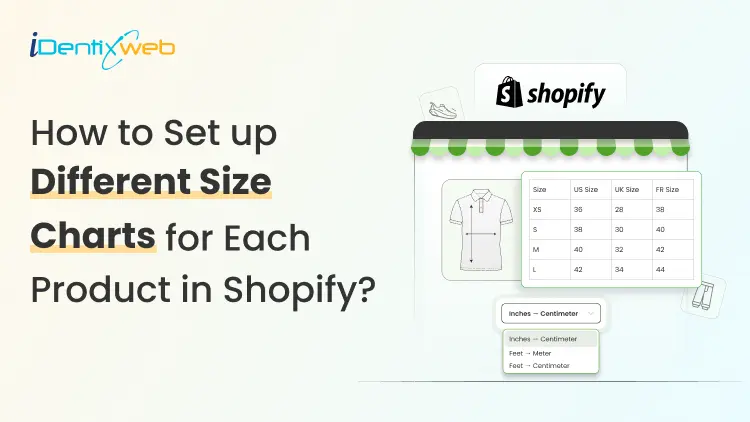
How to Add Different Size Guides with Metafields in Shopify? (For Each Product)
You sell tees, hoodies, sneakers, and pet collars in one store. Using one generic size chart for all of them? This increases your return rate significantly. Almost all fashion returns come down to fit. Good news: you can show a different size guide for every product without an app, without code, and without hiring a developer. I've built this setup on Dawn, Sense, Crave, and a couple of custom themes. The steps below work on any Online Store 2.0 theme. You can skip the heavy lifting with TablePress TablePress Size Chart & Guide is the best size chart app for Shopify. You can add a clean, mobile-responsive size chart in one click. No code, no theme edits. Pick a template, match your brand, and ship in minutes. Worth a look before you commit to the manual metafield route below. What's a size chart metafield in Shopify? A metafield is a custom field you add onto a product, collection, or page to store extra info that Shopify doesn't capture by default. Pair one with a size chart, and you get a single definition that pulls the right chart for each product. Edit once, and you don't need to copy-paste the same chart into 40 product descriptions. Think of the metafield as a quiet label telling your theme: "for this product, show that chart." Apps vs metafields: Which one do you actually need? Quick rule from my own builds: Under 50 SKUs, English-only store, simple measurements: stick with metafields. 100+ SKUs, multi-language. AI fit recommendations, or bulk CSV uploads: An app is what I would recommend. If you are a new store in 2026, start with metafields. You can always migrate to an app later when the catalog grows. Quick eligibility check before you add different size guides Three boxes to tick: Your theme is Online Store 2.0 (Dawn, Sense, Refresh, Crave, Impulse, Studio, and most modern free or paid themes qualify). Your Size option is already set up on the product. If not, sort that first using my Shopify size variants guide. If your size option isn't set up yet (XS, S, M, L), my How to Add Size on Shopify to Products guide covers that part first. You have admin access to Settings > Custom data. How to add different size guides with metafields in Shopify? Step 1: Plan the size guides you actually need List the product groups that need their own chart. Here’s an example list from a recent client build: Men's t-shirts Women's dresses Kids' hoodies Unisex sneakers Pet collars Now pick a format: Rich text table inside a Shopify page (easiest to edit) Image upload (good for design-heavy charts) PDF (works, but not good for mobile) Step 2: Build a page for each size chart Shopify admin > Online Store > Pages > Add page. Name each page by category, not by product. For example: "Men's Tee Size Chart" works. Build the chart inside the rich text editor or upload your image. Set visibility to Visible. Hidden pages will break the metafield link. Repeat for every chart you listed in Step 1. Step 3: Create the size chart metafield definition Settings > Custom data > Products > Add definition. Fill in: Name: Size chart Namespace and key: custom.size_chart (Shopify usually auto-fills) Type: Page reference (my default for the page method) Storefront access: keep it enabled Click Save. Quick note for the File method: pick File instead of Page reference and accept image files only. The display step changes a bit. Covered below. Step 4: Connect the metafield to your theme Open the theme editor on the Default product template. Click into the product information section. Add a new block, pick Pop-up. Click the dynamic source icon (looks like a small database icon next to the heading field). Pick the size chart from the list. Customize the link label. "View size guide" or "Find your fit" reads better than the default for shoppers. Save this template. Step 5: Assign a unique chart to each product Products > pick a product > scroll to the Metafields box > Size chart. Select the matching page from Step 2. Then click Save. Bulk tip: Use Shopify's bulk editor to assign the same chart to a full collection. This saves time if you've got 30 men's tees that share one chart. Step 6: Preview, test, catch edge cases Open the storefront. Check 3 products with different charts assigned. Click the size guide link on each one. Test on mobile too. Almost half of Shopify's traffic is mobile now. Your size chart for different products needs to look good on mobile. 3 ways to show different size guides for different products Picked the page method above? You're golden. Skip ahead to troubleshooting. Wanted options? Here are all three. Method 1: Page reference metafield (my default) Best for: 90% of new Shopify stores. How it works: one page per chart, metafield points to the right page per product. Wins: no code, mobile-friendly, edit once and updates everywhere. Drawback: needs an Online Store 2.0 theme with dynamic source support. Method 2: File metafield with a Liquid snippet Best for: Stores where size charts already live as PNGs from your designer. How it works: upload the chart as an image file in the metafield, drop a Liquid snippet in the product template. Paste into a Custom Liquid block: liquid {% if product.metafields.custom.size_chart.value != blank %} {{ product.metafields.custom.size_chart | image_url: width: 600 | image_tag }} {% endif %} Wins: works on vintage themes, fits design-heavy charts. Drawback: You need to code, and the chart sits inline instead of in a pop-up. Common issues when adding a size chart in shopify (And fixes) Real problems I've debugged on real client stores: The size guide link shows on products with no chart assigned Cause: the theme block doesn't check if the metafield is blank. Fix: wrap the block in a conditional Liquid check, or assign a default "general" chart page to every product. Metafield missing from the theme editor Cause: theme isn't Online Store 2.0. Fix: switch to Dawn (free) or any 2.0-compatible theme, or use the Liquid snippet method instead. Chart looks fine on desktop, breaks on mobile Cause: the chart image is too wide, or the rich text table has no responsive styling. Fix: keep tables under 5 columns. Compress images. Test on a phone, not just Chrome DevTools. Image won't load Cause: file is too large (over 20MB) or is in an unsupported format. Fix: stick with JPG, PNG, or WebP. Keep under 2MB. Pop-up opens blank Cause: the linked page is hidden, or the page is empty. Fix: re-open the page, set visibility to Visible, and confirm content is saved. Where metafields stop working (and you'll want an app) Honest limits I've hit on bigger client stores: No built-in cm to inches conversion. International shoppers do the math. No fit quiz or AI size recommendation. No CSV import for hundreds of charts. You'll click through every product manually. Per-product assignment gets tedious past 100 SKUs. Multi-language stores need translation workarounds since pages don't auto-translate cleanly. Hit two or more of these? Time to look at apps. Which is the best size chart app for Shopify? TablePress Size Chart and Guide, Kiwi Size Chart & Recommender, MP Size Chart & Size Guide (formerly Avada), BF Size Charts & Size Guide, Jotly Size Chart & Size Guide, and Clothes Size Chart & Size Guide are a few of the apps for adding size charts I recommended for merchants. Pro tips before adding a size chart in Shopify? Embed a "How to measure" graphic inside every chart page. Saves customers from guessing. Match the chart's tone with your product copy. I have seen a lot of mismatched brand tone and size chart copy. Sync the chart with your returns policy. Both should reference the same body measurements. Mention sizing in product photography (For example, Model is 5'10", wearing size M). Review return data monthly. Whichever product gets the most sizing-related returns, rework that chart first. Quick recap The metafield method is free, native, and good enough for most new Shopify stores. Apps earn their fee once you hit 100+ SKUs, go multi-language, or need AI fit features. Got questions? Drop them, and I'll cover the most common ones in the FAQ section below. FAQs 1. How to add a size chart to Shopify? You can add size charts in Shopify using size chart apps or metafields inside the Shopify settings. 2. How to add different size guides with metafields in Shopify? Create a separate page for each size chart, then build a Page reference metafield under Settings > Custom data > Products called Size chart. Connect it to your product template using a Pop-up block with a dynamic source, and assign the right chart page to each product from the Metafields box. Edit once and apply everywhere. 3. Which is the best size chart app for Shopify? TablePress Size Chart & Guide is my top pick for new stores. It has a ‘built for Shopify’ badge and lets you add a fully responsive size chart in one click without code. For larger stores that need AI fit recommendations or unit conversion, Kiwi Size Chart & Recommender is a solid alternative. 4. What are the benefits of using a size chart in online stores? A clear size chart cuts returns, boosts conversion rates, and builds shopper trust before they even hit Add to Cart. Most of the fashion stores get returns because of size issues. An accurate size reduces both returns and customer service tickets, which frees up hours for actually growing the store.
5 Min • 13 May 2026
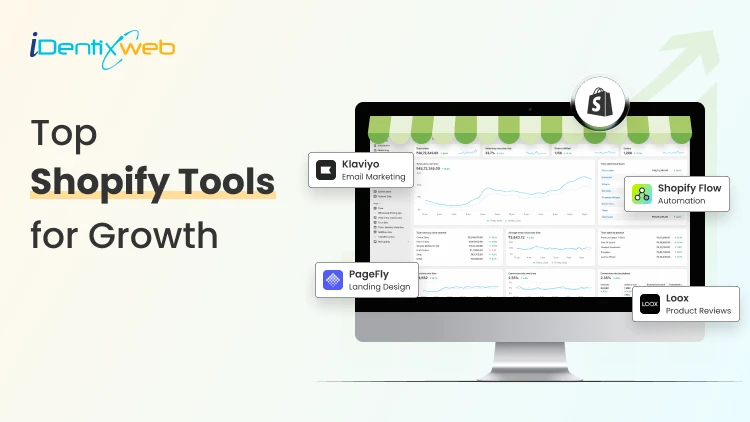
Top Shopify Tools for Growth in 2026: Speed, SEO, Upsell, Reviews & Analytics
Running a Shopify store in 2026 feels a bit like running a marathon while juggling. You have traffic to bring in, carts to recover, reviews to collect, and a site that needs to load faster than your customer's patience. The good news? The right Shopify tools can do most of the heavy lifting for you, so you can focus on growing your brand instead of getting stuck in daily tasks. In this guide, we'll walk you through the top Shopify tools for speed, SEO, upsells, reviews, and analytics, the five pillars that truly move the needle in 2026. Top Shopify Tools For Every Shopify Store Owner 1. Best Shopify Tools for Speed Optimization A slow store is a silent killer. Google's research shows that as page load time goes from 1 to 3 seconds, the chance of bounce increases by 32%. For Shopify merchants, that's direct money lost. Top Picks for Store Speed Hyperspeed EasyOptimizer - This app cleans up unused code, lazy-loads images, and improves your Core Web Vitals without touching your theme files. Great for non-technical store owners. Plug in Speed - A one-click speed booster that compresses images and minifies CSS/JS. Simple, clean, and effective. TinyIMG SEO & Image Optimizer - Handles both image compression and basic SEO fixes in one place, perfect if you want two wins from one tool. 2. Best Shopify Tools for SEO SEO on Shopify has evolved. With Google's AI Overviews and answer-based search taking over, your store needs more than just keywords, it needs structured content, clean metadata, and strong topical authority. Top SEO Tools for Shopify SEO King by Hextom - A free-to-start SEO tool that handles meta tags, alt text, image compression, and structured data. Easy to use for beginners. Smart SEO - Auto-generates meta tags, JSON-LD structured data, and alt text. Saves hours of manual SEO work. Yoast SEO for Shopify -The same trusted SEO brand from WordPress, now available for Shopify. Includes readability checks, schema markup, and AI-driven suggestions. 3. Best Shopify Tools for Upsells and Cart Optimization Here's a truth most merchants learn the hard way, getting traffic is expensive, but increasing the value of each order is much cheaper. That's where upsell and cart tools shine. Top Upsell & Cart Tools iCart Cart Drawer Cart Upsell - If you're looking to boost your average order value (AOV) without spending more on ads, iCart Cart Drawer Cart Upsell is one of the smartest Shopify tools you can add. It lets you create a slide cart with built-in upsells, cross-sells, free shipping bars, gift options, discount offers, and more, all in one cart. SellMore Post Purchase Upsell - Want to make more from customers who already said "yes"? SellMore Post Purchase Upsell lets you show one-click upsell offers right from checkout without re-entering payment info. It's one of the easiest ways to boost post purchase revenue without hurting the buying experience. ReConvert Upsell & Cross-Sell - Another solid option for thank-you page upsells and discount-based offers. 4. Best Shopify Tools for Reviews and Social Proof People trust people. If your store doesn't show reviews, you're losing trust before customers even read your product description. Top Review Apps for Shopify Judge.me Product Reviews - Affordable, fast, and feature-rich. Lets you collect photo and video reviews, send automated requests, and display them in beautiful widgets. Loox Reviews - Known for its visual review widgets and photo-based social proof. Great for fashion, beauty, and lifestyle brands. Yotpo Reviews - A bigger, more enterprise-friendly tool that combines reviews, loyalty, and SMS marketing in one place. 5. Best Shopify Tools for Analytics and Insights You can't grow what you don't measure. Analytics tools help you understand what's working, what's not, and where the money is hiding in your store. Top Analytics Tools Lifetimely by AMP Tracks customer lifetime value (LTV), profit, and cohort behavior. Great for D2C brands. Triple Whale A favorite among ad-heavy brands. Combines ad data, Shopify data, and customer journeys in one dashboard. Shopify's Built-in Analytics + ShopifyQL Don't underestimate what's already inside your admin panel. Shopify's reports have improved a lot in 2026. Quick Comparison: Top Shopify Tools by Category CategoryTop PickBest ForSpeedHyperspeed EasyOptimizerNon-technical merchantsSEOSmart SEOAuto meta tags & schemaUpsell (Cart)iCart Cart Drawer Cart UpsellAOV growthUpsell (Post-purchase)SellMore Post Purchase UpsellExtra revenue after checkoutReviewsJudge.meAll-around social proofDeliveryStellar Delivery Date & PickupDate/pickup schedulingAnalyticsTriple WhaleAd-heavy DTC brands Final Thoughts Choosing the right Shopify tools in 2026 isn't about installing every shiny new app, it's about picking the ones that match your store's stage and goals. Whether you're focused on speed, SEO, upsells, reviews, or analytics, the tools above are some of the most trusted in the Shopify ecosystem. And if you ever feel stuck, remember, you don't have to figure it all out alone. From store development and migration to expert guidance and AI consulting, our team at Identixweb is here to help your Shopify store grow with confidence. Frequently Asked Questions (FAQs) 1. What are the best Shopify tools for beginners in 2026? For beginners, the best Shopify tools are usually ones that are easy to set up and don't need coding. Top picks include iCart Cart Drawer for upsells, Judge.me for reviews, Smart SEO for SEO, and Stellar Delivery Date & Pickup for scheduling. 2. How many Shopify apps should I use on my store? Too many apps can slow your store down, so it's better to pick a few high-quality ones than to install everything in sight. 3. Which Shopify tool is best for increasing average order value (AOV)? iCart Cart Drawer Cart Upsell is one of the most effective tools for increasing AOV through cart upsells, cross-sells, and free shipping bars. Pair it with SellMore Post Purchase Upsell for even better results. 4. Do Shopify tools affect store speed? Yes, some apps can slow down your store if they add too much code. Always choose apps with strong reviews, fast loading scripts, and active developer support to keep your store running quickly.
10 Min • 14 May 2026
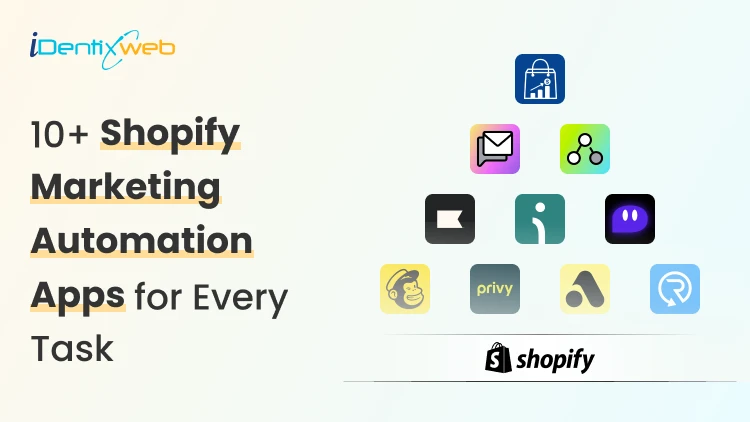
10+ Shopify Marketing Automation Apps 2026: Email, SMS, Segmentation & Cart Upsells
Running a Shopify store in 2026 gets busy fast, especially with Shopify marketing automation in every part of the workflow. Most new store owners still have the same problem. They get traffic, but they do not follow up at the right time. A shopper signs up for a discount and never hears from the brand again. Someone adds a product to the cart and leaves. That is where I recommend Shopify marketing automation tools. As a Shopify expert, I have worked with 100+ stores, and I always suggest that new stores start with a simple automation stack instead of installing too many apps. What is Shopify marketing automation in 2026? Shopify marketing automation means using customer behavior to trigger emails, SMS, offers, customer tags, cart messages, or workflows automatically. A simple example is once a customer signs up. Your store sends a welcome email. Shopify Messaging can send emails when customers take actions like abandoning a cart or signing up for a newsletter. These automations help merchants spend less time on repetitive sends while reaching customers at key moments. In 2026, Marketing automation for Shopify is not only about email. It connects many parts of the customer journey. You can automate: Email campaigns SMS messages Cart recovery Browse recovery Customer segmentation Product recommendations Post-purchase follow-ups Win-back campaigns Cart drawer upsells Progress bar offers Free gift offers Product bundles Why do new Shopify stores need automation in 2026? New stores often wait too long before setting up automation. They focus on ads first and customer follow-up later. I do not recommend that. Traffic without follow-up gets expensive. Every click costs money. Automation helps new stores: Save time Recover more carts Build email and SMS lists Improve repeat purchases Increase average order value Send personalized offers Reduce manual work The best part is that a small Shopify store can start with basic automations and improve them over time. What Shopify leaders are saying about automation? Shopify is moving heavily toward AI, smarter workflows, and faster merchant tools. Shopify President Harley Finkelstein said, “Shopify has entered the AI era with a clear edge,” while discussing Shopify’s commerce intelligence and growth direction in 2026. Tobi Lütke also shared that “Using AI effectively is now a fundamental expectation” at Shopify. For Shopify merchants, this matters because Shopify is clearly building toward automation. Shopify’s March 24, 2026, update on Marketing automations On March 24, 2026, marketing automations that use Shopify Messaging emails moved to the Shopify Messaging app. Automations that use marketing activities from other apps became available in Shopify Flow. Shopify also said merchants did not need to take action, and existing automations would keep working. From a merchant’s point of view, this update makes the automation setup cleaner. Simple email workflows now sit inside Shopify Messaging. Advanced workflows using apps, conditions, and custom actions sit inside Shopify Flow. 10+ Best Shopify marketing automation tools in 2026 The Best Shopify marketing automation tools depend on your store stage. A new store may need email capture, abandoned cart recovery, and a welcome email. A growing store may need SMS, segmentation, customer journeys, and product recommendations. Here is a simple comparison. AppBest forMain use caseiCartAI-powered Product RecommendationsCart drawer upsells, progress bar, bundlesShopify MessagingNew Shopify storesEmail, SMS, templates, segmentsShopify FlowCustom workflowsTrigger, condition, and action KlaviyoGrowing storesEmail, SMS, segmentationOmnisendEmail and SMS in one placeWelcome flows, cart recovery, product recommendationsPostscriptSMS-first brandsSMS campaigns MailchimpBeginner-friendly emailEmail campaignsPrivyList growthPopups, email capture, SMS captureAttentiveLarger brandsAI-led SMS and emailDripBehavior-based marketingSegmentation, emails, popupsRecartSMS list growthSMS capture and abandoned cart recovery 1. iCart Cart Drawer Cart Upsell Most marketing automation apps focus on what happens after a customer signs up, leaves, or buys. iCart focuses on the cart moment. That matters because the shopper is still active. A relevant offer at that point can increase AOV without waiting for an email or SMS later. iCart is built for pre-checkout cart upsell automation. It offers cart drawer upsells, cross-sells, product bundles, progress bar, shipping bar, AI-powered product upsells, cart discounts, free gifts, and no-code cart customization. Here is a simple example. A customer adds a T-shirt worth $1,500 to the cart. Your store can show a progress bar saying they can unlock a free T-shirt from a selected collection with 30% off when the cart reaches $2,000. The offer depends on the cart total, so it feels relevant. Best fit: Stores that want cart upsells, bundles, progress bars, and pre-checkout AOV growth. 2. Shopify Messaging Messaging helps merchants send personalized emails and SMS to customer segments. It also includes templates, Sidekick-assisted email editing, product-focused messages, and performance tracking for clicks and conversions. Shopify Messaging is useful for: Welcome emails Product updates Simple promotions Abandoned checkout emails Newsletter campaigns Customer segment-based campaigns Best fit: New & small catalogs stores with simple email and SMS needs. 3. Shopify Flow Flow is Shopify’s workflow automation tool. It works well when you want custom rules behind your marketing operations. For example, you can create workflows like: Tag a customer as VIP after spending over $500 Add customers to a segment after buying from a specific collection Send an internal alert for high-value orders Trigger an app action after a customer places a second order Start a flow when a product goes out of stock Create rules for loyalty, retention, or post-purchase campaigns Here’s a complete breakdown of Shopify Flow Examples that you can use in your store. Best fit: Growing stores & Shopify Plus stores that need more advanced workflow. 4. Klaviyo Klaviyo is one of the strongest apps for Shopify email and SMS automation. It works well when your store has enough customer data, and you want deeper segmentation. It helps you easily run personalized campaigns through templates and automation. Klaviyo can support: Welcome series Abandoned cart flows Browse abandonment Product recommendations Win-back campaigns Post-purchase flows Customer segments Email and SMS campaigns New merchants should avoid building too many flows at once. Start with welcome, abandoned cart, and post-purchase flows. Improve them after you have enough data. Best fit: Growing stores, retention-focused brands, data-heavy marketing teams. 5. Omnisend Omnisend is another strong choice for Shopify stores that want email and SMS in one dashboard. It helps merchants grow email lists with popups, create emails with templates, and send personalized emails using AI-powered product recommendations and segmentation. Omnisend is useful for: Welcome automation Abandoned cart emails Browse abandonment SMS campaigns Product recommendations Popups and forms Segmentation Email templates I see Omnisend as a good middle option. Shopify Messaging may feel too basic for some stores. Klaviyo may feel too advanced. Omnisend sits nicely between the two for many new and mid-sized brands. Best fit: New to mid-sized stores that want email and SMS without a complex setup. 6. Postscript Postscript is built for SMS marketing. It works best when a Shopify store wants SMS to become a serious revenue channel. If you want to execute SMS programs that engage customers through text messages, this is the tool to go for. Postscript can help with: SMS campaigns Cart recovery texts Customer segmentation Promotional messages Product launch texts Two-way SMS communication SMS automation I would not pick Postscript if email is your main priority. It works better as a focused SMS layer beside an email platform. Best fit: SMS-first brands, stores with strong mobile traffic, and repeat purchase products. 7. Mailchimp Mailchimp works well for merchants who already understand the platform and want a familiar tool. It's good for email campaigns, SMS campaigns, popups, forms, landing pages, abandoned cart emails, browse abandonment, welcome emails, follow-up emails, price drop emails, and back-in-stock emails. I would suggest Mailchimp for merchants who want simple email marketing and do not need advanced Shopify-first automation right away. For deeper ecommerce segmentation, Klaviyo or Omnisend may feel stronger. For basic campaigns, Mailchimp can still work well. Best fit: Beginners, simple email needs, merchants already using Mailchimp. 8. Privy Privy is a good option for list growth. Many new Shopify stores struggle because they have traffic but no owned audience. Privy helps with popups, email capture, SMS capture, and cart saver messages. Privy can support: Exit-intent popups Discount popups Email capture SMS capture Cart saver texts Email and SMS automations Drag-and-drop email editing I like Privy for stores that need to build an email or SMS list before running advanced campaigns. A good pop-up strategy can fix that early. Best fit: New stores, list building, pop-up campaigns, discount capture flows. 9. Attentive Attentive is better suited for larger brands that want advanced SMS and email. It is an AI-powered mobile email and SMS marketing platform for personalization at scale. It also helps with list growth, segmentation, personalized messaging, and compliance support. I would not place Attentive as the first option for a small new store. It makes more sense when the brand has traffic, subscribers, and a serious owned marketing strategy. Best fit: Larger Shopify brands, SMS-heavy brands, and retention teams. 10. Drip Drip works well for behavior-based email marketing. It helps stores grow revenue with automated emails, newsletters, abandoned cart flows, popups, and customer data in one app. It also helps with real-time dynamic segmentation and customer behavior-based automations. I would choose Drip when a merchant wants email automation based on actual customer activity. It is especially useful when customer behavior matters more than basic newsletter sends. Best fit: Stores that want smarter segmentation and behavior-based email flows. 11. Recart Recart focuses on SMS list growth and cart recovery. It helps with custom popups for desktop and mobile, direct-to-text and email capture, automations for welcome flows, abandoned cart rescue, reorders, AI tools, analytics, and compliance support. Recart can help with: SMS list growth Email capture Abandoned cart recovery Welcome flows Reorder reminders SMS automations AI-assisted content and send times I would consider Recart when SMS cart recovery is a key goal. It is a stronger fit for stores that already get enough traffic to build a meaningful SMS list. Best fit: SMS list growth, cart recovery, reorder-focused stores. Which Shopify marketing automation tool should you choose? The best Shopify marketing automation apps depends on your current store stage. A new store should not install too many apps at once. Start with the flows that can create the fastest impact. For most new Shopify stores, I would begin with: Welcome email Abandoned cart recovery Browse abandonment First purchase follow-up Win-back email Basic SMS capture Cart upsell offer That is how marketing automation for Shopify becomes useful. It saves time, improves follow-up, and helps your store grow without adding more manual work. FAQs 1. Can I automate my Shopify store? Yes. You can automate many parts of your Shopify store, including emails, SMS, cart recovery, customer tagging, order workflows, inventory alerts, and cart upsell offers. 2. Does Shopify have marketing automation tools? Yes, Shopify has built-in tools like Shopify Messaging and Shopify Flow for marketing automation. Shopify Messaging supports email and SMS campaigns for customer segments, while Shopify Flow helps merchants build custom trigger-based workflows without code. 3. Which is the best Shopify marketing automation app for email marketing? For advanced email marketing, I would choose Klaviyo because it works well for segmentation, personalized email campaigns, SMS, and customer data-driven automation. For new stores, Omnisend is a strong option because it supports email campaigns, popups, abandoned cart workflows, welcome automation, segmentation, and AI-powered product recommendations. 4. Which are the best Shopify marketing automation apps for SMS? For SMS automation, Postscript and Omnisend are strong options depending on your store size and goals. Postscript is better for SMS-first brands, and Omnisend works well when you want email and SMS together.
Vineet Nair
8 Min • 26 May 2026
9 Views
Sajini Annie John
5 Min • 23 May 2026
19 Views
Sajini Annie John
6 Min • 23 May 2026
18 Views
Vineet Nair
9 Min • 22 May 2026
19 Views
Vineet Nair
10 Min • 21 May 2026
26 Views
Sajini Annie John
5 Min • 20 May 2026
26 Views
Vineet Nair
8 Min • 20 May 2026
22 Views
Vineet Nair
9 Min • 15 May 2026
34 Views
Vineet Nair
10 Min • 14 May 2026
37 Views
Sajini Annie John
5 Min • 13 May 2026
37 Views
Vineet Nair
9 Min • 13 May 2026
36 Views
Vineet Nair
8 Min • 11 May 2026
54 Views