



Last Black Friday, many Shopify stores struggled. Pages crawled, buttons froze, and sale banners jumped around on phones. Shopify's storefronts held up under the load. Individual stores did not.
Black Friday lands on November 27 this year, and Cyber Monday follows on November 30. Last year, Shopify merchants sold $14.6 billion over the BFCM weekend [Source].
To protect your BFCM sales, speed up your Shopify store before Black Friday. Below, you'll see why stores slow down in a spike, what to fix in the next three weeks, and how to plan the weekend.
Why Black Friday Website Performance Decides Your Sales
Speed and sales move together, and the link is strongest when shoppers compare deals across tabs.
Shopify's own 2026 analysis found that every 100 milliseconds of extra load time lines up with about 3.5% lower conversion. [Source]
For more ideas, see our guide on BFCM fixes that increase your Shopify conversion rate.
Phones raise the stakes. Mobile drove 55.2% of US online sales on Black Friday 2025, according to Adobe's holiday recap [Source]. Most shoppers will arrive on a phone, often on mobile data, from an email that reached thousands of people at once.
If your theme still struggles on small screens, start with these steps to make your Shopify store mobile friendly.
What Shopify Handles and What You Handle
On Shopify, servers, the CDN, and checkout capacity are Shopify's job. Your theme, apps, images, and scripts are yours.
| Layer | Who handles it |
| Servers and scaling | Shopify |
| CDN and caching | Shopify |
| Checkout capacity | Shopify |
| Theme, apps, images, scripts | You |
| App and integration servers | App vendor |
Shopify says nearly 80% of its stores pass all Core Web Vitals [Source]. The stores that fail usually fail because of what sits on top of the theme.
What Causes a Black Friday Website Slowdown
A Black Friday website slowdown usually starts with sale features added in a hurry, apps that depend on their own servers, and services outside your store.
Here are the causes the Identixweb team sees most often on Shopify stores.
Sale features stacked on the theme
Countdown timers, spin wheels, popups, autoplay videos, and five-slide banners all show up in November. Each one adds code or weight.
Animations and too many sections slow pages down. Timers and announcement bars that load late also push content down the page, which hurts Cumulative Layout Shift (CLS).
Apps and tags you forgot about
Shopify lists three main factors behind store performance:
- Your theme
- Your apps
- Third-party code, including tag managers.
Uninstalling an app doesn't automatically remove its code from your theme. Old ad pixels pile up the same way. We build Shopify apps ourselves, so we know how much code an app can leave behind.
App servers under pressure
Reviews, search, upsell, and bundle widgets often pull data from the app maker's servers. If a vendor's server slows, your product page waits for it.
Inventory and ERP syncs face the same rush. Shopify's API traffic alone peaked at 31.8 million requests per minute last BFCM [Source].
Outages outside your store
On November 18, 2025, a Cloudflare outage caused errors across large parts of the web, Shopify included.
On Cyber Monday, Shopify's admin login failed for hours while storefronts kept working [Source].
Merchants couldn't add discounts or send planned emails. Neither problem started with the stores, and neither could be fixed by them. The lesson is to schedule what you can, so your sale never depends on logging in at 9 a.m.
Last-minute changes
A new app installed the week of the sale or a quick theme edit on Thanksgiving can undo months of work. Late changes are one of the most common reasons stores called Identixweb last November.
Shopify Speed Optimization Fixes to Make Before the Sale
Measure with real shopper data first
Go to Analytics > Reports in your Shopify admin and open the web performance reports for LCP, INP, and CLS for real visitors. It shows app installs and theme changes marked on the timeline.
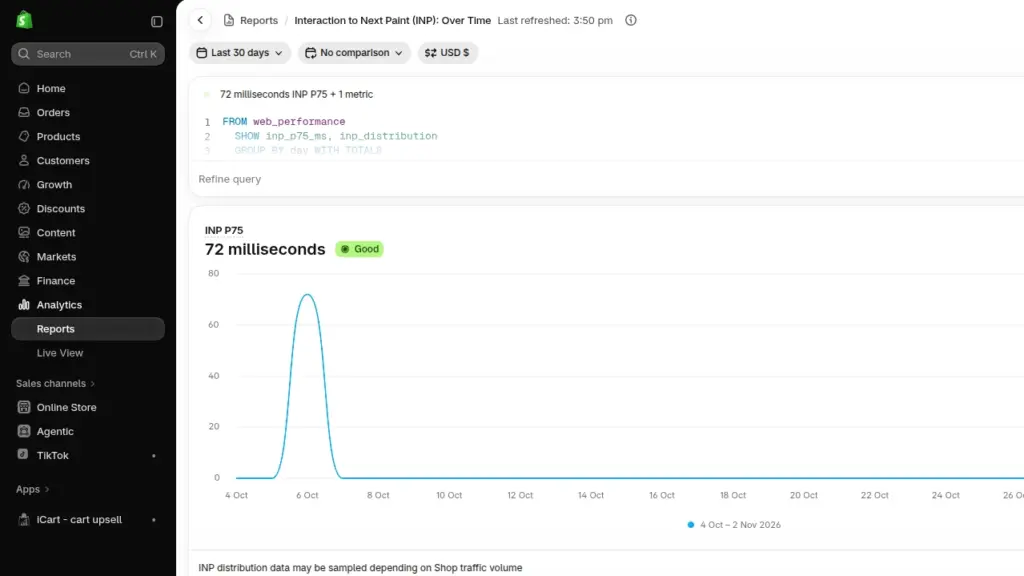
An Interaction to Next Paint (INP) report on Shopify Reports
Data can lag by up to 36 hours [Source], so record your baseline now. Shopify's targets are LCP of 2.5 seconds or less, INP of 200 milliseconds or less, and CLS of 0.1 or less.
Make the first image load fast
In most stores, the LCP element is the hero banner or the main product image. Use one static image instead of a slider.
Size it for mobile screens. Keep lazy loading for images further down the page, never for the first one shoppers see.
Cut apps, embeds, and old tags
List every app that touches your storefront. For each one, ask a simple question: did it earn money last BFCM?
Turn off app embeds you don't need in the theme editor. Remove leftover code from deleted apps, and clear old pixels out of your tag manager.
Our guide to checking apps that slow your store shows how to test one app at a time without breaking anything.
Build sale features lightly
Load countdown timers only on sale pages. Reserve space for announcement bars so nothing shifts. Turn on pagination for big collections so fewer products load at once. Keep your Black Friday landing page simple and use fewer images if you can.
A Client Story: The Store That Froze When the Email Went Out
Last November, a furniture brand on Shopify sent its Black Friday email at 6 a.m.
Within minutes, product pages slowed to a crawl on phones. The add-to-cart button took seconds to respond. The checkout itself was fine. Shoppers just struggled to reach it.
After the BFCM weekend, the brand got in touch with us to find out why. They wanted to be prepared for Christmas.
Our audit found 3 Shopify apps doing overlapping jobs.
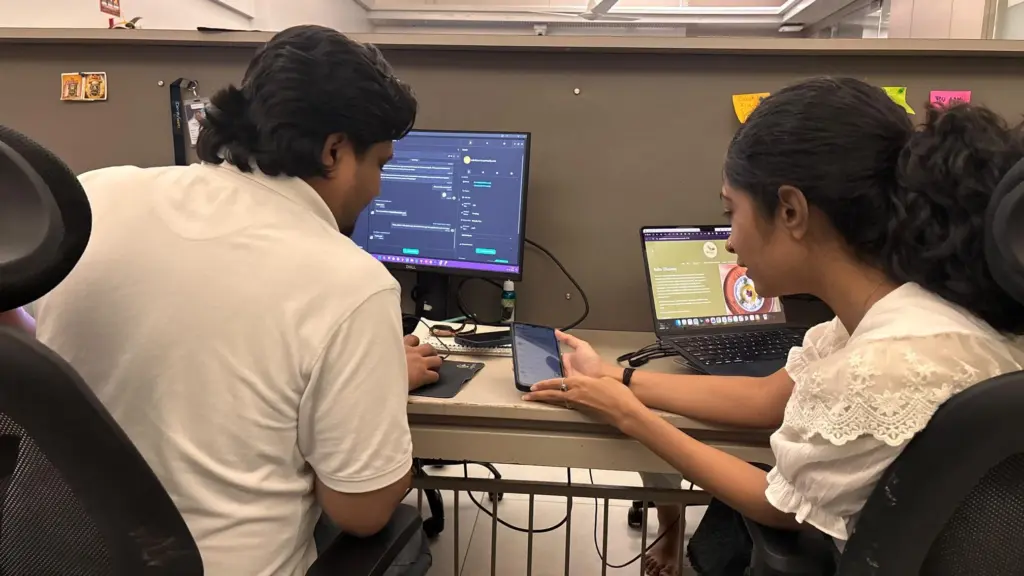
A countdown timer loaded on every page. Code from a reviews app removed months earlier was still running. The homepage slider carried five full-size banners. Each piece was small. Together, under a traffic spike, they kept the browser too busy to respond to taps.
Our team removed the duplicate apps and limited the timer to sales pages. They cleaned out the old code and swapped the slider for one static hero image.
Mobile LCP dropped from [4.1] seconds to [2.3] seconds. INP fell from [420] to [180] milliseconds. The brand is heading into this year's BFCM with a faster store and a better plan.
How to Test Black Friday Website Performance Before November 27
Test the full shopping journey the way a shopper will, on a phone, before your change freezes.
On Shopify, focus on your theme, apps, and integrations. Shopify runs its own load and stress tests on the platform ahead of sales events like BFCM.
- Walk the journey on a midrange phone. Use mobile data and go from homepage to collection, product, cart, and checkout. Preview your sale banners and test every discount code.
- Email every app vendor on your storefront. Ask whether they've been load tested for BFCM, what their rate limits are, and where their status page lives.
- Check your inventory syncs. A sync with your 3PL or ERP that lags by minutes can oversell your best sellers.
- Freeze changes by November 20. Record your baseline numbers that day so you can spot a problem fast during the sale.
Plan the BFCM Weekend
Schedule everything you can, decide in advance what you'll switch off, and know who is watching.
Try Shopify's Rollouts feature, launched in March 2026 for Basic plans and above [Source]. It can publish theme changes at a set time. It can also revert them when a sale ends. Schedule your discounts and emails too, so an admin outage can't hold up your launch.
Next, write a short kill list. These are the names of the widgets you'll turn off first if pages are slow, such as recommendation carousels, live chat, or a spin wheel. Product pages and checkout stay.
During the weekend, watch Live View, Shopify's status page, and the status pages of your key app vendors.
Pick one person who makes the call on switching things off. For everything beyond speed, from inventory to support, go through our full Black Friday checklist for Shopify stores.
Get Your Store Ready While There's Still Time
Shopify speed optimization before Black Friday comes down to a short list. Measure real shopper data, fix the first image, cut what isn't earning, test on a phone. Do not make any changes after November 20 and schedule the rest. Shopify will carry the traffic. Your store needs to keep up with it.
Want a team that does this every season? Identixweb's Shopify speed optimization services include audits, theme cleanup, and app reviews before your busiest weekend.
FAQs
1. Does Shopify crash on Black Friday?
Rarely. Shopify handled 489 million edge requests per minute at the 2025 peak [Source]. Most BFCM slowdowns come from the store layer, meaning themes, apps, scripts, and outside services. Admin and network incidents still happen, as Cyber Monday 2025 showed, so schedule key changes in advance.
2. How fast should a Shopify store be for Black Friday?
Aim for Google's "good" mobile scores: LCP of 2.5 seconds or less, INP of 200 milliseconds or less, CLS of 0.1 or less. Shopify's data links every 100 milliseconds saved to higher conversion, so going faster than the threshold still pays.
3. Will a Shopify speed optimization app fix my store before BFCM?
Not on its own. Many speed optimization apps add their own script, and they can't remove code left behind by other apps. Cutting apps, fixing the hero image, and cleaning up the theme does more.
4. Should I test my Shopify store for speed before Black Friday?
Yes. Run one test now to set a baseline and another once your sale theme, banners, and apps are in place. Check your web performance reports, run PageSpeed Insights on your top product and collection pages, and go through the full shopping journey as a customer.
5. Why should I stop making changes a week before Black Friday?
The last week is for testing, scheduling, and fixing only what's broken. That’s why merchants who want a profitable BFCM always plan a month ahead of the Black Friday season.



About the author
Vineet Nair
Vineet is an experienced content strategist with expertise in the ecommerce domain and a keen interest in Shopify. He aims to help Shopify merchants thrive in this competitive environment with technical solutions and thoughtfully structured content.