



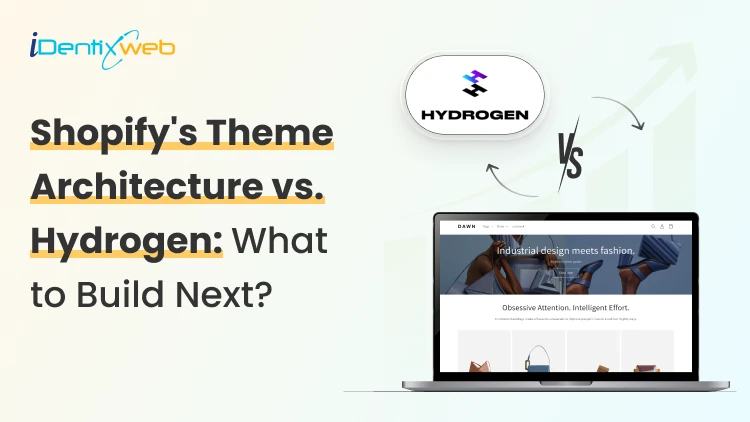
Shopify's Fall '26 Edition went live on October 28, 2026. Its Storefronts section puts two big updates side by side: a new theme architecture for Liquid and a rebuilt Hydrogen.
We have been building both headless stores and customized themes for merchants for almost 10 years. This new update does make the choice between the two difficult. So let’s break down how both theme storefront architectures fare in 2027.
What Shopify Changed for Themes and Hydrogen in Fall '26 Edition
Fall '26 gave Liquid themes a new way to build pages. It also turned Hydrogen into a toolkit that works with any JavaScript framework. Neither one replaces the other.
On the theme side, developers can now compose pages directly in Liquid with blocks. Markdown files guide AI agents, and Tailwind styling is built in. Canvas, Shopify’s new Sidekick design surface, runs on this architecture.
Sidekick made more than 25 million theme edits in the first half of 2026, according to Shopify's Canvas announcement.
On the headless side, the new Hydrogen became available on October 14. The Edition highlights customer accounts, predictive search, agent skills, and one-click deployments to Vercel.
Both paths also get the same agent tools. Shopify's developer update says every Liquid and Hydrogen storefront now has WebMCP tools.
Browser agents can search products, update the cart, and check out once the buyer approves. Agent readiness is no longer a reason to pick one over the other.
For everything else in the release, read our Shopify Editions Fall 2026 breakdown.
What Is a Shopify Hydrogen?
When merchants say "Hydrogen theme," they usually mean a starter template.
Shopify Hydrogen isn't a theme in the Theme Store sense. A theme is Liquid code that Shopify hosts and renders, and your team edits it in the theme editor. Hydrogen is a toolkit developers use to build and host a separate storefront app.
Shopify's Hydrogen docs say it doesn't ship a component library. Your app owns the UI, routing, data loading, images, and SEO. Checkout stays on Shopify either way.
How the Shopify Hydrogen Framework Works Now
Until recently, Hydrogen was a framework built on React Router. Since October 2026, it works as a library that adds Shopify commerce to the stack you already use.
In the earlier versions, you needed to build your whole storefront on Hydrogen to use its cart or analytics. The new version plugs into your existing app instead. Hydrogen handles the cart, variants, Market pricing, Shop Pay, customer accounts, and analytics that respect shopper consent. Your framework handles routing, data loading, and rendering.
Shopify lists Next.js, React Router, Nuxt, Astro, and SvelteKit as supported. Packaged bindings cover React and Vue.
Hosting is flexible too. Oxygen, Shopify's own hosting, stays free on paid plans. Shopify's Oxygen docs allow one public environment on Starter through Advanced and 25 on Shopify Plus.
Here's how that fits into Shopify Plus vs Advanced if you run several brands or regions.
Existing Hydrogen stores keep working. Shopify now labels versions from April 2026 and earlier as legacy and recommends migrating.
Adoption is small but growing fast. StoreLeads counted 5,216 stores running Hydrogen in its October 2026 report, up 118.5% year over year.
Hydrogen vs Shopify Theme: Side by Side
A Liquid theme gives you a faster launch, built-in hosting, and full app support. Hydrogen gives you full control of the frontend, and your team carries everything that comes with it.
| Liquid theme | Hydrogen storefront | |
| What you get | A theme Shopify hosts and renders | A frontend app your team builds and hosts |
| Content editing | Theme editor, Canvas, and Sidekick | Whatever CMS or tools you set up |
| Storefront apps | App blocks and app embeds work | Widgets need custom integration |
| Hosting | Included with Shopify | Oxygen, Vercel, or another host |
| SEO basics | Handled by the theme | Built and maintained by your team |
| Skills needed | Liquid, HTML, CSS | A JavaScript framework and the Storefront API |
| Upkeep | Theme and app updates | Framework, dependency, and API upgrades |
| AI agent tools | WebMCP included | WebMCP included |
Shopify's own headless guide is direct about cost. It suggests going headless only when themes and apps can't meet the store's needs, because headless costs more to build and run.
Apps are the row most owners underestimate. Hydrogen now uses the same standard storefront events as Liquid themes, which helps apps that listen for cart changes. The visible widget still has to be built into your app.
Is There a Free Hydrogen Shopify Theme?
Hydrogen itself is free, and Shopify's docs list two free starter templates. The build and the upkeep are where the money goes.
The first is a React Router template that deploys to Oxygen. The second is Vercel Shop, an open-source Next.js template built on the new Hydrogen SDK.
Both give developers a starting point, not a finished storefront like a Theme Store theme. If a third-party template calls itself a free Hydrogen theme, check which Hydrogen version it targets first.
On the Liquid side, free really means free. Shopify's performance guide says the Horizon family and Shopify's Online Store 2.0 themes are free and optimized for performance.
Featured paid themes on the Theme Store ranged from $170 to $500 when our team checked on 30, 2026.
Starting with a free theme? Our guides to Shopify Horizon themes and the best free Shopify themes are good next reads.
Does Hydrogen Make a Store Faster Than a Theme?
Not by default. Most measured Shopify stores already pass Core Web Vitals, and slow stores usually suffer from apps, scripts, and images.
An October 2026 HTTP Archive analysis covered 716,063 Shopify storefronts. Among stores with enough Chrome traffic to measure, 83% passed all three mobile Core Web Vitals. The same study found that 43% of Dawn stores run a version more than two years old.
Shopify's performance guide points the same way. Every app, image, and script you add can slow a store down. Apps can't create script tags since October 1, 2026, and Shopify stops loading them on March 1, 2027.
Hydrogen raises the ceiling for interactive experiences. It also hands your team every performance decision.
Our Shopify speed optimization service starts with an audit before anyone talks about a rebuild.
How One Store Owner Chose Between Hydrogen and a Theme
A cosmetics brand came to the Identixweb team with a Hydrogen proposal from another vendor. The owner's brief was short. The store felt slow, and the product page looked like every other theme.

The team asked for the app list before talking about frameworks. Reviews, subscriptions, loyalty points, and a cart upsell all added their widgets through app blocks. On Hydrogen, each one would need an API integration or a replacement.
A speed audit came next. Most of the weight sat in an outdated theme version and uncompressed hero images. Script tags from apps the store had already removed were still loading too.
The owner chose a theme rebuild with custom theme blocks for the product page. Those blocks also hold their value. Shopify's tag renders the same theme blocks stores use today, so the work carries into the new architecture.
The owner didn’t rule out Hydrogen completely. The brand plans to add a product finder later, where shoppers answer a few questions and get matched to products.
A feature like that needs more custom interaction than a theme handles well. So the plan is to build only the product finder with Hydrogen and keep the rest of the store on the theme.
When to Choose Hydrogen and When to Choose a Theme
Most stores should start with a theme. Hydrogen earns its cost when one specific requirement can't be met inside a theme.
Choose a Liquid theme when:
- Your marketing team edits pages every week without a developer.
- Revenue depends on storefront apps like reviews, upsells, or subscriptions.
- Your speed problems trace back to apps, images, or an old theme version.
- You want Sidekick and Canvas to edit the store.
Choose Hydrogen when:
- You need an experience a theme can't deliver, like a 3D configurator.
- Content and commerce live in separate systems, such as a headless CMS.
- Your team already works in Next.js or React Router and can own a frontend for years.
- You're on Plus and need several custom storefronts.
Still weighing a custom build against a theme? Here's our take on buying a theme vs hiring a theme developer.
Get a Free Theme and Architecture Review
The choice between a Hydrogen Shopify theme and a Liquid theme comes down to your apps and your team.
It also depends on what your current theme actually blocks. Identixweb offers a free theme and architecture review. The team checks your theme version, app blocks, script tags, speed bottlenecks, and Canvas readiness.
You get a clear call: refresh the theme, rebuild on blocks, or plan a Hydrogen build.
> Book your free theme and architecture review
FAQs
1. Is Shopify Hydrogen a theme?
No. The Shopify Hydrogen framework is a toolkit for building a custom storefront app outside Shopify's theme system. Themes are Liquid files that Shopify hosts and renders.
2. Can you get a Hydrogen Shopify theme for free?
Yes. The Hydrogen library and its starter templates are free, and Oxygen hosting costs nothing extra on paid plans. You still pay for development and ongoing maintenance.
3. Which Shopify plans support Hydrogen on Oxygen?
Oxygen comes at no extra charge on Starter, Basic, Grow, Advanced, and Plus. Starter plan through Advanced get one public environment, and Plus gets 25. Development stores and trial plans can deploy too, but their URLs need a store login.
4. Is Hydrogen better for SEO than a Liquid theme?
Not automatically. Both can rank well. A theme comes with Shopify's built-in sitemap and SEO fields. On Hydrogen, your app owns SEO, so your developers build metadata, structured data, and redirect themselves.
5. Can I use Canvas with a Hydrogen storefront?
No. Canvas edits Liquid themes. At launch, it supports themes made by Shopify and custom themes, not third-party Theme Store themes.
6. Do Shopify apps work with Hydrogen?
Backend apps work the same way. Apps that add widgets through app blocks or app embeds don't show up on Hydrogen automatically. They need an API integration or a replacement.

About the author
Vineet Nair
Vineet is an experienced content strategist with expertise in the ecommerce domain and a keen interest in Shopify. He aims to help Shopify merchants thrive in this competitive environment with technical solutions and thoughtfully structured content.