

Author: Sajini Annie John
Gather knowledge about the latest insights, updates, tips, and tricks in the Ecommerce industry.

5 Min • 20 March 2026
How Anua Unlocked 5X AOV Growth with iCart’s Smart Cart Features
delivery customization Challenges Solutions drive results Scale business delivery customization Challenges Solutions drive results Scale business delivery customization Challenges Solutions drive results Scale business delivery customization Challenges Solutions drive results Scale business Anua is a globally recognized Korean skincare brand known for its minimalist philosophy and focus on gentle yet effective formulations. Built on the idea of simplifying skincare routines, Anua develops products that deliver visible results while avoiding harsh or irritating components, making them suitable for sensitive skin types. Initially using a traditional full cart experience, Anua transitioned to iCart’s side cart solution in August 2025, to create a more seamless and engaging shopping journey. This shift allowed customers to easily explore complementary skincare products without disrupting their browsing flow, making it more intuitive to discover items that fit into a complete routine. By surfacing relevant recommendations directly within the cart, the brand enhanced product visibility across its range. Challenges Before implementing iCart’s side cart solution, Anua faced limitations with their existing full cart experience, which created friction in the customer journey. The traditional cart setup redirected users away from product pages, interrupting their browsing flow and reducing opportunities to explore additional products. As a skincare brand built around routines rather than single-item purchases, this made it difficult to effectively showcase complementary products and encourage customers to build complete regimens. Additionally, the lack of in-cart personalization and strategic upsell opportunities meant that customers were often unaware of related products that could enhance their skincare results. This limited the brand’s ability to increase average order value (AOV) and fully leverage its diverse product range. Anua needed a more dynamic and intuitive cart experience that could seamlessly introduce relevant recommendations while maintaining a smooth and engaging shopping journey. ❌ Cart Value Barriers Low average order value (AOV) due to single-item focus Most customers completed purchases with one primary product instead of building multi-step routines. Cart abandonment near shipping thresholds Customers were not clearly informed or motivated to reach free shipping or discount thresholds. Missed savings opportunities Customers were unaware of potential value in purchasing bundled routines or multiple complementary products. ❌ Absence of Progress-Based Incentives No free shipping or discount progress bar Customers were not motivated to increase their cart value due to lack of visible incentives. Missing tiered rewards system There were no structured milestones (e.g., “Spend more to unlock offers”), reducing upsell opportunities. ❌ Ineffective Cart UI/UX (Pre-Side Cart) Full-page cart disrupted shopping flowCustomers had to leave their browsing journey, increasing friction and drop-offs. No quick add/remove functionality Users couldn’t easily modify their cart or add suggested products without navigating away. Solution To overcome these challenges, Anua implemented iCart’s side cart solution to transform their traditional cart into a high-converting, interactive experience. By replacing the full-page cart with a seamless side cart, the brand ensured that customers could continue browsing while viewing their cart, significantly reducing friction in the shopping journey. Additionally, features like product recommendations & progress bars for free shipping and discounts motivated customers to increase their cart value. By combining personalization, incentive-driven messaging, and a user-friendly interface, Anua successfully turned their cart into a powerful revenue-driving touchpoint rather than just a checkout step. To maximize their cart effectiveness, they implemented two powerful features: ✅ Progress Bar with Multi-Reward Incentives Implemented a tiered progress bar to encourage higher cart value Customers are guided with a clear message like “Add $3.10 to unlock secret offer,” motivating them to continue adding products. Generated over $5M+ in revenue through incentive-driven cart progression Used product-based rewards to align with customer intent Instead of generic discounts, Anua incentivized purchases with relevant skincare items like Dark Spot Pads and mini serums. Built visual motivation for routine expansion As customers add products, they can clearly track progress toward unlocking multiple rewards, encouraging them to build a complete skincare routine. ✅ Product Recommendations Implemented “Frequently Bought Together” recommendations Customers adding a single product (e.g., toner) are shown complementary items like serums, moisturizers, or pads to complete their routine. Generated over 275K revenue through in-cart recommendations Encouraged full skincare regimen building Instead of isolated purchases, the cart suggests step-by-step product combinations aligned with common skincare routines. Increased product discovery at the final stage By surfacing relevant items directly in the cart, Anua ensured customers explore more of their catalog without leaving the checkout flow. Results Achieved in Last 180 Days 22932 Total Store Orders 45101 Total iCart Orders 5X iCart Generated AOV 65.70% Upsell Affected Conversion Rate These improvements reflect a clear shift in customer behavior on Anua’s store. Cart abandonment reduced as shoppers discovered complementary skincare products and felt encouraged to build complete routines. Engagement also increased, with customers interacting more with in-cart recommendations and exploring relevant product pairings. Results & Impact And...Results is Our Main Clarification By implementing iCart’s cart drawer, product recommendations, and progress bar, Anua transformed its cart into a high-performing conversion touchpoint. Shopping Experience Enhancement The improved cart experience encouraged customers to discover complementary products and understand the value of sustainable beauty routines. For instance, the clear presentation of subscription savings alongside one-time purchase options helped customers make more informed decisions about their long-term hair care needs. As Anua continues to optimize its cart experience, the brand is closely monitoring: Routine-based purchasing behavior - tracking how customers move from single items to multi-step regimens Engagement with in-cart recommendations - measuring interaction with suggested products Cart value progression - analyzing how incentives influence higher spending [related_cases_slider] Ready to Write Your Success Story? Try icart App Join successful businesses like Anua and Master your delivery scheduling Delight customers with precise timing Grow your special occasion orders Expand your delivery reach
Read Blog
10 Min • 27 August 2026
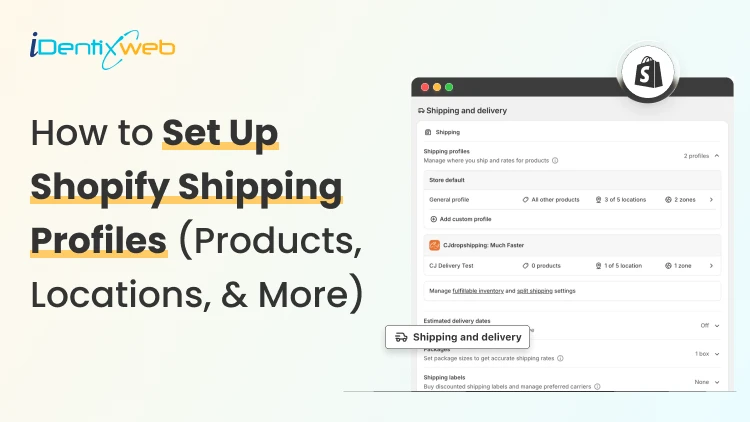
How to Set Up Shopify Shipping Profiles (Products, Locations, & More)
To set up a custom shipping profile in Shopify, go to Shopify Admin → Settings → Shipping and delivery → Shipping profiles → Add custom profile. Add the required products or variants, assign fulfillment locations, create shipping zones, and configure shipping rates based on your requirements. Custom shipping profiles help merchants manage different shipping rules for products like fragile, heavy, oversized, or region-specific items without affecting their entire catalog. Shipping gets complicated when you can't treat every product the same way. A T-shirt, glass vase, and 20-pound bag of pet food might all sit in the same Shopify store. But charging the same shipping rate for each can hurt your margins. Shopify shipping profiles solve this by grouping products with similar shipping needs. It controls where they ship from, where they can ship to, and what customers pay. This guide covers products, variants, fulfillment locations, shipping zones, rates, multiple warehouses, and the checkout issues merchants should test before going live. What Are Shopify Shipping Profiles? Shopify defines a shipping profile as a set of shipping rules for specific products and locations. Stores get a General shipping profile by default, while custom profiles handle products that need different rates. Shipping profileBest forWhat happensGeneral shipping profileProducts using the same shipping ratesProducts stay here unless moved to a custom profileCustom shipping profileFragile, oversized, heavy, or other special productsSelected products or variants get their own locations, zones, and rates Shopify currently allows up to 99 custom shipping profiles for stores using the shipping-profile system. A product or variant can belong to only one profile at a time. Adding it to another profile automatically removes it from the previous one. When do you need a custom shipping profile? You need a custom shipping profile when certain products need different shipping rules from the rest of your catalog. I will explain this better with a few examples below: Furniture or oversized products: Use a separate profile when these products need higher flat rates or special delivery charges. Fragile items: Create one when products such as glassware require extra packaging and higher shipping costs. Heavy products: Use a separate profile if shipping charges need to be calculated differently based on weight. Products sold only in selected regions: Use a separate profile when certain items should ship only to specific countries, states, or regions. Products with free shipping: Create a profile when only selected products should qualify for a $0 shipping rate. Products needing carrier-calculated rates: Use a separate profile when only certain products need live carrier rates instead of your standard flat rates. If most products follow the same shipping rules, keep them in the General shipping profile and create custom profiles only where there is a real difference in cost, location, or delivery requirement. What to prepare before setting up a shipping profile Before creating a profile, I normally map these four things. 1. Products Decide which products or variants genuinely need different shipping treatment. For example, a home decor store will keep cushions and small accessories in the General profile. They move large mirrors into a custom profile because they require protective packaging and higher shipping charges. 2. Fulfillment locations Check where the products are stocked and fulfilled. Locations can represent warehouses, retail stores, fulfillment partners, and other order origins. When a shipping profile is created, eligible online-fulfillment locations are added to it. Locations can share one location group when they use the same zones and rates, or be separated when shipping rules differ. 3. Shipping zones A shipping zone is a group of countries or regions that share shipping rates. You might create zones such as Domestic, Canada, Europe, or selected international countries. Want to sell internationally? Here’s my breakdown of international shipping on Shopify for merchants in 2026. 4. Shipping rates Shopify supports flat rates, order-value-based rates, weight-based rates, carrier or app-calculated rates, and free shipping. Shipping in Shopify can be complicated. Here are my top Shopify shipping strategies to increase sales in 2026. How to create a Shopify shipping profile step by step Step 1: Open Shipping and Delivery From the Shopify admin, go to: Settings > Shipping and delivery Under Shipping profiles, you will see the General profile and any existing custom profiles. Step 2: Create a custom shipping profile Click Add custom profile and enter a clear name, such as: Heavy Products Fragile Items Furniture Free Shipping Products US Warehouse Products Step 3: Add products or variants You can also see the Products section just below the Profile name section. A product or variant can belong to only one shipping profile at a time. This becomes especially useful when only certain variants need different shipping rules, while the rest of the product can stay in the General profile. For example, a merchant selling framed prints might keep the standard-size variants in the General profile. They will move only the oversized frame variant into a custom profile if it needs higher shipping charges, different packaging, or a different fulfillment method. Step 4: Configure fulfillment locations Review Fulfillment locations. If several warehouses should use the same zones and prices, keep them in the same location group. If one warehouse needs different rules, separate it. For example: New York: United States Each location group can have its own zones and rates. Step 5: Create shipping zones For each location group, click Add zone, name it, select the countries or regions, and click Done. For example, a US merchant may create a West Coast zone for California, Oregon, and Washington with a lower shipping rate. They may place Alaska and Hawaii in a separate zone because delivery there costs more. Separate zones help merchants charge rates that better reflect the actual cost of shipping to different regions. Build zones around actual delivery coverage and cost. If certain regions are significantly more expensive to serve, separate rates will be more practical. Step 6: Add shipping rates Inside each zone, click Add shipping option and choose the rate type. Flat rate: Charge one fixed amount, such as $7 for Standard Shipping. This works well when shipping costs are predictable. Order amount-based rate: Change shipping by cart value. A store could charge $8 below $50, $5 from $50 to $99.99, and offer free shipping from $100. Weight-based rate: Charge according to shipment weight. This suits food, hardware, liquids, bulk goods, and similar products. Make sure product weights are accurate, and your tiers cover the full expected weight range. Carrier or app-calculated rate: Let an eligible carrier or app calculate shipping from information such as weight, destination, and package details. Step 7: Save and test Click Save, then place test orders using realistic combinations: A product from the General profile A product from a custom profile Products from two profiles Products fulfilled from different locations Different domestic or international addresses Orders above and below free-shipping thresholds Free shipping can be a great tool to increase conversions. Here’s my complete guide to Shopify free shipping strategies for merchants. Need Help Configuring Your Shopify Shipping Settings? As product catalogs, fulfillment locations, shipping zones, and rate rules grow, managing everything accurately can become difficult. For example, a merchant may sell standard products from one warehouse, oversized items from another, and charge different rates for Alaska and Hawaii. If these rules are not configured properly, customers may see the wrong rate, duplicate charges, or no suitable shipping option at checkout. That’s where Identixweb can help. Our Shopify Store Settings Configuration service helps merchants configure complex shipping, payment, tax, and checkout settings so everything works correctly together. What happens when products come from different profiles? I get this question a lot. Under the current shipping-profile system, Shopify can combine shipping rates when an order contains products from different profiles or requires different location groups. Example: ProductProfile shipping rateT-shirt$4Fragile mug$7Possible combined charge$11 In this case, the customer may see an $11 shipping charge at checkout because Shopify is combining the applicable rates from both profiles. The setup may be technically correct, but the final charge can still feel high to the customer. That’s why merchants should test mixed-profile orders before going live, especially when customers commonly buy products from different profiles together. This helps confirm that the final shipping cost is reasonable and avoids unexpected checkout charges. Common Shopify shipping profile mistakes I see #1 Creating too many profiles This is the most common mistake I encounter with merchants. More profiles do not automatically improve shipping. Start with the General profile and add a custom profile only when a real cost, destination, or fulfillment difference exists. #2 Ignoring mixed-cart costs A rate that looks reasonable for one item but when the customer adds another item with a different profile, the shipping rates increase. Always test mixed carts before creating a profile. #3 Using inaccurate weights Weight-based and calculated rates depend on accurate product data. Incorrect weights can lead to inaccurate checkout charges. #4 Creating zones without checking markets A country appearing in a shipping zone is not enough if that country is not in an active market. Set up Shopify shipping profiles the right way A well-planned Shopify shipping profile helps merchants charge more accurate shipping rates without making fulfillment unnecessarily complicated. The key is to group products only when their shipping costs, destinations, or fulfillment requirements are genuinely different. Start simple, test mixed-product carts, review location-based rates, and update profiles whenever products, warehouses, or shipping costs change. A clean setup makes checkout easier for customers and shipping easier to manage as the store grows. FAQs 1. How to add products to a shipping profile in your Shopify store? Go to Settings > Shipping and delivery > Shipping profiles, open or create a custom profile, and select the products you want to add from the Products section. A product or variant can belong to only one shipping profile at a time, so adding it to a custom profile automatically removes it from its previous profile. 2. What is the difference between a general and custom shipping profile? The General shipping profile is Shopify's default profile and automatically applies to products that aren't assigned to a custom profile. A custom shipping profile is used when certain products need different shipping rates, zones, or fulfillment rules, such as fragile, heavy, or oversized items. 3. Can I offer free shipping for any selected products? Yes. To offer free shipping only on selected products, add those products to a custom shipping profile and create a flat shipping rate with the price set to $0 or enable free shipping for that rate. 4. Does shipping increase when customers buy two products in different shipping profiles? Yes. When products from different shipping profiles are purchased together, Shopify combines their applicable shipping rates and displays one total rate at checkout, which will make the final shipping charge higher. 5. Should I use flat or carrier-calculated shipping rates in Shopify? Use flat rates when shipping costs are predictable, and you want a simple, consistent checkout experience. Use carrier-calculated rates when costs vary significantly by destination, package weight, dimensions, or delivery speed.
8 Min • 24 July 2026
Shopify vs Volusion: The Full 2026 Comparison (And Where BigCommerce Fits In)
Shopify is a much better choice as compared to Volusion because of its superior features. Shopify offers unlimited products, a much larger app and theme ecosystem, stronger POS tools, and no GMV-based sales caps. Volusion is suitable for smaller stores that prefer simpler operations. Shopify vs Volusion comes up constantly when store owners start comparing ecommerce platforms. The gap between them has only gotten wider in 2026. Volusion still works for a small, specific type of merchant. Shopify has spent the past year adding AI-driven selling tools, a much bigger app store, and pricing built for real growth. I'll walk through pricing, features, and reliability for both platforms, and I'll show you exactly where BigCommerce lands if you're weighing all three. Shopify vs Volusion at a glance If you want the short version: Shopify is the better pick for almost every new store in 2026. Volusion still makes sense for merchants already running on it who don't want the hassle of switching or who genuinely need its low-transaction-fee structure at low sales volume. Here's the quick breakdown before we get into details. #ShopifyVolusionBigCommerceStarting price$39/mo ($29 annual)$35/mo$39/mo ($29 annual)Product limitUnlimited, all plans100 on entry planUnlimited, all plansPlatform transaction feesYes, unless using Shopify PaymentsNo gateway maintenance fee with preferred providers; 1.25%–0.35% on non-preferred gateways, depending on plan 0% with Embedded Payment Providers; 2%, 1% or 0.6% with Open Payment Providers, depending on plan App marketplace16,000+ apps84 marketplace listings, including integrations and services1,200+ appsSales cap per planNoneYes, by GMVYes, by GMV Shopify vs Volusion pricing compared Shopify costs more upfront. It does remove the sales caps that Volusion's plans have. Volusion is cheaper at the entry level and skips platform transaction fees entirely, but it locks lower tiers behind strict yearly revenue limits. Here's how the current plans stack up. Shopify Plans in 2026 PlanMonthly costAnnual costNotesStarter$5/moN/ABuy Button and social selling only, no full storefrontBasic$39/mo$29/moFull store, unlimited productsGrow$105/mo$79/moFormerly called the "Shopify" planAdvanced$399/mo$299/moLower card rates, more staff accountsPlusFrom $2,300/mo3-year termEnterprise checkout and B2B tools If you want a complete pricing breakdown, my guide to Shopify pricing breaks down which plan actually fits your store size. Volusion pricing in 2026 PlanMonthly costMax GMV/yearProduct limitStaff accountsPersonal$35/mo$50K1001Professional$79/mo$100K5,0005Business$299/mo$400KUnlimited15PrimeCustomUnlimitedUnlimitedUnlimited Pricing changes over time on every platform, so treat these numbers as a snapshot and confirm current rates before you commit. Volusion vs Shopify vs BigCommerce: Where does BigCommerce fit? BigCommerce sits in an interesting spot between the two. It matches Shopify's unlimited products and staff accounts, but it shares Volusion's feature of capping plans by yearly sales volume. If you're deciding between Shopify, Volusion, or BigCommerce, BigCommerce is usually the pick for merchants who want more built-in functionality and don't mind installing fewer apps overall. BigCommerce pricing in 2026 PlanMonthly costAnnual costGMV thresholdCore$39/mo$29/moAuto-upgrades above $30KGrowth$105/mo$79/moAuto-upgrades above $100KScale$399/mo$299/mo0.9% overage above $33,333/moPerformanceCustom pricingStarts at $1,499/month, billed annually Custom BigCommerce added a new Open Payment Provider Fee on self-service plans: 2% on Core, 1% on Growth, and 0.6% on Scale, charged on orders processed through a gateway outside its approved list (Stripe, PayPal/Braintree, Adyen, and Checkout.com are exempt). I don’t think BigCommerce's old "we never charge transaction fees" pitch against Shopify fully holds anymore unless you stick to an approved processor. I cover the full breakdown in my BigCommerce vs Shopify comparison if you want to weigh it against Shopify specifically. Features compared: Apps, payments, themes, and POS Shopify's app ecosystem is the biggest gap between all three platforms. Shopify's App Store now lists more than 16,000 apps. Volusion has more than 80 native integrations. BigCommerce lands in the middle with over 1,000+ marketplace apps and stronger native features that reduce how many apps you need in the first place. I noted a few other differences as well: > Payment gateways Shopify integrates with more than 100 payment providers. BigCommerce supports over 130 payment solutions, including 21 Embedded Payment Providers that avoid its Open Payment Provider Fee. Volusion also supports several established gateways. > Point of sale Shopify has the most developed POS ecosystem, with hardware you can buy directly and a POS Pro add-on for multi-location retail. Volusion's POS support exists but is far less polished. > Themes Shopify has the largest overall theme ecosystem, with 1,000+ free and premium themes. BigCommerce offers a smaller selection of free and paid themes, while Volusion provides 24 no-cost themes but has a more limited overall third-party theme ecosystem. Platform reliability and company history Shopify is publicly traded, has been profitable for several years, and continues investing heavily in its platform. Volusion filed for Chapter 11 in 2020 and was acquired by Newfold Digital, the company behind Bluehost and HostGator, in 2021. It's continued operating since under new leadership, and it's still PCI DSS compliant with a full security program in place, but that history is worth knowing if platform longevity factors into your decision. BigCommerce is also publicly traded and posted its first full year of GAAP profitability in 2026, which gives it a similar stability profile to Shopify. None of this means Volusion is unsafe to build on today. It means you're choosing a platform with a smaller team and a narrower recovery margin if things go wrong again. Shopify, Volusion, or BigCommerce: Which one is better? Choose Shopify if: You're starting a new store and want the largest app and theme selection. You plan to sell through multiple channels. You want built-in POS for a physical retail location. You expect meaningful growth and don't want a sales cap slowing you down. Pick Volusion if: Your sales volume is modest and predictable, and avoiding transaction fees matters more than app selection. You don't need a built-in blog or a large third-party app catalog. Choose BigCommerce if: You want more features built in in exchange for installing fewer apps. Your store has strong B2B or wholesale requirements. You're comfortable managing GMV thresholds and the new payment provider fee structure. Migrating to Shopify in 2026 If you are on Volusion and planning to migrate to Shopify, it’s easier than most merchants expect. You'll want to export your product catalog, customer records, and order history from Volusion, then map that data into Shopify's format before import. Rebuilding your theme and setting up 301 redirects for every changed URL protects the SEO equity you've already built. Most small to mid-sized stores complete this in two to four weeks. I've written a full walkthrough covering migrating from Volusion to Shopify step by step, from backup through launch. If BigCommerce is the platform you're leaving instead, my BigCommerce to Shopify migration guide covers that path in the same level of detail. The bottom line Shopify vs Volusion isn't really a close contest anymore. Shopify wins on apps, themes, payment flexibility, and growth. On the other hand, BigCommerce is a legitimate alternative if you want more built-in in exchange for a smaller app catalog. Volusion still has a place for merchants already comfortable there or who do not want transaction-fee-free sales. Whichever direction you go, run the numbers on your actual sales volume and app needs before committing. The up-front price rarely tells the whole story. FAQs 1. How to migrate from Volusion to Shopify? Export your products and customer records from Volusion, format them using Shopify’s CSV templates, and import them into your new Shopify store. For order history, custom fields or a large catalogue, use a Shopify migration app, then rebuild your theme, configure payments and shipping. Add 301 redirects and test the store before transferring your domain. 2. Who is Shopify's biggest competitor? WooCommerce is Shopify’s biggest competitor when measured by overall website adoption. BigCommerce is one of Shopify’s closest direct competitors in the hosted SaaS ecommerce market because both provide managed hosting, built-in commerce tools and plans for growing and enterprise businesses. 3. How much does it cost to migrate to Shopify? Shopify does not charge a fixed migration fee. A small store can migrate manually with CSV files at no additional cost beyond its subscription, which starts at $39 per month or $29 per month with annual billing. Migration apps will charge according to the number of products, customers and orders transferred, while Shopify Partners set their own prices for custom migrations. 4. Is Shopify better than Volusion in 2026? For most ecommerce businesses, Shopify is a better choice because it supports unlimited products across its main plans and offers more than 16,000 apps for extending store functionality. Volusion is a good fit for smaller stores, but its lower plans limit the number of products you can sell and how much revenue your store can generate
8 Min • 29 July 2026
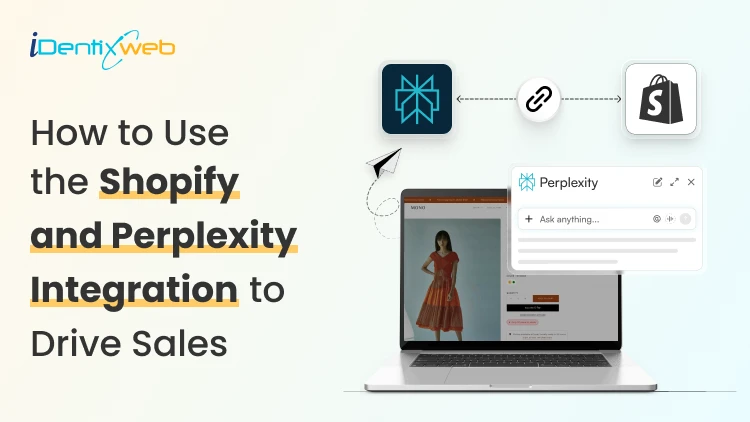
How to Use the Shopify and Perplexity Integration to Drive Sales?
Buyers have stopped going to Google and searching for products to buy. They ask Perplexity and other AI platforms one question and buy whatever it recommends. The Perplexity Computer Shopify connection now works in two directions: Your catalog can appear inside Perplexity answers, Perplexity Computer can run store tasks on your behalf. Most merchants have set up neither, which is exactly why I’m adding this guide. What does the Shopify and Perplexity integration mean? Perplexity and Shopify connect in two separate ways. One is a sales channel. The other is an agent that works inside your store data. The sales channel side is Perplexity Shopping. Your product data reaches Perplexity through Shopify Catalog, and shoppers see products with images, pricing, and review summaries inside the answer. The agent side is Perplexity Computer. Computer connects to hundreds of tools, and Shopify is one of them. You give it a task in plain language, it breaks the job into subtasks across multiple models, and it delivers finished work. How does Perplexity decide which products to recommend? Perplexity pulls product data from retailer feeds, merchant sites, and reviews, then builds its answer. For Shopify merchants, Shopify Catalog automatically syncs your product data to connected AI platforms, including Perplexity, ChatGPT, and Google AI Mode. Product information is more important. If a SKU has no GTIN, a vague description, and four reviews, Perplexity has almost nothing to work with, and it will favour a competitor with complete data. I look for three signals. Structured product data. Product identifiers, Google product category, materials, dimensions, and accurate price and availability. Review depth. Perplexity summarizes pros and cons from customer reviews. Contextual descriptions. A spec list tells the model what the product is made of. A description that names the buyer and the use case tells it who the product is for. Shopify’s own insight says that AI-referred shoppers convert at almost 50% higher rate than organic. Set up the Perplexity and Shopify connection step by step 1. Run an agentic readiness check Shopify has a free tool to check if your product page is ready for AI-selling. Do an agentic readiness check first. 2. Confirm Shopify Catalog is populated Catalog is the delivery mechanism. It syndicates whatever sits in your product records, so incomplete records travel straight into AI answers as incomplete records. 3. Open Agentic Storefronts in your Shopify admin Catalog makes products discoverable. Go to Settings > Sales Channels, and review each AI channel individually. Agentic has been rolled out for merchants this year. 4. Add Perplexity Make Perplexity a sales channel in Agentic. You can also add other AI platforms like Copilot and ChatGPT. 5. Let AI crawlers through Check robots.txt and any bot-blocking rules in your CDN or security app. Blocking AI crawlers will impact your sales significantly when customers are searching for your product on AI platforms. 6. Test with real buyer prompts Pick fifteen questions your customers actually ask, run them in Perplexity, and note where you appear and where a competitor does. I do this every week for stores that I’m working for. Manual testing gives you ground truth that no dashboard provides yet. If you are working through the same setup for OpenAI's ecosystem, my ChatGPT Shopify integration guide covers Instant Checkout and the merchant application side in detail. Optimize your Shopify store for AI search engines like Perplexity and SearchGPT The work that helps you optimize your Shopify store for AI search engines like Perplexity and SearchGPT is the same, which is the good news. Start with product pages. Replace generic claims with specifics a model can extract: who it suits, what problem it solves, what size or spec range it covers, and how it compares to the obvious alternative. Add a short FAQ block to product and collection pages, with the question as a heading and the answer in two or three sentences. Mark it up with an FAQ schema. Collection pages deserve real text. A collection with a title and nothing else gives Perplexity no reason to understand your products. Write a minimum of 150 words explaining what belongs in the collection and who buys from it. In my experience in 2026, comparison content is the strongest lever most stores ignore. Buying guides, category comparisons, and honest product versus product pages match the exact shape of questions people bring to AI search. My full walkthrough on answer engine optimization for Shopify stores breaks down the schema types, FAQ patterns, and topical clusters worth building first. What does the Perplexity Computer Shopify connector do for merchants? The Perplexity Computer Shopify connector gives an agent read and write access to your store data. You enable it once from the Connectors panel and complete OAuth. Computer treats work as tasks rather than chats. You describe an outcome, it plans the subtasks, routes each one to a suitable model, and hands back a finished deliverable. Tasks can run on a schedule whether or not your laptop is open. Here are the five tasks I always set up first: Weekly catalog gap audit. Ask it to list every product missing a GTIN, product category, or description longer than a set word count. An updated catalog is the biggest factor in AI visibility. Bulk description rewrites. Feed it your brand voice rules and let it draft AI-readable descriptions for your products. Review everything before publishing. Competitor price and positioning monitoring. Set a recurring task that checks competitors and flags where you are underperforming. Review mining. Have it read recent reviews, add the common reviews together, and turn them into FAQ entries for the matching product pages. Monday morning report. Orders, refunds, stock risks, and the best-sellers, delivered as a document before you open the admin. Turn High-Intent AI Traffic Into Bigger Orders Visitors arriving from AI search platforms are often ready to buy, making the cart the perfect place to increase order value. Most carts only show products... iCart can show revenue-boosting offers. Try Free Till 100 Orders iCart Cart Drawer Cart Upsell helps you convert that intent with relevant upsells, product bundles, and free-shipping progress bars built directly into the cart. Measure whether Perplexity is actually driving sales I track these four things for Perplexity and any other AI platforms when it comes to tracking sales. Citation rate. Your appearance counts across your fifteen test prompts, checked monthly. Referral sessions from perplexity.ai in GA4, segmented separately from other AI referrers. PayPal Instant Buy orders, reconciled against your Shopify revenue so nothing goes uncounted. Catalog completeness, as a percentage of SKUs with full required fields. It is the leading indicator for everything above. Movement in citation rate usually shows up thirty to sixty days after catalog fixes land. Judge the channel on that timeline, not on week two. Where to start this week Perplexity Computer for Shopify work pays off fastest when you focus on what you want. Run the readiness check, fix your best-sellers, add it as a sales channel, and set one recurring Computer task to update your catalogue. The merchants who benefit from AI recommendations right now are the ones whose product data is clean when the channel opens. FAQs 1. What is the Perplexity Computer Shopify connector? The Perplexity Computer Shopify connector is an integration that lets Perplexity's agent platform read and act on your Shopify store data. You enable it from the Connectors panel in Computer. Once connected, you can assign store tasks such as auditing product data, drafting descriptions, or generating sales reports. 2. What is the price of Perplexity Computer to run a Shopify store? The Computer is available to Perplexity Pro, Max, and Enterprise subscribers. Pro subscribers receive full access, while Max subscribers get monthly credits and higher spend limits. Pro is priced at $20/month, and Max costs $200/month. 3. How is optimizing for Perplexity different from optimizing for ChatGPT or SearchGPT? The underlying work overlaps almost entirely. Complete structured data, genuine reviews, contextual descriptions, and FAQ content improve visibility across Perplexity, ChatGPT, and Google AI Mode. The differences sit in checkout infrastructure and opt-in requirements, not in content strategy. 4. How long before the Shopify and Perplexity integration shows results? Expect thirty to sixty days between catalog improvements and a measurable change in citation rate. Feed syndication is fast, but AI engines need time to re-crawl, re-evaluate, and accumulate review signals before they start recommending a store consistently. 5. Can Perplexity Computer make changes to my store without approval? It can if you grant write scope and do not require confirmation. Configure Computer to check in before executing write actions, start with read-only reporting tasks, and expand permissions only after you trust the output.

Sajini Annie John
July 19, 2022
4924 Views
Sajini Annie John
May 7, 2026
193 Views
Sajini Annie John
May 9, 2026
189 Views
Sajini Annie John
May 7, 2026
176 Views
Sajini Annie John
May 13, 2026
196 Views
Sajini Annie John
May 9, 2026
200 Views
Sajini Annie John
February 14, 2024
7306 Views
Sajini Annie John
May 6, 2026
177 Views
Sajini Annie John
April 29, 2026
199 Views
Sajini Annie John
May 3, 2026
186 Views

Sajini Annie John
March 13, 2026
344 Views
Sajini Annie John
May 5, 2026
198 Views