





Buyers have stopped going to Google and searching for products to buy. They ask Perplexity and other AI platforms one question and buy whatever it recommends.
The Perplexity Computer Shopify connection now works in two directions:
- Your catalog can appear inside Perplexity answers,
- Perplexity Computer can run store tasks on your behalf.
Most merchants have set up neither, which is exactly why I’m adding this guide.
What does the Shopify and Perplexity integration mean?
Perplexity and Shopify connect in two separate ways. One is a sales channel. The other is an agent that works inside your store data.
The sales channel side is Perplexity Shopping. Your product data reaches Perplexity through Shopify Catalog, and shoppers see products with images, pricing, and review summaries inside the answer.
The agent side is Perplexity Computer. Computer connects to hundreds of tools, and Shopify is one of them. You give it a task in plain language, it breaks the job into subtasks across multiple models, and it delivers finished work.
How does Perplexity decide which products to recommend?
Perplexity pulls product data from retailer feeds, merchant sites, and reviews, then builds its answer.
For Shopify merchants, Shopify Catalog automatically syncs your product data to connected AI platforms, including Perplexity, ChatGPT, and Google AI Mode.
Product information is more important. If a SKU has no GTIN, a vague description, and four reviews, Perplexity has almost nothing to work with, and it will favour a competitor with complete data.
I look for three signals.
- Structured product data. Product identifiers, Google product category, materials, dimensions, and accurate price and availability.
- Review depth. Perplexity summarizes pros and cons from customer reviews.
- Contextual descriptions. A spec list tells the model what the product is made of. A description that names the buyer and the use case tells it who the product is for.
Shopify’s own insight says that AI-referred shoppers convert at almost 50% higher rate than organic.
Set up the Perplexity and Shopify connection step by step
1. Run an agentic readiness check
Shopify has a free tool to check if your product page is ready for AI-selling. Do an agentic readiness check first.
2. Confirm Shopify Catalog is populated
Catalog is the delivery mechanism. It syndicates whatever sits in your product records, so incomplete records travel straight into AI answers as incomplete records.
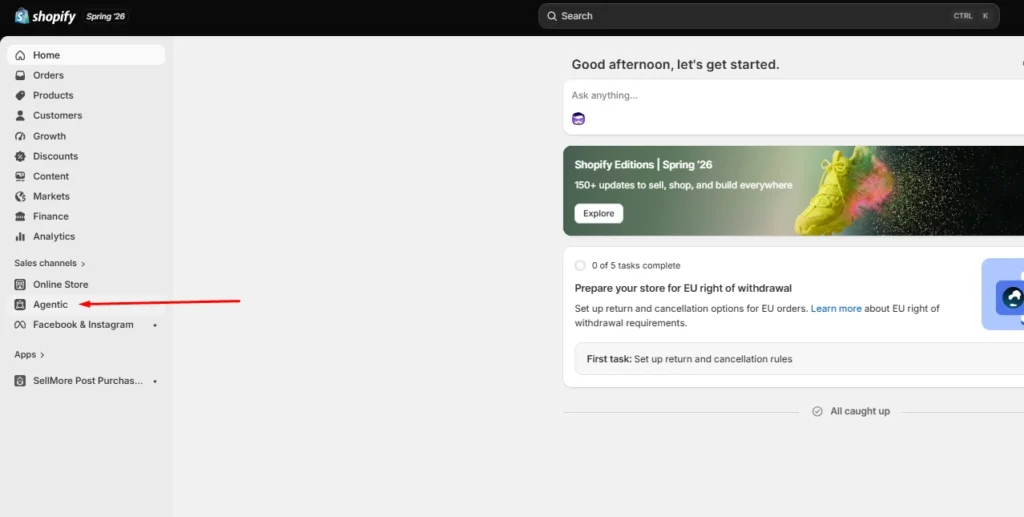
3. Open Agentic Storefronts in your Shopify admin
Catalog makes products discoverable. Go to Settings > Sales Channels, and review each AI channel individually. Agentic has been rolled out for merchants this year.
4. Add Perplexity
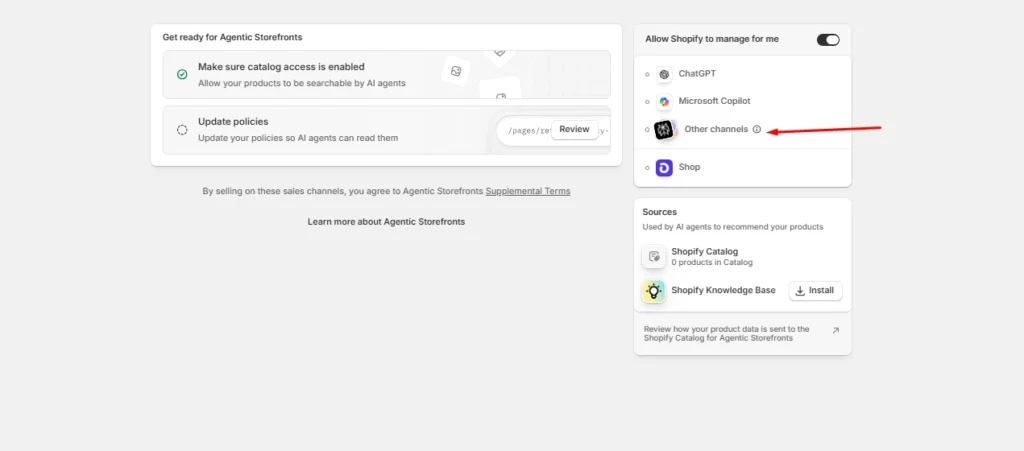
Make Perplexity a sales channel in Agentic. You can also add other AI platforms like Copilot and ChatGPT.
5. Let AI crawlers through
Check robots.txt and any bot-blocking rules in your CDN or security app. Blocking AI crawlers will impact your sales significantly when customers are searching for your product on AI platforms.
6. Test with real buyer prompts
Pick fifteen questions your customers actually ask, run them in Perplexity, and note where you appear and where a competitor does.
I do this every week for stores that I’m working for. Manual testing gives you ground truth that no dashboard provides yet.
Optimize your Shopify store for AI search engines like Perplexity and SearchGPT
The work that helps you optimize your Shopify store for AI search engines like Perplexity and SearchGPT is the same, which is the good news.
- Start with product pages. Replace generic claims with specifics a model can extract: who it suits, what problem it solves, what size or spec range it covers, and how it compares to the obvious alternative.
- Add a short FAQ block to product and collection pages, with the question as a heading and the answer in two or three sentences. Mark it up with an FAQ schema.
- Collection pages deserve real text. A collection with a title and nothing else gives Perplexity no reason to understand your products. Write a minimum of 150 words explaining what belongs in the collection and who buys from it.
- In my experience in 2026, comparison content is the strongest lever most stores ignore. Buying guides, category comparisons, and honest product versus product pages match the exact shape of questions people bring to AI search.
What does the Perplexity Computer Shopify connector do for merchants?
The Perplexity Computer Shopify connector gives an agent read and write access to your store data. You enable it once from the Connectors panel and complete OAuth.
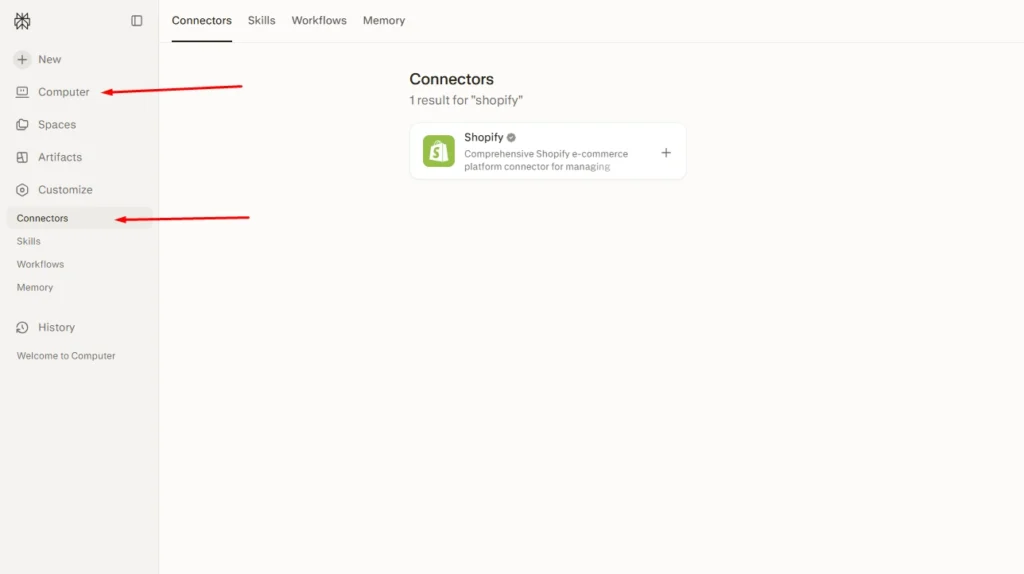
Computer treats work as tasks rather than chats. You describe an outcome, it plans the subtasks, routes each one to a suitable model, and hands back a finished deliverable. Tasks can run on a schedule whether or not your laptop is open.
Here are the five tasks I always set up first:
- Weekly catalog gap audit. Ask it to list every product missing a GTIN, product category, or description longer than a set word count. An updated catalog is the biggest factor in AI visibility.
- Bulk description rewrites. Feed it your brand voice rules and let it draft AI-readable descriptions for your products. Review everything before publishing.
- Competitor price and positioning monitoring. Set a recurring task that checks competitors and flags where you are underperforming.
- Review mining. Have it read recent reviews, add the common reviews together, and turn them into FAQ entries for the matching product pages.
- Monday morning report. Orders, refunds, stock risks, and the best-sellers, delivered as a document before you open the admin.
Turn High-Intent AI Traffic Into Bigger Orders
Visitors arriving from AI search platforms are often ready to buy, making the cart the perfect place to increase order value.
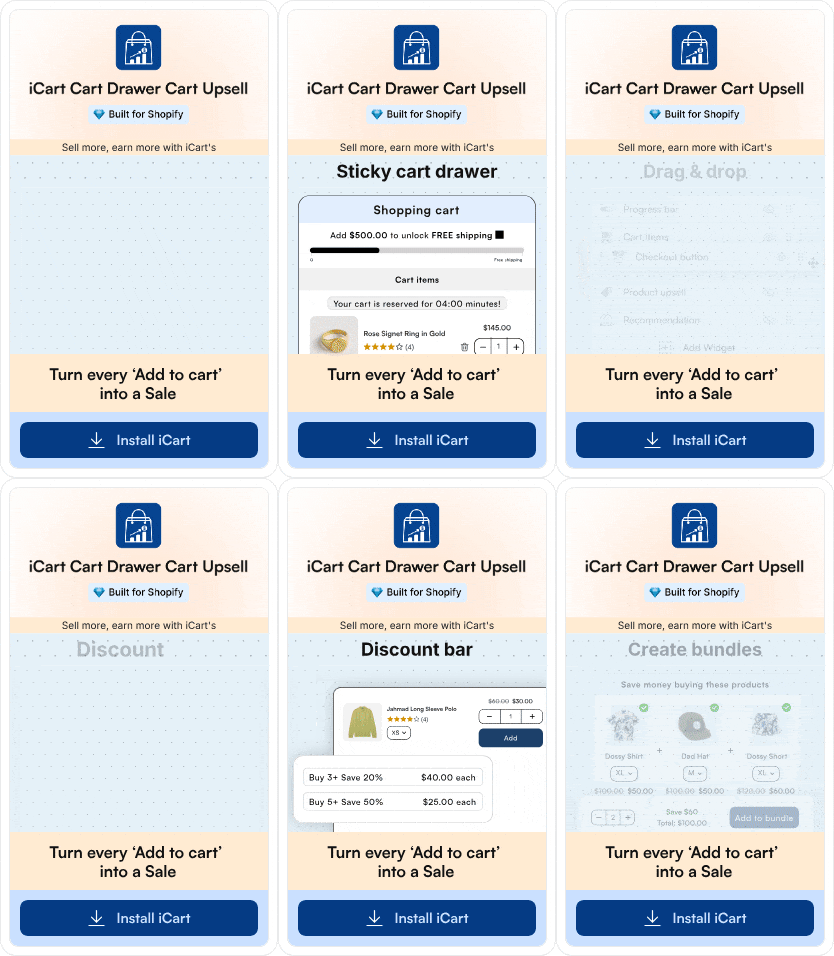
iCart Cart Drawer Cart Upsell helps you convert that intent with relevant upsells, product bundles, and free-shipping progress bars built directly into the cart.
Measure whether Perplexity is actually driving sales
I track these four things for Perplexity and any other AI platforms when it comes to tracking sales.
- Citation rate. Your appearance counts across your fifteen test prompts, checked monthly.
- Referral sessions from perplexity.ai in GA4, segmented separately from other AI referrers.
- PayPal Instant Buy orders, reconciled against your Shopify revenue so nothing goes uncounted.
- Catalog completeness, as a percentage of SKUs with full required fields. It is the leading indicator for everything above.
Movement in citation rate usually shows up thirty to sixty days after catalog fixes land. Judge the channel on that timeline, not on week two.
Where to start this week
Perplexity Computer for Shopify work pays off fastest when you focus on what you want.
Run the readiness check, fix your best-sellers, add it as a sales channel, and set one recurring Computer task to update your catalogue.
The merchants who benefit from AI recommendations right now are the ones whose product data is clean when the channel opens.
FAQs
1. What is the Perplexity Computer Shopify connector?
The Perplexity Computer Shopify connector is an integration that lets Perplexity's agent platform read and act on your Shopify store data. You enable it from the Connectors panel in Computer. Once connected, you can assign store tasks such as auditing product data, drafting descriptions, or generating sales reports.
2. What is the price of Perplexity Computer to run a Shopify store?
The Computer is available to Perplexity Pro, Max, and Enterprise subscribers. Pro subscribers receive full access, while Max subscribers get monthly credits and higher spend limits. Pro is priced at $20/month, and Max costs $200/month.
3. How is optimizing for Perplexity different from optimizing for ChatGPT or SearchGPT?
The underlying work overlaps almost entirely. Complete structured data, genuine reviews, contextual descriptions, and FAQ content improve visibility across Perplexity, ChatGPT, and Google AI Mode. The differences sit in checkout infrastructure and opt-in requirements, not in content strategy.
4. How long before the Shopify and Perplexity integration shows results?
Expect thirty to sixty days between catalog improvements and a measurable change in citation rate. Feed syndication is fast, but AI engines need time to re-crawl, re-evaluate, and accumulate review signals before they start recommending a store consistently.
5. Can Perplexity Computer make changes to my store without approval?
It can if you grant write scope and do not require confirmation. Configure Computer to check in before executing write actions, start with read-only reporting tasks, and expand permissions only after you trust the output.

About the author
Vineet Nair
Vineet is an experienced content strategist with expertise in the ecommerce domain and a keen interest in Shopify. He aims to help Shopify merchants thrive in this competitive environment with technical solutions and thoughtfully structured content.