

Author: Nick Brown
Gather knowledge about the latest insights, updates, tips, and tricks in the Ecommerce industry.

5 Min • 20 March 2026
How Anua Unlocked 5X AOV Growth with iCart’s Smart Cart Features
delivery customization Challenges Solutions drive results Scale business delivery customization Challenges Solutions drive results Scale business delivery customization Challenges Solutions drive results Scale business delivery customization Challenges Solutions drive results Scale business Anua is a globally recognized Korean skincare brand known for its minimalist philosophy and focus on gentle yet effective formulations. Built on the idea of simplifying skincare routines, Anua develops products that deliver visible results while avoiding harsh or irritating components, making them suitable for sensitive skin types. Initially using a traditional full cart experience, Anua transitioned to iCart’s side cart solution in August 2025, to create a more seamless and engaging shopping journey. This shift allowed customers to easily explore complementary skincare products without disrupting their browsing flow, making it more intuitive to discover items that fit into a complete routine. By surfacing relevant recommendations directly within the cart, the brand enhanced product visibility across its range. Challenges Before implementing iCart’s side cart solution, Anua faced limitations with their existing full cart experience, which created friction in the customer journey. The traditional cart setup redirected users away from product pages, interrupting their browsing flow and reducing opportunities to explore additional products. As a skincare brand built around routines rather than single-item purchases, this made it difficult to effectively showcase complementary products and encourage customers to build complete regimens. Additionally, the lack of in-cart personalization and strategic upsell opportunities meant that customers were often unaware of related products that could enhance their skincare results. This limited the brand’s ability to increase average order value (AOV) and fully leverage its diverse product range. Anua needed a more dynamic and intuitive cart experience that could seamlessly introduce relevant recommendations while maintaining a smooth and engaging shopping journey. ❌ Cart Value Barriers Low average order value (AOV) due to single-item focus Most customers completed purchases with one primary product instead of building multi-step routines. Cart abandonment near shipping thresholds Customers were not clearly informed or motivated to reach free shipping or discount thresholds. Missed savings opportunities Customers were unaware of potential value in purchasing bundled routines or multiple complementary products. ❌ Absence of Progress-Based Incentives No free shipping or discount progress bar Customers were not motivated to increase their cart value due to lack of visible incentives. Missing tiered rewards system There were no structured milestones (e.g., “Spend more to unlock offers”), reducing upsell opportunities. ❌ Ineffective Cart UI/UX (Pre-Side Cart) Full-page cart disrupted shopping flowCustomers had to leave their browsing journey, increasing friction and drop-offs. No quick add/remove functionality Users couldn’t easily modify their cart or add suggested products without navigating away. Solution To overcome these challenges, Anua implemented iCart’s side cart solution to transform their traditional cart into a high-converting, interactive experience. By replacing the full-page cart with a seamless side cart, the brand ensured that customers could continue browsing while viewing their cart, significantly reducing friction in the shopping journey. Additionally, features like product recommendations & progress bars for free shipping and discounts motivated customers to increase their cart value. By combining personalization, incentive-driven messaging, and a user-friendly interface, Anua successfully turned their cart into a powerful revenue-driving touchpoint rather than just a checkout step. To maximize their cart effectiveness, they implemented two powerful features: ✅ Progress Bar with Multi-Reward Incentives Implemented a tiered progress bar to encourage higher cart value Customers are guided with a clear message like “Add $3.10 to unlock secret offer,” motivating them to continue adding products. Generated over $5M+ in revenue through incentive-driven cart progression Used product-based rewards to align with customer intent Instead of generic discounts, Anua incentivized purchases with relevant skincare items like Dark Spot Pads and mini serums. Built visual motivation for routine expansion As customers add products, they can clearly track progress toward unlocking multiple rewards, encouraging them to build a complete skincare routine. ✅ Product Recommendations Implemented “Frequently Bought Together” recommendations Customers adding a single product (e.g., toner) are shown complementary items like serums, moisturizers, or pads to complete their routine. Generated over 275K revenue through in-cart recommendations Encouraged full skincare regimen building Instead of isolated purchases, the cart suggests step-by-step product combinations aligned with common skincare routines. Increased product discovery at the final stage By surfacing relevant items directly in the cart, Anua ensured customers explore more of their catalog without leaving the checkout flow. Results Achieved in Last 180 Days 22932 Total Store Orders 45101 Total iCart Orders 5X iCart Generated AOV 65.70% Upsell Affected Conversion Rate These improvements reflect a clear shift in customer behavior on Anua’s store. Cart abandonment reduced as shoppers discovered complementary skincare products and felt encouraged to build complete routines. Engagement also increased, with customers interacting more with in-cart recommendations and exploring relevant product pairings. Results & Impact And...Results is Our Main Clarification By implementing iCart’s cart drawer, product recommendations, and progress bar, Anua transformed its cart into a high-performing conversion touchpoint. Shopping Experience Enhancement The improved cart experience encouraged customers to discover complementary products and understand the value of sustainable beauty routines. For instance, the clear presentation of subscription savings alongside one-time purchase options helped customers make more informed decisions about their long-term hair care needs. As Anua continues to optimize its cart experience, the brand is closely monitoring: Routine-based purchasing behavior - tracking how customers move from single items to multi-step regimens Engagement with in-cart recommendations - measuring interaction with suggested products Cart value progression - analyzing how incentives influence higher spending [related_cases_slider] Ready to Write Your Success Story? Try icart App Join successful businesses like Anua and Master your delivery scheduling Delight customers with precise timing Grow your special occasion orders Expand your delivery reach
Read Blog
8 Min • 31 July 2026
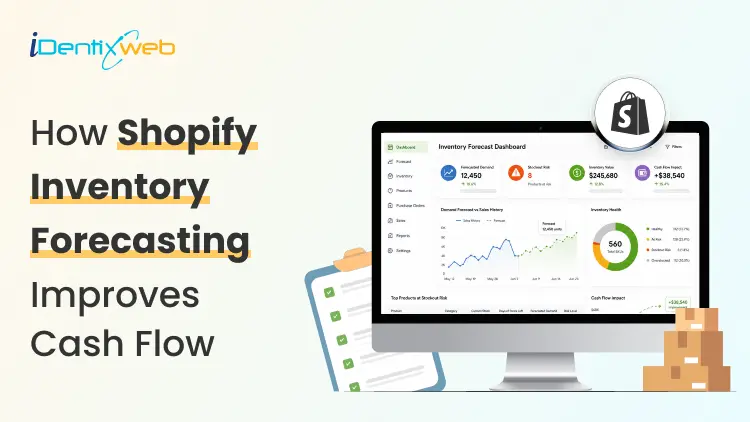
Complete Guide to Shopify Inventory Forecasting to Manage Cash Flow (+ Tools)
Shopify inventory forecasting is the process of estimating how much stock each product will need and when it should be reordered using sales history, supplier lead times, promotions, and current inventory levels. Accurate forecasting helps merchants avoid stockouts, reduce excess inventory, and keep more cash available for business expenses. Tools such as Sidekick, Prediko, Inventory Planner, and Assisty can automate inventory forecasting. If your ROI feels lower even when sales are good, your stock is usually the reason. Cash you've spent on inventory is cash you can't spend on ads, payroll, or the next order. Shopify inventory forecasting is working out how much stock you need and when to order it, so less of your money sits on a shelf. One thing worth knowing before anything else: Stocky, the free forecasting and purchase order app that came with Shopify POS Pro, stops working on August 31, 2026. If you order stock through Stocky, you've got a few weeks to sort out a replacement. What is Shopify inventory forecasting? Shopify inventory forecasting means predicting how many units of each product you'll sell over a future period. You use your sales history, supplier lead times, and whatever promotions you have planned. What you're after isn't the forecast itself. It's a list of purchase orders with dates and amounts against them. A forecast that never turns into an order hasn't done anything for you. Forecasting is really a cash question This is my philosophy: Stock is the biggest cheque you write and the slowest one to come back. You pay a deposit today, pay the balance six weeks later, pay duty when it lands, and only then do the units start selling. Every forecasting choice you make is a choice about how long your money is stuck. Two numbers tell you whether that's under control. Your cash conversion cycle The cash conversion cycle counts the days between paying your supplier and getting paid by your customer. CCC = Days Inventory Outstanding + Days Sales Outstanding − Days Payables Outstanding Days Inventory Outstanding is (Average inventory ÷ COGS) × 365. If you hold $120,000 of stock on average against $480,000 of annual COGS, that's 91 days. Days Sales Outstanding is quick for a normal Shopify store, since Shopify Payments in the US settles in about 2 to 5 business days. It climbs once you add wholesale on Net 30 or marketplaces with their own payout cycles. Days Payables Outstanding is how long your supplier lets you wait. On Net 30, that's 30. So: 91 + 3 − 30 = 64 days. Your money is tied up for a bit over two months on every dollar you put into stock. Most DTC brands land somewhere between 60 and 120 days, and under 60 is doing well. Pull these reports before you do anything else Go to Analytics > Reports and filter by Inventory. I look at four main reports here for forecasting. ABC product analysis grades every variant by how much revenue it brings in. A-grade products are the ones making up 80% of your revenue, B-grade the next 15%, C-grade the last 5%. It's worth knowing that the window is fixed for the last 28 days and you can't change it. If you sell seasonal products, run it at a few different points in the year instead of trusting one snapshot. Products by days of inventory remaining gives you days of stock left per variant, worked out from your average daily sales over the last 28 days. This is the best way to spot what's going to run out before your next delivery lands. Products by sell-through rate shows what share of available stock you sold in a period. There's about a two-day processing delay on it, so the newest data you can see is never today's. Month-end inventory value multiplies cost per item by ending quantity, which gives you your inventory cash position over time, and it's the number you need for the DIO calculation above. For a full walk-through of every report and what the columns mean, see my guide on how to pull a Shopify inventory report in 2026. How to do a Shopify inventory forecast? Clean up your sales history first Sales history and demand history aren't the same thing. Take out days when a product was out of stock, because zero sales that day tells you about your supply, not your demand. Check your product codes while you're in there. If one product exists under three different SKUs because of an old migration, you're splitting one demand pattern into three weak ones, and every forecast after that will be wrong. My guide on setting up SKUs in Shopify covers a naming system that survives growth. Split the catalogue with ABC Don't treat every product the same. Pull the ABC report and give each grade a different level of attention. A-grade products get looked at weekly and get tight reorder points. B-grade products get a monthly check. C-grade products get simple rules and a look every quarter. Create cash calendar Here’s something I do. Take each purchase order you're planning and put its payments on a calendar with real dates against them. An overseas order has four separate payments going out: the supplier deposit, often 30% up front, the balance when it ships, the freight, and then duty and customs when it lands. Lay twelve weeks out in a spreadsheet, one row per payment, and put your expected Shopify payouts in as money coming in. If any week goes red, you move an order, split it, or go back to your supplier about terms. Doing that once a month heads off nearly every cash crunch I see. Pre-orders flip the timing in your favour, since you're collecting money before you place the supplier order. You also get a real demand signal instead of a guess, which is worth almost as much. My walkthrough on setting up pre-orders on Shopify covers the setup and the apps. AI inventory forecasting on Shopify AI inventory forecasting on Shopify uses machine learning to find patterns across your sales history and outside signals that a spreadsheet formula would miss. It handles hundreds of products at once, retrains itself as new sales come in, and picks a different model per product without you telling it to. A model can spot that a product spikes three weeks after a particular campaign, or that two of your products eat into each other, without you knowing to look for it. Where I see it failing is bad data. Feed it sales history full of stockout periods, untracked variants and missing cost figures, and you'll get numbers that are wrong. Clean the inputs first. Sidekick sits in your admin. It can answer stock questions, flags what needs reordering and drafts the PO. It won't replace a proper demand planning tool if your forecasting is genuinely complicated. Inventory forecasting tools worth looking at in 2026 Prediko is a Shopify-native tool with SKU-level twelve-month forecasts, a buying table that tells you what to restock, a purchase order calendar and raw materials tracking. Pricing scales with your GMV from around $49 a month. Good fit for growing DTC brands. Inventory Planner This is a free-to-install app by Sage with usage-based pricing after that. It is strong on multi-location planning and automated replenishment. Cogsy This app is built around scenario modelling rather than one forecast. You can see where your stock lands under different growth assumptions. Assisty Assisty has AI forecasting and automated PO generation. Often the pick for people who want something that works without a long setup project. My guide to building a Shopify tech stack covers how the inventory category fits in your app stack. Where to start with forecasting in 2026 Shopify inventory forecasting gets much less complicated once you stop treating it as a math problem. Pull your ABC report and your days-of-stock report. Work out your cash conversion cycle. Redo safety stock on your ten biggest products. Most stores free up a decent chunk of money from that alone. FAQs 1. How to fix inventory not tracked in Shopify? Open Shopify Admin > Products, select the product or variant, and enable Track quantity in the Inventory section. Assign the correct stocking location, enter the available quantity, and save. For multiple products, use Products > Inventory or the bulk editor to enable tracking. 2. How do I add inventory to my Shopify store? Go to Products > Inventory, choose the relevant location, and enter the stock amount using Set to or Adjust by. You can also update quantities from an individual product or variant page, or import inventory in bulk using a CSV file. 3. Which is the best Shopify forecasting app? Prediko is currently a strong all-round option for growing Shopify brands, offering AI sales forecasting, purchase orders, inventory transfers, bundle planning, reports, and integrations with warehouses and 3PLs. Assisty is another great option with forecast demand with AI to predict future sales. 4. How much does Shopify forecasting cost? Shopify’s native demand-forecasting assistance through Sidekick costs nothing because Sidekick is included with Shopify plans. However, features and usage limits can vary. Dedicated forecasting apps cost extra; for example, Prediko currently starts at $49 per month, while simpler tools such as Assisty start at $19 per month. 5. Is Shopify good for inventory management? Yes. Shopify is suitable for most small and growing retailers. This is because it supports inventory tracking, location-based stock levels, adjustments, transfers, purchase orders, suppliers, sell-through reporting, and inventory-remaining insights.
8 Min • 20 July 2026
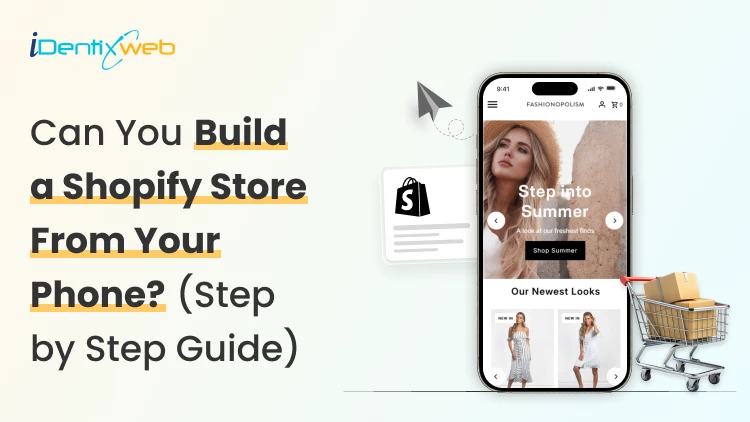
Can You Make a Shopify Store on Your Phone? Yes. (Step-by-Step Guide)
Yes, you can build and launch a Shopify store from your phone. The Shopify mobile app lets you add products, customize your theme, create pages, manage menus, configure payments, review orders, and track performance. You can also make theme changes through Shopify’s mobile online store editor. You can complete the setup and start accepting orders from an iPhone or Android phone. Still, I would not treat a phone as the perfect tool for every Shopify task. From working on Shopify store setups, I have found that mobile works well for launching and everyday management. Desktop is more comfortable for custom code, large catalogs, complex apps, and detailed testing. This guide explains how to create your store from your phone and where you may want a larger screen. Does Shopify have a mobile app? Yes. Shopify has an official mobile app for iOS and Android. The merchant app is designed for store owners and staff. It lets you manage products, orders, inventory, customers, analytics, payments, fulfillment, and parts of your online store. Shopify also provides a mobile theme editor for changing theme settings. How to make a Shopify store on your phone? Step 1: Download the Shopify mobile app Open the Apple App Store or Google Play Store and search Shopify. Open the app after installation. Sign in if you already have an account, or follow the registration process to create one. The app itself is free to download. Running an active Shopify store requires a Shopify subscription after the applicable trial or promotional period. Based on your budget, there are different types of Shopify Plans. Review my Shopify pricing guide before choosing one. Step 2: Create the store and add business details Follow the onboarding questions about your business, what you plan to sell, and where you want to sell. After the store is created, open: Menu > Settings Review the following details: Store name Legal business name Business address Store currency Time zone Contact information Order ID format Measurement units I recommend checking the currency and business location twice. They are easy to overlook during a fast mobile setup and can create extra work later. Step 3: Choose and customize a theme From the Shopify app, go to: Menu > Online Store > Edit Shopify’s mobile theme editor lets you change theme settings. You can add, remove, edit, and rearrange content from your phone. Start with a free Shopify theme if you are building your first store. Keep the initial homepage simple. I would recommend Dawn. Add your logo, fonts, colors, and images. Preview each section as you work. A common mistake is trying to fill every available section. I prefer a shorter homepage with a clear shopping path. A focused layout is easier to review on a phone and easier for customers to use. Step 4: Create your essential pages In the app, go to: Menu > Online store > pages Create the pages your customers need. Most new stores should have: About Us Contact Us Shipping Policy Return and Refund Policy Privacy Policy Terms of Service Frequently Asked Questions Keep the text readable on a small screen. Use short paragraphs, clear headings, and useful links. Step 5: Build the navigation Go to: Menu > Content > Menus Create a simple main menu and footer menu. A basic main menu might include: Home Shop Collections About Contact The footer can hold policy pages, FAQs, account links, and contact details. From experience, navigation is the first area I check on a new Shopify store. A good homepage cannot help much if customers cannot quickly reach products. Step 6: Add products from your phone Tap the Products icon in the Shopify app, then create a product. Add: Product title Description Photos or videos Price Inventory quantity SKU Weight Variants Product category Tags Collections Search engine listing I find it convenient to upload product images from my phone's camera. You can take a photo, crop it, and add it to the product without transferring files to a computer. Shopify lets merchants create, edit, preview, organize, publish, archive, and delete products through its mobile app. Read my guide on how to add products to Shopify for a detailed workflow on adding products. Step 7: Set up payments Go to: Menu > Settings > Payments The payment methods available depend on your business location and eligibility. Complete the requested business, identity, banking, and payout details. Use information that matches your legal and banking records. See my breakdown on how to set up Shopify Payments for a simple walkthrough. Step 8: Configure shipping, delivery, and taxes Open: Menu > Settings > Shipping and delivery Review your shipping profiles, zones, rates, packages, local delivery, and pickup settings. A basic setup may use: Flat-rate shipping Free shipping above a minimum order value Weight-based rates Price-based rates Local delivery Store pickup Carrier-calculated rates when supported Our guide on managing shipping and delivery in Shopify explains the broader setup. Step 9: Connect a domain Shopify gives your store a myshopify.com address. You can use it during setup, but a custom domain usually looks more professional. Go to: Menu > Settings > Domains From this area, you can review your Shopify domain and connect or manage a custom domain. Shopify also provides mobile controls for managing the store’s myshopify.com domain. Choose a name that is short, easy to type, and close to your brand. Changing a domain after launch will impact your existing URLs, marketing links, and search visibility can be affected. Read my guide on changing a Shopify store name and domain before making a major change. Step 10: Test the store before launch Do not skip testing because you built the store on the same phone customers may use. Check the store as a shopper, not as the owner. Test: Homepage loading Menu links Collection pages Product variants Product images Add-to-cart button Cart totals Discount codes Shipping rates Payment flow Confirmation emails Contact forms Policy links Account login Store search I prefer placing at least one full test order before launch. Read my simple guide on placing test orders in Shopify to do exactly that. Step 11: Remove the password and start selling When the store is ready, go to: Menu > Online Store Open the password protection settings and remove the storefront password. Your Shopify store is now open to customers. What can you manage from the Shopify mobile app? The mobile app is useful after launch. Shopify currently supports many daily store tasks from mobile. TaskGood on a phone?My recommendationAdd or edit a productYesGood for small catalogs and quick updatesUpload product photosYesOne of the best mobile workflowsCheck orders and salesYesIdeal for daily monitoringCapture payments and fulfill ordersYesUseful while away from a deskAdjust inventoryYesGood for quick stock correctionsEdit theme sections and blocksYesFine for basic layout changesCreate pages and menusYesGood for short content and simple navigationReview analyticsYesGood for quick checksConfigure a complex appSometimesDesktop is usually easierEdit theme codeNot idealUse a desktop for accuracy and testingImport or edit hundreds of productsNot idealUse desktop tools and bulk workflowsPerform detailed quality assuranceLimitedTest on several devices and browsers Shopify has also made Sidekick available on mobile through text and voice. It can help answer questions and complete supported admin tasks. What I won’t recommend doing on a phone? Custom theme code Liquid, CSS, JavaScript, and structured data require careful editing. A small typing mistake can affect the storefront. Bulk product work Adding five products from a phone is manageable. Cleaning hundreds of rows, variants, SKUs, and prices is much easier on a desktop. Detailed app configuration Many Shopify apps open inside the mobile admin, but their dashboards are difficult to view on a phone screen. Long-form content Writing detailed product descriptions, policy pages, and SEO content is slower on a phone. Formatting errors are also harder to notice. Full store testing Your phone shows one screen size. Customers may use different phones, tablets, laptops, and desktop monitors. Test the store across more than one device. Final verdict Can you make a Shopify store on your phone? Yes. For a small and straightforward store, that is everything you need to start. I see mobile as the fastest route to a working first version. Once the store becomes more complex, a desktop gives you better control. Need help turning the mobile setup into a polished storefront? Identixweb can help with Shopify store setup, theme customization, app configuration, and technical improvements when the project outgrows a phone-based workflow. FAQs 1. Can I create a Shopify store entirely from my phone? Yes. You can use the Shopify mobile app to create and manage a basic online store, add products, customize theme content, set up payments, configure shipping, and launch. Advanced development and large catalog work are usually easier on a desktop. 2. Does Shopify have a mobile app? Yes. Shopify offers an official merchant app for iOS and Android. It supports store management, products, orders, inventory, analytics, payments, fulfillment, and mobile theme editing. 3. Is the Shopify mobile app free? Yes, the app is free to download. You still need an eligible Shopify plan to keep the online store active after the applicable trial or promotional period. 4. Can I edit my Shopify theme from my phone? Yes. Shopify’s mobile theme editor lets you change theme settings and add, remove, edit, or rearrange sections and blocks. I recommend using a desktop for custom codes. 5. Can I add products to Shopify using my phone? Yes. You can add product titles, descriptions, images, prices, inventory, variants, tags, collections, and other details through the Shopify app.
8 Min • 24 July 2026
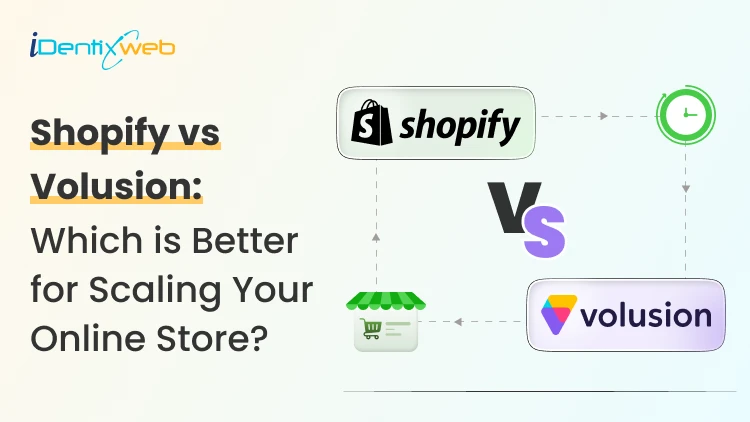
Shopify vs Volusion: The Full 2026 Comparison (And Where BigCommerce Fits In)
Shopify is a much better choice as compared to Volusion because of its superior features. Shopify offers unlimited products, a much larger app and theme ecosystem, stronger POS tools, and no GMV-based sales caps. Volusion is suitable for smaller stores that prefer simpler operations. Shopify vs Volusion comes up constantly when store owners start comparing ecommerce platforms. The gap between them has only gotten wider in 2026. Volusion still works for a small, specific type of merchant. Shopify has spent the past year adding AI-driven selling tools, a much bigger app store, and pricing built for real growth. I'll walk through pricing, features, and reliability for both platforms, and I'll show you exactly where BigCommerce lands if you're weighing all three. Shopify vs Volusion at a glance If you want the short version: Shopify is the better pick for almost every new store in 2026. Volusion still makes sense for merchants already running on it who don't want the hassle of switching or who genuinely need its low-transaction-fee structure at low sales volume. Here's the quick breakdown before we get into details. #ShopifyVolusionBigCommerceStarting price$39/mo ($29 annual)$35/mo$39/mo ($29 annual)Product limitUnlimited, all plans100 on entry planUnlimited, all plansPlatform transaction feesYes, unless using Shopify PaymentsNo gateway maintenance fee with preferred providers; 1.25%–0.35% on non-preferred gateways, depending on plan 0% with Embedded Payment Providers; 2%, 1% or 0.6% with Open Payment Providers, depending on plan App marketplace16,000+ apps84 marketplace listings, including integrations and services1,200+ appsSales cap per planNoneYes, by GMVYes, by GMV Shopify vs Volusion pricing compared Shopify costs more upfront. It does remove the sales caps that Volusion's plans have. Volusion is cheaper at the entry level and skips platform transaction fees entirely, but it locks lower tiers behind strict yearly revenue limits. Here's how the current plans stack up. Shopify Plans in 2026 PlanMonthly costAnnual costNotesStarter$5/moN/ABuy Button and social selling only, no full storefrontBasic$39/mo$29/moFull store, unlimited productsGrow$105/mo$79/moFormerly called the "Shopify" planAdvanced$399/mo$299/moLower card rates, more staff accountsPlusFrom $2,300/mo3-year termEnterprise checkout and B2B tools If you want a complete pricing breakdown, my guide to Shopify pricing breaks down which plan actually fits your store size. Volusion pricing in 2026 PlanMonthly costMax GMV/yearProduct limitStaff accountsPersonal$35/mo$50K1001Professional$79/mo$100K5,0005Business$299/mo$400KUnlimited15PrimeCustomUnlimitedUnlimitedUnlimited Pricing changes over time on every platform, so treat these numbers as a snapshot and confirm current rates before you commit. Volusion vs Shopify vs BigCommerce: Where does BigCommerce fit? BigCommerce sits in an interesting spot between the two. It matches Shopify's unlimited products and staff accounts, but it shares Volusion's feature of capping plans by yearly sales volume. If you're deciding between Shopify, Volusion, or BigCommerce, BigCommerce is usually the pick for merchants who want more built-in functionality and don't mind installing fewer apps overall. BigCommerce pricing in 2026 PlanMonthly costAnnual costGMV thresholdCore$39/mo$29/moAuto-upgrades above $30KGrowth$105/mo$79/moAuto-upgrades above $100KScale$399/mo$299/mo0.9% overage above $33,333/moPerformanceCustom pricingStarts at $1,499/month, billed annually Custom BigCommerce added a new Open Payment Provider Fee on self-service plans: 2% on Core, 1% on Growth, and 0.6% on Scale, charged on orders processed through a gateway outside its approved list (Stripe, PayPal/Braintree, Adyen, and Checkout.com are exempt). I don’t think BigCommerce's old "we never charge transaction fees" pitch against Shopify fully holds anymore unless you stick to an approved processor. I cover the full breakdown in my BigCommerce vs Shopify comparison if you want to weigh it against Shopify specifically. Features compared: Apps, payments, themes, and POS Shopify's app ecosystem is the biggest gap between all three platforms. Shopify's App Store now lists more than 16,000 apps. Volusion has more than 80 native integrations. BigCommerce lands in the middle with over 1,000+ marketplace apps and stronger native features that reduce how many apps you need in the first place. I noted a few other differences as well: > Payment gateways Shopify integrates with more than 100 payment providers. BigCommerce supports over 130 payment solutions, including 21 Embedded Payment Providers that avoid its Open Payment Provider Fee. Volusion also supports several established gateways. > Point of sale Shopify has the most developed POS ecosystem, with hardware you can buy directly and a POS Pro add-on for multi-location retail. Volusion's POS support exists but is far less polished. > Themes Shopify has the largest overall theme ecosystem, with 1,000+ free and premium themes. BigCommerce offers a smaller selection of free and paid themes, while Volusion provides 24 no-cost themes but has a more limited overall third-party theme ecosystem. Platform reliability and company history Shopify is publicly traded, has been profitable for several years, and continues investing heavily in its platform. Volusion filed for Chapter 11 in 2020 and was acquired by Newfold Digital, the company behind Bluehost and HostGator, in 2021. It's continued operating since under new leadership, and it's still PCI DSS compliant with a full security program in place, but that history is worth knowing if platform longevity factors into your decision. BigCommerce is also publicly traded and posted its first full year of GAAP profitability in 2026, which gives it a similar stability profile to Shopify. None of this means Volusion is unsafe to build on today. It means you're choosing a platform with a smaller team and a narrower recovery margin if things go wrong again. Shopify, Volusion, or BigCommerce: Which one is better? Choose Shopify if: You're starting a new store and want the largest app and theme selection. You plan to sell through multiple channels. You want built-in POS for a physical retail location. You expect meaningful growth and don't want a sales cap slowing you down. Pick Volusion if: Your sales volume is modest and predictable, and avoiding transaction fees matters more than app selection. You don't need a built-in blog or a large third-party app catalog. Choose BigCommerce if: You want more features built in in exchange for installing fewer apps. Your store has strong B2B or wholesale requirements. You're comfortable managing GMV thresholds and the new payment provider fee structure. Migrating to Shopify in 2026 If you are on Volusion and planning to migrate to Shopify, it’s easier than most merchants expect. You'll want to export your product catalog, customer records, and order history from Volusion, then map that data into Shopify's format before import. Rebuilding your theme and setting up 301 redirects for every changed URL protects the SEO equity you've already built. Most small to mid-sized stores complete this in two to four weeks. I've written a full walkthrough covering migrating from Volusion to Shopify step by step, from backup through launch. If BigCommerce is the platform you're leaving instead, my BigCommerce to Shopify migration guide covers that path in the same level of detail. The bottom line Shopify vs Volusion isn't really a close contest anymore. Shopify wins on apps, themes, payment flexibility, and growth. On the other hand, BigCommerce is a legitimate alternative if you want more built-in in exchange for a smaller app catalog. Volusion still has a place for merchants already comfortable there or who do not want transaction-fee-free sales. Whichever direction you go, run the numbers on your actual sales volume and app needs before committing. The up-front price rarely tells the whole story. FAQs 1. How to migrate from Volusion to Shopify? Export your products and customer records from Volusion, format them using Shopify’s CSV templates, and import them into your new Shopify store. For order history, custom fields or a large catalogue, use a Shopify migration app, then rebuild your theme, configure payments and shipping. Add 301 redirects and test the store before transferring your domain. 2. Who is Shopify's biggest competitor? WooCommerce is Shopify’s biggest competitor when measured by overall website adoption. BigCommerce is one of Shopify’s closest direct competitors in the hosted SaaS ecommerce market because both provide managed hosting, built-in commerce tools and plans for growing and enterprise businesses. 3. How much does it cost to migrate to Shopify? Shopify does not charge a fixed migration fee. A small store can migrate manually with CSV files at no additional cost beyond its subscription, which starts at $39 per month or $29 per month with annual billing. Migration apps will charge according to the number of products, customers and orders transferred, while Shopify Partners set their own prices for custom migrations. 4. Is Shopify better than Volusion in 2026? For most ecommerce businesses, Shopify is a better choice because it supports unlimited products across its main plans and offers more than 16,000 apps for extending store functionality. Volusion is a good fit for smaller stores, but its lower plans limit the number of products you can sell and how much revenue your store can generate
Nick Brown
June 7, 2024
4003 Views