



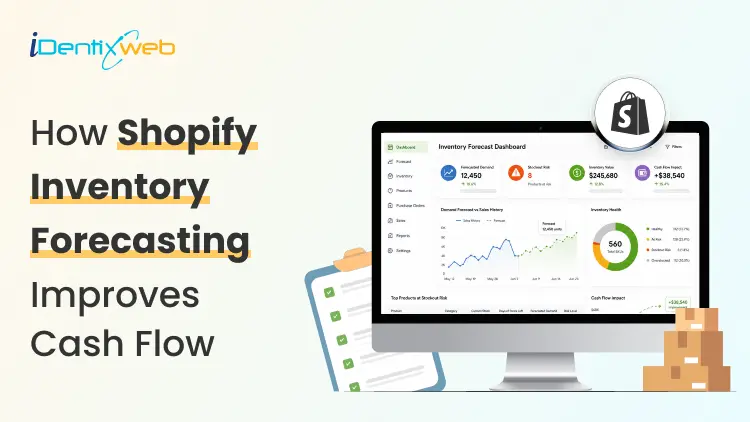

Shopify inventory forecasting is the process of estimating how much stock each product will need and when it should be reordered using sales history, supplier lead times, promotions, and current inventory levels. Accurate forecasting helps merchants avoid stockouts, reduce excess inventory, and keep more cash available for business expenses. Tools such as Sidekick, Prediko, Inventory Planner, and Assisty can automate inventory forecasting.
If your ROI feels lower even when sales are good, your stock is usually the reason. Cash you've spent on inventory is cash you can't spend on ads, payroll, or the next order.
Shopify inventory forecasting is working out how much stock you need and when to order it, so less of your money sits on a shelf.
One thing worth knowing before anything else: Stocky, the free forecasting and purchase order app that came with Shopify POS Pro, stops working on August 31, 2026. If you order stock through Stocky, you've got a few weeks to sort out a replacement.
What is Shopify inventory forecasting?
Shopify inventory forecasting means predicting how many units of each product you'll sell over a future period. You use your sales history, supplier lead times, and whatever promotions you have planned.
What you're after isn't the forecast itself. It's a list of purchase orders with dates and amounts against them. A forecast that never turns into an order hasn't done anything for you.
Forecasting is really a cash question
This is my philosophy: Stock is the biggest cheque you write and the slowest one to come back.
You pay a deposit today, pay the balance six weeks later, pay duty when it lands, and only then do the units start selling. Every forecasting choice you make is a choice about how long your money is stuck.
Two numbers tell you whether that's under control.
Your cash conversion cycle
The cash conversion cycle counts the days between paying your supplier and getting paid by your customer.
- CCC = Days Inventory Outstanding + Days Sales Outstanding − Days Payables Outstanding
Days Inventory Outstanding is (Average inventory ÷ COGS) × 365. If you hold $120,000 of stock on average against $480,000 of annual COGS, that's 91 days.
Days Sales Outstanding is quick for a normal Shopify store, since Shopify Payments in the US settles in about 2 to 5 business days. It climbs once you add wholesale on Net 30 or marketplaces with their own payout cycles.
Days Payables Outstanding is how long your supplier lets you wait. On Net 30, that's 30.
So: 91 + 3 − 30 = 64 days. Your money is tied up for a bit over two months on every dollar you put into stock. Most DTC brands land somewhere between 60 and 120 days, and under 60 is doing well.
Pull these reports before you do anything else
Go to Analytics > Reports and filter by Inventory. I look at four main reports here for forecasting.
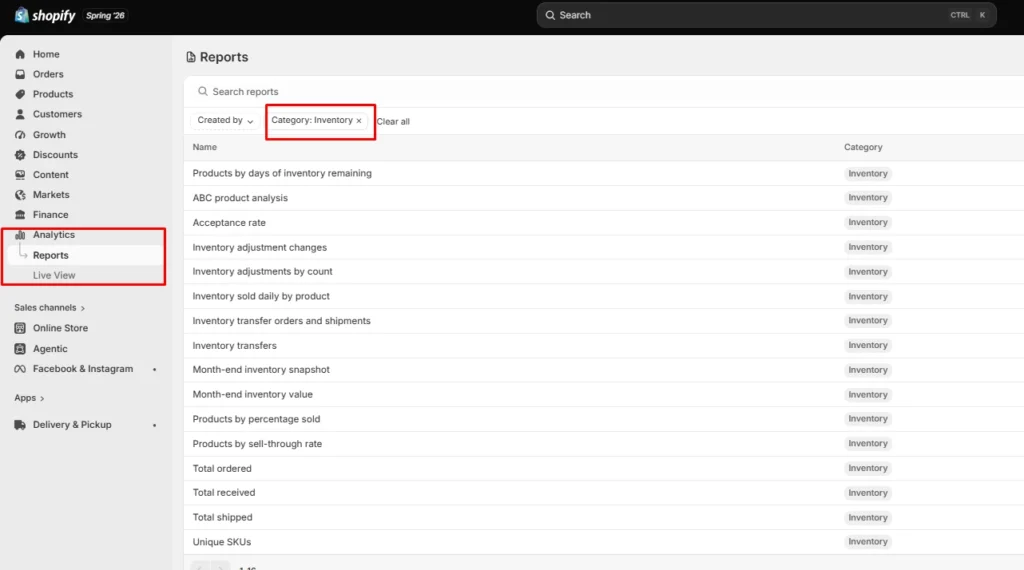
- ABC product analysis grades every variant by how much revenue it brings in. A-grade products are the ones making up 80% of your revenue, B-grade the next 15%, C-grade the last 5%.
It's worth knowing that the window is fixed for the last 28 days and you can't change it. If you sell seasonal products, run it at a few different points in the year instead of trusting one snapshot.
- Products by days of inventory remaining gives you days of stock left per variant, worked out from your average daily sales over the last 28 days. This is the best way to spot what's going to run out before your next delivery lands.
- Products by sell-through rate shows what share of available stock you sold in a period. There's about a two-day processing delay on it, so the newest data you can see is never today's.
- Month-end inventory value multiplies cost per item by ending quantity, which gives you your inventory cash position over time, and it's the number you need for the DIO calculation above.
How to do a Shopify inventory forecast?
Clean up your sales history first
Sales history and demand history aren't the same thing.
Take out days when a product was out of stock, because zero sales that day tells you about your supply, not your demand.
Check your product codes while you're in there. If one product exists under three different SKUs because of an old migration, you're splitting one demand pattern into three weak ones, and every forecast after that will be wrong.
Split the catalogue with ABC
Don't treat every product the same. Pull the ABC report and give each grade a different level of attention.
- A-grade products get looked at weekly and get tight reorder points.
- B-grade products get a monthly check.
- C-grade products get simple rules and a look every quarter.
Create cash calendar
Here’s something I do. Take each purchase order you're planning and put its payments on a calendar with real dates against them.
An overseas order has four separate payments going out: the supplier deposit, often 30% up front, the balance when it ships, the freight, and then duty and customs when it lands.
Lay twelve weeks out in a spreadsheet, one row per payment, and put your expected Shopify payouts in as money coming in. If any week goes red, you move an order, split it, or go back to your supplier about terms. Doing that once a month heads off nearly every cash crunch I see.
Pre-orders flip the timing in your favour, since you're collecting money before you place the supplier order. You also get a real demand signal instead of a guess, which is worth almost as much.
AI inventory forecasting on Shopify
AI inventory forecasting on Shopify uses machine learning to find patterns across your sales history and outside signals that a spreadsheet formula would miss.
It handles hundreds of products at once, retrains itself as new sales come in, and picks a different model per product without you telling it to.
A model can spot that a product spikes three weeks after a particular campaign, or that two of your products eat into each other, without you knowing to look for it.
Where I see it failing is bad data. Feed it sales history full of stockout periods, untracked variants and missing cost figures, and you'll get numbers that are wrong. Clean the inputs first.
Sidekick sits in your admin. It can answer stock questions, flags what needs reordering and drafts the PO. It won't replace a proper demand planning tool if your forecasting is genuinely complicated.
Inventory forecasting tools worth looking at in 2026
Prediko
is a Shopify-native tool with SKU-level twelve-month forecasts, a buying table that tells you what to restock, a purchase order calendar and raw materials tracking. Pricing scales with your GMV from around $49 a month. Good fit for growing DTC brands.
Inventory Planner
This is a free-to-install app by Sage with usage-based pricing after that. It is strong on multi-location planning and automated replenishment.
Cogsy
This app is built around scenario modelling rather than one forecast. You can see where your stock lands under different growth assumptions.
Assisty
Assisty has AI forecasting and automated PO generation. Often the pick for people who want something that works without a long setup project.
Where to start with forecasting in 2026
Shopify inventory forecasting gets much less complicated once you stop treating it as a math problem.
Pull your ABC report and your days-of-stock report. Work out your cash conversion cycle. Redo safety stock on your ten biggest products. Most stores free up a decent chunk of money from that alone.
FAQs
1. How to fix inventory not tracked in Shopify?
Open Shopify Admin > Products, select the product or variant, and enable Track quantity in the Inventory section. Assign the correct stocking location, enter the available quantity, and save. For multiple products, use Products > Inventory or the bulk editor to enable tracking.
2. How do I add inventory to my Shopify store?
Go to Products > Inventory, choose the relevant location, and enter the stock amount using Set to or Adjust by. You can also update quantities from an individual product or variant page, or import inventory in bulk using a CSV file.
3. Which is the best Shopify forecasting app?
Prediko is currently a strong all-round option for growing Shopify brands, offering AI sales forecasting, purchase orders, inventory transfers, bundle planning, reports, and integrations with warehouses and 3PLs. Assisty is another great option with forecast demand with AI to predict future sales.
4. How much does Shopify forecasting cost?
Shopify’s native demand-forecasting assistance through Sidekick costs nothing because Sidekick is included with Shopify plans. However, features and usage limits can vary. Dedicated forecasting apps cost extra; for example, Prediko currently starts at $49 per month, while simpler tools such as Assisty start at $19 per month.
5. Is Shopify good for inventory management?
Yes. Shopify is suitable for most small and growing retailers. This is because it supports inventory tracking, location-based stock levels, adjustments, transfers, purchase orders, suppliers, sell-through reporting, and inventory-remaining insights.

About the author
Vineet Nair
Vineet is an experienced content strategist with expertise in the ecommerce domain and a keen interest in Shopify. He aims to help Shopify merchants thrive in this competitive environment with technical solutions and thoughtfully structured content.