





Shopify dropped its Spring '26 Edition on June 17, 2026, and branded it "Everywhere" for good reason.
Your products can now show up inside ChatGPT, Microsoft Copilot, Google AI Mode, and the Shop app, all without you touching a setting.
Over 150 updates shipped in a single release, but only a handful are worth acting on immediately. And one of them is a hard deadline you cannot miss if you want your checkout to keep working after June 30.
Here is the practical breakdown.
What Is the Shopify Spring '26 Edition?
Shopify releases two major product showcases each year under the "Editions" label.
Spring '26 is the ninth Edition overall, and it launched on June 17, 2026. The theme is simple: if you are on Shopify, your products get there first, wherever commerce goes next.
The 150+ updates span agentic commerce, Sidekick, marketing automation, checkout, payments, point of sale, analytics, B2B, and developer tooling. Some updates are enabled automatically. Others require action on your end. A few are gated behind Advanced or Plus plans.
Shopify Catalog & UCP: Your Products Are Discoverable by AI
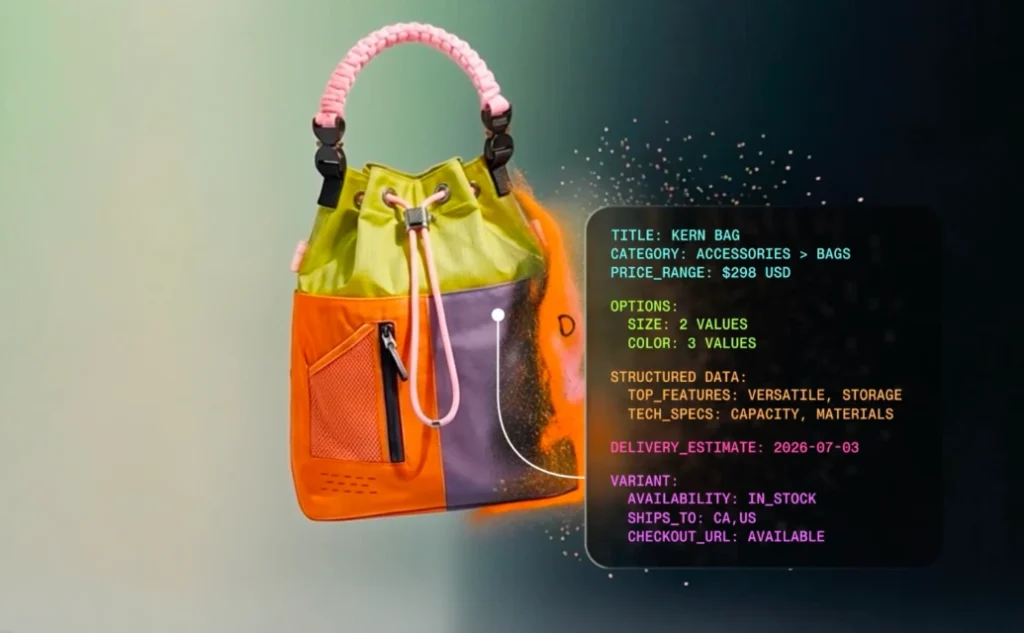
Image Source: Shopify
Two pieces of infrastructure power the "Everywhere" theme: Shopify Catalog and the Universal Commerce Protocol (UCP).
Shopify Catalog is a global, structured product database spanning billions of products across millions of merchants.
UCP, co-developed with Google, is the open standard that gives AI agents one shared language to communicate with merchants, covering everything from product discovery to checkout, including discounts, subscription terms, and special conditions.
Both are live for eligible Shopify merchants by default.
Here is the part most guides will skim past: enabled and optimized are not the same thing.
Your products are in Catalog by default, but whether an AI agent surfaces them over a competitor's depends entirely on your data quality.
Shopify states that AI searches powered by clean Catalog data convert at roughly 2x the rate of searches using scraped data.
- New in this Edition: The Catalog API now supports Sign in with Shop, so signed-in shoppers see personalized results. Developers have also gained access to bulk lookup and image search endpoints.
- The Knowledge Base feature is the most underreported update in Spring '26 for me. It lives in the Agentic Storefronts section of your Admin.
Shopify now shows you the questions AI agents are actively asking about your brand, things like retail locations, bulk ordering terms, and customer service policies, and lets you fill in the answers directly.
I recommend that merchants spend a few minutes here to improve how AI assistants describe your business to potential buyers.
Understanding the broader role AI in ecommerce plays in 2026 gives useful context for why getting this right matters beyond just Shopify's own channels.
Sidekick Gets Smarter Across Every Device
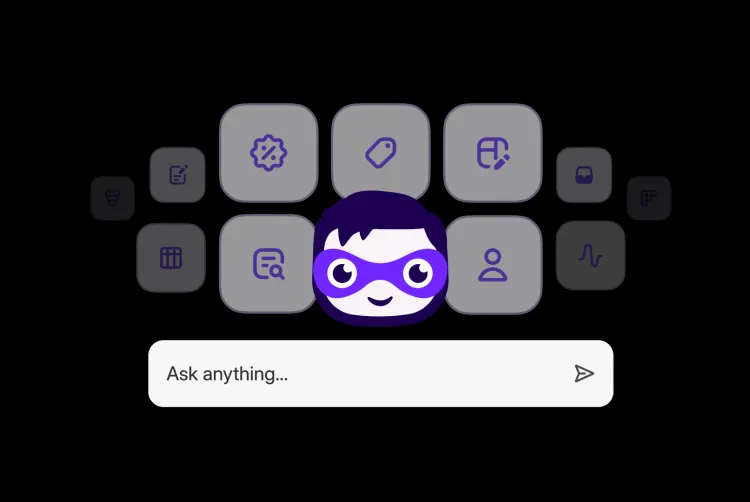
Image Source: Shopify
Sidekick has expanded significantly in Spring '26. Three updates are worth knowing about in practical terms.
- Sidekick App Extensions connect third-party tools directly to Sidekick.
Over 15 partner apps are supported at launch, including Klaviyo, Loop, Judge.me, and Smile. Instead of switching between your Shopify Admin and a separate Klaviyo dashboard to check campaign performance, you ask Sidekick and get the answer in one place.
- Sidekick Pulse powers the redesigned Admin home. It analyzes your store's sales, traffic, and inventory data in the background and surfaces your next best actions proactively.
- Sidekick on more devices is now live across every screen in the Shopify app. Merchants can use typing or voice to make changes to their online store from a phone. Sidekick now runs on Apple Watch as well, so quick business lookups work without opening a screen.
Campaign Autopilot
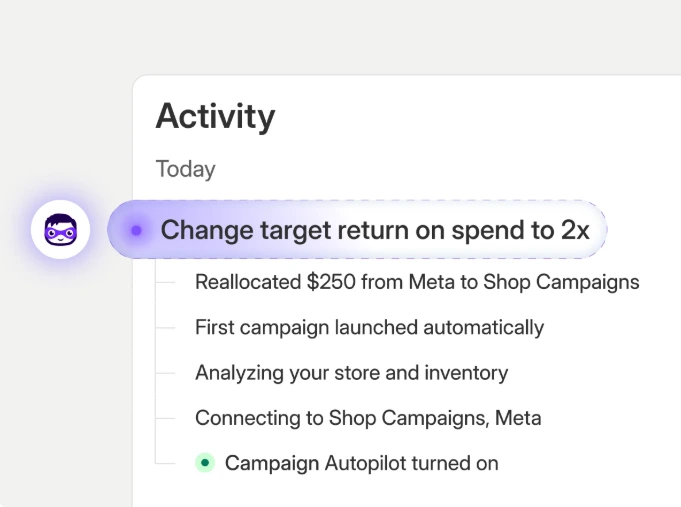
Image Source: Shopify
Campaign Autopilot is Shopify's structural answer to that problem. It runs paid and organic campaigns across Facebook, Instagram, Shop, and email using your store's commerce data to optimize results within the guardrails you set.
▶ Shop Campaigns has also expanded. It now reaches ChatGPT, Pinterest, and the open web through Microsoft Monetize. You can set custom bids for specific customer segments, like new versus lapsed buyers, and all billing lands on your Shopify invoice.
More channels are coming soon, including Microsoft Advertising, ChatGPT Ads, and Snapchat.
A new AI sales associate lives inside Shopify Inbox. It answers buyer questions, suggests products, and handles order inquiries using your catalog, inventory, and store policies. Shoppers who sign in with Shop get personalized recommendations in the chat window.
▶ WhatsApp is now a native marketing channel inside Shopify Messaging. Consent management sits alongside email and SMS, making it easier to keep your messaging preferences organized in one place.
If you are already running paid campaigns for your Shopify store, Campaign Autopilot fits naturally into a broader multi-channel strategy.
Shop Pay Goes Beyond Shopify Stores
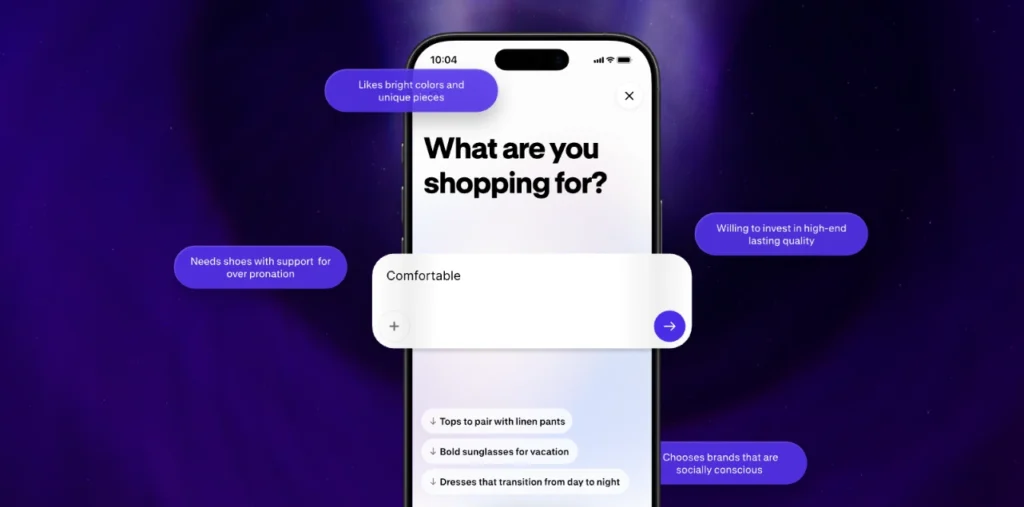
Image Source: Shopify
Shop Pay expanding outside of Shopify is another big structural shift in Spring '26 for me. Any brand on any platform can now offer Shop Pay at checkout, gaining access to a Shopify-stated network of 250M+ shoppers and one-click purchasing.
Shopify is positioning its wallet, sign-in, and payments infrastructure as the checkout layer for commerce across the internet.
▶ Sign in with Shop reinforces that direction. A buyer's profile, purchase history, and saved details follow them across surfaces, and builders can integrate the same trusted sign-in into any experience they create.
For merchants operating beyond their Shopify storefront, like selling through a separate website or marketplace, activating Shop Pay there is now an option worth exploring.
On the Shopify side, managed payment methods is a latest update in this edition. Shopify Payments now dynamically reorders payment options at checkout to surface whatever method is most likely to convert for that specific buyer, rather than showing a fixed list.
The Checkout Redesign Is Live on Every Plan Right Now
The Spring '26 checkout redesign is mobile-first and available across all plans immediately.
This is where things got interesting while I read the latest edition, specifically the three new Shopify updates.
- Ship and pick up in one checkout solves a problem omnichannel merchants have lived with for years.
Before Spring '26, a customer who wanted to ship one item and collect another in-store had to place two separate orders. That is gone now. For any merchant with a physical location and an online store, enabling this should be a priority.
- Unified branding means you set your logo, colors, and typography once, and it applies consistently across checkout, customer account pages, and sign-in screens.
The "set once, applies everywhere" model is a trust-and-cohesion win merchants can ship without developer support.
- 365-day customer account sessions reduce the friction of being signed out between visits, making it easier for returning customers to pick up where they left off.
POS v11: Shopify's Fastest In-Store Update Yet
POS v11 is Shopify's fastest-ever point of sale. Shopify states that staff save over a minute on complex cart transactions. On a busy trading day with a line at the register, that time difference is meaningful.
The cart now stays visible throughout the entire transaction. Discounts, edits, and customer lookups open in a side panel so staff never lose their place. Multi-select on line items allows bulk edits without repeated taps. Customer search is faster across the board.
Returns, exchanges, and new sales can all be processed within a single cart using modular workflows. That removes a genuine source of friction for retail staff managing mixed transactions.
▶ New hardware: The Verifone Victa Mobile scans barcodes, takes card payments, and doubles as a countertop terminal when docked to a tablet. It is currently in Early Access for pre-order in the US and Canada.
Analytics That Tell You What to Act On
Most merchants are not short on data. The harder problem is knowing which numbers deserve a response. Spring '26 addresses that gap directly inside Shopify Analytics.
▶ Daily insights flag the trends worth your attention each day. Metric annotations explain why a specific number moved, removing much of the guesswork about sudden changes. You can set metric targets and track progress against them inside the platform.
New visualization types have been added too: scatter plots, radar charts, bubble charts, and sunbursts. Paired with Sidekick Pulse, your Admin home now opens with recommendations drawn from your actual store data.
Shopify Flow can now query sales, traffic, and inventory using ShopifyQL and trigger follow-up actions based on those results. For merchants comfortable with Flow, the automation possibilities have expanded.
Rollouts: Native A/B Testing Is Now Built Into Shopify
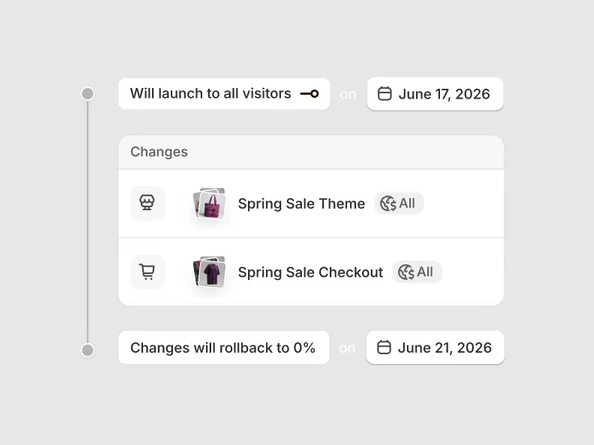
Storefront testing has required third-party apps for years. Rollouts change that. It gives merchants native A/B testing for themes, checkout configurations, and customer account setups, all managed inside the Admin.
You can also schedule a publish for a specific time without staying up late to flip the switch manually.
For any merchant paying for a standalone A/B testing app, Rollouts is a direct cost replacement. More importantly, your test data sits inside Shopify's ecosystem alongside conversion and revenue reporting.
A tool is not a strategy, though. Someone still needs to decide what is worth testing and interpret the results clearly.
The Agentic Plan: A New Option for Businesses Not on Shopify
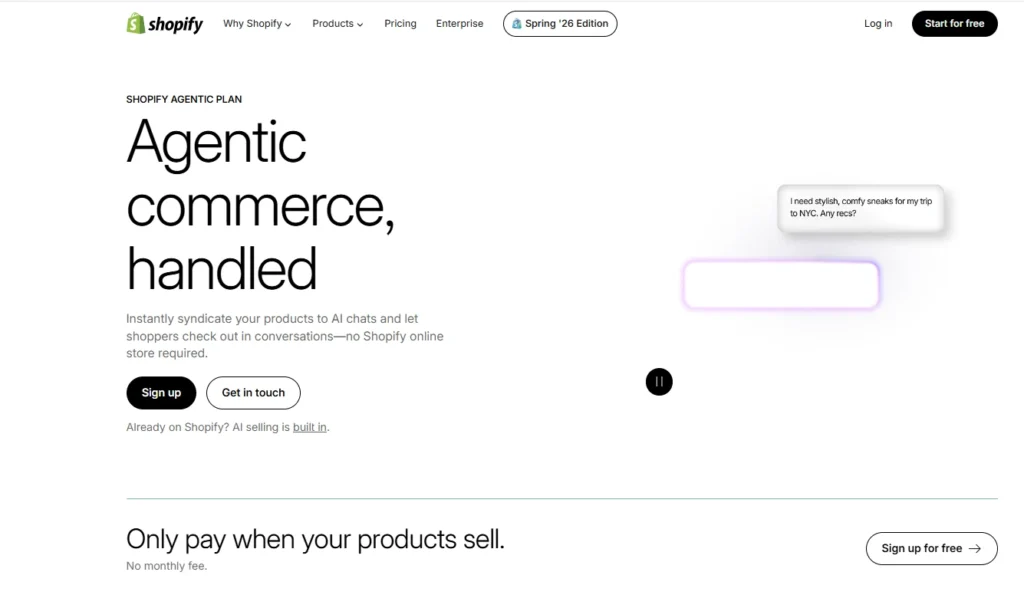
Spring '26 introduces a standalone Agentic plan for businesses that are not on Shopify's main platform.
These merchants can now sync their product catalog to Shopify Catalog and sell through AI channels and the Shop app without migrating their existing setup.
For current Shopify merchants, the relevant implication is that the Catalog ecosystem is growing. More sellers joining means more data for AI agents to work with, and more reasons for those agents to prioritize Catalog-powered results.
1 Deadline You Cannot Miss: Shopify Scripts Ends June 30, 2026
Shopify Scripts stops running on June 30, 2026. Any checkout customizations still built on Scripts will break after that date. The replacement is Shopify Functions, and the migration needs to happen before the deadline.
If your store uses Scripts to apply discounts, control shipping options, or run any checkout logic, those customizations will silently stop working the moment Scripts is shut off.
Auditing what your store runs on Scripts and getting the migration scheduled now is the only responsible move.
Checkout logic that fails mid-promotion is the worst time to find out about a deadline you missed.
What You Should Actually Do First?
Spring '26 ships 150+ updates. Prioritizing realistically matters more than trying to act on everything at once. Here is where most merchants should start.
- Clean up your product data. Shopify Catalog feeds every AI channel, and incomplete listings will not surface well against competitors with clean data. Start with titles, descriptions, dimensions, and variant attributes. This is the highest-leverage action in this entire edition.
- Fill in your Knowledge Base. Find the Agentic Storefronts section in your Admin, check the Knowledge Base, and answer the questions AI agents are already asking about your brand. It takes minutes and directly improves how AI assistants describe your business.
- Handle the Shopify Scripts migration immediately. If Scripts is running in your store, migrate to Shopify Functions before June 30, 2026.
- Enable unified branding and ship-and-pickup. Both are live on all plans and require no developer support.
- Start Campaign Autopilot on one channel. Set conservative guardrails, measure results, then expand.
- Connect Sidekick to your third-party apps. If you use Klaviyo, Loop, or any of the 15+ launch partners, connect them through Sidekick App Extensions.
Reviewing your Shopify pricing plan is also worth doing now. Some Spring '26 features are restricted to certain plans and an upgrade might unlock more value than an additional app would.
FAQs
1. What is the Shopify Spring '26 Edition?
Shopify Spring '26 Edition is Shopify's twice-yearly product showcase, launched on June 17, 2026, with over 150 updates. Themed "Everywhere," it focuses on agentic commerce, Shopify Catalog, the Universal Commerce Protocol, AI-powered marketing through Campaign Autopilot, a redesigned checkout, POS v11, expanded payments, B2B expansion, and new analytics tools.
2. What is Shopify Catalog and do I need to set it up?
Shopify Catalog is a global structured product database that AI agents search to find and recommend products. Eligible Shopify merchants are included by default, so no manual setup is required.
3. What is the Universal Commerce Protocol (UCP)?
UCP is an open standard Shopify co-developed with Google. It gives AI agents a shared language to communicate with merchants, covering product discovery, cart building, and checkout in a standardized way. Shopify merchants are UCP-enabled by default, meaning any surface built on UCP can incorporate your checkout rules and discounts automatically.
4. What is the Shopify Scripts deadline, and what happens if I miss it?
Shopify Scripts stops running on June 30, 2026. Any checkout customizations still using Scripts will stop working after that date. Merchants need to migrate those customizations to Shopify Functions before the deadline. Check your Admin now to confirm whether your store uses Scripts.
5. Is Campaign Autopilot available on all Shopify plans?
Campaign Autopilot is currently in early access. Check your Admin for current availability on your plan. Shop Campaigns, which now includes ChatGPT, Pinterest, and Microsoft Monetize as surfaces, has broader general availability.
6. Can any brand now use Shop Pay, even without a Shopify store?
Yes. Brands on any ecommerce platform can offer Shop Pay at checkout through Shopify's simplified onboarding. Access to a Shopify-stated network of 250M+ shoppers and one-click purchasing comes with it.
7. What is the Agentic plan announced in Spring '26?
The Agentic plan is a new standalone option for businesses not on Shopify's platform. It lets them sync their product catalog to Shopify Catalog and sell through AI channels and the Shop app without migrating their existing store setup.
8. What changed in Shopify POS with Spring '26?
POS v11 is Shopify's fastest-ever point of sale. It saves staff over a minute on complex cart transactions, keeps the cart visible throughout the transaction, supports returns and exchanges in one cart, and introduces the Verifone Victa Mobile as new hardware in Early Access for the US and Canada.
9. How does the ship-and-pickup in one checkout work?
Previously, customers who wanted to ship some items and pick up others had to place two separate orders. Spring '26 fixes this. One cart now supports mixed fulfillment within a single checkout session. The feature is available on all plans.




About the author
Vineet Nair
Vineet is an experienced content strategist with expertise in the ecommerce domain and a keen interest in Shopify. He aims to help Shopify merchants thrive in this competitive environment with technical solutions and thoughtfully structured content.