





Choosing between Shopify's pricing plans is the first real decision you'll make as a store owner. Picking the wrong one can quietly cost you hundreds of dollars a year in fees you didn't need to pay.
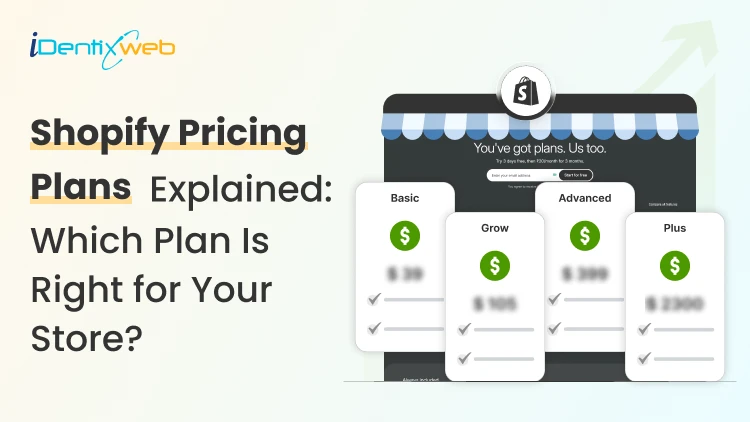
Here's the good news: Shopify keeps it simple. In 2026, there are five Shopify pricing plans: Starter, Basic, Grow, Advanced, and Plus.
Once you understand what each one is built for, the choice gets easy.
This guide breaks down every plan, the real transaction fees, the hidden costs Shopify doesn't advertise, and exactly which plan fits your stage of business.
Shopify pricing plans at a glance
| Plan | Monthly (billed yearly) | Best for | Online card rate |
| Starter | $5 | Selling via social media & messaging | 5% per transaction |
| Basic | $39 (~$29) | New & small stores | 2.9% + 30¢ |
| Grow | $105 (~$79) | Growing stores that need reports | 2.7% + 30¢ |
| Advanced | $399 (~$299) | High-volume, scaling brands | 2.5% + 30¢ |
| Plus | from $2,300 | Enterprise / high-volume | Negotiated |
Prices are USD and reflect Shopify's standard 2026 rates. Billing yearly saves you 25% on Basic, Grow, and Advanced.
Shopify isn't the cheapest ecommerce platform on the market. If raw cost is your only filter, see how it stacks up in our guide to the best ecommerce platforms for your business in 2026
Shopify Starter: $5/month
Starter is the plan most guides forget, but it's perfect for one specific seller: someone who already has an audience and just wants to take payments.
You don't get a full online storefront. Instead, you get product links and a buy button you can drop into social media, messaging apps (like WhatsApp and Instagram), or an existing website or blog.
Choose Starter if you:
- Sell mostly through social media or DMs
- Already have a website and just need a checkout
- Want to test product demand before committing
It's the cheapest legitimate way onto Shopify. But you'll outgrow it the moment you want a real, branded store.
Shopify Basic: $39/month
Basic is where most new stores should start. You can set up your ecommerce store easily with Shopify's basic plan features. For $39/month (about $29/month if you pay annually), you get a complete online store: unlimited products, your own themed storefront, abandoned-cart recovery, and 24/7 support.
Shopify Basic plan features include:
- Unlimited product listings
- A full, customizable online store
- Two staff accounts
- Up to 1,000 inventory locations
- Basic reports and analytics
- 24/7 chat support
The trade-off is that deeper analytics, lower card rates, and advanced reporting live on higher tiers. For a brand-new store finding its feet, that's rarely a dealbreaker.
Shopify Grow: $105/month
Grow (formerly just called the "Shopify" plan) is the upgrade you make when data starts driving decisions. For $105/month (~$95 annually), you unlock professional reports that make analyzing store performance far easier, plus a lower card rate of 2.7% + 30¢.
Grow adds, over Basic:
- Professional reports and analytics
- 5 staff accounts
- Lower credit card rates
- Expanded gift card features
If your store is processing steady daily orders and you want to understand why customers buy, Grow usually pays for itself in better decisions.
Shopify Advanced: $399/month
Advanced is for established, scaling brands. At $399/month (~$360 annually), it delivers the lowest standard card rate (2.5% + 30¢), a custom report builder, and third-party calculated shipping rates. Here, carriers like UPS or DHL calculate exact rates at checkout in real time.
Choose Advanced if you:
- Process high-order volume (the lower card rate starts saving real money)
- Need real-time carrier shipping quotes
- Want custom-built reports and up to 15 staff accounts
Shopify Plus: From $2,300/month
Plus is Shopify's enterprise plan, built for businesses doing six to seven figures (and beyond) in annual sales. Pricing starts around $2,300/month on a longer-term contract and scales with volume.
You get advanced automation, higher API limits, dedicated support, and far more customization.
Shopify credit card rates explained
Every time a customer pays by card, a payment processing fee is charged. This is the same way a bakery's card machine costs the shop a small fee on each sale. In ecommerce, it works identically.
Using Shopify Payments, the online card rates for 2026 are:
- Basic: 2.9% + 30¢ per transaction
- Grow: 2.7% + 30¢ per transaction
- Advanced: 2.5% + 30¢ per transaction
In-person (POS) rates are lower. For example, 2.6% + 10¢ on Basic. Remember: these fees are per transaction, not per item sold.
Shopify's transaction fees (and how to pay $0 of them)
This is the cost most new merchants miss. There are two separate things at play:
- Card processing fees (above): Unavoidable; you pay these to any processor.
- Shopify's own transaction fee: An extra surcharge that only applies if you use a third-party payment gateway instead of Shopify Payments.
That surcharge is 2% on Basic, 1% on Grow, and 0.6% on Advanced per transaction. The fix is simple: use Shopify Payments, and that extra fee drops to zero. For the vast majority of stores, that's the most cost-effective setup.
Shopify Point of Sale (POS)
Shopify POS is the combination of hardware and software that lets you sell in person, in a shop, at a pop-up, or at a market. This keeps inventory and reporting synced with your online store.
It turns Shopify into a true multichannel system: one dashboard for online and offline sales.
Other Shopify costs that need to be in your budget
Shopify pricing and plans don't show the whole picture. Watch for these extras:
- Domain: Shopify doesn't include a free custom domain. Buy one through Shopify (around $11–15/year) or a third-party registrar like GoDaddy or Namecheap.
- Business email: Sending from [email protected] requires a separate provider like Google Workspace or Zoho Mail.
- Apps: Most stores add a few paid apps (reviews, upsells, email). Budget for these.
- Themes: The free themes are solid, but premium themes are a one-time cost if you want a specific look.
Which Shopify plan should you choose?
Every Shopify pricing plans have different features. Match the plan to your stage, not your ambition:
- Selling on social only? → Starter
- Launching your first real store? → Basic
- Steady orders and want better reporting? → Grow
- High volume, scaling fast, need carrier shipping? → Advanced
- Enterprise, 6–7 figure sales? → Plus
Most stores should start on Basic and upgrade when the lower card rates on Grow or Advanced save more than the price difference. You can switch Shopify plans anytime. Nothing is locked in.

Not sure which plan fits?
One store. Different plans
Shopify pricing plans can feel confusing the first time you look at them. Five tiers, transaction fees, card rates, and add-on costs. But the logic is simple: pick the plan that matches your current selling stage, always use Shopify Payments to avoid extra fees, and upgrade only when the math says so.
Get that right, and Shopify is one of the best-value platforms you can build a store on.
FAQs about Shopify pricing plans
1. Can I build a Shopify store for free?
Yes. Shopify does offer a free trial (often with a $1/month intro offer for the first few months) so you can build and test before paying full price. But you have to pay after it expires.
2. How many Shopify pricing plans are there in 2026?
Five: Starter ($5), Basic ($39), Grow ($105), Advanced ($399), and Plus (from ~$2,300/month).
3. What's the difference between the Basic and Grow plans?
Grow adds professional reporting, more staff accounts, and a lower card rate (2.7% vs 2.9%). If you rely on analytics or process steady volume, Grow's reporting and savings justify the jump.
4. Can I upgrade or downgrade my Shopify plan later?
Yes. You can change plans anytime from your admin, and Shopify prorates the cost. Start small and scale up as you grow.
5. How do I avoid Shopify's transaction fees?
Use Shopify Payments as your processor. Doing so removes the extra 0.6%–2% surcharge that applies when you use a third-party gateway.
6. How does Shopify's pricing compare to other ecommerce options?
Shopify is usually not the cheapest ecommerce platform, but it’s one of the most balanced for serious online selling because hosting, checkout, security, payments, inventory, themes, and app support are built around ecommerce from day one. Wix can feel cheaper for simple stores, WooCommerce can start low but adds hosting, plugins, maintenance, and developer costs, while BigCommerce is closer to Shopify but has sales limits on some plans.


About the author
Sajini Annie John
Meet Sajini, a seasoned technical content writer with a passion for e-commerce and expertise in Shopify. She is committed to helping online businesses to thrive through the power of well-crafted content.