

Blog
Gather knowledge about the latest insights, updates, tips, and tricks in the Ecommerce industry.

5 Min • 20 March 2026
How Anua Unlocked 5X AOV Growth with iCart’s Smart Cart Features
delivery customization Challenges Solutions drive results Scale business delivery customization Challenges Solutions drive results Scale business delivery customization Challenges Solutions drive results Scale business delivery customization Challenges Solutions drive results Scale business Anua is a globally recognized Korean skincare brand known for its minimalist philosophy and focus on gentle yet effective formulations. Built on the idea of simplifying skincare routines, Anua develops products that deliver visible results while avoiding harsh or irritating components, making them suitable for sensitive skin types. Initially using a traditional full cart experience, Anua transitioned to iCart’s side cart solution in August 2025, to create a more seamless and engaging shopping journey. This shift allowed customers to easily explore complementary skincare products without disrupting their browsing flow, making it more intuitive to discover items that fit into a complete routine. By surfacing relevant recommendations directly within the cart, the brand enhanced product visibility across its range. Challenges Before implementing iCart’s side cart solution, Anua faced limitations with their existing full cart experience, which created friction in the customer journey. The traditional cart setup redirected users away from product pages, interrupting their browsing flow and reducing opportunities to explore additional products. As a skincare brand built around routines rather than single-item purchases, this made it difficult to effectively showcase complementary products and encourage customers to build complete regimens. Additionally, the lack of in-cart personalization and strategic upsell opportunities meant that customers were often unaware of related products that could enhance their skincare results. This limited the brand’s ability to increase average order value (AOV) and fully leverage its diverse product range. Anua needed a more dynamic and intuitive cart experience that could seamlessly introduce relevant recommendations while maintaining a smooth and engaging shopping journey. ❌ Cart Value Barriers Low average order value (AOV) due to single-item focus Most customers completed purchases with one primary product instead of building multi-step routines. Cart abandonment near shipping thresholds Customers were not clearly informed or motivated to reach free shipping or discount thresholds. Missed savings opportunities Customers were unaware of potential value in purchasing bundled routines or multiple complementary products. ❌ Absence of Progress-Based Incentives No free shipping or discount progress bar Customers were not motivated to increase their cart value due to lack of visible incentives. Missing tiered rewards system There were no structured milestones (e.g., “Spend more to unlock offers”), reducing upsell opportunities. ❌ Ineffective Cart UI/UX (Pre-Side Cart) Full-page cart disrupted shopping flowCustomers had to leave their browsing journey, increasing friction and drop-offs. No quick add/remove functionality Users couldn’t easily modify their cart or add suggested products without navigating away. Solution To overcome these challenges, Anua implemented iCart’s side cart solution to transform their traditional cart into a high-converting, interactive experience. By replacing the full-page cart with a seamless side cart, the brand ensured that customers could continue browsing while viewing their cart, significantly reducing friction in the shopping journey. Additionally, features like product recommendations & progress bars for free shipping and discounts motivated customers to increase their cart value. By combining personalization, incentive-driven messaging, and a user-friendly interface, Anua successfully turned their cart into a powerful revenue-driving touchpoint rather than just a checkout step. To maximize their cart effectiveness, they implemented two powerful features: ✅ Progress Bar with Multi-Reward Incentives Implemented a tiered progress bar to encourage higher cart value Customers are guided with a clear message like “Add $3.10 to unlock secret offer,” motivating them to continue adding products. Generated over $5M+ in revenue through incentive-driven cart progression Used product-based rewards to align with customer intent Instead of generic discounts, Anua incentivized purchases with relevant skincare items like Dark Spot Pads and mini serums. Built visual motivation for routine expansion As customers add products, they can clearly track progress toward unlocking multiple rewards, encouraging them to build a complete skincare routine. ✅ Product Recommendations Implemented “Frequently Bought Together” recommendations Customers adding a single product (e.g., toner) are shown complementary items like serums, moisturizers, or pads to complete their routine. Generated over 275K revenue through in-cart recommendations Encouraged full skincare regimen building Instead of isolated purchases, the cart suggests step-by-step product combinations aligned with common skincare routines. Increased product discovery at the final stage By surfacing relevant items directly in the cart, Anua ensured customers explore more of their catalog without leaving the checkout flow. Results Achieved in Last 180 Days 22932 Total Store Orders 45101 Total iCart Orders 5X iCart Generated AOV 65.70% Upsell Affected Conversion Rate These improvements reflect a clear shift in customer behavior on Anua’s store. Cart abandonment reduced as shoppers discovered complementary skincare products and felt encouraged to build complete routines. Engagement also increased, with customers interacting more with in-cart recommendations and exploring relevant product pairings. Results & Impact And...Results is Our Main Clarification By implementing iCart’s cart drawer, product recommendations, and progress bar, Anua transformed its cart into a high-performing conversion touchpoint. Shopping Experience Enhancement The improved cart experience encouraged customers to discover complementary products and understand the value of sustainable beauty routines. For instance, the clear presentation of subscription savings alongside one-time purchase options helped customers make more informed decisions about their long-term hair care needs. As Anua continues to optimize its cart experience, the brand is closely monitoring: Routine-based purchasing behavior - tracking how customers move from single items to multi-step regimens Engagement with in-cart recommendations - measuring interaction with suggested products Cart value progression - analyzing how incentives influence higher spending [related_cases_slider] Ready to Write Your Success Story? Try icart App Join successful businesses like Anua and Master your delivery scheduling Delight customers with precise timing Grow your special occasion orders Expand your delivery reach
Read Blog
8 Min • 31 July 2026
Complete Guide to Shopify Inventory Forecasting to Manage Cash Flow (+ Tools)
Shopify inventory forecasting is the process of estimating how much stock each product will need and when it should be reordered using sales history, supplier lead times, promotions, and current inventory levels. Accurate forecasting helps merchants avoid stockouts, reduce excess inventory, and keep more cash available for business expenses. Tools such as Sidekick, Prediko, Inventory Planner, and Assisty can automate inventory forecasting. If your ROI feels lower even when sales are good, your stock is usually the reason. Cash you've spent on inventory is cash you can't spend on ads, payroll, or the next order. Shopify inventory forecasting is working out how much stock you need and when to order it, so less of your money sits on a shelf. One thing worth knowing before anything else: Stocky, the free forecasting and purchase order app that came with Shopify POS Pro, stops working on August 31, 2026. If you order stock through Stocky, you've got a few weeks to sort out a replacement. What is Shopify inventory forecasting? Shopify inventory forecasting means predicting how many units of each product you'll sell over a future period. You use your sales history, supplier lead times, and whatever promotions you have planned. What you're after isn't the forecast itself. It's a list of purchase orders with dates and amounts against them. A forecast that never turns into an order hasn't done anything for you. Forecasting is really a cash question This is my philosophy: Stock is the biggest cheque you write and the slowest one to come back. You pay a deposit today, pay the balance six weeks later, pay duty when it lands, and only then do the units start selling. Every forecasting choice you make is a choice about how long your money is stuck. Two numbers tell you whether that's under control. Your cash conversion cycle The cash conversion cycle counts the days between paying your supplier and getting paid by your customer. CCC = Days Inventory Outstanding + Days Sales Outstanding − Days Payables Outstanding Days Inventory Outstanding is (Average inventory ÷ COGS) × 365. If you hold $120,000 of stock on average against $480,000 of annual COGS, that's 91 days. Days Sales Outstanding is quick for a normal Shopify store, since Shopify Payments in the US settles in about 2 to 5 business days. It climbs once you add wholesale on Net 30 or marketplaces with their own payout cycles. Days Payables Outstanding is how long your supplier lets you wait. On Net 30, that's 30. So: 91 + 3 − 30 = 64 days. Your money is tied up for a bit over two months on every dollar you put into stock. Most DTC brands land somewhere between 60 and 120 days, and under 60 is doing well. Pull these reports before you do anything else Go to Analytics > Reports and filter by Inventory. I look at four main reports here for forecasting. ABC product analysis grades every variant by how much revenue it brings in. A-grade products are the ones making up 80% of your revenue, B-grade the next 15%, C-grade the last 5%. It's worth knowing that the window is fixed for the last 28 days and you can't change it. If you sell seasonal products, run it at a few different points in the year instead of trusting one snapshot. Products by days of inventory remaining gives you days of stock left per variant, worked out from your average daily sales over the last 28 days. This is the best way to spot what's going to run out before your next delivery lands. Products by sell-through rate shows what share of available stock you sold in a period. There's about a two-day processing delay on it, so the newest data you can see is never today's. Month-end inventory value multiplies cost per item by ending quantity, which gives you your inventory cash position over time, and it's the number you need for the DIO calculation above. For a full walk-through of every report and what the columns mean, see my guide on how to pull a Shopify inventory report in 2026. How to do a Shopify inventory forecast? Clean up your sales history first Sales history and demand history aren't the same thing. Take out days when a product was out of stock, because zero sales that day tells you about your supply, not your demand. Check your product codes while you're in there. If one product exists under three different SKUs because of an old migration, you're splitting one demand pattern into three weak ones, and every forecast after that will be wrong. My guide on setting up SKUs in Shopify covers a naming system that survives growth. Split the catalogue with ABC Don't treat every product the same. Pull the ABC report and give each grade a different level of attention. A-grade products get looked at weekly and get tight reorder points. B-grade products get a monthly check. C-grade products get simple rules and a look every quarter. Create cash calendar Here’s something I do. Take each purchase order you're planning and put its payments on a calendar with real dates against them. An overseas order has four separate payments going out: the supplier deposit, often 30% up front, the balance when it ships, the freight, and then duty and customs when it lands. Lay twelve weeks out in a spreadsheet, one row per payment, and put your expected Shopify payouts in as money coming in. If any week goes red, you move an order, split it, or go back to your supplier about terms. Doing that once a month heads off nearly every cash crunch I see. Pre-orders flip the timing in your favour, since you're collecting money before you place the supplier order. You also get a real demand signal instead of a guess, which is worth almost as much. My walkthrough on setting up pre-orders on Shopify covers the setup and the apps. AI inventory forecasting on Shopify AI inventory forecasting on Shopify uses machine learning to find patterns across your sales history and outside signals that a spreadsheet formula would miss. It handles hundreds of products at once, retrains itself as new sales come in, and picks a different model per product without you telling it to. A model can spot that a product spikes three weeks after a particular campaign, or that two of your products eat into each other, without you knowing to look for it. Where I see it failing is bad data. Feed it sales history full of stockout periods, untracked variants and missing cost figures, and you'll get numbers that are wrong. Clean the inputs first. Sidekick sits in your admin. It can answer stock questions, flags what needs reordering and drafts the PO. It won't replace a proper demand planning tool if your forecasting is genuinely complicated. Inventory forecasting tools worth looking at in 2026 Prediko is a Shopify-native tool with SKU-level twelve-month forecasts, a buying table that tells you what to restock, a purchase order calendar and raw materials tracking. Pricing scales with your GMV from around $49 a month. Good fit for growing DTC brands. Inventory Planner This is a free-to-install app by Sage with usage-based pricing after that. It is strong on multi-location planning and automated replenishment. Cogsy This app is built around scenario modelling rather than one forecast. You can see where your stock lands under different growth assumptions. Assisty Assisty has AI forecasting and automated PO generation. Often the pick for people who want something that works without a long setup project. My guide to building a Shopify tech stack covers how the inventory category fits in your app stack. Where to start with forecasting in 2026 Shopify inventory forecasting gets much less complicated once you stop treating it as a math problem. Pull your ABC report and your days-of-stock report. Work out your cash conversion cycle. Redo safety stock on your ten biggest products. Most stores free up a decent chunk of money from that alone. FAQs 1. How to fix inventory not tracked in Shopify? Open Shopify Admin > Products, select the product or variant, and enable Track quantity in the Inventory section. Assign the correct stocking location, enter the available quantity, and save. For multiple products, use Products > Inventory or the bulk editor to enable tracking. 2. How do I add inventory to my Shopify store? Go to Products > Inventory, choose the relevant location, and enter the stock amount using Set to or Adjust by. You can also update quantities from an individual product or variant page, or import inventory in bulk using a CSV file. 3. Which is the best Shopify forecasting app? Prediko is currently a strong all-round option for growing Shopify brands, offering AI sales forecasting, purchase orders, inventory transfers, bundle planning, reports, and integrations with warehouses and 3PLs. Assisty is another great option with forecast demand with AI to predict future sales. 4. How much does Shopify forecasting cost? Shopify’s native demand-forecasting assistance through Sidekick costs nothing because Sidekick is included with Shopify plans. However, features and usage limits can vary. Dedicated forecasting apps cost extra; for example, Prediko currently starts at $49 per month, while simpler tools such as Assisty start at $19 per month. 5. Is Shopify good for inventory management? Yes. Shopify is suitable for most small and growing retailers. This is because it supports inventory tracking, location-based stock levels, adjustments, transfers, purchase orders, suppliers, sell-through reporting, and inventory-remaining insights.
10 Min • 28 July 2026
Pinterest for Shopify: How to Connect, Sync, and Sell in 2026
Start by creating a free Pinterest Business Account or converting your existing personal profile. Next, log in to Shopify, find the Pinterest app in the Shopify App Store, and select **Add app**. Follow the prompts to sign in to Pinterest and grant the necessary permissions. Once connected, finish the setup to claim your website, install the Pinterest tag, and automatically sync your Shopify product catalog with Pinterest. Do you know, according to the latest Storeleads data, Pinterest is among the top 5 social media platforms used by Shopify stores. And why not? People arrive on it searching for what they want, and a huge share of that intent is commercial. I went through the current setup end to end and checked every step against Pinterest's own documentation and Shopify's deprecation timeline. Here is what the integration does in 2026, how to link the two accounts properly, and the three or four bits of advice you need to sell. Why is Pinterest worth a Shopify store owner's time? Pinterest behaves like a visual search engine. For a new or small Shopify store, this is huge. Unbranded search is the whole opportunity for new stores. Nobody is searching for your brand yet. They are searching for the problem your product solves. The other thing worth knowing is longevity. A pin keeps surfacing in search and related pins long after you publish it. That behaviour makes Pinterest important for SEO. This is why I treat it as a channel that helps with growth over time. If you are still building your broader plan, my guide on social media marketing for Shopify stores covers how the channels fit together. What does the Pinterest for Shopify app do? The Pinterest for Shopify app is free to install, built and maintained by Pinterest Inc on the Shopify App Store. Here is what happens the moment you install & connect: Your domain gets claimed on Pinterest. No meta tag, no DNS record, no waiting. The Pinterest tag and the Conversions API get installed. You get browser side and server side tracking without customizing theme files. Your Shopify product feed connects to Pinterest. Your catalog becomes a Pinterest data source. Product Pins get generated from that feed. Price and availability stay current instead of going stale. What the Pinterest for Shopify app does not do? The app syncs data and installs tracking. It does not design pins, schedule content, write keyword rich descriptions, or build boards for you. Every store I have seen struggle on Pinterest installed the app, watched Product Pins auto generate, and then stopped. Auto generated Product Pins won’t help you get sales. How do I link my Shopify store to Pinterest? Step 1: Create a Pinterest Business account You need a Pinterest business account before connecting your store. You can either create a new business account or convert your existing personal account. Add your store name, logo, website URL and a short business description so Pinterest can clearly identify your brand. Step 2: Install the official Pinterest app Log in to your Shopify Admin and go to: Settings > Apps and sales channels > Shopify App Store Click Install, review the permissions and approve the installation. Pinterest should then appear in your Shopify Admin as an app or sales channel. Step 3: Connect your Pinterest account Open the Pinterest channel inside Shopify and click Connect Pinterest account. A Pinterest login window will appear. Log in using the account that owns your Pinterest business profile. Select the correct Pinterest business account and advertiser account, then approve the connection. Step 4: Let Pinterest claim your website The Shopify integration should automatically claim your Shopify website on Pinterest. You can check this inside your Pinterest settings under Claimed accounts or Claimed websites. Your Shopify domain should appear there after the connection is completed. Step 5: Allow your products to sync Once the accounts are connected, Pinterest will create a product catalog using the information from your Shopify store. Active Shopify products will automatically become Product Pins on Pinterest. Step 6: Update your inventory Once connected, when you update the pricing, description, images, and other details in the Shopify inventory, it will automatically get updated in the product pins. Shopify Pinterest integration: What to verify after you connect Feed timing Your Shopify product feed updates every 24 hours. Your Shopify collections sync every 48 hours and land in Pinterest as product groups. If you launched a collection yesterday and it is missing, wait another day before troubleshooting. Product groups Open Catalogs and product groups in your Pinterest business account and confirm your collections came through with the right products in them. Broken product groups make catalog sales campaigns useless later. Multiple markets If you use Shopify Markets for different countries and currencies, you can create separate Pinterest feed profiles to match. Each feed profile needs to be active and have a domain associated with it. Out of stock behaviour If a product is part of an active Pinterest campaign, Pinterest will keep promoting it even after it sells out on Shopify. Pausing that spend is on you, so update your campaigns when inventory runs down. Merchant guidelines Your site needs easy to find contact details, a shipping policy, and a refund policy. Catalogs get rejected for missing these more often than for anything to do with the products. How to add a Pinterest HTML tag to Shopify? Step 1 Log in to your Pinterest business account on desktop. Step 2 Click the chevron in the top right and select Settings. Step 3 Click Link to Pinterest in the left navigation. Step 4 Click Claim next to Websites, then copy the code under the Add HTML tag. Step 5 In Shopify, go to Online Store > Themes, click the ellipsis next to Customize, and select Edit code. Step 6 Open theme.liquid, paste the tag just above the closing </head>, and save. Step 7 Return to Pinterest, enter your store URL, and click Verify. How to add Pinterest button to Shopify so visitors pin for you The best way to add a Pinterest button to a Shopify store is to use Pinterest Save Button by RoarTheme. It is free, works with current Shopify themes, and installs without code. Types of pins that matter for Shopify stores There are basically 3 types of pins in Pinterest. Image pins Video pins Rich pins Rich pins pull metadata straight from your site so your pins stay accurate without manual editing. There are three further types of rich pins: Product, Article, and Recipe. Product Rich Pins matter most for Shopify. They keep live pricing and availability on the pin, which is what stops shoppers from clicking through to a sold out item. How does Pinterest SEO work for Shopify stores? If you treat Pinterest like a search engine, your organic reach will increase. Keywords belong in your pin titles, pin descriptions, board names, board descriptions, and your product feed metadata, because Pinterest reads all of them. This is a practical routine that I always follow: Research with Pinterest Trends and the search bar. Type a seed term into Pinterest search and read the suggested tiles that appear underneath. Those are real queries. Name boards after searches. "Small Space Living Room Ideas" is much better than"Cosy Vibes." Write pin descriptions for humans who search. Two or three sentences with the natural phrasing someone would actually type. Fix your feed metadata. Product titles and descriptions in your Shopify catalog become the text Pinterest indexes. If your titles are not strong, they won’t appear in searches. Publish fresh pins consistently. Pinterest favours new content over the same image repeatedly. This is why the old bulk repinning strategy won’t work in 2026. The same method that lifts your Google rankings lifts your Pinterest reach, and my Shopify SEO guide walks through exactly this method. Best Pinterest marketing tools for Shopify stores I just use four tools for marketing when I’m using Pinterest for Shopify stores. Pinterest Trends shows real search volume and seasonality by region, which tells you when to publish rather than what to guess. Pinterest Analytics shows saves, outbound clicks, and top pins. Pinterest Ads Manager handles campaigns and conversion reporting. The Pinterest for Shopify app does your catalog and tracking. That combination costs nothing. Get real results from Pinterest for Shopify this year Pinterest for Shopify is a two part job. The app handles the day-to-day operations. It cannot give you the reason for someone to save your PIN, and that is the half that actually decides whether the channel earns its place. If you do three things this month, make them these. Install the app and confirm the catalog and tag are live. Audit your checkout tracking. Publish ten vertical pins built around real Pinterest searches. FAQs 1. Does Pinterest integrate with Shopify? Yes. The official Pinterest for Shopify app connects your Shopify store to a Pinterest business account. It also automatically claims your website, installs the Pinterest Tag and Conversions API, syncs your product feed, and creates Product Pins. Availability may depend on the country where your business is registered. 2. How do I link my Shopify store to Pinterest? Create a Pinterest business account and advertiser account. Install the Pinterest for Shopify app from the Shopify App Store and follow the on-screen connection steps. You must be the Pinterest account owner, and you should remove any manually installed Pinterest Tag first to avoid duplicate tracking. 3. How to make money on Pinterest with Shopify? Connect your Shopify catalog to Pinterest, create keyword-optimized Pins, tag relevant products, and use organic Product Pins or Shopping Ads to send shoppers to your product pages. You earn money when Pinterest visitors complete purchases through your Shopify store. 4. How to add a Pinterest button to Shopify? The easiest option is to install a Shopify app such as Pin it: Pinterest Save Button, which adds a customizable Pinterest Save button to product and collection images without coding. You can also use Pinterest’s Save Add-On builder and manually add the generated code to your Shopify theme, but duplicate your theme before editing theme.liquid. 5. How to add a Pinterest HTML tag to Shopify? In Pinterest, go to Settings > Link to Pinterest > Claim > Websites and copy the HTML verification tag. In Shopify, open Online Store > Themes > Edit code > theme.liquid, paste the tag inside the <head> section before </head>, save the file, and return to Pinterest to verify your store URL. 6. How to claim the Shopify website on Pinterest? The easiest method is to install the Pinterest for Shopify app, which claims the connected domain automatically. For manual verification, Pinterest lets you add an HTML tag to theme.liquid or add a Pinterest TXT record to your domain’s DNS settings; note that a website can be claimed by only one Pinterest account at a time.
7 Min • 19 August 2026
Built for Shopify Apps Benefits: What Merchants Gain from the Badge
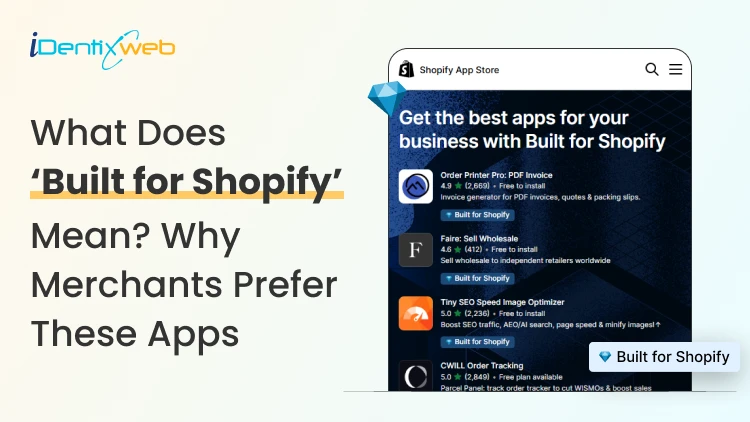
Built for Shopify apps give merchants a stronger quality signal when choosing apps. They are evaluated against Shopify’s standards for performance, design, integration, usability, and ongoing compliance. Benefits for 'Built for Shopify' apps include smoother admin workflows, simple storefront integration, better performance safeguards, and easier app discovery. The Shopify App Store gives merchants thousands of ways to add features that Shopify does not provide by default. The difficult part is deciding which app to install to make your life easier. That is where the Built for Shopify badge helps. It is Shopify's highest level of recognition for apps that meet its quality standards. Built for Shopify apps have their benefits, but it's more than that. That being said, I would not just choose an app because it has the badge. I would use it as a strong first filter, then compare functionality, pricing, reviews, support, permissions, and compatibility. What does Built for Shopify mean? Built for Shopify, often shortened to BFS, is Shopify's quality program for apps distributed through the Shopify App Store. Apps that earn the status must meet requirements such as performance, integration, design, App Store compliance, merchant adoption, reviews, and category-specific criteria. Shopify describes Built for Shopify as the highest level of recognition and achievement an app can reach. The badge appears on qualifying app listings and app cards in search results and category pages. Merchants can also filter App Store results to show only Built for Shopify apps. Above is an app, Delivery Date & Pickup Stellar. You can see it has a Built for Shopify badge just below its name. I’ve worked closely with Shopify merchants and been involved in developing Shopify apps around real store requirements. I know how much difference a well-built app can make to day-to-day store management. Built for Shopify apps: Benefits for merchants 1. You get a faster way to shortlist better apps Several apps offer similar features. The Built for Shopify badge helps you to filter apps that are helpful in a specific category. Instead of comparing every app only by listing content, pricing, and reviews, you can use the badge to quickly identify apps that meet Shopify's standards. It makes the selection process much easier. 2. You reduce the risk of choosing an app that hurts store performance Every app you install can affect your storefront or Shopify admin experience. Built for Shopify apps must meet Shopify's performance requirements. This includes limits around storefront and admin Web Vitals. For you as a merchant, this means the app has been evaluated against measurable performance standards rather than relying only on the developer's claims. 3. You get an app that feels more familiar inside Shopify Built for Shopify apps are expected to follow Shopify's UX and design standards. This includes clear navigation, responsive layouts, familiar controls, and admin behavior. For you, that can mean less time figuring out where settings are located and a smoother experience for team members navigating through the admin panel. 4. You can manage more of the app without leaving Shopify One of the biggest benefits of choosing a Built for Shopify app is better Shopify integration. Shopify expects the primary functionality of an embedded BFS app to work inside the Shopify admin where applicable. That means you are less likely to depend on completely separate dashboards for everyday tasks. If you use multiple apps, this will make daily store management more organized and easier to follow. 5. You get cleaner storefront installation and removal Apps that add storefront features can create problems if they make unnecessary changes to your theme. Built for Shopify requirements encourage apps to use Shopify's current extension architecture, including theme app extensions. These extensions are made to integrate more easily with themes and are removed when the app is uninstalled. For you, that means less risk of being left with unnecessary storefront elements after removing an app. 6. You choose apps that already have real merchant usage An app cannot qualify for the Built for Shopify badge without meeting Shopify's merchant adoption and review requirements. That means the app must already have real usage across active stores before it can earn the badge. For you, this provides confidence that the app has been used by actual merchants. 7. You get a quality signal that Shopify continues to review The Built for Shopify badge does not stay forever with the app. Shopify continues to monitor requirements and reviews BFS apps over time. If an app stops meeting the requirements, it can lose its status. This makes the badge more useful because it reflects ongoing compliance with Shopify's standards. Built for Shopify requirements merchants should understand AreaWhat Shopify checksWhy it matters to merchantsPrerequisitesApp Store compliance, Partner standing, installs, reviews, recent ratingGives Shopify merchant usage and quality signals to evaluatePerformanceAdmin Web Vitals, storefront impact, relevant checkout performancePlaces measurable limits around app performanceIntegrationEmbedded workflows, App Bridge, Shopify-based processesKeeps important workflows connected to ShopifyDesignFamiliar UX, responsive layouts, clear navigationMakes everyday app use more predictableCategory criteriaRequirements specific to an app's functionChecks whether apps use Shopify's expected functionality for their categoryOngoing complianceAutomated checks and recurring reviewsRequires apps to continue meeting current standards The exact criteria depend partly on what the app does. For example, a product review app does not necessarily have the same functional requirements as a fulfillment, subscription, returns, or product bundles app. This is why I would avoid one checklist as the complete BFS standard. Shopify maintains detailed developer documentation and updates category criteria as its platform changes. Should I install only ‘Built for Shopify’ apps I will advise this to merchants: A Built for Shopify app is not always the right choice for your store. It might lack an important feature, cost more than your budget, or request permissions you do not want to grant. The badge also should not be interpreted as a guarantee of perfect support, zero bugs, higher conversion rates, stronger SEO rankings, or specific revenue growth. Those outcomes are outside the scope of what Shopify says the BFS badge certifies. I’m also not saying a non-BFS app is automatically a bad app. A newer app might not yet meet the standard for the BFS badge, but it can definitely help your store grow. If budget is a major factor, compare options in my guide to free Shopify apps rather than choosing by badge alone. How to find Built for Shopify apps The simplest method is to look for the Built for Shopify badge on an app listing. You can also use the BFS filter on Shopify App Store search and category pages. That badge should be visible directly on the App Store listing, which makes it easy to verify before installing. Final takeaway The strongest benefit of Built for Shopify apps is the standards behind the badge. Shopify evaluates qualifying apps for performance, design, integration, merchant adoption, App Store compliance, and relevant category requirements. It also reviews these apps over time instead of giving a permanent badge. For merchants, I would use the badge as a shortcut to a better shortlist, not as permission to skip due diligence. Start with BFS apps when suitable options exist, then compare feature fit, permissions, reviews, pricing, support, and compatibility before making the final choice. At Identixweb, we provide Shopify app development services for merchants who need functionality that an existing public app cannot fully cover. FAQs 1. What does Built for Shopify mean? The Built for Shopify badge identifies Shopify apps that meet Shopify's highest quality standards. Shopify evaluates qualifying apps across performance, design, integration, prerequisites, and relevant category-specific requirements. 2. What are the main Built for Shopify requirements? Current requirements include Shopify App Store compliance, good Partner standing, merchant adoption and review criteria, performance thresholds, Shopify admin integration, design standards, simple installation practices, and category-specific rules. 3. Can an app lose the Built for Shopify badge? Yes. Shopify reviews BFS apps and monitors several requirements on an ongoing basis. Apps that stop meeting the criteria and fail to correct the issues can lose Built for Shopify status. 4. Are Built for Shopify apps always better than non-BFS apps? Not in every situation. The badge is a strong quality signal, but merchants should still compare features, pricing, support, permissions, integrations, reviews, and compatibility before choosing an app.
Vineet Nair
10 Min • 27 August 2026
40 Views
Vineet Nair
10 Min • 27 August 2026
38 Views
Vineet Nair
10 Min • 21 August 2026
50 Views
Vineet Nair
7 Min • 19 August 2026
49 Views

Vineet Nair
10 Min • 14 August 2026
67 Views
Vineet Nair
10 Min • 12 August 2026
63 Views
Vineet Nair
9 Min • 7 August 2026
70 Views
Vineet Nair
9 Min • 4 August 2026
77 Views
Vineet Nair
8 Min • 31 July 2026
80 Views
Vineet Nair
10 Min • 31 July 2026
83 Views
Vineet Nair
8 Min • 29 July 2026
90 Views
Vineet Nair
10 Min • 28 July 2026
108 Views