iDentixweb
Gather knowledge about the latest insights, updates, tips, and tricks in the Ecommerce industry.

5 Min • 29 April 2026
How Anua Unlocked 5X AOV Growth with iCart’s Smart Cart Features
delivery customization Challenges Solutions drive results Scale business delivery customization Challenges Solutions drive results Scale business delivery customization Challenges Solutions drive results Scale business delivery customization Challenges Solutions drive results Scale business Anua is a globally recognized Korean skincare brand known for its minimalist philosophy and focus on gentle yet effective formulations. Built on the idea of simplifying skincare routines, Anua develops products that deliver visible results while avoiding harsh or irritating components, making them suitable for sensitive skin types. Initially using a traditional full cart experience, Anua transitioned to iCart’s side cart solution in August 2025, to create a more seamless and engaging shopping journey. This shift allowed customers to easily explore complementary skincare products without disrupting their browsing flow, making it more intuitive to discover items that fit into a complete routine. By surfacing relevant recommendations directly within the cart, the brand enhanced product visibility across its range. Challenges Before implementing iCart’s side cart solution, Anua faced limitations with their existing full cart experience, which created friction in the customer journey. The traditional cart setup redirected users away from product pages, interrupting their browsing flow and reducing opportunities to explore additional products. As a skincare brand built around routines rather than single-item purchases, this made it difficult to effectively showcase complementary products and encourage customers to build complete regimens. Additionally, the lack of in-cart personalization and strategic upsell opportunities meant that customers were often unaware of related products that could enhance their skincare results. This limited the brand’s ability to increase average order value (AOV) and fully leverage its diverse product range. Anua needed a more dynamic and intuitive cart experience that could seamlessly introduce relevant recommendations while maintaining a smooth and engaging shopping journey. ❌ Cart Value Barriers Low average order value (AOV) due to single-item focus Most customers completed purchases with one primary product instead of building multi-step routines. Cart abandonment near shipping thresholds Customers were not clearly informed or motivated to reach free shipping or discount thresholds. Missed savings opportunities Customers were unaware of potential value in purchasing bundled routines or multiple complementary products. ❌ Absence of Progress-Based Incentives No free shipping or discount progress bar Customers were not motivated to increase their cart value due to lack of visible incentives. Missing tiered rewards system There were no structured milestones (e.g., “Spend more to unlock offers”), reducing upsell opportunities. ❌ Ineffective Cart UI/UX (Pre-Side Cart) Full-page cart disrupted shopping flowCustomers had to leave their browsing journey, increasing friction and drop-offs. No quick add/remove functionality Users couldn’t easily modify their cart or add suggested products without navigating away. Solution To overcome these challenges, Anua implemented iCart’s side cart solution to transform their traditional cart into a high-converting, interactive experience. By replacing the full-page cart with a seamless side cart, the brand ensured that customers could continue browsing while viewing their cart, significantly reducing friction in the shopping journey. Additionally, features like product recommendations & progress bars for free shipping and discounts motivated customers to increase their cart value. By combining personalization, incentive-driven messaging, and a user-friendly interface, Anua successfully turned their cart into a powerful revenue-driving touchpoint rather than just a checkout step. To maximize their cart effectiveness, they implemented two powerful features: ✅ Progress Bar with Multi-Reward Incentives Implemented a tiered progress bar to encourage higher cart value Customers are guided with a clear message like “Add $3.10 to unlock secret offer,” motivating them to continue adding products. Generated over $5M+ in revenue through incentive-driven cart progression Used product-based rewards to align with customer intent Instead of generic discounts, Anua incentivized purchases with relevant skincare items like Dark Spot Pads and mini serums. Built visual motivation for routine expansion As customers add products, they can clearly track progress toward unlocking multiple rewards, encouraging them to build a complete skincare routine. ✅ Product Recommendations Implemented “Frequently Bought Together” recommendations Customers adding a single product (e.g., toner) are shown complementary items like serums, moisturizers, or pads to complete their routine. Generated over 275K revenue through in-cart recommendations Encouraged full skincare regimen building Instead of isolated purchases, the cart suggests step-by-step product combinations aligned with common skincare routines. Increased product discovery at the final stage By surfacing relevant items directly in the cart, Anua ensured customers explore more of their catalog without leaving the checkout flow. Results Achieved in Last 180 Days 22932 Total Store Orders 45101 Total iCart Orders 5X iCart Generated AOV 65.70% Upsell Affected Conversion Rate These improvements reflect a clear shift in customer behavior on Anua’s store. Cart abandonment reduced as shoppers discovered complementary skincare products and felt encouraged to build complete routines. Engagement also increased, with customers interacting more with in-cart recommendations and exploring relevant product pairings. Results & Impact And...Results is Our Main Clarification By implementing iCart’s cart drawer, product recommendations, and progress bar, Anua transformed its cart into a high-performing conversion touchpoint. Shopping Experience Enhancement The improved cart experience encouraged customers to discover complementary products and understand the value of sustainable beauty routines. For instance, the clear presentation of subscription savings alongside one-time purchase options helped customers make more informed decisions about their long-term hair care needs. As Anua continues to optimize its cart experience, the brand is closely monitoring: Routine-based purchasing behavior - tracking how customers move from single items to multi-step regimens Engagement with in-cart recommendations - measuring interaction with suggested products Cart value progression - analyzing how incentives influence higher spending [related_cases_slider] Ready to Write Your Success Story? Try icart App Join successful businesses like Anua and Master your delivery scheduling Delight customers with precise timing Grow your special occasion orders Expand your delivery reach
Read Blog
3 Min • 10 February 2026
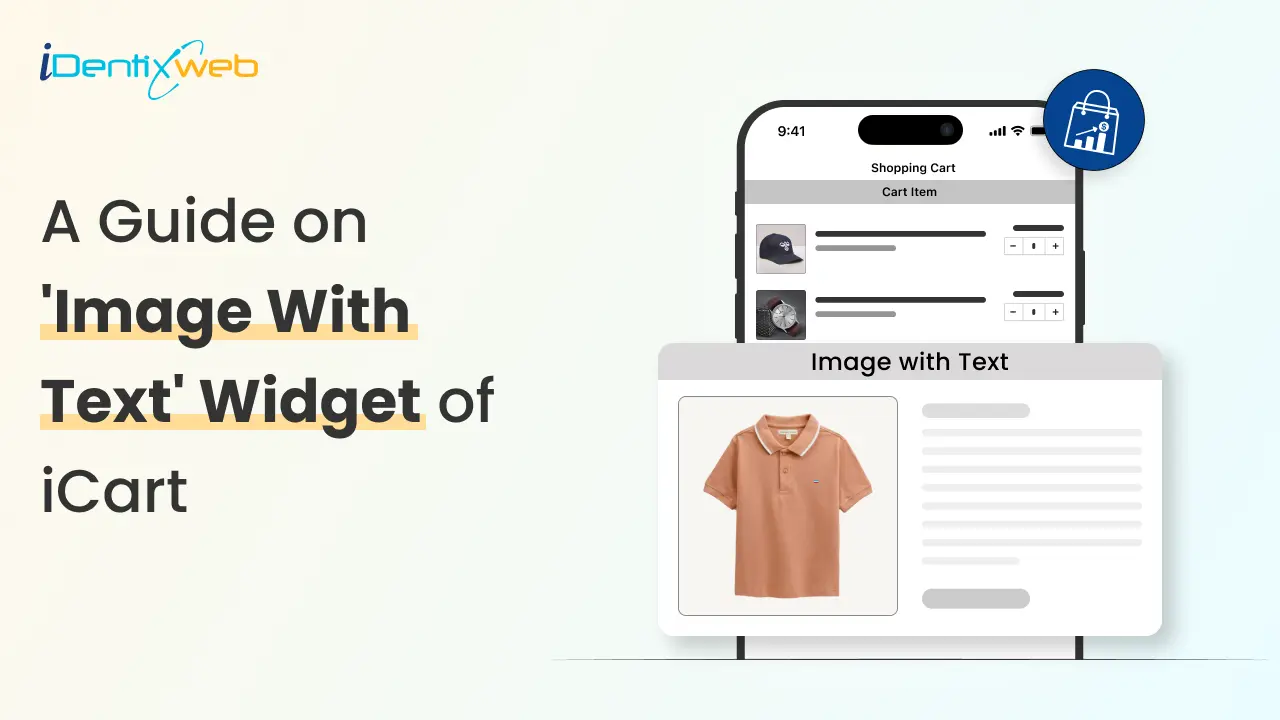
How to Show an Image with Text On the Full Cart with iCart
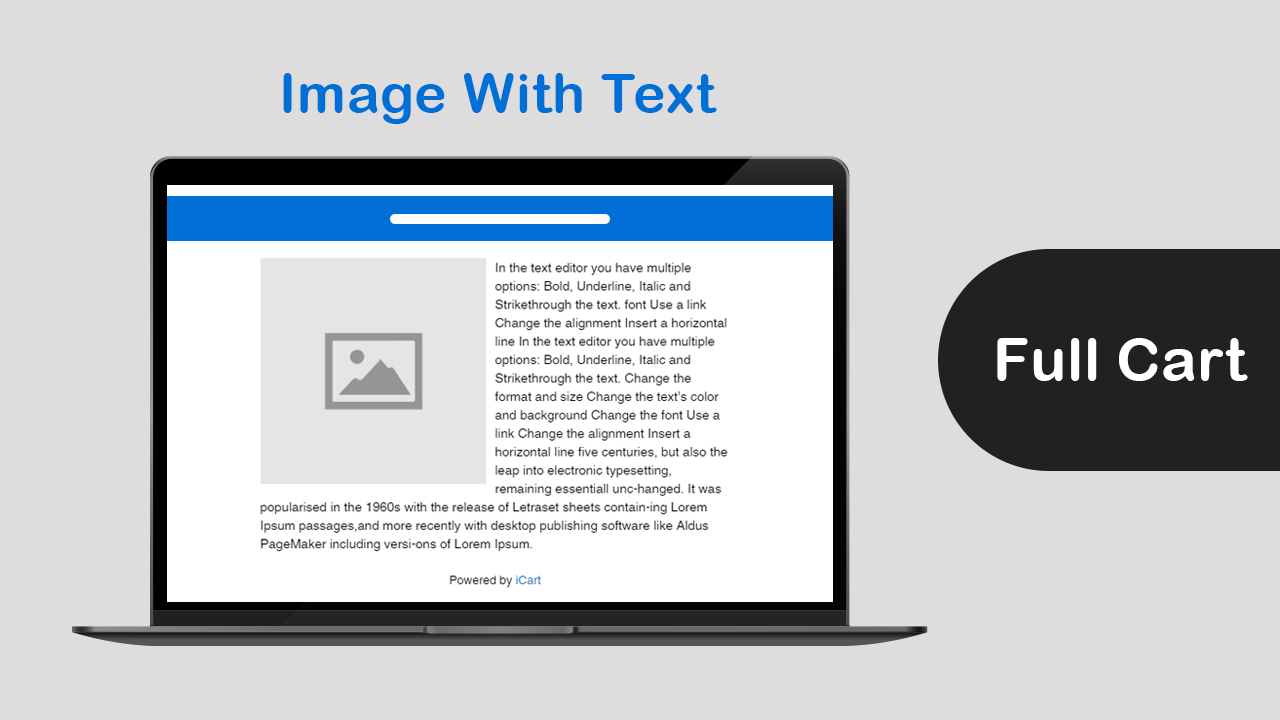
Want to show an image with text in your full cart? iCart offers a widget called image with text that will help you in this. Below are the options that are included in the image with text widget: Widget heading Widget heading helps to differentiate your widget so that you can easily identify your widget from the widget list. Title The title is the name of your widget that will be displayed in the cart drawer. You can show/hide the title, change the heading background color, widget background color. Image You can select the image that you want to display in the widget. Also, you can change the alignment and of the image. Image redirect URL Here you can add the URL of the page which will take your customer by clicking on the image that you have added. Free text Here you can add the text that you want to show to your customers with the image in the widget. Rules Rules are used to hide/show the widget. Once if the discount is applied using rules then it will not get removed automatically using any rules. This option allows you to change your condition based on different parameters like: Parameter You can show the widget visible to your customer based on different parameters like cart sum, number of items in the cart, a specific item, a specific collection, product tags, and user location. Condition You can set the condition from any of these options: is greater than, is lesser than, equals. Value Here you can enter the value that your customer’s cart must contain. Now let’s jump into an example to understand how these conditions work. Basically, this Rules option provides you 2 conditions i.e AND, OR.First will see how AND condition works:Suppose parameter > cart sum, condition > is greater than, value > 300 AND Parameter > a specific item, condition > is in the cart, value > shirtSo in this scenario, if both the condition meets the customer’s cart i.e if his cart sum is greater than 300 and one of the items added in his cart is a shirt then the image with text widget will be visible to him.Similarly, it works for other parameters too in AND condition.Now let’s see how OR condition works:Suppose parameter > number of items in cart, condition > is greater than, value > 2 OR Parameter > a specific item, condition > is the only item in the cart, value > shirtSo in this scenario, if any of the conditions meet the customer’s cart i.e if the number of items in his cart is greater than 2 or the shirt is the only item his cart contains then the image with text widget will be visible to him.Remember after applying any options click on the Save button.After adding the widget in your cart it may look like as shown in the screenshot below: Delete widget If you want to delete the widget then click on the delete widget button.
4 Min • 12 February 2026
What’s Next After Identixweb IPO? Our Vision for the Future
Going public is a significant milestone for Identixweb Limited, but it is just the beginning. Our IPO reflects years of hard work, innovation, and commitment to building advanced ecommerce solutions. This step opens new opportunities for growth, expansion, and delivering even more value to our customers. With the raised capital, we plan to invest in strategic areas, including: 1. Expand marketing efforts in India and worldwide.2. Improve our products by hiring skilled professionals.3. Support our subsidiary in developing new solutions.4. Invest in overall company growth. This article explores Identixweb’s post IPO vision, expansion of our market, and creation of more value for customers and stakeholders. Post IPO: The Future Vision for Identixweb Limited Here are our key focus areas after the IPO: Strengthening Our Products We are dedicated to improving our Shopify apps and creating new solutions to meet changing business needs. Our focus is on research, product development, and adopting new technologies to enhance our offerings. While building new products takes time and investment, we are focused on helping merchants grow and succeed. With over 10 Shopify apps already available, we plan to develop even more tools customized to their needs. Investment into Market Research We are expanding into fast-growing ecommerce regions to reach more businesses and drive global growth. While this brings new opportunities, it also comes with challenges like understanding the wide range of laws, economic conditions, and market preferences. We will be committed to overcoming these hurdles to establish a strong presence and deliver value to businesses worldwide. Investing in Financial Health & Profitability We are dedicated to maintaining strong financial health and ensuring long-term profitability. While investing in new software products and services comes with risks, we strategically manage costs, pricing, and resource allocation to optimize our financial performance. Our pricing models, including subscription-based, time-based, and fixed-price structures, are designed to align with market demand and business needs. However, cost overruns, wage inflation, and currency fluctuations can impact profitability. We continuously refine our forecasting, pricing strategies, and operational efficiencies to mitigate these risks. We will focus on sustainable growth by improving cost management, optimizing resource utilization, and improving product innovation. We aim to drive long-term value for our customers and stakeholders while maintaining a strong financial foundation. Driving Continuous Innovation We live in a growing environment and are committed to staying ahead. Our R&D team will focus on innovation and product development as part of our growth strategy. We plan to continue investing in key areas such as post-purchase solutions, upselling strategy, and loyalty & rewards programs to enhance customer experience and drive business growth. Customer-Centric Solutions Our customers are at the heart of our journey and what we do. We are committed to continuous innovation, ensuring our solutions stay ahead of emerging risks and industry demands. Our future strategy includes leveraging AI, digital cloud technologies, and automation to enhance user experience, improve security, and drive business efficiency. We focus on staying competitive and helping our customers grow by providing timely updates. Wrapping Up: A New Era for Identixweb Limited after IPO Listing on the BSE SME will clarify our corporate image, enhance brand visibility, and provide greater liquidity for our shareholders. It also opens new opportunities for growth, investment, and market expansion. As we take this step forward, we remain committed to innovation, excellence, and transforming the ecommerce market.Join us on this exciting journey! Know more about Identixweb Limited's IPO here: A Strategic Move from Private to Public: Identixweb Limited IPO How to Apply for Identixweb IPO: A Pro Guide Identixweb Limited IPO: Growing with the Shopify Ecosystem FAQs 1. What does Identixweb’s IPO mean for customers?For customers, the Identixweb IPO means the company is now publicly traded, bringing new opportunities for growth, investment, and better Shopify apps. 2. How will the funds from the IPO be used?Funds will be used for market research, hiring skilled professionals to enhance product innovation, and supporting our subsidiaries by expanding their teams. 3. Will there be any changes to Identixweb’s services after IPO?We are always dedicated to delivering the top ecommerce solution. We will surely update our ability to successfully implement our strategy, growth and expansion, and technological changes. 4. Will there be any changes in pricing for Identixweb’s products after IPO?Our pricing is based on market demand and operational costs. While no immediate changes are planned, we will ensure fair and competitive product pricing. 5. How will Identixweb support its growing customer base after the IPO?After the IPO, Identixweb will strengthen customer support by expanding the support team, improving response times, and providing ongoing assistance. 6. What new markets will Identixweb explore after IPO?We plan to expand into new markets, presenting challenges like complying with diverse laws, regulations, and evolving policies.
4 Min • 10 February 2026
A Complete Guide on Best Upsell for WooCommerce Plugin
Best Upsell Overview Best Upsell For WooCommerce is an all-in-one plugin for Upselling & Cross-selling. With this WooCommerce upsell plugin, you can easily create bump sales to boost your sales and skyrocket Average Order Value (AOV)! It also offers an unlimited "Free version" for all the WordPress eCommerce merchants to make their online store conversion-ready. Highlighted features Product Upsell Multiple Checkout Buttons Advanced Analytics Ready-made Template Easy Customization Responsive UI Product Exclusion by Tags No Coding Required Built-in Preview Tool Sticky Cart Bubble NOTES You must have an SSL certificate. Pretty permalinks in Settings > Permalinks so that the custom endpoints are supported. Default permalinks will not work. Quick Installation & Set-up Please follow the step-by-step instructions to install the Best Upsell For WooCommerce plugin and make it ready for your WooCommerce store. Installing the plugin in your WooCommerce store Step #1: Go to the plugin tab of your store and search for the "Best Upsell For WooCommerce" plugin. Or directly visit the WordPress plugin page. https://wordpress.org/plugins/best-upsell-for-woocommerce/?campaign=blog&medium=identixweb&source=best-upsell-guide Step #2: Click on the "Install Now" button to add the plugin to your WordPress website. Step #3: Activate the Best Upsell For WooCommerce plugin by clicking on "Activate". Once you activate the plugin you can find the "Best Upsell" tab added in your WordPress navigation sidebar. Setting up the Best Upsell plugin in your store Step #4: After activating the plugin, go to the Best Upsell tab in your sidebar. Step #5: Click on the Start Setup button. Step #6: Next, you need to connect the Best Upsell plugin to your store. For that, log in with your WooCommerce store credentials. Step #7: Now, click on the "Approve" button to give data access permission to the plugin. Step #8: You can now select whether you want to use the pre-define cart drawer template or create a new template for your WordPress eCommerce store. Best Upsell provides an inbuilt side-cart template for the store owners to help them have a conversion-ready store effortlessly. After selecting the "cart upsell" option, click Next. Congratulations! You have successfully finished the Best Upsell plugin installation and setup. Getting familiar with Best Upsell For WooCommerce Plugin Here, you will learn about the dashboard, widgets, and settings of the Best Upsell plugin. Let's start with the plugin dashboard. Dashboard The dashboard of Best Upsell shows the valuable metrics at a single glance that helps you understand how the plugin is performing in your store. (1) Active Template Here, you can see the Side cart template that is currently active in your WooCommerce store. You can start customizing the Best Upsell cart template by clicking on the "Customize" button. You can also preview the template from here! (2) Advanced Analytics Here you can see the most valuable metrics of the plugin as well as your eCommerce stores such as impressions, clicks, click-through rate (CTR), conversions, conversion rate (CVR), orders, and revenue, measure the difference in your Average Order Value (AOV). By default, the dashboard shows data for the last 30 Days. If you want to see data for another date range, you can click on the Last 30 Days button and select a different date range. At the end of the Dashboard page, you can see the analytical metrics for individual widgets of the Best Upsell plugin. Therefore, you not only track the overall performance of the plugin but also check which widget is working better for your WordPress eCommerce website. Widgets Let's see get familiar with the amazing widgets of the Best Upsell for the WooCommerce plugin. (1) Cart Items Using the Cart Items widget, you can add distinct functionalities to customize the default shopping cart. This widget allows you to create multiple product upsells and set different discount offers for each upsell. How to customize the Cart Items widget? (2) Checkout button This widget of the Best Upsell plugin lets you create multiple ‘Checkout’ buttons to provide a super easy buying process. With the Checkout button widget, you can add multiple upsells just above the Checkout button. Therefore, you can remind your customers to get some add-ons with their purchase when they’re about to checkout. How to customize the Checkout button widget? Settings You can easily access the settings of the Best Upsell plugin by clicking on the "Settings" button on the Dashboard. In case you want to temporarily hide or remove the Best Upsell plugin from your WoocCommerce store, you can click on the Disable Bestupsell button.
Sagarika Das
12 Min • 10 February 2026
12645 Views
Sajini Annie John
7 Min • 10 February 2026
10100 Views
Sajini Annie John
5 Min • 6 October 2025
7650 Views
Sajini Annie John
8 Min • 8 October 2025
11468 Views
Sajini Annie John
6 Min • 12 February 2026
11180 Views

Sajini Annie John
2 Min • 29 January 2021
9247 Views
Sajini Annie John
4 Min • 21 November 2025
9873 Views

Sajini Annie John
6 Min • 10 February 2026
9681 Views
Sajini Annie John
5 Min • 3 November 2025
9738 Views
Sajini Annie John
5 Min • 3 November 2025
9811 Views
Sajini Annie John
8 Min • 10 February 2026
10800 Views
Sajini Annie John
12 Min • 10 February 2026
9317 Views