Blog
Gather knowledge about the latest insights, updates, tips, and tricks in the Ecommerce industry.

5 Min • 20 March 2026
How Anua Unlocked 5X AOV Growth with iCart’s Smart Cart Features
delivery customization Challenges Solutions drive results Scale business delivery customization Challenges Solutions drive results Scale business delivery customization Challenges Solutions drive results Scale business delivery customization Challenges Solutions drive results Scale business Anua is a globally recognized Korean skincare brand known for its minimalist philosophy and focus on gentle yet effective formulations. Built on the idea of simplifying skincare routines, Anua develops products that deliver visible results while avoiding harsh or irritating components, making them suitable for sensitive skin types. Initially using a traditional full cart experience, Anua transitioned to iCart’s side cart solution in August 2025, to create a more seamless and engaging shopping journey. This shift allowed customers to easily explore complementary skincare products without disrupting their browsing flow, making it more intuitive to discover items that fit into a complete routine. By surfacing relevant recommendations directly within the cart, the brand enhanced product visibility across its range. Challenges Before implementing iCart’s side cart solution, Anua faced limitations with their existing full cart experience, which created friction in the customer journey. The traditional cart setup redirected users away from product pages, interrupting their browsing flow and reducing opportunities to explore additional products. As a skincare brand built around routines rather than single-item purchases, this made it difficult to effectively showcase complementary products and encourage customers to build complete regimens. Additionally, the lack of in-cart personalization and strategic upsell opportunities meant that customers were often unaware of related products that could enhance their skincare results. This limited the brand’s ability to increase average order value (AOV) and fully leverage its diverse product range. Anua needed a more dynamic and intuitive cart experience that could seamlessly introduce relevant recommendations while maintaining a smooth and engaging shopping journey. ❌ Cart Value Barriers Low average order value (AOV) due to single-item focus Most customers completed purchases with one primary product instead of building multi-step routines. Cart abandonment near shipping thresholds Customers were not clearly informed or motivated to reach free shipping or discount thresholds. Missed savings opportunities Customers were unaware of potential value in purchasing bundled routines or multiple complementary products. ❌ Absence of Progress-Based Incentives No free shipping or discount progress bar Customers were not motivated to increase their cart value due to lack of visible incentives. Missing tiered rewards system There were no structured milestones (e.g., “Spend more to unlock offers”), reducing upsell opportunities. ❌ Ineffective Cart UI/UX (Pre-Side Cart) Full-page cart disrupted shopping flowCustomers had to leave their browsing journey, increasing friction and drop-offs. No quick add/remove functionality Users couldn’t easily modify their cart or add suggested products without navigating away. Solution To overcome these challenges, Anua implemented iCart’s side cart solution to transform their traditional cart into a high-converting, interactive experience. By replacing the full-page cart with a seamless side cart, the brand ensured that customers could continue browsing while viewing their cart, significantly reducing friction in the shopping journey. Additionally, features like product recommendations & progress bars for free shipping and discounts motivated customers to increase their cart value. By combining personalization, incentive-driven messaging, and a user-friendly interface, Anua successfully turned their cart into a powerful revenue-driving touchpoint rather than just a checkout step. To maximize their cart effectiveness, they implemented two powerful features: ✅ Progress Bar with Multi-Reward Incentives Implemented a tiered progress bar to encourage higher cart value Customers are guided with a clear message like “Add $3.10 to unlock secret offer,” motivating them to continue adding products. Generated over $5M+ in revenue through incentive-driven cart progression Used product-based rewards to align with customer intent Instead of generic discounts, Anua incentivized purchases with relevant skincare items like Dark Spot Pads and mini serums. Built visual motivation for routine expansion As customers add products, they can clearly track progress toward unlocking multiple rewards, encouraging them to build a complete skincare routine. ✅ Product Recommendations Implemented “Frequently Bought Together” recommendations Customers adding a single product (e.g., toner) are shown complementary items like serums, moisturizers, or pads to complete their routine. Generated over 275K revenue through in-cart recommendations Encouraged full skincare regimen building Instead of isolated purchases, the cart suggests step-by-step product combinations aligned with common skincare routines. Increased product discovery at the final stage By surfacing relevant items directly in the cart, Anua ensured customers explore more of their catalog without leaving the checkout flow. Results Achieved in Last 180 Days 22932 Total Store Orders 45101 Total iCart Orders 5X iCart Generated AOV 65.70% Upsell Affected Conversion Rate These improvements reflect a clear shift in customer behavior on Anua’s store. Cart abandonment reduced as shoppers discovered complementary skincare products and felt encouraged to build complete routines. Engagement also increased, with customers interacting more with in-cart recommendations and exploring relevant product pairings. Results & Impact And...Results is Our Main Clarification By implementing iCart’s cart drawer, product recommendations, and progress bar, Anua transformed its cart into a high-performing conversion touchpoint. Shopping Experience Enhancement The improved cart experience encouraged customers to discover complementary products and understand the value of sustainable beauty routines. For instance, the clear presentation of subscription savings alongside one-time purchase options helped customers make more informed decisions about their long-term hair care needs. As Anua continues to optimize its cart experience, the brand is closely monitoring: Routine-based purchasing behavior - tracking how customers move from single items to multi-step regimens Engagement with in-cart recommendations - measuring interaction with suggested products Cart value progression - analyzing how incentives influence higher spending [related_cases_slider] Ready to Write Your Success Story? Try icart App Join successful businesses like Anua and Master your delivery scheduling Delight customers with precise timing Grow your special occasion orders Expand your delivery reach
Read Blog
11 Min • 28 May 2026
Stan Store vs Shopify: Honest Verdict from an Expert Who Has Used Both
You are an online merchant in 2026. You have two options to manage your brand: Stan Store vs Shopify. Both promise to help you sell online. Both have fans who swear by them. And you have to pick one. Over the past two years, I've helped dozens of creators move from Stan Store to Shopify, a few from Shopify back to Stan as well. Some made the right call. Some moved too early. A few moved too late. Here's the short version. Stan Store wins for solo creators selling digital offers from a link in bio. Shopify wins for sellers who want to scale beyond social, sell physical goods, or build a real brand. If you're still reading, you want the full picture. Pricing math, feature gaps, switch signals, and my honest pick for new stores. All of that is below. Stan Store vs Shopify at a Glance FeatureStan StoreShopifyBest forSolo creators, digital productsBrands, scaling sellers, physical goodsStarting price$29/mo$5/mo (Starter), $39/mo (Basic)Transaction fees0%2.5% to 2.9% + 30¢ (waived with Shopify Payments)Setup time15 to 30 minutes (Approx)2 to 6 hours (Approx)Product typesDigital, courses, coaching, membershipsDigital, physical, subscription services, tech solutionsCustomization11 link-in-bio templates1000+ themes, full code accessApp marketplaceSmall native toolkit16,000+ appsMulti-channel sellingSocial bio onlyWeb, social, retail, marketplaces, POSBest for Digital-only creatorsAnyone planning to grow past social What is a Stan Store? Stan Store was founded by John Hu in 2019. He built it as a TikTok creator who wanted a faster way for other creators to sell without coding or design work. The product lives inside your social bio. Followers tap your link, land on your Stan storefront, and buy whatever you're selling from digital products or online courses. Stan got a serious bump when Shopify quietly retired Linkpop in July 2025. Thousands of creators lost their link-in-bio storefronts overnight. Many landed on Stan. What Is Shopify? Shopify launched in 2006 out of Ottawa. Tobias Lütke and his cofounders built it after struggling to find a decent platform for their own snowboard shop. Twenty years later, Shopify powers millions of stores worldwide. The platform handles everything: storefront, checkout, inventory, shipping, taxes, POS, blogging, SEO, and payments. Shopify isn't a link-in-bio tool. It's a full commerce platform built to grow with you from your first $100 month to your first $10M year. Stan Store vs Shopify pricing: What each one costs Here's where the math gets interesting. Stan Store has two plans: Creator: $29/mo (or $300/year) Creator Pro: $99/mo (or $948/year) Both plans charge zero transaction fees. Shopify has five plans: Starter: $5/mo Basic: $39/mo Shopify: $105/mo Advanced: $399/mo Plus: starts at $2,300/mo Shopify adds a transaction fee of 2.5% to 2.9% plus 30¢ per order. Use Shopify Payments and the fee drops to zero, but standard credit card processing fees still apply. So which is cheaper? Depends on your revenue. A creator doing $2,000/mo in digital sales pays $29 on Stan and keeps it all. The same seller on Shopify Basic pays $39 plus around $58 in processing, so roughly $97 total. Flip the math at higher volume. A merchant doing $30,000/mo in physical products on Shopify Basic pays around $900 in processing plus the $39 subscription. The same revenue on Stan would technically work, but Stan isn't built for physical inventory, shipping, or that kind of scale. The pricing winner depends entirely on what you sell and how much. Stan is cheaper for low-volume digital. Shopify scales more cheaply once you cross a few thousand a month and need real commerce features. Stan Store vs Shopify for digital products Stan Store vs Shopify for digital products is not even close. Stan Store was built for digital. It's the whole product. Memberships, downloads, ebooks, and templates all sell through one checkout. Shopify handles digital products too, but it leans on apps to do it well. Shopify's own Digital Downloads app works for basic files. Courses usually need SendOwl, Thinkific, or a third-party platform connected via integration. Coaching bookings need an app like BookThatApp or Acuity. For a creator selling a $47 ebook to their Instagram followers, Stan is faster and cheaper. For a creator selling a $497 course plus a $97/mo membership plus physical merch, Shopify wins because Stan can't handle the merch piece. I have written a complete breakdown of a step-by-step guide to sell digital products in 2026. Migrate to Shopify to Increase Sales 10X Schedule a Free Strategy Call Stan Store or Shopify: Complete Breakdown 1. Ease of use and setup time I timed both setups recently for two different clients. Stan Store took 22 minutes from signup to a live storefront. Pick a template, add a profile photo, upload three products, plug in Stripe, and copy the link to the Instagram bio. Shopify took just under four hours. I picked a theme, customized the homepage, added products with descriptions and photos, configured shipping zones, set up Shopify Payments, connected a domain, wrote the basic pages (about, contact, refund policy), and installed two essential apps. For a creator with zero technical experience, Stan is the lighter lift. For someone who wants real branding, custom pages, blog content, and SEO from day one, Shopify's setup time pays off later. 2. Themes, designs, and customization freedom Stan offers 11 link-in-bio templates. All mobile-first, clean, conversion-tuned. You can change colors, swap your logo, and rearrange product blocks. The templates look good, but your storefront ends up looking like other Stan stores. Shopify has 1000+ themes in its library. Some free, some $200 to $400 one-time. You get full Liquid code access if you want to go deep. Drag-and-drop sections handle the basic edits. Designers can build something completely custom. Here's the trade-off most new stores miss. Stan's simplicity converts well in the short term because the checkout is fast and mobile-friendly. Shopify's brand flexibility wins long-term because customers remember stores that look distinct. 3. eCommerce features compared Shopify owns the commerce side. Real inventory management. Shipping zones and rates. Tax automation. POS for in-person selling. Multi-currency. International domains and B2B wholesale features. Stan owns the creator's side. One-click checkout is designed for impulse buys. AutoDM that messages new customers on Instagram. Built-in funnels. Calendar-based coaching bookings. Course completion tracking. UTM tracking for social campaigns. The gap I see most often: new sellers pick Stan because it's easy, hit a feature ceiling around month four, and end up rebuilding on Shopify anyway because they want to add a physical or want a real website. 4. Marketing tools built in Both platforms ship email marketing, discount codes, and upsell tools. Shopify pulls ahead on abandoned cart recovery (every plan has it), Shopify Email, SEO, marketing automations, and Shop Pay. It also integrates with Klaviyo, Omnisend, and every major email tool. Stan pulls ahead on creator-specific marketing. Bio link funnels. Affiliate share built in. UTM tracking on every link. Email flows tied to your storefront, not your website. The whole stack assumes you're driving traffic from social, not Google. If you plan to rank on Google and run email campaigns from a real domain, Shopify is the stronger marketing platform. If you live and die by Instagram and TikTok, Stan's tools fit your workflow better. 5. Apps, integrations, and scalability Shopify's App Store has more than 16,000 apps. Dropshipping, print-on-demand, accounting, CRM, ERP, reviews, loyalty programs, subscription billing, and headless commerce. Whatever you need to add, someone has built an app for it. Stan has a small native toolkit and a handful of key integrations: Stripe, PayPal, Mailchimp, and Zapier. Fewer apps mean fewer choices, but also less bloat and fewer monthly app fees stacking up. Scalability is where Shopify really separates. I've watched merchants triple revenue after migrating from Stan because they finally had real inventory tools, multi-channel selling, and proper analytics. 6. Customer support: Who actually picks up the phone Stan's support gets praised everywhere. Human-first, creator-first, 4.8 on Trustpilot, fast email responses. Shopify offers 24/7 live chat, phone support on most plans, a massive help center, and active community forums. The volume is higher, so response quality varies. Some merchants get great answers in five minutes. Others wait hours for a chat rep. For a first-time seller who needs handholding, Stan's support is much better. For a growing brand with technical questions about coding or store optimisation, Shopify wins easily. Pros and cons of each platform Stan Store pros: Live storefront in under 30 minutes Zero transaction fees Built-in courses, coaching, memberships, and communities 11 mobile-first templates Strong creator-focused support AutoDM, funnels, and UTM tracking included Stan Store cons: No real physical product support Limited customization beyond templates Small app ecosystem No native SEO or blogging Feature ceiling for sellers scaling past $20K/mo Tied to social traffic, not search Shopify pros: Sells anything: physical, digital, subscriptions, services 1000+ themes, full code access 16,000+ apps in the App Store Real SEO, blogging, and content marketing Multi-channel: web, social, retail, marketplaces, POS Scales from solo seller to enterprise 24/7 support Shopify cons: Steeper learning curve Setup takes hours, not minutes App costs add up at scale Transaction fees outside Shopify Payments Higher-tier plans get expensive fast When to pick Stan Store (Best for) You sell digital products, courses, coaching, or memberships Your audience lives on Instagram, TikTok, or YouTube You don't need a full website with blogging or SEO Your monthly revenue sits under $10K You hate technical setup and just want to sell Stan is the right call for the solo creator, the coach, the course creator, the podcaster, the fitness pro, and the consultant whose business is built around a personal brand and a social audience. When to pick Shopify (Best for) You sell physical products You want a real brand with a custom website and domain You plan to grow past $10K/mo in the next year You want SEO traffic from Google, not just social You sell across multiple channels: web, social, retail, marketplaces You need real inventory, shipping, and tax tools Shopify is the right call for product brands, scaling stores, multi-product catalogs, omnichannel sellers, and anyone who treats their store as a real business. Five signs to switch from Stan Store to Shopify You want to add a physical product, but can't make it work Your monthly revenue crossed $5K, and the platform feels limiting You want SEO traffic from Google, not just social posts You need real inventory or shipping for what you're selling You're building a brand, not just monetizing a personal audience Your customer list (export the CSV), product files, email subscribers, and course content can carry over to Shopify cleanly. Although you need to rebuild storefront design, theme, payment gateway setup, integrations, and any funnels you had in Stan. My honest take. If you're consistently selling $5K to $10K/mo and feeling boxed in, switch. If you're still under $2K/mo and figuring out what to sell, stay on Stan. Want to migrate to Shopify? Here's a checklist on how to migrate to Shopify in 2026. My verdict: Stan Store vs Shopify in 2026 So here’s the bottom line on Stan Store vs Shopify questions I constantly get. Start on Stan if you sell digital offers and live on social Start on Shopify if you sell anything physical or plan to scale past social For switchers: Move to Shopify once you're consistently doing $5K to $10K/mo and feel boxed in Don't move until you've validated the offer and outgrown the platform Moving back to Stan from Shopify rarely makes sense unless you're simplifying your business Both platforms are great. Stan Store bets that creators win by selling fast, simple, and direct from social. Shopify bets that brands win by owning their storefront, channels, and customer relationships. If you're starting out and selling digital to a social audience, Stan saves you time and money in year one. If you're building something you want to grow for the next five years, Shopify is worth the steeper setup. FAQs 1. Is Shopify better than Stan Store? If you're a solo creator selling digital products from your Instagram bio, Stan Store is actually the better choice right now. It's faster, cheaper, and built for exactly that. If you sell physical goods and want a personal website to create your brand, Shopify wins every time. 2. How much does both Stan Store and Shopify cost? Stan Store costs $29 per month for Creator or $99 per month for Creator Pro, with zero transaction fees. Shopify starts at $5 for Starter, jumps to $39 for Basic, then $105, $399, and up from there. Plus, they have a 2.5% to 2.9% in transaction fee on top unless you use Shopify Payments. 3. Is the Stan Store worth it? For a creator selling courses, coaching, memberships, or ebooks to a social audience, absolutely yes. You'll launch faster, pay zero transaction fees, and get native tools for email and funnels built in. If you sell physical products or plan to scale into a real brand, Shopify will serve you better long-term. 4. Can I sell physical products on the Stan Store? No. You can list physical items as products, but Stan doesn't handle real inventory tracking, shipping integrations, or the order fulfillment complexity that physical products need. If selling physical goods is part of your plan, Shopify is the only platform between these two that makes sense.
10 Min • 29 May 2026
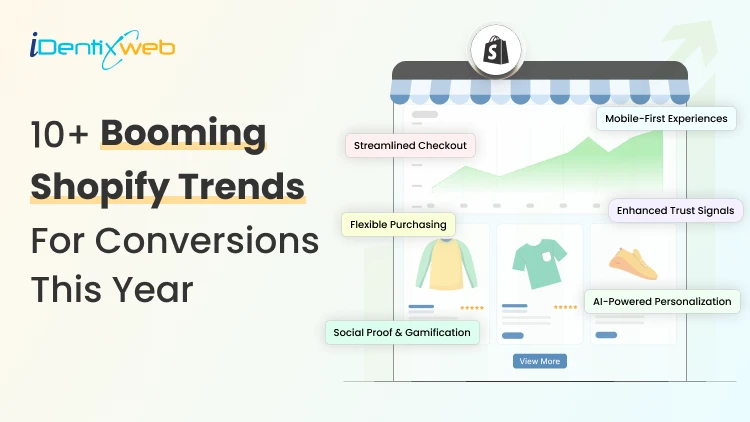
10+ Booming Shopify Trends in 2026 (Conversions, AI, Designs and More)
The key Shopify trends for 2026 are AI personalization, mobile-first design, smarter checkout, social commerce, zero-party data, subscriptions, AR/3D product pages, AEO, automation, and stronger fraud prevention. Merchants should focus on the trends that directly improve conversions, customer experience, and long-term growth instead of trying to implement everything at once. I've spent the last few years auditing Shopify stores, forecasting where the platform is headed, and helping merchants make the changes that actually move revenue. And I'll tell you straight up: 2026 is the year the bar got higher overnight. Shopify crossed 2.8 million active stores [Source: Store Leads]. New merchants are launching every minute. Shoppers expect Amazon-level speed from a brand that has just started three months ago. The merchants winning right now are the ones picking 3–4 Shopify trends, executing them well, and ignoring the rest. That's exactly what I want to help you do today. I'll walk you through 15 Shopify trends I'm betting on in 2026, why each one matters, and what you can ship this week. Each trend gets the same treatment: what it is, why I care, and the move for new store owners. Let's get into it. 10+ Booming Shopify Trends for Conversions, AI, Designs, and More 1. AI Personalization becomes the default Generic stores are a thing of the past. Shoppers in 2026 expect the store to feel like it was built for them, even on visit one. I'm seeing AI-powered product recommendations, dynamic PDP content, and AI-curated bundles consistently lift AOV by 15–30% across the stores I audit. The brands that ignore this are losing revenue to competitors who don't. Tools worth a look: Shopify Magic (native), Shopify's Search & Discovery app, and iCart Cart Drawer Cart Upsell Quick win for new stores: Don't overthink it. Install one solid recommendation app, test it and only then go for paid plans. Let AI Pick the Right Upsell Before Your Customer Leaves Show smarter product recommendations inside the cart based on what shoppers are already buying. Most carts only show products... iCart can show revenue-boosting offers. Try Free Till 100 Orders With iCart, you can display AI-powered upsells that feel relevant, timely, and easy to add before checkout. 2. Conversion-first Shopify store design trends 2026 Pretty stores don't convert. Stores are designed around how shoppers are the ones that have great conversions. In 2026, the Shopify store design trends I keep recommending: bigger editorial typography, sticky add-to-cart bars, swipeable mobile product galleries, soft scroll-triggered motion, and ruthless cuts to anything that doesn't help someone buy. Hero carousels are mostly over. Replace yours with one strong above-the-fold value prop, a clear CTA, and social proof within the first scroll. My honest take: You probably don't need a full redesign. Audit your top 3 pages by traffic, fix the friction, and you'll see results in weeks, not months. 3. Mobile-First Isn't a Buzzword. It's the Whole Store Although this Shopify trend has been going on for years, I still open stores every week that were clearly designed on a desktop, with mobile checked last. Roughly 65%+ of Shopify traffic now comes from mobile [Source: Shopify]. What mobile-first actually looks like in 2026: page speed under 2 seconds, sticky add-to-cart, one-thumb checkout, full-screen popups that close easily, CTAs in the bottom 60% of the screen. Shop Pay, Apple Pay, and Google Pay should already be live in your checkout. If they aren't, do it right away. 4. Headless commerce goes mainstream (Especially on Shopify Plus) Headless just means your storefront (what shoppers see) is separated from your Shopify backend (where orders live). The result is a faster, more flexible custom experience. Shopify Plus brands are leaning hard into Hydrogen and Oxygen for 2026, especially for campaign micro-sites, B2B portals, and international expansion stores. Performance gains directly improve Core Web Vitals, SEO, and conversion rates. Honest advice: If you're a new store doing under $1M, skip headless for now. Master your Liquid theme first. 5. Social commerce + live selling TikTok Shop, Instagram Shopping, and YouTube Shopping are full revenue channels with native Shopify integrations. Live selling is having a real moment in beauty, fashion, food, and hobby niches. UGC-first product pages, with real customer videos pulled in via apps like Loox or Fera, are outperforming polished studio content in most categories I've tested. If you sell anything visual, ignoring social commerce in 2026 is leaving 20–30% of potential revenue on the table. 6. Zero-party & first-party data take center stage Cookie deprecation and tighter privacy rules mean cheap retargeting is over. The brands that own their customer data are the ones with stable CAC. What's working: quiz funnels (Octane AI, Shop Quiz), gamified popups (Privy, Klaviyo), post-purchase surveys, and SMS opt-ins at checkout. If I were launching a Shopify store in 2026, I'd build a zero-party data flow before my first ad campaign. Collect email + one preference signal per visitor. That's your real moat. 7. Subscription, bundles & predictable revenue One-time purchases are fine, but recurring revenue is much better. Apps like Recharge, Loop Subscriptions, and Shopify's native subscriptions are used by merchants to add subscription options in their storefronts. Bundle builders and "build your own box" experiences are also driving real AOV lifts. A small skincare brand I worked with last year added a 3-product refill subscription and doubled customer LTV inside 6 months. 8. AR, 3D & visual commerce on product pages Static product images aren't enough anymore for furniture, jewelry, eyewear, beauty, and home decor categories. Shopify supports 3D models natively. AR try-on tools (Camweara, YouCam) are getting cheaper. Shoppable videos on PDPs consistently lift conversion by 10–20% in my tests. You don't need to 3D-scan your entire catalog. Start with your top 5 SKUs and measure what happens. 9. Sustainability & ethical commerce Gen Z shoppers will fact-check your sustainability claims. Greenwashing backfires fast in 2026. Carbon-neutral shipping (Shopify Planet, EcoCart), recyclable packaging, and transparent sourcing pages are the moves that build trust. Real receipts beat vague "eco-friendly" badges every time. My take: Don't claim it if you can't prove it. A single honest section on "Where Our Materials Come From" outperforms any page that explains how you are saving the planet. 10. Omnichannel & POS unification Shoppers expect one consistent experience across online, in-store, marketplace, and social platforms. Shopify POS got serious upgrades for 2026, with better inventory unification, local delivery support, and same-day fulfillment integrations. If you have any physical presence at all, even pop-ups or wholesale, your inventory should live in one place. Local delivery for nearby customers is also quietly becoming a conversion lever for food, plants, gifts, and same-day need categories. 11. Voice search, AI search & answer engine optimization (AEO) ChatGPT, Perplexity, and Google AI Overviews are now sending real traffic to Shopify stores. According to the latest reports, AI-referred shoppers on Shopify convert at 50% higher rate than organic search. [Source: Shopify] The brands cited in AI answers are winning trust before a shopper even visits the site. How to show up: structure product descriptions with clear specs, write FAQ sections that directly answer buyer questions, use proper schema markup, and keep your content factual and well-organized. I have written a complete breakdown of best practices in AEO for Shopify merchants in 2026. 12. Smarter checkout: BNPL, one-page, Shop Pay expansion Cart abandonment is still painfully high, but most of it is fixable at checkout. Buy Now Pay Later is not optional anymore. Shop Pay Installments, Afterpay, Klarna, and Affirm cover most use cases. One-page checkout is the new default. Trust signals (badges, guarantees, contact info) on the checkout page itself consistently lift conversion by 5–10%. If you haven't reviewed your checkout conversions in the last 6 months, that's where I'd start. 13. Shopify Plus design trends 2026 For brands scaling past 7 figures, Shopify Plus design trends in 2026 are all about flexibility and unified experiences. Where are Plus brands investing in designs? Combined B2B + D2C storefronts, custom checkout extensions (made possible by Checkout Extensibility), expansion stores for international markets via Markets Pro, and proper design systems instead of one-off page builds. The Functions API has also opened up custom discount logic, shipping rules, and payment customizations that weren't possible a year ago. 14. Automation, apps & Shopify Flow App bloat is the number one reason the speed of your Shopify store decreases. Every app you add costs you milliseconds, which costs you conversions. The lean 2026 app stack I recommend for new stores: one reviews app, one email/SMS platform (Klaviyo), one upsell app, and one analytics layer. Anything beyond that needs to earn its place. Here’s a complete guide on how to build a Shopify tech stack for merchants in 2026. Shopify Flow is also massively underused in my experience. Automate abandoned cart tagging, VIP customer rewards, low-stock alerts, and fraud-risk order holds. Saves hours every week with zero code. 15. Security, fraud prevention & compliance Chargeback rates climbed through 2025. Fraud is more organized than ever. Shopify's native fraud analysis is decent. For higher-risk categories (electronics, luxury, supplements), I'd add Signifyd or NoFraud. ADA accessibility compliance is also no longer optional in many regions, both legally and for SEO. GDPR, CCPA, and accessibility (WCAG 2.1) are 2026 table stakes. Use Shopify's privacy & compliance tools, and audit your store with a free tool like AccessiBe or TestParty. How would I prioritize these Shopify ecommerce trends if I were launching today? Look, you don't need to research and implement all 15 Shopify trends. You need the right 3–4 for your stage. Here's the prioritization framework I use with merchants: Foundational (do these first, no exceptions): Mobile-first design + page speed Smarter checkout (Shop Pay, BNPL, one-page) One solid AI personalization layer Growth (once foundations are solid): Zero-party data collection Social commerce + UGC Subscription or bundle offers Conversion-first design refresh Advanced (for Plus and 7-figure brands): Headless commerce AR/3D product experiences Omnichannel + POS unification Custom checkout extensions Pick a tier. Pick 3 Shopify trends from this list. Ship them well over the next 90 days. Come back for the next tier when you're ready. Stay ahead of the Shopify trends in 2026 More than following the Shopify trends every year, I would fix your mobile experience, clean up your checkout, and add one solid AI personalization layer. That alone will outperform 80% of Shopify stores out there right now. The merchants who win this year are the ones who stop chasing trends and start executing them. Drop your store URL or your biggest 2026 challenge in the comments. Always happy to point you toward what I'd tackle first. FAQs 1. What are the Shopify ecommerce trends to look out for in 2026? The biggest Shopify ecommerce trends I'm watching in 2026 are AI personalization, social commerce, zero-party data collection, subscription and bundle offers, and smarter checkout with BNPL options. Mobile-first design and AEO (showing up in AI search results) are also critical. 2. What are the Shopify store design trends to look out for in 2026? Shopify store design trends in 2026 are all about converting, not just looking good. I'm seeing bigger editorial typography, sticky add-to-cart bars, swipeable mobile galleries, and soft scroll-triggered motion. The brands winning right now design mobile-first and prioritize the first scroll above everything else. 3. Which Shopify Plus design trends will be on top in 2026? In 2026, the Shopify Plus design trends I expect will combine B2B and D2C storefronts, custom checkout extensions powered by Checkout Extensibility, expansion stores via Markets Pro, and proper design systems replacing one-off page builds. Headless commerce with Hydrogen is also having a real moment for Plus brands that need speed and flexibility.
8 Min • 26 May 2026
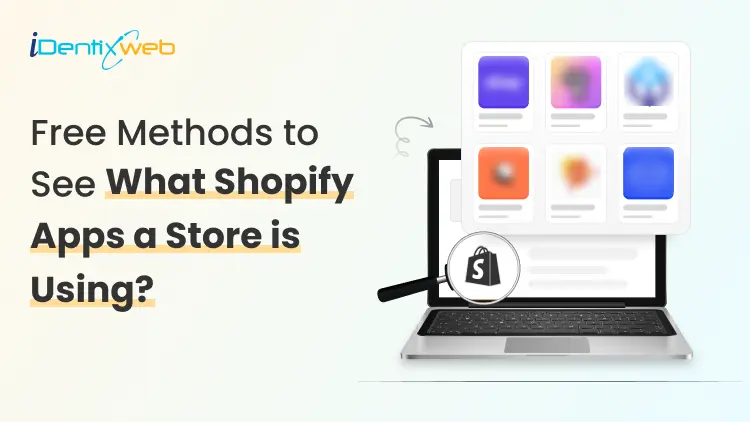
“What Shopify Apps is This Website Using?” (4 Free Methods That Actually Work)
Every store owner, including myself when I started on Shopify, has asked themselves, "What Shopify apps is this website using?” when they see a storefront. Competitor app audits are part of my day job, and I've tested almost every free method out there. Some do the work instantly, while others take time. You'll get the four free methods I actually trust, in order from easiest to most thorough. No fluff. No paid tools required. Quick TL;DR if you're in a rush: Use a free Shopify app detector tool (paste URL, done) Install a Chrome extension for one-click checks View page source and search for "shopify://apps/" Use DevTools to catch late-loading apps Spot apps by what you see on the storefront Now the full breakdown. Why should you check the apps a competitor store uses? Three reasons make competitor app research worth your time as a new store owner. First, it saves you from the install-uninstall cycle. Most new merchants test 20+ apps before settling on a stack. Knowing what already works in your niche cuts that down fast. Want a tech stack for your store? Here’s a complete breakdown of building a Shopify tech stack in 2026. Second, detecting Shopify apps reveals strategy. If five of your top competitors run Klaviyo, ReCharge, and Loox together, you just got the solution for a 7-figure store in your category. Third, the free Shopify app finder methods cost you nothing. Skipping competitor research because it feels costly is a mistake. My top methods to find what Shopify apps a website is using Method 1: Use a free Shopify app detector tool The fastest way to find the answer to ‘Shopify apps is this website using?’ is a free online detector. You paste the URL, the tool scans the page source, and you get a list of installed apps in seconds. Here are the four free options I rotate between. Shopscan ShopScan covers over 2,000 apps in its database and works as both a website and a Chrome extension. Accuracy is high, and the dashboard shows you the theme alongside the apps. This app is free with no signup. Koala inspector Koala Inspector has been around for years and remains one of the most reliable free Shopify app checkers. It catches reviews, apps, page builders, and email tools consistently. You can check out its free tier for basic competitor research. PIPIADS Shopify app detector PIPIADS uses AI to parse the source code and identify apps. This is a great app for quick one-off checks when you don't want to install anything. Instant Shopify app detector A newer entry with a clean interface and fast scan times. Best for visual learners who want a neat output. How to use any of them: Open the detector Paste the Shopify store URL Click "Detect" or "Scan" Review the app list Pros: Zero learning curve and works on any device. Cons: Limited to what's exposed in the public source code, so private apps stay hidden. My pick: ShopScan for daily research and Koala Inspector for deep dives. Method 2: Install a free browser extension Online detectors work fine, but browser extensions work faster. I check 30 to 50 competitor stores a week. Pasting URLs one by one is difficult for me. A Chrome extension turns this into a few-second job. Top free extensions I recommend: Koala Inspector Chrome Extension Same data as the web version, but one click away while you browse. Install, pin the icon, and click whenever you land on a Shopify store. ShopScan Extension Detect Shopify apps, themes, payment methods, and analytics tools in one pass. Great for full tech-stack audits. Wappalyzer Not Shopify-specific, but Wappalyzer reads the entire tech stack of any site, including Shopify apps. Useful as a backup when other detectors miss something. Setup is straightforward: Add the extension from the Chrome Web Store Pin it to your browser bar Visit any Shopify store Click the extension icon If you do competitor analysis even once a month, install one. This will save you hours of work. Method 3: Check the page source manually (Free + no tool needed) Every Shopify app that runs on the storefront leaves a tag in the page source. Once you know where to look, you can find Shopify apps in under a minute with nothing installed. Here's the exact process I use when I want a second opinion on what a detector found. Step 1: Right-click anywhere on the store's page and select "View Page Source." Keyboard shortcut: Ctrl+U on Windows, Cmd+Option+U on Mac. Step 2: Hit Ctrl+F (Cmd+F on Mac) to open the search bar inside the source code. Step 3: Search for this exact string: BEGIN app block: shopify://apps/ The app name sits right after /apps/. For example, shopify://apps/judgeme tells you the store runs Judge.me for reviews. Why I love the manual method: it never lies. Detector tools sometimes misread or skip apps. The page source shows you the exact Shopify apps a website is using. Method 4: Use DevTools to catch apps that load late Some apps don't show up in the static page source. They load after the page renders through lazy-loaded scripts. Detectors and View Source both miss them. Browser DevTools catches everything. Here's the quick version: Open the Shopify store Press F12 or right-click and choose "Inspect" Click the "Network" tab Reload the page (Ctrl+R or Cmd+R) Watch the requests roll in You'll see every script, image, and API call the page fires. Filter by domain or by the "JS" type to narrow the noise. This method is best for tech-curious merchants who want zero blind spots. I have written a complete breakdown of Shopify spy tools for a complete competitor research for merchants who wants to do more than detecting apps. The limitations of free methods to detect Shopify apps No free Shopify app finder is perfect. Set the right expectation before you start. Custom-built private apps stay invisible. Big brands often pay developers to build internal apps that never appear in the Shopify App Store. Detectors can't find what's not labeled. Backend-only apps (shipping rules, accounting integrations, fulfillment tools) don't load on the storefront. None of the four methods above will surface them. Some stores deliberately make their source code unclear on purpose. Also, in heavily customized themes, it's difficult to detect apps. Detection accuracy across free tools sits around 70 to 80 percent on average. Stack two or three methods together to get the most accurate results. A trustworthy competitor audit always combines a detector tool, a manual page source check, and visual observation. Skip any one of the three, and you'll miss something. How to Actually Use This Info (Not Just Copy a Competitor) Detecting apps is the easy part. Using the data well is where most new merchants slip. A few rules I live by after years of running competitor audits: Build a swipe file. Pick 5 to 10 leading stores in your niche. Run a Shopify app checker on each. Drop the results into a Google Sheet. Patterns will jump out within an hour. Look for overlap. If eight out of ten top stores in your category use Klaviyo, you've found a signal. If one store uses some obscure pop-up tool, ignore it. Test one app at a time. Installing five new apps in a week destroys your ability to measure what's actually working. Install one app, measure for two weeks, then decide. Read the reviews before you install. App detectors tell you what competitors use. They don't tell you which apps are well-supported, well-priced, or worth your money. Always check Shopify App Store reviews first. Match the app to your stage. A store doing $500 a month doesn't need an enterprise loyalty platform. Pick apps that fit your current revenue. The biggest competitor analysis lesson I can share: Apps amplify what's already working. They never fix what isn't. Wrapping Up You now have four free ways to answer the question every new merchant asks: what Shopify apps is this website using? Quick recap: Free Shopify app detector tools (ShopScan, Koala Inspector, PIPIADS, Instant) Chrome extensions for one-click checks View Page Source and search for "shopify://apps/" DevTools Network tab for late-loading apps Pick one method today. Open a competitor store you've been eyeing. Run a quick scan. Screenshot the results. You'll learn more about your niche in 10 minutes than you will from any course. FAQs 1. How to find out what Shopify apps a website is using? Any Shopify store's apps can be detected for free using tools like ShopScan, Koala Inspector, or PIPIADS, or by viewing the page source and searching for shopify://apps/. 2. Which is the best Shopify competitor research tool? For app detection specifically, Koala Inspector and ShopScan are the best tools. For full competitor research that goes beyond apps (traffic, ads, products, themes), pairing a Shopify app checker with SimilarWeb gives you a complete picture without spending a dollar. 3. Which are the best Shopify app finder tools? The top free Shopify app finder tools right now are ShopScan, Koala Inspector, PIPIADS, and Instant's Shopify App Detector.
Sajini Annie John
6 Min • 15 September 2023
7285 Views

Sajini Annie John
6 Min • 13 September 2023
5893 Views
Sajini Annie John
6 Min • 8 September 2023
5440 Views
Sajini Annie John
6 Min • 5 September 2023
5801 Views
Sajini Annie John
4 Min • 1 September 2023
6052 Views
Sajini Annie John
7 Min • 25 August 2023
6414 Views

Sajini Annie John
6 Min • 22 August 2023
5637 Views

Sajini Annie John
6 Min • 17 August 2023
5842 Views
Sajini Annie John
7 Min • 11 August 2023
5671 Views
Sajini Annie John
5 Min • 9 August 2023
5707 Views
![The Recipe for Successful Shipping: A Deep Dive into Hase Catering Shopify Store [Case Study]](https://www.identixweb.com/wp-content/uploads/2023/09/The-Recipe-for-Successful-Shipping_-A-Deep-Dive-into-Hase-Catering-Shopify-Store.png "The Recipe for Successful Shipping: A Deep Dive into Hase Catering Shopify Store [Case Study]")
Sajini Annie John
3 Min • 4 August 2023
5633 Views
Sajini Annie John
5 Min • 28 July 2023
5851 Views