Blog
Gather knowledge about the latest insights, updates, tips, and tricks in the Ecommerce industry.

5 Min • 20 March 2026
How Anua Unlocked 5X AOV Growth with iCart’s Smart Cart Features
delivery customization Challenges Solutions drive results Scale business delivery customization Challenges Solutions drive results Scale business delivery customization Challenges Solutions drive results Scale business delivery customization Challenges Solutions drive results Scale business Anua is a globally recognized Korean skincare brand known for its minimalist philosophy and focus on gentle yet effective formulations. Built on the idea of simplifying skincare routines, Anua develops products that deliver visible results while avoiding harsh or irritating components, making them suitable for sensitive skin types. Initially using a traditional full cart experience, Anua transitioned to iCart’s side cart solution in August 2025, to create a more seamless and engaging shopping journey. This shift allowed customers to easily explore complementary skincare products without disrupting their browsing flow, making it more intuitive to discover items that fit into a complete routine. By surfacing relevant recommendations directly within the cart, the brand enhanced product visibility across its range. Challenges Before implementing iCart’s side cart solution, Anua faced limitations with their existing full cart experience, which created friction in the customer journey. The traditional cart setup redirected users away from product pages, interrupting their browsing flow and reducing opportunities to explore additional products. As a skincare brand built around routines rather than single-item purchases, this made it difficult to effectively showcase complementary products and encourage customers to build complete regimens. Additionally, the lack of in-cart personalization and strategic upsell opportunities meant that customers were often unaware of related products that could enhance their skincare results. This limited the brand’s ability to increase average order value (AOV) and fully leverage its diverse product range. Anua needed a more dynamic and intuitive cart experience that could seamlessly introduce relevant recommendations while maintaining a smooth and engaging shopping journey. ❌ Cart Value Barriers Low average order value (AOV) due to single-item focus Most customers completed purchases with one primary product instead of building multi-step routines. Cart abandonment near shipping thresholds Customers were not clearly informed or motivated to reach free shipping or discount thresholds. Missed savings opportunities Customers were unaware of potential value in purchasing bundled routines or multiple complementary products. ❌ Absence of Progress-Based Incentives No free shipping or discount progress bar Customers were not motivated to increase their cart value due to lack of visible incentives. Missing tiered rewards system There were no structured milestones (e.g., “Spend more to unlock offers”), reducing upsell opportunities. ❌ Ineffective Cart UI/UX (Pre-Side Cart) Full-page cart disrupted shopping flowCustomers had to leave their browsing journey, increasing friction and drop-offs. No quick add/remove functionality Users couldn’t easily modify their cart or add suggested products without navigating away. Solution To overcome these challenges, Anua implemented iCart’s side cart solution to transform their traditional cart into a high-converting, interactive experience. By replacing the full-page cart with a seamless side cart, the brand ensured that customers could continue browsing while viewing their cart, significantly reducing friction in the shopping journey. Additionally, features like product recommendations & progress bars for free shipping and discounts motivated customers to increase their cart value. By combining personalization, incentive-driven messaging, and a user-friendly interface, Anua successfully turned their cart into a powerful revenue-driving touchpoint rather than just a checkout step. To maximize their cart effectiveness, they implemented two powerful features: ✅ Progress Bar with Multi-Reward Incentives Implemented a tiered progress bar to encourage higher cart value Customers are guided with a clear message like “Add $3.10 to unlock secret offer,” motivating them to continue adding products. Generated over $5M+ in revenue through incentive-driven cart progression Used product-based rewards to align with customer intent Instead of generic discounts, Anua incentivized purchases with relevant skincare items like Dark Spot Pads and mini serums. Built visual motivation for routine expansion As customers add products, they can clearly track progress toward unlocking multiple rewards, encouraging them to build a complete skincare routine. ✅ Product Recommendations Implemented “Frequently Bought Together” recommendations Customers adding a single product (e.g., toner) are shown complementary items like serums, moisturizers, or pads to complete their routine. Generated over 275K revenue through in-cart recommendations Encouraged full skincare regimen building Instead of isolated purchases, the cart suggests step-by-step product combinations aligned with common skincare routines. Increased product discovery at the final stage By surfacing relevant items directly in the cart, Anua ensured customers explore more of their catalog without leaving the checkout flow. Results Achieved in Last 180 Days 22932 Total Store Orders 45101 Total iCart Orders 5X iCart Generated AOV 65.70% Upsell Affected Conversion Rate These improvements reflect a clear shift in customer behavior on Anua’s store. Cart abandonment reduced as shoppers discovered complementary skincare products and felt encouraged to build complete routines. Engagement also increased, with customers interacting more with in-cart recommendations and exploring relevant product pairings. Results & Impact And...Results is Our Main Clarification By implementing iCart’s cart drawer, product recommendations, and progress bar, Anua transformed its cart into a high-performing conversion touchpoint. Shopping Experience Enhancement The improved cart experience encouraged customers to discover complementary products and understand the value of sustainable beauty routines. For instance, the clear presentation of subscription savings alongside one-time purchase options helped customers make more informed decisions about their long-term hair care needs. As Anua continues to optimize its cart experience, the brand is closely monitoring: Routine-based purchasing behavior - tracking how customers move from single items to multi-step regimens Engagement with in-cart recommendations - measuring interaction with suggested products Cart value progression - analyzing how incentives influence higher spending [related_cases_slider] Ready to Write Your Success Story? Try icart App Join successful businesses like Anua and Master your delivery scheduling Delight customers with precise timing Grow your special occasion orders Expand your delivery reach
Read Blog
8 Min • 10 April 2026
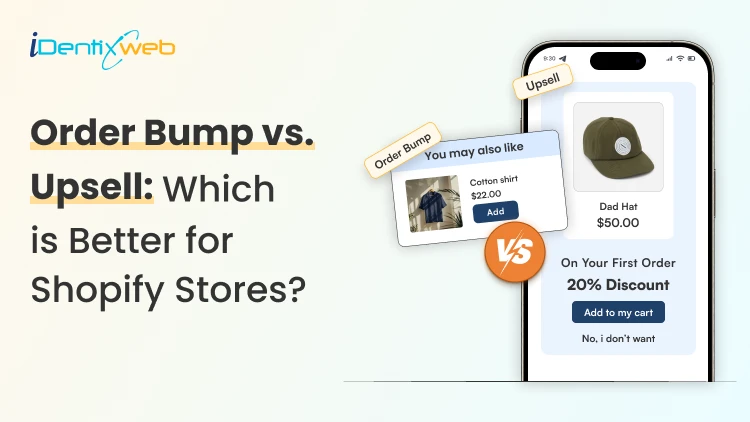
Order Bump vs Upsell for Shopify: Which Converts Better?
Understanding order bump vs upsell is important because both can increase AOV, but they work in different ways. An order bump is a small, low-risk add-on shown close to checkout, while an upsell encourages the customer to choose a better, bigger, or higher-value option at different stages of the buying journey. Order bumps are usually easier to test first, while upsells tend to work better once you have clearer product data and stronger buying patterns. Most Shopify store owners put all their energy into getting the first sale. But they miss one thing… Simple ways to increase AOV once a shopper is already ready to buy. That is where the difference between order bump vs upsell becomes an important decision. I have worked with Shopify stores that use both. The better option depends on when the offer shows up and how easy it feels for the customer to accept it. In this guide, I will break down what an order bump and upsell are, share a few practical examples, and explain the real difference between the two. What is an order bump? It is a small extra offer shown when a customer is close to completing a purchase. Order bumps are a quick add-on that appears near checkout and gives the buyer a chance to include one more related item before paying. It works best right before payment, because that is the moment when the customer has already decided to buy. For new stores, I can guarantee this is one of the easiest ways to increase AOV. Order bump examples for Shopify stores Order bump examples can be best seen in electronics stores, for example, if someone is buying a phone, offering a phone case near checkout makes sense. If they are buying a gift item, a wrap is an easy add-on. In apparel, stain protection can feel like a useful add-on. For fragile items, shipping protection is another common order bump because it matches the buyer’s concern right before payment. These offers work because they do not ask the customer to rethink the whole purchase. What makes an order bump effective? Keeps the decision simple for the customer Has a low price compared to the main purchase Feels closely related to the product already in the cart Does not create extra decision fatigue Apps to add order bump in your store SellMore Post Purchase Upsell is one option that supports checkout upsells, one-click add-ons, bundles, and post-purchase offers, which makes it useful for stores that want to test different ways to lift AOV. What I like here is that it is not limited to just one placement. SellMore can show offers on checkout, post-purchase, thank you, and order status pages. The best part is that it also includes analytics, which helps when I want to see which offers are actually working instead of guessing. What is an upsell? An upsell is an offer that encourages a customer to choose a better, bigger, or more valuable version of the product. Instead of adding a small extra item, an upsell tries to increase the value of the main purchase itself. Upsells can appear at different stages of the buying journey. I've seen them work on the product page, cart, checkout, and the thank-you page. What's the difference between upsells at? Cart, checkout, or thank you page. Check out which upsell placement is best for your store. Common upsell examples in Shopify Someone viewing a standard smartphone can be offered a premium version with added features. A single product can be turned into a bundle upgrade with related items included. Some stores also use BOGO offers to increase quantity. Post-purchase one-click add-ons are another strong example, because they let the customer accept an extra offer without going through the full checkout again. Best apps to add upsells in your store When I want to add upsells before checkout, iCart Cart Drawer Cart Upsell is one of the apps I would look at. It supports cart upsells, checkout upsells, product page upsells, one-click add-ons, bundles, and product recommendations. What makes it useful for upsell testing is the flexibility around placement and offer type. Order bump vs upsell: Key differences Difference #1: Timing in the buying journey The biggest difference in order bump vs upsell starts with timing. An order bump usually appears right before the customer completes checkout. An upsell can appear earlier or later in the journey. Upsells work best in the cart, but you can also add them at the product page, at checkout, and after the purchase. That gives more flexibility, but it also changes how the customer responds to the offer. Difference #2: Offer size and price point Order bumps are small and low-risk. They are meant to feel like a light add-on that does not make the customer pause. Upsells are bigger-value offers compared to the main item. They can involve a premium version, a larger pack, a bundle, or a higher-spend option. Difference #3: Goal of the offer The goal of an order bump is to add one extra item to the order without changing the main purchase too much. The goal of an upsell is to try to increase the value of the main purchase itself. Instead of adding a side item, it pushes the customer toward a better or bigger buying decision. Difference #4: Impact on conversions Order bumps do not work if the offer feels too expensive, unrelated, or distracting. It can slow the checkout flow and hurt the buying experience. Upsells can also create friction if they appear at the wrong moment. Test upsells at different parts of the customer buying process and stick to the one that gives you the most conversions. Difference #5: Best-fit products Order bumps are best for products like accessories, simple add-ons, warranties, gift wrap, or protection offers. These are items that support the main purchase without changing it too much. Upsells fit products where the customer can move to a better version. That includes premium products, bundles, larger quantities, and upgraded options. Order bump vs upsell: Overview DifferenceOrder BumpUpsellTiming Appears right before the customer completes checkoutCan appear earlier or later in the journey, including the product page, cart, checkout, and after purchaseOffer size and price pointSmall and low-risk add-ons like complementary products or warrantiesA bigger-value offer, such as a premium version or bundlesGoalAdds one extra item to the order without changing the main purchase.Increases the value of the main purchase by pushing a better or bigger optionImpact on conversionsWorks only when the offer feels relevant, affordable, and easy to accept.Needs the right placement and testing, because the wrong moment can reduce conversionsBest-fit productsAccessories, simple add-ons, warranties, gift wrap, and protection offersPremium products, bundles, larger quantities, and upgraded versions So, in the end, which one is better? For new Shopify stores, I think an order bump is often easier to test first. It is simpler to set up, easier for customers to understand, and usually carries less risk. I would choose upsell if your store has more product data and clearer buying patterns. When I know which products pair well and where shoppers are willing to spend more, I can build upsells that feel much more natural and effective. My simple advice here is to install apps and test both options and pick which one suits your brand. FAQs 1. What is an order bump? An order bump is a small, relevant add-on shown at checkout, right before the customer pays. It's a low-friction way to increase AOV because the shopper can add it quickly without rethinking the main purchase. 2. What is the difference between an order bump vs upsell? The main difference is the role each offers. An order bump adds a small extra to the order, while an upsell pushes the customer toward a better, bigger, or higher-value version of what they already plan to buy. 3. What is the best upsell app for Shopify? If I want flexible upsell placement before checkout, iCart Cart Drawer Cart Upsell is a great option. For post-purchase upsells, I would go with SellMore. 4. Which app is the best to add an order bump to your Shopify store? If your goal is to add order bumps through checkout and post-purchase flows, I would look at SellMore Post Purchase Upsell. It supports checkout offers like order bumps and checkout upsells for Shopify Plus, along with post-purchase, thank you page, and order status page offers.
7 Min • 15 April 2026
How to Connect AliExpress to Shopify? (A Definitive Guide to Import Products & Sell)
The best method is to install apps like DSers or AutoDS on Shopify, connect your store inside the app, and then authorize your AliExpress account so both systems work together. When I talk to Shopify dropshipping store owners, most use AliExpress for business. So the question of how to connect AliExpress to Shopify comes up a lot. The good news is that the setup is simple. You do not manually connect your Shopify dropshipping with AliExpress inside your store settings. The usual setup is through using Shopify + DSers or AutoDS + AliExpress. I have helped many new store owners with this setup, and my advice is to get the connection right first. Then slow down and clean up every product before you try to sell it. That one habit has saved me a lot of wasted ad spend and weak product pages. In this guide, I will touch upon two things: how to connect AliExpress to Shopify and how to import products from AliExpress to Shopify. When is connecting to AliExpress good for Shopify stores? This setup makes sense when you want to: Test products before buying stock Start with a lower budget Build your first dropshipping store quickly Validate a niche before going deeper This setup may not be ideal when you want: Full branding control from day one Faster shipping on every order Custom packaging A premium store model right away That is why I usually recommend Shopify dropshipping with AliExpress for testing, not for building a store with dozens of weak products. What you need before connecting AliExpress to Shopify 1. A Shopify store ready to use Your store should already have: A working theme Payment settings checked Shipping settings reviewed Basic pages like contact, shipping, and refund policy 2. An AliExpress account You need a working AliExpress account that you can log into. 3. A dropshipping app like DSers My standard workflow is using dropshipping apps like DSers. It helps you connect to Shopify, link to AliExpress, import products, and manage the product flow before publishing. New to dropshipping? Here's a complete guide to dropshipping for beginners in 2026. How to Connect AliExpress to Shopify (Step-by-step Guide) Step 1: Install DSers or AutoDS Go to the Shopify App Store, search for DSers or AutoDS, and install it. Approve permissions so the app can work with your store. Step 2: Create your DSers or AutoDS account I use DSers for connecting. Once DSers opens, create your account. This is the system that manages your Shopify to AliExpress workflow. You can complete this account setup during installation itself. Step 3: Link your Shopify store inside the app After logging in, the app will ask you to connect your Shopify store. Choose the correct store and authorize it. I recommend checking these settings after the connection is complete. Store status Store currency Time zone Basic store details Step 4: Connect your AliExpress account Now connect your AliExpress account with the app. This allows apps like DSers to work with AliExpress products and support the import process. Step 5: Install the DSers Chrome extension I strongly suggest doing this. The Chrome extension makes the process faster because it lets you work directly from AliExpress product pages. I recommend the extension for quicker one-click importing and smoother sourcing. Step 6: Test the connection before importing products Before adding anything to your store, confirm that: Your Shopify store is active in DSers Your AliExpress account is connected properly Your settings look correct Nothing is showing an error status How to import products from AliExpress to Shopify? Step 1: Find products that fit your store Do not start by importing random products. Start with products that: Fit the same niche Look relevant to the same audience You can create bundles with Step 2: Add the product to your DSers import list When you find a product on AliExpress, use the DSers Chrome extension or the import option inside DSers to send it to your Import List. Imported products first land there. You need to review and edit them before pushing them to Shopify. Step 3: Edit the product before pushing it live Do not publish the raw AliExpress listing as it is. It is always worth improving supplier photos and descriptions before listing products in your store. Clean up these parts first: Title: rewrite it so it sounds clear and natural Description: make it benefit-focused and easier to read Images: remove low-quality or repetitive images Variants: remove unnecessary options that confuse buyers Pricing: make sure your margin still makes sense Step 4: Push the product to Shopify Once the product details are cleaned up, push it to your Shopify store. If you are using DSers, this happens after the item is prepared inside the Import List. After pushing it, open the product page in Shopify and check everything again. Step 5: Review the product page like a customer When you load the product page, ask yourself these questions. Is the product clear in the first few seconds? Do the images look believable? Is the offer easy to understand? Are shipping details clear enough? Does the page look good on mobile? Important tips while connecting Shopify to AliExpress Keep your catalog small If you are linking your Shopify dropshipping to AliExpress for the first time, do not add too many products. A small, focused catalog looks better and is easier to manage. Check shipping before publishing Always review shipping times before you list a product. A good product with bad delivery expectations can still hurt your store. I always use apps like Stellar Delivery Date & Pickup. This app helps me show estimated delivery dates and manage delivery rules more clearly. Review your pricing carefully Check your costs, shipping, and margins before making your Shopify dropshipping store live. Think like a brand, not just a reseller This is a good tip that I learned the hard way. The product may come from AliExpress, but your storefront should still feel like your own business. My Final take on linking Shopify dropshipping with AliExpress In my experience, the connection part is simple once you follow the right process. Just use the right Shopify dropshipping apps, import products that fit the same niche, and review all the product details before making it live. The real difference comes once your dropshipping store is published. Make sure to edit every listing and keep your store focused on one niche. That is what gives new Shopify dropshipping owners a much better chance to sell. FAQs 1. Can you dropship from AliExpress to Shopify? Yes. You can dropship from AliExpress to Shopify. 2. How to connect AliExpress to Shopify? The standard method is to install apps like DSers or AutoDS on Shopify, connect your store inside DSers, and then authorize your AliExpress account so both systems work together. 3. How to import products from AliExpress to Shopify? The easiest way is to use DSers and its Chrome extension to send products from AliExpress into your DSers Import List. From there, you can edit the product details before pushing the product to your Shopify store. 4. How to add reviews from Shopify to AliExpress? You need to add reviews from AliExpress to your Shopify store. Shopify reviews apps like JudgeMe and Ali Reviews Importer are built to pull AliExpress reviews into your Shopify store. 5. How to automate Shopify with AliExpress? Automation usually happens through a tool like DSers, which helps sync orders, speed up fulfillment, and keep tracking updates moving through the workflow.
6 Min • 14 April 2026
Shopify White Label Explained: How It Works & Who Needs It
Here's a situation you've probably been in: A client wants a fully customized Shopify store. Your marketing agency doesn't have Shopify developers in-house. You either turn the project down or you overpromise. Sound familiar? That's exactly the problem Shopify white label solves. And yet, most merchants and agency owners don't fully understand what it means, who it's for, or how to use it without getting burned. This guide breaks it all down. What is Shopify White Label and Why Does It Matter? White labeling isn't a new concept. Retailers have done it with physical products for decades. Supermarkets sell "store brand" products that are made by outside manufacturers but packaged with their own label. The concept is identical in the digital world. In the context of ecommerce, Shopify white label refers to a model where one company (a development agency or freelance team) builds or manages Shopify stores or services, which are then rebranded and sold by another company as their own offering. Let's say you run a digital marketing agency. A client asks if you can build their Shopify store. You don't have a developer, but you do have a white label partner. They build the store, you review and deliver it, and your client thinks your team did the whole thing. Everyone wins. White Label vs. Reselling vs. Outsourcing - What's the Difference? These three terms often get confused, but they're meaningfully different: White Label Work delivered under your brand Client never knows about the third party You control pricing and relationship You build your own reputation Outsourcing / Reselling Third party may be visible to client Less control over branding Often, a one-time arrangement You may just be passing work along How Shopify White Label Development Works Understanding the mechanics helps you make smarter decisions about whether and how to use it for your business. Here's how the process typically flows: You receive a project brief from your client A merchant, brand, or business reaches out to you needing a Shopify store built, redesigned, or optimized. You scope the requirements features, integrations, timeline, budget. You pass the brief to your white label partner You share the specs with your white label Shopify development partner under a Non-Disclosure Agreement (NDA). They remain invisible to your client throughout. The white label team builds or delivers the work Depending on the scope, this could include theme development, custom app integration, Shopify Plus configuration, store migration, or ongoing maintenance. You review, refine, and deliver to your client You QA the work, add your branding to reports or documentation, and present it as your agency's output. Your client sees only your logo and your communication. You invoice your client at your own rate You set your own margin. Your white label partner charges you their rate. The difference is your profit no cap, no commission-sharing. Who Actually Needs White Label Shopify Services? The honest answer? More businesses than you'd expect. Let's break down the profiles of people who gain the most from white label Shopify services. Digital Marketing Agencies You're great at traffic and ads, but clients want a full-service shop. White label fills the technical gap without hiring a developer. Web Design Studios You design beautiful stores but lack Shopify coding expertise. White label developers bring your designs to life in production-ready code. SaaS or App Companies You have a product but need a polished Shopify integration or demo store. A white label team handles it without distracting your core dev team. Merchants Scaling Fast You're growing quickly and need store customizations faster than your internal team can deliver. White label teams scale with your demand. IT Consultancies You advise on tech strategy but don't build. White label development lets you add ecommerce builds to your service portfolio. Freelance Consultants You land bigger projects than you can handle alone. White label partners let you take on enterprise-level work without turning clients away. How to Find the Right White Label Shopify Developers The difference between a white label arrangement that builds your business and one that destroys a client relationship almost always comes down to who you choose. Here's how to find white label Shopify developers you can actually trust. Know What "Good" Looks Like on Shopify Before you can vet a team, you need to understand what excellent Shopify work involves. Learn enough to recognize a clean Liquid theme, a well-structured custom app, or a properly configured Shopify Plus checkout. You don't need to code it but you should be able to identify when something is done right. Start With Shopify's Official Ecosystem The Shopify Partner Directory and Shopify Experts Marketplace are your first port of call. Agencies listed here have been reviewed by Shopify, have verified reviews, and have demonstrated track records on the platform. Filter by specialization and look for teams with a strong portfolio of stores similar to your clients' needs. Ask These Seven Questions Before You Commit Do you have experience with white label arrangements specifically? Not all developers understand the confidentiality requirements and communication dynamics of white label work. You want someone who has done this before. Can you provide client references from white label projects? They may not be able to share client names, but they should be able to give you agency partners who can speak to the working relationship. What does your quality assurance process look like? A serious developer has a documented QA checklist before delivery cross-browser testing, mobile testing, Lighthouse scores, and checkout flow verification as a minimum. What are your communication protocols and timezone coverage? Understand exactly when they're available, how they communicate progress, and what happens when something urgent comes up outside business hours. Will you sign an NDA that includes non-solicitation of my clients? This is non-negotiable. If they hesitate here, walk away. What's your revision and dispute resolution process? How many rounds of revisions are included? What happens if you and the client disagree on whether a deliverable meets the brief? Can we do a small paid test project first? Any reputable white label team will welcome a small initial project. If they resist, that's a red flag.
Sajini Annie John
5 Min • 3 March 2023
6188 Views
Sajini Annie John
3 Min • 24 February 2023
6175 Views
Nash Ogden
9 Min • 20 February 2023
6488 Views
Sajini Annie John
6 Min • 14 February 2023
5988 Views
Motif Creatives
7 Min • 5 February 2023
5709 Views

burkhard berger
13 Min • 22 January 2023
6187 Views
Sajini Annie John
4 Min • 19 January 2023
5583 Views
Mehul Jagwani
5 Min • 12 January 2023
7041 Views
Mehul Jagwani
9 Min • 11 January 2023
5875 Views
Sajini Annie John
3 Min • 9 January 2023
6423 Views
Mehul Jagwani
6 Min • 3 January 2023
5540 Views

Erika Rykun
7 Min • 31 December 2022
5999 Views