




The best method is to install apps like DSers or AutoDS on Shopify, connect your store inside the app, and then authorize your AliExpress account so both systems work together.
When I talk to Shopify dropshipping store owners, most use AliExpress for business. So the question of how to connect AliExpress to Shopify comes up a lot.
The good news is that the setup is simple. You do not manually connect your Shopify dropshipping with AliExpress inside your store settings. The usual setup is through using Shopify + DSers or AutoDS + AliExpress.
I have helped many new store owners with this setup, and my advice is to get the connection right first. Then slow down and clean up every product before you try to sell it. That one habit has saved me a lot of wasted ad spend and weak product pages.
In this guide, I will touch upon two things: how to connect AliExpress to Shopify and how to import products from AliExpress to Shopify.
When is connecting to AliExpress good for Shopify stores?
This setup makes sense when you want to:
- Test products before buying stock
- Start with a lower budget
- Build your first dropshipping store quickly
- Validate a niche before going deeper
This setup may not be ideal when you want:
- Full branding control from day one
- Faster shipping on every order
- Custom packaging
- A premium store model right away
That is why I usually recommend Shopify dropshipping with AliExpress for testing, not for building a store with dozens of weak products.
What you need before connecting AliExpress to Shopify
1. A Shopify store ready to use
Your store should already have:
- A working theme
- Payment settings checked
- Shipping settings reviewed
- Basic pages like contact, shipping, and refund policy
2. An AliExpress account
You need a working AliExpress account that you can log into.
3. A dropshipping app like DSers
My standard workflow is using dropshipping apps like DSers. It helps you connect to Shopify, link to AliExpress, import products, and manage the product flow before publishing.
How to Connect AliExpress to Shopify (Step-by-step Guide)
Step 1: Install DSers or AutoDS
Go to the Shopify App Store, search for DSers or AutoDS, and install it. Approve permissions so the app can work with your store.
Step 2: Create your DSers or AutoDS account
I use DSers for connecting. Once DSers opens, create your account. This is the system that manages your Shopify to AliExpress workflow. You can complete this account setup during installation itself.
Step 3: Link your Shopify store inside the app
After logging in, the app will ask you to connect your Shopify store. Choose the correct store and authorize it.
I recommend checking these settings after the connection is complete.
- Store status
- Store currency
- Time zone
- Basic store details
Step 4: Connect your AliExpress account
Now connect your AliExpress account with the app. This allows apps like DSers to work with AliExpress products and support the import process.
Step 5: Install the DSers Chrome extension
I strongly suggest doing this. The Chrome extension makes the process faster because it lets you work directly from AliExpress product pages. I recommend the extension for quicker one-click importing and smoother sourcing.
Step 6: Test the connection before importing products
Before adding anything to your store, confirm that:
- Your Shopify store is active in DSers
- Your AliExpress account is connected properly
- Your settings look correct
- Nothing is showing an error status
How to import products from AliExpress to Shopify?
Step 1: Find products that fit your store
Do not start by importing random products.
Start with products that:
- Fit the same niche
- Look relevant to the same audience
- You can create bundles with
Step 2: Add the product to your DSers import list
When you find a product on AliExpress, use the DSers Chrome extension or the import option inside DSers to send it to your Import List.
Imported products first land there. You need to review and edit them before pushing them to Shopify.
Step 3: Edit the product before pushing it live
Do not publish the raw AliExpress listing as it is. It is always worth improving supplier photos and descriptions before listing products in your store.
Clean up these parts first:
- Title: rewrite it so it sounds clear and natural
- Description: make it benefit-focused and easier to read
- Images: remove low-quality or repetitive images
- Variants: remove unnecessary options that confuse buyers
- Pricing: make sure your margin still makes sense
Step 4: Push the product to Shopify
Once the product details are cleaned up, push it to your Shopify store. If you are using DSers, this happens after the item is prepared inside the Import List.
After pushing it, open the product page in Shopify and check everything again.
Step 5: Review the product page like a customer
When you load the product page, ask yourself these questions.
- Is the product clear in the first few seconds?
- Do the images look believable?
- Is the offer easy to understand?
- Are shipping details clear enough?
- Does the page look good on mobile?
Important tips while connecting Shopify to AliExpress
- Keep your catalog small
If you are linking your Shopify dropshipping to AliExpress for the first time, do not add too many products. A small, focused catalog looks better and is easier to manage.
- Check shipping before publishing
Always review shipping times before you list a product. A good product with bad delivery expectations can still hurt your store.
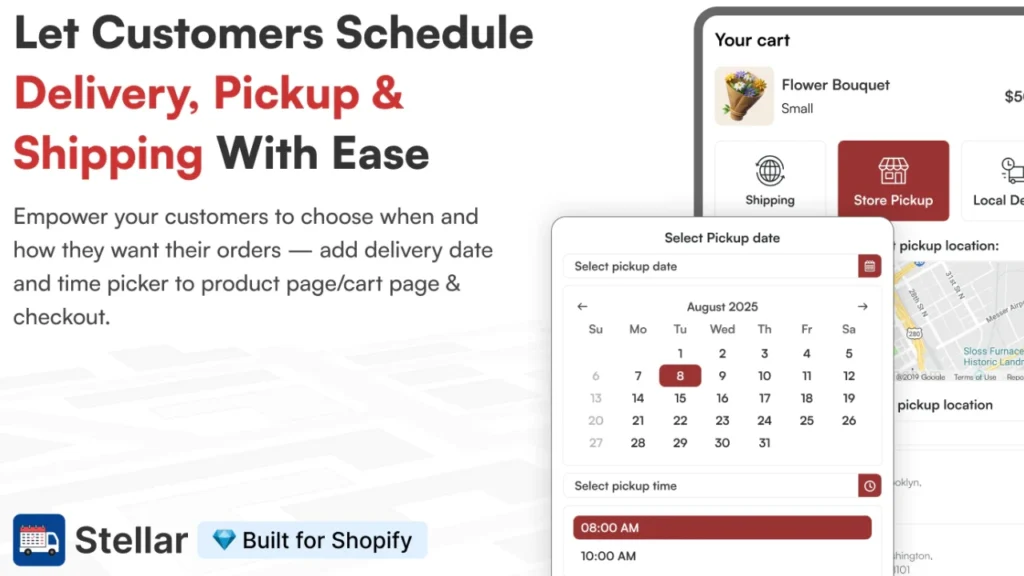
I always use apps like Stellar Delivery Date & Pickup. This app helps me show estimated delivery dates and manage delivery rules more clearly.
- Review your pricing carefully
Check your costs, shipping, and margins before making your Shopify dropshipping store live.
- Think like a brand, not just a reseller
This is a good tip that I learned the hard way. The product may come from AliExpress, but your storefront should still feel like your own business.
My Final take on linking Shopify dropshipping with AliExpress
In my experience, the connection part is simple once you follow the right process. Just use the right Shopify dropshipping apps, import products that fit the same niche, and review all the product details before making it live.
The real difference comes once your dropshipping store is published. Make sure to edit every listing and keep your store focused on one niche. That is what gives new Shopify dropshipping owners a much better chance to sell.
FAQs
1. Can you dropship from AliExpress to Shopify?
Yes. You can dropship from AliExpress to Shopify.
2. How to connect AliExpress to Shopify?
The standard method is to install apps like DSers or AutoDS on Shopify, connect your store inside DSers, and then authorize your AliExpress account so both systems work together.
3. How to import products from AliExpress to Shopify?
The easiest way is to use DSers and its Chrome extension to send products from AliExpress into your DSers Import List. From there, you can edit the product details before pushing the product to your Shopify store.
4. How to add reviews from Shopify to AliExpress?
You need to add reviews from AliExpress to your Shopify store. Shopify reviews apps like JudgeMe and Ali Reviews Importer are built to pull AliExpress reviews into your Shopify store.
5. How to automate Shopify with AliExpress?
Automation usually happens through a tool like DSers, which helps sync orders, speed up fulfillment, and keep tracking updates moving through the workflow.




About the author
Vineet Nair
Vineet is an experienced content strategist with expertise in the ecommerce domain and a keen interest in Shopify. He aims to help Shopify merchants thrive in this competitive environment with technical solutions and thoughtfully structured content.