

Author: Vineet Nair
Gather knowledge about the latest insights, updates, tips, and tricks in the Ecommerce industry.

5 Min • 20 March 2026
How Anua Unlocked 5X AOV Growth with iCart’s Smart Cart Features
delivery customization Challenges Solutions drive results Scale business delivery customization Challenges Solutions drive results Scale business delivery customization Challenges Solutions drive results Scale business delivery customization Challenges Solutions drive results Scale business Anua is a globally recognized Korean skincare brand known for its minimalist philosophy and focus on gentle yet effective formulations. Built on the idea of simplifying skincare routines, Anua develops products that deliver visible results while avoiding harsh or irritating components, making them suitable for sensitive skin types. Initially using a traditional full cart experience, Anua transitioned to iCart’s side cart solution in August 2025, to create a more seamless and engaging shopping journey. This shift allowed customers to easily explore complementary skincare products without disrupting their browsing flow, making it more intuitive to discover items that fit into a complete routine. By surfacing relevant recommendations directly within the cart, the brand enhanced product visibility across its range. Challenges Before implementing iCart’s side cart solution, Anua faced limitations with their existing full cart experience, which created friction in the customer journey. The traditional cart setup redirected users away from product pages, interrupting their browsing flow and reducing opportunities to explore additional products. As a skincare brand built around routines rather than single-item purchases, this made it difficult to effectively showcase complementary products and encourage customers to build complete regimens. Additionally, the lack of in-cart personalization and strategic upsell opportunities meant that customers were often unaware of related products that could enhance their skincare results. This limited the brand’s ability to increase average order value (AOV) and fully leverage its diverse product range. Anua needed a more dynamic and intuitive cart experience that could seamlessly introduce relevant recommendations while maintaining a smooth and engaging shopping journey. ❌ Cart Value Barriers Low average order value (AOV) due to single-item focus Most customers completed purchases with one primary product instead of building multi-step routines. Cart abandonment near shipping thresholds Customers were not clearly informed or motivated to reach free shipping or discount thresholds. Missed savings opportunities Customers were unaware of potential value in purchasing bundled routines or multiple complementary products. ❌ Absence of Progress-Based Incentives No free shipping or discount progress bar Customers were not motivated to increase their cart value due to lack of visible incentives. Missing tiered rewards system There were no structured milestones (e.g., “Spend more to unlock offers”), reducing upsell opportunities. ❌ Ineffective Cart UI/UX (Pre-Side Cart) Full-page cart disrupted shopping flowCustomers had to leave their browsing journey, increasing friction and drop-offs. No quick add/remove functionality Users couldn’t easily modify their cart or add suggested products without navigating away. Solution To overcome these challenges, Anua implemented iCart’s side cart solution to transform their traditional cart into a high-converting, interactive experience. By replacing the full-page cart with a seamless side cart, the brand ensured that customers could continue browsing while viewing their cart, significantly reducing friction in the shopping journey. Additionally, features like product recommendations & progress bars for free shipping and discounts motivated customers to increase their cart value. By combining personalization, incentive-driven messaging, and a user-friendly interface, Anua successfully turned their cart into a powerful revenue-driving touchpoint rather than just a checkout step. To maximize their cart effectiveness, they implemented two powerful features: ✅ Progress Bar with Multi-Reward Incentives Implemented a tiered progress bar to encourage higher cart value Customers are guided with a clear message like “Add $3.10 to unlock secret offer,” motivating them to continue adding products. Generated over $5M+ in revenue through incentive-driven cart progression Used product-based rewards to align with customer intent Instead of generic discounts, Anua incentivized purchases with relevant skincare items like Dark Spot Pads and mini serums. Built visual motivation for routine expansion As customers add products, they can clearly track progress toward unlocking multiple rewards, encouraging them to build a complete skincare routine. ✅ Product Recommendations Implemented “Frequently Bought Together” recommendations Customers adding a single product (e.g., toner) are shown complementary items like serums, moisturizers, or pads to complete their routine. Generated over 275K revenue through in-cart recommendations Encouraged full skincare regimen building Instead of isolated purchases, the cart suggests step-by-step product combinations aligned with common skincare routines. Increased product discovery at the final stage By surfacing relevant items directly in the cart, Anua ensured customers explore more of their catalog without leaving the checkout flow. Results Achieved in Last 180 Days 22932 Total Store Orders 45101 Total iCart Orders 5X iCart Generated AOV 65.70% Upsell Affected Conversion Rate These improvements reflect a clear shift in customer behavior on Anua’s store. Cart abandonment reduced as shoppers discovered complementary skincare products and felt encouraged to build complete routines. Engagement also increased, with customers interacting more with in-cart recommendations and exploring relevant product pairings. Results & Impact And...Results is Our Main Clarification By implementing iCart’s cart drawer, product recommendations, and progress bar, Anua transformed its cart into a high-performing conversion touchpoint. Shopping Experience Enhancement The improved cart experience encouraged customers to discover complementary products and understand the value of sustainable beauty routines. For instance, the clear presentation of subscription savings alongside one-time purchase options helped customers make more informed decisions about their long-term hair care needs. As Anua continues to optimize its cart experience, the brand is closely monitoring: Routine-based purchasing behavior - tracking how customers move from single items to multi-step regimens Engagement with in-cart recommendations - measuring interaction with suggested products Cart value progression - analyzing how incentives influence higher spending [related_cases_slider] Ready to Write Your Success Story? Try icart App Join successful businesses like Anua and Master your delivery scheduling Delight customers with precise timing Grow your special occasion orders Expand your delivery reach
Read Blog
10 Min • 14 August 2026
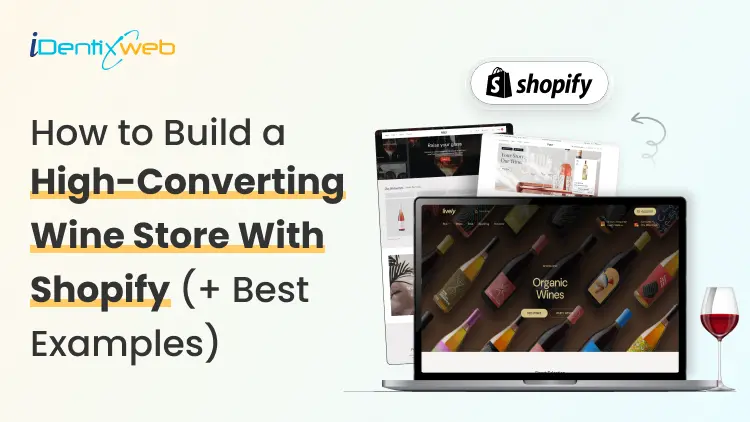
Shopify for Wineries: Features, Costs, Themes, and Examples for Selling Wine
Shopify gives wineries the core tools to sell wine online and in person, including a customizable storefront, secure checkout, Shopify POS, local pickup, subscriptions, and app integrations. Wine stores should also add age verification, product filtering, cross-selling, recommendations, memberships, wine clubs, and product allocations. Advanced wine-specific compliance, shipping rules, and club management typically require dedicated third-party apps alongside Shopify. If you're looking at Shopify for your winery in 2026, chances are you're trying to work out whether Shopify can handle the way a wine business operates. That means more than selling bottles online. You have age verification, state-by-state shipping restrictions, carrier requirements, wine clubs, subscriptions, POS, and compliance tools. I've spent the last few years working with Shopify wine stores, wine-specific apps, shipping requirements, carrier rules, and the limitations wineries are most likely to run into. In this guide, I'm breaking down what Shopify for wineries actually costs, what you'll need to make it work, and where it still falls short before you commit to a migration. Can I sell wine on Shopify? Yes, and Shopify publishes the rules You can sell wine on Shopify. Shopify maintains a dedicated alcohol compliance page in its Help Center covering the US, Canada, the EU, the UK, Australia, and New Zealand. For US merchants, Shopify lists four common requirements: Acquire and maintain every license needed to produce, market, sell, and deliver your products. Stay in full compliance with license requirements, including record-keeping. Run effective age verification so alcohol can't be bought or received by anyone under 21. Ship in full compliance with the laws of both your state and your customer's state. California sellers can also display a Prop 65 alcohol warning through Shopify's product disclosures feature. If you're new to the platform generally, my beginner's guide to how Shopify works covers the basics before you start your wine store. Selling wine on Shopify: The real monthly cost A Shopify wine store with one tasting room can realistically run $140 to $370+ a month in software before card fees. The Shopify plan itself is one of the smaller line items. Compliance can become the highest cost. Here's how the stack builds up on current 2026 US pricing: Shopify Basic is $19/month, or $14 billed annually. Grow is $52/month, or $39 annually. Advanced is $399/month, or $299 annually. Shopify's standard POS features are included with its plans. POS Pro is $89/month per location, or $79/month with annual billing. DRINKS ASSURE, the established alcohol tax and compliance app, is $250/month plus 1% of sales above $25,000. This comes with custom pricing above $200,000 in monthly sales and extra fees for third-party age verification. Wineport, a newer DTC wine compliance app. This runs $49/month for a single winery or $99/month for multi-brand, with a 15-day trial and agency-verified excise rates for 44+ states. Shopify's native Subscriptions app is free, which can cover straightforward recurring wine orders but isn't a replacement for a full winery-specific club and hospitality platform. Shopify for wineries: Online sales features you should have Wine subscriptions and recurring orders Shopify’s free Subscriptions app can handle straightforward recurring wine purchases, making it useful for repeat orders or simple subscription programs. Age verification Age-verification features can help stop underage visitors from entering the storefront. Wineries may need dedicated verification tools or checkout validation rules. Local pickup and tasting room sales If you sell both online and from a physical winery or tasting room, Shopify supports local pickup and Shopify POS. Product filtering and wine discovery Wine shoppers often browse by type, vintage, collection, price, or other bottle attributes. Strong product filtering and search make it easier for customers to find the right wine. Wine clubs, memberships, and allocations More established wineries may need features beyond basic subscriptions, including member pricing, loyalty tiers, club benefits, product allocations, and referrals. Shopify can support these through third-party apps like Winehub Commerce. Does the age-verification pop-up work? That pop-up asking visitors whether they're 21 is useful as a storefront warning. But it isn't the same thing as verifying someone's age. Most age-verification apps simply remember that a visitor clicked "Yes" using a cookie. That becomes even less reliable when customers reach checkout through custom storefronts. For rules that actually need to stop an order, Shopify's stronger option is Cart and Checkout Validation Functions. These validations run on Shopify's servers and can block checkout when a requirement isn't met. Shopify even lists age or ID verification as a use case. If you're building custom checkout rules yourself, my guide to how Shopify Functions work covers the architecture for customizing checkout. Best Shopify wine store examples for inspiration Splash Wines What I liked about Splash Wines is how quickly the store gets the important details out of the way. Its welcome pop-up asks visitors to select where they are shipping and confirm that they are 21 or older before they start shopping. The main navigation is also very purchase-focused, with options such as Curated Cases, Build Your Own Case, and Subscriptions. Robert Mondavi Winery The Robert Mondavi Winery store feels more like a premium winery experience than a typical ecommerce site. I liked how the navigation keeps things simple with Story, Shop, Visit, and Club, making it easy for someone to move between buying wine and exploring the physical winery experience. The homepage also gives equal importance to the brand story, estate visits, wine collection, and wine club. The Prisoner Wine Company What stands out about The Prisoner Wine Company is its bold, product-first approach. The homepage moves visitors quickly from its seasonal message into Best Sellers, with clear labels such as Best Seller, Exclusive, and New Release. I also liked how ecommerce and the winery experience are connected. Alongside wine shopping, visitors can explore tastings, events, and pairing experiences. SommPicks SommPicks does a great job with navigation for a store carrying a very large wine catalogue. Shoppers can browse by wine type, country, region, producer, and vintage, while the search bar specifically encourages searches by wine, region, or producer. I particularly liked the separate Producer Index and Vintage Index, which make exploring thousands of wines much easier. Choosing a Shopify wine theme Shopify's own Theme Store now has a theme built specifically with wineries in mind. Vincent Vincent, particularly its Oakland preset, is designed for wineries, vineyards, liquor, and wine stores and currently costs $340 USD. It includes a built-in age verifier without requiring a separate app and supports taste charts to make wine discovery easier. Area Area’s Winery preset comes with a built-in age verifier and advanced product filtering and search, both useful for wine stores. It also supports in-store pickup, which is useful for wineries selling both online and from a tasting room. Price: $100 USD Local Local’s Lively preset is designed specifically with food, beverage, and local retail businesses in mind. Its age verifier adds a 21+ entry check, while cross-selling and recommended products can help wineries suggest another bottle, complementary product, or gift alongside the shopper’s original choice Price: $380 USD Loka Pour is a wine-focused preset designed for wine, champagne, and premium bottle brands. Its age verifier gives wineries a built-in age-gate option, while product filtering and wine-focused collection layouts make it easier for shoppers to browse bottles by attributes such as vintage or collection. Price: $140 USD What Shopify can't do for a wine store? Shopify can run the storefront, checkout, and POS side of a wine business. But some of its biggest discovery channels still have limits around alcohol. Start with Shop. Age-restricted products, including alcohol, are prohibited on the Shop app. Your winery can still sell wine through its own Shopify storefront, but those products aren't eligible to be sold through Shop. Shopify's Agentic Storefronts can send eligible catalog data to ChatGPT, Microsoft Copilot, Google AI Mode, and Gemini. But each destination applies its own product rules. For example, OpenAI currently prohibits age-restricted products such as alcohol from ChatGPT commerce, and Google also excludes products requiring ID verification, including alcohol and tobacco, from direct purchases in AI Mode and Gemini. My breakdown of the Shopify Spring '26 Edition covers how Agentic Storefronts and the wider Catalog infrastructure work. The Right Setup Goes Beyond the Theme For wineries, the final Shopify setup often involves combining the storefront with apps and custom configurations for subscriptions, pickup, shipping, age verification and other wine-specific requirements. Identixweb provides Shopify store design and development around these operational needs instead of relying only on a standard theme setup. Before you launch: Wine compliance basics Shopify lets you sell wine online, but your winery is responsible for meeting the alcohol laws that apply where you operate and ship. Before launching, make sure you have the required licenses, age-verification process, and shipping setup for the states or regions you serve. Wine shipping rules can vary by location, and carriers such as UPS and FedEx also have specific requirements for licensed alcohol shippers. Once you're choosing carriers, my roundup of Shopify shipping apps covers label printing, shipping workflows, and carrier-calculated rates inside Shopify. Shopify for wineries: Deciding before December Shopify makes the most sense when you want more design freedom, a flexible app stack, and costs that don't rise as sharply with DTC revenue. I would ask three things before starting my Shopify wine shop What's your DTC revenue? How complex is your wine club? And who will own compliance when state rules change? Get your permits and compliance setup sorted before worrying about the perfect theme. A beautiful Shopify store is no help if your shipping rules aren't ready on launch day. FAQs 1. Can I sell wine on Shopify? Yes. Shopify allows alcohol sales, but you are responsible for meeting the licensing, age-verification, shipping, record-keeping, and other legal requirements in every jurisdiction where you sell. Alcohol products are prohibited from the Shop sales channel, so wine should be sold through your Shopify storefront. 2. What are some online sales features if I open a Shopify winery? A Shopify winery can use subscriptions for recurring wine orders, in-store pickup, Shopify POS, product filtering, cross-selling, recommended products, and age-verification features through compatible themes and apps. 3. Is Shopify good to start a wine store? Yes, especially if you want control over your storefront design, ecommerce experience, POS, and app integrations. The con is that Shopify is not winery-compliance software by itself, so you still need the right licenses, age-verification setup, shipping rules, and a dedicated compliance solution. 4. Which are the best Shopify wine themes to start my store? Three strong options in the Shopify Theme Store are Area – Winery ($100), Local – Lively ($380), and Loka – Pour ($140). All three include built-in age verifiers. Area focuses on conversion and product discovery. Local is strong for wineries combining ecommerce with physical locations, and Pour is designed specifically around wine and champagne merchandising. 5. What is Shopify Winehub Commerce? Winehub Commerce is a third-party Shopify app, built specifically for wine and beverage DTC businesses. It adds wine clubs, subscriptions, loyalty and membership tiers, product allocations, referrals, Shopify POS integration, and integrations with services such as ShipCompliant.
7 Min • 19 August 2026
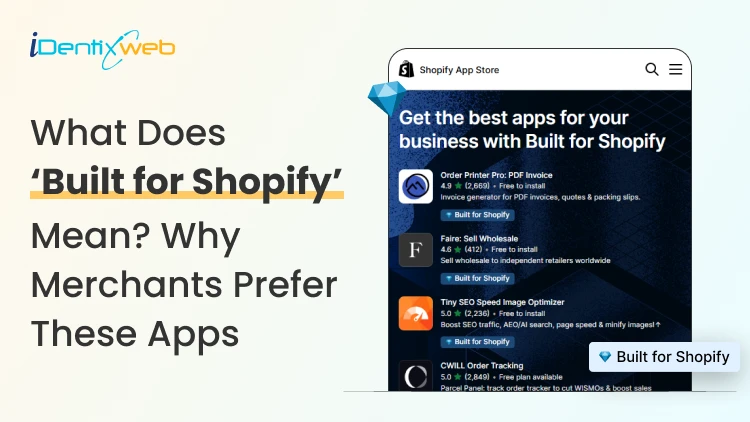
Built for Shopify Apps Benefits: What Merchants Gain from the Badge
Built for Shopify apps give merchants a stronger quality signal when choosing apps. They are evaluated against Shopify’s standards for performance, design, integration, usability, and ongoing compliance. Benefits for 'Built for Shopify' apps include smoother admin workflows, simple storefront integration, better performance safeguards, and easier app discovery. The Shopify App Store gives merchants thousands of ways to add features that Shopify does not provide by default. The difficult part is deciding which app to install to make your life easier. That is where the Built for Shopify badge helps. It is Shopify's highest level of recognition for apps that meet its quality standards. Built for Shopify apps have their benefits, but it's more than that. That being said, I would not just choose an app because it has the badge. I would use it as a strong first filter, then compare functionality, pricing, reviews, support, permissions, and compatibility. What does Built for Shopify mean? Built for Shopify, often shortened to BFS, is Shopify's quality program for apps distributed through the Shopify App Store. Apps that earn the status must meet requirements such as performance, integration, design, App Store compliance, merchant adoption, reviews, and category-specific criteria. Shopify describes Built for Shopify as the highest level of recognition and achievement an app can reach. The badge appears on qualifying app listings and app cards in search results and category pages. Merchants can also filter App Store results to show only Built for Shopify apps. Above is an app, Delivery Date & Pickup Stellar. You can see it has a Built for Shopify badge just below its name. I’ve worked closely with Shopify merchants and been involved in developing Shopify apps around real store requirements. I know how much difference a well-built app can make to day-to-day store management. Built for Shopify apps: Benefits for merchants 1. You get a faster way to shortlist better apps Several apps offer similar features. The Built for Shopify badge helps you to filter apps that are helpful in a specific category. Instead of comparing every app only by listing content, pricing, and reviews, you can use the badge to quickly identify apps that meet Shopify's standards. It makes the selection process much easier. 2. You reduce the risk of choosing an app that hurts store performance Every app you install can affect your storefront or Shopify admin experience. Built for Shopify apps must meet Shopify's performance requirements. This includes limits around storefront and admin Web Vitals. For you as a merchant, this means the app has been evaluated against measurable performance standards rather than relying only on the developer's claims. 3. You get an app that feels more familiar inside Shopify Built for Shopify apps are expected to follow Shopify's UX and design standards. This includes clear navigation, responsive layouts, familiar controls, and admin behavior. For you, that can mean less time figuring out where settings are located and a smoother experience for team members navigating through the admin panel. 4. You can manage more of the app without leaving Shopify One of the biggest benefits of choosing a Built for Shopify app is better Shopify integration. Shopify expects the primary functionality of an embedded BFS app to work inside the Shopify admin where applicable. That means you are less likely to depend on completely separate dashboards for everyday tasks. If you use multiple apps, this will make daily store management more organized and easier to follow. 5. You get cleaner storefront installation and removal Apps that add storefront features can create problems if they make unnecessary changes to your theme. Built for Shopify requirements encourage apps to use Shopify's current extension architecture, including theme app extensions. These extensions are made to integrate more easily with themes and are removed when the app is uninstalled. For you, that means less risk of being left with unnecessary storefront elements after removing an app. 6. You choose apps that already have real merchant usage An app cannot qualify for the Built for Shopify badge without meeting Shopify's merchant adoption and review requirements. That means the app must already have real usage across active stores before it can earn the badge. For you, this provides confidence that the app has been used by actual merchants. 7. You get a quality signal that Shopify continues to review The Built for Shopify badge does not stay forever with the app. Shopify continues to monitor requirements and reviews BFS apps over time. If an app stops meeting the requirements, it can lose its status. This makes the badge more useful because it reflects ongoing compliance with Shopify's standards. Built for Shopify requirements merchants should understand AreaWhat Shopify checksWhy it matters to merchantsPrerequisitesApp Store compliance, Partner standing, installs, reviews, recent ratingGives Shopify merchant usage and quality signals to evaluatePerformanceAdmin Web Vitals, storefront impact, relevant checkout performancePlaces measurable limits around app performanceIntegrationEmbedded workflows, App Bridge, Shopify-based processesKeeps important workflows connected to ShopifyDesignFamiliar UX, responsive layouts, clear navigationMakes everyday app use more predictableCategory criteriaRequirements specific to an app's functionChecks whether apps use Shopify's expected functionality for their categoryOngoing complianceAutomated checks and recurring reviewsRequires apps to continue meeting current standards The exact criteria depend partly on what the app does. For example, a product review app does not necessarily have the same functional requirements as a fulfillment, subscription, returns, or product bundles app. This is why I would avoid one checklist as the complete BFS standard. Shopify maintains detailed developer documentation and updates category criteria as its platform changes. Should I install only ‘Built for Shopify’ apps I will advise this to merchants: A Built for Shopify app is not always the right choice for your store. It might lack an important feature, cost more than your budget, or request permissions you do not want to grant. The badge also should not be interpreted as a guarantee of perfect support, zero bugs, higher conversion rates, stronger SEO rankings, or specific revenue growth. Those outcomes are outside the scope of what Shopify says the BFS badge certifies. I’m also not saying a non-BFS app is automatically a bad app. A newer app might not yet meet the standard for the BFS badge, but it can definitely help your store grow. If budget is a major factor, compare options in my guide to free Shopify apps rather than choosing by badge alone. How to find Built for Shopify apps The simplest method is to look for the Built for Shopify badge on an app listing. You can also use the BFS filter on Shopify App Store search and category pages. That badge should be visible directly on the App Store listing, which makes it easy to verify before installing. Final takeaway The strongest benefit of Built for Shopify apps is the standards behind the badge. Shopify evaluates qualifying apps for performance, design, integration, merchant adoption, App Store compliance, and relevant category requirements. It also reviews these apps over time instead of giving a permanent badge. For merchants, I would use the badge as a shortcut to a better shortlist, not as permission to skip due diligence. Start with BFS apps when suitable options exist, then compare feature fit, permissions, reviews, pricing, support, and compatibility before making the final choice. At Identixweb, we provide Shopify app development services for merchants who need functionality that an existing public app cannot fully cover. FAQs 1. What does Built for Shopify mean? The Built for Shopify badge identifies Shopify apps that meet Shopify's highest quality standards. Shopify evaluates qualifying apps across performance, design, integration, prerequisites, and relevant category-specific requirements. 2. What are the main Built for Shopify requirements? Current requirements include Shopify App Store compliance, good Partner standing, merchant adoption and review criteria, performance thresholds, Shopify admin integration, design standards, simple installation practices, and category-specific rules. 3. Can an app lose the Built for Shopify badge? Yes. Shopify reviews BFS apps and monitors several requirements on an ongoing basis. Apps that stop meeting the criteria and fail to correct the issues can lose Built for Shopify status. 4. Are Built for Shopify apps always better than non-BFS apps? Not in every situation. The badge is a strong quality signal, but merchants should still compare features, pricing, support, permissions, integrations, reviews, and compatibility before choosing an app.
10 Min • 27 August 2026
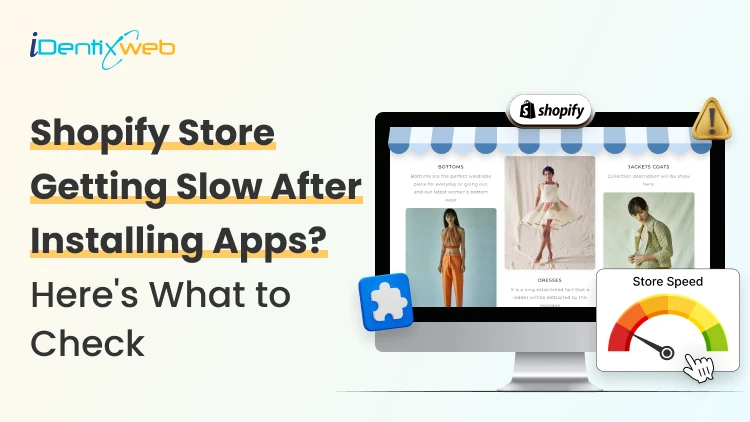
Is Your Shopify Store Slow After Installing Apps? Here’s What to Check
You may have experienced your Shopify store loading slowly just after you have installed a few apps. But owners need apps to run their store. Maybe the store needs product reviews, or they need upselling, a chatbot, a loyalty program, or an analytics app. Individually, each one solves a problem. But after a few installations, the store suddenly feels heavier. Product pages take longer to appear, buttons respond slowly, or content jumps around while loading. This is common when I audit Shopify stores, but I just don't immediately start deleting apps. If you're wondering why Shopify is so slow after adding apps, the first step is to identify what changed on the storefront. Shopify itself lists installed apps, theme code, and manually added third-party code among the major factors that can affect online-store performance. The right approach is to identify what is actually slowing the store, decide whether the app provides enough business value, and then optimize, or remove it. TL;DR: What should you check first? If a Shopify store became slow after installing apps, check: Whether the slowdown started at the same time as an app installation Which apps load JavaScript or CSS on the storefront Whether apps are loading on pages where they aren't needed Whether multiple apps perform the same function Whether app widgets are causing layout shifts Whether previously removed apps left legacy code in the theme There is no number on how many apps a merchant can use. I have seen stores with revenue > $1M use more than 20 apps. What matters is what those apps load and how efficiently they do it. First, I would confirm that the apps are the problem It's always easy to blame the newest app for a slow store. But a Shopify store can load slowly for several reasons at the same time. A theme update, new tracking pixel, oversized media, extra theme sections, or manually added JavaScript. Start with Shopify's own performance data. Go to: Shopify Admin → Online Store → Themes The Themes page includes a performance metric summary for the store's Core Web Vitals. More detailed performance reports are available under: You may not be able to see it if: Your online store is password-protected. The store does not yet have enough real visitor traffic to generate the metrics. You are trying to access the detailed reports without the required Reports staff permission. The detailed reports are available through: Shopify Admin → Analytics → Reports From there, you can search for: Largest Contentful Paint Interaction to Next Paint Cumulative Layout Shift Shopify's Web Performance reports can show performance over time, by page URL, and by page type. They also provide info on changes such as app installations, theme updates, and new code. This makes the report particularly useful when investigating a recent slowdown. One limitation is that this isn't instant monitoring. Shopify says Web Performance data can be delayed by up to 36 hours, so don't expect a change made five minutes ago to immediately appear in the real-user report. For a broader speed audit, my guide on how to speed up a Shopify store covers other common performance problems beyond apps. Know the three performance metrics that matter Shopify currently uses the same three Core Web Vitals Google focuses on: LCP, INP, and CLS. MetricWhat It MeasuresGood TargetWhat Apps Can AffectLCPHow quickly the main visible content loads≤ 2.5 secondsRender-blocking scripts, stylesheets, slow widgets, third-party resourcesINPHow quickly the page responds after interaction≤ 200 msHeavy JavaScript, long-running tasks, multiple interactive widgetsCLSHow much content unexpectedly shifts≤ 0.1Late-loading banners, reviews, popups, badges or other widgets You can check the target number by clicking each report I have mentioned earlier. Here’s my checklist on whether you feel Shopify app bloat in your current store. The complete checklist if you have Shopify App bloat 1. Separate the apps that load on the storefront or backend Not every Shopify app slows down the storefront. Some apps operate almost entirely inside Shopify Admin or in backend workflows. Others directly add content, JavaScript, CSS, tracking, popups, recommendations, reviews, or widgets to customer-facing pages. Start by separating installed apps into two groups: Storefront-impacting apps Examples of these apps include reviews, upsells, chat, personalization, recommendations, subscriptions, popup tools, search widgets, badges, analytics, and visual merchandising features. For example, Anua, a Korean Skincare brand, uses iCart, an upsell app, to show upselling products in their cart. Backend/admin apps Examples might include certain reporting, inventory, workflow, fulfillment, or administrative tools that don't need to render customer-facing code. This immediately narrows down where to investigate. 2. Look for too much JavaScript JavaScript is one of the first places I check if I feel too many apps are slowing down your store. Apps can use JavaScript for: Recommendations Sliders Popups Cart drawers Reviews Personalization Chat Analytics Event tracking Dynamic discounts Interactive widgets None of these features are bad, but Shopify states that poor INP is often caused by too much JavaScript coming from theme code, app code, third-party code, or tag managers. How to check it Open Chrome DevTools and inspect the Performance and Network panels. Look for: Long-running JavaScript tasks Unusually large script files The same third-party library loaded more than once If you notice these issues but the fixes involve editing theme code, it may be time to involve a developer. Small changes made without knowing how an app or theme works can sometimes affect store functionality or customer experience. A Shopify developer can help identify which scripts are necessary, remove unnecessary code safely, and optimize store performance. At Identixweb, we provide Shopify Speed Optimization Services to help merchants improve store performance without compromising the features their customers rely on. 3. Check whether apps load on pages where they aren't needed This is one of the most important checks I do. Imagine a product-review app. The full reviews widget may matter on product pages. But does all its JavaScript need to load on the homepage, blog articles, contact page, cart page, and every collection? The same question applies to: Product recommendations Size charts Wishlist tools Product badges Delivery widgets Cart tools Popup tools Ask your developer: Does this app load storefront assets globally or only where its functionality is used? That question can reveal a lot about how efficiently the app was built. 4. Review your app embeds Go into the Shopify Admin > Online Store > Edit Theme > App Embeds App embed blocks are commonly used for functionality such as: Chat bubbles Product badges Analytics Tracking SEO integrations Floating storefront elements You can activate or deactivate individual app embeds from the Theme Editor. Before disabling any app embed, check its features and how it affects customer experience, tracking, or store operations. Review the app name, understand its purpose, and confirm whether it is connected to tools like analytics. If you are unsure, test the change on a duplicate theme first instead of turning it off directly on your live store. An embed may power tracking, accessibility features, consent management, or another business-critical function. Instead, identify what each embed does and test changes individually. 5. Look for multiple apps doing the same job App overlap is the most common problem I encounter that slows down the store. For example, a store might have: An email app with a popup A separate popup app Each tool may have been added at a different point in the store's growth. For each installed app, document: Business purpose → feature actually used → storefront resources → monthly cost → overlapping apps Then decide whether one well-built tool could replace two or three separate apps. 6. Check whether an app is causing layout shifts Have you ever opened a product page and watched this happen? The title appears first, then the reviews widget loads, and after that a promotional bar appears. That is called a layout shift. Shopify considers a CLS of 0.1 or lower good. Late-loading app elements such as banners, reviews, badges, recommendations, and widgets can contribute to CLS when the page hasn't reserved enough space for them. Ask your developer to check apps that contribute to CLS. 7. Don't assume the app is the only problem Sometimes an app gets blamed because it was the most visible recent change. But Shopify identifies three major areas merchants should examine: Theme code Installed apps Manually added third-party code such as tag managers and tags. For example, you may install an app and simultaneously add a Meta pixel or add another analytics script through GTM. If speed drops, the app could be only one part of the problem. A safe way to audit Shopify apps Don't uninstall five apps and then check CoreWebVitals. Even if the score improves, you won't know which change caused it. Use this process instead. Step 1: Record a baseline Measure the CWV performance for: Homepage Collection page Popular product page Step 2: Back up your theme Duplicate the current theme before touching theme files or legacy app integrations. Step 3: Test one app at a time Where possible, disable an app embed or storefront feature individually. Keep everything else unchanged. Step 4: Run several tests This is what you want from your developer. Do not make a decision based on a single score. Shopify warns that a single Lighthouse run can vary by 5–10 points because of CPU and network conditions and recommends comparing median results from multiple runs. Step 5: Compare the right metric If the page loads slowly, investigate LCP. If clicks feel delayed, investigate INP. If widgets move content around, investigate CLS. Step 6: Remove or combine only after confirming the cause If an app provides little value, duplicates functionality, and creates measurable storefront overhead, then removal becomes a much easier business decision. Can't find which app is slowing your Shopify store? When multiple apps, theme changes, and third-party scripts are affecting your storefront, finding the exact cause of slow performance can be difficult. Identixweb’s Shopify Store Performance and Speed Optimization service helps identify performance bottlenecks, reduce unnecessary code and scripts, and improve storefront speed without removing functionality your store still needs. FAQs 1. Can installing too many Shopify apps make a store slower? Yes, particularly when an app adds customer-facing JavaScript, CSS, third-party requests, widgets, or tracking code. However, not every app affects the storefront, so the app's integration and resources matter more than simply whether it is installed. 2. What is a good Shopify speed score? Rather than relying on one speed score, merchants should monitor Shopify's Core Web Vitals. Shopify considers LCP of 2.5 seconds or less, INP of 200 ms or less, and CLS of 0.1 or less good performance thresholds. 3. How many Shopify apps are there? There isn't a useful universal number. A smaller number of poorly chosen apps will still create problems. Audit what each app loads, where it loads, and the value it provides instead of relying on app count alone. 4. How can I tell which Shopify app is slowing my store? Start with Shopify's Web Performance reports, then test the same homepage, product, and collection pages while disabling one storefront app feature or embed at a time. 5. Does uninstalling a Shopify app remove all its code? Not always. Older or manually integrated apps can leave theme changes behind. For apps built with Theme App Extensions, Shopify says that the app code is removed when the app is uninstalled.
Vineet Nair
March 25, 2026
326 Views
![How to Add Apple Pay to Shopify? [New & Easy Tutorial]](https://www.identixweb.com/wp-content/uploads/2026/03/20-03-Fri-Blog-How-to-Enable-Apple-Pay-in-Your-Shopify-Store_-.webp "How to Add Apple Pay to Shopify? [New & Easy Tutorial]")
Vineet Nair
March 24, 2026
359 Views
Vineet Nair
September 1, 2025
932 Views
Vineet Nair
April 21, 2026
282 Views
Vineet Nair
April 20, 2026
299 Views
Vineet Nair
April 20, 2026
241 Views
Vineet Nair
February 18, 2026
432 Views
Vineet Nair
April 17, 2026
276 Views
Vineet Nair
April 17, 2026
296 Views
Vineet Nair
April 16, 2026
294 Views
Vineet Nair
April 16, 2026
314 Views
Vineet Nair
April 15, 2026
310 Views