

Most Viewed Blogs
Gather knowledge about the latest insights, updates, tips, and tricks in the Ecommerce industry.

5 Min • 20 March 2026
How Anua Unlocked 5X AOV Growth with iCart’s Smart Cart Features
delivery customization Challenges Solutions drive results Scale business delivery customization Challenges Solutions drive results Scale business delivery customization Challenges Solutions drive results Scale business delivery customization Challenges Solutions drive results Scale business Anua is a globally recognized Korean skincare brand known for its minimalist philosophy and focus on gentle yet effective formulations. Built on the idea of simplifying skincare routines, Anua develops products that deliver visible results while avoiding harsh or irritating components, making them suitable for sensitive skin types. Initially using a traditional full cart experience, Anua transitioned to iCart’s side cart solution in August 2025, to create a more seamless and engaging shopping journey. This shift allowed customers to easily explore complementary skincare products without disrupting their browsing flow, making it more intuitive to discover items that fit into a complete routine. By surfacing relevant recommendations directly within the cart, the brand enhanced product visibility across its range. Challenges Before implementing iCart’s side cart solution, Anua faced limitations with their existing full cart experience, which created friction in the customer journey. The traditional cart setup redirected users away from product pages, interrupting their browsing flow and reducing opportunities to explore additional products. As a skincare brand built around routines rather than single-item purchases, this made it difficult to effectively showcase complementary products and encourage customers to build complete regimens. Additionally, the lack of in-cart personalization and strategic upsell opportunities meant that customers were often unaware of related products that could enhance their skincare results. This limited the brand’s ability to increase average order value (AOV) and fully leverage its diverse product range. Anua needed a more dynamic and intuitive cart experience that could seamlessly introduce relevant recommendations while maintaining a smooth and engaging shopping journey. ❌ Cart Value Barriers Low average order value (AOV) due to single-item focus Most customers completed purchases with one primary product instead of building multi-step routines. Cart abandonment near shipping thresholds Customers were not clearly informed or motivated to reach free shipping or discount thresholds. Missed savings opportunities Customers were unaware of potential value in purchasing bundled routines or multiple complementary products. ❌ Absence of Progress-Based Incentives No free shipping or discount progress bar Customers were not motivated to increase their cart value due to lack of visible incentives. Missing tiered rewards system There were no structured milestones (e.g., “Spend more to unlock offers”), reducing upsell opportunities. ❌ Ineffective Cart UI/UX (Pre-Side Cart) Full-page cart disrupted shopping flowCustomers had to leave their browsing journey, increasing friction and drop-offs. No quick add/remove functionality Users couldn’t easily modify their cart or add suggested products without navigating away. Solution To overcome these challenges, Anua implemented iCart’s side cart solution to transform their traditional cart into a high-converting, interactive experience. By replacing the full-page cart with a seamless side cart, the brand ensured that customers could continue browsing while viewing their cart, significantly reducing friction in the shopping journey. Additionally, features like product recommendations & progress bars for free shipping and discounts motivated customers to increase their cart value. By combining personalization, incentive-driven messaging, and a user-friendly interface, Anua successfully turned their cart into a powerful revenue-driving touchpoint rather than just a checkout step. To maximize their cart effectiveness, they implemented two powerful features: ✅ Progress Bar with Multi-Reward Incentives Implemented a tiered progress bar to encourage higher cart value Customers are guided with a clear message like “Add $3.10 to unlock secret offer,” motivating them to continue adding products. Generated over $5M+ in revenue through incentive-driven cart progression Used product-based rewards to align with customer intent Instead of generic discounts, Anua incentivized purchases with relevant skincare items like Dark Spot Pads and mini serums. Built visual motivation for routine expansion As customers add products, they can clearly track progress toward unlocking multiple rewards, encouraging them to build a complete skincare routine. ✅ Product Recommendations Implemented “Frequently Bought Together” recommendations Customers adding a single product (e.g., toner) are shown complementary items like serums, moisturizers, or pads to complete their routine. Generated over 275K revenue through in-cart recommendations Encouraged full skincare regimen building Instead of isolated purchases, the cart suggests step-by-step product combinations aligned with common skincare routines. Increased product discovery at the final stage By surfacing relevant items directly in the cart, Anua ensured customers explore more of their catalog without leaving the checkout flow. Results Achieved in Last 180 Days 22932 Total Store Orders 45101 Total iCart Orders 5X iCart Generated AOV 65.70% Upsell Affected Conversion Rate These improvements reflect a clear shift in customer behavior on Anua’s store. Cart abandonment reduced as shoppers discovered complementary skincare products and felt encouraged to build complete routines. Engagement also increased, with customers interacting more with in-cart recommendations and exploring relevant product pairings. Results & Impact And...Results is Our Main Clarification By implementing iCart’s cart drawer, product recommendations, and progress bar, Anua transformed its cart into a high-performing conversion touchpoint. Shopping Experience Enhancement The improved cart experience encouraged customers to discover complementary products and understand the value of sustainable beauty routines. For instance, the clear presentation of subscription savings alongside one-time purchase options helped customers make more informed decisions about their long-term hair care needs. As Anua continues to optimize its cart experience, the brand is closely monitoring: Routine-based purchasing behavior - tracking how customers move from single items to multi-step regimens Engagement with in-cart recommendations - measuring interaction with suggested products Cart value progression - analyzing how incentives influence higher spending [related_cases_slider] Ready to Write Your Success Story? Try icart App Join successful businesses like Anua and Master your delivery scheduling Delight customers with precise timing Grow your special occasion orders Expand your delivery reach
Read Blog
![How to Build a Shopify Store in 2026 [New Update + FAQs]](https://www.identixweb.com/wp-content/uploads/2019/09/16-12-Tue-Blog-How-to-Build-Your-Shopify-Store_-Step-by-step-Guide.webp)
13 Min • 18 September 2019
How to Build a Shopify Store in 2026 [New Update + FAQs]
To create your Shopify store, sign up on Shopify, add your products with details like pricing, images, and choose a perfect theme you can customize easily. Next, configure payments and shipping and connect a domain to your store. Use the visual editor to build your homepage, create collections, and essential pages like About, Contact, and Policies. Finally, select a paid plan and remove your password to launch your store. Planning to create a Shopify store? Then you have come to the right place. Shopify is a complete E-commerce platform that allows you to start and manage your business. Shopify offers the services to create your own beautiful websites and use their shopping cart to sell and manage your products. It also provides access to use the admin panel from where you can add products, process orders, and much more. This blog gives you a complete updated guide to launching your Shopify store. I suggest you follow the step-by-step instructions and try implementing additional features to launch your Shopify store. Before getting started, let’s have a look at Shopify. Why choose Shopify? For E-commerce businesses, the online store should be accessible, flexible, and easy to use. Shopify comes with satisfying all these features. You can easily sell your products with no worries. No need to worry about coding Shopify does not feel complicated at all. If you are a non-technical user, then Shopify is the right platform to start your business. It comes with a wide range of themes that allow you to create a beautiful and attractive storefront without coding or design experience. Customer Support Shopify offers 24*7 support which means your business will never stop due to any malfunction. Shopify offers support through phone, email, and chat. Need help reaching Shopify support? Check out our comprehensive Guide on Contacting Shopify Support for step-by-step assistance! Mobile Responsive As of 2026, 30% of shoppers are on mobile. Shopify provides mobile-responsive themes. It also includes a free built-in mobile commerce shopping cart. Customization Apps If you want to sell products, add product reviews, or offer additional shipping options, then there’s going to be an app for that. How to Build a Shopify Store in 2026? Step 1: Start your free trial Shopify makes it simple to start your own store right away. Go to Shopify’s homepage and click on Start for free at the top right corner. Step 2: Sign up with Shopify Enter your email address and password. Make sure your password is strong. Once you have entered your email and password, you will get a verification link in your email. Step 3: Create your store Now, once you log in, you will be redirected to the page where you need to create your online store. Step 4: Enter payment details or skip You can enter the payment information before going into the Shopify admin panel. We would recommend skipping adding the payment details. Step 5: Go to customized setup Next, you will be asked to answer some questions that help to set up your store better. We recommended not skipping this step. You will also be asked to add your store name. Step 6: Learn the Shopify admin panel Home: Shows an overview of your store’s setup progress, key metrics, and important Shopify updates. Orders: Lets you view, process, fulfill, refund, and manage all customer orders in one place. Products: Used to add, edit, organize, and manage products, variants, collections, and inventory. Customers: Stores customer profiles, order history, contact details, and segmentation data. Marketing: Allows you to create, manage, and track marketing campaigns across multiple channels. Discounts: Helps you create and manage discount codes and automatic promotions to boost sales. Content: Manages your store’s pages and blog posts for branding, SEO, and informational content. Markets: Controls international selling settings like currencies, languages, pricing, and regions. Analytics: Displays reports and insights on sales, traffic, conversions, and customer behavior. Sales channels: Shows where you sell your products and lets you manage each channel’s settings. Online Store: Controls your website’s theme, pages, navigation, domains, and SEO settings. Apps: Let you install, manage, and configure apps to extend your store’s functionality. Step 7: Design your Store First you need to pick a theme to start designing your store. Shopify has its own theme store, which provides a wide range of beautiful themes. With Shopify’s theme store, you can choose any of its pre-made templates. Go to Sales channel>Online store>Themes. You can select from free themes like Dawn, which is a great starter theme or go with paid themes. Make sure the theme goes with the products that you are selling. For example, if you are selling luxury items, themes like Prestige are a great choice. After adding the theme, you can edit and preview how your store looks, which is completely free. Note that in paid themes, the preview is free, but you need to pay to publish. Step 8: Add Navigation to your theme Most of the Shopify themes allow you to make unique changes just by making a few settings that are very simple to do. This will help you gain attraction among other stores. General Coming to this option you can change or update your: Store Details, Store Address, Standards, and Formats, Store Currency Payment Providers This option lets you configure how to accept payments also you can do the following from this page Set up Shopify Payments Activate a third-party payment provider Activate an alternative payment method Activate a manual payment method Change your payment authorization settings Checkout From this page, you can make changes in following Customer Accounts Customer Contact Form Options Order Processing Email Marketing Checkout Language Fill out policies Shipping From this page, you can perform the following Shipping Origin Shipping rates at checkout Size and weight of packages used to calculate shipping costs Enable third-party calculated rates from carriers, or choose an external service for fulfillment. Taxes From this page, you can configure your tax setting such as Change the way taxes are calculated on your store Apply tax rates country wise on your store Notifications From this page, you can configure your tax settings such as Change the way taxes are calculated, Order Refund, Draft Order Invoice and Abandoned Checkout. For Shipping Notifications such as Fulfillment Request, Shipping confirmation, Shipping Update, Shipment out Files This option provides the option for merchants to upload images, videos, and documents and also to manage the files. Sales Channels This option lets you manage sales channels that you use to sell your products and services. Account This option lets you manage your accounts and permission It gives you an overview of the account along with the status and the selected plan. Store status empowers you to perform activities on your store such as Hire a Shopify Expert, pause your store, and close your store. Billing This option allows you to manage your billing information and view your invoices. Step 9: Add products to your store To add products navigate to the admin bar and click “Products”. Now you will be able to see a blue button called “Add a product.” Click it. After everything is been filling don’t forget to click the “Save Product” button. Set up collections A collection is a group of similar products. Usually, when customers come to your store they might be shopping for: Clothing for men, women or kids. Home decors Electronics Products may appear in any number of collections. So this may help customers to find out their desired products and purchase them easily. Manual vs. Automatic Collections When you add a new collection, you can choose about adding products to your collections. You can have two choices Manually From here you can add and remove products to a collection individually. Automatically You can set up conditions based on certain criteria for including products automatically. Step 10: Set up payment Now it’s time to add a payment gateway. Payment gateway enables you to accept payment from your customers through your website. To set up payment click on “Settings” and then a section will appear named “Payments”. Click on it, and now you will be directed to the payment page where you can see various payment gateways. I would suggest PayPal. If you don’t have a PayPal account then register at Paypal Website. While selecting the payment gateway for your online store note down some of the important things. Transaction Fees Some of the payment gateways charge flat fees for using their services. Compared to the payment gateway you will be able to know about the profit earned from the sales. Shopify solutions, such as TrueProfit, can help you accurately track your transaction fees without errors. Card Types While doing the transaction you need to be aware of the types of cards such as VISA and Mastercard used for transactions. As different gateways accept different card types, so make sure about that before moving to the payment gateway. All accept VISA and Mastercard and some accept American Express. Offsite Checkout Some gateways use Offsite Checkout which means the customers are taken away from your website and directed to a separate form for secure payment. After the payment is completed by the customer they will be redirected to the confirmation page. Step 11: Set up Taxes and Shipping Yeah, you are now somewhat nearer to the ending point. Come let’s finish this up. Add General Details Before launching your store make sure that you have filled in the entire details. Go to “Settings” then click on “General” and fill out the information. This can be proved to track the visitors visiting your store. Taxes Some stores like if they are selling digital products then they won’t charge any taxes but some stores charge taxes for the store selling physical items.To set up product taxes in Shopify follow the below steps Move to “Products” page Click the name of a given product See down to the Pricing box and check the checkbox titled “Charge taxes on this product”. Shipping The Shipping charges will be charged based on the rules that you have already set on the Shipping page. To set up the shipping rate go to Settings > Shipping page. Step 12: Test your order system Basically, there are 2 ways to test your order system. One is by using Shopify’s Bogus Gateway to simulate a transaction. And the other one is by using a real payment provider from which you can cancel and refund the order. To test your order system using the Bogus system follow the below steps: Go to Settings > Payments Before moving on check whether the credit card payment provider which is already activated is deactivated or not. If not then click on Edit then Deactivate and confirm your deactivation. To test your order system using a real payment provider Make sure you have set up the payment gateway you want to test. Now order anything from your shop like a customer would and complete checkout using the real credit details. Now cancel the order immediately to refund and avoid paying transaction fees. Is this free? Yes, it is free just be sure to cancel and refund the order soon after you place it. If the billing cycle starts after you have placed a test order but before you cancel it, then the transaction fees will appear on the bill. You can still cancel after paying the bill but you will receive the refund in the form of transaction credit on your account which you can use it later for the transaction fees. Step 13: Purchase & Setup your Domain Name To make your website live you need a domain name. There are 2 ways to buy a domain name. You can buy directly from Shopify which will add automatically to your E-commerce store. I think this would be a better solution for one who doesn’t have any idea about how to purchase and register a domain. Or you can buy a domain from a third party register like GoDaddy or Bluehost. To purchase your domain name from Shopify follow the below steps: 1. Connect your selected domain name with Shopify In the dashboard go to Online Store > Domains. Here you will see “Connect existing domain”. After that click the “Next” button. 2. Update your DNS records Under the domain management section click on DNS Zone Editor. Go to the Select a Domain section then click on the drop-down menu and select the domain name that you want to update. Now add or replace the www CNAME to shops.myshopify.com and click save. Go back to Shopify’s admin area and click Verify connection from the Domains 3. Remove your Shopify storefront passwords To remove the password go to Online Store > Themes and search for a yellow box that will be prompting you to remove your store password. 4. Set store’s domain as primary From Settings > Domains make sure that Shopify has listed the correct domain name as per your site’s primary domain. 5. Add other domains (if needed) You can always add additional domains if needed. To do this repeat steps 1 and 2 this will redirect your other domain names to your primary domain. Yeah, your online store is ready! Congratulations! Finally, here you have created your fully functional E-commerce store. How to Build a Shopify Store FAQs 1. How to create a Shopify store? Start a Shopify free trial, create your store login, and walk through the initial setup in your Shopify admin. Then add products, pick a theme, customize your storefront, and set up your domain and navigation so shoppers can browse easily. Finally, configure payments, shipping, and key pages (policies, contact), then pick a plan and remove the password to launch. 2. Can AI create a Shopify store? Yes. Shopify offers an AI website builder that can generate stunning designs and help you build a site faster. 3. Can I create multiple Shopify stores with a single account? Yes, you can have multiple stores associated with the same email and switch between them from the Shopify admin store switcher. 4. Can I build a Shopify store for free? You can build and test your store during Shopify’s free trial (Shopify lists a 3-day free trial on its pricing pages). After the trial, you’ll need a paid plan to fully launch and sell. 5. How long does it take to create a Shopify store? If you’re launching a simple store with a small catalog, you can get a working storefront live in a few hours. If you’re adding lots of products, custom branding, shipping rules, policies, and doing proper testing, expect a few days to a week for a solid setup.
5 Min • 27 September 2019
How to Attract New Customers to Your Business
Are you an entrepreneur? Need more traffic to your small business? You have come to the right point. No matter how large your business is you can’t gain money until customer’s purchase your products. Most of the business fails due to the reason that customers are unaware of their products. For small and large business marketing and advertising is a big issue. We are living in an era where every 30secs on FM or social media are highlighted with advertising. I have seen many small businesses running on top because customers know their brand through various Media. Thanks to social media as they provide a wide range of platform for giving ads and promoting the brand. Here are some of the tips which will help you to attract new customers to your business. Customer Acquisition Customer Acquisition is the process of studying or analyzing the perspective of customers to buy products from your store. Various methods are there to find out new customers and target them on social media. Marketing is in your hands. You need to know all the tactics of marketing and understand every customer’s interest in buying your products. Target the right audience because marketing to the wrong audience will not bring any profit to your business. It may take some time to earn profit but don’t pause in the middle. Try to interest users with exciting features and offers for them. Also read How to Reduce Customer Acquisition Cost on Shopify Usage of paid advertising I think that one of the best ways to attract new customers is through paid advertising on social media. The reason is that people tend to visit your online store on Facebook as they are spending half of their time on Social Media. Google and other platforms are also best to run ads. Talking about online advertising facebook ads and Google Ads are the best providers for paid traffic. Although each paid advertising platform has its functionalities, they mainly charge for CPMs. It allows advertisers to select their targeted audience based on demographics, interests and other traits. Usually paid advertising is mainly best for businesses with a high budget. Creating an email list Lead generation is the starting task for customer acquisition. Creating leads involves includes collection of information from valuable customers so that you can re-target your audience through new exciting features and offers. Most of the time visitors don’t tend to buy during the first visit to your store. Gathering email address is one of the best ways to generate leads for customer acquisition in most of the business. There are many ways to create an email list. Once your email list is created you can run email campaigns and can send emails automatically to the targeted audience. These emails can be personalized whenever you want as per your requirement. Maintain regular cleaning of the email list otherwise, it will be considered as an “unengaged list”. A B2B email marketing agency helps businesses set up and manage marketing campaigns efficiently and create automated workflows that nurture leads over time based on user behavior, lead scoring, and engagement. Search Engine Optimization (SEO) Online shopping starts with searching, and that search often begins on Google. Customers look for products or services by entering relevant queries, making search visibility essential for businesses. Understanding how much to invest in SEO through an SEO Budget Guide can help companies improve their online presence and compete effectively in search results. The ranking of our website in those searches is known as Search Engine Optimization. The best way to start SEO is by doing keyword research. You need to know the keywords that are suitable for your small business. Find out those keywords for which customers will be searching for your products or services. Don’t choose those keywords with high competitors. Choose those keywords which have high search volume and low competitors. The main factor for SEO ranking will be based on the content of your website or store. Your content should be very rich and relevant that is matching to your topic. Users should be able to understand the content and also it should attract them. Generate Online Audience With the coming of social media platforms like Facebook, Instagram, YouTube and many more. There are many ways to create an audience on Social Media. For doing this the main thing you need is time, consistency, patience, and content for attracting new customers. Generating an online audience not only increases brand authority but also will help you to gain more sales and you can promote your new products to the existing customers. To make the most of this audience, you can use printable flyer templates to create attractive and helpful flyers. These can be shared online or in-store, helping businesses attract more customers and show them new products.
10 Min • 13 October 2021
25 Best Shopify Dawn Theme Examples
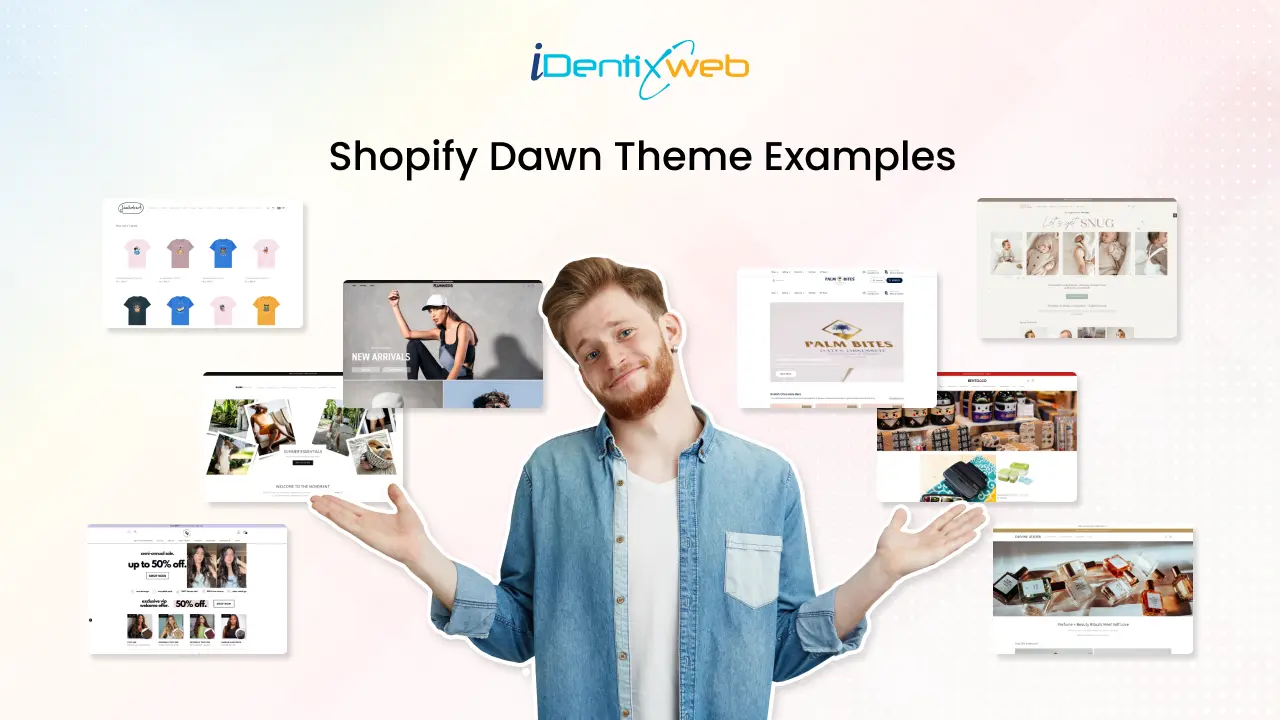
Were you in search of some inspiring Shopify Dawn theme examples for your Shopify store? You have landed in the right place. Every merchants dream is to make their store unique from others. Customization is the first step to achieve this and that too from design to development. The first thing that attracts a new visitor to your store will be your storefront or the design. Do you want a conversion-optimised and attractive landing page? If yes, the first thing to do is personalize your design and improve the user experience of your store. This should be started from selecting a top-notch Shopify theme. There are many best Shopify themes available, but the Dawn Shopify theme stands first. You can fully rely on the Dawn theme because of its powerful features, flexibility and performance. In this blog, we will see some of the top Shopify website examples using the Dawn Shopify theme. What is the Shopify Dawn Theme? The Shopify Dawn theme is one of the most popular themes among many Shopify merchants. Dawn serves as the default theme for all Shopify stores when they initially set up their storefront. Dawn theme Shopify is a minimalist theme that lets product images take center stage. It has a clean & sleek design, speed and great flexibility. Dawn Shopify theme can be used for all types of businesses. It has vast customization options that can help you to achieve your desired vision. We have created a list of 25 exemplary Shopify website examples using the Dawn Shopify theme. If you're curious about the theme behind a Shopify store or want to know which Dawn theme your competitor uses, tools like the Shopify Theme Detector in the Koala Inspector extension can help. It's a quick way to see how other stores customise themes and get inspiration for your site. One of the key features of Dawn is that it is completely free. This makes it ideal as a starter theme if you are building your store from the ground up. Want More Than the Default Dawn Theme? Let’s Talk → → Key Features of Dawn Theme Shopify Quick & Simple Setup As Dawn is the default theme, the setup is also very easy with minimal steps. It allows you to launch your store quickly without having any big efforts. Better Performance Dawn theme Shopify provides better performance compared to other themes. The Dawn theme is 35% faster in loading websites than the Debut theme. Flexibility In Dawn theme, you will get full flexibility to customize the theme as per your business requirements and goals. The App block lets you move the app anywhere on the page without touching the theme files. Besides, the section and blocks offer great flexibility to your store design and content. You can also connect the dynamic data source to your store using Shopify metafields. Mega Menu As Dawn provides a multi-level mega menu, you can create a navigation menu with dropdowns. This feature can be used especially for product categories or sub categories. You can refer to other Shopify Dawn theme examples to implement this in your store. Sticky Header The Dawn theme has a sticky header which will be sticked at top of the page even when user scrolls down your website. Want to customize your Shopify header for a better user experience? Check out this Shopify Header Customization Guide for step-by-step instructions! Why you Should Choose Dawn Theme? When selecting the best theme, Shopify dawn theme always stands unique. The Dawn theme is designed with a clean, minimalist aesthetic that highlights your products beautifully. And top of that, Shopify Dawn theme provides lots of customization options and any non-technical person can easily handle it. Below are a few reasons why you should choose Dawn theme for your Shopify store: Modern & minimalist design Flexible customization options Optimized for speed Mobile-first design SEO-friendly If you're just starting out, pairing the Dawn theme with the Shopify 3 months for $1 deal is a smart way to explore the platform affordably. Still, you may need some store examples to imagine your store with the Dawn theme. So, let’s begin with our list of 25 best Shopify Dawn theme examples. Best 25 Shopify Dawn Theme Examples Dawn theme has inspired many stores worldwide in launching their stores easily. After the launch of Online Store 2.0, Dawn theme Shopify was the first Shopify 2.0 theme so it has all the latest features. Here we have found out some of the best Shopify Dawn theme examples for you: Want to explore Shopify 2.0 themes? Do check this blog on Best Shopify 2.0 Themes: Overview, Features & Review Runners Athletics Store Category: Sports / Apparel / Accessories Runners Athletics sells Running Sunglasses & Running Hats. This Shopify store has smartly designed with short and simple navigation and clean images. They have focused more to educate their visitors about the benefits and features of their products. Wonder Noah Store category: Fashion & apparel Sells a huge catalog of clothing basics and streetwear-style apparel like tees, sweatshirts, pants, and outerwear. Belchic Store category: Fashion & apparel (Lolita/J-fashion) An online fashion store focused on cute/Japanese-inspired styles, including Lolita dresses, outerwear, and accessories. Improve the Delivery Experience on Your Dawn Store Dawn gives your Shopify store a user-friendly design, but customers still need clear delivery options before they place an order. With Stellar Delivery Date & Pickup, merchants can offer delivery date selection, store pickup, time slots, cutoff times, and unavailable date blocking. This helps customers choose a suitable delivery option and helps merchants manage orders more smoothly. Losing orders because buyers want flexible delivery? A simple calendar at checkout fixes that. Start Your Free Plan If they are buying food, flowers, gifts, groceries, or local products, delivery timing can directly affect their purchase decision. Harry Chad Ent Store category: Jewelry & watches A fine jewelry retailer that sells jewelry and also offers services like repair/restoration (including Rolex-related servicing). Eat Lume Store category: Food & grocery Sells artisan, wellness-positioned granola (including gluten-free options) and variety packs. Maddaloni Store category: Jewelry & watches Offers fine jewelry and luxury watches, with a big focus on engagement rings, wedding bands, and loose diamonds. Body Basics Store category: Fitness equipment Sells commercial and home gym equipment like treadmills, bikes, racks, and strength machines. Looking to elevate your store’s visuals and scale up? Check out Blum - a Shopify theme crafted for standout fashion brands. ULX Store Category: Accessories / Business equipment & supplies ULX sells premium leather products like desk mats, wallets, duffel bags, watches, MacBook sleeves, and many more. The classy and stylish storefront makes it one of the best Shopify Dawn theme examples. MD Complete Store Category: Beauty & Fitness / Face & Body Care MD Complete offers professional skincare products to resolve or repair lines, dark spots, firmness, eye puffiness, crepe, acne, and radiance. The store is quite simple yet impactful and offers a great knowledge about the brand and products. Jimbobart Store Category: Home & Garden / Kitchen & Dining / Arts & Crafts Jimbobart sells animal-printed products by James Ward. Inspired by his love for drawing animals and birds, James creates original illustrations on ceramics, homeware, clothing, and artwork. Really Well Made Store category: Home & living (furniture/lighting) A UK retailer stocking modern, Scandinavian-influenced furniture, lighting, and home accessories. Rocco & The Fox Store Category: Clothing & Accessories Rocco & The Fox offers a wide range of high-quality and modern baby + toddler apparel. The store has a muted background that gives a vintage and sophisticated look to the store. Berlinger Store category: Jewelry Sells handmade, vintage-inspired engagement and wedding rings (and fine jewelry) made by their Los Angeles team. Plunge Store category: Wellness & recovery equipment Sells cold plunge tubs/ice baths and saunas for home and business use. Headphones Store category: Consumer electronics (audio) Online retailer for headphones and home audio gear, plus buying guides and education content. Wood Wood Toys Store Category: Toys & Hobbies Wood Wood Toys is an online toy shop where you can find new and refurbished wooden, educational and Montessori toys for babies and children. They have created a Shopify store that can easily impress anyone who enters their site. Audioselect Store category: Consumer electronics (Hi-Fi audio) German audio retailer selling Hi-Fi electronics, speakers, headphones, amps/DACs, cables, and related gear. Olivine Atelier Store Category: Beauty & Fitness Olivine Atelier sells handcrafted perfumes and beauty products. Similar to the brand name and products, the store design is also made beautiful and flawless for online shoppers. Cards For All People Store Category: Games Cards For All People is an awesome online store for card game lovers. The super-easy navigation will help you find cool and stylish cards for your casual party games. Wigs Store category: Beauty & personal care Sells wigs (human hair and synthetic), plus hair toppers and wig care products from major brands. The Dress Outlet Store category: Fashion & apparel Sells formalwear like prom dresses, evening gowns, and special-occasion dresses across many styles and price points. Plum Diamonds Store Category: Jewelry Focuses on lab-grown diamond rings and fine jewelry, including customizable engagement rings and lab diamond pieces. BLANK Wardrobe Store Category: Clothing & Accessories BLANK Wardrobe is a lifestyle brand that features women's apparel and accessories like bags, jewelry, hats, and scarves. They have used simple fonts and colors but that enhances the look of the store. Night Vision Universe Store Category: : Outdoor/gear (optics) Sells night vision and thermal optics like rifle scopes, monoculars, and related gear as an authorized dealer. Building a brand on Shopify? Let’s make it sell better. Identixweb helps apparel stores launch faster and scale smarter with the right tech and growth systems. You can get help with: Store setup and performance improvements Custom Shopify features and apps Integrations that remove manual work Automation that brings repeat purchases 👉 Schedule a free consultation Conclusion We hope the above mentioned Shopify Dawn theme examples might have helped you to gather some design ideas for your store. This is how the Dawn theme Shopify helps out the Shopify merchants to craft beautiful and prosperous online stores. Last but not least, we have a small tip for you before getting started with the design. Put yourself in the shoes of customer and think what attracts a new customer. This will help you to customize your design as per your customer needs and get more conversions! FAQs 1. What is the Shopify Dawn theme? Dawn is Shopify’s minimalist, starter Online Store 2.0 theme that Shopify maintains as a modern baseline for storefronts. It also serves as a reference theme for developers because Shopify publishes its source code and updates it over time. 2. Is the Shopify Dawn theme free? Yes, Dawn is a free theme in the Shopify Theme Store. 3. Which is the most popular free Shopify theme? Dawn is widely considered the most popular free Shopify theme because Shopify uses it as a default-style starting point for Online Store 2.0. A large number of new Shopify stores use Dawn to build their storefront. 4. Which are the best Shopify Dawn theme examples? A few solid examples often cited include Irresistible Me, Bubble Tea Club, PYUA, Palm Bites, Tropii Loungewear, and ULX. 5. Should you pay for a Shopify theme? Pay for a theme when you want a very specific look, built-in features (like advanced filtering or mega menus), and you want to reduce custom development time. Stick with Dawn when you want speed, flexibility, and a clean foundation, then invest the budget into branding, conversion improvements, and only the customizations you actually need.