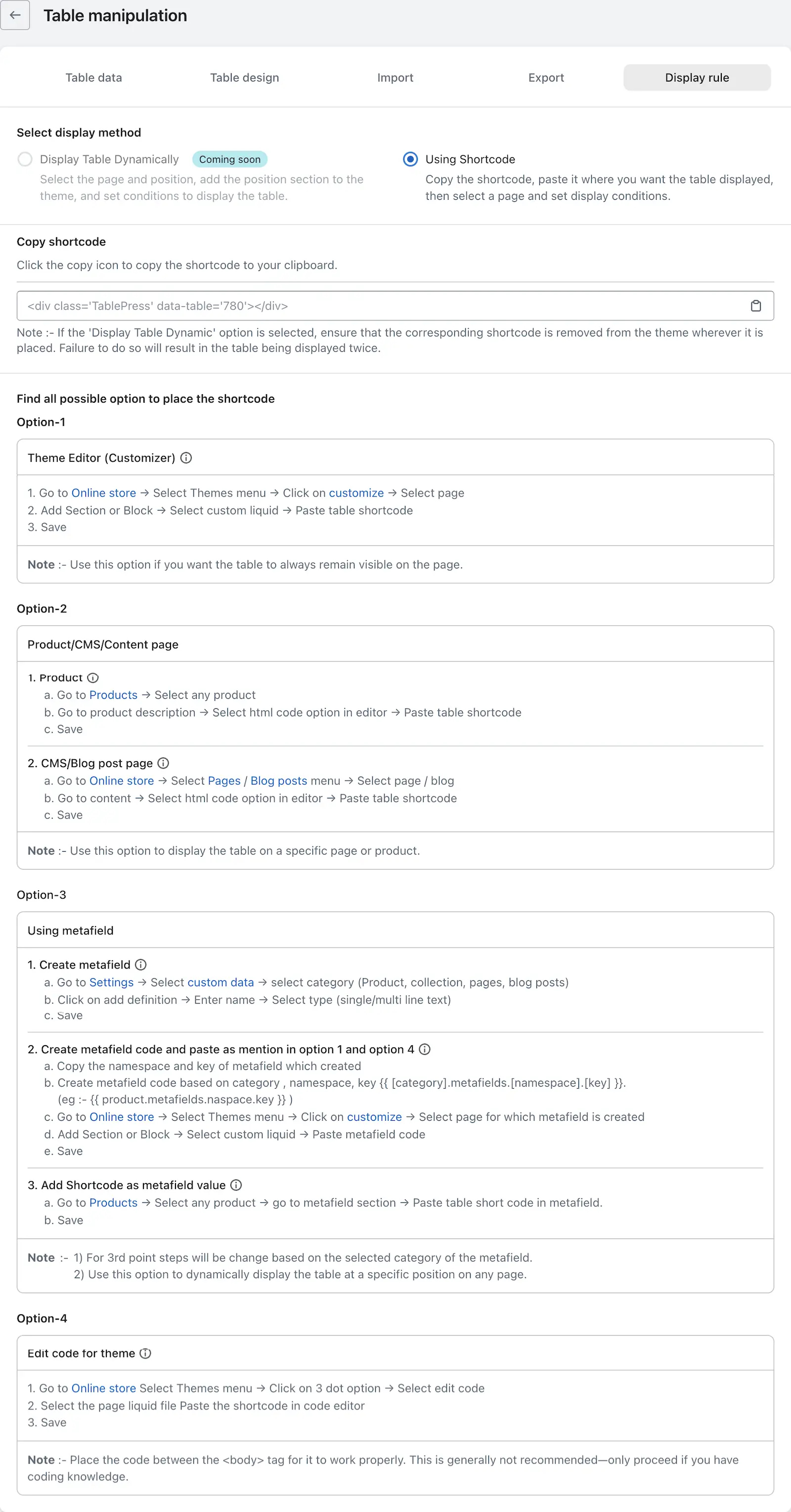
The Display Rules feature allows you to show tables in your store using two main methods: dynamic display and shortcode. By adding the iTable Compare & Pricing Table app block to your theme, you can dynamically display tables on various pages such as the Home page, Product page, and Blog post page. Alternatively, you can use a shortcode to embed tables in specific locations, with options for consistent display, product-specific pages, metafields, or direct theme code editing.
To implement these options, you can follow the detailed instructions provided for each method, ensuring that you can set up tables easily regardless of your technical skills. Keep in mind that using the theme code method is recommended only for those comfortable with editing theme files directly.
On the Display Rules page, you’ll find two options for displaying tables:
1. Display Table Dynamically
You can also display tables dynamically by adding the app block to your theme. This feature allows you to show tables on the Home page, Product page, Collection page, CMS/Custom page, Blog page, and Blog post page.
Simply add the iTable Compare & Pricing Table app block to the desired page from your theme editor and configure its visibility using the Page and Placement Settings.
For detailed instructions, please refer to the Display Table Using the Theme App Block guide.
2. Using Shortcode
This section provides a shortcode for your table along with a convenient copy button. Below that, you’ll find detailed instructions on how to use the shortcode in various ways to display your table.
There are four methods available for using the shortcode, depending on where and how you want the table to appear in your Shopify store:
- Theme Editor – Ideal if you want the table to appear consistently on a specific page.
- Product/CMS Content – Best for adding tables to specific product pages, blog posts, or CMS blocks.
- Metafields – Useful for dynamically displaying tables based on products or collections. This method also works well with third-party apps.
- Theme Code – Recommended for advanced users who are comfortable editing theme files directly.
Each option includes step-by-step instructions to ensure easy setup, even if you’re not technically inclined.