AI Overview
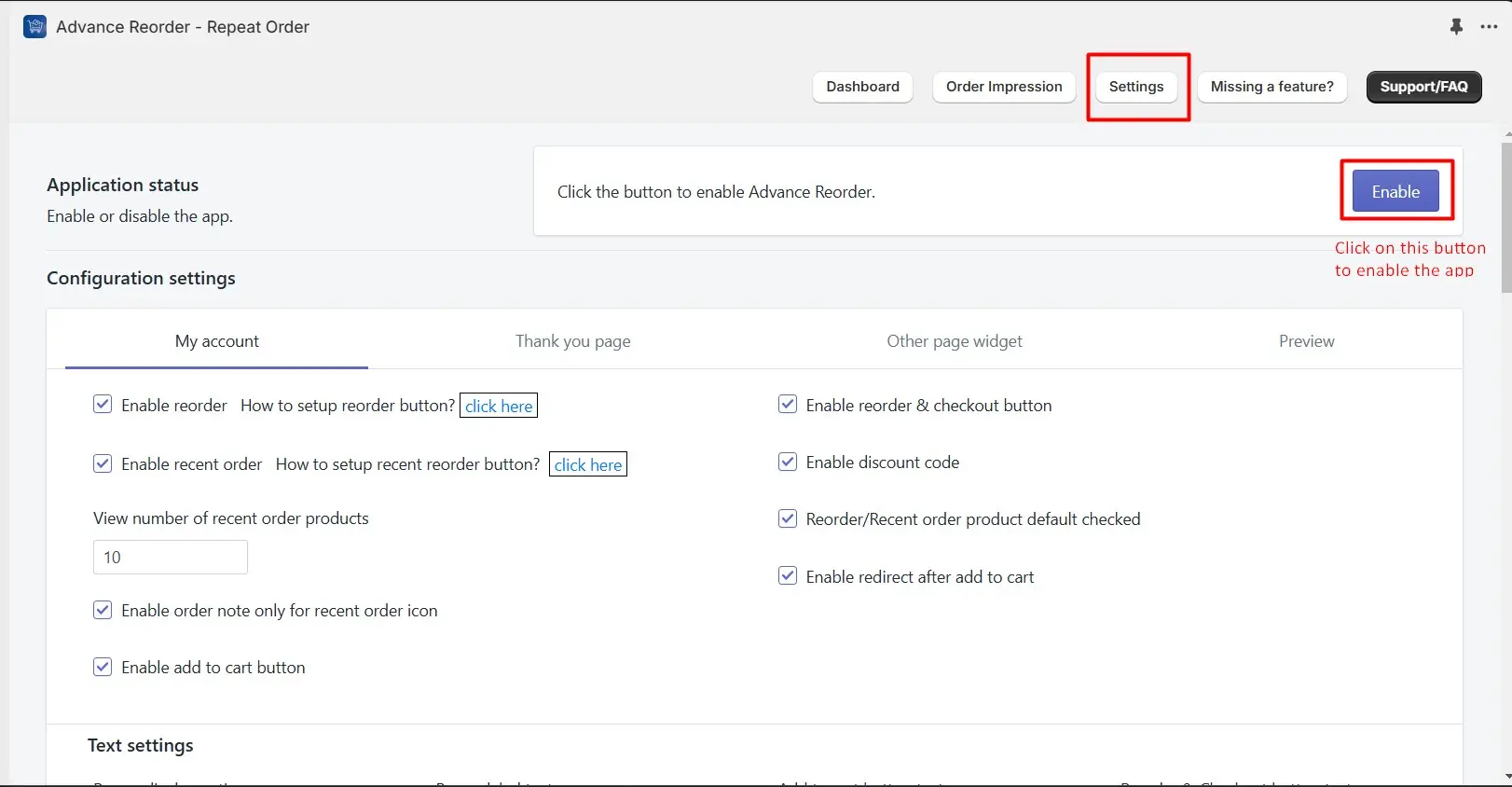
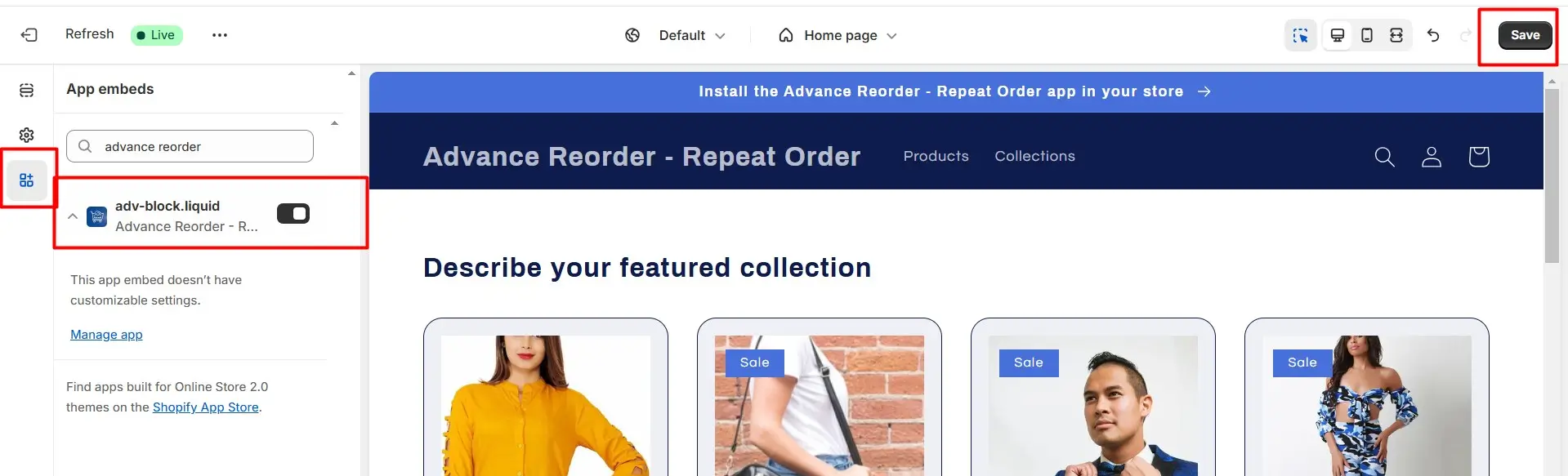
To enable or disable the Advance Reorder – Repeat Order app, you need to log in as the account owner and navigate to your Shopify admin. From there, go to Apps > Setting > Advance Reorder – Repeat Order, and click on the Enable button. This will prompt an Action required popup where you should select Go to Theme editor, which will redirect you to the theme customize app embeds page.
Once on the theme customize page, ensure that the Advance Reorder – Repeat Order app is turned on and save your changes. Following these steps will allow you to manage the app's functionality effectively.
Check the below steps to enable/disable the app.
Log in as the account owner.
From your Shopify admin, go to Apps > Setting > Advance Reorder – Repeat Order
Find button and click on it.
On the Enable button click Action required popup will open,from the popup click on Go to Theme editor.
You will redirect to the theme customize app embeds page > Stay Turn on Advance Reorder – Repeat Order app and save it.
From your Shopify admin, go to Apps > Setting > Advance Reorder – Repeat Order
Find button and click on it.
On the Enable button click Action required popup will open,from the popup click on Go to Theme editor.
You will redirect to the theme customize app embeds page > Stay Turn on Advance Reorder – Repeat Order app and save it.
For a quick view of all the above steps check the below image