

Shopify Apps
Gather knowledge about the latest insights, updates, tips, and tricks in the Ecommerce industry.

5 Min • 29 April 2026
How Anua Unlocked 5X AOV Growth with iCart’s Smart Cart Features
delivery customization Challenges Solutions drive results Scale business delivery customization Challenges Solutions drive results Scale business delivery customization Challenges Solutions drive results Scale business delivery customization Challenges Solutions drive results Scale business Anua is a globally recognized Korean skincare brand known for its minimalist philosophy and focus on gentle yet effective formulations. Built on the idea of simplifying skincare routines, Anua develops products that deliver visible results while avoiding harsh or irritating components, making them suitable for sensitive skin types. Initially using a traditional full cart experience, Anua transitioned to iCart’s side cart solution in August 2025, to create a more seamless and engaging shopping journey. This shift allowed customers to easily explore complementary skincare products without disrupting their browsing flow, making it more intuitive to discover items that fit into a complete routine. By surfacing relevant recommendations directly within the cart, the brand enhanced product visibility across its range. Challenges Before implementing iCart’s side cart solution, Anua faced limitations with their existing full cart experience, which created friction in the customer journey. The traditional cart setup redirected users away from product pages, interrupting their browsing flow and reducing opportunities to explore additional products. As a skincare brand built around routines rather than single-item purchases, this made it difficult to effectively showcase complementary products and encourage customers to build complete regimens. Additionally, the lack of in-cart personalization and strategic upsell opportunities meant that customers were often unaware of related products that could enhance their skincare results. This limited the brand’s ability to increase average order value (AOV) and fully leverage its diverse product range. Anua needed a more dynamic and intuitive cart experience that could seamlessly introduce relevant recommendations while maintaining a smooth and engaging shopping journey. ❌ Cart Value Barriers Low average order value (AOV) due to single-item focus Most customers completed purchases with one primary product instead of building multi-step routines. Cart abandonment near shipping thresholds Customers were not clearly informed or motivated to reach free shipping or discount thresholds. Missed savings opportunities Customers were unaware of potential value in purchasing bundled routines or multiple complementary products. ❌ Absence of Progress-Based Incentives No free shipping or discount progress bar Customers were not motivated to increase their cart value due to lack of visible incentives. Missing tiered rewards system There were no structured milestones (e.g., “Spend more to unlock offers”), reducing upsell opportunities. ❌ Ineffective Cart UI/UX (Pre-Side Cart) Full-page cart disrupted shopping flowCustomers had to leave their browsing journey, increasing friction and drop-offs. No quick add/remove functionality Users couldn’t easily modify their cart or add suggested products without navigating away. Solution To overcome these challenges, Anua implemented iCart’s side cart solution to transform their traditional cart into a high-converting, interactive experience. By replacing the full-page cart with a seamless side cart, the brand ensured that customers could continue browsing while viewing their cart, significantly reducing friction in the shopping journey. Additionally, features like product recommendations & progress bars for free shipping and discounts motivated customers to increase their cart value. By combining personalization, incentive-driven messaging, and a user-friendly interface, Anua successfully turned their cart into a powerful revenue-driving touchpoint rather than just a checkout step. To maximize their cart effectiveness, they implemented two powerful features: ✅ Progress Bar with Multi-Reward Incentives Implemented a tiered progress bar to encourage higher cart value Customers are guided with a clear message like “Add $3.10 to unlock secret offer,” motivating them to continue adding products. Generated over $5M+ in revenue through incentive-driven cart progression Used product-based rewards to align with customer intent Instead of generic discounts, Anua incentivized purchases with relevant skincare items like Dark Spot Pads and mini serums. Built visual motivation for routine expansion As customers add products, they can clearly track progress toward unlocking multiple rewards, encouraging them to build a complete skincare routine. ✅ Product Recommendations Implemented “Frequently Bought Together” recommendations Customers adding a single product (e.g., toner) are shown complementary items like serums, moisturizers, or pads to complete their routine. Generated over 275K revenue through in-cart recommendations Encouraged full skincare regimen building Instead of isolated purchases, the cart suggests step-by-step product combinations aligned with common skincare routines. Increased product discovery at the final stage By surfacing relevant items directly in the cart, Anua ensured customers explore more of their catalog without leaving the checkout flow. Results Achieved in Last 180 Days 22932 Total Store Orders 45101 Total iCart Orders 5X iCart Generated AOV 65.70% Upsell Affected Conversion Rate These improvements reflect a clear shift in customer behavior on Anua’s store. Cart abandonment reduced as shoppers discovered complementary skincare products and felt encouraged to build complete routines. Engagement also increased, with customers interacting more with in-cart recommendations and exploring relevant product pairings. Results & Impact And...Results is Our Main Clarification By implementing iCart’s cart drawer, product recommendations, and progress bar, Anua transformed its cart into a high-performing conversion touchpoint. Shopping Experience Enhancement The improved cart experience encouraged customers to discover complementary products and understand the value of sustainable beauty routines. For instance, the clear presentation of subscription savings alongside one-time purchase options helped customers make more informed decisions about their long-term hair care needs. As Anua continues to optimize its cart experience, the brand is closely monitoring: Routine-based purchasing behavior - tracking how customers move from single items to multi-step regimens Engagement with in-cart recommendations - measuring interaction with suggested products Cart value progression - analyzing how incentives influence higher spending [related_cases_slider] Ready to Write Your Success Story? Try icart App Join successful businesses like Anua and Master your delivery scheduling Delight customers with precise timing Grow your special occasion orders Expand your delivery reach
Read Blog
5 Min • 28 May 2026
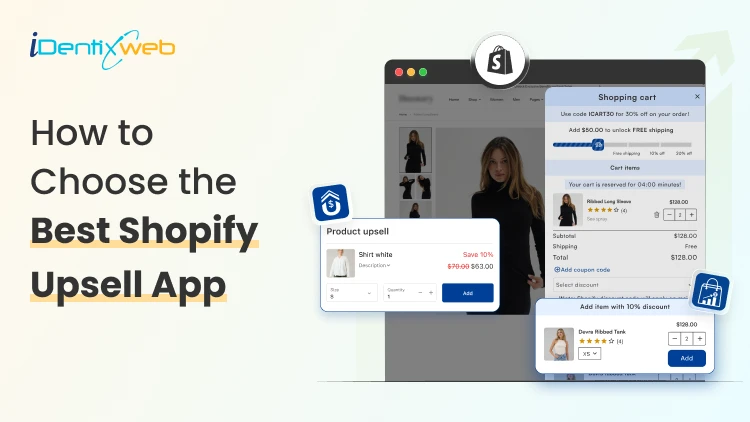
How to Choose the Best Shopify Upsell App for Your Store (9 Decision Factors That Impact ROI)
Are you making the most out of every single visitor that comes to your store? Most Shopify merchants focus almost entirely on getting more traffic. But the real revenue lever? It's often right there in your existing checkout flow, hidden in plain sight. That's exactly where the best Shopify upsell app comes in. But here's the catch: not every Shopify upsell app is built the same. In this guide, we will see 9 key decision factors that separate a high-ROI upsell app from one that just sits there collecting dust. The 9 Decision Factors That Determine ROI From Your Shopify Upsell App Before you install any app from the Shopify App Store, run it through these 9 filters. They're the factors that will determine whether your upsell app earns its keep or just adds noise to your store. Decision FactorWhat It MeansWhy It Impacts ROIUpsell PlacementWhere offers appear (cart, product, post-purchase)Wrong placement = ignored offersTrigger LogicRules that fire an upsell offerIrrelevant triggers = poor conversionsAOV ImpactAverage order value lift potentialCore ROI metric - track weeklyA/B TestingAbility to test offer variantsNo testing = leaving money on tableAnalyticsRevenue, CTR, conversion reportingBlind decisions without good dataStore SpeedPage load impact after app installSlow store = higher bounce rateDesign CustomizationMatch your brand look and feelJarring UI reduces trust & CTRPricing ModelFlat fee vs revenue shareRevenue share hurts at scaleSupport QualityResponse time and helpfulnessBad support = expensive downtime 1. Upsell Placement Options Placement is everything. An upsell shown at the wrong moment feels like an interruption. Shown at the right moment, it feels like a helpful suggestion. The best Shopify upsell apps give you multiple placement options: Product page upsells (before add-to-cart) Cart drawer or cart page upsells Checkout page upsells (available with Shopify Plus) Post-purchase / Thank You page upsells Order status page upsells For most stores, in-cart and post-purchase placements deliver the highest conversion rates because shoppers are already committed to buying. So, if you want a better app for that then you can try iCart & SellMore app because compared to other apps it is affordable and at the same time these apps provide multiple features to boost AOV & conversions. 2. Trigger Logic & Targeting Rules Showing the right upsell to the right customer at the right time is the whole game. A Shopify upsell app with smart trigger logic lets you set rules like: Show this upsell only when Cart contains Product X Trigger this offer when cart value exceeds $50 Display this bundle only to first-time visitors Upsell Product B specifically to buyers of Product A The more granular the targeting, the better your conversion rate. Apps with basic "show to everyone" logic will always underperform compared to apps that let you build conditional, product-specific rules. Irrelevant upsells don't just fail to convert, they actively annoy customers. 3. AOV Impact Your Average Order Value (AOV) is the clearest indicator of how well your upsell strategy is working. When evaluating an app, check its case studies and Shopify App Store reviews specifically for mentions of AOV improvement. Real merchant results are more reliable than vendor marketing claims. 4. A/B Testing Capabilities Even the best upsell offer can be made better. A/B testing lets you compare two versions of an upsell and see which one converts more. Without A/B testing, you're essentially guessing. With it, you're making data-driven decisions that compound over time. Ask these questions before choosing an app: Does the app support split testing of upsell offers? Can you test different placements against each other? Are test results presented clearly in a dashboard? 5. Analytics & Reporting Revenue is the goal, but you need data to get there reliably. The best Shopify upsell apps give you a clean dashboard showing: Total upsell revenue generated Click-through rate (CTR) on each offer Conversion rate by offer and placement AOV before and after upsell implementation Top-performing offers and products An app with great analytics allows you to double down on what works and cut what doesn't 6. Store Speed Impact Here's something merchants often overlook: upsell apps run JavaScript on your store. A poorly coded app can add hundreds of milliseconds to your page load time and that adds up fast. Before installing any app, check: GTmetrix or PageSpeed Insights scores after installation Whether the app uses lazy loading for its scripts Reviews on the Shopify App Store mentioning speed/performance 7. Design Customization Upsell popups and widgets that look out of place are a trust signal problem. Shoppers are sharp, they notice when something looks bolted on. The best Shopify upsell apps give you: Custom color, font, and button styling Fully responsive mobile design Control over popup timing and animation Drag-and-drop or code-level layout editing Always check if the app has design customization options before committing. 8. Pricing Model Most Shopify upsell apps charge in one of two ways: a flat monthly fee, or a percentage of the revenue generated through the app. Both models have tradeoffs. ModelBest ForWatch Out ForFlat Monthly FeePredictable costs, scales well at high revenueFixed cost even during slow monthsRevenue ShareLow upfront risk for new storesGets expensive fast as revenue grows 9. Support Quality Even the best-coded Shopify apps occasionally run into issues like theme conflicts, display bugs, feature questions. Responsive, knowledgeable support is what separates a minor hiccup from a full revenue-impacting outage. Before choosing an app, check: Average response time mentioned in reviews Whether live chat or email support is available If there's a help documentation library How the developer responds to negative reviews in the App Store Final Thoughts: Choosing the Best Shopify Upsell App Run every shortlisted app through the 9 decision factors in this guide - placement, trigger logic, AOV impact, A/B testing, analytics, speed, design, pricing, and support. Those 9 filters will cut through the noise and point you to the right choice.
3 Min • 5 June 2026
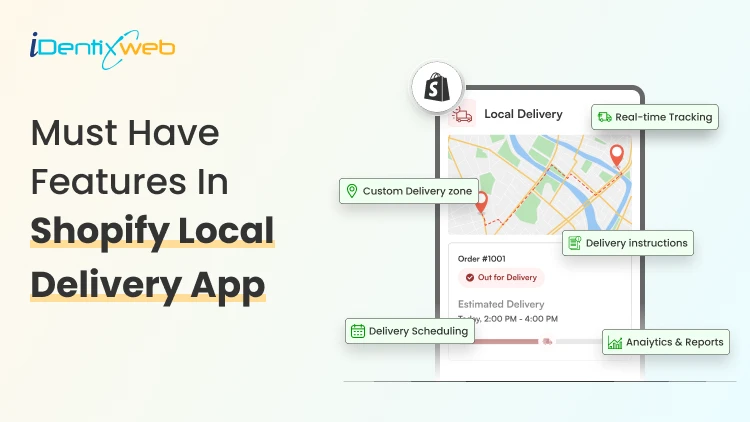
Shopify Delivery Route Planner: How to Manage Local Deliveries Faster
A Shopify delivery route planner can be the difference between a calm delivery day and a stressful one. If you run a local Shopify store, you already know the feeling: orders pile up, drivers leave late, customers call asking where their package is, and fuel costs keep climbing. The good news? A smart route planner solves most of these problems in one go. In this guide, you will learn what a Shopify delivery route planner does, why it matters for your store, how to set it up, the best practices to follow, and the top apps you can pick from. By the end, you will know exactly how to manage your local deliveries faster and with less stress. What Is a Shopify Delivery Route Planner? A Shopify delivery route planner is a tool or app that connects with your Shopify store, pulls in your local orders, and arranges them into the fastest, most fuel-friendly driving route for your drivers. Instead of typing addresses into Google Maps one by one, the planner does it in seconds and sends the route straight to your driver's phone. Think of it as a smart assistant that sits between your Shopify admin and your delivery van. It looks at every order, considers traffic, delivery windows, and driver schedules, then builds a route that saves time and money. Why Local Shopify Merchants Need a Route Planner Local delivery sounds simple until you try doing 20 stops a day with one driver. Suddenly, missed addresses, wrong-order doorsteps, and angry customer DMs become your morning routine. Here is why a Shopify delivery route planner is worth the spend. 1. Last mile delivery is the most expensive part of shipping Studies show last mile delivery can eat up more than half of your total shipping cost. A route planner cuts the time drivers spend on the road, which directly lowers your fuel and labor bill. Let Customers Choose Their Delivery Date Before You Plan Routes Route planning becomes much easier when customers select their preferred delivery date and time slot before they checkout. Instead of manually organizing delivery requests, merchants can collect delivery preferences upfront and build routes around confirmed schedules. Apps like Delivery Date & Pickup Stellar allow customers to choose delivery dates, time slots, local delivery, or store pickup options directly on the storefront, helping merchants create more predictable delivery routes. Losing orders because buyers want flexible delivery? A simple calendar at checkout fixes that.
6 Min • 31 March 2026
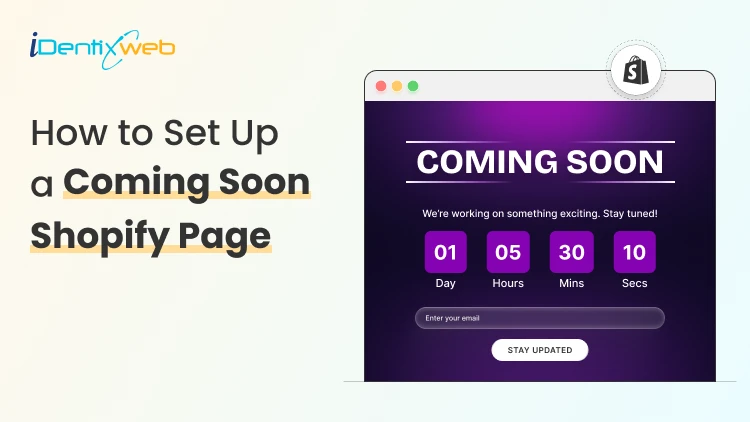
How to Set Up a Coming Soon Shopify Page Before Your Store Launch
Here's the situation most new Shopify merchants find themselves in: Your store isn't live yet. And you already have people friends, followers, potential buyers who want to know when they can shop from you. What do they see when they visit your store URL right now? If it's a blank screen, a Shopify "store not ready" page, or worse a password-protected default page with zero context you're already losing potential customers before your store has earned a single dollar. A coming soon Shopify page changes that completely. It tells visitors: We're real. We're coming. Don't miss it. This guide is written for merchants who want to do it right from day one. What Is a Coming Soon Shopify Page? A coming soon Shopify page (also called a pre-launch page or under construction page) is a temporary front-facing page that visitors see before your store is officially open. Instead of letting people hit a dead end, you give them something to engage with. At minimum, a good Shopify coming soon page includes: A clear message that the store is launching soon A countdown timer or expected launch date An email capture form to collect leads Your brand name, logo, and a strong tagline Social media links or a way to follow your journey At its best, a coming soon page is your first marketing asset, something that builds excitement, collects pre-launch emails, and makes your actual launch day significantly more profitable. Why a Coming Soon Page Matters 1. It Captures Pre-Launch Email Subscribers Email marketing consistently delivers the highest ROI of any digital channel some studies cite $36 for every $1 spent. A coming soon page with an email opt-in form lets you build that list before launch. When you go live, you're not starting from zero you're sending launch-day emails to people who already raised their hand. 2. It Signals Legitimacy Customers are skeptical of new online stores. A professional, branded coming soon page immediately tells visitors: this isn't a fly-by-night operation. You've invested in a domain, you have branding, and you have a real launch planned. That trust signal matters. 3. It Gives You Something to Promote Running pre-launch ads? Posting on Instagram? Emailing your personal network? You need somewhere to send people. A coming soon page gives you a real destination, something worth clicking and something worth sharing. 4. It Protects Your Brand During Development While you're still building out product pages and policies, your coming soon page keeps random visitors from seeing an incomplete store. No more awkward "dummy product" pages or placeholder text accidentally going public. How to Set Up a Coming Soon Shopify Page: Step-by-Step 1. Go to the Shopify App Store and search "coming soon page" 2. Install your preferred app and grant necessary permissions. Here we will show about LaunchX app. 3. After installing the app, complete the onboarding steps. 4. Go to the app settings and enable the app. 5. You will get a set of pre-built templates. You can go with it and customize the template. 6. Editor will open up with preview of the template and interface to edit the template. You can customize the template based on your needs. 7. Preview on both desktop and mobile before publishing. And save the changes. 8. You can also make the coming soon page password protected from the general settings. Enable the password protection and add your required options in it using the fields given as shown below: Common Mistakes Merchants Make With Coming Soon Pages 1. Launching without any email capture The entire point of a pre-launch page is to build a list. If you don't have a form, you have a dead end. 2. No early-bird incentive Asking someone to give you their email "just because" is a hard sell. Give them a concrete reason: early access, a discount, free shipping, or exclusive bonuses. 3. Forgetting mobile Preview your coming soon page on your phone before going live. If the form is broken, the text is cut off, or the countdown is invisible; fix it. 4. Being too vague about what you sell "Something amazing is coming" tells visitors nothing. Be specific about your product category and your unique angle. 5. Not promoting the page A coming soon page sitting unpromoted on the internet collects zero leads. Share it on your personal social channels, run a small ad campaign, post in relevant communities drive traffic to it. 6. Not having a launch date A countdown timer with a real date creates urgency. "Launching soon" creates nothing. Pick a date and commit to it. Final Thoughts Here's the uncomfortable truth: you'll never feel completely ready to launch. There will always be one more product to add, one more page to polish, one more thing to figure out. That's exactly why your coming soon Shopify page should go live the moment you have a domain and a clear value proposition even if your store is weeks away from opening. Start with a coming soon page. Build your list and make your launch matter. Frequently Asked Questions 1. Can I have a coming soon page on Shopify without disabling my whole store? Yes. Shopify's password protection feature keeps your store private while your coming soon page (or the built-in password page) is visible to the public. If you use an app or a custom page, you can route all public traffic to the coming soon page while your full store remains password-protected and accessible only to you. 2. How long should I keep my coming soon page up? There's no universal rule, but 2–6 weeks is a common pre-launch window. Long enough to build a meaningful email list and generate buzz, short enough that you don't lose momentum or overpromise a launch date you can't keep. 3. Will my coming soon page hurt my SEO? A well-set-up coming soon page won't significantly hurt your SEO, especially since you're in a pre-launch state with little to no existing rankings. That said, use proper meta titles and descriptions on the page. Don't let it stay live long after launch, and use a 302 (temporary) redirect if needed so Google knows the page will change.
Sajini Annie John
13 Min • 13 July 2026
6966 Views
Sajini Annie John
7 Min • 10 February 2026
5832 Views
Sajini Annie John
5 Min • 10 February 2026
5955 Views
Sajini Annie John
5 Min • 10 February 2026
5992 Views
Sajini Annie John
4 Min • 10 February 2026
6478 Views
Sajini Annie John
6 Min • 10 February 2026
5976 Views
Sajini Annie John
6 Min • 30 June 2023
5189 Views

Priyanka Chaudhari
6 Min • 7 January 2026
6629 Views
Priyanka Chaudhari
7 Min • 11 November 2025
6618 Views

Sajini Annie John
5 Min • 10 February 2026
6571 Views
Sajini Annie John
6 Min • 27 January 2026
6576 Views

Sajini Annie John
1 Min • 27 January 2026
6914 Views