Author: Sajini Annie John
Gather knowledge about the latest insights, updates, tips, and tricks in the Ecommerce industry.

5 Min • 20 March 2026
How Anua Unlocked 5X AOV Growth with iCart’s Smart Cart Features
delivery customization Challenges Solutions drive results Scale business delivery customization Challenges Solutions drive results Scale business delivery customization Challenges Solutions drive results Scale business delivery customization Challenges Solutions drive results Scale business Anua is a globally recognized Korean skincare brand known for its minimalist philosophy and focus on gentle yet effective formulations. Built on the idea of simplifying skincare routines, Anua develops products that deliver visible results while avoiding harsh or irritating components, making them suitable for sensitive skin types. Initially using a traditional full cart experience, Anua transitioned to iCart’s side cart solution in August 2025, to create a more seamless and engaging shopping journey. This shift allowed customers to easily explore complementary skincare products without disrupting their browsing flow, making it more intuitive to discover items that fit into a complete routine. By surfacing relevant recommendations directly within the cart, the brand enhanced product visibility across its range. Challenges Before implementing iCart’s side cart solution, Anua faced limitations with their existing full cart experience, which created friction in the customer journey. The traditional cart setup redirected users away from product pages, interrupting their browsing flow and reducing opportunities to explore additional products. As a skincare brand built around routines rather than single-item purchases, this made it difficult to effectively showcase complementary products and encourage customers to build complete regimens. Additionally, the lack of in-cart personalization and strategic upsell opportunities meant that customers were often unaware of related products that could enhance their skincare results. This limited the brand’s ability to increase average order value (AOV) and fully leverage its diverse product range. Anua needed a more dynamic and intuitive cart experience that could seamlessly introduce relevant recommendations while maintaining a smooth and engaging shopping journey. ❌ Cart Value Barriers Low average order value (AOV) due to single-item focus Most customers completed purchases with one primary product instead of building multi-step routines. Cart abandonment near shipping thresholds Customers were not clearly informed or motivated to reach free shipping or discount thresholds. Missed savings opportunities Customers were unaware of potential value in purchasing bundled routines or multiple complementary products. ❌ Absence of Progress-Based Incentives No free shipping or discount progress bar Customers were not motivated to increase their cart value due to lack of visible incentives. Missing tiered rewards system There were no structured milestones (e.g., “Spend more to unlock offers”), reducing upsell opportunities. ❌ Ineffective Cart UI/UX (Pre-Side Cart) Full-page cart disrupted shopping flowCustomers had to leave their browsing journey, increasing friction and drop-offs. No quick add/remove functionality Users couldn’t easily modify their cart or add suggested products without navigating away. Solution To overcome these challenges, Anua implemented iCart’s side cart solution to transform their traditional cart into a high-converting, interactive experience. By replacing the full-page cart with a seamless side cart, the brand ensured that customers could continue browsing while viewing their cart, significantly reducing friction in the shopping journey. Additionally, features like product recommendations & progress bars for free shipping and discounts motivated customers to increase their cart value. By combining personalization, incentive-driven messaging, and a user-friendly interface, Anua successfully turned their cart into a powerful revenue-driving touchpoint rather than just a checkout step. To maximize their cart effectiveness, they implemented two powerful features: ✅ Progress Bar with Multi-Reward Incentives Implemented a tiered progress bar to encourage higher cart value Customers are guided with a clear message like “Add $3.10 to unlock secret offer,” motivating them to continue adding products. Generated over $5M+ in revenue through incentive-driven cart progression Used product-based rewards to align with customer intent Instead of generic discounts, Anua incentivized purchases with relevant skincare items like Dark Spot Pads and mini serums. Built visual motivation for routine expansion As customers add products, they can clearly track progress toward unlocking multiple rewards, encouraging them to build a complete skincare routine. ✅ Product Recommendations Implemented “Frequently Bought Together” recommendations Customers adding a single product (e.g., toner) are shown complementary items like serums, moisturizers, or pads to complete their routine. Generated over 275K revenue through in-cart recommendations Encouraged full skincare regimen building Instead of isolated purchases, the cart suggests step-by-step product combinations aligned with common skincare routines. Increased product discovery at the final stage By surfacing relevant items directly in the cart, Anua ensured customers explore more of their catalog without leaving the checkout flow. Results Achieved in Last 180 Days 22932 Total Store Orders 45101 Total iCart Orders 5X iCart Generated AOV 65.70% Upsell Affected Conversion Rate These improvements reflect a clear shift in customer behavior on Anua’s store. Cart abandonment reduced as shoppers discovered complementary skincare products and felt encouraged to build complete routines. Engagement also increased, with customers interacting more with in-cart recommendations and exploring relevant product pairings. Results & Impact And...Results is Our Main Clarification By implementing iCart’s cart drawer, product recommendations, and progress bar, Anua transformed its cart into a high-performing conversion touchpoint. Shopping Experience Enhancement The improved cart experience encouraged customers to discover complementary products and understand the value of sustainable beauty routines. For instance, the clear presentation of subscription savings alongside one-time purchase options helped customers make more informed decisions about their long-term hair care needs. As Anua continues to optimize its cart experience, the brand is closely monitoring: Routine-based purchasing behavior - tracking how customers move from single items to multi-step regimens Engagement with in-cart recommendations - measuring interaction with suggested products Cart value progression - analyzing how incentives influence higher spending [related_cases_slider] Ready to Write Your Success Story? Try icart App Join successful businesses like Anua and Master your delivery scheduling Delight customers with precise timing Grow your special occasion orders Expand your delivery reach
Read Blog
6 Min • 1 July 2026
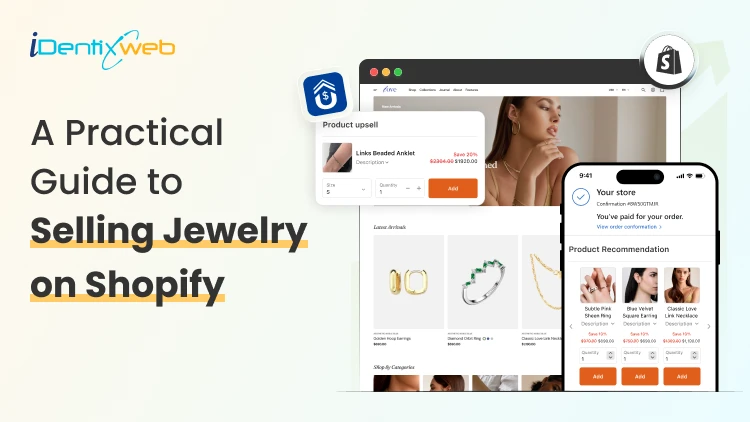
A Practical Guide to Selling Jewelry on Shopify: Upsells & Post Purchase Tricks
Selling Jewelry on Shopify is one of the most practical ways to turn a creative product into a scalable online business. Jewelry is visual, emotional, gift-friendly, and highly personal, which makes it a strong category for ecommerce. But at the same time, jewelry buyers need trust before they purchase. They want clear product images, metal details, size guidance, return policies, secure checkout, and a shopping experience that feels premium. In this guide, we will cover the complete process of Selling Jewelry on Shopify, including store setup, product presentation, marketing, upsells, and post-purchase tricks that can help you get more value from every order. How to sell jewelry on Shopify Step 1: Choose a Clear Jewelry Niche Most competitor blogs start with niche selection, and for good reason. Shopify’s own jewelry business guide also lists finding a niche, researching trends, defining the brand, sourcing products, taking product photos, building the store, marketing, and scaling as core steps. Your niche helps customers understand why they should buy from you instead of another store. A general jewelry store can work, but a focused brand is easier to position. You can build your niche around: Minimal everyday jewelry Premium gold-plated jewelry Handmade or artisan jewelry Bridal and engagement jewelry Personalized name necklaces Men’s bracelets and chains Spiritual, cultural, or zodiac jewelry Affordable luxury jewelry Stackable rings and bracelets Gift-ready jewelry for birthdays, anniversaries, and weddings Many Shopify jewelry stores perform better when they sell around a lifestyle, not just a product. For example, instead of saying “We sell rings,” your brand can say “Everyday stackable rings for modern women.” That instantly creates a clearer customer image. Step 2: Build a Brand That Feels Trustworthy Jewelry is not an impulse product for every customer. Some products may be affordable, but buyers still care about quality, material, packaging, skin safety, durability, and returns. Your brand identity should answer these concerns before the customer asks. Create a strong brand foundation with: A clear brand story Consistent logo, colors, and typography Premium product photography Detailed product descriptions Easy-to-find policies Customer reviews Gift packaging details Care instructions Authentic product videos For jewelry Shopify stores, trust is part of the design. A clean homepage, elegant product cards, visible reviews, and a simple navigation structure can make the store feel more premium. Your brand should also define what makes your jewelry different. Is it handmade? Tarnish-resistant? Waterproof? Customizable? Ethically sourced? Gift-ready? Designed for daily wear? These details help customers justify the purchase. Step 3: Select the Right Shopify Theme Competitor blogs often include theme recommendations because jewelry stores depend heavily on visuals. A good theme should make your products feel premium without slowing down the site. BOGOS also includes themes, product media, collections, apps, homepage optimization, marketing, store examples, and FAQs in its Shopify jewelry guide structure. When choosing a Shopify theme for a jewelry store, look for: Large product image support Mobile-first product pages Quick view option Video support Product filtering Collection-focused layout Lookbook or lifestyle image sections Sticky add-to-cart Recently viewed products Cross-sell sections Fast loading speed If you are just starting, Dawn can work well as a free theme. For premium jewelry brands, choose a theme with stronger visual storytelling, editorial sections, and better collection layouts. The best Shopify jewelry stores do not overload the homepage. They guide customers through clear sections like new arrivals, bestsellers, gifts under a certain price, personalized jewelry, and occasion-based collections. Step 4: Create Product Pages That Sell Your product page is where trust and desire meet. Nivoda’s guide on Shopify jewelry sales recommends rich product descriptions that go beyond basic specs and include craftsmanship, stone quality, carat weight, origin, and care instructions to support both SEO and buyer confidence. For Selling Jewelry on Shopify, every product page should include: Product name with material or style Clear pricing Multiple high-quality images Short product benefit summary Metal, stone, plating, size, and weight details Size guide Care instructions Shipping and return details Warranty or guarantee information Customer reviews Gift packaging details Related products A weak product description says: “This is a gold necklace for women.” A stronger description says: “Designed for everyday layering, this 18k gold-plated necklace adds a minimal shine to workwear, party outfits, and casual looks. Its lightweight chain makes it comfortable for daily wear, while the gift-ready packaging makes it a thoughtful choice for birthdays and anniversaries.” The second version gives style, usage, occasion, and gifting value. That is what helps customers imagine the product in their life. Step 5: Organize Collections Around Buying Intent Do not create collections only by product type. Jewelry shoppers often search by occasion, price, material, and recipient. Useful collection ideas include: Rings Necklaces Earrings Bracelets Anklets Personalized jewelry Gifts for her Gifts for him Wedding jewelry Minimal jewelry Gold jewelry Silver jewelry Jewelry under $50 New arrivals Bestsellers Stackable sets This type of collection structure helps both users and SEO. It also gives you more opportunities to create targeted landing pages for paid ads and email campaigns. Step 6: Use Post-Purchase Tricks That Feel Natural Post-purchase upsells work because the customer has already trusted your brand. They have completed the hardest step: placing the first order. Now you can offer something that improves their purchase. Shopify’s developer documentation notes that thank you and order status pages appear at the end of checkout and can be customized using checkout UI extensions. Here are some post-purchase tricks for jewelry Shopify stores: 1. Offer Matching Products If someone buys earrings, offer the necklace from the same collection. If someone buys a pendant, offer the matching chain. 2. Promote Gift Packaging Jewelry is often bought as a gift. Offer premium packaging, greeting cards, or custom notes after purchase. 3. Add Jewelry Care Products Offer polishing cloths, storage boxes, anti-tarnish pouches, or cleaning kits. 4. Use Limited-Time Offers Carefully Countdown timers can work, but avoid making the offer feel cheap. Use wording like “Add this matching piece before your order is packed.” 5. Offer a Second Piece at a Small Discount For stackable rings or bracelets, offer a second piece with a small discount. This works well because stacking jewelry looks better in pairs or sets. 6. Promote Bestsellers If the original product does not have a perfect match, recommend a bestseller from the same price range. These small offers can turn a single-product order into a larger order without interrupting checkout. Use SellMore to Increase AOV After Checkout Once a customer buys jewelry, the buying journey does not have to end. This is where SellMore Post Purchase Upsell can be useful for Shopify merchants who want to increase average order value without disturbing the original checkout flow. SellMore helps merchants show upsell offers on pages such as the post-purchase page, thank you page, order status page, and checkout page for Shopify Plus stores. Sell More After Every Sale Show irresistible one-click post purchase upsells at the right moment that converts.
9 Min • 30 June 2026
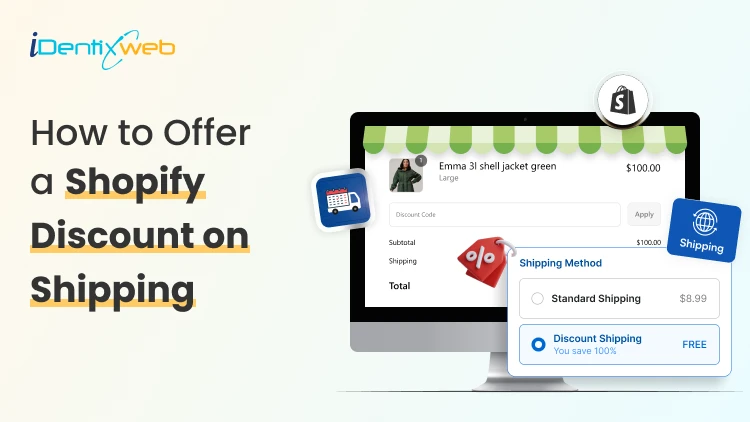
How to Offer a Shopify Discount on Shipping Without Hurting Profit Margins
Shipping costs can make or break an online purchase. A customer may love your product, add it to the cart, and reach checkout with full buying intent. But when the final shipping charge feels too high, that order can disappear in seconds. That is why many merchants use a Shopify discount on shipping to reduce checkout friction and encourage customers to complete their purchase. The problem is simple: shipping is not actually free. If you reduce or remove the customer’s shipping cost without planning the numbers, the cost comes out of your profit. In this guide, we will cover how to offer a Shopify discount on shipping without hurting your profit margins, how to calculate the right threshold, which discount methods to use, and how to make shipping rates work better for your store. Why Shipping Discounts Matter for Shopify Stores Shipping is one of the most sensitive parts of the buying journey. Customers often compare the final checkout total, not just the product price. Even a small unexpected shipping fee can make the order feel less valuable. A shipping discount helps in three main ways: It reduces checkout hesitation. It encourages customers to add more products to qualify. It improves the perceived value of the order. The goal is not simply to make shipping cheaper. The goal is to make the customer feel rewarded while your store still protects its margin. What Is a Shopify Discount on Shipping? A Shopify discount on shipping is an offer that reduces or removes the shipping cost for eligible customers. In Shopify, this is commonly done through free shipping discounts, automatic discounts, shipping profiles, conditional shipping rates, or third-party apps. However, not every store should offer the same shipping discount. A fashion store selling lightweight products may have more flexibility than a furniture store shipping heavy items. A local bakery may need different rates for same-day delivery, weekend delivery, store pickup, and standard shipping. That is why the best shipping discount strategy starts with cost control, not just marketing. Best Ways to Offer Shipping Discounts on Shopify There are several ways to offer shipping discounts. The right option depends on your product type, margins, average order value, and fulfillment setup. 1. Free Shipping Above a Minimum Order Value This is one of the safest and most popular methods. Instead of offering free shipping on every order, set a minimum cart value. For example: Free shipping above ₹1,999 Free shipping above ₹2,499 for metro cities Free shipping above ₹3,999 for bulky products A simple way to calculate your threshold is: Free shipping threshold = average order value + average shipping cost + desired profit buffer If your current AOV is ₹1,500 and average shipping cost is ₹150, you might test a threshold of ₹1,999 or ₹2,000. This gives customers a clear reason to add one more product. 2. Product-Specific Shipping Discounts Some products are easier to ship than others. If you sell both lightweight and heavy products, do not use the same shipping rule for everything. You can offer free or discounted shipping only on: Lightweight products High-margin products Slow-moving inventory Product bundles Digital-plus-physical combinations Selected collections This keeps your shipping offer attractive without applying it to products that are expensive to deliver. You can try Delivery Date & Pickup Stellar app to offer shipping options on specific products. 3. Discounted Flat Shipping Rate Not every store can afford free shipping. In that case, a discounted flat rate can work better. For example: ₹49 shipping on all prepaid orders ₹99 shipping for orders below ₹1,000 ₹149 shipping for remote locations ₹0 store pickup This helps customers feel that the shipping cost is predictable. It also avoids the margin risk of free shipping on small orders. A discounted shopify shipping rate is especially useful when your product margins are moderate but you still want to reduce checkout friction. 4. Free Shipping Discount Code A discount code gives you more control. You can share it with selected customers, email subscribers, first-time buyers, or seasonal campaign traffic. For example: FREESHIP SHIPFREE2000 WEEKENDSHIP VIPSHIP This method works well when you want to track campaign performance. You can see how many customers used the code and whether it improved conversions. However, discount codes also have one drawback: customers need to remember and apply them. If they forget, they may feel disappointed at checkout. 5. Automatic Free Shipping Discount An automatic discount applies when the customer meets your conditions. This creates a smoother checkout experience because customers do not need to enter a code manually. For example, when a customer’s cart reaches ₹2,000, free shipping can apply automatically. This is useful for sitewide offers, festive campaigns, and AOV-based shipping rewards. Just make sure the conditions protect your profit margin. 6. Location-Based Shipping Discounts Shipping cost changes by location. Nearby zones may be cheaper, while remote or international zones may cost more. Instead of one blanket offer, create location-based rules. For example: Free local delivery within 5 km Discounted delivery for nearby cities Standard paid shipping for other regions No free shipping for remote zones unless cart value is high This is a practical way to stop shipping discounts from eating into your margin. Margin-Friendly Shipping Discount Strategies A profitable shipping discount is not just about setup. It is about strategy. Offer Free Shipping Only on Prepaid Orders COD orders often have higher risk due to returns, failed deliveries, and extra handling. If your store supports prepaid orders, offer better shipping benefits to prepaid customers. For example: Free shipping on prepaid orders above ₹1,999 ₹99 shipping on COD orders Extra COD fee for low-value orders This encourages prepaid payments and reduces fulfillment risk. Use Bundles to Increase Cart Value Shipping discounts work better when customers buy more in one order. Product bundles help increase AOV and reduce per-item shipping cost. For example: Buy 2 skincare products and get discounted shipping Buy a complete meal kit and get free delivery Buy 3 accessories and unlock free shipping This works because the shipping cost may not increase much with one or two extra lightweight products, but your revenue and margin improve. Give Store Pickup as the Best Discount If you have a physical store, warehouse, bakery, florist shop, or local pickup point, store pickup can be your most profitable shipping discount. You can offer: Free pickup Faster pickup slots Pickup-only discounts No delivery charge for nearby customers who collect orders This improves customer convenience without adding delivery cost. Use Shipping Discounts for Loyal Customers Not every customer needs the same offer. You can reserve better shipping discounts for repeat buyers, VIP customers, or members. For example: VIP customers get free shipping above ₹1,499 New customers get free shipping above ₹2,499 Wholesale customers get special shipping rules This protects your margin while rewarding customers with higher lifetime value. Avoid Free Shipping on Low-Margin Products Some products simply cannot support free shipping. These may include bulky, fragile, heavy, low-margin, or remote-shipping products. Instead of discounting shipping on these items, use clear messaging: “Shipping calculated based on product size” “Special handling charges apply” “Free pickup available” “Discounted delivery available on selected dates” Clear communication is better than offering a discount that makes the order unprofitable. Common Mistakes to Avoid Setting the Threshold Too Low If your free shipping threshold is too close to your current AOV, customers may qualify without adding more products. That means you are giving away shipping without increasing revenue. Ignoring Product Weight Two orders with the same cart value can have very different shipping costs. A ₹2,000 order of small accessories may be profitable, while a ₹2,000 order of heavy items may not. Offering Free Shipping Everywhere Remote zones, international orders, and urgent deliveries can be expensive. Keep your shipping discount limited to profitable locations and methods. Combining Too Many Discounts A product discount plus an order discount plus free shipping can quickly reduce your profit. Before stacking offers, calculate the final margin. Not Showing the Offer Early If customers discover free shipping only at checkout, you lose its full impact. Promote the offer on product pages, cart drawer, announcement bar, and checkout. For example: “Add ₹350 more to unlock free shipping.” This encourages customers to increase cart value before they reach checkout. Final Thoughts A Shopify discount on shipping can be one of the most effective ways to reduce checkout friction and increase average order value. But it should never be treated as a random offer. The safest strategy is to start with your real shipping cost, calculate a profitable threshold, limit discounts by product or location, and use delivery-date-based pricing when needed. If you manage local delivery, pickup, same-day delivery, or scheduled shipping, using a tool like Stellar Delivery Date & Pickup can give you better control over shipping charges based on delivery date, time, and fulfillment method. Shipping discounts should not hurt your margins. When planned correctly, they can help customers feel rewarded while your store keeps every order profitable. FAQs 1. What is the best way to offer a Shopify Discount on Shipping? The best way is to set a minimum order value that covers your shipping cost and protects your profit margin. For many stores, free shipping above a specific cart value works better than free shipping on every order. 2. Can I offer free shipping only for selected products? Yes, you can use shipping profiles or product-based rules to offer free shipping only for selected products or collections. This is useful for lightweight, high-margin, or promotional products. 3. How do I protect profit margins while offering shipping discounts? Calculate your real shipping cost, set a profitable threshold, avoid low-margin products, limit remote zones, and track profit per order after launch. Do not judge the offer only by sales. 4. Is free shipping better than discounted shipping? Not always. Free shipping is attractive, but discounted flat shipping can be safer for stores with tight margins. A ₹49 or ₹99 shipping rate can still reduce checkout friction without removing the shipping charge completely. 5. Can I charge different shipping rates by delivery date? Yes, with the right delivery date and pickup app, you can charge different rates based on the selected delivery date. This is useful for same-day delivery, weekend delivery, holidays, and store pickup. 6. How many times should I test my shipping discount strategy? Test it regularly, especially during festive seasons, sale periods, shipping rate changes, and changes in product pricing. Review conversion rate, AOV, and profit per order before making it permanent.
10 Min • 1 July 2026
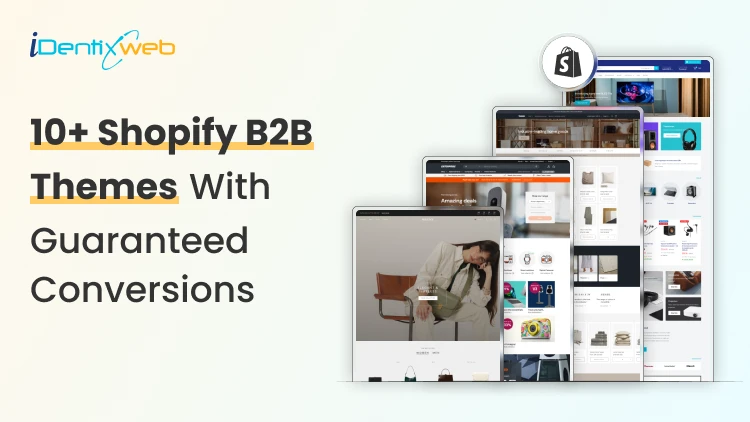
Best B2B Shopify Theme for 2026: Free and Paid Options for Wholesale Brands
Picking the wrong B2B Shopify theme can negatively impact your wholesale operation. I have seen it happen a lot of times this year. The good news is that Shopify's B2B ecosystem has grown significantly in 2026. B2B features like company profiles, custom catalogs, and volume pricing are no longer only for Shopify Plus. Merchants on Basic, Grow, and Advanced plans can now access many native wholesale tools directly. Your theme choice, though, still matters. The right B2B Shopify theme creates a buying experience that business customers trust and return to. Being a Shopify expert, I have tried and tested many wholesale themes. In this article, I will add the best ones that have brought sales to my clients over the years. 10+ features every B2B Shopify theme must have 1. Fast predictive search and faceted filtering Wholesale buyers search by SKU, variant, category, and spec. A theme without strong filtering wastes their time and yours. 2. Bulk add-to-cart or quick order list Buyers placing orders of 200+ units cannot add items one by one. A quick order form or table view is essential. 3. Login-gated pricing display Wholesale pricing should only be visible to approved buyers. The theme must support hiding prices or showing custom prices based on customer account status. 4. Volume pricing table display The theme should surface pricing tiers clearly on product pages. Buyers need to see how the price changes at 10, 50, and 500 units without asking a sales rep. 5. App compatibility for wholesale workflows Confirm the theme works with the wholesale apps you plan to use. Some B2B Shopify themes have conflicts with third-party pricing or quick order apps. Checkout my complete breakdown on the best Shopify wholesale apps for B2B merchants in 2026. Best B2B Shopify themes for 2026 Trade: Best free B2B Shopify theme Developer: Shopify | Price: Free | Best for: New and early-stage wholesale stores Trade is the only free theme on the Shopify Theme Store built specifically for B2B merchants. Shopify designed it from scratch around wholesale workflows. The layout is clean, and product grids load fast. I love how its navigation is structured for catalog browsing. For merchants starting their Shopify wholesale business without a large budget, Trade is the most logical starting point. Key strengths: Built-in quick order form, compatibility with Shopify's native B2B features (company profiles, volume pricing, quantity rules), and customizable contact forms for capturing wholesale account inquiries. Rating: 31% Hyper: Best overall B2B Shopify theme Developer: FoxEcom | Price: $400 | Best for: High-growth wholesale and hybrid B2B stores For me, this theme is built around three problems that kill wholesale conversions: Buyers who take too many clicks to evaluate products Pricing tiers that are invisible until checkout Catalog structures that break down at high SKU counts. Hyper solves the first problem with collection list grids and featured product tabs that let buyers evaluate multiple items. Comparison tables for product specifications sit inside those category cards, reducing the back-and-forth that wastes buyers' time. The second problem is addressed through profile-based pricing display, which shows each buyer their specific pricing tier immediately on login. For distributors managing thousands of products, the semantic search and advanced filtering handle SKU discovery at scale. Key strengths: Native bulk ordering, minimum order enforcement, quick order forms, multi-currency support, volume pricing display, and cart drawer controls that are best-in-class. Rating: 99% Warehouse: Best Shopify B2B theme for large catalogs Developer: Maestrooo | Price: $320 | Best for: Distributors, manufacturers, and industrial suppliers with 1,000+ SKUs Warehouse is built to handle large catalogs. Enterprises managing tens of thousands of SKUs, complex variant structures, and multi-category inventories consistently name Warehouse as the most operationally reliable theme for their scale. Key strengths: The collection page experience is the standout feature. Advanced filtering, predictive search, sticky navigation, and mega menus with promotional tiles work together to give wholesale buyers fast, organized product discovery. I think where Warehouse requires extra work is in customer-group pricing and login gating. The theme does not include native controls for these. You need Shopify's B2B features or a dedicated Shopify B2B pricing app to implement account-specific pricing on top of the Warehouse foundation. Rating: 85% Enterprise: Best Shopify theme for hybrid B2B + DTC stores Developer: Clean Canvas | Price: $420 | Best for: Brands running retail and wholesale from one storefront Enterprise solves a specific problem: merchants who sell to consumers and wholesale buyers from the same store without wanting to build two separate storefronts. The theme handles both use cases in a single layout. Key strengths: Conversion-focused merchandising combines well with bulk ordering tools. This theme also integrates smoothly with Shopify B2B apps for account-level pricing, company profiles, and custom catalog visibility. For brands using Shopify Plus or Advanced as their plan, Enterprise works well on both, though Plus gives access to the full native B2B feature set. Rating: 94% Normcore: Best minimalist Shopify wholesale theme Developer: SalesHunterThemes | Price: $320 | Best for: B2B sellers with focused product lines and repeat buyers Normcore proves that a minimalist theme can support wholesale operations. Its setup is organized around repeat purchasing rather than new buyer discovery. Key strengths: Quick order lists and bulk add-to-cart are built in, which removes the need for third-party order apps. The mobile experience is optimized for wholesale browsing. For B2B stores where buyers return weekly or monthly with predictable orders, Normcore's layout reduces cognitive load and speeds up checkout. Rating: 100% Ignite: Best Shopify B2B theme for search-first stores Developer: FoxEcom | Price: $360 | Best for: Hybrid B2B stores with dense, specification-heavy catalogs Ignite follows a marketplace-style layout similar to how Amazon organizes product discovery. This helps buyers navigate through filters and structured product grids. For B2B stores where buyers know exactly what they need and want to find it in three clicks, Ignite is the most efficient layout available. Key strengths: The Enhanced Search feature handles dense catalogs with strong product title structuring and category hierarchies. SEO-optimized product pages and collection structures make Ignite one of the better themes for organic visibility alongside B2B functionality. Rating: 100% Prestige: Best Shopify Plus wholesale theme for premium brands Developer: Maestrooo | Price: $400 | Best for: High-end brands running premium wholesale alongside DTC Prestige combines the benefits of both luxury presentation and B2B function. Most wholesale themes sacrifice design quality for operational efficiency. Prestige does not make that trade-off. Key strengths: High-resolution imagery, editorial layouts, and refined typography are combined with full Shopify B2B app integration and tiered pricing support. Rating: 91% Keystone: Best paid Shopify B2B theme for wholesale-first stores Developer: Brickspace Lab | Price: $440 | Best for: Wholesale stores that want built-in B2B selling tools without depending too much on extra apps Keystone is built specifically around B2B storefronts, bulk buying, and account-driven selling. It has a built-in quick ordering, account limits, order minimums, upsells, bundles, and product recommendations. Key strengths: Built-in quick order list, order minimum support, account limits, slide-out cart, sticky cart, product filtering, enhanced search, mega menu, swatch filters, customizable contact forms, and Shopify Plus quantity pricing support. Rating: 100% Canopy: Best Shopify B2B theme for large carts and inventory-heavy stores Developer: Clean Canvas | Price: $420 | Best for: Wholesale stores, food suppliers, retail distributors, and merchants with large inventories Canopy is a strong option for B2B stores where buyers usually add multiple products to the cart in one session. It is Amazon-inspired, feature-rich, and optimized for large-scale selling, with a prominent search bar and always-visible cart sidebar for stores with large carts and inventories. Key strengths: Prominent search, advanced product filters, predictive search, quick order list, quick view, sticky cart, slide-out cart, mega menu, product filtering and sorting, promo tiles, stock counter, and recommended products. Rating: 95% Xtra: Best affordable premium B2B Shopify theme Developer: Someone You Know | Price: $100 | Best for: Small and mid-sized B2B stores that want premium features at a lower cost For merchants who want more than a free theme but do not want to spend $300–$400 upfront, Xtra is a practical choice. It is especially useful for stores that need quick ordering, product specifications, upsells, and strong catalog navigation without adding too many third-party apps. Key strengths: Quick order list, bulk upsells, quick view, product specifications, slide-out cart, sticky cart, product filtering, enhanced search, mega menu, swatch filters, recommended products, countdown timer, and Shopify Plus quantity pricing support. Rating: 98% Empire: Best marketplace-style Shopify B2B theme for large catalogs Developer: Pixel Union | Price: $360 | Best for: Large catalog stores, industrial suppliers, electronics sellers, and marketplace-style B2B storefronts Empire is another theme that is built for big catalogs. Shopify positions it as a theme optimized for large catalogs with advanced filters, shoppable images, product comparison, and a bold mega menu. That makes it useful for B2B stores where buyers need to move through multiple categories, compare products, and find exact items quickly. Key strengths: Advanced product filtering, enhanced search, mega menu, product comparison, quick order list, quick view, product badges, promo tiles, recommended products, slide-out cart, sticky header, swatch filters, and multi-currency/multi-language support. Rating: 79% Read my complete breakdown on things to look out for before choosing a Shopify theme this year. Choose the right B2B Shopify theme in 2026 The B2B Shopify theme landscape in 2026 is better than it has ever been. The key shift worth mentioning this year is that B2B functionality on Shopify is no longer only for Plus merchants. The platform has opened up enough that merchants on standard plans can run wholesale operations with the right theme. Your theme choice is about finding the structure that matches your buyers' behavior, not about finding the most feature-rich option on the market. FAQs 1. What is the best free B2B Shopify theme? Trade is the best free B2B Shopify theme. It is built by Shopify specifically for wholesale merchants and includes a quick order form, login-gating support, and compatibility with Shopify's native B2B features. 2. Which Shopify wholesale theme is best for large catalogs? Warehouse by Maestrooo is the most reliable Shopify wholesale theme for stores with large product catalogs. Its advanced filtering, predictive search, mega menus, and high-speed collection pages are built to handle thousands of SKUs without degrading the buyer experience. 3. Do I need Shopify Plus to use a B2B theme effectively? No. As of 2026, Shopify's native B2B features, including company profiles, custom catalogs, and volume pricing, are available on Basic, Grow, and Advanced plans. Most B2B themes work well on all plan levels. 4. How much does a good Shopify B2B theme cost? Free themes like Trade are available at no cost. Premium B2B Shopify themes range from $320 (Warehouse, Normcore) to $400 (Hyper, Enterprise, Prestige). These are one-time fees with lifetime licenses for the purchasing store.
Sajini Annie John
February 14, 2024
6908 Views
Sajini Annie John
May 6, 2026
110 Views
Sajini Annie John
April 29, 2026
123 Views
Sajini Annie John
May 3, 2026
116 Views
Sajini Annie John
March 13, 2026
254 Views
Sajini Annie John
May 5, 2026
112 Views

Sajini Annie John
March 22, 2024
7201 Views

Sajini Annie John
October 20, 2022
5954 Views
Sajini Annie John
April 28, 2026
130 Views
Sajini Annie John
April 23, 2026
146 Views
Sajini Annie John
April 26, 2026
112 Views
Sajini Annie John
April 26, 2026
124 Views