





Many new Shopify store owners choose a theme because it looks attractive. I don’t think that is the right way to choose a theme.
A Shopify theme should help shoppers find products faster, understand your offer, trust your brand, and move to checkout without confusion.
This is what I always believe: A good Shopify theme is one that makes shopping easy. That’s why I always check one thing first when I try to install a theme.
Can a first-time shopper land on this store and buy without getting stuck?
In this guide, I’ll break down the top design elements I look for in high-converting Shopify website themes. I’ll also share how I choose the best Shopify theme for conversions, especially for new stores.
10+ design features in Shopify website themes to increase conversions
Feature #1 Conversion-focused product page layout
This is where I personally focus the most because the product page does a lot of heavy lifting. Good Shopify website themes keep the journey from discovery to checkout easy.
The add-to-cart button should stay easy to find, especially on mobile. If shoppers need to scroll too much just to buy, the theme is creating friction.
Once the shopper clicks Add to Cart, the experience should still feel smooth. This is where I add a cart drawer and use a cart optimization app like iCart Cart Drawer Cart Upsell.
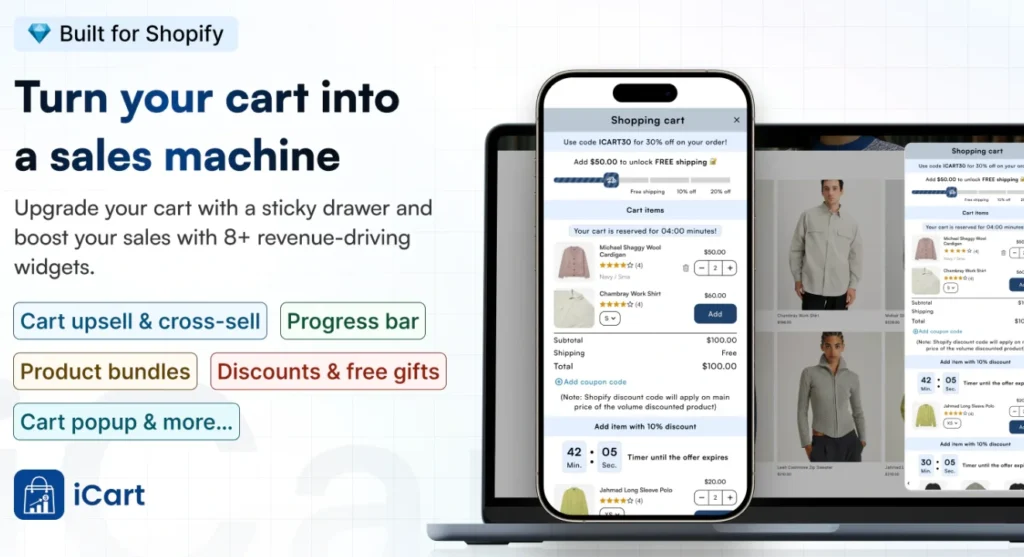
With iCart, you can customize your cart drawer, cart popup, or full cart without coding. You can also show product recommendations, cart upsells, product bundles, discounts, and a free shipping progress bar inside the cart, which helps shoppers continue buying without breaking the flow.
Feature #2 Fast-loading pages
A slow Shopify store makes shoppers leave before they even check your product.
A good website theme should load fast and handle images properly. It should not depend on heavy animations or too many unnecessary sections. New store owners often add pop-ups, apps, sliders, and large images that can hurt the full shopping experience.
The fastest Shopify theme is undoubtedly Dawn, in my experience. It's free, minimal, and the starting point of every merchant. If you want a premium theme, go with Blum.
Feature #3 Clear hero section with one strong message
The first screen should answer one question:
Why should someone buy from this store?
Here’s what I always cover when optimizing a theme.
- Clear headline
- Product-focused image
- Simple CTA
- Short supporting line
- No clutter above the fold
For example, instead of saying “Welcome to our store,” use a benefit shoppers care about, like “Clean skincare made for sensitive skin.”
I would go with Impact and Motion for this. Both have strong visuals for showing products in the best way possible.
Feature #4 Simple navigation and mega menu
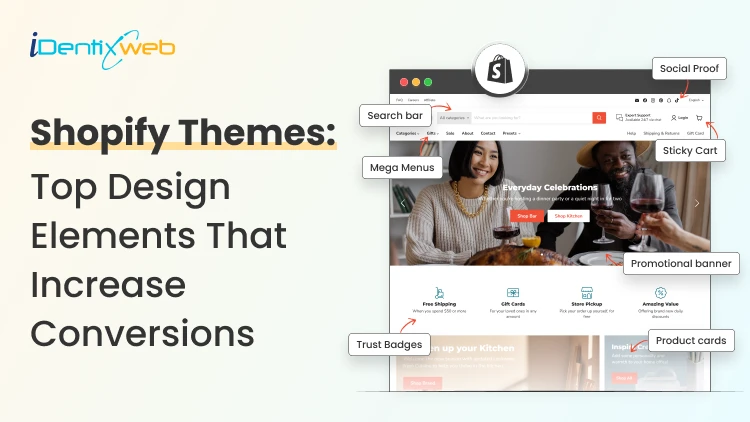
A shopper should not guess where to click. Top Shopify website themes make categories easy to find. The mega menu is perfect for navigation and product discovery. Here’s what I always cover:
- Clear menu labels
- Mega menu for large catalogs
- Collection-based navigation
- Sticky header
- Search bar visibility
Eurus and Prestige are great choices that have simple navigation.
Feature #5 Smart product search, filters, and sorting
Filters matter when your store has multiple products. If you have a large store with a long list of products, smart filters help shoppers narrow choices quickly.
Cover:
- Price filters
- Size filters
- Color filters
- Availability filters
- Product type filters
- Sort by best selling, price, or newest
For this, I would recommend Symmetry and Warehouse. Both these themes have excellent sorting and filtering features.
Feature #6 Mobile-first design
Most shoppers will visit your Shopify store from mobile. So your theme needs to work well on small screens.
A good mobile theme should have clear buttons, readable text, simple product cards, and enough spacing. Shoppers should not pinch, zoom, or struggle to tap the right button.
I always test the mobile version before the desktop. If the mobile layout feels messy, I would not call that theme conversion-ready.
The best mobile-friendly Shopify themes I suggest are Spark and Streamline.
Feature #7 Trust-building sections
If you are building a new Shopify store in 2026, you need to build trust more than big brands.
Your theme should make it easy to show trust signals without making the store look fake. I always use trust signals like customer reviews, product ratings, shipping details, return policy, and secure payment icons
I also don’t recommend adding random trust badges everywhere. Shoppers can spot fake trust quickly. There are two themes I would advice here, Dawn, if you want a free and minimal option or Prestige if you want a luxury option.
How to Choose the Best Shopify Theme?
Choosing Shopify website themes for conversions starts with your catalog size, product type, and how your shoppers buy. A single product store needs a focused layout, while a large catalog needs strong filters, search, and clear navigation.
Also, check if your shoppers need size charts, delivery details, product comparison, variant options, quick buy, or bulk buying support before choosing the theme.
For a deeper breakdown, read this guide on how to choose the perfect theme for your Shopify store.
Choose features carefully for your Shopify website theme
Again, I would like to reiterate that the best Shopify website themes make shopping simple.
They help shoppers find the right product, understand the offer, trust the store, and check out without friction.
One practical tip I would also give is, before you publish your Shopify theme, go through the store like a shopper. Find a product. Read the details. Add it to the cart. Edit the cart. Check the checkout path.
If that journey feels clear and smooth, you have found your theme.
FAQs
1. Which design elements should I look for before selecting a Shopify theme?
Look for mobile-first design, fast loading speed, clear navigation, strong product pages, product filters, visible add-to-cart buttons, trust sections, and a clean cart experience. As a Shopify expert, I always check whether the theme makes the buying journey simple for a first-time shopper.
2. Which is the best Shopify theme for conversions?
Dawn, Horizon, Prestige, Shrine, and Impulse are good themes for increasing store conversions.
3. Do I need to install apps for conversions after adding a Shopify website theme?
Yes. You may still need a few apps because a theme only gives you the store layout and basic shopping experience. Apps can help you add advanced features like cart upsells, product bundles, reviews, email popups, delivery date selection, and stronger cart customization.
4. Do I need a paid Shopify theme to increase conversions?
You don’t always need a paid Shopify theme to increase conversions. A free theme can work well if your product pages, images, copy, navigation, speed, and cart flow are optimized properly.
5. How to see what Shopify theme a website is using?
The best way is to use theme detectors like Shop Theme Detector or PageFly Theme Detector.




About the author
Vineet Nair
Vineet is an experienced content strategist with expertise in the ecommerce domain and a keen interest in Shopify. He aims to help Shopify merchants thrive in this competitive environment with technical solutions and thoughtfully structured content.