



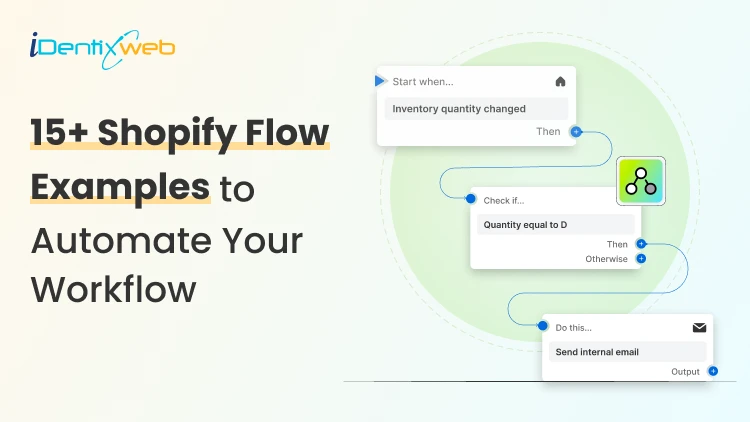

Some useful Shopify Flow examples are tagging high-value orders, sending low-stock alerts, tagging first-time customers, flagging risky orders for review, and notifying your team when orders stay unfulfilled for too long. You can also use Shopify Flow for more advanced workflows, like sending flagged order data to Google Sheets, creating a daily order summary, tagging customers linked to chargebacks as high risk, or routing vendor-specific orders automatically.
When I help Shopify merchants clean up their backend, Shopify Flow is one of the first tools I reach for. It handles the small repetitive tasks: tagging, alerting, routing, and flagging that otherwise pile up across your team's day.
In this guide, I will walk through 15+ real Shopify Flow examples I have either built for stores or seen work well. These are organized by where they sit in the customer journey: pre-purchase, at-purchase, fulfillment, post-purchase, and back-office.
Each example has the same format: what it does, who it's best for, the exact trigger, condition, and actions to set it up, and why it pays off. Skip to the category that matches your biggest operational headache.
Which Shopify plans include Shopify Flow?
A question I get every week. Shopify Flow used to be a Plus-only feature. That changed. Today, Flow is free on every paid Shopify plan. Although if you are on Plus, it has many advanced features.
There is no separate cost. You install the Shopify Flow app from the Shopify App Store and start building workflows the same day.
How is a Shopify Flow workflow built?
Every Shopify Flow example I have mentioned below has three parts:
- Trigger: The event in your store that starts the workflow (an order paid, inventory dropping, a customer being created).
- Condition: The checks the flow runs before deciding to act (is the order over $500? Is the customer a first-timer?).
- Action: What Flow does when the condition is met (add a tag, send a Slack message, email the team, push data to Google Sheets, hold fulfillment).
New to Shopify Flow? Start with our setup guide on how to create custom automated workflows. It covers the triggers, conditions, and actions structure in detail.
If you want just working examples, continue with this blog.
Shopify flow examples vs templates: Which one do you actually need?
Quick clarification before the examples, because the words get mixed up.
A Shopify Flow template is a pre-built workflow you install with one click from Shopify's official template library. You install it, change the values to match your store (the threshold, the email recipient, the Slack channel), turn it on, and it runs.
A Shopify Flow example is what this guide covers. It is a workflow pattern you build yourself, usually because the template library does not have the exact combination of trigger, condition, and actions you need. You either start from scratch or copy a template and modify it.
Use a template when the workflow is generic and well-known (low-stock email, cancel high-risk orders, tag first-time customers).
Build from an example when your trigger or condition is specific to your store (orders over $X from a specific collection routed to a specific warehouse, or customers tagged based on lifetime value brackets you defined).
The 15+ examples below are the patterns I have built repeatedly for Shopify stores. Some have templates in the library you can start from.
Common Shopify Flow examples that stores can start
Pre-purchase flows: Capture and qualify visitors before they buy
1️⃣ Tag first-time customers automatically
What it does: Adds a "first_time_customer" tag the moment a new customer account is created, so your email tool and your team treat them differently from returning buyers.
Best for: Stores running welcome email sequences, first-order discount campaigns, or different shipping rules for new vs. repeat buyers.
Setup:
- Trigger: Customer created
- Condition: Customer orders count = 0
- Actions: Add customer tag first_time
Why it pays off: Your welcome email triggers off the tag, not a manual list upload. The customer gets the right message within minutes of signing up, and your team can see in the admin who is brand new without checking order history.
2️⃣ Flag accounts that signed up but haven't ordered
What it does: Watches for customers who created an account 7 days ago and still haven't placed an order, then triggers a re-engagement email or adds them to a paid retargeting audience.
Best for: Stores with sign-up incentives (newsletter discount, member pricing) where account creation outpaces actual orders.
Setup:
- Trigger: Scheduled time (daily)
- Condition: Customer orders count = 0, AND Customer created date is 7 days ago
- Actions: Add customer tag dormant_signup + Send email through Klaviyo / Omnisend trigger
Why it pays off: Sign-up incentive abuse is the silent budget leak — people sign up for the discount, never buy, and get forgotten. This flow puts them in a proper recovery sequence instead of leaving them as dead weight in your customer list.
3️⃣ Mark high-intent cart abandoners
What it does: Tags customers whose cart total crossed a threshold but didn't convert, so your abandoned-cart sequence treats them with extra urgency (stronger discount, sales team outreach, retargeting).
Best for: Higher-AOV stores where saving one cart is worth more than sending one extra generic email.
Setup:
- Trigger: Checkout started (via connector or compatible app)
- Condition: Checkout total ≥ $200 AND checkout completed_at is empty after 24h
- Actions: Add customer tag high_value_abandoner + Slack ping to sales channel
Why it pays off: Most abandoned-cart flows treat every abandoner the same. A $60 cart and a $600 cart get the same email. This flow separates the ones worth real recovery effort from the noise.
Purchase flows: React to orders the moment they happen
4️⃣ Tag premium orders automatically
What it does: Identifies orders above your threshold the moment they are paid, tags them as high_value, and pings your team so the order gets white-glove handling (custom packaging, upgraded shipping, a personal note).
Best for: Any store where the top 10% of orders deserve more attention than the bottom 90%.
Setup:
- Trigger: Order paid
- Condition: Order total > $500 (set your own threshold)
- Actions: Add order tag high_value + Send Slack message to #orders channel
Why it pays off: You stop missing the moments where a thank-you note or free upgrade earns you a repeat customer. Premium orders get caught before they ship.
5️⃣ Flag risky orders for review
What it does: Catches orders that Shopify's fraud system marks high-risk and holds them for manual review before they ship.
Best for: Stores with high-ticket items, international shipping, or a history of chargebacks.
Setup:
- Trigger: Order risk analyzed
- Condition: Order risk level = High
- Actions: Hold order fulfillment + Add order tag review_fraud + Email ops team
Why it pays off: One chargeback often costs more than the order's margin. Catching the obvious ones before they ship pays for the time it takes to review them.
6️⃣ Trigger a welcome flow on a customer's first purchase
What it does: When a brand-new customer places their first paid order, this flow tags them, optionally adds them to a loyalty starting tier, and triggers the first-order welcome email.
Best for: Stores doing first-time customer onboarding (warranty registration, loyalty program enrollment, post-purchase education).
Setup:
- Trigger: Order paid
- Condition: Customer orders count = 1
- Actions: Add customer tag first_order_complete + Optional: enroll in loyalty starting tier + Send custom welcome flow trigger
Why it pays off: The first-order touchpoint is the highest-leverage moment in customer retention. Doing it manually means it gets done sometimes. Automating it means it gets done every time.
7️⃣ Tag orders by sales channel
What it does: Automatically tags every order with where it came from (online store, POS, Shop app, wholesale) so your reporting, fulfillment rules, and team views can filter cleanly.
Best for: Multi-channel stores (online + retail, B2B + B2C, or multiple marketplaces).
Setup:
- Trigger: Order created
- Condition: Order source name equals [pos/web /shop draft_order]
- Actions: Add order tag matching source
Why it pays off: Without this, every report mixes channels, and you end up filtering manually. With this, every reporting view can split channels cleanly with zero extra effort.
Fulfillment & inventory flows: Keep the back of the store running
8️⃣ Send a low-stock alert before you sell out
What it does: Watches every product variant. When inventory drops below your reorder threshold, send an email or Slack alert to whoever handles restocking.
Best for: Every Shopify store carrying physical inventory. This is one of the most universally useful Shopify flow examples.
Setup:
- Trigger: Product variant inventory quantity changed
- Condition: Inventory quantity ≤ 10 AND Inventory quantity prior > 10
- Actions: Send email to ops + Add product tag reorder_now
Why it pays off: Stockouts cost twice, once in lost sales, once in customers who get "out of stock" frustration and don't come back. A low-stock alert closes the gap between "we are about to sell out" and "someone is doing something about it."
9️⃣ Alert on orders stuck unfulfilled
What it does: Watches paid orders that have been sitting unfulfilled longer than your standard ship window (usually 48 hours), and notifies your fulfillment lead.
Best for: Stores with promised ship times where a delayed order becomes a support ticket.
Setup:
- Trigger: Scheduled time (run daily)
- Condition: Order financial status = Paid AND Order fulfillment status is unfulfilled AND Order created date is more than 48 hours ago
- Actions: Slack message with order list + Optionally add order tag delayed_ship
Why it pays off: The orders that go wrong are usually the ones that were already late. Catching them at 48h gives you time to communicate with the customer before they email asking, "Where is my order?"
🔟 Route bulk orders to the right warehouse automatically
What it does: Looks at incoming orders, identifies which vendor or warehouse should fulfill them, and tags them so your 3PL or warehouse team picks up the right ones.
Best for: Multi-warehouse stores, stores with drop-ship vendors, or B2B operations splitting fulfillment by region.
Setup:
- Trigger: Order created
- Condition: Order line items contain product from collection vendor_a (or other vendor-defining attribute)
- Actions: Add order tag vendor_a_route + Optionally email vendor with order summary
Why it pays off: Manual routing is slow and error-prone. Automated routing means orders arrive at the right warehouse the moment they're placed, not after someone gets around to checking them.
Post-purchase & loyalty flows: Turn buyers into repeat buyers
1️⃣1️⃣ Auto-tag customers when they cross your VIP threshold
What it does: When a customer crosses your lifetime spend or order- count threshold, it automatically tags them as VIP. Your loyalty tools, email tools, and team views all see them as VIP from that moment forward.
Best for: Stores running tiered loyalty, VIP discount programs, or white-glove customer service for top spenders.
Setup:
- Trigger: Order paid
- Condition: Customer total spent ≥ $1,000 (set your own threshold) OR Customer orders count ≥ 5
- Actions: Add customer tag vip + Slack message to CS lead
Why it pays off: VIP treatment stops being "we should do this for loyal customers" and starts being consistent. Every VIP automatically qualifies for whatever VIP perks you've built, no manual tagging, no missed customers.
1️⃣2️⃣ Ask for reviews only after delivery
What it does: Triggers a review-request email a few days after a fulfillment is marked delivered (not just shipped), so you ask when the customer has actually received the product.
Best for: Any store collecting reviews,, particularly stores with longer shipping times where "asked too early" feels rude.
Setup:
- Trigger: Fulfillment status updated to delivered (via connector — Yotpo, Judge.me, Loox, or Klaviyo)
- Condition: Delivered date is 3 days ago, AND Order has no review request tag yet
- Actions: Send review-request email + Add order tag review_requested
Why it pays off: Review timing matters more than most stores realize. Asking after shipping (but before delivery) gets ignored. Asking 2-3 days after delivery gets meaningfully higher response rates.
1️⃣3️⃣ Mark customers linked to chargebacks as high-risk
What it does: When Shopify records a chargeback or dispute on an order, this flow tags the customer as chargeback_risk so future orders from them flag for review automatically.
Best for: Stores with repeat fraud patterns or high-ticket goods where a single chargeback is significant.
Setup:
- Trigger: Order dispute created
- Condition: (none required — fires on any dispute)
- Actions: Add customer tag chargeback_risk + Slack message to ops
Why it pays off: Repeat-fraud customers tend to be the same accounts hitting different stores. Once one of yours gets tagged, every future order from that customer gets extra eyes which is when you catch the second and third attempts before they ship.
Backend flows: Keep your team and reporting in sync
1️⃣4️⃣ Send a daily summary of order details
What it does: Each morning, it sends a summary of yesterday's orders to your team, including total revenue, order count, biggest order, fulfillment status, so everyone starts the day on the same page.
Best for: Teams that don't sit in the Shopify admin all day but still need to know what happened overnight.
Setup:
- Trigger: Scheduled time (daily at 9 am)
- Condition: Order created date is yesterday
- Actions: Compile order summary + Send Slack message to team channel
Why it pays off: Replaces the "morning check the dashboard" habit with a single push-style summary. Everyone gets the same number at the same time, and the conversation starts from there.
1️⃣5️⃣ Send flagged orders to Google Sheets for review
What it does: Every time an order is flagged (high-value, fraud, delayed, customer-tagged), this flow pushes a row to a Google Sheet so your team has a running log they can sort, filter, and act from.
Best for: Stores whose CS or ops team works in spreadsheets, not in Shopify admin.
Setup:
- Trigger: Order tag added (using a for_review tag)
- Condition: Order has tag for_review
- Actions: Send data to Google Sheets row (via Google Sheets connector or Zapier)
Why it pays off: Spreadsheets are still where many ops teams actually live. Instead of asking them to learn the Shopify admin, you push the data where they already work.
1️⃣6️⃣ Auto-unpublish products that sell out and stay out
What it does: When a product hits zero inventory and stays at zero for 14+ days, automatically unpublishes it from the storefront so customers don't land on "sold out" pages from search or ads.
Best for: Stores running paid traffic to product pages, or stores with seasonal inventory that disappears for months at a time.
Setup:
- Trigger: Scheduled time (daily)
- Condition: Product total inventory = 0 AND last variant updated date > 14 days ago
- Actions: Unpublish product from Online Store + Add product tag paused
Why it pays off: "Sold out" landing pages waste ad budget and search clicks. Auto-unpublishing means you stop sending traffic to dead-end pages without anyone having to remember to update the catalog.
Connecting Flow to other apps
The Shopify flow examples above use Shopify's native actions tag, email, hold, etc. More benefits come when you connect Flow to the apps your store already runs on.
A Flow connector is what lets you call another app's action from inside Flow. Examples:
- Slack sends a message to a channel, tags a teammate, post in a customer thread. Used in most of the examples above.
- Klaviyo trigger a flow, adds a customer to a segment, track a custom event. Powers most of the post-purchase email examples.
- Yotpo / Judge.me / Loox trigger review requests based on fulfillment status.




About the author
Vineet Nair
Vineet is an experienced content strategist with expertise in the ecommerce domain and a keen interest in Shopify. He aims to help Shopify merchants thrive in this competitive environment with technical solutions and thoughtfully structured content.