





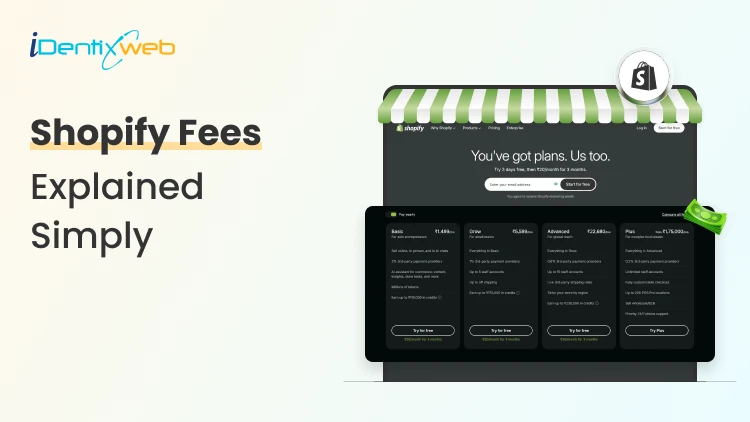
If you're running a Shopify store or planning to launch one, understanding Shopify fees is one of the most important things you need to figure out before you start selling. Many merchants get surprised when they see deductions from their payouts and wonder where their money went. The truth is, Shopify charges a few different types of fees, and once you know what they are, planning your pricing and profit margins becomes a lot easier.
In this guide, we will break down every single fee Shopify charges in 2026, show you exactly how much Shopify takes per sale, compare the different plans, and help you figure out which one fits your business.
What Are Shopify Fees?
Shopify fees are the charges merchants pay to run their online store on the Shopify platform. These fees fall into a few main buckets:
- Monthly subscription fees - What you pay for your Shopify plan
- Payment processing fees - Charged when a customer pays you
- Transaction fees - Extra charge if you use a third-party payment gateway
- App and theme costs - Optional, but most merchants use paid apps
- Domain fees - If you buy your domain through Shopify
Each of these adds to your total cost, and how much Shopify takes per sale depends on which combination applies to your store.
Shopify Plans and Pricing in 2026
Shopify offers five main plans, each with different monthly fees and features. Here's the latest pricing for 2026:
| Plan | Monthly Cost (Billed Monthly) | Monthly Cost (Billed Annually) | Best For |
| Starter | $5/month | $5/month | Selling on social media and messaging apps |
| Basic | $39/month | $29/month | New small businesses |
| Shopify (Grow) | $105/month | $79/month | Growing stores with a small team |
| Advanced | $399/month | $299/month | Scaling businesses needing reporting |
| Plus | Starts at $2,300/month | Custom pricing | Enterprise-level merchants |
How Much Shopify Takes Per Sale: A Breakdown
Now let's get into the part everyone wants to know - how much Shopify takes per sale. The answer depends on three things: your plan, your payment method, and your location.
1. Shopify Payments (The Built-in Gateway)
When you use Shopify Payments (Shopify's own payment processor), you only pay the processing fee, no extra transaction fee from Shopify.
2. Third-Party Payment Gateways
If you prefer using PayPal, Stripe, or another gateway, Shopify charges an additional transaction fee:
- Basic Plan: 2% per transaction
- Shopify (Grow) Plan: 1% per transaction
- Advanced Plan: 0.6% per transaction
Plus, you will still pay the third-party gateway's own processing fee, so this can get costly fast.
3. Shopify Starter Plan Fees
The Starter plan is a bit different it's mostly for selling through social media. It charges 5% per transaction for online sales, which is higher because the monthly fee is so low.
Hidden Shopify Costs You Should Know About
Beyond the obvious fees, there are a few sneaky costs that catch new merchants off guard:
1. Currency Conversion Fees
If you sell internationally and accept payments in foreign currencies, Shopify charges a 1.5% currency conversion fee in the U.S. and 2% in most other countries.
2. Chargeback Fees
When a customer disputes a charge, Shopify charges $15 per chargeback. If you win the dispu6te, the fee is refunded.
3. Shopify Apps
Most stores use anywhere from 5 to 15 apps, and the average merchant spends $40-$100 per month on apps. While apps add functionality, they can quietly eat into your margins.
If you're looking to boost your average order value without piling on app costs, try apps like iCart Cart Drawer Cart Upsell.
4. Themes
Free themes work fine for starters, but premium themes cost between $180 and $400 as a one-time purchase.
5. Domain Costs
If you buy your domain through Shopify, expect to pay around $14-$20 per year depending on the extension.
How to Reduce Your Shopify Fees: Step-by-Step
Want to keep more of your earnings? Here are practical steps to lower your Shopify costs:
Step 1: Use Shopify Payments
This wipes out the extra transaction fee Shopify charges for third-party gateways. If you're eligible in your country, this is the easiest way to save.
Step 2: Switch to Annual Billing
You'll save up to 25% on subscription costs just by paying yearly instead of monthly.
Step 3: Audit Your Apps
Go through your installed apps every quarter. If you're paying for something you don't use, uninstall it. Many merchants find they're paying for redundant tools.
Step 4: Upgrade Your Plan Strategically
If you're processing high volume, upgrading to the Shopify or Advanced plan actually saves money because the lower transaction fees offset the higher subscription cost.
Step 5: Increase Average Order Value
The lower your processing fees relative to order size, the better. Apps like iCart Cart Drawer help boost AOV by adding upsells and bundles right at the cart stage.
Final Thoughts
Understanding Shopify fees doesn't have to feel like decoding a contract. Once you break it down, you'll see that the cost of running a Shopify store in 2026 is pretty manageable, especially when you pick the right plan, use Shopify Payments, and avoid app bloat.
The smartest move? Focus less on shaving pennies off fees and more on building a store that brings in more revenue per visitor. That's where the real growth happens.
Frequently Asked Questions
1. Can I avoid Shopify transaction fees?
Yes, by using Shopify Payments, you can completely avoid the extra transaction fee Shopify charges for third-party gateways.
2. Does Shopify charge for refunds?
Shopify doesn't charge a fee for refunds, but as of 2023, the payment processing fee is not returned when you refund a customer. So you lose the original processing cost.
3. Are Shopify fees worth it?
For most merchants, yes. The platform handles hosting, security, payments, and updates, which would otherwise cost significantly more on a self-hosted setup like WooCommerce.
4. Does Shopify take a percentage of profits?
No, Shopify doesn't take a percentage of your profits. It only charges subscription fees and payment processing fees on transactions.
Post Tags


About the author
Sajini Annie John
Meet Sajini, a seasoned technical content writer with a passion for e-commerce and expertise in Shopify. She is committed to helping online businesses to thrive through the power of well-crafted content.