



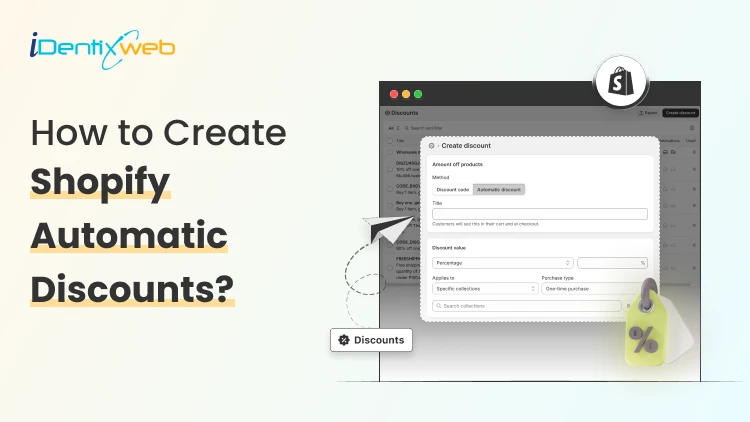

To set up Shopify automatic discounts, go to Shopify admin > Discounts > Create discount, choose the discount type, and select Automatic discount as the method. Then set the value, conditions, eligibility, dates, and test it in the cart before launching. To maximize sales, keep the offer simple, tie it to a clear goal like higher AOV or better conversion, and make sure shoppers can understand the offer instantly.
I have worked with many Shopify merchants who make the same mistake with discounts. They either avoid them completely or set them up incorrectly.
The better move is to keep the discount offer automatic and make it easy for shoppers to claim. That is why I like Shopify automatic discounts for stores. They remove extra steps at checkout and make the offer feel instant.
Shopify automatic discounts apply in the cart and at checkout when a customer meets the rules you set. In this guide, I will explain how to set up Shopify auto discounts and their benefits for merchants.
What Are Shopify Automatic Discounts?
A Shopify automatic discount is where the customer does not need to type a code. The discount appears automatically once the cart matches your conditions.
This matters because fewer steps mean less friction. It is also a simple way to run storewide promotions, cart-value incentives, or simple Shopify bundles.
Shopify currently supports amount off, free shipping, buy X get Y, and app-based automatic discounts. Let’s see how to set it up in your Shopify admin.
Step 1: Go to your Discounts section
From your Shopify admin, open Discounts and click Create discount in the top-right corner.
Step 2: Choose the right discount type
Shopify lets you create automatic discounts for Amount off products, Buy X Get Y, Amount off order, and Free shipping. I pick the discount type based on goals.

Step 3: Select “Automatic discount” as the method
Once you pick the discount type, Shopify gives you a method choice. Choose Automatic discount.
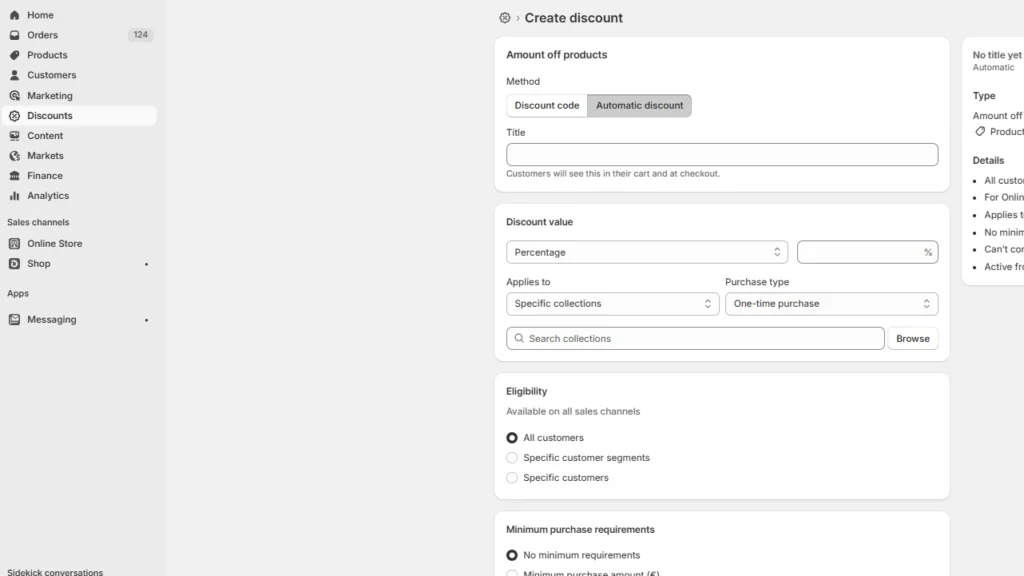
Then add a title. That title shows to customers in the cart and at checkout. For example, “Free shipping over $75”
Step 4: Set the discount value and the remaining criteria
Now set the actual offer. That could be a percentage off, a fixed amount off, free shipping, or a buy X get Y structure.
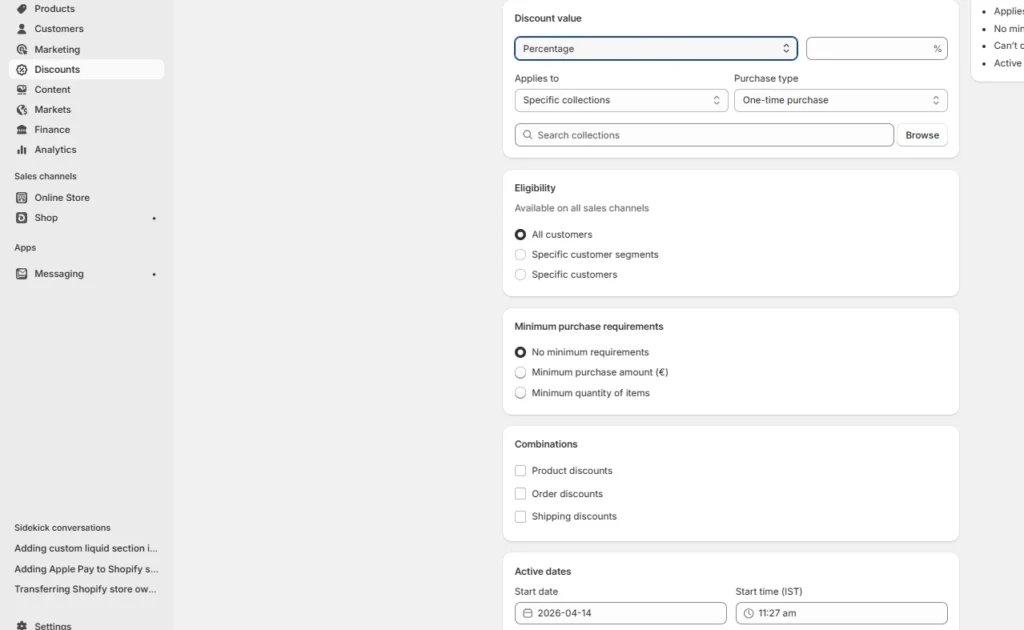
Then choose where it applies: all products, specific products, or specific collections. For new stores, I like starting narrow unless the promotion is part of a sitewide launch. It gives you more control and protects your margins.
You also need to set up the remaining criteria, like eligibility, minimum purchase requirements, combinations, and active dates.
Step 5: Save it and test it in the cart
Test the automatic discount as a customer. Add the qualifying items to the cart yourself and confirm the discount appears the way you planned.
Apps help when Shopify’s native rules feel too basic
When Shopify’s default discount setup starts to feel limited, I’d look at Shopify discount code apps like iCart Cart Drawer Cart Upsell.
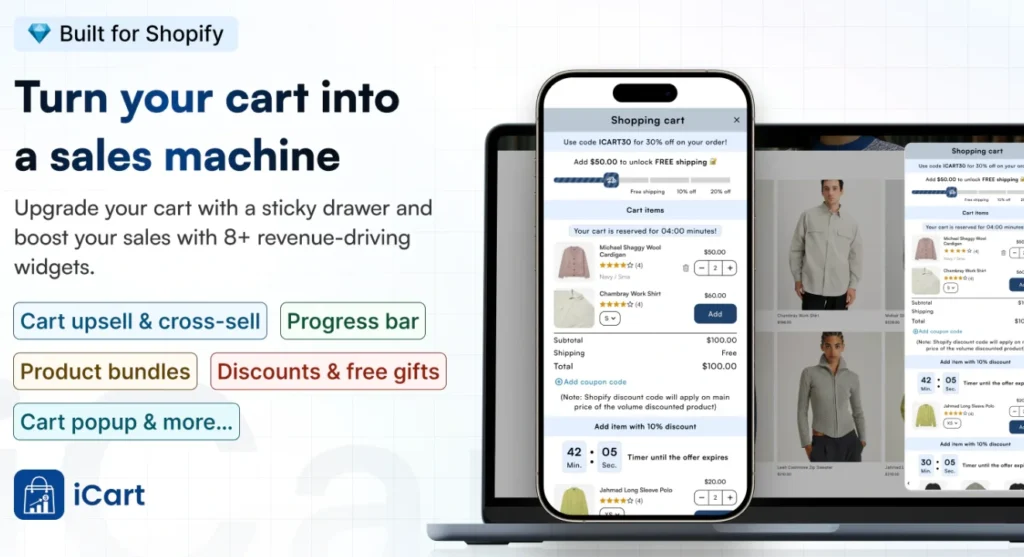
This app lets you turn the cart into a stronger conversion point with cart upsells, cross-sells, product bundles, cart discounts, progress bars, and countdown timers. That makes it a smart fit for stores that want to increase AOV with more engaging pre-purchase offers, not just run a simple discount.
Automatic discounts VS discount codes: The difference
| Basis | Shopify automatic discounts | Discount codes |
|---|---|---|
| How they work | Apply automatically when the cart meets the set conditions | Customers must enter the code at checkout |
| Best use case | Best for public promotions like free shipping or cart-value offers | Best for targeted campaigns like email, influencer, or limited-use offers |
| Customer effort | Very low because no code is needed | Slightly higher because the customer has to apply the code |
| Control level | Better for simple and broad promotions | Better for tighter control, unique offers, and campaign tracking |
| Usage limits | Limited to active automatic discount setups | Can be restricted with rules like one use per customer |
Features and Benefits of Shopify Automatic Discounts
Easy for customers to use
The biggest benefit is ease. Customers do not need to remember a code or enter anything at checkout.
The discount applies automatically when the cart matches the conditions, which makes the shopping experience smoother.
Better for broad promotions
Shopify automatic discounts work well for public-facing offers like free shipping deals, holiday promotions, and simple cart-based offers.
Shorter path to purchase
From my experience, automatic discounts work well because they remove one more step from checkout. When shoppers see the discount applied on its own, they check out faster.
Improve conversion
A clear automatic discount can make it easier for a customer to complete the purchase. This helps to improve your Shopify conversion rate.
Increase AOV
Automatic discounts also help increase AOV when they are tied to a minimum cart value. Offers like free shipping above a certain amount or money off above a threshold can push customers to add more to the cart.
Things to keep in mind when applying Shopify's automatic discounts
Shopify automatic discounts come with a few limits
Shopify allows up to 25 active automatic discounts, including app-based discounts. Also, automatic discounts created in the Shopify admin do not work on the post-purchase page.
For in-store use, they only apply on Shopify POS when you have POS Pro enabled.
Automatic discounts are not always the right choice
If you need more control, better channel tracking, or unique codes for a campaign, discount codes usually make more sense than an automatic offer.
Discount codes work better for targeted campaigns.
My final take on Shopify's automatic discounts
Automatic discounts are one of the easiest ways to run a promotion without adding checkout friction. Keep the offer simple, make sure it has a single goal and test it before you push traffic.
FAQs
1. Does Shopify offer discount codes?
Yes. Shopify lets you create both discount codes and automatic discounts.
2. How to create one time discount code on Shopify?
Go to Shopify admin → Discounts → Create discount, choose the discount type, and select Discount code as the method. Then create the code and use Shopify’s usage limits to control how often it can be redeemed.
3. How to create a discount code on Shopify?
Open Discounts in your Shopify admin, click Create discount, and choose the type of offer you want to run. After that, select Discount code, enter the code, set the discount value, rules, dates, and save it.
4. How to automatically apply a discount at checkout on Shopify?
Create an automatic discount from the Discounts section in Shopify admin and choose the type, such as amount off, free shipping, or buy X get Y. The discount will apply automatically when the customer’s cart meets the rules you set.
5. Which is the best Shopify discount code app?
For stores that want stronger cart-based promotions, I’d recommend iCart. It is Built for Shopify and supports cart discounts, upsells, cross-sells, bundles, progress bars, countdown timers, and slide cart layouts



About the author
Vineet Nair
Vineet is an experienced content strategist with expertise in the ecommerce domain and a keen interest in Shopify. He aims to help Shopify merchants thrive in this competitive environment with technical solutions and thoughtfully structured content.